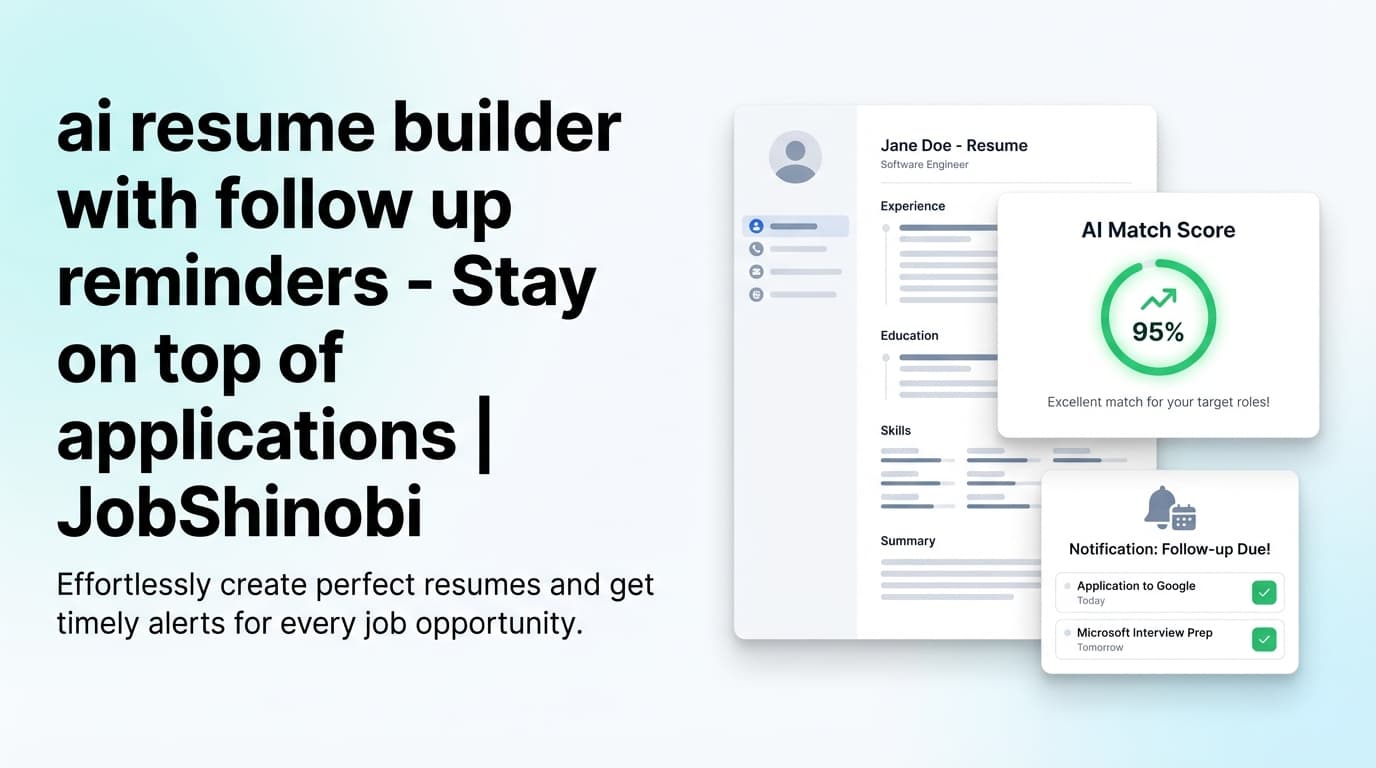
JobShinobi is an AI resume builder with a job application tracker built for high-volume job seekers who want two things at once: (1) a resume workflow that stays structured and ATS-friendly, and (2) a job tracker that doesn’t turn into a second job.
Create your resume in a LaTeX-based editor, get AI-powered resume scoring + keyword feedback, tailor against a job description with match analysis, and track every application in a realtime dashboard—including an automation option where you can forward confirmation emails to a unique address and have applications logged/updated for you.
CTA: Create your account • Jump to pricing
Why Choose JobShinobi for an AI Resume Builder + Job Application Tracker?
Most “all-in-one job search” tools lean heavily on browser extensions, autofill, or generic document editors. JobShinobi takes a different approach:
- Resume workflow that preserves structure: Your resume is stored as LaTeX (
latex_source) and compiled into a clean PDF preview—great for keeping formatting consistent while you iterate. - AI feedback that’s tied to your actual resume content: Run a resume analysis that returns an overall score plus detailed feedback like missing keywords, ATS issues, and section-level insights (with a cached result if nothing changed).
- Tracking that scales with volume: Keep applications organized in a dashboard table with status management, realtime updates, and Excel (.xlsx) export.
- Email-forwarding automation (Pro feature): Instead of manual data entry, you can forward job-related emails to your unique forwarding address to create or update job applications automatically.
If your job search is measured in dozens (or hundreds) of applications, JobShinobi is designed for that reality.
Built for the “high-volume applicant” workflow
When you’re applying at scale, the pain isn’t just writing a resume—it’s:
- remembering which resume version you used,
- tracking what happened after you applied,
- knowing which roles you’re actually matching well,
- keeping follow-ups from slipping.
JobShinobi combines:
- a resume editor with version history, and
- a job tracker with automation, and
- job description → match analysis for targeting.
What JobShinobi is (and isn’t)
JobShinobi is:
- a LaTeX resume builder with PDF +
.texexport - an AI resume analyzer (comprehensive + enhanced analysis modes)
- an AI resume editor (streaming chat) that can edit LaTeX and run compilation checks
- a job tracker with realtime updates and Excel export
- an email-forwarding workflow that can auto-log applications from emails (subscription required)
JobShinobi is not:
- a job board, an auto-apply bot, or a LinkedIn/Indeed integration
- a browser autofill extension
The Big Benefits (Using Real, Implemented Features)
1) Keep your resume structured with LaTeX + PDF preview
JobShinobi’s resume builder stores your resume as LaTeX and compiles it into a PDF preview. That means you can:
- edit in a structured format (instead of fighting Word/Docs formatting),
- preview exactly what you’ll send,
- download both PDF and
.texwhen you’re ready.
This is especially useful when you want consistent layout across versions while you tailor content.
2) Get AI resume scoring + ATS/keyword feedback you can act on
JobShinobi includes an AI resume analysis endpoint that can produce:
- an overall score
- category scores like content, keyword, formatting, completeness, and ATS
- structured feedback including strengths, weaknesses, missing sections
- keyword details such as present keywords, missing keywords, overused keywords, and keyword-density metrics
- ATS issue lists and more detailed analysis objects (depending on analysis mode)
If you re-run analysis without changing your resume, JobShinobi can return cached results instead of reprocessing the same content.
3) Tailor faster with job description extraction + match analysis
When you find a job post, you can paste:
- the job description text, or
- a job URL
Then JobShinobi can extract structured job details and produce a resume-to-job analysis including:
- a match score
- present vs missing keywords
- recommendations and tailoring suggestions you can apply back in the editor
This helps you stop guessing which keywords matter and start tailoring with direction.
4) Track every application in a realtime job tracker (and export to Excel)
JobShinobi includes a job application tracker that supports:
- viewing your applications list
- adding/editing entries
- status updates (e.g., Applied, Interview, Offer, Rejected)
- realtime updates via database change subscriptions
- export to Excel (.xlsx)
If you prefer spreadsheets for analysis or sharing, exporting to .xlsx keeps that option open without making you live in a spreadsheet.
5) Auto-log applications by forwarding confirmation emails (Pro feature)
The standout automation: JobShinobi can process forwarded job-related emails and extract fields like:
- company
- job title
- status (Applied / Interview / Offer / Rejected / Other)
- optional details like location, salary, job URL, additional info (when available)
It also supports fuzzy matching to update an existing application (instead of duplicating) when it looks like the same role/company.
This is built for the reality that your inbox is where job status changes actually happen.
How JobShinobi Works (Real Product Flow)
Step 1: Sign in and create a resume from a template
- Sign in with Google.
- Open the resume area and choose a template from the template library.
- Your resume is created/stored as LaTeX (
latex_source) so you can keep structure consistent as you edit.
Next: Start here
Step 2: Edit in the LaTeX editor (manual or AI) and preview PDF
You can work in two modes:
- Code editing (direct LaTeX edits)
- AI chat editing (streaming “agent” workflow that can propose edits and update LaTeX)
As you edit, compile to generate a PDF preview. When you’re ready, download:
- resume.pdf
- resume.tex
Step 3: Run resume analysis (and optionally include a job description)
Run AI analysis for:
- general resume improvements, or
- job-specific feedback by including a job description
You’ll get a score plus structured feedback and keyword insights.
Step 4: Match your resume to a job (URL or pasted description)
Paste a job URL or job description:
- JobShinobi extracts job details (company/position/requirements/keywords).
- JobShinobi generates a match analysis (match score, missing/present keywords, recommendations).
- Apply changes back into your resume editor and create a new version.
Step 5: Track applications in the job tracker (manual or automated)
You can manage applications in two ways:
Option A — Manual tracking (fast CRUD + export):
- Add job title + company + status
- Update status as you move through interviews
- Export the tracker to Excel (.xlsx)
Option B — Email-forwarding auto-tracking (subscription required):
- Get your unique forwarding address (generated after subscription activation)
- Forward application confirmations, interview invites, and other job-related emails
- JobShinobi parses the email content and updates your tracker
Key Features for an AI Resume Builder with Job Application Tracker
| Feature | What It Does | Why It Matters |
|---|---|---|
| LaTeX resume builder | Stores your resume as LaTeX (latex_source) and supports template-based creation |
Keeps structure stable while you iterate and tailor |
PDF + .tex downloads |
Download a compiled PDF and the source .tex |
You own your output and can submit confidently |
| Cloud LaTeX compilation + PDF preview | Compile LaTeX and preview the result | Catch formatting issues quickly while editing |
| AI resume analysis (comprehensive + enhanced modes) | Generates scores + structured feedback (ATS issues, keywords, strengths/weaknesses) | Replaces guesswork with actionable changes |
| Cached analysis when resume unchanged | Reuses prior results if you didn’t edit | Faster iteration without unnecessary re-analysis |
| Job description extraction (URL or text) | Extracts structured job details from input | Speeds up job targeting and match analysis |
| Resume-to-job match analysis | Match score + missing/present keywords + recommendations | Helps you tailor to the role you actually want |
| AI resume editor (streaming) | Chat-based edits that can update LaTeX and run compile checks | Make changes faster without breaking structure |
| Resume version history | Stores versions in resume_versions and supports reverting |
Keep multiple tailored versions without chaos |
| Job application tracker (dashboard) | Track applications, statuses, and updates | Stay organized across dozens of applications |
| Realtime job tracker updates | Live updates via database change subscriptions | Your tracker stays current as you work |
| Export to Excel (.xlsx) | Export application data to job_applications.xlsx |
Keep portability for your own reporting |
| Email forwarding → auto-log applications (Pro) | Parses forwarded emails and creates/updates applications | Eliminates manual entry for inbox-driven updates |
JobShinobi vs. “Just Use a Spreadsheet + Any Resume Builder”
A spreadsheet can work—until it becomes fragile:
- you forget to log applications,
- statuses drift out of date,
- you lose which resume version you used,
- job descriptions disappear,
- the “system” stops being used.
With JobShinobi:
- tracking is a dedicated dashboard (not a brittle doc),
- you can export to Excel when you want portability,
- resumes are versioned (so tailoring doesn’t overwrite your base resume),
- match analysis ties job descriptions to resume keywords,
- and email-forwarding automation can update your tracker from the emails you already receive.
If you’re applying casually, spreadsheets are fine. If you’re applying at volume, JobShinobi is built to reduce the operational overhead.
JobShinobi vs Other “All-in-One Job Search Suites” (Huntr, Teal, Simplify, etc.)
Many popular tools position around:
- job tracking dashboards
- resume builders
- keyword matching
- (often) browser extensions for saving jobs and autofilling forms
JobShinobi’s differentiation is not “more checkboxes.” It’s a specific workflow advantage:
Email-forwarding auto-tracking (instead of relying on extensions)
If you apply across many different sites, confirmations still land in your inbox. JobShinobi can turn those emails into tracker updates (subscription required), which can be a more universal input than “save job from board X.”
LaTeX-first editing + compile checks
JobShinobi is built around a LaTeX editor and compilation workflow—great for job seekers who care about consistent formatting, clean structure, and repeatable versions.
Version history that supports real tailoring
Tailoring isn’t “one resume.” It’s a base resume plus targeted variants. JobShinobi stores versions so you can tailor, test, and revert without starting over.
If you want extension-driven autofill, you may prefer a suite that specializes in that. If you want resume quality + tracking with inbox-driven automation, JobShinobi is the better fit.
Pricing
JobShinobi is a paid subscription product via Stripe.
- Monthly: $20.00
- Yearly: $199.99
See the latest pricing options here: Pricing
Note: Some features require an active subscription. In particular, email parsing / email-forwarding auto-tracking requires Pro membership.
Frequently Asked Questions
Is JobShinobi really an AI resume builder with a job application tracker?
Yes. JobShinobi combines:
- a LaTeX resume builder (templates, editing, PDF preview, PDF/
.texdownloads), - AI resume analysis (scores + ATS/keyword feedback),
- job description match analysis (match score, missing/present keywords),
- and a job application tracker with realtime updates and Excel export.
How does the email-forwarding job application tracker work?
After your subscription is activated, JobShinobi generates a unique forwarding email address for your account. You forward job-related emails (application confirmations, interview invites, etc.) to that address.
JobShinobi then:
- parses the email content using an AI extraction workflow,
- extracts fields like company, title, and status,
- creates a new job application entry or updates an existing one (with fuzzy matching),
- updates processing status so the tracker can reflect progress.
Can I export my job applications to Excel?
Yes. The job tracker supports exporting your application records to an Excel (.xlsx) file.
You can then open it in Microsoft Excel or upload it to Google Sheets (as a file) if you prefer spreadsheet analysis—without requiring a direct “Google Sheets integration.”
Can I download my resume as PDF?
Yes. The resume editor compiles LaTeX and lets you download:
- a PDF version of your resume, and
- the
.texsource file.
Does JobShinobi tailor my resume to a specific job description?
JobShinobi supports job targeting through:
- job description extraction (URL or pasted text),
- resume-to-job match analysis (including match score and missing/present keywords),
- and AI-assisted editing in the resume editor so you can implement changes.
Does JobShinobi integrate with LinkedIn, Indeed, or auto-apply to jobs?
No. JobShinobi does not claim LinkedIn/Indeed integrations or auto-apply functionality.
JobShinobi focuses on:
- resume creation + analysis + tailoring,
- tracking applications in a dashboard,
- and optional email-forwarding automation to log updates from your inbox.
Is there a free trial?
JobShinobi’s verified pricing is subscription-based (Monthly $20, Yearly $199.99). If you need trial-specific details, refer to the current checkout/pricing information on the site: Pricing.
Can I manage my subscription?
Billing is handled through Stripe. JobShinobi provides a billing portal link in the app settings where you can manage billing details.
Get Started with JobShinobi Today
If you’re tired of juggling a resume doc, a keyword scanner, and a tracking spreadsheet, JobShinobi gives you one workflow:
- Build a structured resume in LaTeX (template → edit → PDF preview).
- Analyze and tailor with AI feedback and job-match insights.
- Track applications in a realtime dashboard—and export to Excel anytime.
- Automate tracking by forwarding job emails to your unique address (subscription required).
Start now: Sign in with Google
Want pricing first? View pricing