Recruiters skim faster than most job seekers realize. The Ladders’ eye-tracking research found an average 7.4 seconds for an initial resume scan—and HR Dive’s coverage of the same study highlights the same takeaway: simple layouts and clear sections keep attention longer (The Ladders PDF; HR Dive).
That’s why your work experience bullets matter so much. They’re the first place humans look for proof—and the easiest place for scanners to find (or miss) the keywords they’re hunting.
If you’re applying a lot and hearing nothing back, it’s often not your overall resume. It’s usually that your bullets are:
- too vague (“responsible for…”, “worked on…”)
- not keyword-aligned to the job description
- hard for ATS to parse (tables, columns, text boxes, decorative bullets)
- missing outcomes and evidence (numbers, scope, results)
In this guide, you’ll learn:
- What resume scanners actually evaluate in work experience bullets
- A step-by-step “scanner loop” to rewrite bullets fast for each job
- ATS-safe formatting rules that prevent parsing errors
- Bullet formulas (STAR / APR / XYZ) with before-and-after examples
- A keyword mapping method that avoids keyword stuffing
- Tools (including JobShinobi) that can speed up scanning and rewrites
What Is a “Resume Scanner” (and What It’s Really Checking)?
A resume scanner (ATS checker / resume checker) typically does three things:
- Parsing: Converts your resume file into structured fields (work history, skills, education).
- Matching: Compares your resume text to a job description (keywords, titles, tools, requirements).
- Scoring/flagging: Assigns a score or flags issues (missing keywords, weak bullets, formatting risks).
Important: Don’t optimize for a single tool’s score
Different scanners weigh things differently. Treat scanner results as signals, not truth.
Also, be careful with viral claims like “ATS auto-rejects 75% of resumes.” Multiple sources have challenged this as overstated or unsupported as a universal rule (Davron; HiringThing). Many ATS platforms primarily organize and search resumes; humans still make the final call at many companies.
Practical takeaway: Build bullets that are:
- easy to parse,
- rich in relevant keywords in context,
- and convincing to a human in a 7-second skim.
Why Work Experience Bullets Matter in 2026 (ATS + Human Reality)
1) ATS adoption is widespread (especially at larger employers)
MIT Career Advising states about 99% of Fortune 500 companies use some form of ATS (MIT CAPD). Jobscan also reports 98.2% of Fortune 500 companies used a detectable ATS in one of its analyses (Jobscan).
Confidence: High that ATS usage is extremely common in large enterprises; exact percentages vary by source and year.
2) Many recruiters rely on ATS or recruiting tech
Select Software Reviews compiles ATS statistics such as:
- 70% of large companies use an ATS
- 20% of small and mid-sized businesses use an ATS
- 75% of recruiters use an ATS or similar tech-driven tools
(SelectSoftwareReviews)
Confidence: Medium (aggregation site, but widely referenced and directionally consistent with other industry commentary).
3) Recruiters skim first, read later
The Ladders study’s 7.4-second scan time explains why “good enough” structure beats “clever” structure (The Ladders PDF).
Confidence: High (primary study + broad citation).
How Resume Scanners Evaluate Work Experience Bullets (The 5-Part Checklist)
Most scanner feedback about bullets falls into these buckets:
- Keyword presence: Are the skills/tools/requirements present?
- Keyword placement: Are keywords in Experience bullets (not only Skills)?
- Context & credibility: Are keywords attached to real outcomes?
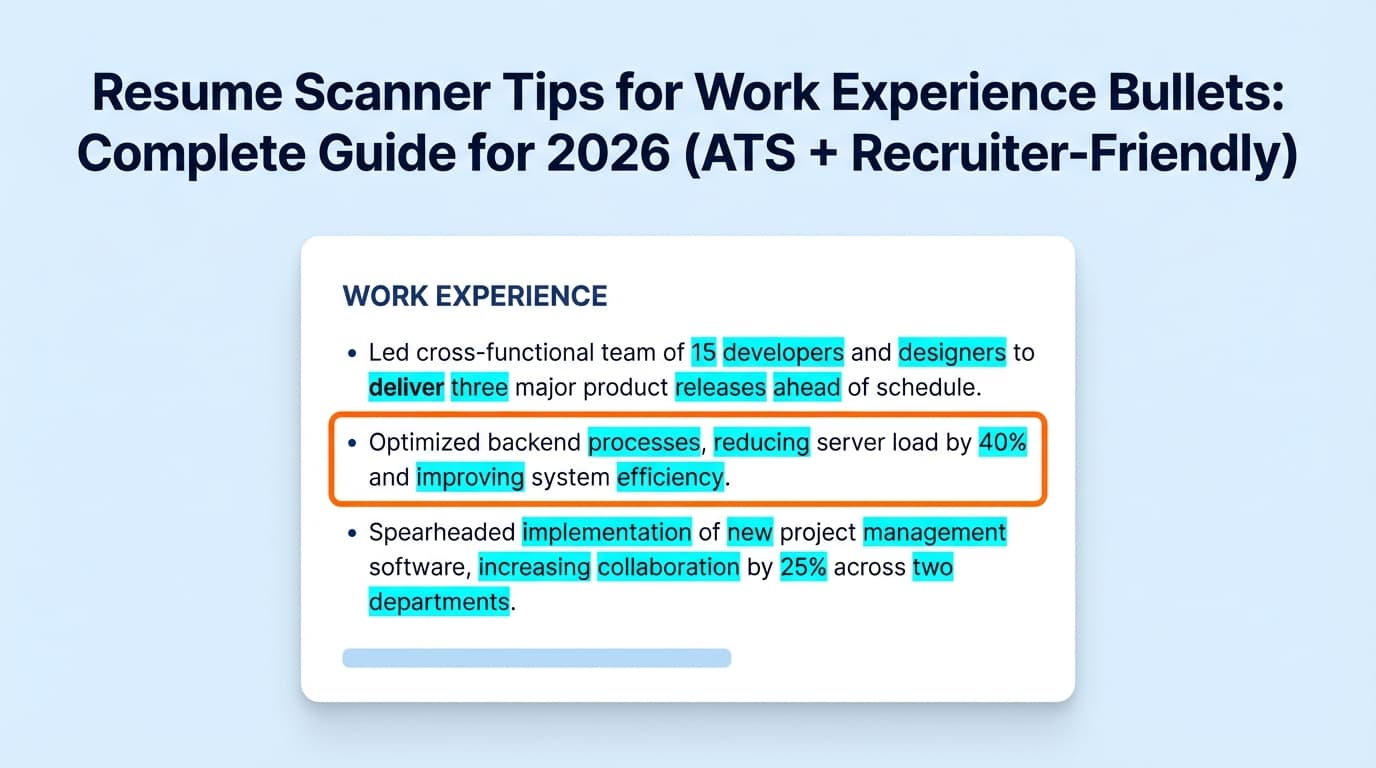
- Bullet strength signals: Action verbs, specificity, results, metrics.
- Parsing safety: Can the ATS reliably read your bullets and dates?
Parsing safety matters more than people think
MIT explicitly recommends avoiding graphics/icons/images and placing information into tables or text boxes, because those can confuse parsing (MIT CAPD).
UIC’s career services ATS guide also recommends a single-column format (no tables/multiple columns/text boxes) (UIC PDF).
Confidence: High (multiple university career centers align on this).
How to Improve Work Experience Bullets for Resume Scanners: Step-by-Step
Use this as your repeatable workflow for every role you apply to.
Step 1: Pull the “keyword spine” from the job description
Copy the job description into a doc and highlight:
- Hard skills/tools (SQL, Salesforce, Python, GA4, Jira, Kubernetes)
- Methods/frameworks (Agile/Scrum, ITIL, HIPAA, GAAP, SOC 2)
- Role outcomes (“reduce churn,” “increase conversion,” “automate reporting”)
- Senior-level signals (ownership, stakeholder management, roadmap, strategy)
Now rank them:
- Tier 1 (must-have): appears repeatedly or in requirements
- Tier 2 (nice-to-have): appears once or in “preferred”
- Tier 3 (context): company/team language, domain terms
Pro tip: Don’t copy keywords you can’t support. Scanners might reward it, interviews won’t.
Step 2: Build a “proof map” (keyword → evidence)
Create a simple table:
| Keyword | Where you used it | What you did | Measurable result |
|---|---|---|---|
| SQL | Weekly reporting | Built queries + dashboards | Cut reporting time 6h → 30m |
| Stakeholder management | Product + Sales | Ran weekly alignment | Reduced rework / faster delivery |
This solves the most common scanner failure:
Keywords listed, but not proven in Experience.
Step 3: Choose a bullet formula (and stick to it)
University career offices recommend structured accomplishment statements:
- Columbia suggests STAR to build clear experience statements (Columbia CCE)
- Yale emphasizes accomplishment statements that describe and quantify results (Yale OCS)
- University of Arizona teaches APR: Action + Project/Problem + Result (Arizona Career)
Here are three scanner-friendly formulas:
Formula A: APR (fast, practical)
Action + Project/Problem + Result
Example:
- Reduced invoice processing errors by building validation checks, cutting rework by 20%.
Formula B: STAR (best for clarity)
Situation/Task + Action + Result
Example:
- When weekly reporting was delayed, automated the pipeline in SQL/Python, delivering dashboards same-day instead of 2 days later.
Formula C: XYZ (great for quant + specificity)
Accomplished X as measured by Y by doing Z
Example:
- Increased onboarding completion by 9% by redesigning the activation flow and running A/B tests on key steps.
Step 4: Write bullets that “carry” keywords naturally
Scanners like exact matches, but humans like readable sentences.
A strong bullet usually includes:
- a strong verb
- the skill/tool (keyword)
- the object (what you built/delivered)
- the impact (metric or outcome)
- the scope (volume, timeframe, stakeholders)
Template you can reuse:
[Verb] [what] using [tool/skill] to [business outcome], resulting in [metric].
Step 5: Add metrics without making anything up
You don’t need perfect data—just honest evidence.
Metric sources to mine quickly:
- dashboards/analytics you already used
- ticket volumes / SLA metrics
- revenue influenced / pipeline size (if allowed)
- time saved (hours/week)
- quality signals (error rate, incidents, CSAT/NPS)
If you don’t have exact numbers:
- use ranges (“~20–30%”)
- use “before/after” (“2 days → same day”)
- use scale (“supported 200+ users,” “migrated 10K records”)
Step 6: Make bullets parse-safe (ATS formatting rules)
Parsing issues can make good bullets invisible.
Use conservative, widely recommended rules:
- Single column (avoid tables/columns/text boxes) (UIC PDF; MIT CAPD)
- Standard section headers (Work Experience, Education, Skills) — SCU warns against non-standard headings because ATS may not recognize them (SCU)
- Standard bullets (simple dot or hyphen). Decorative symbols can break parsing in some systems (this warning appears across multiple ATS formatting guides).
Fast test: paste your resume into a plain text editor.
If your bullets reorder, dates vanish, or sections scramble, your parse risk is high.
Step 7: Run the “scanner loop” (optimize, don’t obsess)
Repeat this per job:
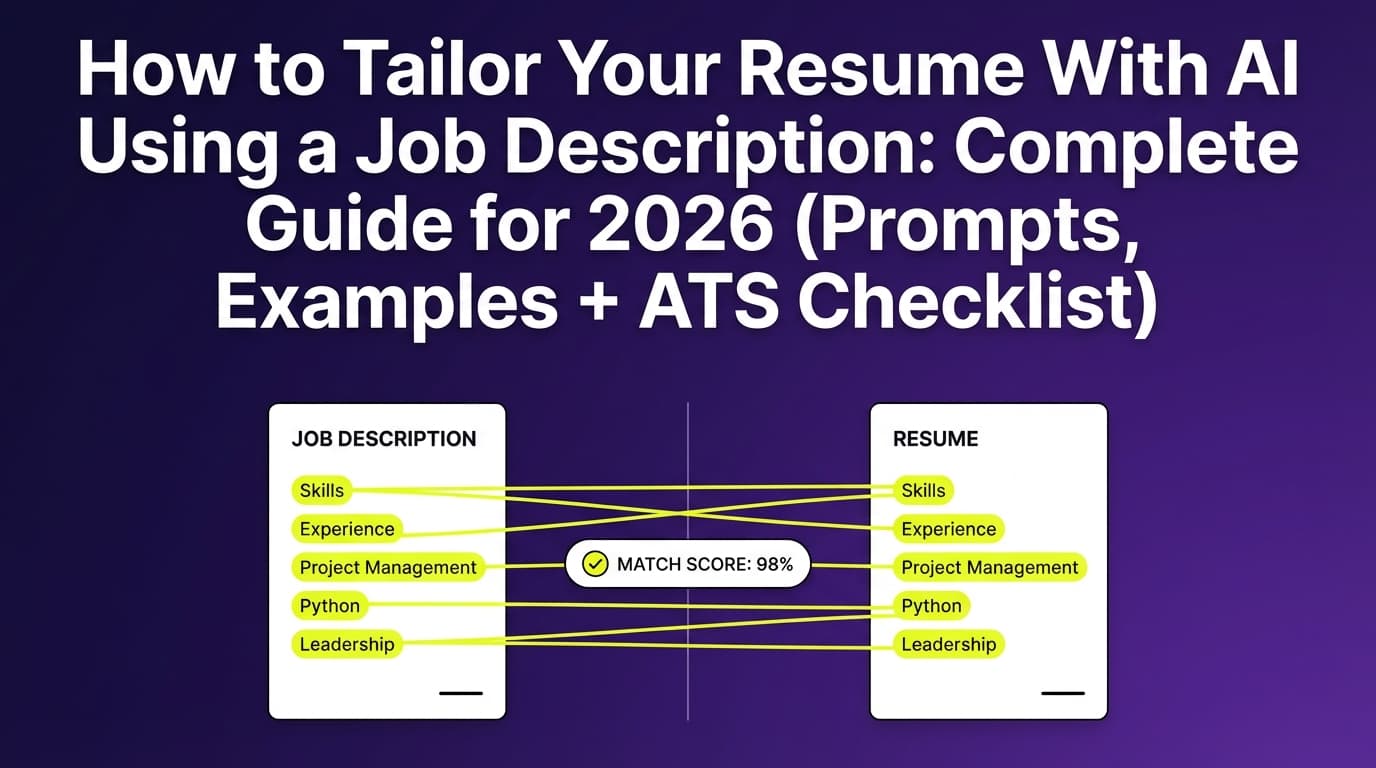
- Scan resume vs job description
- Identify missing Tier 1 keywords (aim for the top 8–15)
- Add missing keywords by rewriting 2–4 bullets (not stuffing)
- Re-scan and stop once you’re competitive and readable
What match rate should you aim for?
Jobscan has stated that it generally recommends aiming around 80% match rate, with some users seeing results even around 75% (as reported in third-party writeups referencing Jobscan guidance) (Sea-King WDC).
Confidence: Medium (secondary citation of Jobscan’s benchmark; still useful as a guideline, not a guarantee).
15 Resume Scanner Tips Specifically for Work Experience Bullets
- Start each bullet with a strong verb (built, led, automated, shipped, reduced, improved).
- Put the most relevant bullet first under each role (humans skim top-down).
- Use keywords in context (show where/how you used the skill).
- Mirror the job description’s phrasing when it’s true (e.g., “stakeholder management”).
- Include tools where they belong (in bullets, not only in Skills).
- Quantify impact frequently (but honestly).
- Show scope (users, volume, $, timeline, stakeholders).
- Avoid “Responsible for…” — it reads like duties, not outcomes.
- Avoid keyword stuffing (repetition can reduce credibility).
- Avoid decorative bullets/icons that could parse poorly.
- Avoid tables, text boxes, columns in the Experience section (MIT CAPD).
- Use standard section headings to help ATS categorize info (SCU).
- Keep most bullets 1–2 lines for skim speed (remember 7.4 seconds).
- Use past tense for past roles, present for current role (consistency signal).
- Tailor the top third first (most recent role + summary + skills) before rewriting everything.
Before/After: Bullet Rewrites That Scan Better (and Read Better)
Example 1 — Data Analyst (keywords + outcome)
Before:
- Responsible for reporting and dashboards.
After:
- Built weekly performance dashboards in Tableau, querying source data with SQL to reduce recurring ad-hoc requests by 30%.
Why it works:
- tools are explicit (Tableau, SQL)
- outcome is measurable
- reads naturally
Example 2 — Software Engineer (impact + reliability)
Before:
- Worked on backend services and fixed bugs.
After:
- Improved reliability of core backend services by debugging production issues and shipping fixes in Python, reducing repeat incidents by 25% over 2 quarters.
Example 3 — Marketing (method + metric)
Before:
- Managed email campaigns.
After:
- Owned lifecycle email campaigns in HubSpot, running A/B tests on subject lines and segmentation to increase open rates by 12% and reduce unsubscribes by 18%.
Example 4 — Project Manager (framework + delivery)
Before:
- Coordinated cross-functional projects.
After:
- Led cross-functional delivery across Product, Design, and Engineering using Agile/Scrum, shipping an onboarding redesign 3 weeks ahead of schedule and improving activation by 9%.
Example 5 — Customer Success (portfolio + retention)
Before:
- Helped with renewals.
After:
- Managed a portfolio of 45 SMB accounts, running QBRs and renewal plans to improve gross retention from 86% to 92% over 12 months.
Common Resume Scanner “Red Flags” in Bullets (and How to Fix Them)
Mistake 1: Bullets describe duties, not outcomes
Fix: Add “so what?” and evidence.
- “Handled customer issues.”
→ “Resolved 30–40 support tickets/week, improving CSAT from 4.2 to 4.6.”
Mistake 2: Keywords appear only in Skills
Fix: Move the top keywords into bullets with proof.
- “Skills: Salesforce, Excel”
→ “Cleaned and migrated 10K records into Salesforce, improving reporting accuracy.”
Mistake 3: Formatting breaks parsing
Fix: Remove tables/text boxes/icons; keep single column (UIC PDF; MIT CAPD).
Mistake 4: Keyword stuffing
Fix: Use fewer keywords, but attach them to outcomes.
The “Keyword Mapping Matrix” (A Simple Way to Tailor Without Rewriting Everything)
For one job application, aim to cover:
- 8–15 Tier 1 keywords across your most recent 1–2 roles
- 3–6 keywords in Skills (as a backup)
- 2–4 keywords in Summary (only if you truly match)
Rule of thumb:
If a keyword is important, it should show up in Work Experience bullets, not just Skills.
Tools to Help With Resume Scanner Optimization
Use tools to speed up iteration—not to replace judgment.
JobShinobi (resume building + analysis + job matching)
JobShinobi is built for ATS-focused job seekers who want:
- a LaTeX resume builder with PDF compilation/preview
- AI-powered resume analysis (including ATS/keyword-focused feedback)
- resume-to-job matching (paste a job description or URL text and compare alignment)
- an AI chat agent that can help refine your resume content
Pricing note (accuracy): JobShinobi Pro is $20/month or $199.99/year. The pricing/marketing mentions a 7-day free trial, but trial enforcement details aren’t clearly verified in code—treat it as “mentioned” rather than guaranteed.
Internal links: Resume Analyzer, Pricing
Other popular options
- University career center ATS guides (MIT, UIC, Yale, Columbia): high-signal, low-hype best practices
- Resume scanners like Jobscan: useful for identifying keyword gaps and formatting risks (treat scores as directional)
Key Takeaways
- Recruiters may spend ~7.4 seconds on an initial scan—your bullets must communicate impact instantly (The Ladders).
- ATS adoption is very common at large employers (MIT cites ~99% of Fortune 500) (MIT CAPD).
- The best “resume scanner” strategy is keywords + proof: put keywords inside accomplishment bullets.
- Avoid parsing risks: single column, no tables/text boxes/icons, standard headings (UIC PDF; SCU).
- Use a repeatable rewrite loop: extract keywords → map proof → rewrite 2–4 bullets → re-scan → submit.
FAQ (People Also Ask–Style)
How do you “trick” resume scanners?
Don’t. Focus on clear formatting and keyword-aligned accomplishment bullets. Tricks like keyword stuffing or irrelevant keyword blocks can reduce human trust and sometimes cause parsing problems.
Can ATS read bullet points?
Yes—standard bullets are typically fine. Problems happen with non-standard symbols or layouts that scramble content (tables/columns/text boxes). Career centers commonly recommend simple formatting for reliable parsing (MIT CAPD; UIC PDF).
Should I include keywords in every bullet point?
No. Include keywords where they truthfully belong, especially in your most relevant bullets. A few strong, keyword-rich accomplishment bullets usually beat a resume that reads like a keyword list.
What is a “good” match rate for an ATS scanner?
Treat it as a guideline. Some guidance associated with Jobscan recommends aiming around 80% (with variability by role and context) (Sea-King WDC). Your goal is strong alignment without harming readability.
Why is my resume parsing incorrectly?
Common causes include columns, tables, text boxes, headers/footers, icons, and unusual section headings. Use a single-column layout and standard headings to reduce parse errors (UIC PDF; SCU).
Do ATS systems automatically reject most resumes?
That’s often overstated. Many ATS tools primarily organize applications and help recruiters search/filter. The “75% auto-rejected” claim is widely debated and not reliably universal (Davron; HiringThing).