Recruiters skim fast. One widely cited eye-tracking study (reported by HR Dive) found recruiters spend about 7.4 seconds on an initial resume scan. That means your “fit” signals—job title alignment, keywords, and the first few bullets—need to land immediately. (Source: HR Dive’s summary of The Ladders eye-tracking study: https://www.hrdive.com/news/eye-tracking-study-shows-recruiters-look-at-resumes-for-7-seconds/541582/) Confidence: Medium (credible secondary reporting; original PDF may be gated for some readers).
At the same time, job seekers are increasingly using AI to speed up applications. In ZipRecruiter’s New Hires Survey (Q1 2024), just over 53% of job seekers reported using ChatGPT or a similar generative AI tool during their job search. (Source: ZipRecruiter survey page: https://www.ziprecruiter-research.org/new-hires-survey-2024q1 and media coverage: https://money.com/ai-tools-job-search/) Confidence: High (survey + independent coverage).
So the problem isn’t “Should I use AI?” It’s:
- How do you use AI to tailor your resume quickly—without sounding robotic or stretching the truth?
- How do you pull the right keywords from a job description and place them where ATS + humans expect them?
- How do you prove relevance in bullets, not just copy phrases?
This guide is built for high-volume applicants who are tired of getting filtered out and want a fast, honest, ATS-safe tailoring workflow.
In this guide, you’ll learn:
- A step-by-step method to tailor your resume to any job description with AI (in ~20–30 minutes)
- Copy/paste prompts to extract keywords, rewrite bullets, and avoid “AI-speak”
- A before/after example that shows what “tailored” actually looks like
- ATS-friendly formatting rules (and what “ATS auto-rejection” myths get wrong)
- How tools like JobShinobi can help with job matching, resume analysis, and versioning—without claiming features it doesn’t have
What does it mean to “tailor your resume” (and what it’s not)?
Resume tailoring means customizing your resume to a specific role by:
- Prioritizing the most relevant achievements and skills for that job
- Mirroring the job description’s language (honestly) so ATS searches and humans see the fit quickly
- Editing your summary, skills, and bullets so the “story” matches the role’s needs
It is not:
- Copy/pasting the job description into your resume (including “hidden text” tricks)
- Adding skills you don’t have
- Rewriting your work history so aggressively that it stops matching your real experience or your LinkedIn profile
“Invisible keywords” and hidden prompt hacks are increasingly discussed—and increasingly flagged. Built In reports recruiters say hidden prompt tactics don’t work, and many systems strip formatting so “invisible” text can become visible. (Source: https://builtin.com/articles/hidden-ai-prompts-in-resume) Confidence: Medium (journalistic source + consistent with ATS parsing behavior).
Why tailoring matters in 2026 (and what the ATS myth gets wrong)
You’ve probably heard: “75% of resumes are rejected by ATS before a human sees them.”
That number is widely repeated—but also widely disputed. The Interview Guys break down how the “75% rejection” claim traces back to marketing and is often misunderstood; they argue ATS usually organizes and filters candidates, while people (and knockout questions) often do the actual rejection. (Source: https://blog.theinterviewguys.com/ats-resume-rejection-myth/) Confidence: Medium (credible long-form explainer; still not a peer-reviewed paper).
What’s true and useful:
- ATS and recruiter searches rely heavily on keywords, job titles, and structured fields
- Bad formatting can cause parsing errors (scrambled sections, missing dates, misread headers)
- Most candidates lose out because their resume doesn’t show relevance fast, not because a robot “hates” them
And the trend line is clear: job seekers are using AI more. ZipRecruiter’s survey indicates 53% used GenAI in Q1 2024. Confidence: High (survey-based).
Practical takeaway: Tailoring is less about “beating the bot” and more about making your fit obvious in seconds—with language the ATS can parse and a human believes.
The core idea: Use AI like a resume analyst, not a resume author
If you do one thing differently, do this:
Use AI to analyze and map the job description to your experience, then you approve the final wording.
AI is excellent at:
- Extracting repeated skills and requirements
- Grouping keywords into themes (tools, domain, outcomes)
- Suggesting stronger verbs and clearer phrasing
- Generating multiple rewrite options fast
AI is risky at:
- Inventing metrics (“increased revenue by 37%”)
- Over-claiming (“led cross-functional team” when you didn’t)
- Producing generic “responsible for…” bullets
- Writing content that doesn’t match your real scope or background checks
How to tailor your resume with AI using a job description: Step-by-step
Step 0: Prep your inputs (5 minutes)
Before you prompt anything, gather:
- Your current resume (ideally in a plain-text friendly format)
- The full job description (including “About the role” + “Qualifications”)
- 2–3 “proof artifacts” you can reference:
- Performance review bullets
- Brag doc
- Project notes
- Metrics you can defend
Pro tip: If you’re worried about privacy, redact sensitive details before using any AI:
- Replace company names with
[Company] - Replace customer names with
[Client] - Replace revenue values with ranges (
$X00K–$X.0M) if needed
Step 1: Make AI extract the job’s real “target profile” (10 minutes)
Most job descriptions are noisy. Your first goal is to turn it into a clean requirements map.
Prompt: Job description deconstruction (copy/paste)
Paste this into your AI tool of choice:
Prompt:
You are a resume analyst. From the job description below, extract:
- Top responsibilities (5–8)
- Required skills (must-have) vs preferred skills (nice-to-have)
- Tools/technologies mentioned
- Keywords/phrases that appear multiple times or are emphasized
- What success looks like in this role (implied outcomes)
Return the results in a table with columns: Category | Item | Evidence (quote from JD).Job description:
[PASTE JD]
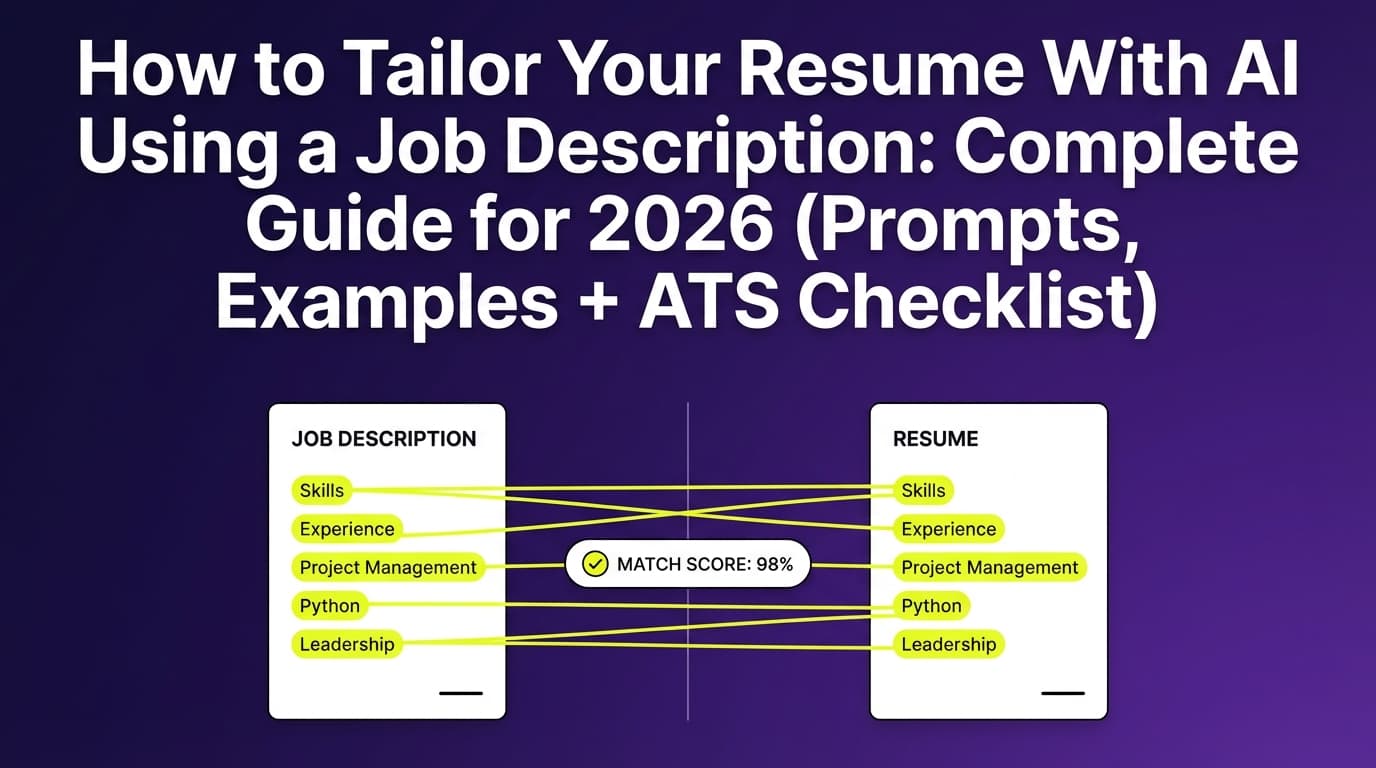
What you’re looking for: clarity on the 10–15 “signals” you must hit.
Step 2: Build a “truth-first” matching matrix (10 minutes)
Now you’ll map the JD to your real experience—without lying.
Create a table like this:
| JD requirement | Your evidence (project/bullet) | Proof/metric | Where it should appear |
|---|---|---|---|
| Stakeholder management | Led weekly roadmap reviews with Sales/CS | Reduced rework by X% | Summary + Experience bullet |
| SQL + dashboards | Built KPI dashboard in Tableau using SQL | Improved reporting speed | Skills + bullet |
| Experimentation / A/B testing | Ran pricing page tests | Lifted conversion | bullet + projects |
Prompt: Build a matching matrix from your resume
Prompt:
Using the job description and my resume below, create a matching matrix:
- Column A: Job requirement (from the JD)
- Column B: Evidence from my resume (quote a line or bullet)
- Column C: Missing evidence (if not present)
- Column D: Recommended resume location (summary, skills, experience, projects)
Rules: Do not invent new skills, employers, titles, degrees, or metrics. If something isn’t in my resume, mark it as missing.Job description:
[PASTE JD]My resume:
[PASTE RESUME]
Pro tip: If AI flags missing requirements you do have but didn’t write down, add them—but only if you can defend them in an interview.
Step 3: Tailor your headline and summary (high impact, low effort)
Your summary is prime real estate because:
- It’s near the top (7.4-second reality)
- It influences recruiter “fit/no-fit”
- It’s easy to tailor quickly
Summary tailoring rules
- Keep it to 2–4 lines
- Include the target job title (or a close match that’s truthful)
- Mention 2–4 core skills from the JD (tools + domain)
- Add one outcome you’ve achieved (metric if possible)
Prompt: Rewrite summary without fluff
Prompt:
Rewrite my professional summary for this job.
Constraints:
- Use only facts from my resume
- No buzzwords like “results-driven,” “synergy,” “dynamic”
- Add the target job title and 3–5 key skills from the JD
- Keep it to 3 lines max
Output 3 options (A/B/C).Job description:
[PASTE JD]Current summary:
[PASTE CURRENT SUMMARY]Resume context:
[PASTE RESUME]
Step 4: Tailor your skills section (keyword alignment without stuffing)
A skills section is often read by:
- ATS keyword matchers
- Recruiters scanning for “must-haves”
- Hiring managers sanity-checking tool fit
Skills section best practices
- Use grouped categories: Tools, Languages, Analytics, Cloud, etc.
- Mirror the JD’s exact terms when truthful (e.g., “SQL” vs “Structured Query Language”)
- Avoid long unstructured lists
Prompt: Skills section optimizer
Prompt:
Based on the JD, propose a skills section that:
- Prioritizes the JD’s must-have skills
- Uses my existing skills only (no invention)
- Groups skills into 3–5 categories
- Keeps it ATS-readable (plain text)
Output the final skills section text.JD: [PASTE]
Resume: [PASTE]
Common mistake: stuffing 30 keywords into skills with no proof. If you list it, be ready to show it in bullets.
Step 5: Rewrite your experience bullets to prove the JD (not just mirror it)
This is where most “AI-tailored resumes” fail: they look keyword-aligned but not credible.
The bullet formula that works
A strong tailored bullet usually includes:
- Action (what you did)
- Scope (what system, team, audience)
- Tools (if relevant)
- Outcome (metric, speed, quality, cost, adoption)
Example pattern:
Improved [process] by [doing X] using [tools], resulting in [measurable outcome].
Prompt: Rewrite bullets to align with JD (truth-first)
Prompt:
Rewrite the bullets under my experience to better align with this job description.
Rules:
- Do not fabricate metrics, titles, employers, tools, or responsibilities
- Keep each bullet to 1–2 lines
- Prefer measurable outcomes; if missing, suggest a placeholder like “[add metric if known]”
- Preserve my original meaning and seniority level
Output: revised bullets + a short note explaining which JD requirement each bullet supports.JD: [PASTE]
Experience section: [PASTE RELEVANT ROLE + BULLETS]
Step 6: Add a targeted “Selected Projects” subsection (optional but powerful)
If the JD is specific (e.g., “A/B testing,” “ETL pipelines,” “stakeholder alignment”), a small project block can carry keywords with proof.
When to add projects:
- You’re pivoting industries/roles
- Your best proof isn’t in your latest job
- The job requires a specific toolset
Prompt: Create a projects section from your own experience
Prompt:
From my resume, identify 2–3 projects most relevant to this job and draft a “Selected Projects” section.
Constraints: no new projects; only reframe what exists.
Each project should include: outcome, tools, and your role.JD: [PASTE]
Resume: [PASTE]
Step 7: Check ATS formatting (so your tailored content gets read correctly)
Even a perfectly tailored resume can lose if it parses poorly.
Common ATS-safe guidance across career services and ATS-focused resources includes:
- Prefer single-column layouts
- Avoid tables/text boxes for critical info
- Use standard section headings (“Experience,” “Education,” “Skills”)
File type note: Many ATS accept both PDF and DOCX now, but some systems parse DOCX more reliably. If an application portal warns about PDFs, follow it. (General guidance echoed in ATS-oriented resources; see examples in PDF vs Word discussions like Jobscan’s PDF vs Word article—access may vary.) Confidence: Medium.
Avoid these formatting risks:
- Two-column resumes (especially with icons)
- Graphics-heavy templates
- Text inside headers/footers (sometimes missed)
Step 8: Run a “match score” sanity check—but don’t worship it
Many tools suggest aiming for a high match score. For example, Jobscan recommends a match rate around 80% (and notes many succeed around 75%). (Source: Jobscan “What match rate should I aim for?” page: https://www.jobscan.co/blog/what-jobscan-match-rate-should-i-aim-for/) Confidence: Medium (source is well-known; page access can be restricted for automated tools).
Use match scores like a smoke detector:
- If you’re at 30–50%: you’re probably missing core keywords or proof
- If you’re at 70–85%: likely aligned (now focus on clarity + credibility)
- If you’re trying to hit 100%: you may be overfitting and keyword-stuffing
Step 9: Create versions (so you can apply faster next time)
Tailoring gets dramatically easier when you maintain:
- A “base resume” (broadly accurate)
- 2–3 role-family versions (e.g., Data Analyst, BI Analyst, Product Analyst)
- Job-specific versions for high-priority roles
This is also where a tool can help you avoid the “copy, paste, break formatting, lose track” loop.
A before/after example (what AI-assisted tailoring should look like)
Example job requirement (JD excerpt)
Let’s say the JD strongly emphasizes:
- SQL
- Dashboarding (Tableau/Looker)
- Stakeholder management
- KPI reporting
- Experimentation mindset
BEFORE: Generic bullets (weak fit signal)
- Responsible for reporting and analytics requests
- Created dashboards and shared insights with teams
- Worked with stakeholders to understand needs
AFTER: Tailored, credible bullets (strong fit signal)
- Built weekly KPI dashboards (SQL + Tableau) to track acquisition and retention metrics; reduced manual reporting time by [add metric if known]
- Partnered with Marketing and Product stakeholders to define success metrics and reporting requirements; delivered a standardized KPI spec used across quarterly planning
- Analyzed funnel performance and communicated insights in exec-ready updates; recommended experiments and measurement plans aligned to business goals
Why the “after” works:
- Same underlying work, but now it includes tools + outcomes + the JD’s language
- It’s still believable—no invented numbers
- It tells a clearer story in seconds
Best practices: AI resume tailoring that actually improves interviews
1) Treat the job description like a scoring rubric
Pull out:
- Must-haves
- Repeated phrases
- What the team is measured on
Then tailor your summary + top bullets to match.
2) Prioritize the top third of your resume
Given fast scanning behavior (7.4 seconds in the HR Dive report), optimize:
- Headline/title
- Summary
- First role’s first 2–3 bullets (Source: HR Dive: https://www.hrdive.com/news/eye-tracking-study-shows-recruiters-look-at-resumes-for-7-seconds/541582/) Confidence: Medium.
3) Mirror language, but keep your voice
If the JD says “stakeholder management,” don’t swap in “relationship wizardry.” Use normal professional language.
4) Use AI to suggest, then you verify
If AI rewrites a bullet, ask:
- Did I actually do this?
- Can I defend this in detail?
- Does my LinkedIn agree?
5) Add proof where ATS + humans both benefit
Best places for keywords + proof:
- Skills section (keyword inventory)
- Experience bullets (proof)
- Projects (proof)
- Summary (positioning)
Common mistakes to avoid (especially when using AI)
Mistake 1: Letting AI “hallucinate” achievements
If you don’t have a metric, don’t let AI invent one.
Fix: Use placeholders like:
- “[add metric if known]”
- “Improved reporting speed” (if you can explain how)
Mistake 2: Keyword stuffing (including hidden text)
Besides being risky, it often reads badly.
Built In reports recruiters saying hidden prompts and invisible text tricks don’t work as intended, and ATS can strip formatting. (Source: https://builtin.com/articles/hidden-ai-prompts-in-resume) Confidence: Medium.
Mistake 3: Tailoring only the skills list (and not the bullets)
Skills without proof are weak.
Fix: Every must-have skill should show up in at least one bullet (if you truly have it).
Mistake 4: Copying the JD into your summary
Recruiters can tell when it’s pasted.
Fix: Write “you + evidence + outcomes,” not “job ad rewrite.”
Mistake 5: Optimizing for one tool’s score
Match scores can help, but they’re not universal.
Fix: Use them to find gaps, then optimize for clarity and credibility.
Tools to help with tailoring (honest recommendations)
Option 1: Use a general AI chatbot (ChatGPT/Gemini/Claude)
Good for:
- Prompt-based extraction of keywords
- Quick rewrites
- Brainstorming metrics you might already have
Watchouts:
- Hallucination
- Overly generic tone
- No built-in version history unless you manage it
Option 2: Use a dedicated resume tailoring + analysis tool
JobShinobi (dedicated workflow)
- What it can help with (supported):
- AI resume analysis with scoring and detailed feedback (ATS/keyword-focused)
- Job description extraction from a URL or pasted text, then resume-to-job matching with a saved analysis
- AI editing agent for resume updates with version history (so you can iterate without losing previous versions)
- A LaTeX-based resume editor with PDF preview/compilation inside the app (helpful if you want a consistent, structured layout)
- Pricing (supported): JobShinobi Pro is $20/month or $199.99/year. The pricing UI mentions a “7-day free trial,” but trial enforcement details aren’t clearly verifiable in code—so treat the trial as “mentioned” rather than guaranteed.
- Sign-in (supported): Google sign-in (OAuth).
You can explore resume features from the resume area inside the app: /dashboard/resume.
If you’re also tracking applications: JobShinobi includes a job application tracker (with Excel export). It also supports email-forwarding based tracking, but email processing requires Pro membership.
A fast “20–30 minute” AI tailoring checklist (repeatable)
Use this workflow per application:
- Paste JD → extract must-haves (5 min)
- Create JD-to-resume matrix (5 min)
- Rewrite summary + title (3 min)
- Reorder/edit skills section (3 min)
- Rewrite 3–6 bullets to prove must-haves (10 min)
- ATS format check (2 min)
- Final “truth check”: can you explain every line? (2 min)
FAQ (People Also Ask–style)
How do I modify my resume according to a job description using AI?
Use AI to extract the job’s top requirements, then map each requirement to your evidence (projects/bullets). Finally, have AI rewrite your summary, skills, and bullets using only your real experience, and you approve the final language.
Can ChatGPT tailor my resume to a job description?
Yes—ChatGPT (and similar tools) can help extract keywords and rewrite bullets. The key is to use “truth-first” prompts (e.g., “do not invent metrics”) and to verify every claim.
What AI tool matches a resume with a job description?
Many tools do this. In JobShinobi, a supported workflow includes job description extraction (URL or text) and resume-to-job matching with saved analysis. (If you use other tools, look for keyword gap analysis plus actionable rewrite suggestions.)
What is a good ATS score or match rate?
Many guides commonly cite a target around 75–80% match as a practical benchmark. For example, Jobscan recommends around 80% and notes many succeed at 75%. (Source: https://www.jobscan.co/blog/what-jobscan-match-rate-should-i-aim-for/) Confidence: Medium. Treat scores as guidance, not guarantees.
Does ATS detect white text or hidden keywords?
Hidden text “hacks” are risky. Many systems strip formatting, and recruiters increasingly look for manipulation attempts. Built In reports recruiters saying hidden prompt tactics don’t work as intended and can be surfaced by systems. (Source: https://builtin.com/articles/hidden-ai-prompts-in-resume) Confidence: Medium.
Should I change my job title on my resume to match the job posting?
Only if it stays truthful. You can adjust a headline (e.g., “Data Analyst | BI & KPI Reporting”) to match the role you’re targeting, but don’t change your official job titles in a way that misrepresents your employment history.
Is PDF or DOCX better for ATS?
It depends on the employer’s system. Many ATS handle both, but DOCX is sometimes safer for parsing; PDF is safer for preserving layout. If the application portal recommends a format, follow that instruction.
How do I avoid sounding like AI wrote my resume?
Ask AI to remove buzzwords and keep language specific. Use prompts like:
- “No fluff, no clichés”
- “Keep it to 1–2 lines”
- “Use my original tone” And always add concrete details (tools, scope, outcomes).
Key takeaways
- Tailoring with AI works best when AI is your analyst, not your author.
- Start by extracting the JD’s real requirements, then build a matching matrix tied to your actual proof.
- Rewrite your summary + top bullets first—because recruiters skim quickly (7.4 seconds in the HR Dive report).
- Avoid keyword stuffing and hidden-text tricks; focus on credible proof.
- Tools like JobShinobi can help with resume analysis, job matching, and versioned editing—plus job tracking—while JobShinobi Pro costs $20/month or $199.99/year (trial language is mentioned but not guaranteed).