Most job seekers don’t lose opportunities because they’re unqualified—they lose them because their resume isn’t readable (by ATS), isn’t targeted (to the role), or takes too long to tailor consistently.
And yes: you can use a free AI resume builder for (almost) every application—but only if you understand the trade-offs and build a process that avoids the most common “free tool” failure modes: paywalls at download, weak customization, messy formatting, privacy issues, and “AI-sounding” bullets.
In this guide, you’ll learn:
- When a free AI resume builder is enough (and when it quietly costs you more)
- A repeatable tailoring workflow you can run in 10–20 minutes per job
- How to keep your resume ATS-friendly (without making it ugly)
- How to spot hidden paywalls and “free” tools that don’t scale
- A simple system for versions so you don’t rebuild from scratch each time
What this question really means (and why job seekers get stuck)
When people ask: “can you use a free ai resume builder for every application”, they usually mean:
- Can I tailor fast enough to apply to many roles without burning out?
- Can I download/export without paying each time?
- Will the resume parse in ATS without breaking?
- Will recruiters notice it’s AI-written (and judge it)?
- Will a free tool limit versions, scans, templates, or exports right when I need it most?
A free builder can work—if your workflow doesn’t depend on the exact features most free tools restrict.
Quick answer: Yes, but only if you follow a “base resume + targeted edits” system
✅ When it works (high confidence)
A free AI resume builder can be enough if:
- You’re applying to similar roles (same function, similar keywords)
- You’re okay with one clean template and minimal design
- You can reliably export to PDF/DOCX without surprise paywalls
- You’re using AI to edit 20–30%, not rewrite your life story every time
❌ When it breaks (high confidence)
It often fails when:
- You’re applying across different job families (e.g., Analyst + PM + Ops)
- The tool locks exports, versions, or ATS scans behind payment
- The builder produces formatting that doesn’t parse well (columns/tables/icons)
- You need to manage many applications and can’t track which resume version you used
Why ATS-friendliness still matters in 2026 (with real data)
Even if you’re skeptical about “ATS myths,” ATS usage is very real.
-
Workday states “more than 98% of Fortune 500 companies” use an applicant tracking system. [High confidence — Workday]
Source: https://www.workday.com/en-us/topics/hr/applicant-tracking-system.html -
MIT Career Advising notes about 99% of Fortune 500 companies use some form of ATS. [Medium confidence — single academic source, but consistent with other industry claims]
Source: https://capd.mit.edu/resources/make-your-resume-ats-friendly/ -
SelectSoftwareReviews reports 75% of recruiters use an ATS or another tech-driven recruiting tool to review applicants. [Medium confidence — industry aggregator, not a primary study]
Source: https://www.selectsoftwarereviews.com/blog/applicant-tracking-system-statistics -
Jobscan’s ATS usage reporting includes market-share-style figures (example shown in SERP snippet: Workday 37.1% usage rate in 2024). [Medium confidence — vendor-published methodology]
Source (report page): https://www.jobscan.co/blog/fortune-500-use-applicant-tracking-systems/
Bottom line: Whether the ATS “rejects” you automatically or not, it does parse your resume—and messy formatting can scramble what the recruiter sees downstream.
What is a “free AI resume builder” (and what “free” usually includes)
A “free AI resume builder” typically offers some combination of:
- A resume editor (form-based or document-based)
- Templates
- AI writing assistance (summaries, bullets, skills)
- Exports (PDF/DOCX) — often limited
- Sometimes: ATS checks, keyword matching — often limited
The 4 common “free” models you’ll run into
- Free to build, pay to download (most frustrating)
- Free with limited exports (e.g., watermark, only TXT, only a few downloads)
- Free tier with caps (e.g., 1 resume, limited AI generations, limited tailoring)
- Truly free (rarer; often simpler tools or lead-gen business models)
Tip: Your real constraint isn’t “can it generate text?” It’s: Can you export a clean resume repeatedly at volume?
The biggest problem with “using it for every application”: version chaos
High-volume applicants usually hit one of these:
- “I don’t remember which resume I sent.”
- “I tailored it, but now my base resume is messed up.”
- “I’m rewriting from scratch each time.”
- “My ‘final’ resume is stuck behind a download paywall.”
So the goal isn’t to “create a new resume for every job.” The goal is to create a controlled set of versions quickly.
How to use a free AI resume builder for every application: Step-by-step workflow
This is the repeatable system that scales.
Step 1: Create one “Base Resume” that’s ATS-safe
Your base resume should be:
- One-column
- No icons
- No tables/text boxes
- Standard headings (Experience, Education, Skills)
MIT specifically advises avoiding graphics, icons/images, and placing information into tables or text boxes for ATS parsing. [Medium confidence — academic career center guidance]
Source: https://capd.mit.edu/resources/make-your-resume-ats-friendly/
Pro tip (high confidence): If your base resume is ATS-safe, every tailored version starts safe.
Step 2: Build a “Master Achievement Bank” (one-time setup)
Before you tailor anything, collect:
- 12–20 strongest bullets (with metrics if possible)
- A list of tools/skills you actually used
- 3–5 project highlights
- 2–3 summary variations (e.g., “data analyst” vs “BI analyst”)
This reduces the risk of AI hallucinating accomplishments.
Pro tip: Treat AI as an editor and re-phraser, not a source of truth.
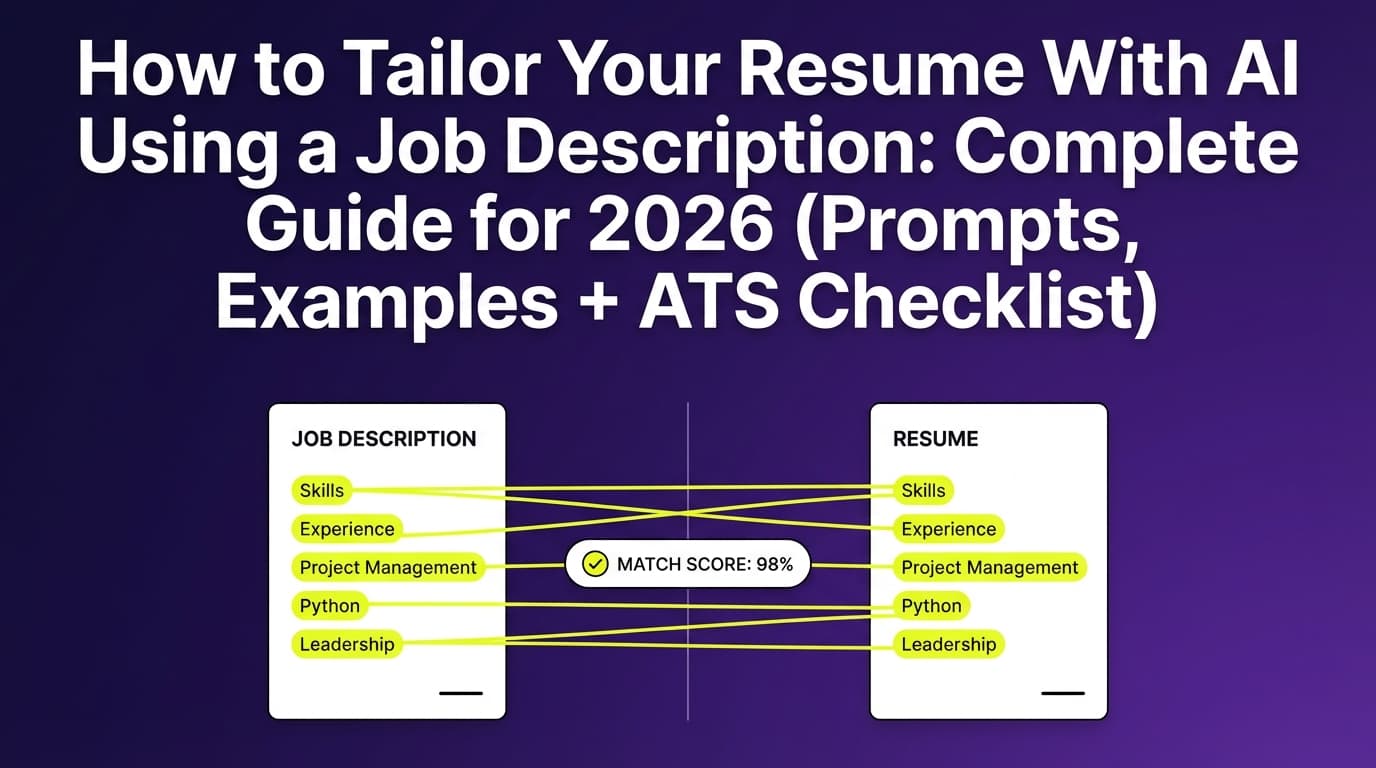
Step 3: For each job, extract the role’s keyword themes (5 minutes)
Copy the job description into a notes doc and pull out:
- Role title variants (e.g., “Data Analyst” vs “Analytics Specialist”)
- Top tools (SQL, Excel, Tableau, Python)
- Outcome language (“reduce churn,” “forecasting,” “stakeholder management”)
- Domain terms (FinTech, B2B SaaS, healthcare claims, etc.)
If you want a numeric target, Jobscan recommends aiming for ~80% match rate, noting many people see success around ~75%. [Medium confidence — vendor guidance]
Source: https://www.jobscan.co/blog/what-jobscan-match-rate-should-i-aim-for/
Important: Don’t chase 100%. That often leads to keyword stuffing and awkward bullets.
Step 4: Tailor only 3 zones (the 80/20 approach)
To apply at volume, tailor the parts that change outcomes most:
-
Headline / Target Title
Match the job title (or closest honest version). -
Summary (3–4 lines)
Mirror the job’s top 2–3 themes. -
Top 4–8 bullets in your most relevant role
Swap in achievement-bank bullets that match the posting.
Everything else stays stable.
Pro tip: If you’re rewriting more than ~30% every time, your system isn’t scalable.
Step 5: Run an “ATS readability check” yourself (2 minutes)
Before you export:
- Does it still look good as plain text?
- Are dates consistent?
- Do bullets wrap cleanly?
- Are section headings obvious?
This is where many template-heavy builders fail: they look great visually but export messy text.
Step 6: Name versions like a professional (so you can track results)
Use a naming convention:
First_Last – Role – Company – YYYY-MM-DD.pdf
Example:
Jordan_Lee – Data Analyst – Apex Health – 2026-01-20.pdf
This makes it easier to connect callbacks to versions later.
Best practices (what experienced applicants do)
1) Keep keywords natural (avoid “keyword stuffing”)
Keyword stuffing is when you cram terms into a Skills section or awkward bullet fragments.
Why it hurts:
- It can reduce readability for humans
- It can make your resume look spammy or AI-generated
A good rule: if a keyword doesn’t appear in a sentence that describes something you did, it probably doesn’t belong.
2) Use “proof signals” in bullets (numbers, scope, tools)
AI bullets often sound generic. Fix that by forcing specificity:
- Metric: by how much?
- Scope: for how many users/accounts/records?
- Tool: using what?
- Outcome: why did it matter?
Instead of:
“Improved reporting processes.”
Use:
“Automated weekly revenue reporting in SQL + Tableau, cutting manual refresh time from 2 hours to 15 minutes.”
3) Don’t let the template dictate your content
If a free builder only supports a design that uses:
- multiple columns
- icons for contact info
- progress bars for skills
…you’re choosing aesthetics over parsing reliability.
MIT’s ATS guidance is explicit about avoiding elements that can confuse ATS (tables/text boxes/graphics/icons). [Medium confidence — MIT guidance]
Source: https://capd.mit.edu/resources/make-your-resume-ats-friendly/
4) Decide PDF vs DOCX intentionally
Modern ATS can often read both—but not always equally.
Jobscan notes that modern ATS can read text from PDFs and Word docs, but some systems can have formatting issues depending on how the PDF was created. [Medium confidence — vendor testing]
Source: https://www.jobscan.co/blog/resume-pdf-vs-word/
Safe heuristic (high confidence):
- If the application portal accepts DOCX and you want maximum parse reliability, DOCX is often safer.
- If you’re emailing a recruiter directly, PDF preserves layout better.
Always follow the employer’s instructions.
5) Treat “free” as a budget strategy, not a process strategy
A free tool saves money. But if it costs you:
- hours rebuilding versions
- lost exports
- messy formatting
- poor tracking
…it may cost you more in missed interviews.
Common mistakes to avoid (especially with free AI resume builders)
Mistake 1: Rewriting your entire resume for each job
This causes:
- inconsistent story
- more errors
- version confusion
Fix: tailor only the top-impact zones (title/summary/top bullets).
Mistake 2: Trusting AI to “invent” achievements
AI can accidentally add:
- tools you didn’t use
- inflated scope
- fake metrics
Fix: only feed AI content from your achievement bank, then ask it to rewrite without adding new facts.
Mistake 3: Getting trapped at the download step
Reddit is full of complaints about “free” resume builders charging at the last step. [High confidence — widespread user-reported pattern; specific experiences vary]
Example thread surfaced in search results: https://www.reddit.com/r/YouShouldKnow/comments/1lrbn9w/ysk_many_free_resume_builder_websites_will_charge/
Fix:
- Test export before investing an hour
- Export a sample resume immediately
- Confirm file format options (PDF/DOCX) and whether it watermarks
Mistake 4: Over-optimizing for an “ATS score”
Scores are directional, not absolute truth. Tools use different parsing rules and keyword models, so scores can conflict.
Fix:
- Use the score to find missing keywords/themes
- Then optimize for a human-readable resume
Mistake 5: Ignoring privacy and data retention
Uploading your resume means sharing:
- phone number
- address
- work history
- sometimes references
If you’re worried recruiters can “tell” you used AI, also consider that some platforms store content.
Augsburg University’s career center outlines recognizable patterns of AI-generated resumes and why human review matters. [Medium confidence — career center guidance]
Source: https://careers.augsburg.edu/resources/can-recruiters-tell-if-youve-used-ai-to-write-your-resume/
Fix:
- Remove sensitive data you don’t need (full address, for example)
- Use reputable tools with clear policies
- Keep a local “source of truth” resume file
A decision framework: Can you personally rely on free for every application?
Use this quick checklist.
You can rely on free if you can answer “yes” to these:
- Can I export PDF/DOCX without limits that block my volume?
- Can I create multiple versions without losing my base resume?
- Does it produce a resume that stays one-column ATS-safe?
- Can I tailor 10–20 minutes per job without fighting the UI?
Consider paid if you answer “no” to any of these:
- I need keyword matching and tailoring inside one workflow
- I need version history and easy reverts
- I’m applying at high volume and need tracking + analytics
Tools that can help (honest, non-hype recommendations)
Below are tool categories (not promises about every vendor’s pricing/features, which change frequently).
Free/low-cost options (best for getting started)
- Simple resume templates (DOCX/Google Docs): Great for ATS-safe formatting and total control.
- General-purpose AI (ChatGPT/Gemini/Copilot): Best if you already have a strong base resume and need rewriting help.
Use with strict prompts like: “Rewrite without adding facts.”
When you want an integrated workflow (tailoring + analysis + tracking)
- JobShinobi: Built for job seekers focused on ATS outcomes and high-volume applications.
- AI resume analysis with ATS-focused scoring and feedback (supported)
- Job-to-resume matching: paste a job URL or description, extract job details, and generate match analysis (supported)
- LaTeX resume builder + PDF compilation inside the app (supported; compilation depends on an external LaTeX service configured via
LATEX_SERVICE_URL) - Resume version history (supported)
- Job application tracker with Excel export (supported)
- Email-forwarding job tracking (supported, but requires Pro membership)
- Pricing: JobShinobi Pro is $20/month or $199.99/year. The pricing UI mentions a 7-day free trial, but trial enforcement is not clearly verifiable in code, so treat trial availability as unconfirmed. [High confidence on pricing; medium confidence on trial]
Internal links you can reference from your site/app:
- Manage subscription: /subscription
- Resume workspace: /dashboard/resume
Unique angle: the “Free Builder Stack” (how to scale without paying)
If your goal is to apply broadly on a tight budget, here’s a stack that works:
- Base resume in a stable format (DOCX / LaTeX / plain-text-friendly layout)
- Achievement bank (your facts)
- AI for rewrites (summary + top bullets only)
- A naming convention + spreadsheet tracker (role/company/date/version)
- Optional: an ATS checker for spot checks (don’t chase perfect scores)
This avoids dependence on any single “free” builder’s export limits.
FAQ (People Also Ask–style)
Is there a completely free AI resume builder?
Some tools market “completely free,” but “free” varies—many are free to write and edit but restrict downloads or advanced features. Always test export early (create a quick sample and download it) to confirm there’s no paywall.
Do employers know I used an AI resume builder?
They usually can’t prove it, but recruiters may recognize patterns: overly generic bullets, buzzword-heavy summaries, and perfect-but-impersonal language. A career center example of these patterns is discussed by Augsburg University.
Source: https://careers.augsburg.edu/resources/can-recruiters-tell-if-youve-used-ai-to-write-your-resume/
Can ChatGPT tailor my resume to a job description?
Yes—if you provide your real resume content and the job description, and you instruct it not to add new facts. The best results come from asking it to tailor only your summary and the most relevant bullets (instead of rewriting everything).
Should I tailor my resume for every job application?
Tailor for roles you actually want and where you’re reasonably qualified. For high-volume searching, use a “base + targeted edits” system so you’re adjusting ~20–30%, not rebuilding from scratch.
What’s a good ATS match rate to aim for?
Jobscan recommends aiming around 80%, and notes many users see success around 75%. Treat it as a guideline, not a guarantee.
Source: https://www.jobscan.co/blog/what-jobscan-match-rate-should-i-aim-for/
Does ATS prefer PDF or DOCX?
It depends on the employer’s ATS and how the PDF is generated. Jobscan notes modern ATS can read both, but some systems can still have formatting issues. When in doubt—and if allowed—DOCX can be the safer parsing choice, while PDF is better for layout consistency when emailing.
Source: https://www.jobscan.co/blog/resume-pdf-vs-word/
Are columns, tables, and icons really bad for ATS?
They can be. MIT Career Advising specifically recommends avoiding graphics/icons/images and avoiding placing info into tables or text boxes for ATS friendliness.
Source: https://capd.mit.edu/resources/make-your-resume-ats-friendly/
Can I use the same resume for multiple applications?
You can reuse your base resume, but you should adjust the target title, summary, and a handful of bullets so the resume clearly fits the job. Reusing a totally generic resume tends to reduce relevance.
Are free resume builders safe to upload personal info?
It depends on the tool’s data handling. If privacy is a concern, remove unnecessary sensitive details (like full address) and keep a local master copy. Prefer tools with clear privacy policies and minimal data retention.
What if a free resume builder makes me “sound like everyone else”?
That’s a common issue. Fix it by adding proof signals (metrics, scope, tools, outcomes) and by tailoring language to the specific role’s responsibilities instead of repeating generic “results-driven” phrasing.
Key takeaways
- You can use a free AI resume builder for every application if you have a versioning system and tailor only the highest-impact sections.
- The biggest risks with free tools are export/paywalls, formatting that breaks ATS parsing, and generic AI language.
- Build a base ATS-safe resume, a master achievement bank, and a repeatable 10–20 minute tailoring workflow.
- If you’re applying at high volume, integrated workflows (analysis + matching + version history + tracking) can reduce chaos—just be careful about pricing claims and feature assumptions.