Recruiters don’t read resumes the way job seekers do. In an eye-tracking study by The Ladders, the average initial resume screen was 7.4 seconds. (Source: TheLadders eye-tracking study PDF; also covered by HR Dive.) Confidence: High (primary PDF + reputable secondary source).
So when you Google “how to use free ai resume builder with job description”, what you really need is a workflow that:
- pulls the right requirements from the posting,
- translates them into proof-based resume bullets (not buzzwords),
- keeps your layout ATS-readable, and
- doesn’t fall apart when a “free” tool hits a paywall at download time.
In this guide, you’ll learn:
- The exact step-by-step process to tailor your resume using the job description (with copy/paste prompts)
- A “keyword-to-proof” method that prevents AI hallucinations
- ATS formatting rules (including what to avoid like tables/columns)
- Before/after examples for bullets, summaries, and skills sections
- Tools that help (free + paid), including where JobShinobi fits—without overstating pricing or features
What is “using a job description” in an AI resume builder?
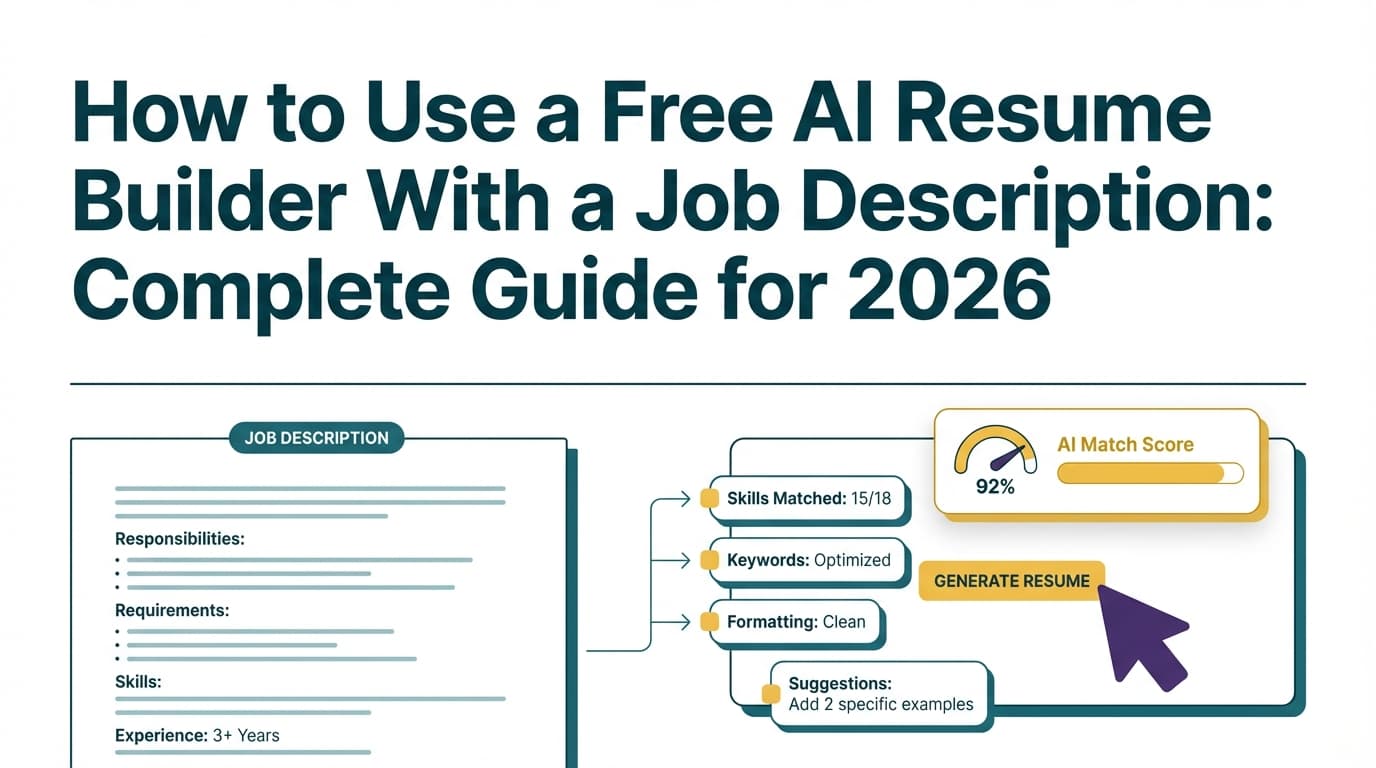
Using a job description in an AI resume builder means you feed the tool the employer’s requirements so it can help you:
- Identify must-have keywords and responsibilities
- Prioritize what to feature (so your resume passes a 7-second skim)
- Rewrite your existing experience to match the role’s language
- Spot gaps (missing but relevant keywords you can honestly support)
It does not mean copying the job description into your resume. It means translating the JD into evidence-backed claims.
Why tailoring matters in 2026 (with data you can cite)
A few grounded stats explain why job-description matching is worth the effort:
- 7.4 seconds: average initial resume screen time. (Source: TheLadders eye-tracking study PDF; HR Dive coverage.) Confidence: High
- 98.4% of Fortune 500 companies used a detectable ATS in 2024. (Source: Jobscan ATS usage report.) Confidence: Medium (strong source, but single primary source for this exact figure).
- 88% of employers agreed qualified, high-skilled candidates are vetted out because they don’t match exact criteria. (Source: Harvard Business School / Accenture “Hidden Workers: Untapped Talent” report and executive summary PDFs.) Confidence: High
- ~250 resumes per corporate job opening, with only 4–6 typically getting interviews. (Source: Glassdoor “HR & recruiting stats”; also repeated by Inc.) Confidence: High
- Jobscan recommends aiming around 80% match rate, and notes many succeed around 75%. (Source: Jobscan; also echoed by a WGU career resource page.) Confidence: High
Practical takeaway: You’re competing in volume. Tailoring helps you become obviously relevant fast—to both software screening and human scanning.
The #1 rule when using AI on resumes: “Truth-first or don’t use it”
AI tools are great at phrasing. They are also extremely willing to:
- invent tools you didn’t use,
- exaggerate scope,
- add fake metrics,
- “promote” you into leadership roles.
Use this guardrail:
Only include what you can explain, defend, and prove in an interview.
The job description is the target. Your experience is the inventory. AI is just the editor.
How to use a free AI resume builder with a job description: step-by-step
This workflow works whether you use:
- a free AI resume builder (BeamJobs, Canva, etc.),
- ChatGPT/Gemini/Copilot,
- or a tailoring/matching tool.
Step 1: Capture the job description (clean it up first)
Copy the full posting into a doc and remove:
- EEO statements
- benefits/perks sections
- duplicate “about us” blocks
- navigation text if it came from a web page
Why: Garbage in = irrelevant keywords out.
Pro tip: Save both the URL and the pasted text. Some tools accept either.
Step 2: Create a “proof inventory” (so AI can’t hallucinate)
Before you tailor anything, list facts AI is allowed to use:
- Target role title
- Years of experience (truthful)
- Top tools/skills you’ve actually used
- 3–5 proudest wins (with numbers if real)
- Industries/domains you’ve worked in
- Collaboration scope (stakeholders, cross-functional teams)
- Constraints (deadlines, budgets, scale)
This inventory becomes your “source of truth.”
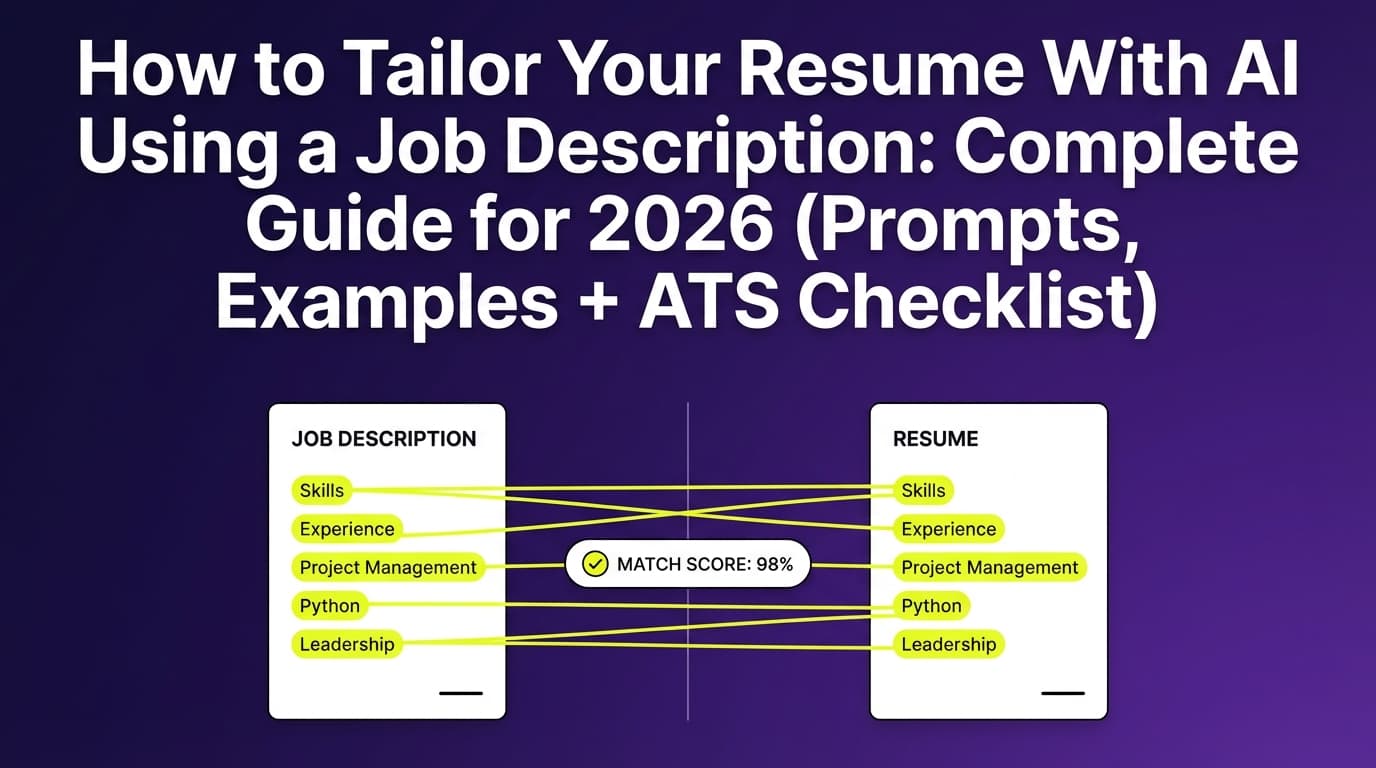
Step 3: Ask AI to extract requirements + keywords from the job description
Prompt (copy/paste):
Analyze this job description.
- Extract: Must-have skills, Nice-to-have skills, Responsibilities, Tools/tech, and Domain knowledge.
- List the top 20 keywords/phrases exactly as written.
- Rank them by importance based on repetition and placement.
Output as a table.
Paste the JD.
What you’re looking for:
- repeated tools (e.g., SQL, Salesforce, Excel, Python)
- repeated deliverables (dashboards, reporting, stakeholder management)
- seniority signals (“own,” “lead,” “strategy,” “mentor”)
Step 4: Build a keyword-to-proof mapping table (the anti-keyword-stuffing step)
Create a two-column table:
| JD keyword / requirement | My proof (where I did it) |
|---|---|
| SQL | Project X: built queries for KPI dashboard; improved reporting speed |
| Stakeholder management | Weekly cross-functional readouts; requirements gathering |
| A/B testing | Ran experiments on landing pages; lifted conversion by Y% |
If you can’t fill the proof column, you have three honest options:
- Leave it out
- Reframe with adjacent experience
- Close the gap (course/project) only if it’s real and relevant
Step 5: Tailor the headline + summary first (highest ROI for the 7-second scan)
A good summary does three things:
- matches the role level (e.g., analyst vs lead),
- names the key tools you truly have,
- proves impact with a concrete outcome.
Prompt (copy/paste):
Write 2 resume summary options tailored to this job description.
Constraints:
- Use only the facts I provide (do not add tools/experience).
- Keep it 2–3 lines.
- Include 1 measurable outcome if available.
Job description: [paste]
Proof inventory: [paste]
Keyword-to-proof table: [paste]
Quality check: If your summary could apply to 20 roles with zero edits, it’s too generic.
Step 6: Rewrite your experience bullets with outcomes (not adjectives)
Use one of these reliable structures:
(A) Action → tool → scope → outcome
- “Built X using Y to achieve Z.”
(B) XYZ formula
- “Accomplished X as measured by Y by doing Z.”
Prompt (copy/paste):
Rewrite these resume bullets to match the job description.
Rules:
- Keep each bullet under 2 lines.
- Use the job description keywords naturally.
- Do NOT add tools, titles, or metrics I didn’t provide.
Job description: [paste]
Proof inventory: [paste]
Current bullets: [paste]
Before/after example (what “tailored” actually looks like)
JD snippet (example):
- “Build dashboards and reporting”
- “Partner with stakeholders”
- “SQL + Excel required”
- “Analyze funnel performance”
Before (generic):
- Worked with stakeholders on reporting needs.
- Built dashboards to track KPIs.
- Analyzed data and shared insights.
After (proof-based + aligned):
- Partnered with Sales Ops and Marketing stakeholders to define KPI reporting requirements and delivery cadence, improving adoption of weekly reporting.
- Built and maintained KPI dashboards using SQL extracts and Excel models to track pipeline, conversion, and retention trends.
- Analyzed funnel drop-offs and presented optimization recommendations in stakeholder-ready summaries and recurring readouts.
Step 7: Mirror the skills section strategically (no keyword dumping)
Instead of listing 40 tools, group skills the way the JD implies:
Skills
- Analytics: SQL, Excel, KPI reporting, dashboarding
- Optimization: funnel analysis, experimentation support, conversion insights
- Collaboration: stakeholder management, cross-functional communication
Avoid keyword stuffing
Keyword stuffing can backfire—both with humans and with screening processes. (Source: Jobscan article on resume keyword stuffing.) Confidence: Medium (credible career site; limited independent confirmation for “penalty” behavior across all ATS).
Step 8: Make the resume ATS-friendly (format rules that prevent parsing errors)
ATS issues often come from formatting—not your experience.
High-confidence ATS formatting guidance:
- Avoid tables and columns (they can scramble content). (Source: Jobscan guidance on tables/columns + multiple university career PDFs that recommend single-column formats, e.g., UIC Career Services PDF.) Confidence: High
- Use standard headings (Work Experience, Education, Skills). (Source: University of Buffalo ATS-friendly resume guidance; Jobscan ATS formatting guidance.) Confidence: High
- Avoid putting critical info in headers/footers (some systems skip them). (Source: Jobscan ATS formatting mistakes; UIC PDF warns against headers for contact info.) Confidence: High
Simple ATS-safe checklist:
- single column
- clean fonts (Arial/Calibri/Times)
- consistent dates and job titles
- plain bullet points
- minimal graphics/icons
Step 9: Validate with a match check (but don’t chase 100%)
Jobscan recommends aiming around 80% match, with many successful at ~75%. (Source: Jobscan; WGU career resource page.) Confidence: High
What to fix first:
- missing must-have keywords you can prove
- unclear job title alignment in headline/summary
- missing tools you actually used but didn’t mention
- weak bullets with no outcomes
What not to do:
- paste the JD into white text
- add tools you can’t defend
- turn your skills section into a keyword wall
Step 10: Save a version per job (so tailoring doesn’t destroy your master resume)
Create:
- a Master resume
- a Role-family version (e.g., Data Analyst – Product)
- a Job-specific version (Company + Req ID)
This prevents the “I tailored so much I broke my story” problem.
“Free AI resume builder” reality check: what’s usually free (and what’s paywalled)
Many tools that rank for “free AI resume builder” are free in one of these ways:
- free to create, pay to download/export
- free trial
- limited AI rewrites
Some tools explicitly position themselves as free to build/download (you should still verify current terms on their site). For example, BeamJobs markets a “free AI resume builder” with an FAQ section. Confidence: Medium (depends on current pricing/terms).
Strategy that works regardless of paywalls:
- Use a free AI chat tool for extraction + rewrites
- Use a clean Word/Docs template for formatting + export
- Validate with a checker or plain-text paste test
Tools to help with job-description tailoring (free + paid)
Free/low-cost tools
- Microsoft Word + Copilot guidance: Microsoft publishes a guide on writing a resume with AI in Word (Source: Microsoft Word Blog page analyzed). Confidence: Medium (instructional content; not a study).
- Free AI chats (ChatGPT/Gemini/Copilot free tiers vary): Best for keyword extraction + rewriting when you provide guardrails.
- University ATS guides (UIC, MIT, Buffalo): Great for formatting rules and ATS-safe structures. Confidence: High (credible institutions).
Where JobShinobi fits (accurate, non-“free” mention)
If you want an integrated workflow beyond copy/paste prompts, JobShinobi supports:
- Job description extraction from a URL or pasted text (structured job details)
- Resume-to-job matching analysis (match score + keyword gaps)
- AI resume analysis/scoring with detailed feedback
- A LaTeX-based resume editor with PDF preview/compilation
- Resume version history, so you can keep tailored variants organized
Pricing (must be accurate): JobShinobi Pro is $20/month or $199.99/year. Marketing mentions a 7-day free trial, but trial enforcement isn’t clearly verifiable from app logic—so treat it as “mentioned,” not guaranteed.
Internal links:
- Sign in: /login
- Subscription page: /subscription
Common mistakes to avoid (why “AI-tailored” resumes still get rejected)
Mistake 1: Letting AI invent experience
Fix: require AI to use only your proof inventory + existing bullets.
Mistake 2: Copying the JD into your resume
Fix: mirror language, not sentences. Prove it with outcomes.
Mistake 3: Keyword stuffing
Keyword stuffing can reduce readability and credibility. (Source: Jobscan keyword stuffing guidance.) Confidence: Medium
Mistake 4: ATS-breaking templates (tables, columns, text boxes)
Fix: single column; standard headings. (Sources: Jobscan + UIC ATS PDF + university ATS pages.) Confidence: High
Mistake 5: Chasing 100% match rate
Even match-score tools warn against over-optimizing. (Source: Jobscan match-rate guidance.) Confidence: Medium–High
Best practices checklist (quick reference)
- Clean the JD (remove fluff)
- Build a proof inventory
- Extract must-haves + keywords
- Map keywords → proof
- Tailor headline + summary first
- Rewrite top experience bullets with outcomes
- Mirror skills in grouped categories
- Keep formatting ATS-safe (no tables/columns; avoid headers/footers for key info)
- Validate match score (target ~75–80% guideline)
- Save a version per job
FAQ
Can AI build a resume based on a job description?
Yes—AI can draft and tailor a resume using a job description. The best results come when you provide a proof inventory and require AI to rewrite only what’s true about your experience.
Is there a completely free AI resume builder?
Some tools claim to be free, but “free” often means limited exports or a trial. A reliable workaround is using a free AI chat tool for tailoring, then formatting/exporting in Word or Google Docs.
Do employers know I used an AI resume builder?
Most employers don’t “scan for AI.” What they do notice is generic, templated language or suspicious claims. If your resume is specific, proof-based, and consistent, AI assistance typically isn’t the issue.
Can ATS read tables or two-column resumes?
Many ATS parsers can struggle with tables/columns and may scramble content. A safer approach is a single-column resume with standard headings. (Sources: Jobscan formatting guidance; UIC ATS PDF.) Confidence: High
What match rate should I aim for when tailoring?
Jobscan recommends aiming around 80%, with many users successful at ~75%. (Sources: Jobscan; WGU career resource.) Confidence: High
Key takeaways
- The job description is your targeting blueprint—but your resume must stay truth-first.
- Use AI to extract requirements and rewrite your proof, not to fabricate experience.
- Avoid ATS parsing issues with single-column, standard headings, and no tables/text boxes.
- Use match-rate tools as guidance (often ~75–80%), not a game to reach 100%.
- JobShinobi can help with JD extraction, resume matching, and AI analysis, but it’s a paid subscription ($20/month or $199.99/year; trial is mentioned in marketing but not guaranteed by verifiable enforcement logic).