If your resume “looks amazing” but keeps getting a low match rate in Jobscan (or any resume scanner), it’s usually not because you’re unqualified—it’s because your format and structure are making your content hard to parse or hard to match.
That matters because ATS software is everywhere. HR.com’s Future of Recruitment Technologies 2025–26 report found 78% of HR professionals report using an applicant tracking system (ATS). (Source: HR.com, Confidence: Medium — single report, but consistent with broader industry reporting.)
And SelectSoftwareReviews summarizes ATS adoption as widespread too, noting stats like 75% of recruiters use an ATS or other tech-driven recruiting tools to review applicants. (Source: SelectSoftwareReviews, Confidence: Medium — compilation page; stats can vary by survey.)
Even if your application does reach a human, first impressions are brutally fast. HR Dive, citing a Ladders eye-tracking study, reports recruiters skim resumes for about 7.4 seconds on initial review. (Source: HR Dive, Confidence: Medium — secondary write-up of the study.)
So the goal isn’t “game the scanner.” The goal is:
- Make your resume consistently machine-readable
- Make it keyword-matchable to the job description
- Keep it human-scannable in those first seconds
In this guide, you’ll learn:
- The resume format scanners score highest (and why)
- Exactly which formatting choices tank your score
- A step-by-step workflow to improve match rate without keyword stuffing
- Copy/paste-ready section templates and examples
- A checklist to validate your resume before you apply
What does “scores higher in Jobscan” actually mean?
A “Jobscan score” (or any resume scanner score) is typically a similarity score between your resume and the job description, plus checks for parsing and formatting issues.
That score is not the same as “the ATS will reject you” or “a recruiter will interview you.” Reddit threads regularly point out that scanner scores can feel inconsistent or overemphasized (and sometimes differ between tools or even between scans). (See examples in r/resumes discussions surfaced in search results, Confidence: Medium.)
What the score is good for:
- Catching formatting that breaks parsing (columns, tables, headers/footers, icons)
- Revealing missing job-specific keywords
- Helping you tailor faster—especially for high-volume applications
What the score can’t guarantee:
- That your ATS score = employer’s ATS ranking algorithm
- That a high match rate automatically gets interviews
- That keyword stuffing is a good idea (it can backfire with humans)
Why resume format matters more than you think (in 2026)
1) ATS parsing can scramble good content
If the scanner can’t reliably detect your:
- job titles
- dates
- company names
- skills
- section headings
…your content can be misread, misplaced, or ignored, lowering both your match score and your real ATS profile.
University career centers commonly warn about this. Santa Clara University’s career resource explicitly recommends avoiding tables and being careful with headers/footers because ATS may not parse them correctly. (Source: Santa Clara University Career Center, Confidence: Medium.)
2) Humans still skim—fast
That 7.4-second skim statistic (HR Dive / Ladders) points to a second truth: even a perfectly ATS-readable resume still needs a clean layout with clear headings. (Source: HR Dive, Confidence: Medium.)
3) Two pages can be acceptable (and sometimes preferred)
If you’re mid-level or experienced, forcing everything into one page can hurt clarity and keyword coverage.
Resume Genius reports 54% of hiring managers prefer two-page resumes (and they include additional related findings in their hiring trends content). (Source: Resume Genius, Confidence: Medium — page access can vary; widely cited, but still survey-based.)
The resume format that tends to score higher in Jobscan-style scanners
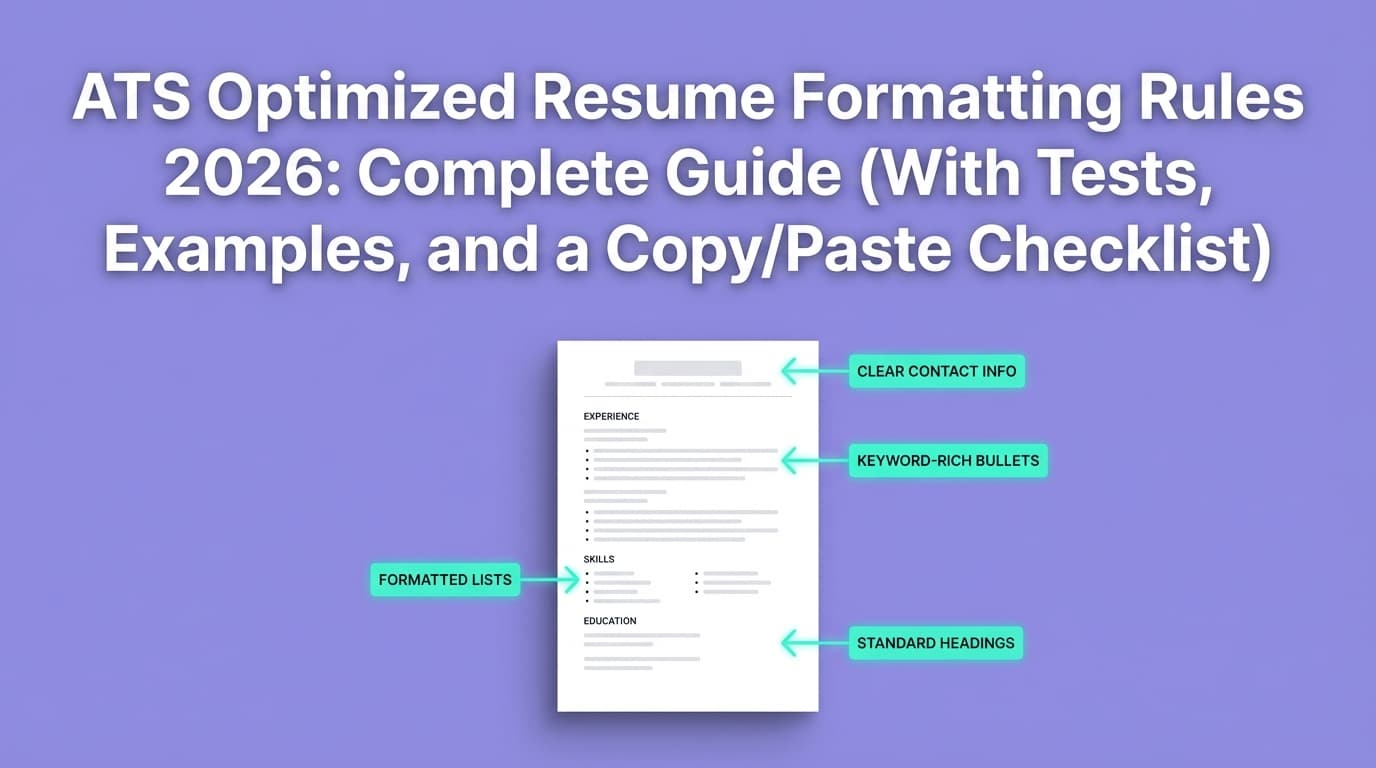
The “highest scoring” default: Reverse-chronological, single-column
For most job seekers, the best baseline format is:
- Single-column layout
- Reverse-chronological Experience section (most recent role first)
- Standard headings (e.g., “Work Experience,” “Skills,” “Education”)
- Clean text (no icons/images)
- Simple bullets
This format wins because it’s easiest for both:
- parsers (ATS/resume scanners)
- humans (recruiters skimming)
Rule of thumb: If your resume reads cleanly when copy/pasted into a plain-text editor, you’re usually close to scanner-friendly.
MIT Career Advising suggests a quick self-test: since ATS focuses on text, you can save or view your resume as plain text to see if the content stays readable. (Source: MIT CAPD, Confidence: Medium.)
The #1 formatting reason your Jobscan score is low: columns and tables
Many modern templates rely on:
- two-column layouts
- tables for alignment
- text boxes
- sidebars
These often look nice—but can break parsing and lower match scores.
A simple single-column layout is repeatedly recommended by ATS-oriented resume resources, including university career centers and ATS-formatting guides. For example, Santa Clara University cautions against tables and suggests ATS may not parse them well. (Source: Santa Clara University Career Center, Confidence: Medium.)
Safer alternatives to “two columns”:
- Use a single column with strategic whitespace
- Put skills in a compact bulleted list or comma-separated line
- Use bold for emphasis (sparingly)
- Use simple separators like
|between skill categories (many scanners handle this fine)
How to get a higher Jobscan score: Step-by-step (format + content)
Step 1: Start with an ATS-safe structure (use this layout)
Here’s a high-scoring, scanner-friendly structure that works for most roles:
- Name
- Contact info (phone, email, LinkedIn, location)
- Target title (optional, but helpful)
- Summary (2–4 lines)
- Skills (hard skills + tools + methods)
- Work Experience (reverse-chronological)
- Education
- (Optional) Certifications
- (Optional) Projects
- (Optional) Publications / Portfolio / Volunteering
Why this scores higher:
- Scanners can reliably map content to expected fields
- Recruiters instantly find what they need
Pro tip: Use standard section titles. Resume Worded explicitly recommends using universally recognized headings like “Work Experience,” “Education,” and “Skills.” (Source: Resume Worded blog result, Confidence: Medium — based on accessible SERP listing; exact page access may vary.)
Step 2: Use “boring” formatting on purpose (it works)
Font + size (keep it predictable)
- Font: Calibri, Arial, Times New Roman, Helvetica
- Body size: 10.5–12 pt
- Headings: 12–14 pt
Spacing (keep it consistent)
- 0.5"–1" margins (avoid extreme margins)
- Clear line breaks between roles and sections
Bullets (keep them simple)
- Use standard bullets like
•or- - Avoid custom glyphs/symbols that may convert poorly
Step 3: Fix date formatting (a sneaky score killer)
Scanners often expect consistent date patterns. Many resume/ATS resources recommend formats like:
MM/YYYY – MM/YYYY
orMonth YYYY – Month YYYY
Santa Clara University specifically notes using consistent date formats like MM/YYYY or Month Year. (Source: Santa Clara University Career Center, Confidence: Medium.)
Bad examples (inconsistent):
2022 - PresentJan 2022 – 10/2303/2021 – Current
Better examples (consistent):
03/2021 – 10/2023March 2021 – October 2023
Step 4: Choose the right file type (PDF vs DOCX)
This is one of the most argued topics in ATS land.
Many ATS-focused guides still recommend DOCX as the safest for parsing, while PDF can be fine if it’s text-based and not visually complex. For example, Jobscan’s own content discusses PDF vs Word tradeoffs. (Source: Jobscan blog result for “Resume PDF vs Word,” Confidence: Medium — brand source; exact parsing behavior varies by ATS.)
Practical rule:
- If the application portal says “upload PDF,” upload PDF.
- If it’s ambiguous or you’re seeing autofill/parsing issues, try DOCX.
- If you use PDF, ensure it’s selectable text (not an image).
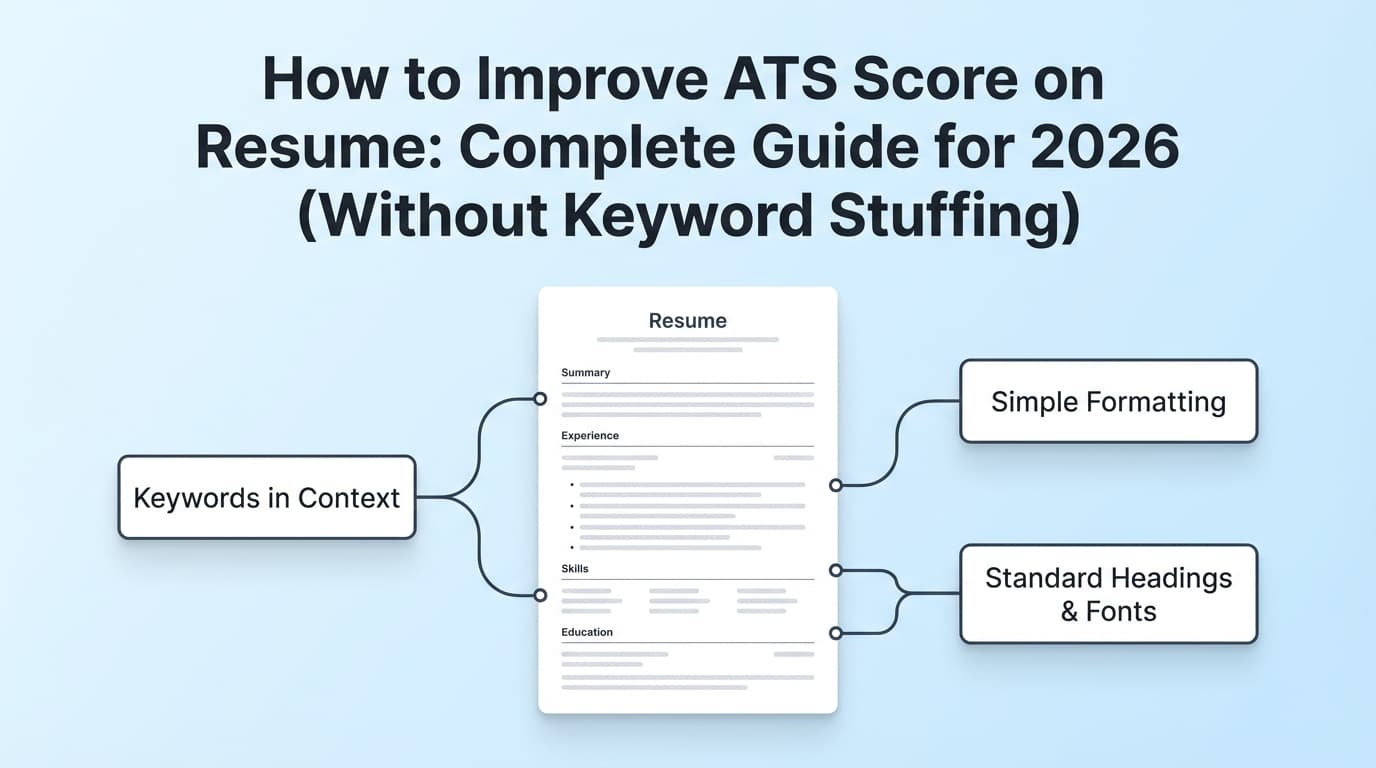
Step 5: Stop keyword stuffing—use “keyword coverage” instead
To score higher, you do need keyword alignment—but you want it to read naturally.
Do this:
- Mirror the job’s tools, frameworks, and methodologies
- Use both acronyms and full forms when relevant
Example: “Search Engine Optimization (SEO)” - Put top keywords in Skills and reinforce them in Experience bullets
Avoid this:
- Copy/pasting the job description into white text (don’t)
- Lists of 40 tools you can’t speak to
- Repeating keywords unnaturally in every bullet
Step 6: Rewrite bullets so the scanner AND recruiter can understand impact
A scanner can match keywords, but recruiters still want outcomes.
Use this formula:
Action verb + scope + tool/skill + measurable outcome
Examples:
Before (low impact):
- “Responsible for dashboards and reporting.”
After (higher match + better human read):
- “Built automated KPI dashboards in Tableau to track funnel conversion, reducing weekly reporting time by 30%.”
Before:
- “Worked on cloud migration.”
After:
- “Led AWS migration of legacy services; improved deployment reliability by standardizing CI/CD pipelines.”
A “scores higher” resume template (copy/paste outline)
Use this as a base and tailor per job:
NAME LASTNAME
City, State • Phone • Email • LinkedIn • Portfolio (if relevant)
TARGET TITLE (optional)
Data Analyst | Marketing Manager | Software Engineer
SUMMARY
2–4 lines: role + years + niche + biggest proof + target.
SKILLS
- Analytics: SQL, Excel, Tableau, A/B Testing
- Marketing: SEO, Google Analytics, Paid Search
- Tools: Jira, Git, HubSpot
(Only include what you can defend.)
WORK EXPERIENCE
Company Name — Job Title | City, State
MM/YYYY – MM/YYYY
- Bullet (action + tool + outcome)
- Bullet (action + keyword + outcome)
- Bullet (scope + metric)
Company Name — Job Title | City, State
MM/YYYY – MM/YYYY
- …
EDUCATION
Degree, Major — School Name | Year (or MM/YYYY)
CERTIFICATIONS (optional)
Certification Name — Issuer | Year
PROJECTS (optional)
Project Name — Tools
- What you built + result
Common mistakes that tank your resume scanner score (and how to fix them)
Mistake 1: Two-column layout or sidebar “skills”
Fix: Convert to single-column; move skills under a standard “Skills” heading.
Mistake 2: Tables used for alignment
Fix: Use tabs carefully or simple line breaks. If you must align, test with the copy/paste method (see below).
Mistake 3: Headers/footers for contact info
Some ATS may ignore header/footer content.
Fix: Put contact details in the main body at the top.
Santa Clara University explicitly cautions against placing critical info in headers/footers. (Source: Santa Clara University Career Center, Confidence: Medium.)
Mistake 4: Nonstandard headings
If you label your experience as “Where I’ve Been” or “My Journey,” scanners may not categorize it.
Fix: Use standard headings: “Work Experience,” “Education,” “Skills.”
Mistake 5: Keyword stuffing to chase 100%
Even Jobscan-oriented guidance commonly warns against over-optimizing to 100% because it can sound unnatural. For example, Jobscan’s own match-rate guidance suggests targets like 80%, while noting many see success at 75%. (Source: Jobscan blog result “What Jobscan Match Rate Should I Aim For?”, Confidence: Medium — brand guidance; outcomes vary.)
How to test whether your resume will score higher (before you apply)
Test A: The plain-text copy/paste test (fast)
- Open your resume (PDF or DOCX)
- Copy all text
- Paste into Notepad / TextEdit (plain text)
If the pasted version:
- keeps headings in the right order
- keeps bullets readable
- doesn’t scramble dates/companies
…you’re usually in good shape for scanners.
MIT CAPD recommends testing your resume in a text-focused way because ATS extracts text. (Source: MIT CAPD, Confidence: Medium.)
Test B: Portal autofill test
Upload your resume into a typical ATS portal (Workday, iCIMS, Greenhouse) and see if:
- job titles land in the title field
- dates land correctly
- skills aren’t dumped into random fields
If it’s messy, simplify formatting.
Why your score changes (even when your resume didn’t)
If you’ve ever thought, “I ran it twice and got different results,” you’re not alone.
Scores can change because:
- Different scanners weigh keywords differently
- Some prioritize exact phrase matches vs synonym matches
- Job descriptions change (even small edits)
- Parsing errors cause content to be misread
Reddit discussions frequently complain about inconsistency across scanners and emphasize using them as guidance rather than truth. (Source: r/resumes threads in SERP, Confidence: Medium.)
Best practice: Treat the score as a debug tool, not a verdict.
Tools that can help you get a higher resume scanner score (without wrecking formatting)
1) Jobscan (scanner benchmark)
Jobscan is one of the best-known tools in this category and is frequently referenced by career sites and job seekers for match-rate scanning and ATS formatting feedback.
- Use it to identify missing keywords and formatting issues.
- Don’t treat the match rate as a promise.
(Brand mention for context; not an endorsement of outcomes.)
2) JobShinobi (build + analyze + tailor in one workflow)
If you want a workflow that keeps formatting stable while you iterate quickly:
- Build resumes in LaTeX and compile to PDF inside the app (useful if you’re tired of Word templates breaking).
- Run AI resume analysis with ATS-focused scoring and detailed feedback.
- Do job matching by comparing your resume to a pasted job description (or job URL) and reviewing missing/present keywords.
- Keep resume version history so you can tailor per application and roll back changes.
Important pricing note (accuracy): JobShinobi is a paid subscription: $20/month or $199.99/year. The pricing page mentions a 7-day free trial, but trial mechanics are not clearly verifiable from enforcement logic in code—so treat it as “mentioned,” not guaranteed. (Product constraints, Confidence: High on pricing; Medium on trial.)
Job tracking add-on (accurate capability): JobShinobi can also log job applications by letting you forward job-related emails to a unique JobShinobi address, but this requires Pro membership. (Product constraints, Confidence: High.)
3) A university career center checklist (for formatting sanity)
University resources (like Santa Clara University and MIT) often provide straightforward ATS-friendly formatting rules and tests—use them as a neutral baseline.
Best practices checklist: resume format that scores higher in scanners
- Single-column layout
- Standard headings (“Work Experience,” “Skills,” “Education”)
- No tables, text boxes, icons, or graphics
- Contact info in body (not header/footer)
- Consistent dates (MM/YYYY or Month YYYY)
- Simple bullets (• or -)
- Skills section with job-relevant keywords
- Keywords supported by evidence in Experience bullets
- Clean file type (DOCX safest; PDF ok if text-based)
- Validated with copy/paste test + portal autofill test
Key takeaways
- The resume format that most consistently scores higher in Jobscan-style scanners is single-column + reverse-chronological + standard headings.
- Columns, tables, headers/footers, and icons are frequent causes of parsing problems and low scores.
- Aim for keyword coverage and clarity—not keyword stuffing or chasing 100%.
- Validate with a plain-text copy/paste test and a portal autofill test before submitting.
FAQ (People Also Ask-style)
What resume format does Jobscan prefer?
In practice, Jobscan-style scanners tend to reward a single-column, reverse-chronological resume with standard section headings and clean bullet formatting. This format is easiest to parse and match against job-description keywords.
What is a good score on Jobscan?
Jobscan’s own guidance commonly references targets like 80%, while noting many job seekers succeed around 75%. (Source: Jobscan match-rate guidance in SERP results, Confidence: Medium.)
In real life, a “good” score is one that indicates:
- key required skills are present
- formatting is parseable
- your resume still reads naturally to a human
Is a PDF resume ATS friendly?
A PDF can be ATS-friendly if it’s text-based (selectable text) and uses a simple structure. However, many guides still consider DOCX the safer upload for parsing—especially in systems that rely heavily on resume autofill. (Sources: Jobscan PDF vs Word content and general ATS guidance, Confidence: Medium.)
Do ATS systems struggle with tables and columns?
They can. Many career centers and ATS-focused resources recommend avoiding tables and being cautious with columns because parsing can scramble content. (Source: Santa Clara University Career Center, Confidence: Medium.)
Why do different resume scanners give different scores?
Because scanners use different matching logic and weights (exact match vs synonyms, different importance assigned to skills vs titles, etc.). Treat scores as directional feedback, not a universal truth. (Source: common guidance and widespread community discussion, Confidence: Medium.)
How do I know if ATS can read my resume?
Use two quick checks:
- Copy/paste into plain text and see if it stays readable (MIT recommends text-based testing).
- Upload into an ATS portal and see whether autofill fields populate correctly.
(Source: MIT CAPD + general ATS workflow, Confidence: Medium.)