Jobscan’s 2025 report found a detectable ATS on 97.8% of Fortune 500 career sites (489 out of 500). (Confidence: Medium — “detectable ATS” ≠ guaranteed screening method, but it strongly signals ATS prevalence.) Source: https://www.jobscan.co/blog/fortune-500-use-applicant-tracking-systems/
If your resume formatting breaks parsing, you can lose visibility before a human ever reads your achievements. And humans skim fast: The Ladders’ well-known eye-tracking research reports recruiters spend about 7.4 seconds on an initial resume review. (Confidence: High — supported by the original PDF and third-party coverage.) Sources: https://www.theladders.com/static/images/basicSite/pdfs/TheLadders-EyeTracking-StudyC2.pdf and https://www.hrdive.com/news/eye-tracking-study-shows-recruiters-look-at-resumes-for-7-seconds/541582/
This is why ATS-optimized formatting still matters in 2026—even as “AI hiring” gets more sophisticated.
In this guide, you’ll learn:
- The 2026 ATS resume formatting rules that consistently reduce parsing errors
- A section-by-section formatting blueprint you can copy
- DOCX vs PDF: what to choose, when, and how to test it
- A 5-minute ATS parsing test (so you stop guessing)
- Common mistakes, fixes, and “edge cases” (projects, certifications, portfolios, etc.)
- Tools that help—without chasing gimmicky “ATS scores”
What “ATS-Optimized Resume Formatting” Means (In Plain English)
An ATS-optimized resume is a resume that:
- Parses cleanly (your name, email, job titles, companies, dates, skills, and education are extracted into the right fields), and
- Reads cleanly for humans (easy to scan in seconds, clear hierarchy, minimal clutter)
In other words: it’s not “design-free.” It’s structure-first.
Why ATS Formatting Still Matters in 2026 (Even With Better AI)
Applicant Tracking Systems still matter because companies use them to:
- Parse resumes into structured fields (contact, experience, education)
- Index/search candidates by keywords, titles, and skills
- Sometimes rank or filter candidates (exact behavior varies by employer)
A few widely cited “how common is ATS?” data points to anchor expectations:
- 97.8% of Fortune 500 career sites had a detectable ATS (Jobscan, 2025). (Confidence: Medium)
Source: https://www.jobscan.co/blog/fortune-500-use-applicant-tracking-systems/ - 70% of large companies use an ATS (SelectSoftwareReviews). (Confidence: Medium — credible industry source, but treat as directional unless you confirm the underlying study for your use case.)
Source: https://www.selectsoftwarereviews.com/blog/applicant-tracking-system-statistics - 20% of small and mid-sized businesses use an ATS (SelectSoftwareReviews). (Confidence: Medium)
Source: https://www.selectsoftwarereviews.com/blog/applicant-tracking-system-statistics - 75% of recruiters use an ATS or other tech-driven tools (SelectSoftwareReviews). (Confidence: Medium)
Source: https://www.selectsoftwarereviews.com/blog/applicant-tracking-system-statistics - Workday claims “more than 98% of Fortune 500 companies use” an ATS. (Confidence: Medium — vendor claim; plausible, but not an independent audit.)
Source: https://www.workday.com/en-us/topics/hr/applicant-tracking-system.html
A quick myth check (important in 2026)
You’ll also see the claim “75% of resumes are rejected by ATS” repeated everywhere. That statistic is controversial and often poorly sourced. If you use it, you should verify the primary source (many resume experts warn it’s misinformation or misinterpreted). (Confidence: Medium — the skepticism is credible, but details vary.) One example calling out ATS statistic misinformation: https://www.linkedin.com/posts/lgolden_applicant-tracking-system-statistics-updated-activity-7354163329516400641-LoT7
Takeaway: Don’t panic about dramatic ATS percentages. Focus on what you can control—clean parsing + clear relevance.
How ATS Parsing Works (So the Rules Make Sense)
An ATS typically performs some combination of:
- Text extraction (pull text from DOCX/PDF)
- Segmentation (identify sections like “Experience,” “Education,” “Skills”)
- Entity detection (job title, company name, dates, location)
- Normalization (standardize date formats, job titles, skills)
- Indexing/search (recruiter searches “SQL” or filters by “Data Analyst”)
Formatting problems usually happen in steps 1–3:
- text extraction fails (scanned PDF, image-based text)
- section segmentation fails (non-standard headings)
- entities get scrambled (columns/tables/text boxes)
The Quick-Start Checklist (If You Only Do One Thing)
If you want maximum compatibility fast, do this:
- Use one column
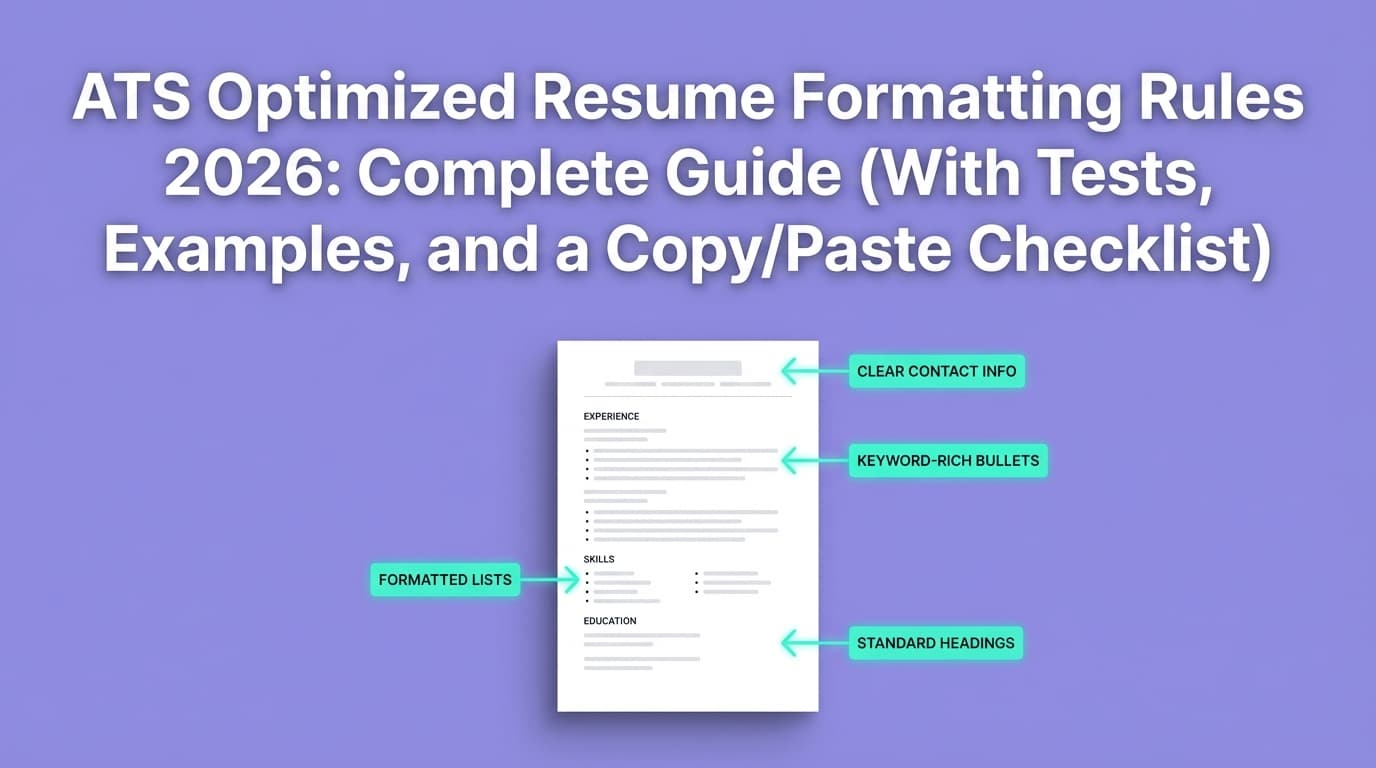
- Use standard headings: Summary, Skills, Experience, Education
- Keep contact info in the body (not header/footer)
- Avoid tables, text boxes, icons, graphics
- Choose DOCX when in doubt (unless instructions say PDF)
- Run the copy/paste test and the portal autofill test
You’ll find the full copy/paste checklist near the end of this guide.
ATS Optimized Resume Formatting Rules 2026 (The Non-Negotiables)
These rules show up repeatedly across reputable career offices and major job platforms. For example, Columbia Career Education advises simple formatting and common section headers. (Confidence: Medium-High)
Source: https://www.careereducation.columbia.edu/resources/optimizing-your-resume-applicant-tracking-systems
Indeed also recommends avoiding complex formatting like headers/tables/graphics for ATS resumes. (Confidence: Medium-High)
Source: https://www.indeed.com/career-advice/resumes-cover-letters/ats-resume-template
Rule 1: Use a single-column layout (no sidebars)
Why: Columns can change reading order and scramble content during parsing.
Do:
- One continuous column from top to bottom
- Use whitespace and bold headings for hierarchy
Avoid:
- Left sidebar for skills/contact
- Two-column “modern” templates from design tools
Rule 2: Avoid tables and text boxes (even for alignment)
Why: Tables and text boxes often store text in a structure that doesn’t translate cleanly into a linear parse.
Safer alternatives:
- Use tabs sparingly (and test)
- Use one-line headings and consistent spacing
- Use bullet lists for skills
Rule 3: Don’t put critical information in headers/footers
Why: Some ATS or upload converters ignore header/footer text or misread it.
Do:
- Put name, email, phone, location, LinkedIn in the main body
Rule 4: Use standard section headings
ATS systems often expect conventional labels.
Safe headings:
- Professional Summary (or Summary)
- Skills
- Experience (or Work Experience)
- Education
- Projects
- Certifications
Columbia explicitly recommends using common section header names. (Confidence: Medium-High)
Source: https://www.careereducation.columbia.edu/resources/optimizing-your-resume-applicant-tracking-systems
Rule 5: Use a readable font and conventional sizing
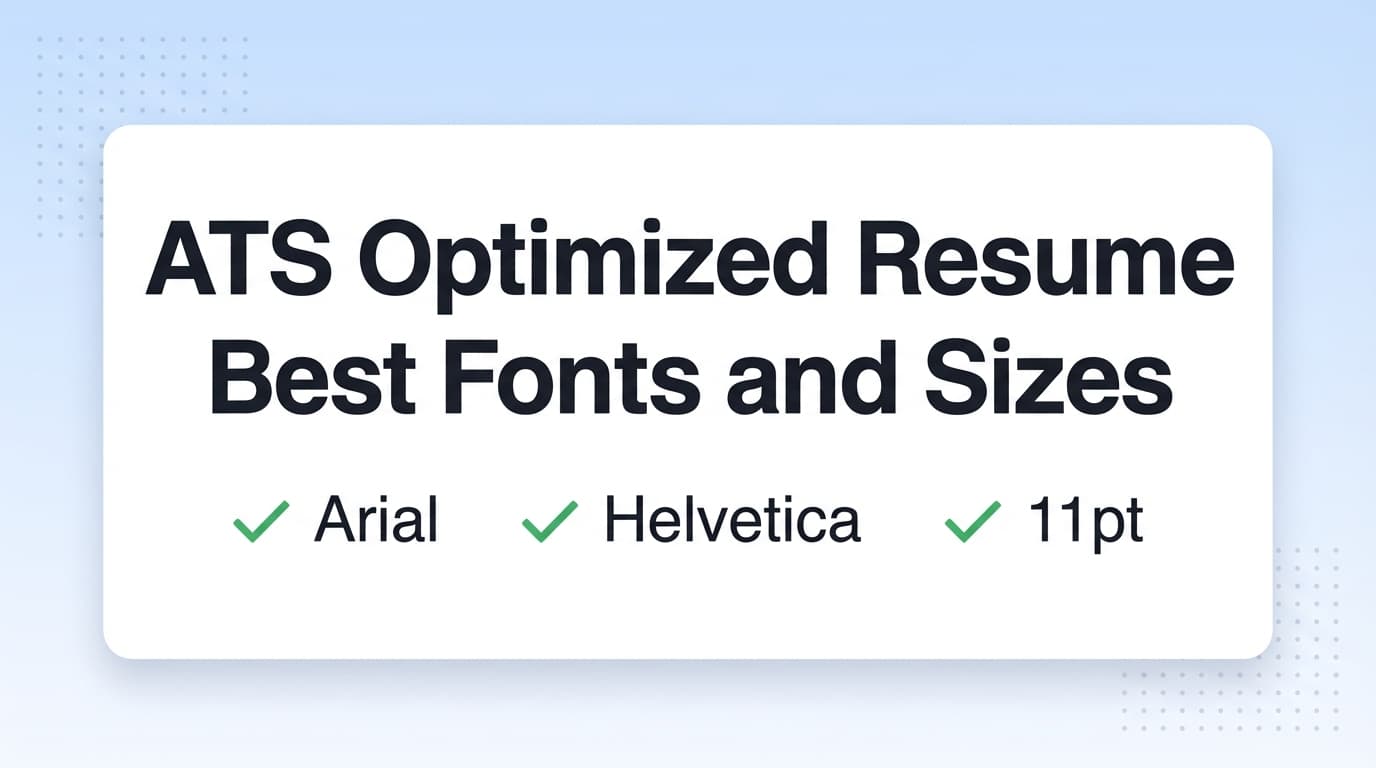
Indeed suggests standard fonts (Arial, Calibri, Times New Roman) around 10–12 pt. (Confidence: Medium-High)
Source: https://www.indeed.com/career-advice/resumes-cover-letters/ats-resume-template
Safe defaults:
- Body: 11 pt
- Headings: 13–15 pt
- Name: 18–24 pt
Rule 6: Keep styling minimal (bold is fine; avoid heavy decoration)
Do:
- Bold for headings and job titles
- Italics sparingly (optional)
Avoid:
- Underlines (can look like hyperlinks or confuse scanning)
- Colored text as the only differentiator
- Excessive line art, dividers, shapes
Rule 7: Use simple bullets and consistent indentation
Best bullets: • or -
Avoid:
- Icon bullets (arrows/checkmarks)
- Deeply nested bullets
- Mixed indent levels within one section
Rule 8: Keep dates consistent and unambiguous
Pick one date style and stick to it:
May 2023 – Jan 20262023 – 2026(acceptable when months are not needed)
Avoid mixing formats like 05/2023 in one role and May ‘23 in another.
Rule 9: Keep links clean and ATS-friendly
Do:
linkedin.com/in/yournamegithub.com/yournameyourportfolio.com
Avoid:
- Tracking links with long query strings
- Hyperlinking “click here”
- Tiny shortened links that look spammy
Rule 10: Name your file professionally
Good:
FirstName_LastName_Resume_2026.pdfFirstName_LastName_Resume_Company.docx
Avoid:
resume(final)(final2).pdf- special characters and emojis
DOCX vs PDF for ATS in 2026 (What to Use + How to Decide)
This is the most common “ATS formatting” debate because advice conflicts.
MIT Career Advising notes it’s usually fairly safe to use either .doc/.docx or .pdf unless the job description specifies otherwise. (Confidence: Medium-High)
Source: https://capd.mit.edu/resources/make-your-resume-ats-friendly/
Use DOCX when:
- The portal parses your resume to auto-fill fields
- You’re applying via older-looking systems or niche job boards
- The employer asks for Word format
- Your PDF copy/paste test fails
Use PDF when:
- The employer explicitly requests PDF
- You’re emailing a resume directly to a recruiter/hiring manager
- You want stronger visual consistency (and your PDF is text-based)
The only rule that always wins
Follow the employer’s instructions. If they say PDF, submit PDF. If they say DOCX, submit DOCX.
The 5-Minute ATS Parsing Test (Stop Guessing)
Before you send your resume anywhere, do at least one of these.
Test A: Copy/paste test (fastest)
- Open the PDF
- Select all text → copy
- Paste into Notes/Notepad
Red flags:
- Experience appears out of order
- Job titles separated from companies
- Dates scattered
- Skills jammed together in nonsense sequences
If the text is scrambled, your parsing is risky.
Test B: Portal autofill test (most realistic)
Many application systems parse your resume and auto-populate fields.
- Upload resume
- Review parsed fields for:
- job titles
- company names
- dates
- education
If the portal gets these wrong, fix the resume formatting and try again.
Test C: “Plain text mirror” test (high-signal)
Save your resume as plain text (or paste into a text editor) and check whether the structure still makes sense:
- headings visible
- bullets readable
- dates aligned with roles
This test catches fragile layouts.
How to Format an ATS-Optimized Resume (Step-by-Step Blueprint)
Step 1: Start with this ATS-safe structure
Use this order for most roles:
- Contact information
- Summary (optional but helpful)
- Skills
- Experience
- Education
- Projects / Certifications (as relevant)
This order supports both parsing and the “quick skim” behavior recruiters use.
Step 2: Make your header parse-proof (contact info in the body)
ATS-safe example (one line):
Alex Kim | Austin, TX | [email protected] | (555) 555-5555 | linkedin.com/in/alexkim | github.com/alexkim
Avoid:
- putting this in the Word header
- using icons
- stacking contact info across 4–5 lines
Step 3: Write a Summary that helps both ATS and humans (optional, but often useful)
A summary helps when:
- you’re changing roles
- you’re mid-level+ and need fast positioning
- your job title differs slightly from the posting
Example (2–3 lines):
Data Analyst with 6+ years in revenue analytics and experimentation. Strong in SQL, dbt, and stakeholder-facing dashboards. Seeking product analytics roles focused on growth and retention.
Keep it simple: title + domain + core tools + target.
Step 4: Build a Skills section that is searchable (without keyword stuffing)
Example (ATS-friendly): Skills
- Analytics: SQL, Python, dbt, Looker, Tableau
- Data: Snowflake, BigQuery, ETL, data modeling
- Methods: A/B testing, cohort analysis, forecasting
Keyword alignment tip: mirror job description terms only if they’re true. “Alignment” beats “stuffing.”
Step 5: Format Experience so it parses into (Title / Company / Dates)
Pick one consistent template.
Template A (clean + common):
Senior Data Analyst — Acme Corp | New York, NY
May 2022 – Present
- Built a dbt model that reduced reporting cycle time by 2 days
- Partnered with Product to design A/B tests, improving conversion by 9%
Template B (slightly more compact):
Acme Corp — Senior Data Analyst | New York, NY
May 2022 – Present
- Bullet
- Bullet
Both can work—what matters is consistency and test results.
Step 6: Use bullet rules that survive ATS and impress humans
A strong bullet is structured like:
Verb + what you did + tools + outcome
Example:
- “Automated weekly KPI reporting in SQL and Looker, reducing manual updates by 6 hours/week.”
Avoid bullets that are only responsibilities with no results.
Step 7: Keep Education and Certifications simple
Education
B.S. Computer Science, University Name — City, ST
2018
Certifications
AWS Certified Cloud Practitioner (2025)
Avoid multi-column education sections created with tables.
Examples: ATS-Optimized Formatting (Bad vs Good)
Example 1: Two-column resume with a left sidebar (risky)
What often happens:
- ATS reads the left sidebar top-to-bottom first
- Your skills and contact info may be extracted, but experience becomes scrambled
Fix:
- Move sidebar content into the main flow
- Rebuild as single column
Example 2: Skills in a table (risky)
What often happens:
- Skills become one run-on line
- Categories don’t parse as categories
Fix:
- Replace table with simple labeled lines and commas
Example 3: Canva-style icons and graphics (risky)
What often happens:
- icons don’t parse as text
- text can be layered or flattened into images
Fix:
- remove icons
- keep text as text
“Edge Case” Formatting Rules (Projects, Portfolios, Publications, Volunteering)
Competitor guides often gloss over these sections—so here are clear rules.
Projects (great for tech, data, product, entry-level)
Projects Forecasting Pipeline (Python, Prophet) — GitHub: github.com/…
- Built forecasting model to predict weekly demand; reduced error by X%
- Deployed pipeline with scheduled runs; documented assumptions
ATS tips for projects:
- include tools in parentheses (Python, SQL, AWS)
- keep the link readable (no “click here”)
Publications (academia / research / PhD candidates)
Publications
- Lastname, Firstname. “Title.” Journal, 2024. DOI: …
ATS tips:
- list authors and year clearly
- keep consistent formatting (ATS and humans love predictable structure)
Certifications (especially for IT, security, cloud)
Certifications
- AWS Solutions Architect – Associate (2025)
- CompTIA Security+ (2024)
ATS tip: don’t hide certs in a sidebar—recruiters often search them.
Volunteer experience (if relevant)
Treat it like experience if it supports the target role.
Volunteer Experience
Volunteer Data Analyst — Nonprofit Name
2024 – Present
- Cleaned donor dataset; improved outreach targeting
2026 Best Practices: Make It ATS-Friendly and Recruiter-Friendly
The Ladders eye-tracking research emphasizes how quickly recruiters form impressions (7.4 seconds). (Confidence: High)
Source: https://www.theladders.com/static/images/basicSite/pdfs/TheLadders-EyeTracking-StudyC2.pdf
Tufts Career Center also cites that recruiters may spend 6–8 seconds initially scanning a resume. (Confidence: Medium — credible career office citing “research has shown,” but it’s a summarized claim.)
Source: https://careers.tufts.edu/blog/2025/10/29/how-a-recruiter-reviews-your-resume/
Best practice #1: Write for search and scan
ATS helps you get found; recruiters decide if you’re worth a call.
- ATS-friendly = searchable skills + parseable structure
- Recruiter-friendly = strong top half + measurable wins
Best practice #2: Put the most relevant keywords in the top 1/3
Recruiters often skim top-down. Put role-critical keywords in:
- Summary
- Skills
- first 1–2 roles
Best practice #3: Use whitespace intentionally
If you cram everything to “fit one page,” you can harm scanability.
A clean two-page resume is often better than a dense one-page resume for mid-level+ candidates.
Best practice #4: Keep section hierarchy obvious
Use:
- clear headings
- consistent spacing between roles
- bold for titles (not random bolding everywhere)
Common Mistakes to Avoid (And Exactly How to Fix Them)
Mistake 1: Your job titles parse, but dates don’t
Symptoms:
- dates show up under the wrong job
- dates appear as plain text at the bottom
Fix:
- put dates on their own line under the role
- remove right-aligned tables/text boxes
- standardize the date format everywhere
Mistake 2: Your contact info disappears
Symptoms:
- ATS doesn’t capture phone/email
- portal fills email incorrectly
Fix:
- move contact info out of the header/footer
- use plain text (no icons)
- keep it on one line if possible
Mistake 3: Skills are not recognized
Symptoms:
- ATS or recruiter search doesn’t surface your resume
- skills appear as “Design Tools: • • •”
Fix:
- list skills as words separated by commas
- avoid graphic rating bars
- avoid tables
Mistake 4: Your PDF is image-based
Symptoms:
- you cannot select/copy text
- copy/paste returns blank or symbols
Fix:
- export to PDF properly from your editor (text-based)
- if needed, submit DOCX instead
Tools to Help With ATS Resume Formatting (Honest + Accurate)
JobShinobi (LaTeX resume builder + AI resume analysis)
If you want a workflow built around consistent structure:
- Build resumes in a LaTeX editor and compile to PDF with preview
- Run AI resume analysis with ATS-focused scoring and feedback
- Compare your resume to a job posting using resume-to-job matching (paste job text or a URL)
- Manage resume versions so you can keep tailored variants organized
Pricing (accuracy-first): JobShinobi Pro is $20/month or $199.99/year. Marketing mentions a 7-day free trial, but trial mechanics aren’t clearly verifiable from implementation details—so treat it as “mentioned,” not guaranteed.
Internal links: /dashboard/resume and /subscription
Note: JobShinobi also includes email-forwarding job application tracking, but email processing is gated to Pro. Don’t rely on it as a free feature.
Other tool categories (use with a realistic mindset)
- ATS checkers/scanners: useful for catching keyword gaps and some formatting problems, but results differ across tools
- Proofreading tools: helpful for clarity and typos
- PDF text checkers: confirm your PDF is selectable text
A 2026 Workflow That Works: “Format Once, Tailor Many” (Without Breaking Parsing)
This solves a common pain point: tailoring often introduces formatting errors.
- Create a master ATS-safe resume (single column, no tables/text boxes)
- Duplicate it for each target role
- Tailor only:
- Summary (2–3 lines)
- Skills (reorder + add true missing skills)
- Top bullets in the most relevant roles
- Run:
- copy/paste test
- portal autofill test
- Submit in the requested file type
Copy/Paste ATS Optimized Resume Formatting Checklist (2026)
Use this before every application:
Layout
- Single-column layout
- No sidebar
- No text boxes
- No tables used for alignment
Sections
- Standard headings (Summary, Skills, Experience, Education)
- Consistent role structure (Title/Company/Location + Dates + Bullets)
Typography
- Standard font, readable size (10–12 pt body)
- Minimal styling (bold for headings/titles)
Content placement
- Contact info in the body (not header/footer)
- Skills listed as plain text terms (comma-separated is fine)
File rules
- File type matches instructions (DOCX or PDF)
- PDF text is selectable (not image-based)
- Professional filename
Tests
- Copy/paste test passes (order preserved)
- Portal autofill looks correct (titles/dates/companies captured)
FAQ (Real ATS Formatting Questions People Ask)
What is the resume format for 2026?
For most job seekers: reverse-chronological, single-column, standard headings, clean bullets, readable fonts. It’s easiest to parse and fastest to scan.
Is a single-column resume better for ATS?
Usually yes. Single-column layouts reduce the risk of reading-order problems. Even if some modern ATS can parse columns, single-column is the safest universal choice.
Can ATS parse columns or two-column resumes?
Sometimes, but not reliably across systems and upload workflows. If you use columns, test via portal autofill and copy/paste.
Do tables mess up ATS?
They can—especially when used for alignment. If you must use a table, test aggressively; otherwise, avoid and use simple text formatting.
Does ATS prefer PDF or DOCX?
Often DOCX is safer for parsing, but many systems can read text-based PDFs. MIT notes it’s usually safe to use either unless specified. (Confidence: Medium-High)
Source: https://capd.mit.edu/resources/make-your-resume-ats-friendly/
Are PDF resumes ATS friendly?
They can be—if they’re text-based (selectable text) and not overly designed. Always do the copy/paste test.
What are ATS-friendly resume section headings?
Use conventional headings like Professional Summary, Work Experience, Skills, Education. Columbia recommends common section header names.
Source: https://www.careereducation.columbia.edu/resources/optimizing-your-resume-applicant-tracking-systems
What font is best for an ATS-friendly resume?
Choose standard fonts (Arial, Calibri, Times New Roman, etc.) and keep body text around 10–12 pt. Indeed provides similar guidance.
Source: https://www.indeed.com/career-advice/resumes-cover-letters/ats-resume-template
Should I put my contact info in the header?
Best practice: no. Put it in the document body to reduce the risk of it being missed during parsing.
Is a 70% ATS score good?
ATS scores vary by tool and aren’t standardized. Use them as a diagnostic (keyword gaps, missing sections), not a goal. A readable, relevant resume that parses cleanly is usually more valuable than chasing a perfect number.
Does ATS reject resumes automatically?
Not always. Many ATS platforms organize and search candidates; “rejection” might come from knockout questions, filters, or recruiter decisions. Still, formatting errors can prevent your resume from being searchable or accurately represented.
How do I know if my resume is ATS readable?
Run the copy/paste test and the portal autofill test. If a portal misreads your experience, fix formatting before applying.