More than 98% of Fortune 500 companies use an ATS to manage hiring workflows—meaning your resume often has to survive software before a recruiter ever sees it. (Confidence: Medium–High — Jobscan reports 98.2% detectable ATS usage in the Fortune 500; Oracle cites Jobscan: https://www.jobscan.co/blog/fortune-500-use-applicant-tracking-systems/ and https://www.oracle.com/human-capital-management/recruiting/what-is-recruiting-software/)
If you’ve been applying for weeks (or months) and hearing nothing back, it’s natural to assume “I must be missing keywords” or “my resume isn’t ATS-friendly.” Sometimes that’s true. But the fix isn’t dumping a giant keyword list into your Skills section—it’s choosing the right keywords and proving them with evidence.
In this guide, you’ll learn:
- A repeatable method to extract, prioritize, and place ATS keywords from job descriptions
- How to avoid keyword stuffing (and the sketchy “white text” tricks Reddit loves to debate)
- A practical Keyword Evidence Matrix (so every keyword you add is backed by proof)
- Examples for common roles (tech, data, marketing, PM, ops)
- How tools (including JobShinobi) can speed up tailoring without inventing experience
What are ATS resume keywords?
ATS resume keywords are the words and phrases an employer (or recruiter) is likely to search for inside an Applicant Tracking System—usually tied to:
- job titles (e.g., “Data Analyst”)
- hard skills/tools (e.g., “SQL,” “Tableau,” “Google Analytics”)
- methodologies/processes (e.g., “Agile,” “A/B testing,” “stakeholder management”)
- credentials (e.g., “PMP,” “CPA,” “Security+”)
- domain terms (e.g., “churn,” “pipeline,” “forecasting”)
An ATS can parse your resume into fields (experience, skills, education), and recruiters can filter or search those fields using keywords (Confidence: Medium — explained across ATS guides like Jobscan’s ATS overview: https://www.jobscan.co/applicant-tracking-systems and university career resources).
Important nuance: “ATS keywords” doesn’t mean there’s one universal set of magic words. Keywords are job-specific. The best keywords are the ones the target role and company keep repeating.
Why choosing the right keywords matters in 2026 (with real stats)
A few data points explain why keyword selection (not keyword dumping) matters:
-
ATS is widespread in large-company hiring.
SelectSoftwareReviews summarizes that 70% of large companies use an ATS. (Confidence: Medium — single secondary source compilation: https://www.selectsoftwarereviews.com/blog/applicant-tracking-system-statistics) -
Recruiters rely on recruiting software heavily.
CIO reports Capterra research found 75% of recruiters use some type of recruiting or applicant tracking system. (Confidence: Medium–High — CIO citing Capterra: https://www.cio.com/article/284414/applicant-tracking-system.html) -
Recruiters skim fast when they do read.
The Ladders’ eye-tracking research is widely cited for recruiters averaging ~7.4 seconds on an initial resume review. (Confidence: High — primary PDF + independent reporting: https://www.theladders.com/static/images/basicSite/pdfs/TheLadders-EyeTracking-StudyC2.pdf and https://www.hrdive.com/news/eye-tracking-study-shows-recruiters-look-at-resumes-for-7-seconds/541582/) -
Recruiters search databases using keywords (often Boolean).
Many sourcing workflows use keyword logic (AND/OR) across ATS/CRM databases (Confidence: Medium — recruiter training resources like Recruitee/Joveo discuss ATS/CRM boolean search: https://recruitee.com/blog/boolean-search-in-recruitment and https://www.joveo.com/blog/what-is-boolean-search-in-recruiting-how-to-use/) -
Keyword stuffing is explicitly discouraged.
Jobscan warns that blatant keyword stuffing can backfire and lead to rejection when a human reads it. (Confidence: Medium — single vendor source but aligned with broader resume best practices: https://www.jobscan.co/blog/resume-keyword-stuffing/)
Bottom line: keywords help you get found, but evidence gets you hired.
How ATS “keyword matching” actually works (in plain English)
Most ATS systems do some combination of:
- Parsing: extracting text into structured sections (name/contact, experience, skills).
- Search/filter: recruiters type keywords (e.g., “SQL AND Tableau”) to narrow candidates.
- Scoring/ranking (varies by company/workflow): some roles apply knockout questions and screening rules; others use matching/scoring tools.
What this means for you:
- If a keyword is important and missing, you might not appear in searches.
- If your resume is hard to parse (tables/columns/graphics), the ATS might mis-file your info.
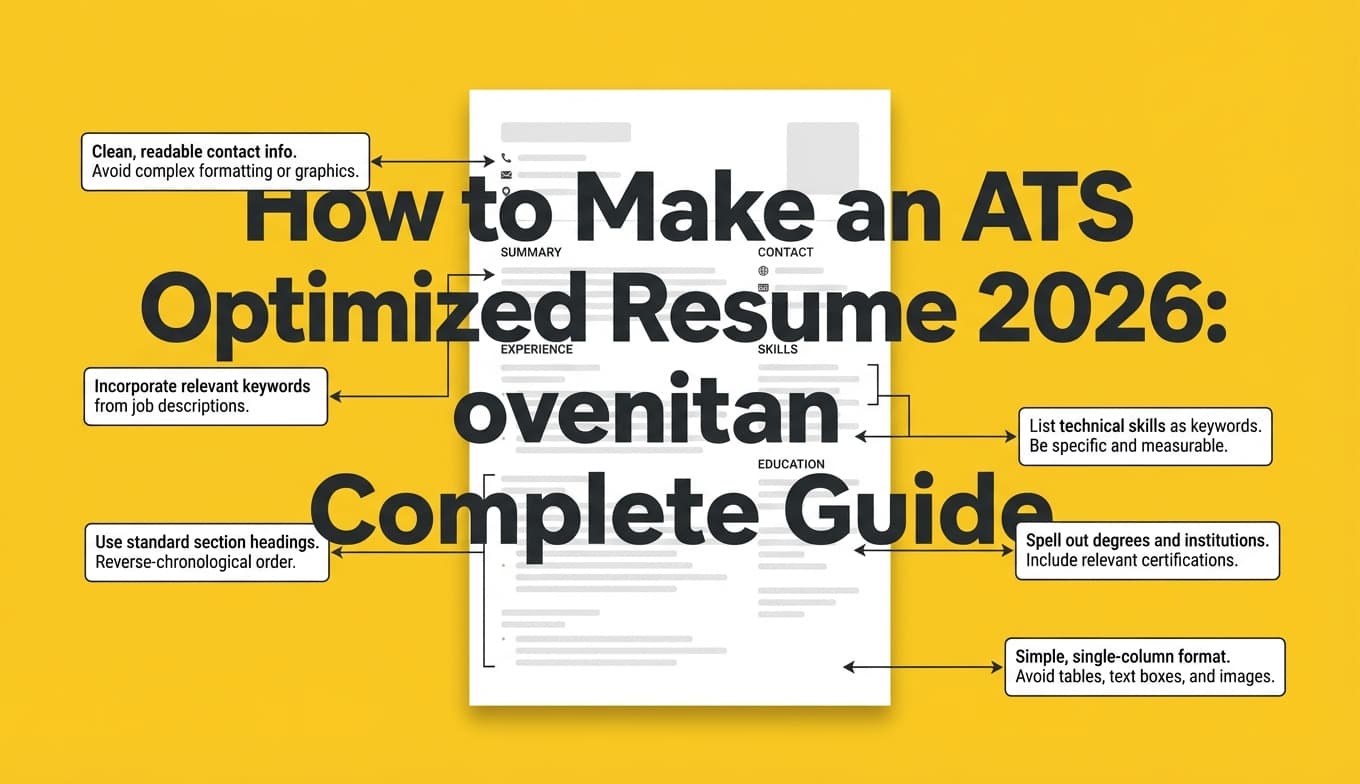
Career resources commonly advise avoiding complex formatting like tables, columns, headers/footers, and graphics because some systems struggle to parse them (Confidence: Medium–High — consistent guidance across sources like Indeed and university PDFs: https://www.indeed.com/career-advice/resumes-cover-letters/ats-resume-template and UIC PDF: https://careerservices.uic.edu/wp-content/uploads/sites/26/2017/08/Ensure-Your-Resume-Is-Read-ATS.pdf).
How to choose ATS optimized resume keywords: Step-by-step
Step 1: Start with one target role (stop mixing job families)
Before you extract keywords, define your target narrowly:
- “Data Analyst (Product Analytics)” vs “Business Analyst” vs “Data Scientist”
- “Project Manager (Tech)” vs “Operations Manager”
If you blend job families, your keyword set becomes noisy (and recruiters can tell). (Confidence: High — consistent best practice across resume coaching and ATS scanner guidance.)
Deliverable: Write a one-line target role statement:
“Target role: Mid-level Data Analyst (Product/Marketing analytics) in SaaS.”
Step 2: Collect 5–10 job descriptions (not just one)
Don’t tailor off a single posting. Build a keyword baseline:
- 5–10 postings for the same title/seniority
- Ideally from similar company types (SaaS vs banking vs agency)
This helps you separate:
- must-have keywords (appear everywhere)
- nice-to-have keywords (appear occasionally)
- company-specific keywords (only one employer uses)
Pro tip: Create two piles:
- Baseline pile (5–10 similar jobs)
- This job (the one you’re applying to today)
Step 3: Extract keywords the right way (a 20-minute manual method)
Open a job description and highlight anything in these buckets:
Bucket A — Hard skills/tools (highest ATS value)
- software/tools: Excel, Salesforce, Tableau, Power BI, Jira
- languages: Python, SQL
- platforms: AWS, GCP
- analytics/marketing tools: GA4, Looker, HubSpot
Bucket B — Methods/frameworks
- Agile/Scrum
- ETL
- A/B testing
- stakeholder management
- forecasting/budgeting
Bucket C — Deliverables
- dashboards, reporting, requirements gathering
- roadmap planning, OKRs, KPIs
- SOPs, process documentation
Bucket D — Domain keywords
- “churn,” “pipeline,” “LTV,” “claims,” “HIPAA,” etc.
Bucket E — Credentials
- PMP, CPA, Security+, ITIL
- degree requirements (BS/BA/MS)
Now repeat across your baseline pile and mark frequency.
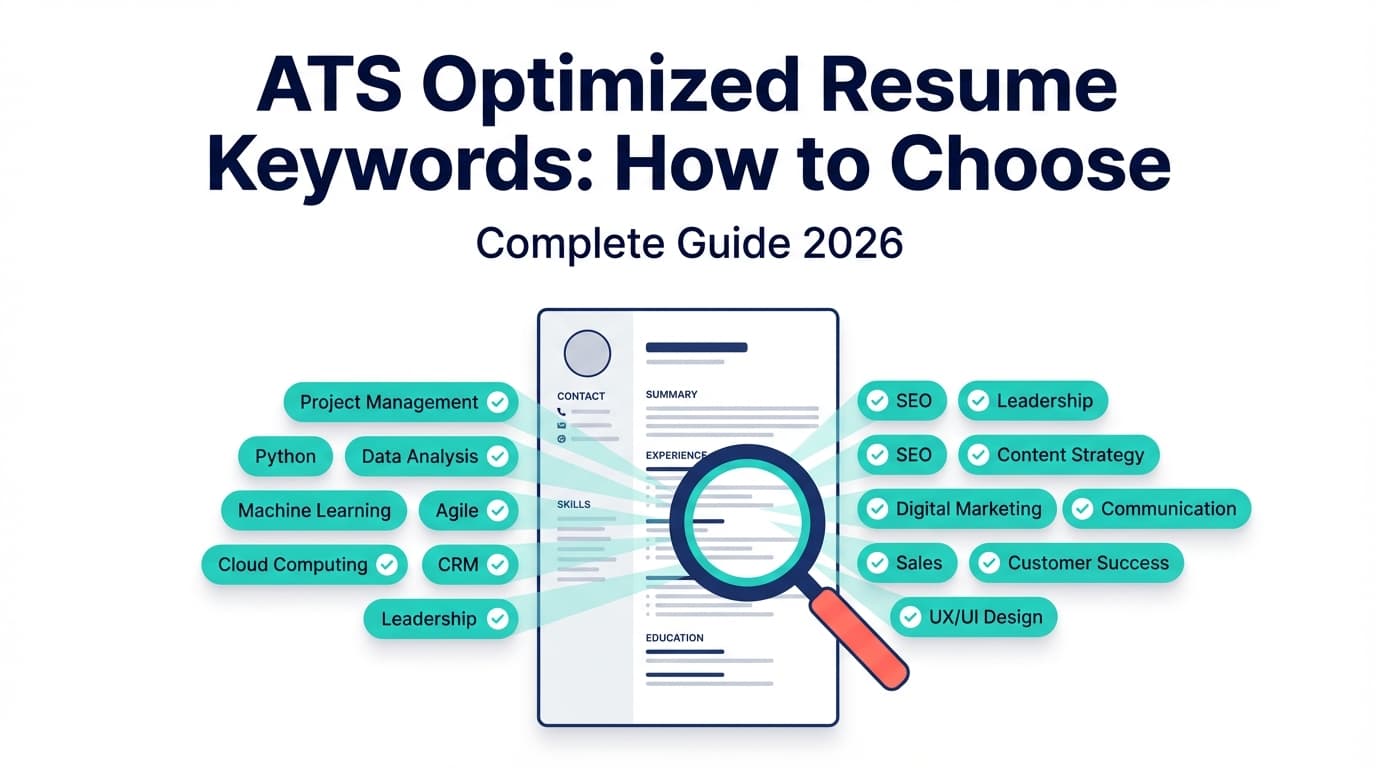
What you’re building: a shortlist of keywords that are both relevant and repeated.
Step 4: Prioritize keywords using the “3R” framework (Relevant, Repeated, Required)
Use this prioritization to choose what actually belongs on your resume.
The 3R keyword score
For each keyword, answer:
- Relevant: Have you actually used/done it?
- Repeated: Does it show up across postings?
- Required: Is it clearly required or a top responsibility?
Score each keyword 0–2 for each R:
- 0 = no
- 1 = somewhat
- 2 = yes
Total score (0–6). Your top keywords are usually 5–6.
Example (Data Analyst):
| Keyword | Relevant | Repeated | Required | Score |
|---|---|---|---|---|
| SQL | 2 | 2 | 2 | 6 |
| Tableau | 2 | 2 | 1 | 5 |
| Python | 1 | 2 | 1 | 4 |
| “team player” | 2 | 2 | 0 | 4 (but low priority) |
| “synergy” | 0 | 0 | 0 | 0 |
Why this beats competitors: many keyword articles tell you to “match keywords.” This framework tells you which ones and how to justify them.
Step 5: Build a Keyword Evidence Matrix (the anti-fake, anti-stuffing system)
This is where most ATS advice gets weak. You can add keywords—but every important keyword must be tied to evidence.
Keyword Evidence Matrix template
For each top keyword, write:
- Keyword: (exact term from job description)
- Where it belongs: Summary / Skills / Experience / Projects
- Proof: a bullet that shows you did it
- Metric: impact number if possible
- Variation: acronym/full form or synonym
Example:
- Keyword: A/B testing
- Where it belongs: Experience + Projects
- Proof: “Designed and analyzed A/B tests across onboarding flows…”
- Metric: “improved activation by 12%”
- Variation: “experiment design,” “hypothesis testing”
If you can’t produce proof, it’s either:
- not a keyword you should include, or
- a skill you should learn before claiming.
Step 6: Use the “Acronym + Full Term” rule (capture both searches)
Recruiters (and systems) may search either the acronym or the spelled-out term. Career advising resources recommend spelling out acronyms and including the acronym in parentheses so both match (Confidence: Medium — career advising example: https://career-advising.ndsu.edu/navigating-an-applicant-tracking-system-ats/).
Example (do this once):
- “SQL (Structured Query Language)”
Then later you can just use “SQL.”
Other examples:
- “Search Engine Optimization (SEO)”
- “Master of Business Administration (MBA)”
- “Project Management Professional (PMP)”
Step 7: Place keywords where ATS and humans expect them
A common mistake: stuffing everything into a Skills list. Instead, think “keyword distribution.”
Best keyword placement “map”
-
Headline / Target Title (top of resume)
- Mirror the job title when accurate.
- Example: “Product Data Analyst” (if that’s what you are / are targeting).
-
Summary (3–4 lines)
- Put 2–4 high-signal hard skills + 1 domain keyword.
- Example: “SQL, Tableau, cohort analysis, funnel metrics…”
-
Skills section (categorized)
- Tools, Languages, Platforms, Methods
- Keep it scannable.
-
Work Experience bullets (most important)
- This is where you prove keywords with achievements.
- Use the keyword naturally + metric.
-
Projects (especially for career switchers or early-career)
- Great place to validate tools/methods.
Indeed also emphasizes placing keywords in core sections like summary, education, experience, and skills (Confidence: Medium — Indeed guidance: https://www.indeed.com/career-advice/resumes-cover-letters/ats-resume-keywords).
Step 8: Rewrite bullets to include keywords as part of the accomplishment
The cleanest pattern is:
Action verb + keyword + scope + method + metric
Before (weak):
- “Responsible for dashboards and reporting.”
After (keyword + proof):
- “Built Tableau dashboards for weekly KPI reporting, reducing manual reporting time by 6 hours/week.”
Notice: the keyword is not pasted in—it’s embedded in a real achievement.
Step 9: Validate with a “copy/paste test” (fast ATS sanity check)
Do this in under 2 minutes:
- Copy your resume text.
- Paste into a plain-text editor.
- Confirm sections still make sense (experience is in order, bullets readable, no scrambled columns).
If the text becomes unreadable, an ATS parser might struggle too (Confidence: Medium — consistent with formatting warnings in sources like the UIC PDF and Indeed ATS template guidance).
Best practices: 12 rules for choosing ATS keywords that actually help
-
Prioritize hard skills over generic soft skills
Soft skills matter, but “communication” rarely differentiates you. Tools/methods do. -
Use the employer’s phrasing for core skills
If the JD says “stakeholder management,” don’t only say “cross-functional collaboration.” Use both when true. -
Mirror the job title (but don’t lie)
If you were a “Business Analyst” doing “Data Analyst” work, you can position your summary toward the target, but keep employment titles accurate. -
Put the keyword next to proof
Skills lists without evidence are easy to dismiss. -
Use keyword variations intentionally
Example: “ETL,” “data pipelines,” “data integration.” -
Add credentials exactly as written
Example: “Project Management Professional (PMP).” -
Don’t chase a mythical “perfect ATS score”
Different tools simulate different models; treat scores as directional, not truth. (Confidence: High — supported by widespread industry discussion and user reports; also aligns with how vendor scanners differ.) -
Avoid keyword stuffing
If your summary becomes a keyword salad, humans bounce. -
Avoid invisible text tricks
“White font” keyword stuffing is widely criticized and can look deceptive when parsed. (Confidence: Medium — commonly discussed in job seeker communities; also risky because ATS exports to recruiter views.) -
Keep formatting parse-friendly
Avoid tables/columns/graphics for ATS-heavy pipelines (see sources above). -
Tailor the top third of your resume first
Because recruiters skim quickly (7.4 seconds stat), front-load the most relevant skills and achievements. -
Use fewer keywords, but make them higher quality
A smaller set of highly relevant keywords + proof beats a long list with no evidence.
Common mistakes to avoid (and how to fix them)
Mistake 1: Using a giant keyword list that doesn’t match the job
Why it hurts: recruiters search for role-specific terms. A generic list looks copy-pasted.
Fix: Build a baseline keyword bank from 5–10 postings and choose top 10–20 based on the 3R score.
Mistake 2: Keyword stuffing (“SQL, SQL, SQL…” everywhere)
Why it hurts: it reads unnatural and can trigger skepticism. Jobscan explicitly warns keyword stuffing can backfire in later stages. (Confidence: Medium — https://www.jobscan.co/blog/resume-keyword-stuffing/)
Fix: Use each high-value keyword once in Skills and 1–3 times in Experience/Projects where it’s actually used.
Mistake 3: Only placing keywords in Skills (no proof)
Why it hurts: Skills sections are claims. Experience bullets are evidence.
Fix: For every top keyword, create at least one bullet that demonstrates it with scope + metric.
Mistake 4: Missing exact tool names
Why it hurts: “data visualization tools” won’t match “Tableau” searches.
Fix: Use specific tools you’ve used: “Tableau,” “Power BI,” “Looker.”
Mistake 5: Over-indexing on soft skills
Why it hurts: almost everyone says “team player,” few prove “SQL optimization” or “pipeline automation.”
Fix: Keep soft skills in bullet outcomes (e.g., stakeholder alignment) but prioritize hard skills in keyword selection.
Mistake 6: Formatting that breaks parsing
Why it hurts: columns/tables can reorder content when parsed.
Fix: Use a simple structure and test via copy/paste. Indeed’s ATS template guidance explicitly warns against headers, tables, and graphics (Confidence: Medium — https://www.indeed.com/career-advice/resumes-cover-letters/ats-resume-template).
Examples: ATS keyword sets + proof bullets (by role)
Below are examples of keywords to consider—but remember: your real list should come from job descriptions.
Example 1: Data Analyst (Product/Marketing analytics)
High-signal keywords
- SQL (Structured Query Language)
- Tableau / Power BI / Looker
- KPI reporting
- Cohort analysis
- Funnel analysis
- A/B testing / experiment design
- Data modeling (lightweight)
- Stakeholder management
Proof bullets
- “Wrote SQL queries to build weekly KPI reporting for acquisition funnel; identified drop-offs that improved trial-to-paid conversion by 8%.”
- “Built Tableau dashboards for lifecycle metrics and automated refresh, reducing ad hoc reporting requests by 30%.”
Example 2: Project Manager (Tech)
High-signal keywords
- Agile / Scrum
- Roadmap
- Stakeholder management
- Risk management
- Jira / Confluence
- SDLC
- Requirements gathering
Proof bullets
- “Led Agile delivery across 2 squads using Jira; improved sprint predictability from 60% to 85% over 3 months.”
- “Owned risk management and stakeholder updates for platform migration; delivered launch with 0 Sev-1 incidents in first 30 days.”
Example 3: Marketing (Performance/Growth)
High-signal keywords
- Google Analytics (GA4)
- Paid social / Paid search
- A/B testing
- SEO (Search Engine Optimization)
- Lifecycle/email marketing
- Conversion rate optimization (CRO)
Proof bullets
- “Implemented GA4 event tracking and built acquisition dashboards; improved attribution clarity and reduced reporting time by 4 hrs/week.”
- “Ran landing page A/B testing program; increased lead conversion rate by 18%.”
Example 4: Software Engineer
If you want role-specific keyword examples, Indeed and other sources publish lists (Confidence: Medium — e.g., https://www.indeed.com/career-advice/resumes-cover-letters/software-engineering-resume-keywords). But your best source is still your target job descriptions.
High-signal keywords
- REST APIs
- Microservices
- AWS
- CI/CD
- SQL
- React / Node.js / Java (depends)
- Testing (unit/integration)
Proof bullets
- “Developed REST APIs in Node.js and integrated SQL persistence; reduced p95 latency by 22% through query optimization.”
- “Built CI/CD pipeline and automated tests; decreased deployment failures by 35%.”
Tools to help with ATS keyword selection (honest recommendations)
Tools are helpful for speed and gap-finding—but treat them as assistants, not truth machines.
1) JobShinobi (resume analysis + job match workflow)
If you want a structured way to find keyword gaps and tailor faster, JobShinobi supports:
- AI resume analysis with ATS-focused scoring and keyword feedback (Confidence: High — supported by
resume/analyzefunctionality described in product constraints) - Job description extraction (URL or text) + resume-to-job matching, including missing/present keyword analysis (Confidence: High — supported by
job/extract+resume/match) - A LaTeX resume builder with PDF compilation and preview (Confidence: High — LaTeX editor + compile route exist)
- A chat-based AI resume editing agent that can help revise content (Confidence: High — AI agent endpoints exist)
Pricing (be precise): JobShinobi Pro is $20/month or $199.99/year. The pricing/marketing copy mentions a 7-day free trial, but trial enforcement isn’t clearly verifiable in code, so treat it as “mentioned” rather than guaranteed. (Confidence: High on prices; Medium on trial mention)
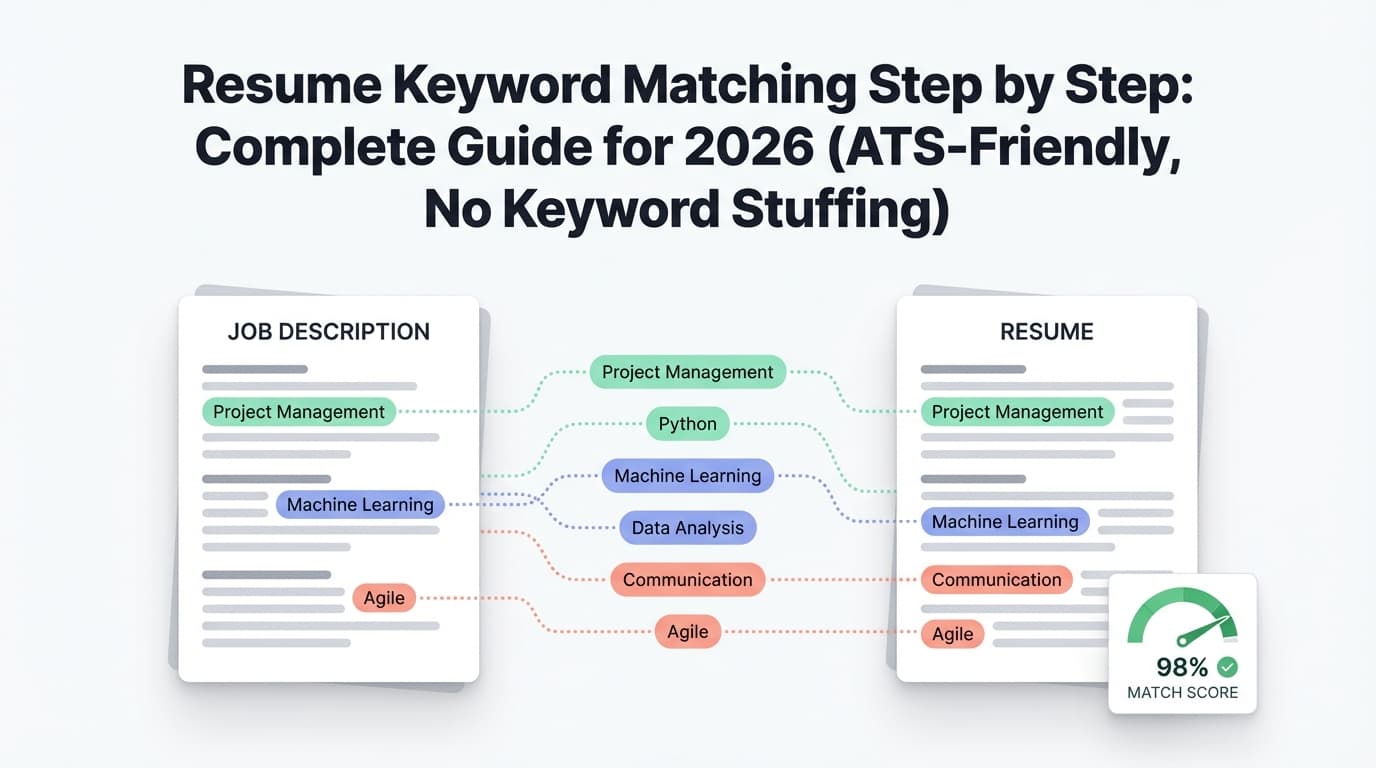
Where it fits in this guide: Use it after Step 3–5 to validate your keyword shortlist against a specific posting and get an organized “what’s missing” view—then add only what you can prove.
Internal link ideas: /resume-builder, /pricing
2) Resume keyword scanners (generic category)
Many scanners compare your resume to a job description and highlight missing terms. Indeed discusses how to use keyword scanners and emphasizes aligning with the job posting (Confidence: Medium — https://www.indeed.com/career-advice/resumes-cover-letters/resume-keyword-scanners).
3) Plain-text / copy-paste test (free, underrated)
Not a “tool,” but one of the fastest ways to catch formatting that scrambles content.
A practical “keyword tailoring workflow” you can reuse for every application
Use this checklist when you’re applying at volume:
- Pick target role + seniority
- Maintain a master resume (baseline keywords)
- For each job:
- Extract top 10–15 keywords from the JD
- Choose 6–10 to emphasize (3R score)
- Update:
- headline/title
- summary
- 2–4 bullets in most recent role
- skills section categories
- Run copy/paste parse check
- Export and submit
Time target: 15–25 minutes per application once your baseline is built.
Key takeaways
- “ATS optimized resume keywords” are job-specific, not universal.
- Choose keywords using Relevant + Repeated + Required (3R), not vibes.
- Use a Keyword Evidence Matrix so every keyword is backed by proof.
- Place keywords across Summary + Skills + Experience, but prove them in bullets.
- Avoid keyword stuffing—quality + evidence beats quantity.
- Tools can speed up gap detection, but you still need to keep your resume truthful and readable.
FAQ (People Also Ask–style)
What keywords does ATS look for?
ATS searches typically revolve around job titles, hard skills (tools/languages), certifications, and role-specific responsibilities—the same terms recruiters would type into ATS search filters. (Confidence: Medium — consistent with ATS guides and Indeed keyword guidance: https://www.indeed.com/career-advice/resumes-cover-letters/ats-resume-keywords)
How do I know what keywords to use in a resume?
Use the job description(s). The most reliable method is to collect 5–10 similar job postings, highlight repeated tools/requirements, then prioritize keywords that are relevant to your experience and clearly required.
How to put keywords in a resume for ATS?
Put keywords in:
- your summary (top skills/tools),
- a skills section (categorized),
- and—most importantly—your experience bullets, where you prove the keyword through an accomplishment and metric. (Confidence: Medium — aligns with Indeed’s guidance on core sections: https://www.indeed.com/career-advice/resumes-cover-letters/ats-resume-keywords)
Can ATS read tables or columns in a resume?
Some ATS parsers struggle with complex formatting like tables, columns, graphics, and headers/footers, which can cause information to be misread or misplaced. Safer approach: single-column layout and a plain-text copy/paste test. (Confidence: Medium–High — consistent guidance from Indeed and university career resources: https://www.indeed.com/career-advice/resumes-cover-letters/ats-resume-template and https://careerservices.uic.edu/wp-content/uploads/sites/26/2017/08/Ensure-Your-Resume-Is-Read-ATS.pdf)
Is a 70% ATS score good?
There’s no universal “good ATS score” because scanners simulate different models and employers use different ATS setups. Treat scores as diagnostic: focus on missing must-have keywords, readability, and evidence-based bullets—not chasing 100%. (Confidence: High — grounded in the reality that ATS/scanners vary and recruiter review still matters.)
Should I include both acronyms and full terms (e.g., SQL)?
Yes. A best practice is to write the full term once and include the acronym in parentheses (e.g., “SQL (Structured Query Language)”) so you match searches for either version. (Confidence: Medium — career advising guidance: https://career-advising.ndsu.edu/navigating-an-applicant-tracking-system-ats/)