If you’re sending out applications and getting nothing back, it’s rarely because you’re “not qualified.” More often, it’s because your resume isn’t speaking the same language as the job description—so it gets filtered, ignored, or skimmed and dismissed.
This guide gives you a step-by-step keyword matching workflow you can reuse for every application—without keyword stuffing or gimmicks.
Why this matters (with real-world context + stats)
-
ATS software is widely used. As of 2023, nearly 98% of Fortune 500 companies used an ATS. (Confidence: High — corroborated across multiple credible sources.)
Sources: U.S. Chamber of Commerce, Tufts Career Services -
Recruiters skim fast. A well-cited eye-tracking study found recruiters spend ~7.4 seconds on an initial resume scan on average. (Confidence: High — primary PDF + third-party summary.)
Sources: The Ladders (PDF), HR Dive -
Competition is intense. A commonly referenced benchmark is ~250 applications per corporate job opening, with only a few moving forward. (Confidence: Medium — widely cited but may vary by industry/role.)
Sources: Inc., Robert Walters -
Typos still kill good resumes. CareerBuilder has reported 58% of resumes contain typos, and that typos/bad grammar are a top employer deal-breaker (77%). (Confidence: Medium–High — CareerBuilder + press release summary.)
Sources: PR Newswire (CareerBuilder release), CareerBuilder employer blog
In this guide, you’ll learn:
- What “resume keyword matching” actually is (and what it isn’t)
- A step-by-step process to extract, prioritize, and place keywords
- A Keyword Map template you can copy/paste
- Before/after examples for multiple roles
- Common mistakes (including “white fonting” / hidden keywords)
- Tools that can speed up the workflow—without overpromising
What Is Resume Keyword Matching?
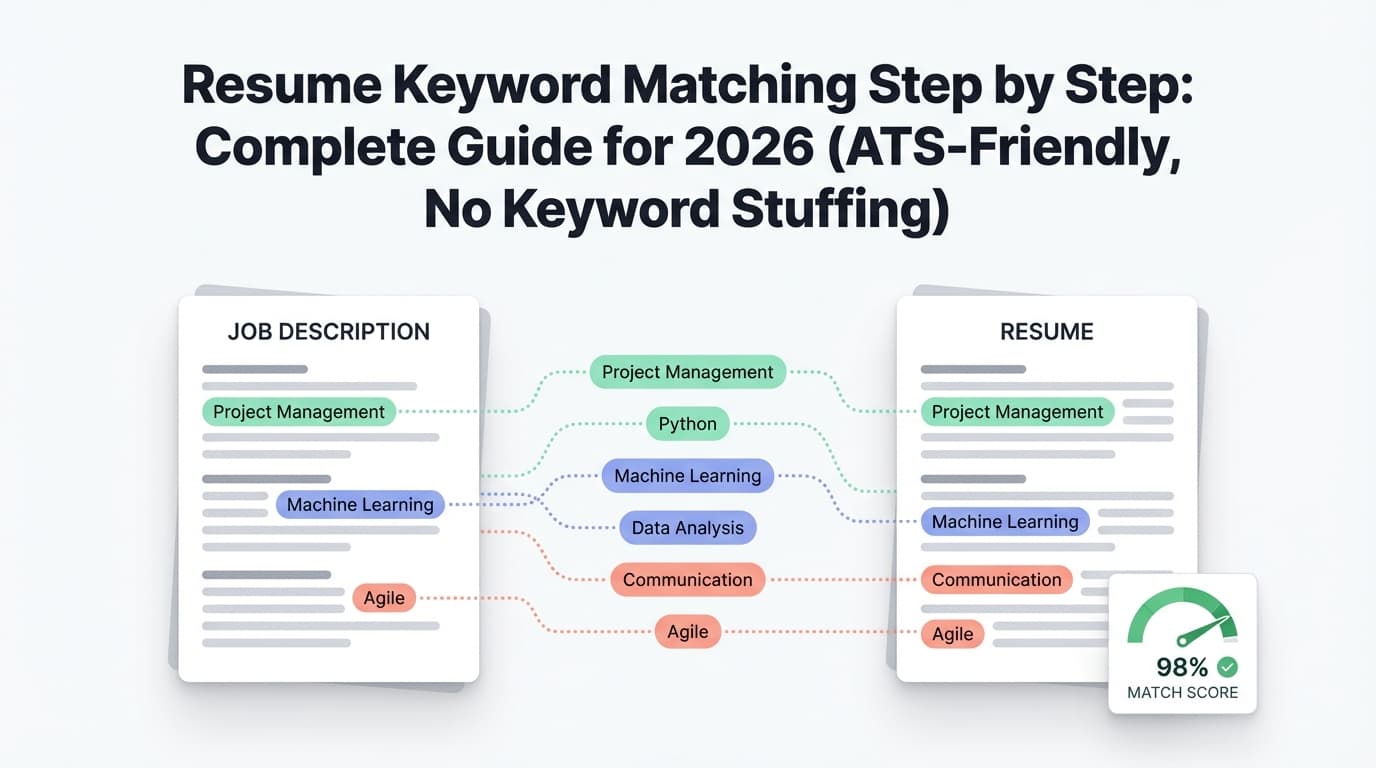
Resume keyword matching is the process of aligning your resume’s words and phrases with the job description—so your resume includes the same skills, tools, qualifications, and responsibilities that the employer (and their ATS) is looking for.
A straightforward definition from recruiting software terminology: keyword matching is aligning specific words/phrases in a candidate’s resume with role requirements. (Confidence: Medium — single-domain glossary, but consistent with industry usage.)
Source: MokaHR
What keyword matching is NOT
- Not copying the job description into your resume
- Not stuffing your Skills section with 60 tools you’ve never used
- Not hiding keywords in white text (more on this later)
Keyword matching is about two audiences
- Systems (ATS parsing + searching)
- Humans (recruiters and hiring managers skimming for proof)
Your goal is to be findable and credible.
How ATS and Resume Parsing Affect Keyword Matching (What Most People Miss)
Keyword matching can fail even when you’re qualified because:
1) Parsing can scramble your content
Some employers explicitly warn that parsing results can vary based on format and word order. (Confidence: High — employer-published guidance.)
Source: Roche Resume Parsing FAQ
2) Certain formatting elements can reduce readability in ATS fields
University career centers often recommend avoiding elements that may not parse cleanly (tables/text boxes/columns). (Confidence: Medium–High — consistent across many career centers.)
Source: MIT Career Advising
Practical takeaway: keyword matching is easier (and safer) when your resume is simple, single-column, and clearly headed.
Resume Keyword Matching Step by Step (Repeatable System)
This is the process you can run in 30–45 minutes per application at first, then 10–20 minutes once you build your “keyword bank.”
Step 0: Start from an ATS-safe baseline resume (so your keywords don’t get lost)
Before you tailor, do a fast “ATS-safety” check:
ATS-safe baseline checklist
- Clear headings: Summary, Skills, Experience, Education
- No text boxes, no tables, minimal graphics
- Consistent job title + company + dates formatting
- Your most relevant experience is on page 1
If your resume doesn’t parse cleanly, keyword matching becomes unreliable.
Step 1: Capture the complete job description (don’t rely on memory)
Copy the job description into a document and include:
- Responsibilities
- Required qualifications
- Preferred qualifications
- Tools/stack mentioned
- Any “nice-to-have” domain language (industry/regulations)
Pro tip: Save the JD exactly as written. Later, you’ll use its wording to mirror key terms.
Step 2: Extract keywords into 5 buckets (fast and accurate)
Make a list under each bucket:
A) Hard skills / tools (usually the strongest filters)
Examples: SQL, Python, Tableau, Excel, AWS, Docker, Salesforce
B) Methods / frameworks (how you do the work)
Examples: A/B testing, ETL, Agile/Scrum, stakeholder management, forecasting
C) Role outcomes (what success looks like)
Examples: improve conversion, reduce cycle time, increase reliability, grow pipeline
D) Domain language (industry-specific nouns)
Examples: churn, retention, SOC 2, HIPAA, underwriting, supply chain
E) Credentials and constraints (often non-negotiable)
Examples: PMP, CPA, security clearance, work authorization, years of experience
Deliverable: 25–60 keywords/phrases (varies by role seniority and specificity).
Step 3: Prioritize keywords (so you don’t waste time on low-impact terms)
Mark each keyword as:
- Tier 1 (Must-have): appears in “Required,” repeated, or clearly essential tools
- Tier 2 (Strong): appears multiple times or is central to responsibilities
- Tier 3 (Nice): “preferred,” bonus tools, softer traits
Shortcut rule: prioritize anything that:
- is repeated
- is listed under “Required”
- is a tool or certification
Step 4: Build a Keyword Map (this is the “cheat code”)
The keyword map prevents two big problems:
- adding keywords you can’t prove
- scattering keywords randomly (aka “stuffing”)
Copy/paste this template:
Keyword Map Template (copy this)
| Keyword from JD | Priority (T1/T2/T3) | Where it goes (Summary/Skills/Bullet) | Your proof (project + metric) | Natural phrase |
|---|---|---|---|---|
Rules
- Every keyword must have proof (a project, deliverable, or responsibility you actually owned)
- Every keyword must have a home (where it will appear)
- The “natural phrase” is how you’ll write it without sounding fake
Step 5: Rewrite your Summary to mirror the job in 2–4 lines
Why this works: recruiters skim top-down, and ATS may weigh early content.
Summary formula
[Role/level] with [X years] in [domain]. Strong in [top 2–4 tools] and [1–2 methods]. Delivered [2 outcomes + metrics].
Example (Product Analyst)
Product Analyst with 5+ years in B2C growth analytics. Strong in SQL, Tableau, and A/B testing. Delivered experimentation insights that improved conversion and reduced reporting time.
You’ve matched keywords and made a credible claim.
Step 6: Rebuild your Skills section as a searchable index (curated, not bloated)
Best practice: group skills by category:
- Analytics: SQL, Python, Excel, Tableau
- Methods: A/B testing, cohort analysis, forecasting
- Tools: Snowflake, dbt, Git, Jira
Avoid
- 40+ skills with no supporting bullets
- tools you used once in a class (unless you’re early-career and labeling it clearly)
Step 7: Inject keywords into Experience bullets (where they matter most)
This is where keyword matching becomes “real.”
Bullet formula that naturally holds keywords
Action verb + tool/method + what you did + business impact (metric)
Before (generic)
- Created dashboards and reports for leadership.
After (keyword-matched)
- Built Tableau dashboards powered by SQL datasets to automate weekly KPI reporting, reducing manual reporting time by 30%.
Now your keywords are supported by results.
Placement strategy (do this every time)
- Put Tier 1 tools in Skills + at least 1 bullet
- Put Tier 1 methods in at least 1 bullet
- Put Tier 1 outcomes in at least 1 bullet
- Put domain terms where they naturally belong (product metrics, compliance, etc.)
Step 8: Mirror job-title language (without lying)
ATS and recruiters often search by title.
If your official title differs but the function matches, you can add a clarifier:
Account Manager (Customer Success) — Company
Do not rename yourself to a title you didn’t do.
Step 9: Use acronym + long-form variants (ATS-safe)
Many guides recommend spelling out acronyms at least once, then using the acronym. (Confidence: Medium — common best practice; varies by ATS.)
Examples:
- Search Engine Optimization (SEO)
- Customer Relationship Management (CRM)
- Applicant Tracking System (ATS)
This helps if the JD uses one version and your resume uses the other.
Step 10: Run two quick checks (parsing + human skim)
Check A: Plain-text test
Paste your resume into a plain text editor.
Look for:
- headings in the right order
- bullets that don’t collapse
- dates that don’t scramble
- skills that remain readable
Check B: 7-second skim test (human)
Given the ~7.4 second scan finding (Ladders), ask:
- Can someone find the top 3 required tools in under 10 seconds?
- Are your best, most relevant bullets near the top?
- Do you show proof (metrics) quickly?
Step 11: Save versions so you can tailor faster next time
The biggest “hidden cost” in tailoring is rework. Save versions for:
- Role type (e.g., “Data Analyst – Experimentation” vs “Data Analyst – BI”)
- Seniority (mid vs senior)
- Industry (healthcare vs fintech)
This turns tailoring into small edits instead of rewriting your whole resume every time.
Worked Example: Resume Keyword Matching (Before/After)
Sample job requirements (Data Analyst)
- SQL, Tableau, product metrics
- A/B testing / experimentation
- stakeholder management
- dashboarding
- cross-functional collaboration
Keyword map (mini)
| Keyword | Priority | Where it goes | Proof | Phrase |
|---|---|---|---|---|
| SQL | T1 | Skills + Bullet | KPI dataset automation | “Wrote SQL queries to…” |
| Tableau | T1 | Skills + Bullet | Exec dashboards | “Built Tableau dashboards…” |
| A/B testing | T1 | Bullet | Pricing test | “Designed and analyzed A/B tests…” |
| Stakeholder management | T2 | Bullet | Weekly reviews | “Partnered with stakeholders…” |
| Product metrics | T2 | Summary + Bullet | Conversion/retention | “Tracked activation/retention…” |
Before bullets (generic)
- Created dashboards and reports for teams.
- Helped analyze experiments.
- Worked with different stakeholders.
After bullets (matched + credible)
- Built Tableau dashboards backed by SQL datasets to track core product metrics (activation, retention, conversion), reducing weekly reporting time by 30%.
- Designed and analyzed A/B tests for onboarding and pricing changes; presented experimentation results to cross-functional partners to drive launch decisions.
- Partnered with Product and Marketing stakeholders to define KPI definitions, create self-serve reporting, and resolve data discrepancies.
This is keyword matching that reads like a real resume—not a job post.
Role-Specific Keyword Matching Examples (So You Can Copy the Pattern)
Example 1: Software Engineer (Backend)
Common Tier 1 keywords
- API development, REST, microservices
- Java/Python/Go, SQL
- AWS, Docker, Kubernetes
- CI/CD, unit tests, observability
Matched bullet example
- Built RESTful APIs in Java with PostgreSQL, deployed via Docker on AWS, improving endpoint latency by 22% and reducing deployment errors through automated CI/CD checks.
Example 2: Marketing (Performance / Growth)
Common Tier 1 keywords
- SEO, paid search (PPC), conversion rate optimization (CRO)
- Google Analytics, attribution, A/B testing
- lifecycle email, segmentation
Matched bullet example
- Led conversion rate optimization (CRO) experiments on landing pages, using A/B testing and Google Analytics funnel analysis to increase trial-to-signup conversion by 18%.
Example 3: Project Manager
Common Tier 1 keywords
- stakeholder management, risk management
- Agile/Scrum, Jira
- roadmap, cross-functional, delivery
Matched bullet example
- Managed cross-functional delivery using Agile/Scrum in Jira, aligning stakeholders across Product, Engineering, and Ops to deliver 3 roadmap initiatives on time and reduce escalations by 35%.
Best Practices for Resume Keyword Matching (That Actually Move the Needle)
1) Match “requirements language” first
Responsibilities are often vague. Requirements are used to filter.
Example:
- Responsibility: “work with data”
- Requirement: “SQL, Tableau, dashboarding”
Start with the requirement words.
2) Put Tier 1 keywords where humans skim (top third of page 1)
Given the ~7.4-second scan time (Ladders):
- Summary should contain 2–4 core keywords
- Skills should contain your must-have tools
- First 1–2 bullets under your most relevant job should include the job’s core tools
3) Use keyword pairs recruiters search together
ATS and recruiters often search combinations:
- “SQL + Tableau”
- “AWS + Terraform”
- “Python + ETL”
- “Customer Success + renewals”
If it’s true, put them together in the same bullet.
4) Make every keyword “pay rent” with proof
If you add “stakeholder management,” show:
- who you partnered with
- what decision you influenced
- what outcome happened
5) Treat match scores as directional—not truth
Different “resume scanners” will give different scores. Use tools to spot gaps, but don’t rewrite yourself into nonsense to chase 100%.
Common Mistakes to Avoid (That Hurt Keyword Matching)
Mistake 1: Keyword stuffing (especially hidden keywords / “white fonting”)
Some job seekers try to hide keywords in white font to “beat ATS.”
Career advice sources warn this can backfire by appearing deceptive and causing formatting issues when parsed. (Confidence: Medium — career advice, not a scientific study.)
Source: iHire
Fix: place keywords naturally in bullets with evidence.
Mistake 2: Copying large blocks from the job posting
CareerBuilder has cited “copying large amounts of wording from the job posting” as a resume mistake employers dislike. (Confidence: Medium — reported in survey summaries.)
Source: PR Newswire (CareerBuilder release)
Fix: translate requirements into your accomplishments.
Mistake 3: Putting all keywords only in Skills
Skills without proof can look inflated.
Fix: Tier 1 keywords belong in:
- Skills (index)
- Experience bullets (proof)
Mistake 4: Over-tailoring until your resume becomes unreadable
Keyword matching shouldn’t destroy clarity.
Fix: tailor the top (Summary + Skills) and your most relevant bullets first.
Mistake 5: Ignoring typos and clarity
CareerBuilder has reported both:
- a high typo rate (58%)
- strong employer dislike for typos/bad grammar (77%)
Sources:
- https://www.prnewswire.com/news-releases/careerbuilder-releases-study-of-most-outrageous-resume-mistakes-and-creative-techniques-that-worked-162036735.html
- https://www.careerbuilder.com/advice/employer-blog/in-this-tight-labor-market-employers-still-have-candidate-deal-breakers
Fix: run a grammar/spell check and do a slow final read before submitting.
A Fast “20-Minute Tailoring Sprint” (For High-Volume Applicants)
When you’re applying to many roles, don’t spend hours per resume.
Minutes 0–5: Extract Tier 1 keywords (tools + must-haves)
Minutes 5–10: Update Summary + Skills
Minutes 10–18: Rewrite 2–3 bullets in your most relevant role
Minutes 18–20: Plain-text test + typo check
Then save that version and move on.
Tools to Help With Resume Keyword Matching (Honest Recommendations)
You can do keyword matching manually. Tools just help you do it faster and catch gaps.
JobShinobi (keyword matching workflow + resume iteration)
JobShinobi is built for job seekers focused on ATS outcomes and high-volume applying.
Supported ways it can help with keyword matching:
- Resume-to-job matching: compare your resume against a job description (or job URL) to identify alignment and keyword gaps.
- AI resume analysis: generate ATS-focused scoring and feedback (including keyword-related feedback).
- Resume editing + iteration: edit a resume in LaTeX with PDF preview and keep version history so you can tailor without losing your baseline.
It also includes a job tracker, and Pro users can forward job-application emails to a unique address so applications can be parsed and logged automatically. (Important: email processing is Pro-gated.)
Pricing (verified): JobShinobi Pro is $20/month or $199.99/year. The pricing page mentions a 7-day free trial, but trial mechanics aren’t fully verifiable here—so treat it as “mentioned,” not guaranteed.
Links: Resume dashboard · Job tracker · Subscription
Other tool categories (useful, but optional)
- Resume scanners / match tools: find missing keywords vs. a specific JD
- Grammar tools: reduce typos (important given CareerBuilder findings)
- Plain-text / parsing tests: confirm your resume reads cleanly when stripped of formatting
Key Takeaways
- Keyword matching works best when your resume is ATS-parseable and human-readable.
- Use a Keyword Map so every keyword has proof and a planned placement.
- Prioritize Tier 1 keywords from “Required” sections first.
- Put keywords in Summary + Skills + Experience bullets (not just Skills).
- Avoid keyword stuffing and “white fonting”—it’s risky and can backfire.
- Save versions so tailoring becomes quick edits instead of rewrites.
- Tools like JobShinobi can speed up the “match → edit → re-check” loop, especially when applying at volume.
FAQ (Based on Common Searches and “People Also Ask”)
How do I match keywords in a resume?
- Copy the job description into a doc.
- Extract keywords into buckets (tools, methods, outcomes, domain, credentials).
- Build a keyword map: keyword → proof → placement.
- Update Summary + Skills.
- Rewrite 2–3 most relevant bullets with proof + metrics.
- Run a plain-text test to ensure it parses cleanly.
Can ATS read columns, tables, or text boxes?
Sometimes, but results vary by system and formatting. Many career centers recommend avoiding text boxes/tables and using simple layouts to reduce parsing issues.
Source (career guidance): MIT Career Advising
Also, employers note that parsing results can vary by format and word order.
Source (employer guidance): Roche
What keywords does an ATS look for?
Typically:
- job titles
- hard skills/tools
- certifications and required qualifications
- industry/domain terms
- sometimes location or work authorization requirements
Is a 75% or 80% “match rate” good?
Match-rate advice depends on the tool and the role. Some tools recommend aiming around 75–80%, but treat match rates as guidelines—not guarantees—because ATS setups vary and humans still decide. (Confidence: Medium — tool guidance, not a universal rule.)
Should I paste the job description into my resume in hidden text?
No. Sources warn “white fonting” can look dishonest and may create formatting issues when parsed.
Source: iHire
Why is my resume parsing incorrectly?
Common reasons include formatting choices (tables/text boxes), unclear headings, or content order. Employer guidance notes parsing can vary by format and word order.
Source: Roche
If you want to speed up keyword matching without redoing work every time, a practical workflow is: run a resume-to-job match, apply changes in an editor, and save versions per role type. JobShinobi supports that loop (plus version history) here: /dashboard/resume.