Hiring is more competitive than it used to be—and the data shows it. Workday reported that the surge in applications (31%) far outpaced job growth (7%) in the first half of 2024 (measured by job requisitions), which helps explain why many candidates feel like they’re “getting auto-rejected.” Source: Workday newsroom and report PDF (Workday newsroom, Workday PDF).
If you’re applying a lot and hearing nothing back, you don’t need resume “hacks.” You need a resume that:
- parses cleanly (so the ATS doesn’t scramble it)
- matches the job (so you show up in searches/filters)
- reads fast for humans (because real people still decide)
That’s exactly what this guide gives you.
In this guide, you’ll learn:
- The 3-layer approach to ATS optimization in 2026 (Parse → Match → Persuade)
- ATS-safe formatting rules (and what actually breaks parsing)
- A repeatable keyword-mapping workflow (with examples)
- A step-by-step build process you can follow in under 2 hours
- Common ATS resume mistakes (including myths like “white-text keywords”)
- How tools like JobShinobi can help you analyze, tailor, and track versions without making unsupported promises
What is an ATS optimized resume (in 2026 terms)?
An ATS optimized resume is a resume designed to work in the real hiring pipeline:
- ATS parsing: the system extracts your name, titles, dates, skills, and sections into structured fields.
- Search & filtering: recruiters filter by keywords (skills, tools, titles, certifications), location, and sometimes years of experience.
- Ranking / relevance signals: some systems score relevance or prioritize candidates who better match the role.
- Human review: when someone opens your application, they scan quickly.
A 2026-ready ATS resume is not a keyword-stuffed document. It’s a document that is:
- simple enough to parse
- specific enough to match
- clear enough to skim
Why ATS optimization matters in 2026 (with real data)
ATS usage is the default, not the exception
Tufts University’s Career Center notes that 98.4% of Fortune 500 companies use an ATS. (Tufts source)
MIT’s Career Advising site similarly states that about 99% of Fortune 500 companies use ATS. (MIT source)
Confidence: Medium–High (multiple university career centers cite this; the exact original dataset may vary, but the “nearly all Fortune 500” conclusion is consistent across sources).
Recruiters skim fast—so structure is a feature
The Ladders’ eye-tracking research found recruiters spent ~7.4 seconds on an initial screen (2018 update). (Ladders PDF) HR Dive summarizes the same finding. (HR Dive)
Confidence: High (primary PDF + reputable secondary coverage).
Application volume is up, so filters matter more
As noted above, Workday reported applications +31% vs requisitions +7% in 1H 2024. (Workday newsroom, Workday PDF)
Confidence: High (Workday primary reporting).
Candidates are getting ghosted (so you need higher conversion per application)
Greenhouse reported 61% of job seekers have been ghosted after a job interview (their State of Job Hunting report). (Greenhouse source)
Greenhouse’s Candidate Experience reporting also discusses ghosting; for example, one Greenhouse post notes 52% of candidates say ghosting has happened to them (context and sample may differ from the “61% after interview” stat). (Greenhouse source)
Confidence: Medium–High (same publisher; metrics vary by survey/report and definition of ghosting).
Practical takeaway: You can’t control the market, but you can control whether your resume (a) parses (b) matches (c) sells your fit in seconds.
The 3-layer model: Parse → Match → Persuade (the 2026 ATS playbook)
Most ATS advice is either too basic (“use keywords”) or too extreme (“ATS rejects 75% automatically”). Instead, use this model:
Layer 1: Parse (ATS can extract your content correctly)
Goal: Your resume becomes clean structured data.
If parsing fails, nothing else matters.
Layer 2: Match (you align with the job’s language)
Goal: You appear in searches/filters and look relevant.
If you don’t match the role, you look invisible—even if your experience is strong.
Layer 3: Persuade (a human can instantly see you’re qualified)
Goal: Clear proof, measurable impact, easy scanning.
If it’s not persuasive, you still won’t get interviews.
Keep this model in mind as we build.
How to make an ATS optimized resume in 2026: Step-by-step
Step 1: Start from an ATS-safe structure (don’t “design” your resume first)
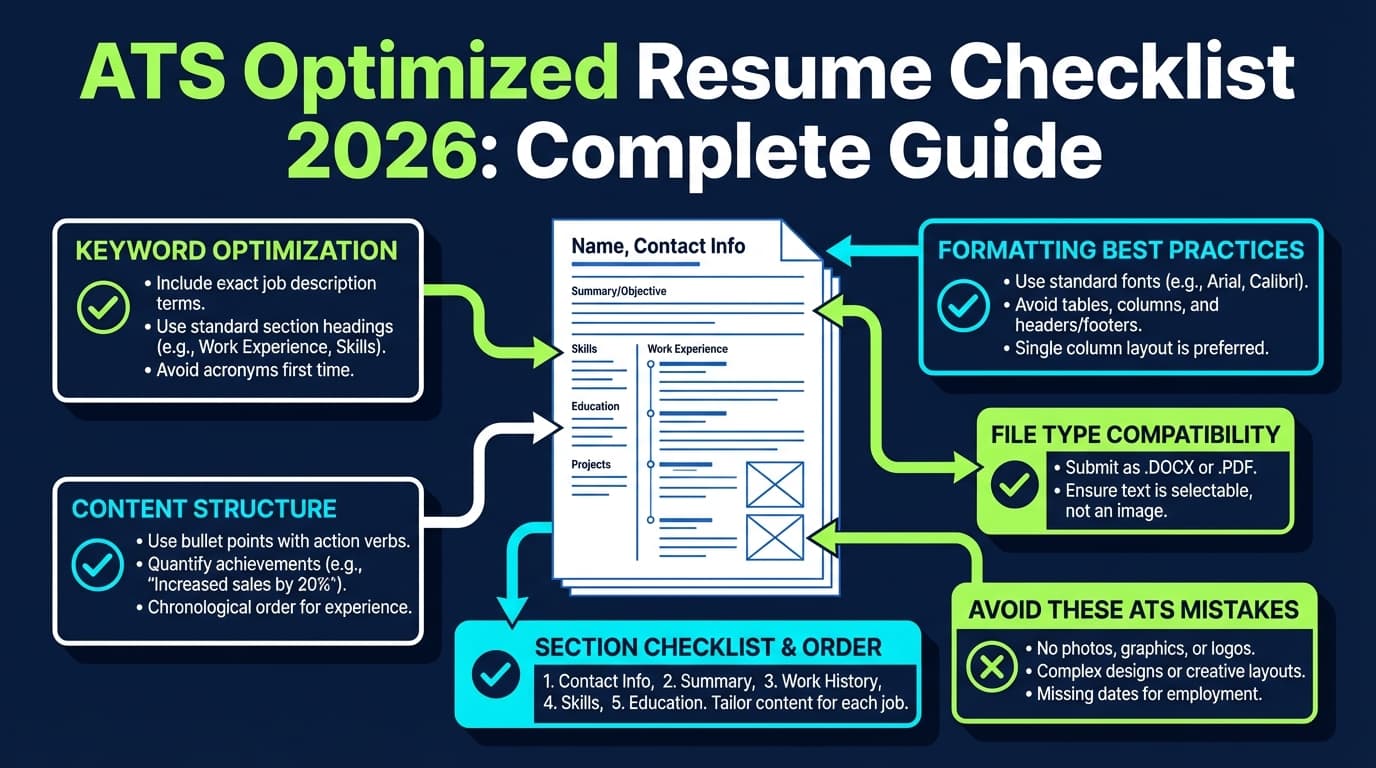
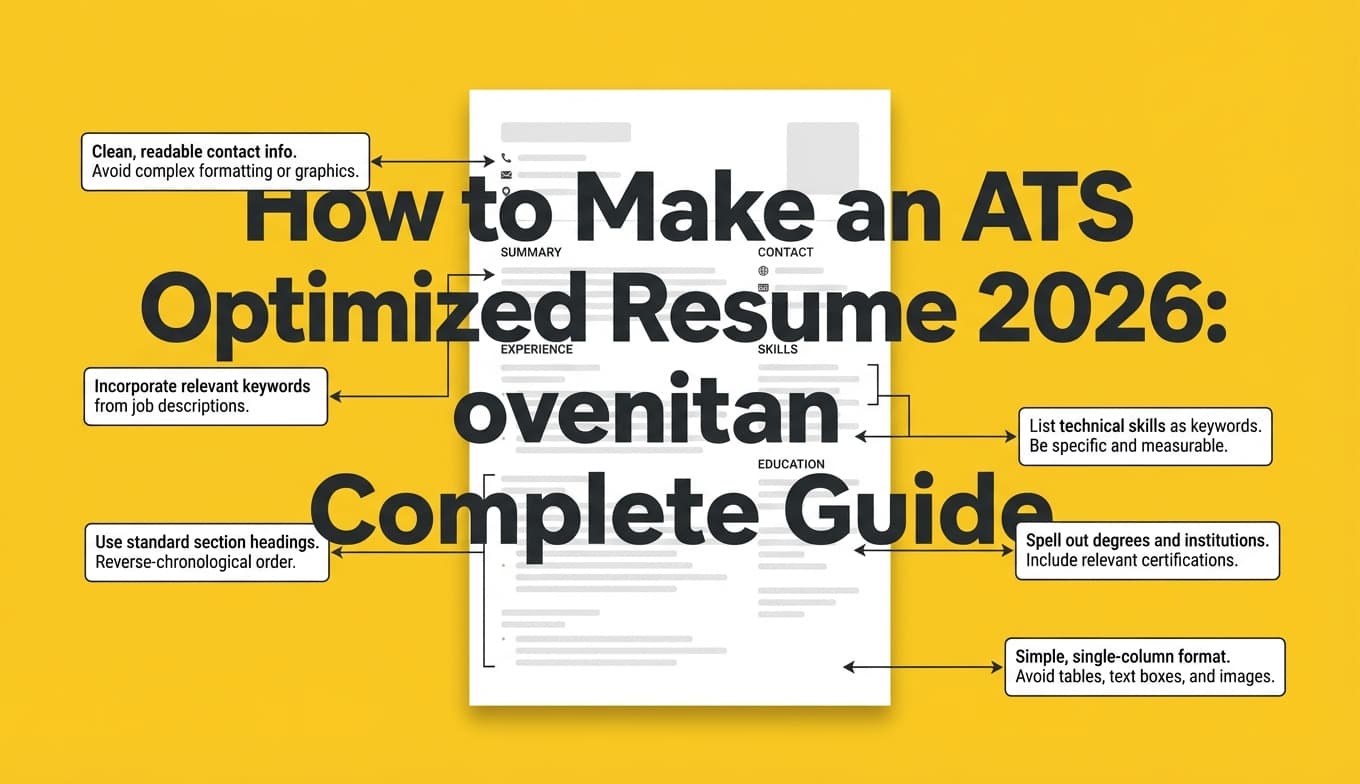
Use a single-column layout and clean section headings. Most ATS guidance from university career centers emphasizes avoiding complex formatting elements like tables, columns, headers/footers, and graphics (examples include MIT and Tufts guidance, plus many university toolkits). (MIT, Tufts)
Use these standard headings (ATS-recognized):
- Summary (optional)
- Work Experience / Professional Experience
- Education
- Skills
- Certifications (if relevant)
- Projects (optional, but great for tech and career pivots)
Avoid “cute” headings like:
- “Where I’ve Been”
- “My Toolkit”
- “What I Bring to the Table”
ATS may not categorize them correctly, and recruiters are trained to scan standard headings.
Pro tip: If you’re not sure whether your layout is parseable, do a quick plain-text test (more on that in Step 7).
Step 2: Choose the right resume format (chronological beats “creative” for ATS)
For most candidates, the safest approach is:
- Reverse-chronological (most recent experience first), or
- Hybrid (short skills/summary + chronological experience)
Avoid purely functional resumes unless you have a specific reason—many recruiters dislike them because they hide context, and some ATS workflows categorize them poorly.
Step 3: Build a “keyword map” from the job description (the part most people skip)
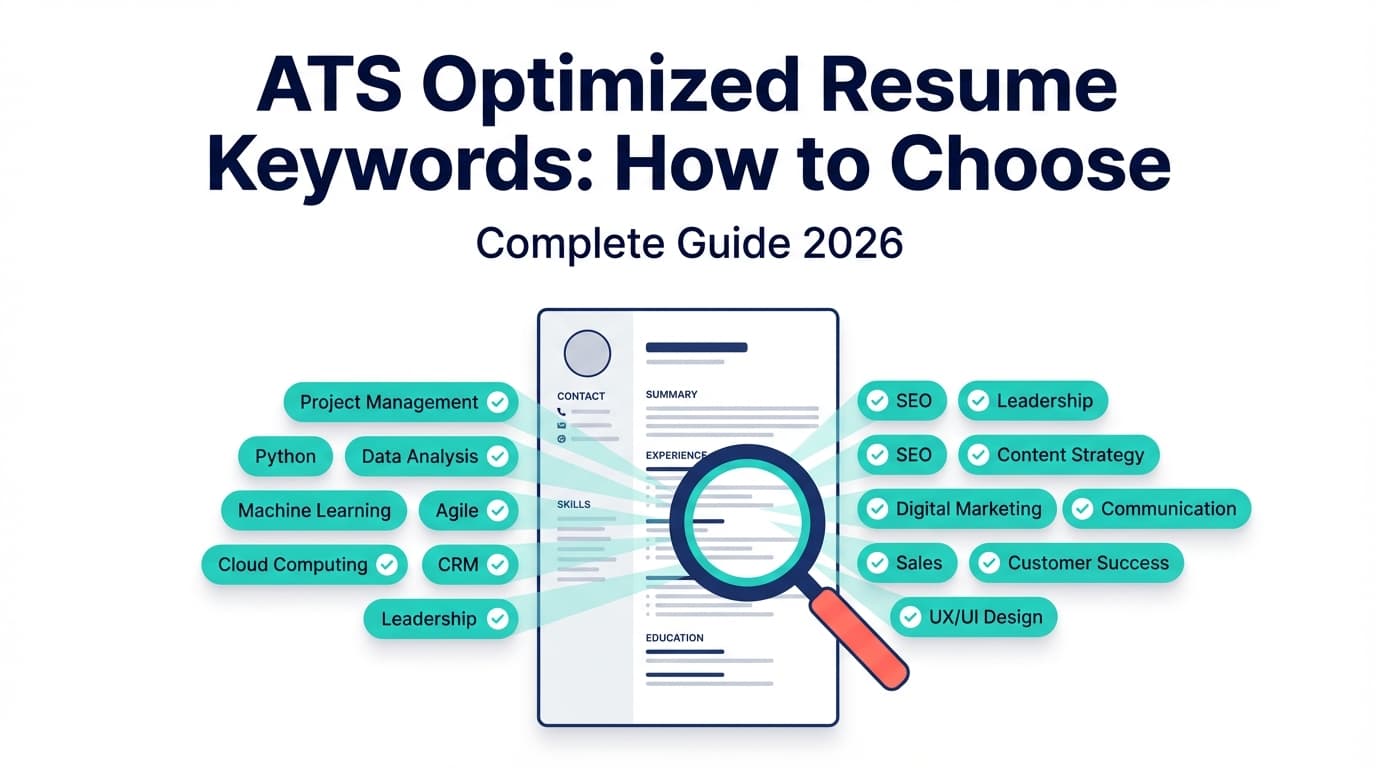
ATS optimization is mostly relevance. Your job is to translate the job posting into a checklist of language the employer expects.
How to extract keywords fast (10–15 minutes)
- Paste the job description into a doc.
- Highlight:
- Hard skills/tools (Python, SQL, Salesforce, Workday, Tableau, Figma, AWS)
- Methods/processes (Agile, A/B testing, stakeholder management, GA4, unit testing)
- Role keywords (forecasting, pipeline, automation, compliance, incident response)
- Seniority signals (own, lead, mentor, roadmap, strategy)
- Count repeats:
- If a term appears 2–5+ times, it’s likely a key filter.
Turn the highlight into a keyword map
Make a simple table:
| Category | JD keywords | Where you’ll prove it |
|---|---|---|
| Tools | SQL, Looker, dbt | Skills + bullets + project |
| Domain | cohort analysis, retention | 2–3 bullets with metrics |
| Soft skills (proof) | stakeholder, cross-functional | bullets showing who/what |
Pro tip (2026 reality): Don’t only match skill words—match the employer’s phrasing. Many ATS searches are closer to exact-match than people think.
Step 4: Write ATS-friendly bullets (with proof, not fluff)
A strong ATS-optimized bullet does two jobs:
- includes relevant keywords naturally
- proves results with scope + metric + method
Use this formula:
Action verb + what you did + how you did it (tools/method) + measurable result
Before/after example (generic)
Before (weak):
- Responsible for reporting and dashboards.
After (ATS-optimized):
- Built automated KPI dashboards in Tableau using SQL pipelines, reducing weekly reporting time by 40% and improving stakeholder visibility across 6 teams.
Notice what we did:
- Added tools (Tableau, SQL)
- Added outcome (40% reduction)
- Added scope (6 teams)
Another before/after (software/tech)
Before:
- Worked on APIs and improved performance.
After:
- Optimized REST API response times by 35% by refactoring database queries and adding caching; improved Core endpoint reliability and reduced timeout-related incidents.
Step 5: Make the Skills section parseable (and searchable)
Your Skills section should be easy to parse and easy to filter.
ATS-safe patterns:
- Bulleted list of skills
- Comma-separated list
- Categorized skills with simple labels
Example (safe):
Skills
- Programming: Python, JavaScript, SQL
- Data: dbt, Looker, Tableau, GA4
- Cloud: AWS (S3, Lambda), Docker
- Methods: A/B testing, Agile, stakeholder management
Avoid:
- icons (ATS may not read them)
- rating bars (“SQL ▓▓▓▓▓”)
- complex tables
If you use bullets, use standard round bullets and avoid unusual symbols.
Step 6: Fix the 6 ATS parsing “breakers” (most common resume-killers)
Many university career resources warn against formatting elements that disrupt parsing. The biggest issues are:
- Headers and footers (especially for contact info)
- Tables and columns
- Text boxes / shapes
- Icons and graphics
- Images (including logos/headshots)
- Non-standard characters (fancy bullets, arrows, decorative lines)
If you’ve ever copied your resume into a system and watched it scramble—this is usually why.
Pro tip: Put your name + contact info in the main body at the top, not the document header.
Step 7: Run an “autofill + plain-text” test (quick validation you can do today)
A simple “ATS friendliness” test recommended by some career centers is to save or convert your resume to plain text and see if it stays readable. MIT specifically suggests testing your resume by focusing on the text extraction process. (MIT source)
Do this:
The plain-text test (2 minutes)
- Export your resume to PDF and/or DOCX.
- Copy all text and paste into a plain text editor (Notepad/TextEdit).
- Check:
- Is the reading order correct?
- Do job titles/dates stay with the right job?
- Do bullets become gibberish?
If it’s messy in plain text, many ATS autofill experiences will be messy too.
The autofill test (5 minutes)
Apply to a low-stakes job posting (or a test portal if you have one) and watch what autofills into:
- Job title fields
- Company fields
- Date fields
- Skills fields
If your last job title becomes your name—or dates drift—your format needs simplifying.
Step 8: Choose PDF vs DOCX the smart way (not based on myths)
You’ll see conflicting advice on PDF vs DOCX because ATS capabilities vary.
- Jobscan (and other resume sites) often recommend DOCX as highly parseable (though some ATS handle PDFs well).
- University guidance varies: some say PDF is fine, some prefer DOCX, some say “follow the employer instructions.”
MIT’s guidance: it’s usually fairly safe to use either DOC/DOCX or PDF unless the job description specifies otherwise. (MIT source)
Practical rulebook for 2026:
- If the application portal asks for a file type, do that.
- If it’s a big ATS portal and you’ve had autofill issues before, default to DOCX.
- If you’re emailing a recruiter directly, PDF can be fine (it preserves layout)—as long as it’s text-based and not image-based.
Important: A “pretty PDF” created from a design tool can be the worst of both worlds (looks good, parses badly).
Step 9: Tailor without rewriting your whole resume (use a modular approach)
High-volume applicants burn out because “tailor every resume” becomes a full rewrite.
Instead, tailor in modules:
- Module A (always): Headline + Summary (3–4 lines)
- Module B (often): Skills section (reorder + add missing relevant skills you truly have)
- Module C (selectively): 3–5 bullets across your last 1–2 roles (the most relevant ones)
That’s enough to meaningfully improve match rate without spending hours per job.
15 ATS resume best practices for 2026 (the checklist)
- Use a single-column layout
- Use standard headings (“Work Experience,” “Education,” “Skills”)
- Put contact info in the body (not header/footer)
- Avoid tables, text boxes, icons, and graphics
- Use consistent date formatting (e.g.,
MMM YYYY – MMM YYYYorYYYY – YYYY) - Use a readable font and size (commonly 10–12pt; prioritize legibility)
- Repeat the job title naturally (if accurate for your target role)
- Mirror critical keywords from the job description (tools, skills, methods)
- Put keywords in context (bullets with outcomes—not keyword dumping)
- Lead with impact (metrics, scope, outcomes)
- Make skills searchable (simple lists; avoid rating bars)
- Include relevant certifications exactly as written (e.g., “AWS Certified Solutions Architect”)
- Use full terms + acronyms when helpful (e.g., “Applicant Tracking System (ATS)”)
- Keep section order logical (Experience before Projects if you’re experienced; Projects before Experience for early career)
- Keep formatting consistent (same bullet style, spacing, capitalization)
Common ATS resume mistakes to avoid (and what to do instead)
Mistake 1: Using Canva-style templates with columns and icons
Why it hurts: Columns, tables, and icons can scramble parsing and autofill.
Fix: Rebuild in a clean single-column template.
Mistake 2: Keyword stuffing (or “white text” tricks)
“Hidden keywords” in white font is a recurring social-media myth. It’s also risky: formatting can be stripped, revealing the text, and recruiters can reject for obvious manipulation.
Fix: Put keywords where they belong:
- Skills section
- Relevant bullets
- Projects
- Certifications
Mistake 3: Non-standard section headings
“Where I’ve Worked” is cute; ATS may not be.
Fix: Use standard headings.
Mistake 4: Vague bullets with no proof
“Worked on multiple projects” doesn’t help ATS matching or human decision-making.
Fix: Add scope + tools + measurable outcome.
Mistake 5: Sending the wrong file type (without checking)
A PDF that’s actually an image (or a heavily designed PDF) can parse terribly.
Fix: Do the plain-text and autofill tests, then choose the safer format for that portal.
ATS optimized resume examples (copy/paste patterns)
Below are “patterns” you can adapt quickly. The idea is to embed keywords and proof.
Summary examples (3–4 lines)
Data Analyst (generic)
Data Analyst with 5+ years in SQL-based analytics, dashboarding, and experimentation. Built Tableau/Looker reporting for cross-functional teams, improving decision cycles and automating recurring KPI tracking. Experienced with stakeholder management, data modeling, and cohort/retention analysis.
Software Engineer (generic)
Software Engineer with 4+ years building production APIs and data pipelines. Experienced in REST services, database optimization, and CI/CD. Known for measurable performance improvements, clean system design, and cross-functional delivery.
Experience bullet examples
Project Management / Operations
- Led cross-functional launch of a workflow automation initiative, reducing cycle time by 28% and improving SLA adherence across 3 regions.
- Built a stakeholder reporting cadence and KPI dashboard to track throughput, backlog, and quality trends; improved exec visibility and reduced ad-hoc reporting requests.
Marketing / Growth
- Ran A/B tests across lifecycle campaigns, improving activation by 12%; partnered with product and analytics to define hypotheses, success metrics, and segmentation.
- Implemented GA4 event tracking and standardized channel reporting, improving attribution clarity and reducing weekly manual reporting.
Tech / Engineering
- Reduced database query latency by 35% through indexing and query refactoring; improved reliability for high-traffic endpoints.
- Built CI checks and automated testing workflows, reducing regressions and improving deployment confidence.
Skills section example templates (ATS-safe)
Option A: Categorized
- Languages: Python, SQL, JavaScript
- Tools: Tableau, Looker, Excel, dbt
- Cloud: AWS, Docker
- Methods: A/B testing, Agile, stakeholder management
Option B: Simple list Skills: Python, SQL, Tableau, Looker, dbt, Excel, A/B testing, stakeholder management, Agile, AWS
Tools to help with ATS optimization (honest recommendations)
You can do ATS optimization manually—but tools help you move faster, especially when you’re applying at volume.
JobShinobi (resume building + ATS-focused analysis + job match + tracking)
What it’s good for (supported capabilities):
- Build resumes in LaTeX with a PDF preview workflow (LaTeX compile to PDF inside the app).
- AI resume analysis with ATS-focused scoring and detailed feedback (including formatting/keyword considerations).
- Job-to-resume matching: paste a job description (or URL) and get match insights + missing keywords to tailor.
- Version history so you can keep a “base resume” plus tailored variants without losing track.
- Job application tracking (including an email-forwarding workflow that can automatically log job application emails).
- Note: email processing requires Pro membership.
Pricing (accurate):
- JobShinobi Pro is $20/month or $199.99/year.
- The pricing/marketing copy mentions a “7-day free trial,” but trial enforcement mechanics are not clearly verified in code, so treat it as “mentioned” rather than guaranteed.
Links:
- Resume area: /dashboard/resume
- Job tracker: /dashboard/job-tracker
- Pricing: /pricing
Other tool categories (what to look for)
- A resume scanner that compares your resume to a job description (useful for keyword gap discovery)
- A plain-text extraction test (free) + autofill test (free) as your “ground truth”
- A simple editor that preserves clean formatting (Word/Google Docs/LaTeX-based tools)
Reminder: No tool can guarantee you’ll “pass” every ATS. Different companies configure ATS differently, and humans still reject resumes for mismatch.
Your 60-minute ATS optimization workflow (repeat for each job)
Use this when you’re applying at volume and need a repeatable process:
- Paste JD → highlight keywords (10 min)
- Update Summary + Headline to mirror target role (10 min)
- Update Skills order (5 min)
- Edit 3 bullets to match the JD (25 min)
- Plain-text test (5 min)
- Export and name file clearly (e.g.,
First_Last_Role_Company_Resume.pdf) (5 min)
Key takeaways
- ATS optimization in 2026 is three things: Parse cleanly → Match the job → Persuade humans fast
- Focus on structure and readability first; then do keyword alignment
- Use a keyword map and modular tailoring to avoid burnout
- Validate with plain-text and autofill tests instead of chasing “perfect ATS scores”
- Tools can help (analysis, matching, versioning), but avoid hacks and unverified promises
FAQ (People Also Ask-style)
What is the best resume format for 2026?
For most job seekers, reverse-chronological (or a hybrid format) is the safest for ATS and recruiter scanning. It makes timelines clear and keeps experience easy to parse.
How do I make my resume ATS optimized in 2026?
Use the 3-layer model:
- Parse: single column, standard headings, no tables/graphics
- Match: map job keywords to your Skills + bullets
- Persuade: add measurable outcomes and scope so a human can decide quickly
How do I know if my resume is ATS friendly?
Run two tests:
- Plain-text test: copy/paste into Notepad/TextEdit—does it stay readable and in order?
- Autofill test: upload it to an application portal and see if fields populate correctly
If either test is messy, simplify formatting.
Does ATS detect tables?
Many ATS workflows struggle with tables and other complex formatting, especially during parsing and autofill. Even when the ATS can ingest the file, the extracted text can become mis-ordered. Safer approach: use simple text formatting.
Can ATS parse columns?
Columns can cause reading-order problems (the ATS may read across columns incorrectly). If you want predictability across systems, use a single-column layout.
Should I submit my resume as PDF or DOCX?
Follow the employer’s instructions first. If the portal is known for awkward autofill behavior, DOCX is often safer. If you’re emailing a recruiter directly, PDF can be fine if it’s text-based and parses cleanly.
Is a 75 ATS score good?
ATS “scores” are tool-specific and not universal. A better goal is:
- your resume parses cleanly
- you match the core requirements
- your bullets show proof
Treat scores as a diagnostic, not a pass/fail grade.
Do companies check the ATS score of a resume?
Most companies don’t see the same “score” you see in third-party scanners. Recruiters use ATS filters/search, and some systems may rank candidates by relevance—but the scoring model varies widely.
Are bullet points bad for ATS?
Standard bullet points are generally fine. Problems usually come from custom symbols, icons, or weird characters that don’t convert cleanly in parsing.
What are the most common ATS resume mistakes?
The biggest ones:
- columns/tables/text boxes
- headers/footers for contact info
- keyword stuffing
- vague bullets with no proof
- non-standard section headings
Next step: If you want a faster workflow for keyword gap analysis + resume scoring + job-specific tailoring, you can run your resume through JobShinobi’s resume analysis and job match features, then keep clean versions as you tailor: /dashboard/resume.