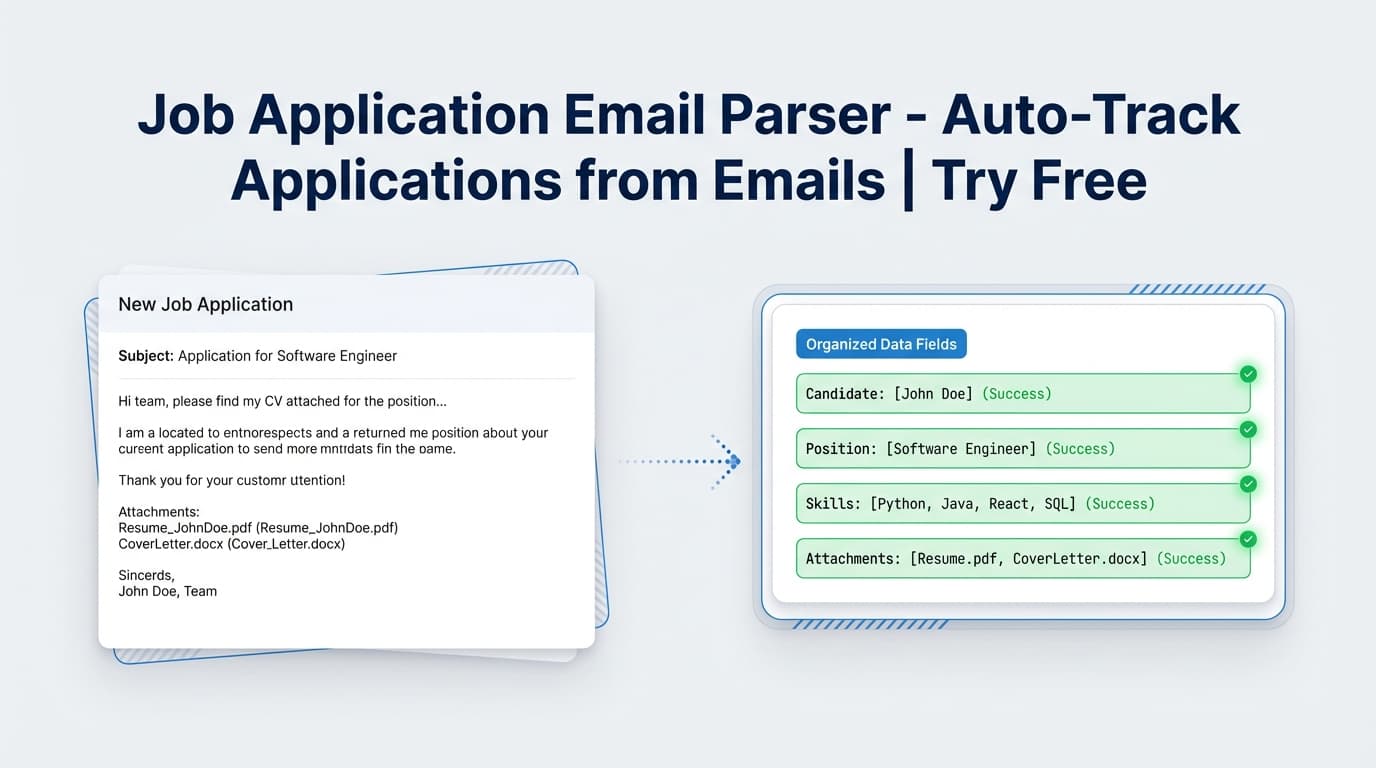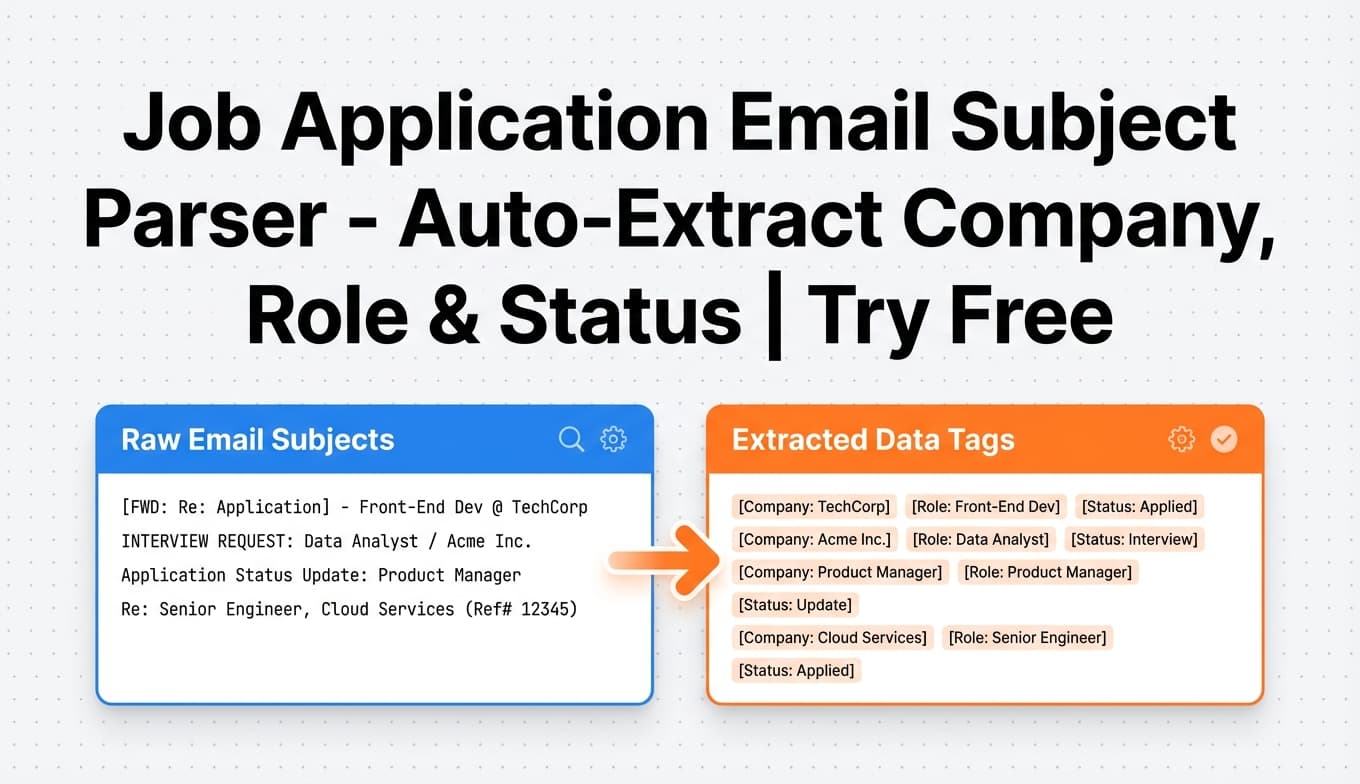
JobShinobi’s Job Application Email Subject Parser extracts job application details from your emails—starting with the subject line, plus the sender and message content—then creates or updates an entry in your JobShinobi Job Tracker.
Try it now → or keep reading for the exact workflow and what it can (and can’t) do.
What is a job application email subject parser tool?
A job application email subject parser tool interprets common subject-line patterns like:
- “Application Received — Data Analyst (Acme)”
- “Interview Invitation: Software Engineer”
- “Next steps in your interview process”
- “Update on your application”
…and converts them into structured fields you can actually track:
- Company
- Job title (always provided—even if it must be inferred)
- Status: Applied / Interview / Offer / Rejected / Other
- Optional details (when present): location, salary, job URL, additional notes, date
How JobShinobi’s parser works (important detail)
JobShinobi doesn’t rely on subject lines alone. When you forward an email, the system sends a combined email text to the parser that includes:
- From / To
- Subject
- Date
- Email body content (text or HTML)
That extra context helps when subjects are vague (e.g., “Update” or “Next steps”).
How to Use JobShinobi’s Job Application Email Subject Parser
Pricing & access (accuracy note): JobShinobi is a paid subscription product with plans shown in code at $20/month or $199.99/year, and the website advertises a 7‑day free trial.
Email ingestion/parsing requires Pro—non‑Pro requests are rejected by the email processing endpoints.
Step 1: Sign in (Google login)
Log in to JobShinobi using Google. Your account is tied to the email address you use for job applications.
Tip: Use the same inbox you apply with so your tracking stays consistent.
Step 2: Activate Pro to enable email parsing
Email parsing/ingestion is a Pro feature. Start Pro (the site advertises a 7‑day free trial) so forwarded emails can be processed.
Step 3: Copy your unique forwarding email address
Once Pro is active, JobShinobi generates a unique forwarding address in this format:
You can find it in Dashboard → Settings → Email Forwarding and copy it in one click.
Step 4: Forward job-related emails (subject line included)
Forward emails like:
- application confirmations
- interview invites
- rejections
- offer emails
When JobShinobi receives your forwarded message, it parses the subject line and content to extract the best possible structured data.
Pro tip: Forward the full email (not a stripped-down snippet). More context = better extraction.
Step 5: Review your Job Tracker (created or updated)
After parsing, JobShinobi will either:
- Create a new job application entry, or
- Update an existing entry if it appears to match the same company + role (to reduce duplicates)
You can always edit entries manually in the tracker if you want to refine the job title, company name, or status.
Features of Our Job Application Email Subject Parser
AI extraction for job-search fields (not generic “email parsing”)
The parser is designed specifically for job-application workflows and extracts:
- Company (from domain and content)
- Job title (required; inferred if missing)
- Status (one of: Applied, Interview, Offer, Rejected, Other)
- Optional: location, salary, job URL, additional info, and a date field when available
Why it matters: You get a tracker-ready record instead of raw text.
Status detection based on real-world email patterns
The parser is prompted to recognize patterns such as:
- “Thank you for applying…” → Applied
- “Schedule an interview…” → Interview
- “We’re pleased to offer…” → Offer
- “Move forward with other candidates…” → Rejected
Why it matters: Your pipeline updates without you manually changing stages.
Smart deduping via fuzzy matching (create vs. update)
JobShinobi uses similarity matching on company + job title to decide whether a new email should:
- update an existing application, or
- create a new one
Why it matters: Interview updates don’t clutter your tracker with duplicates.
Email processing logs (for traceability)
When an email is processed, JobShinobi stores a log entry (subject/body and processing status).
Why it matters: If something parses incorrectly, you have an audit trail of what was received.
Optional success/failure notification emails
If your account’s email notifications are enabled, JobShinobi can send:
- a success confirmation when an email is tracked/updated
- a failure notice when it can’t extract the needed fields
Why it matters: You’ll know when you need to manually add an application.
Job Application Email Subject Parser Use Cases
For high-volume applicants (10–50+ applications/week)
Forward every confirmation email and let JobShinobi build your tracker automatically. You get a clean running history of what you applied to, when, and where you stand.
Example subjects that usually contain useful signals:
- “Your application has been received”
- “Thanks for applying to [Company]”
- “Application confirmation: [Role]”
For interview-heavy pipelines
Interview scheduling emails often contain the best signal in the subject line (e.g., “Interview request”, “Next steps”). JobShinobi uses that plus the email content to classify the stage correctly.
For people moving from spreadsheets to automation
JobShinobi includes an application tracker UI and supports exporting job applications to Excel (.xlsx), so you can keep a spreadsheet backup if you want.
Why Choose JobShinobi’s Job Application Email Subject Parser?
| JobShinobi | Other “free” email/subject parsers |
|---|---|
| Built specifically for job applications (Applied/Interview/Offer/Rejected/Other) | Often built for generic data extraction (leads, orders, support tickets) |
| Automatically logs into a job tracker (and can update existing entries) | Frequently requires manual copy/paste into Sheets/Notion |
| Uses subject + sender + body context (not subject-only) | Many tools require brittle templates or rules per email format |
| Designed to reduce duplicates via fuzzy matching | Duplicates are common unless you build complex rules |
Related Tools
Explore more from JobShinobi:
- Job Application Tracker: Manage applications, edit statuses, and export to Excel.
- Analytics Dashboard: See response rate, offer rate, and trend charts from your tracker data.
- AI Resume Analysis: Score and analyze your resume with structured feedback.
- Job Description Extractor + Resume Match: Extract job details from a URL/text and compare against your resume.
FAQ
Is JobShinobi’s Job Application Email Subject Parser really free?
JobShinobi is not a free product. Plans shown in code are $20/month or $199.99/year, and the site advertises a 7‑day free trial.
Email parsing/ingestion requires Pro.
Do I need an account to use the parser?
Yes. Forwarding is tied to your account and your unique @parse.jobshinobi.com address.
Does it only parse the subject line?
No. The subject line is included and important, but JobShinobi parses a combined message that includes headers and body content to improve accuracy.
What if the email doesn’t include the job title?
The parser is designed to always return a job title. If it’s not explicitly present, it will infer one from context (or fall back to something like “Position at [Company]”).
Will JobShinobi auto-apply to jobs or submit applications?
No. JobShinobi helps you track applications and improve your resume; it does not submit applications to job boards or guarantee ATS outcomes.
Start Using the Job Application Email Subject Parser Now
If your job search is happening in your inbox, your tracker should update from your inbox too. Forward job-related emails to your unique JobShinobi address, let the subject line + content get parsed into structured fields, and keep your pipeline current with less manual work.