Cover Letter From Job Posting helps you extract the most important requirements and keywords from a job posting URL (or pasted text), then match them against your resume to get targeted recommendations you can use as the backbone of a strong cover letter.
Important: JobShinobi currently focuses on job extraction + resume-to-job matching (match score, missing/present keywords, recommendations). It does not generate a full finished cover letter document automatically inside this workflow.
What is Cover Letter From Job Posting?
Cover Letter From Job Posting is a workflow in JobShinobi that turns a job listing into structured, usable inputs for your application:
- You provide a job posting URL or paste the job description text.
- JobShinobi uses AI to extract job details (company, position, description, and a keyword list).
- JobShinobi then compares the job to your resume and returns:
- a match score
- present keywords already reflected in your resume
- missing keywords from the job posting not found in your resume text
- recommendations to improve alignment
If you’ve ever struggled to tailor cover letters quickly, this gives you a repeatable process: extract → match → write from the gaps + proof points.
How to Use JobShinobi’s Cover Letter From Job Posting
Step 1: Sign in and choose the resume you’re applying with
JobShinobi runs job matching against a specific resume. Make sure you’re logged in and have a resume created in the app.
Tip: If you don’t have a resume in JobShinobi yet, create one first (templates + LaTeX editor + PDF preview) and come back.
Step 2: Add the job posting (URL or text)
In the Job Description section, you have two options:
- URL: paste a job posting link (LinkedIn, Indeed, company careers pages, etc.)
- Text: paste the full job description (recommended if the site blocks access)
Click Extract Job Details.
What happens behind the scenes: the app sends your input to the job extraction endpoint (/api/job/extract), which uses AI to return structured job data.
Step 3: Confirm the extracted job details and keywords
After extraction, you’ll see a preview of the job details (when available), such as:
- Company
- Position
- Description
- Key Skills & Technologies (keywords)
This step matters because these extracted keywords become your “alignment checklist” for both your resume and cover letter.
Step 4: Generate the match analysis (your “cover letter outline”)
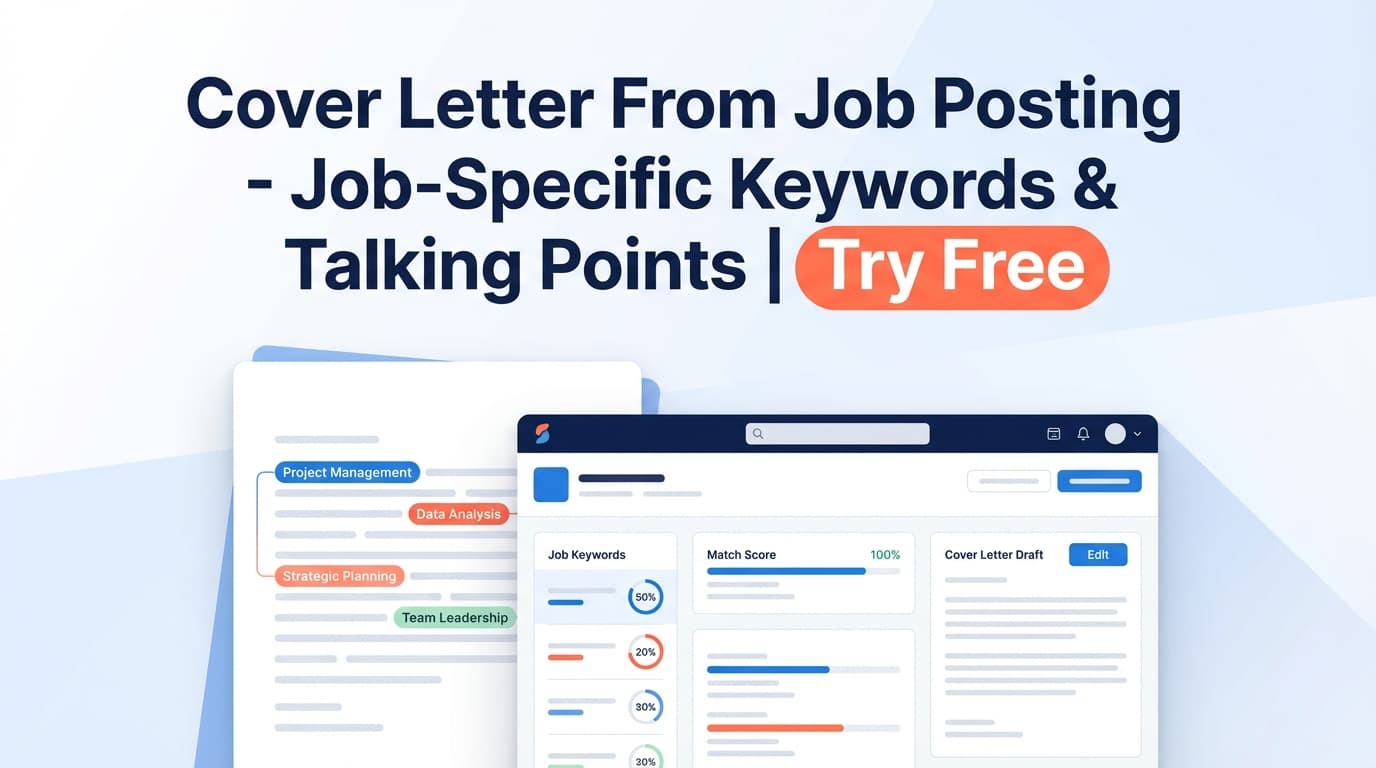
Next, JobShinobi matches the extracted job data to your resume (via /api/resume/match) and returns:
- Job Match Score (%)
- Matching keywords (what you already signal)
- Missing keywords (what the posting expects that isn’t visible in your resume text)
- Recommendations (specific suggestions to tailor)
Pro tip: Treat the Recommendations list as your cover letter bullet outline. Each recommendation is a potential paragraph topic—just add proof (a project, metric, or accomplishment).
Step 5: Apply improvements (optional) and write your cover letter faster
If you want to strengthen your application package, use Apply Suggestions to jump back to the resume editor and make updates—then draft your cover letter using the same keywords and examples.
A simple writing formula using your results:
- Opening (2–3 lines): role + company + 2–3 matching keywords you’re strongest in
- Proof paragraph 1: one requirement → one accomplishment (with metrics if possible)
- Proof paragraph 2: another requirement → another accomplishment/project
- Close: enthusiasm + why this team + call to action
Features of Our Cover Letter From Job Posting Tool
Job posting URL or paste-to-text input
Choose whichever is easiest for the source you have.
Why it matters: If a job board blocks content behind a login, you can still use the tool by pasting the posting text directly.
AI job details extraction
JobShinobi extracts structured job info from your input (company/position/description/keywords when available).
Why it matters: You don’t have to manually highlight requirements or build your own keyword list every time.
Resume-to-job matching (match score + keyword gaps)
The match view is designed to make tailoring concrete:
- present keywords
- missing keywords
- recommendations
Why it matters: A good cover letter is specific. Keyword gaps tell you exactly what to address (truthfully) and what to emphasize.
“Apply Suggestions” workflow to your resume editor
You can jump to the resume editor after matching and implement changes.
Why it matters: Your strongest applications are consistent—resume + cover letter should reinforce the same skills and accomplishments.
Cover Letter From Job Posting Use Cases
For high-volume applicants (lots of similar roles)
Run each posting through extraction + match, then reuse a “base letter structure” while swapping:
- the top 3 keywords
- the 1–2 most important requirements
- a relevant proof story
For career changers
Use missing/present keywords to identify:
- what you can confidently claim (present)
- what you should reframe using transferable experience (missing)
For ATS-sensitive pipelines
While cover letters aren’t always ATS-scored the same way resumes are, consistent role language across documents helps recruiters quickly see fit.
Use the keyword lists to keep your resume and cover letter aligned—without keyword stuffing.
Why Choose JobShinobi’s Cover Letter From Job Posting?
| JobShinobi | Other “Free Cover Letter Generators” |
|---|---|
| Extracts job details from URL or pasted text | Often limited to one input method |
| Shows present vs. missing keywords based on your resume text | Many tools generate generic output without transparent keyword comparison |
| Produces recommendations you can use as cover-letter talking points | Often outputs a letter you still have to reverse-engineer |
| Integrated with resume editing and analysis workflows | Separate tools that don’t connect back to your resume |
Related Tools
Explore more tools in JobShinobi:
- Resume Analysis: Score your resume and get structured strengths/weaknesses feedback.
- Resume-to-Job Matching: Match a resume to a job posting and get keyword gaps + recommendations.
- Resume Builder (LaTeX + PDF): Build structured resumes with PDF export.
- Job Application Tracker: Track applications and export to Excel.
FAQ
Is Cover Letter From Job Posting really free?
JobShinobi is a paid subscription product (plans shown in the app include $20/month or $199.99/year), and the site advertises a 7‑day free trial. It’s not accurate to call JobShinobi “free.”
Do I need an account to use it?
Yes. The extraction and matching requests are tied to an authenticated user context (user ID).
Does this tool generate a complete cover letter automatically?
Not in this workflow. It generates job extraction + match insights (keywords and recommendations) that you can use to write a tailored cover letter faster.
Can I use a LinkedIn/Indeed job posting URL?
Yes. The UI supports entering a job posting URL as well as pasting the job description text.
Will this guarantee I “pass ATS” or get interviews?
No. JobShinobi can help improve alignment and clarity, but it can’t guarantee outcomes and it doesn’t apply to jobs for you.
Start Using Cover Letter From Job Posting Now
Stop guessing what to write. Extract the job’s real priorities, compare them to your resume, and use the recommendations as a clear outline for a targeted, proof-driven cover letter.