If you’re searching for a free ATS resume scanner, you’re probably trying to answer one urgent question: “Why isn’t my resume getting interviews?” Most scanners stop at a generic score. JobShinobi goes further: it gives you ATS-focused scoring + keyword insights, then lets you apply fixes directly to your resume in a LaTeX editor—complete with AI-powered editing and a PDF preview workflow.
Important note: JobShinobi is a subscription product (Monthly $20 / Yearly $199.99). This page targets “free ATS resume scanner” because that’s what job seekers search for—so you can quickly compare options and choose the tool that actually helps you iterate and improve.
CTA: Ready to scan and fix your resume? Start here: /login
Why Choose JobShinobi for ATS Resume Scanning?
Most “free ATS resume scan” tools are built as lead magnets: you upload a resume, get a score, then hit a paywall when you try to understand exactly what to change. JobShinobi is built around the opposite workflow:
- Build and manage your resume in LaTeX (structure-first, consistent formatting)
- Run a resume analysis that returns scoring + structured feedback
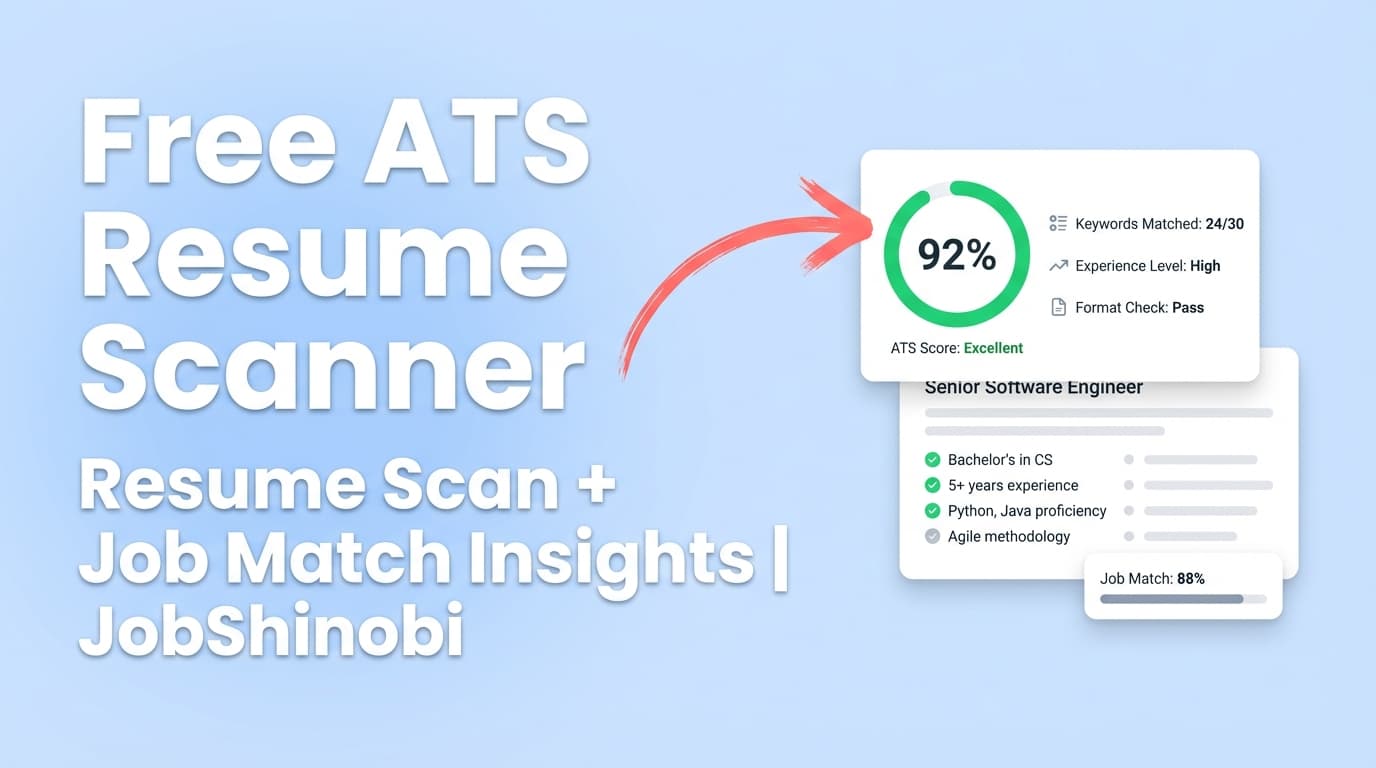
- Compare your resume to a job description and get a match score with missing/present keywords
- Apply improvements using JobShinobi’s streaming Resume AI Editor and version history
Built to be iterative (scan → edit → re-scan)
JobShinobi’s resume analysis is designed for repeat use. It can return cached results when your resume hasn’t changed, and you can re-run analysis after edits to see how you’ve improved.
ATS-style feedback that goes beyond “keyword match”
JobShinobi’s analysis returns:
- Overall score (0–100)
- Category scoring: Content Quality, Keywords, Formatting, Completeness, ATS Compatibility
- Structured feedback including strengths, weaknesses, missing sections, and ATS issues
- Keyword signals like present keywords, missing keywords, overused keywords, plus additional keyword metrics
Job matching (resume vs job description) built in
Instead of guessing which keywords matter, JobShinobi can analyze a resume against job data and return:
- Match score (% match)
- Present keywords vs missing keywords
- Recommendations and “Apply Suggestions” workflow back into the editor
How JobShinobi’s ATS Resume Scanner Works
Step 1: Sign in and open your resume workspace
Create your account and sign in with Google, then navigate to the resume area in your dashboard.
Start here: /login
Step 2: Create or import your LaTeX resume from a template
JobShinobi uses a LaTeX-based resume builder:
- Choose from a template library with categories
- Save and manage multiple resumes
- Keep a clean underlying structure that’s easy to revise
Step 3: Run your ATS-style resume analysis
From the Resume Analysis page, JobShinobi generates a structured report including:
- Overall score
- Score breakdown (content, keywords, formatting, completeness, ATS compatibility)
- Strengths / weaknesses
- ATS issues
- Keyword and section-level analysis data
Step 4: Compare your resume to a job description (optional, but recommended)
To tailor for a specific role, add a job description (or job data) and run job matching:
- Job match score
- Missing vs matching keywords
- Recommendations you can act on immediately
Step 5: Fix issues using the Resume AI Editor (and keep version history)
JobShinobi includes a streaming AI resume editor workflow designed specifically for LaTeX resumes:
- Request edits to sections
- Update resume content
- Run a LaTeX compilation check
- Keep versions so you can revert changes later
Step 6: Preview and export
Once you’re happy with the changes:
- Preview your resume as a PDF
- Download your resume as PDF and .tex
Key Features for a “Free ATS Resume Scanner” Use Case (Without the Dead Ends)
| Feature | What It Does | Why It Matters |
|---|---|---|
| Resume Analysis (AI) | Produces an overall score + structured feedback (strengths, weaknesses, ATS issues, keyword insights) | You get actionable direction—what to fix and why |
| Score Breakdown | Splits scoring into content, keywords, formatting, completeness, ATS compatibility | Helps you improve the right thing (not just “more keywords”) |
| Job Description Match | Generates match score and keyword gaps vs a job | Makes tailoring faster and less guessy |
| LaTeX Resume Builder | Create/manage resumes with LaTeX source saved and versioned | Consistency and control—especially across multiple applications |
| AI Resume Editor (Streaming) | Chat-based editing workflows to update sections and validate changes | Edit faster while keeping structure intact |
| PDF Preview + Export | Compile to PDF preview, download PDF and .tex | Share-ready output plus editable source |
| Resume Version History | Save versions through manual edits and AI workflows | Experiment safely and revert when needed |
What a “Free ATS Resume Scanner” Usually Gets Wrong (And How to Avoid It)
When people search free ATS resume scanner, they typically want speed and clarity. Here are the common failure points to watch for:
1) A score with no path to improvement
Some tools hand you a number and vague advice. The key is having a workflow where you can edit → re-check → iterate.
JobShinobi’s advantage: analysis + editing + job matching all live inside one workflow.
2) Keyword stuffing instead of keyword strategy
High “match” scores can push people into copy/paste keyword stuffing. That can backfire with human reviewers.
Better approach: use keyword gaps as prompts, then add skills/terms where they truthfully apply (projects, experience bullets, tools used, outcomes).
3) Formatting anxiety without clear rules
ATS formatting advice is often contradictory, because different systems parse differently. Instead of chasing perfection, aim for clarity and consistency.
JobShinobi’s advantage: LaTeX-first workflow encourages structured, consistent sections and clean output.
JobShinobi vs. Typical “Free ATS Resume Scan” Tools
JobShinobi (scan + fix + tailor)
- Designed for repeatable improvement
- Includes resume analysis scoring + job match insights
- Lets you apply recommendations back into your resume via editor + AI
- Provides PDF preview and export and keeps your LaTeX source
Typical free ATS resume scanners (scan only)
- Often provide a limited scan to capture emails/leads
- Can stop short of showing deeper breakdowns
- Usually don’t provide a single place to edit and validate changes
- Can emphasize a single “ATS score” instead of practical improvement steps
If you want a quick “free scan” as a first pass, it can be useful. But if you’re applying seriously, you’ll typically need an iterative system to tailor and track improvements across multiple roles.
A Practical Workflow: Scan Once, Then Tailor for Every Application
Use this simple loop to make ATS scanning actually pay off:
- Create a strong baseline resume
- Keep a clean structure and consistent sections
- Run JobShinobi Resume Analysis
- Fix obvious weaknesses (missing sections, clarity, formatting flags)
- Add a job description and run Job Match
- Review missing keywords and recommendations
- Update targeted bullets in the Resume AI Editor
- Improve impact and relevance while staying truthful
- Re-run analysis
- Confirm you improved the right things (content, keywords, ATS compatibility)
- Export PDF and apply
- Save a version per target role if needed
Pricing
JobShinobi offers paid subscriptions via Stripe:
- Monthly: $20.00
- Yearly: $199.99
Manage or start your subscription here: /subscription
Note: JobShinobi’s site includes a billing portal link for subscription management. (Always review your plan details during checkout.)
Frequently Asked Questions
Is JobShinobi a free ATS resume scanner?
JobShinobi is not positioned as a free ATS resume scanner. It’s a subscription product (Monthly $20 / Yearly $199.99) built for job seekers who want to scan, edit, tailor, and re-scan inside one workflow rather than stopping at a one-time score.
What does an ATS resume scanner typically check?
Most ATS resume scanners evaluate some combination of:
- Keywords (present vs missing relative to a job description)
- Formatting / parsability signals
- Section completeness (e.g., missing core sections)
- Content strength (clarity, impact, measurable results)
JobShinobi’s analysis includes an overall score plus category breakdown (content, keywords, formatting, completeness, ATS compatibility) and structured feedback like ATS issues, strengths, and weaknesses.
Can I scan my resume against a job description?
Yes. JobShinobi supports resume-to-job matching and returns:
- Match score
- Present keywords
- Missing keywords
- Recommendations, plus an “Apply Suggestions” path back into the editor
Why do different ATS resume checkers give different scores?
Because they use different rubrics and assumptions. There isn’t one universal ATS scoring system—tools simulate likely screening signals (keywords, structure, formatting heuristics). The best approach is to use scanners as directional feedback, then prioritize:
- Clear section headers
- Relevant keywords in context
- Impactful, measurable bullet points
- A consistent, readable layout
Do ATS systems automatically reject resumes?
In many hiring workflows, ATS platforms are used to collect, parse, and organize candidates, while screening decisions may still involve recruiter filters and human review. A scanner score is best treated as a way to reduce obvious issues—not a guarantee of acceptance or rejection.
What file type works best for ATS scanning?
Different employers handle files differently. JobShinobi focuses on a LaTeX-based workflow and provides PDF export along with your .tex source. If a particular application requests a specific format, follow that employer’s instructions.
Get Started with JobShinobi Today
If you came here searching for a free ATS resume scanner, you’re already doing the right thing: you’re testing your resume instead of guessing.
Now take the next step—use a tool that helps you improve, not just score.
- Run an ATS-style analysis
- Compare to a job description for keyword gaps
- Apply changes with an AI editor
- Export a clean PDF and apply with confidence
Start here: /login
View plans: /subscription