If you’re here, you’re probably trying to solve a very specific problem: your resume isn’t converting into interviews, and you suspect ATS filters, keyword mismatch, or formatting issues are part of it.
Jobscan is one of the best-known resume scanners. JobShinobi takes the “scanner” idea and pairs it with a resume builder, job matching, and a standout automation feature: email-forwarding that automatically tracks job applications.
Quick Verdict:
- Choose Jobscan if you want an established resume scanning + optimization suite, including tools Jobscan markets like Power Edit, LinkedIn optimization, and cover letter tools—and you’re okay paying more.
- Choose JobShinobi if you want a lower-cost Jobscan alternative that combines ATS resume analysis + job matching + a LaTeX-first resume builder and (most uniquely) automated job tracking by forwarding confirmation emails.
Important verification note: Most
jobscan.comarketing pages returned HTTP 403 to our page-analysis tool, so we verified Jobscan details using publicly visible Google snippets and accessible pages likeapp.jobscan.co/plansnippets and other indexed Jobscan URLs. Wherever we rely on snippets (not full page text), we label it clearly.
TL;DR Comparison
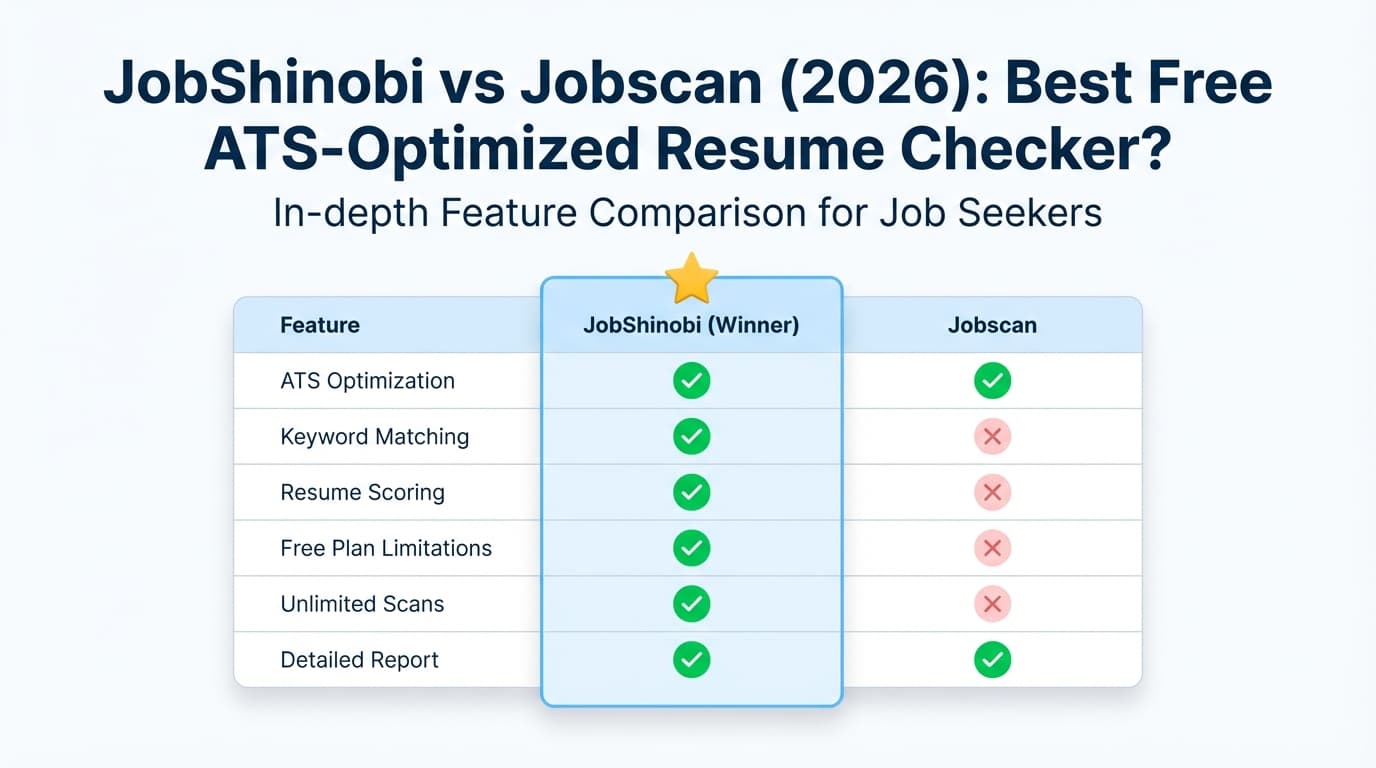
| Feature | JobShinobi | Jobscan |
|---|---|---|
| ATS resume scan + match score | ✅ Yes (resume scoring + job matching) | ✅ Yes (core product) |
| Keyword gap analysis vs job description | ✅ Yes | ✅ Yes (implied via scanner + keyword comparisons in plan snippets) |
| AI editing workflow | ✅ Chat-based AI agent that edits LaTeX + compile preview | ✅ “Power Edit” real-time editor (marketed by Jobscan in indexed snippets) |
| Resume builder | ✅ Yes (LaTeX templates + PDF preview) | ✅ Yes (Jobscan markets a free resume builder in indexed snippets) |
| LinkedIn optimization | ❌ Not a primary feature | ✅ Yes (Jobscan markets LinkedIn Optimization) |
| Cover letter tools | ⚠️ Not a core focus | ✅ Yes (Jobscan markets an AI cover letter generator) |
| Job application tracking | ✅ Yes — email forwarding → auto-track applications + analytics | ✅ Yes (Jobscan has a “Job Tracker” page indexed and plan snippets mention Job Tracker) |
| Automated tracking from emails | ✅ Yes (unique) | ❌ Not verified |
| Starting paid price | $20/mo (Pro) | $49.95/mo (Premium — plan snippet) |
| Free plan | ✅ Limited | ✅ “5 free resume scans monthly” (plan snippet) |
| Best for | Resume + tracking in one workflow | Scanner-first optimization + LinkedIn/cover letter add-ons |
JobShinobi Overview
JobShinobi is an AI resume builder + ATS resume analyzer + job application tracker built for job seekers who want both:
- a stronger resume for each job, and
- a cleaner way to manage the job search pipeline.
Where JobShinobi is meaningfully different is automation: you get a unique forwarding address, and forwarding job-related emails can automatically create/update job application entries (company, title, status like Applied/Interview/Offer/Rejected, and more). This is especially helpful if you apply broadly and don’t want to maintain a spreadsheet.
Key Strengths
- Email-forwarding → automatic job tracking (Pro feature): forward confirmation/interview emails and JobShinobi extracts details and logs them into your tracker.
- Resume scoring + ATS feedback: structured breakdowns (ATS, formatting, keywords, completeness, etc.) with saved/cached analyses.
- Resume-to-job matching: paste a job description or URL → extract requirements → match score + missing/present keywords + tailoring suggestions.
- LaTeX-first resume builder: templates + cloud compilation + live PDF preview; export PDF and
.tex. - AI resume agent + version history: chat-driven editing with saved versions and easy revert/undo.
Limitations (Honest)
- LaTeX has a learning curve: if you want a Word/Google Docs-style editor, JobShinobi may feel more “technical.”
- Automation is gated to Pro: email processing for tracking is explicitly a Pro-only capability.
- Newer brand vs Jobscan: Jobscan has more mainstream recognition in “resume scanner” searches.
Jobscan Overview (Verified via indexed snippets and accessible URLs)
Jobscan is a well-known ATS resume scanner that compares your resume to a job description and helps you improve alignment—often framed as a match rate.
Key Strengths (Verified from indexed sources)
- Free scans exist: Jobscan plan snippets indicate a free plan includes “5 free resume scans monthly.”
- Jobscan match-rate guidance: an indexed Jobscan blog result states they generally recommend aiming for ~80% match rate (with many seeing success at ~75%).
- Broader optimization suite (marketed): Jobscan snippets reference tools such as:
- Power Edit (real-time resume editor that scores as you edit and supports exporting an ATS-friendly resume)
- LinkedIn Optimization
- AI cover letter generator
- AI bullet point generator
- AI keyword synonym detector
- Job Tracker
(These appear in indexed snippets for
app.jobscan.co/planand various Jobscan pages.)
Limitations (Common themes from reviews/discussion + policies)
- Cost is a frequent drawback: many users describe Jobscan as expensive compared to other scanners—especially for longer job searches.
- Score-chasing risk: community discussions often note it’s easy to over-optimize for the score rather than clarity and impact.
- Refund/cancellation constraints: Jobscan’s indexed cancellation policy snippet indicates refunds may be limited (e.g., disputing within a short window and not using the service).
Feature-by-Feature Comparison
1) Resume Scanner & ATS Match Feedback
JobShinobi
- Provides resume scoring with categories like ATS/keywords/formatting/completeness (and more detailed breakdowns).
- Includes job description extraction (paste text or a URL) and a resume-to-job match score with suggestions and keyword gaps.
Jobscan
- Strong scanner-first workflow; Jobscan is widely recognized specifically for resume/job description comparison and match reporting.
Winner: Jobscan for “scanner-first” focus and brand maturity.
Best alternative: JobShinobi if you want scanner + resume creation + tracking in one product.
2) Editing & Iteration Workflow (How fast you can improve your resume)
JobShinobi
- LaTeX editor + live compiled PDF preview: excellent when you care about structure consistency and clean output.
- AI Resume Agent can update your LaTeX, then compile to verify changes, while saving versions you can revert to.
Jobscan
- Markets Power Edit as a real-time editor that scores and checks formatting while you work (per indexed Jobscan snippets).
Winner: Tie, depending on preference.
- If you want fine control + consistent formatting, JobShinobi’s LaTeX approach is a real advantage.
- If you want a more traditional web editor that “feels like writing,” Jobscan’s Power Edit may be easier.
3) Keyword Help (Beyond exact matches)
JobShinobi
- Provides missing/present keyword insights and tailoring suggestions as part of match analysis.
- Emphasizes alignment while maintaining formatting structure via LaTeX.
Jobscan
- Plan snippets explicitly mention features like “AI Keyword Synonym Detector” and unlimited keyword comparisons on paid plans.
Winner: Jobscan if synonym detection is central to your workflow and you want that explicitly packaged.
4) LinkedIn Optimization & Cover Letter Tools
JobShinobi
- JobShinobi’s core value is resume building + ATS analysis + job tracking automation—not LinkedIn and cover letters as first-class products.
Jobscan
- Jobscan markets:
- LinkedIn Optimization (profile scored against job descriptions; tailored advice—based on indexed snippets)
- AI cover letter generator (ATS-friendly cover letters—based on indexed snippets)
Winner: Jobscan (clear advantage if you want LinkedIn + cover letter tools inside the same subscription).
5) Job Tracking & Job Search Management
This is where the products diverge most in how they solve the job search problem.
JobShinobi
- Full job application tracker with:
- add/edit/delete entries
- realtime updates
- status tracking
- Excel export
- analytics dashboard (response rate, interview conversion, trends)
- Unique differentiator: email-forwarding ingestion that can automatically extract and log job application details (Pro feature).
Jobscan
- Jobscan has a Job Tracker page indexed and plan snippets mention Job Tracker (so tracking exists), and there’s also an indexed Chrome Web Store listing referencing saving jobs into Jobscan’s tracker.
Winner: JobShinobi for automation and analytics depth—especially if your pain is managing volume and follow-ups.
Pricing Comparison (Verified 2026-01-21)
Pricing changes—confirm on the checkout page before purchasing.
| Plan | JobShinobi | Jobscan |
|---|---|---|
| Free | Limited (dashboard access; automation gated to Pro) | Indexed plan snippet mentions “5 free resume scans monthly” |
| Monthly | $20/month (Pro) | $49.95/month (Premium — app.jobscan.co/plan snippet) |
| Quarterly | — | $89.95 every 3 months (≈ $29.98/mo) and often shown with a 2-week free trial (indexed jobscan.co/promos and plan snippets) |
| Yearly | $199.99/year | Not verified from accessible indexed sources |
Value analysis (plain English):
- If you want the cheapest ongoing paid option, JobShinobi is the clear winner at $20/mo.
- If you only need a scanner for a short burst, Jobscan’s quarterly plan can reduce the effective monthly rate—still typically higher than JobShinobi, but closer.
Who Should Choose JobShinobi?
JobShinobi is a strong Jobscan alternative if you:
- Want a resume scanner plus a system for managing your job search end-to-end.
- Are tired of spreadsheets and want automated job tracking via forwarded emails (confirmation → tracked automatically).
- Prefer structured, ATS-safe formatting and don’t mind learning a LaTeX-based workflow.
- Want version history for tailoring multiple role-specific resumes without losing your baseline.
Who Should Choose Jobscan?
Jobscan is likely the better pick if you:
- Primarily want a dedicated, established resume scanner experience.
- Want Jobscan’s broader marketed suite like LinkedIn Optimization, Power Edit, and cover letter tools in one platform.
- Prefer a more mainstream UX and brand recognition—especially if you’re following tutorials/coaches that already use Jobscan.
Switching from Jobscan to JobShinobi (What to expect)
- Resume migration: you’ll likely copy/paste your resume content into a JobShinobi template and refine it. Expect a small upfront setup cost, then faster iteration afterward.
- Tracking migration: JobShinobi supports exporting tracking data to Excel, but importing from Jobscan isn’t advertised as one-click. Many users simply start tracking new applications from the switch date.
- Workflow change: the biggest difference is JobShinobi’s email-forward tracking—once enabled, it can reduce ongoing admin work.
FAQ
Is JobShinobi really a Jobscan alternative resume scanner?
Yes. JobShinobi includes resume scoring, ATS/keyword feedback, and resume-to-job matching. The difference is JobShinobi also focuses heavily on job tracking + automation (forward emails → auto-log applications), which many scanners treat as secondary.
How many free scans do you get with Jobscan?
Indexed plan snippets for Jobscan indicate 5 free resume scans per month on the free tier. Always confirm inside your account, since limits can change.
Does Jobscan have a free trial?
Indexed snippets for Jobscan promotions and the plan page reference a two-week free trial associated with the quarterly plan (billed $89.95 every 3 months). Confirm at checkout.
Which is cheaper: Jobscan or JobShinobi?
As of 2026-01-21, JobShinobi ($20/mo) is cheaper than Jobscan’s indexed $49.95/mo monthly price. Jobscan’s quarterly plan reduces the effective monthly rate to about $29.98/mo, but it’s still typically higher than JobShinobi.
What match score should I aim for in Jobscan?
An indexed Jobscan blog result states they generally recommend around 80% match rate, and many users see success at ~75%. Treat match scores as guidance—not a guarantee.
Will either tool guarantee I pass ATS?
No. ATS behavior varies by employer and configuration, and human review still matters. The practical goal is to reduce preventable rejections (formatting + missing core keywords) while keeping your resume credible and readable.