If you’re searching for the best Jobscan alternative free, you probably want two things:
- A way to compare your resume to a job description (keywords + ATS formatting) without paying a lot.
- A way to stay organized while applying—without spreadsheets and manual entry.
This comparison is designed to be fair. Jobscan is a strong product in its category, and JobShinobi wins in different areas—especially automation and a workflow designed for people applying to many roles.
Quick Verdict:
- Choose Jobscan if you want a well-known ATS resume scanner + match report workflow with a free tier (limited scans) and you care about features like LinkedIn optimization and a Chrome extension-based job tracker.
- Choose JobShinobi if you want a lower-cost Pro plan plus a unique advantage: email-forwarding that automatically logs your job applications (Pro), combined with a LaTeX-first resume builder, AI resume scoring, and version history for fast tailoring.
Transparency note (competitor verification): Jobscan’s main marketing pages returned HTTP 403 to automated page analysis in my environment. I verified Jobscan pricing/free-plan details using public search results referencing Jobscan’s plan page (
app.jobscan.co/plan), plus third-party sources and review platforms (e.g., Trustpilot). Where Jobscan’s annual pricing appears inconsistent across snippets, I flag that.
TL;DR Comparison
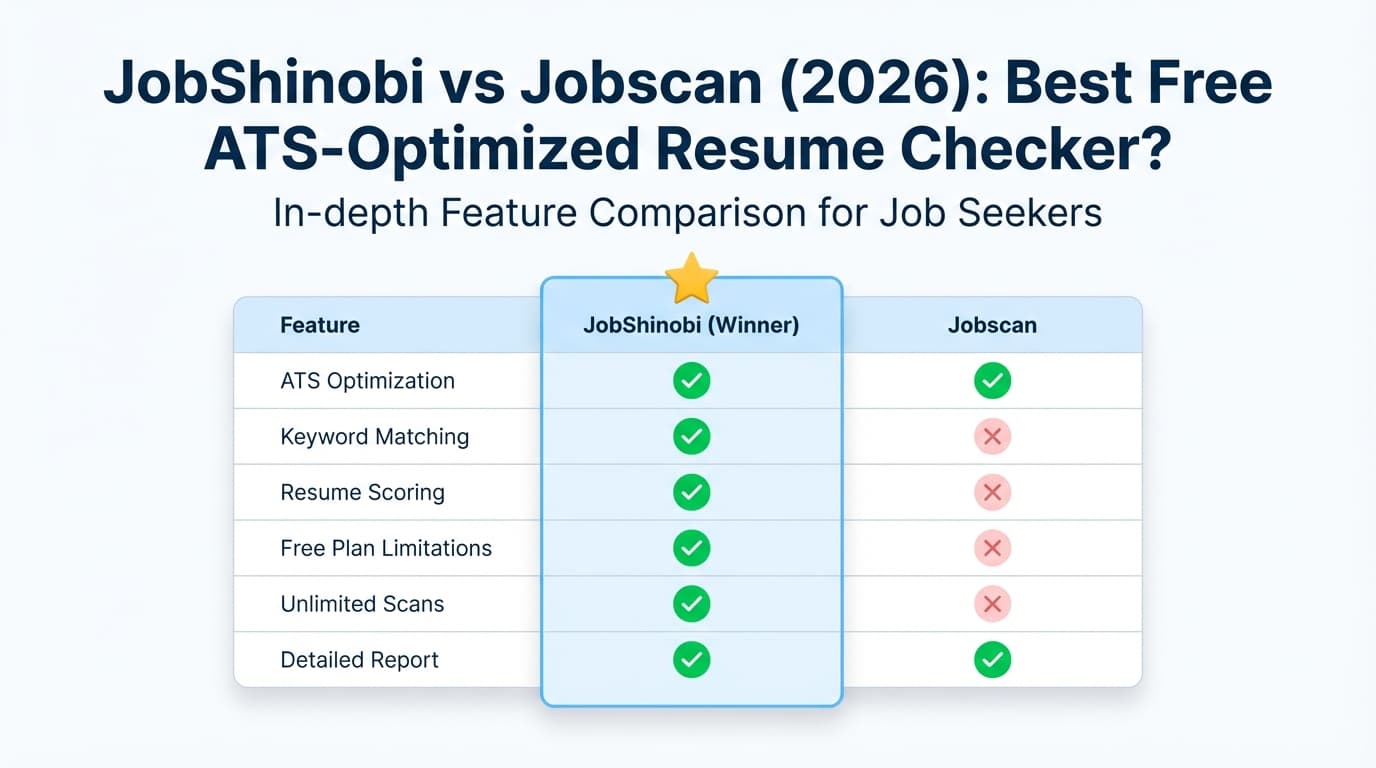
| Feature | JobShinobi | Jobscan |
|---|---|---|
| Best for | High-volume applicants who want automation + resume iteration | People who want a familiar ATS match-report workflow + Jobscan ecosystem |
| Resume vs Job Description matching | ✅ Job extraction + match score + keyword gaps | ✅ Core “resume scanner/match report” positioning |
| Resume builder | ✅ LaTeX templates + editor + PDF preview | ✅ Resume builder (Jobscan markets it heavily; often described as free to use) |
| Resume version history | ✅ Versioned saves + “undo” style workflow | ⚠️ Not a primary differentiator in public messaging |
| Job tracker | ✅ Built-in tracker + analytics + Excel export | ✅ Job tracker + Chrome extension |
| “No manual entry” tracking | ✅ Forward emails → auto-log applications (Pro-gated) | ❌ Not a headline feature (tracking is more manual/extension-driven) |
| Free plan | ⚠️ Limited; key automation gated | ✅ Free tier with limited scans (commonly 5/month) |
| Starting paid price | $20/mo | Commonly $49.95/mo |
| Free trial | Marketing: “7 days free” (confirm at checkout) | Commonly: 2-week trial on quarterly plan (per plan/promos snippets) |
JobShinobi Overview
JobShinobi is an AI resume builder + ATS analyzer + job tracking system built around a simple idea: job searching is not just writing a resume—it’s an operational process.
Key parts of the product (verified in product documentation/code references):
- Email-forwarding job tracking (Pro): you forward application-related emails to your unique address and JobShinobi parses them with AI, then creates/updates job records automatically.
- Job tracker + analytics: manage applications, see response/interview rates, and export to Excel.
- Resume builder: LaTeX templates, editor, PDF preview via cloud compilation.
- AI workflow for tailoring: resume scoring, keyword/ATS feedback, resume-to-job match analysis, and an AI chat/agent that can edit your resume with version history.
Key Strengths
- Automatic application tracking via email forwarding (Pro): reduces manual admin work—especially for people applying to lots of roles.
- LaTeX-first workflow + PDF preview: stable formatting and strong control for ATS-friendly structure.
- AI + version history: tailor faster, keep a clean “base resume,” and revert changes easily.
Limitations (Honest)
- If you only need a few free scans: Jobscan’s free tier may be “simpler” if your needs are light.
- Automation is Pro-gated: email parsing/processing is restricted to Pro members.
- LaTeX isn’t everyone’s preference: it’s powerful, but some users prefer drag-and-drop editors.
Jobscan Overview (Verified 2026-01-21)
Jobscan is a well-known ATS resume scanner platform. Its core value proposition is comparing your resume to a job description and producing a match score/report emphasizing keyword alignment and ATS-friendly formatting.
Jobscan also offers additional job-search tooling including:
- A Job Tracker (with a Chrome extension that helps save jobs from job boards),
- LinkedIn optimization features (with trial limitations noted in Jobscan support/blog snippets),
- Resume building and related job-search utilities.
Key Strengths
- Familiar ATS “match report” workflow: Jobscan is often recommended specifically for resume-vs-job alignment.
- Free plan exists: Search results referencing Jobscan’s plan page commonly list 5 free resume scans on signup and 5 free resume scans monthly.
- Job Tracker + Chrome extension: The Chrome Web Store listing describes tracking and managing job applications, including saving jobs directly from boards.
Limitations (from plan messaging + review themes)
- Premium pricing is high for heavy use: Jobscan is commonly shown at $49.95/month, which can be hard to justify if you’re applying broadly.
- Free tier is scan-limited: good for occasional use, but restrictive for aggressive applications.
- Match scores can be psychologically “sticky”: community discussions often caution against treating the score as absolute truth (risk of keyword stuffing or chasing a perfect score).
Feature-by-Feature Comparison
1) Resume Scanning / ATS Match Feedback
JobShinobi:
- Resume scoring with structured breakdown (ATS/keyword/formatting/completeness, etc.).
- Job extraction + resume-to-job match: paste a job description or URL, extract requirements/keywords, then generate match insights and tailoring suggestions.
Jobscan:
- Strong, recognizable resume vs job description scanning workflow (match score/report).
- This is Jobscan’s flagship use case.
Winner: Tie (depends on workflow preference)
- Choose Jobscan if you want the most established “match report” style experience.
- Choose JobShinobi if you want analysis plus a stronger “iterate + version + apply suggestions” workflow.
2) Resume Building & Editing
JobShinobi:
- LaTeX templates + editor + PDF preview from a compile service.
- AI agent can propose edits, and changes are tracked via versions.
Jobscan:
- Jobscan markets a resume builder and also publishes free resume templates; multiple public snippets describe the resume builder/templates as free to use (exact gating may depend on features/downloads).
Winner: Depends
- If you want stable formatting control + versioning, JobShinobi is typically the better “builder workflow.”
- If you prefer staying inside the Jobscan ecosystem and using its templates/tools, Jobscan can be convenient.
3) Job Tracking
JobShinobi:
- Job tracker with CRUD actions, real-time updates, Excel export, plus analytics (response rate, interview conversion, trends).
- Differentiator: email-forwarding auto-logging (Pro) so you don’t have to manually enter applications.
Jobscan:
- Job Tracker and a Chrome extension that emphasizes saving jobs directly from job boards (Indeed, LinkedIn, Glassdoor referenced in public snippets).
Winner: Split
- Want “system-level” automation and analytics → JobShinobi (especially Pro).
- Want a browser-extension workflow for saving jobs and tracking within Jobscan → Jobscan.
4) LinkedIn Optimization
JobShinobi: Not positioned primarily as a LinkedIn optimization tool.
Jobscan: Public pages/snippets promote LinkedIn Optimization. Also, Jobscan help/blog snippets commonly state that full LinkedIn Optimization may not be included during the 14-day free trial (or is limited during trial).
Winner: Jobscan
Pricing Comparison (Verified 2026-01-21)
JobShinobi Pricing
- Pro (Monthly): $20.00/month
- Pro (Yearly): $199.99/year
- Free tier exists, but email processing for the auto-tracker is Pro-only.
- Marketing mentions “7-day free trial”; confirm at checkout (trial may be configured in Stripe).
Jobscan Pricing (best-available verification)
Because Jobscan’s main site blocked automated analysis (403), pricing is verified via public plan/promos snippets referencing Jobscan’s plan pages:
Commonly shown:
- Free: $0, includes limited scans (often listed as 5/month)
- Monthly Premium: $49.95/month
- Quarterly Premium: $89.95 every 3 months (often shown with “Try 2 Weeks Free” messaging)
Annual pricing:
- Some Jobscan snippets (including Jobscan’s own comparison blog snippet) reference $229/year (~$19/month), but other snippets suggest yearly may not always be offered. Treat annual pricing as variable and confirm on the plan page inside your browser.
Pricing Table
| Plan | JobShinobi | Jobscan |
|---|---|---|
| Free | Limited (core automation gated) | Free tier exists (commonly 5 scans/month) |
| Monthly | $20/mo | $49.95/mo (commonly shown) |
| Quarterly | — | $89.95 / 3 months (commonly shown) |
| Yearly | $199.99/yr | Sometimes shown as $229/yr (verify availability) |
Value Analysis:
- If your priority is “a few scans for free,” Jobscan’s free tier may be enough.
- If you’re actively applying and need a full workflow (tailoring + tracking + analytics) and want a lower monthly cost, JobShinobi’s Pro pricing can offer stronger value—especially if you use email-forwarding automation.
Who Should Choose JobShinobi?
Choose JobShinobi if you:
- Want a job search system that reduces manual work (especially email-forwarded auto-tracking on Pro).
- Tailor many applications and need version history to avoid losing your “baseline” resume.
- Want a combined workflow: ATS analysis + job matching + tracking + analytics.
- Prefer precise formatting control (LaTeX templates + PDF preview).
Who Should Choose Jobscan?
Choose Jobscan if you:
- Want an established ATS match report workflow and don’t mind scan limits or premium pricing.
- Need LinkedIn optimization as a first-class feature.
- Want a Chrome extension to save jobs from job boards into a tracker.
- Only need a limited number of scans per month (free tier may cover you).
Switching from Jobscan to JobShinobi
- Resume migration: easiest approach is to bring your current resume content into a JobShinobi template and let the AI agent help rewrite/restructure sections.
- Tracker migration: if you already have application records elsewhere, you may keep Jobscan as history and start tracking new applications in JobShinobi. JobShinobi supports Excel export (import depends on your workflow).
- Learning curve: if you’ve never used LaTeX, expect a short adjustment period—but templates + AI suggestions reduce friction.
FAQ
Is JobShinobi really the best Jobscan alternative free?
If “free” means “I want a few scans per month at $0,” Jobscan’s free tier may still be the most straightforward.
If “free” means “I want the best value and workflow without Jobscan’s $49.95/mo price,” JobShinobi is often the better alternative—especially once you factor in tracking automation and versioned tailoring.
How many free scans do you get with Jobscan?
Jobscan’s plan page snippets commonly state 5 free resume scans on signup and 5 free resume scans monthly (confirm on https://app.jobscan.co/plan because limits can change).
Does Jobscan offer a free trial?
Public snippets frequently describe a two-week free trial associated with the quarterly plan (and note that LinkedIn Optimization may be limited/excluded during trial).
Which is cheaper: Jobscan or JobShinobi?
Based on commonly shown pricing:
- JobShinobi: $20/month
- Jobscan: $49.95/month
Jobscan may be cheaper only if you remain satisfied with the free tier’s scan limits.
Does either tool prevent “keyword stuffing”?
Both tools can inadvertently encourage it if you chase a score. The best approach is to use keyword feedback to improve clarity and alignment—without adding irrelevant buzzwords.