If you’re sending out applications and getting silence, a low ATS score can feel like proof that “the bots hate me.”
In reality, most low ATS scores come down to a fixable set of issues—usually parsing, keyword alignment, or proof of fit.
Here are two data points that put this in perspective:
- ATS is widespread: Tufts Career Center notes 98.4% of Fortune 500 companies use an ATS.
Source: https://careers.tufts.edu/resources/everything-you-need-to-know-about-applicant-tracking-systems-ats/ (Confidence: HIGH — university career center citing widely used industry figure) - Humans still skim fast: The Ladders’ 2018 eye-tracking study found recruiters spend about 7.4 seconds on an initial resume scan.
Source (primary PDF): https://www.theladders.com/static/images/basicSite/pdfs/TheLadders-EyeTracking-StudyC2.pdf (also mirrored by BU: https://www.bu.edu/com/files/2018/10/TheLadders-EyeTracking-StudyC2.pdf) (Confidence: HIGH — primary study PDF)
So the goal isn’t “hit 100%.” It’s: get parsed cleanly, look relevant fast, and prove you can do the job.
In this guide, you’ll learn:
- What an ATS score actually measures (and why scores vary)
- The 12 most common reasons your ATS score is low
- A step-by-step fix process (plus a 60-minute quick fix plan)
- Examples of ATS-friendly formatting and keyword placement
- Tools that help (including JobShinobi, mentioned accurately)
What is an ATS score?
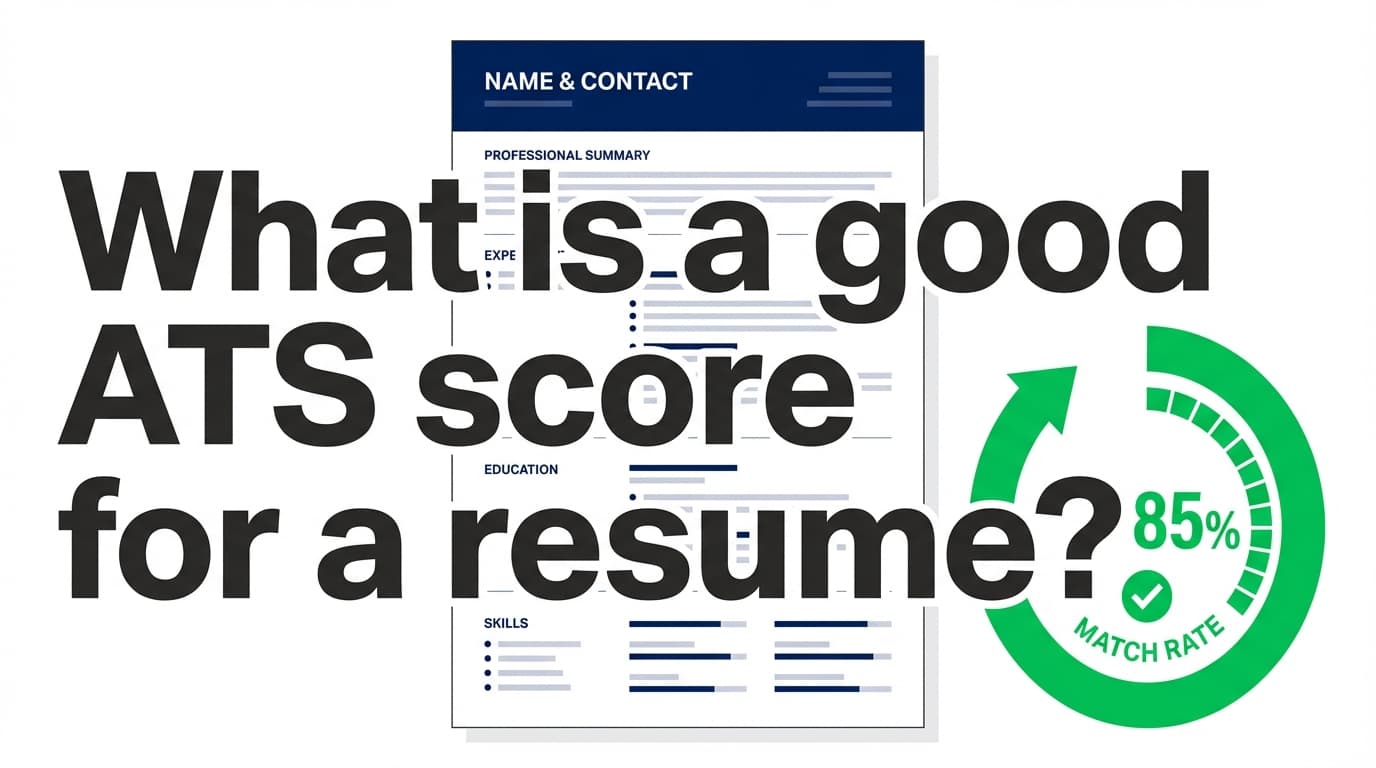
An ATS score (sometimes called “match rate”) is usually a resume checker’s estimate of how well your resume matches a job description and can be processed by software.
Most ATS score tools measure some combination of:
- Parsing/readability: Can software reliably extract sections, dates, job titles, and skills?
- Keyword alignment: Do you include the same skills/tools/requirements used in the job post?
- Structure/completeness: Are your headings standard (Experience, Skills, Education)?
- Formatting risk factors: Tables, columns, icons, headers/footers, unusual fonts, etc.
Why ATS scores can be inconsistent
Different scanners use different formulas, different “ATS simulators,” and different keyword weighting. That’s why the same resume can score 40 on one tool and 80 on another.
How to use ATS scores correctly:
- Treat the score as a diagnostic, not a verdict.
- Focus on the specific problems listed (missing keywords, parsing warnings, section issues).
- Optimize for real ATS + recruiter behavior, not one tool’s number.
The 3 real reasons your ATS score is low
Almost every low score falls into one (or more) of these buckets:
1) Parsing failure (the system can’t read your resume reliably)
Symptoms
- Your contact info disappears in an upload preview
- Job titles/dates show up scrambled
- Sections merge together
- Bullets turn into weird symbols
What usually causes it
- tables, columns, text boxes, icons
- important info inside headers/footers
- heavy design elements in PDF exports
Career centers often recommend a single-column layout and avoiding elements that break parsing.
Source: UIC Career Services ATS PDF https://careerservices.uic.edu/wp-content/uploads/sites/26/2017/08/Ensure-Your-Resume-Is-Read-ATS.pdf (Confidence: HIGH — career center checklist)
2) Keyword gap (you’re missing the employer’s search terms)
Symptoms
- Your score jumps when you paste keywords into Skills
- You’re qualified, but not getting callbacks
- Your resume reads generic compared to the role
What usually causes it
- you used synonyms instead of exact tools (e.g., “BI tool” vs “Tableau”)
- keywords appear only once (or only in Skills)
- your target title isn’t reflected anywhere
3) Weak match signal (keywords exist, but your bullets don’t prove them)
Symptoms
- ATS score is “okay,” but interviews are still rare
- bullets are vague: “responsible for,” “worked on,” “assisted with”
- you list tools but don’t show outcomes
This is where many job seekers over-focus on the bot score and under-invest in what actually wins interviews: clear, quantified evidence.
Does the ATS actually “reject” your resume?
You’ll see the “75% of resumes are rejected by ATS” stat everywhere, but sourcing is inconsistent and some writers challenge it.
For example, Davron argues the “75% auto-rejected by ATS” claim is often overstated and not well-supported by rigorous evidence.
Source: https://www.davron.net/ats-systems-explained-75-percent-resumes-rejected/ (Confidence: MEDIUM — critical analysis; useful as a caution, not a definitive industry census)
Safer (and more actionable) framing:
- ATS tools commonly parse resumes, filter candidates, and help recruiters search/rank.
- If your resume parses poorly or lacks role keywords, you may become hard to find—even if you’re qualified.
How to fix a low ATS score: the step-by-step troubleshooting process
Step 1: Identify whether you have a parsing problem or a match problem
Do these tests before rewriting anything.
Test A: The “paste test” (quick parsing check)
- Open your resume (PDF or DOCX).
- Copy all text.
- Paste into a plain text editor (Notepad / TextEdit in plain text mode).
If the text order is scrambled (columns read left-to-right incorrectly) or key text disappears, you likely have a formatting/parsing issue.
This test is commonly recommended in job-seeker communities and resume guides because it reveals hidden formatting problems quickly.
Example reference: https://hyperapply.app/blog/2026-01-06-ats-paste-test-detect-parsing-failures (Confidence: MEDIUM — third-party blog; helpful as a technique, not a “study”)
Test B: The application portal “parsed preview”
Many portals show what they extracted from your resume. If it’s messy, you’re feeding the ATS a hard-to-read file.
Test C: Run 2 different ATS checkers
If your scores differ wildly, focus on common issues both tools agree on (like missing keywords or parsing warnings).
Step 2: Fix ATS formatting issues first (highest leverage)
If parsing is broken, keyword tweaks won’t matter—because the system may not “see” your content correctly.
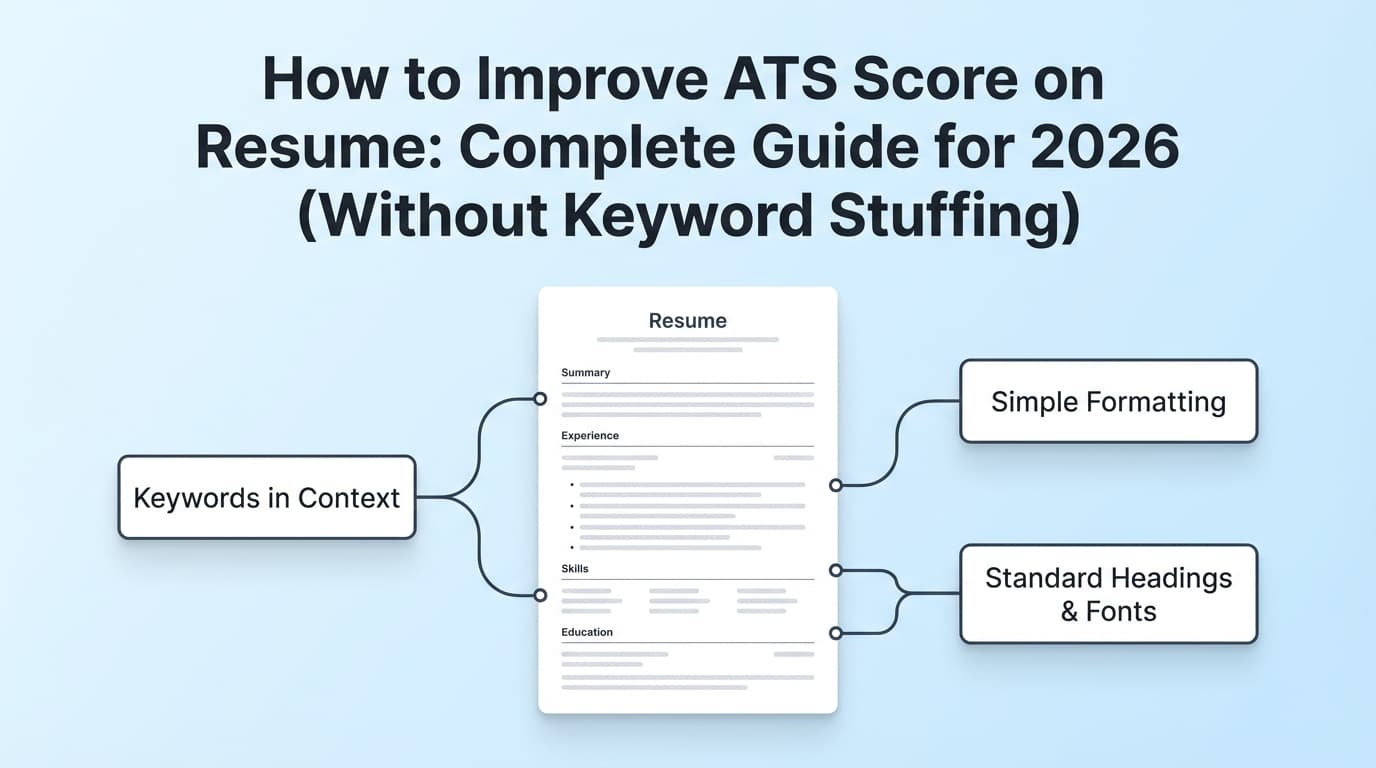
Use a single-column layout
UIC Career Services explicitly recommends a single-column format and avoiding multi-column layouts, tables, and text boxes.
Source: https://careerservices.uic.edu/wp-content/uploads/sites/26/2017/08/Ensure-Your-Resume-Is-Read-ATS.pdf (Confidence: HIGH)
Avoid tables, columns, and text boxes for critical content
Even when some systems can read columns/tables sometimes, it’s not reliable enough to bet your job search on.
Jobscan discusses how ATS can struggle to read tables and columns accurately.
Source: https://www.jobscan.co/blog/resume-tables-columns-ats/ (Confidence: MEDIUM — vendor content, but consistent with career center guidance)
UVA Career Center also advises avoiding “images, columns, tables, and graphics” because they’re difficult for ATS to read.
Source: https://career.virginia.edu/Students/Prepare/Resumes/NavigatingATS (Confidence: MEDIUM — strong source, but we could not fetch full page content via tool; supported by SERP snippet)
Don’t put essential info in headers/footers
Some parsers ignore headers/footers, which can cause missing contact info.
- UIC explicitly warns: “Do not use headers… footers…” (contact info included).
Source: https://careerservices.uic.edu/wp-content/uploads/sites/26/2017/08/Ensure-Your-Resume-Is-Read-ATS.pdf (Confidence: HIGH) - Santa Clara University’s career center toolkit (Jobscan-based) also warns to avoid placing critical info in headers/footers.
Source: https://www.scu.edu/careercenter/toolkit/job-scan-common-ats-resume-formatting-mistakes/ (Confidence: MEDIUM — career center summary/toolkit)
ATS-safe contact block (in the main body):
- First Last
- City, State (or “Open to Remote”)
- phone | email | LinkedIn | portfolio/GitHub
Use standard section headings
ATS and scanners categorize content faster when you use common headings.
Tri-Valley Career Center’s ATS Resume Instructions PDF recommends standard titles like: “Contact Information,” “Summary,” “Skills,” “Work Experience,” and “Education.”
Source: https://www.trivalleycareercenter.org/wp-content/uploads/2020/02/23-ATS-Resume-Instructions.pdf (Confidence: HIGH — career center PDF)
Use headings like:
- Summary
- Skills
- Work Experience (or Experience)
- Education
- Certifications (if relevant)
- Projects (if relevant)
Avoid clever headings like “My Journey,” “Toolbox,” “What I’ve Done,” etc.
Watch your bullets and symbols
Basic round bullets are usually fine. But unusual symbols can break parsing and keyword recognition.
Safe:
•standard bullet (or simple hyphen)
Risky:
- icons
- special characters
- custom dingbats
Step 3: Choose the best file format (PDF vs DOCX) using evidence-based rules
There isn’t one universal answer because different ATS and application portals behave differently. But you can make a smarter decision with a simple hierarchy.
Rule 1: Follow the employer’s instructions
If the posting says “upload DOCX,” do that.
Rule 2: Prefer the format that parses cleanly in the portal preview
If PDF upload results in scrambled parsing, try DOCX.
Rule 3: Know what major ATS platforms accept
Greenhouse (a widely used ATS) supports common resume upload formats including .doc, .docx, .pdf, .rtf, .txt, and allows candidate uploads up to 100 MB.
Source: https://support.greenhouse.io/hc/en-us/articles/360052218132-Supported-formats-for-resumes-cover-letters-and-other-candidate-uploads (Confidence: HIGH — official ATS support documentation)
Greenhouse also documents that resumes can fail to parse due to formatting issues or other constraints.
Source: https://support.greenhouse.io/hc/en-us/articles/200989175-Unsuccessful-resume-parse (Confidence: HIGH — official ATS support documentation)
Practical takeaway: Use either PDF or DOCX, but test parsing and keep formatting simple.
Step 4: Fix “silent” parsing killers (details that drag down ATS score)
Inconsistent date formats
ATS often uses dates to calculate tenure. Don’t mix formats.
Pick one:
Jan 2023 – Mar 20252023 – 2025
Avoid mixing:
03/2023,March 2023,2023.03
Hyperlinks that hide key text
Make sure your LinkedIn/GitHub text is visible as plain text. Some parsers handle links poorly when the displayed text is not the URL.
Images (including headshots)
In most US-based contexts, resume photos are discouraged and can also introduce parsing risk.
Indeed explains general guidance around photos on resumes (mostly “don’t,” with exceptions).
Source: https://www.indeed.com/career-advice/resumes-cover-letters/photo-on-resume (Confidence: MEDIUM — reputable career guidance, not ATS-specific research)
How to close keyword gaps (without keyword stuffing)
Keyword alignment is real—but stuffing is the fastest way to create a resume that scores well and performs badly in human review.
Step 5: Build a keyword map from the job description
Pull keywords into four categories:
- Tools/tech: (e.g., SQL, Python, Tableau, Workday, Salesforce)
- Methods/frameworks: (A/B testing, Agile, ETL, ITIL)
- Deliverables: (dashboards, forecasting, SOPs, stakeholder updates)
- Domain language: (B2B SaaS, churn, HIPAA, SOC2, etc.)
Then place them in three locations:
- Skills (for ATS search/filter)
- Experience bullets (for proof)
- Summary (for 7.4-second human scan)
Indeed provides a practical approach to identifying keywords in job descriptions.
Source: https://www.indeed.com/career-advice/resumes-cover-letters/finding-keywords-in-job-descriptions (Confidence: MEDIUM — career guidance)
Step 6: Use “exact match” tool names (when truthful)
If the posting says “Tableau,” and you used Tableau, write “Tableau”—not just “data visualization.”
This boosts ATS matching and recruiter confidence.
Step 7: Use keywords in context (proof beats repetition)
Bad (stuffing):
Skills: SQL, SQL, SQL, Tableau, Tableau, dashboards, dashboards…
Better (proof):
Built SQL queries and Tableau dashboards to monitor churn cohorts and deliver weekly insights to Sales Ops leadership.
Step 8: Avoid hidden keyword “hacks”
Hidden white text, footer keyword dumps, and invisible keyword stuffing can be detected and/or backfire in human review.
Recruiter-facing advice commonly warns against keyword stuffing because it hurts readability and credibility.
Example: https://scionstaffing.com/mastering-resume-without-keyword-stuffing/ (Confidence: MEDIUM — staffing firm guidance)
How to turn keywords into a strong “match signal” (the difference-maker)
Even if ATS finds the keywords, your bullets still need to scream “I can do this.”
Step 9: Rewrite bullets using the Proof Formula
Use this structure:
Action + Tool/Skill + Scope + Result
Before (weak):
- Responsible for reporting and analytics.
After (strong):
- Built weekly KPI reporting in SQL and Excel for 6 stakeholders, reducing manual reporting time by 30%.
This improves:
- ATS keyword presence (SQL, Excel, reporting)
- human scannability (numbers pop)
- credibility (scope + outcome)
Remember the human reality: recruiters can form a quick “fit/no fit” impression in seconds.
Source: https://www.theladders.com/static/images/basicSite/pdfs/TheLadders-EyeTracking-StudyC2.pdf (Confidence: HIGH)
Step 10: Add the right kinds of metrics
You don’t need revenue numbers to quantify impact. Use:
- time saved (hours/week)
- volume handled (tickets/day, users supported)
- speed (cycle time, lead time)
- quality (error rate, defects)
- conversion/retention (when relevant)
What is a good ATS score (and what score to aim for)?
Many job seekers ask:
- “Is 70% good?”
- “Do I need 90%?”
- “What score gets shortlisted?”
A realistic way to think about it:
- Below ~60–65%: likely missing core keywords or proof (or parsing issues)
- ~70–80%: often “competitive” for many roles if your experience is strong
- 90–100%: can be okay, but watch for keyword stuffing and readability loss
Jobscan recommends aiming for around 80%, while noting many see success around 75%.
Source: https://www.jobscan.co/blog/what-jobscan-match-rate-should-i-aim-for/ (Confidence: MEDIUM — vendor guidance; useful as a benchmark, not a guarantee)
Key point: A high score doesn’t guarantee interviews. It only means you’re less likely to be filtered out for obvious mismatches.
Why you can have a good ATS score and still get rejected
This is common—and frustrating. Here are the non-ATS explanations that often apply:
- You’re not competitive for that level (e.g., applying senior with mid-level experience)
- The role is saturated (hundreds/thousands of applicants)
- Your bullets lack outcomes (keywords present, impact missing)
- Your specialization doesn’t match (domain gap)
- Timing and referrals still matter (some pipelines are heavily referral-driven)
The ATS score is one variable in a bigger system.
The 12 most common reasons your ATS score is low (and exactly how to fix each)
1) Two-column resume / sidebar layout
Fix: convert to single-column.
Source: UIC ATS PDF https://careerservices.uic.edu/wp-content/uploads/sites/26/2017/08/Ensure-Your-Resume-Is-Read-ATS.pdf (Confidence: HIGH)
2) Tables in your Skills section
Fix: replace with grouped text categories (“Languages,” “Tools,” etc.).
3) Contact info in header/footer
Fix: move it into the body.
Source: UIC ATS PDF https://careerservices.uic.edu/wp-content/uploads/sites/26/2017/08/Ensure-Your-Resume-Is-Read-ATS.pdf (Confidence: HIGH)
4) Non-standard headings
Fix: use “Work Experience,” “Skills,” “Education.”
Source: Tri-Valley ATS PDF https://www.trivalleycareercenter.org/wp-content/uploads/2020/02/23-ATS-Resume-Instructions.pdf (Confidence: HIGH)
5) Keyword gap (missing tools/requirements)
Fix: extract exact tool names from the job post and include them where accurate.
6) Keywords only in Skills (no proof)
Fix: add 1–2 bullets that demonstrate each top skill.
7) Vague bullets (“responsible for…”)
Fix: rewrite using Action + Tool + Scope + Result.
8) Job title mismatch
Fix: clarify your role with a truthful parenthetical:
- “Customer Success Engineer (Technical Account Manager)”
9) Acronyms without spell-out
Fix: write “Customer Relationship Management (CRM)” once, then use CRM afterward.
10) Inconsistent dates
Fix: standardize date format throughout.
11) Over-designed PDF export
Fix: re-export using a simpler template or submit DOCX if allowed.
12) Keyword stuffing / hidden text
Fix: remove hacks and write proof-based bullets.
Source (staffing guidance): https://scionstaffing.com/mastering-resume-without-keyword-stuffing/ (Confidence: MEDIUM)
ATS-friendly resume structure (copy/paste template)
Use this structure for most knowledge-worker roles:
- Name + Contact (in body)
- Summary (3–5 lines)
- Skills (grouped categories)
- Experience (reverse chronological)
- Education
- Certifications / Projects / Volunteer (optional)
Example: ATS-safe Skills section
- Languages: Python, SQL
- Analytics: Tableau, Looker, Excel
- Data: dbt, Airflow, Snowflake
- Methods: A/B testing, forecasting, cohort analysis
Example: Before/After fixes that raise ATS score AND interview odds
Example 1: Generic → role-aligned
Before
- Helped with dashboards and reporting.
After
- Built weekly KPI dashboards in Tableau using SQL queries; delivered insights to Sales Ops and reduced manual reporting by 30%.
Example 2: Keyword-only → proof-based
Before
- Skills: Jira, Agile, stakeholder management, communication.
After
- Led Agile ceremonies (standups, sprint planning, retros) in Jira for a 7-person team; aligned roadmap priorities with 5 cross-functional stakeholders.
Tools to help improve ATS score (honest recommendations)
JobShinobi (resume analysis + job matching + LaTeX resume builder)
JobShinobi can help if your bottleneck is diagnosing issues quickly and tailoring efficiently:
- AI resume analysis that generates scoring and detailed feedback (including ATS-focused feedback)
- Job description extraction (URL or pasted description) and resume-to-job matching with keyword gap insights
- LaTeX resume builder with in-app compilation to PDF, useful for consistent formatting control
- Optional: job application tracking via forwarded emails exists, but that’s separate from ATS scoring
Pricing accuracy (important):
- JobShinobi Pro is $20/month or $199.99/year.
- Marketing mentions a 7-day free trial, but trial enforcement is not fully verifiable from code—so treat it as “check current offer,” not guaranteed.
Internal links:
- Resume area:
/dashboard/resume - Subscription:
/subscription - Job tracker:
/dashboard/job-tracker
Other helpful tools and references
- Greenhouse Support docs (useful for understanding real-world parsing failures and supported file formats):
- UIC / Tri-Valley ATS PDFs (practical formatting guardrails):
- Jobscan match-rate benchmark: https://www.jobscan.co/blog/what-jobscan-match-rate-should-i-aim-for/
A 60-minute fix plan (when you need results fast)
If you’re applying today and can’t spend all weekend:
- Remove columns/tables/text boxes (15 min)
- Move contact info into body (5 min)
- Standardize headings (5 min)
- Extract 15–25 keywords from the job post (10 min)
- Rewrite 6–10 bullets with metrics + tools (20 min)
- Re-test in a portal preview + one scanner (5 min)
Why ATS matters even more in 2026 (and what’s changing)
ATS isn’t going away—and the ecosystem is growing.
For context on industry scale: Apps Run The World reports the global Applicant Tracking Systems software market grew to $2.5 billion in 2024, a 12.3% year-over-year increase.
Source: https://www.appsruntheworld.com/top-10-hcm-software-vendors-in-applicant-tracking-market-segment/ (Confidence: MEDIUM — industry report publisher; treat market-sizing as directional)
Implication for job seekers: More hiring teams are using structured workflows and searchable databases. Your resume needs to be:
- searchable (keywords),
- parseable (format),
- compelling (human scan).
Key takeaways
- Low ATS scores usually come from parsing issues, keyword gaps, or weak proof.
- Fix formatting first: single-column, no tables/text boxes, standard headings, contact info in the body.
- Close keyword gaps by mapping job-post terms into Summary + Skills + proof bullets.
- Use score targets as benchmarks (e.g., ~75–80%)—but never sacrifice readability for a number.
- Tools like JobShinobi can speed up analysis and job matching, but the best results come from a repeatable process.
FAQ
Why is my ATS score so low?
Most often: your resume isn’t parsing cleanly (columns/tables/headers), you’re missing key job-description terms, or your bullets don’t demonstrate the skills you list. Start with a paste test and the portal’s parsed preview.
How do I improve my ATS score quickly?
Focus on the biggest drivers:
- switch to single-column
- remove tables/text boxes/icons
- move contact info out of headers/footers
- add exact tools/skills from the job description (truthfully)
- rewrite 6–10 bullets to include outcomes and scope
What is a good ATS score?
There’s no universal standard. As a benchmark, Jobscan recommends aiming around 80%, with success often possible around 75%.
Source: https://www.jobscan.co/blog/what-jobscan-match-rate-should-i-aim-for/ (Confidence: MEDIUM)
Can ATS read PDFs?
Often yes, but not always reliably—especially if the PDF is heavily designed. Test parsing. If it scrambles content, use DOCX if allowed.
Does ATS read DOCX or PDF better?
It depends on the system and how the file is generated. Many job seekers find DOCX “safer” for older parsers, while clean text-based PDFs can also work. The best answer is: follow employer instructions and verify the parsed preview.
What file types do ATS systems accept?
It varies, but Greenhouse supports .doc, .docx, .pdf, .rtf, .txt, with uploads up to 100 MB.
Source: https://support.greenhouse.io/hc/en-us/articles/360052218132-Supported-formats-for-resumes-cover-letters-and-other-candidate-uploads (Confidence: HIGH)
Why did my resume fail to parse?
Real ATS platforms can fail to parse due to formatting issues (and other constraints). Greenhouse documents unsuccessful parse scenarios and troubleshooting.
Source: https://support.greenhouse.io/hc/en-us/articles/200989175-Unsuccessful-resume-parse (Confidence: HIGH)
Should I avoid tables and columns on my resume?
If you want maximum compatibility, yes—many career centers recommend avoiding them because they can scramble content.
Source: UIC ATS PDF https://careerservices.uic.edu/wp-content/uploads/sites/26/2017/08/Ensure-Your-Resume-Is-Read-ATS.pdf (Confidence: HIGH)
Do resume photos hurt ATS?
They can introduce parsing risk and are generally discouraged in many contexts (especially US-style resumes). If you’re optimizing for ATS consistency, skip the photo.
How many keywords should I include?
Enough to clearly match the job’s must-haves (tools, responsibilities, domain terms)—but only if you can support them with proof in your experience bullets. Avoid repetition that harms readability.