If you’re applying to data analyst roles and not getting callbacks, it’s easy to blame “the ATS.”
Sometimes that’s true (formatting and parsing issues can absolutely hurt you). But more often, the problem is simpler:
- Your resume isn’t matching the job description language clearly enough.
- Your bullets don’t show impact fast enough for a recruiter’s quick scan.
That matters because ATS usage is widespread in big-company hiring:
- 98.4% of Fortune 500 companies used a detectable ATS in 2024 (Jobscan ATS Usage Report). (Confidence: High—primary source + widely cited by university/career sites)
Source: https://www.jobscan.co/blog/fortune-500-use-applicant-tracking-systems/
And once your resume reaches a human, the time window is short:
- A well-known resume eye-tracking study reported recruiters spent 7.4 seconds on an initial resume scan. (Confidence: Medium—original is industry research often cited; corroborated by secondary reporting)
Sources: https://www.theladders.com/career-advice/why-do-recruiters-spend-only-7-4-seconds-on-resumes and https://www.hrdive.com/news/eye-tracking-study-shows-recruiters-look-at-resumes-for-7-seconds/541582/
So yes—tools like Jobscan can help. But they can also trap you into chasing a “perfect score” that makes your resume worse.
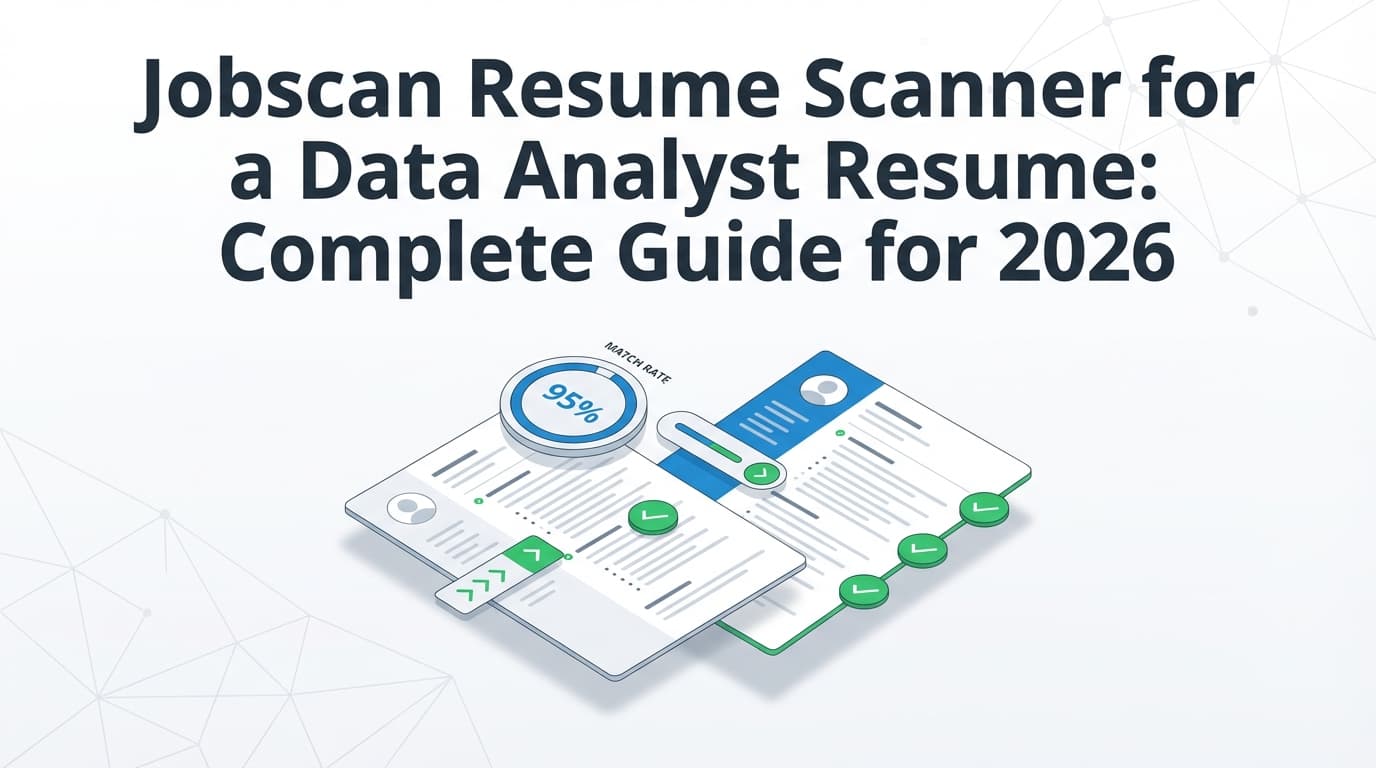
This guide shows you exactly how to use a Jobscan resume scanner for a data analyst resume in a way that improves outcomes (and keeps your resume readable).
In this guide, you’ll learn:
- How Jobscan-style scanners actually “score” your data analyst resume
- A step-by-step workflow that works for SQL/BI/product analytics roles
- Keyword strategy that boosts match rate without keyword stuffing
- Data analyst bullet examples (before → after) you can copy and adapt
- Troubleshooting (“can’t parse resume,” PDF vs DOCX, scan limits)
- A practical tool stack—including how JobShinobi can support resume analysis, job matching, and application tracking
What is a resume scanner (like Jobscan)?
A resume scanner is a tool that compares:
- Your resume, and
- A specific job description
…and then outputs a report like:
- Match rate / score (usually keyword overlap + structure checks)
- Missing keywords and skills
- Formatting / ATS parsing warnings
- Sometimes: recruiter-focused best practices (length, repetition, section headings)
Jobscan is one of the most well-known tools in this category. Their scanner positions itself as a way to check keywords and ATS compatibility against real job listings.
Source: https://www.jobscan.co/resume-scanner
Important: a scanner is not the employer’s ATS
Different scanners use different scoring logic. Even the same tool can sometimes produce inconsistent results if job description text changes or if parsing fails—something users frequently discuss in forums. (Confidence: High—common user behavior; exact causes vary)
Use scanners like this:
- A diagnostic tool (find gaps and risk)
- Not a judge (pass/fail)
Why data analyst resumes are uniquely “scanner-sensitive”
Data analyst job descriptions are keyword-dense. Employers often list:
- Tools: SQL, Excel, Tableau, Power BI, Looker, Python/R
- Data stack: dbt, Snowflake, BigQuery, Redshift
- Methods: dashboards, KPI reporting, cohort analysis, A/B tests, forecasting
- Collaboration: stakeholder management, requirements gathering, executive summaries
A scanner will heavily reward resumes that repeat those terms—sometimes too heavily.
Your goal is to:
- Include the right keywords, and
- Prove them with outcomes (the part scanners can’t evaluate well)
The numbers that explain why you need a repeatable workflow
A few data points that help frame the “why”:
-
180 applicants per hire (average in 2024) reported by CareerPlug. (Confidence: Medium—strong source; dataset may skew toward companies using CareerPlug)
Source (PDF): https://www.careerplug.com/wp-content/uploads/2024/04/2024-Recruiting-Metrics-Report-1.pdf -
CareerPlug also reports an applicant-to-interview ratio of 3% in 2024 (i.e., ~3 out of 100 applicants get interviews). (Confidence: Medium—credible report; varies by industry/role)
Source (PDF and summary page references):
https://www.careerplug.com/wp-content/uploads/2024/04/2024-Recruiting-Metrics-Report-1.pdf
https://www.careerplug.com/recruiting-metrics-and-kpis/ -
The BLS projects data scientist employment growth of 34% from 2024–2034 (not “data analyst,” but a useful signal that data skills remain in demand). (Confidence: High—primary government source)
Source: https://www.bls.gov/ooh/math/data-scientists.htm
What this means for you:
- Small improvements in tailoring can materially increase your odds in a crowded funnel.
- You need a workflow that is fast enough to repeat—without rewriting your resume from scratch for every application.
How to use Jobscan resume scanner for a data analyst resume (step-by-step)
This is the workflow I recommend if you want Jobscan to help—not hijack—your resume.
Step 0: Pick your data analyst “archetype” (so you tailor the right way)
Before you scan anything, decide what kind of data analyst role you’re applying for. Your keyword priorities will change.
Common archetypes:
- BI / Reporting Analyst
- Keywords: dashboards, KPI reporting, Tableau/Power BI/Looker, stakeholders, requirements
- Product / Growth Analyst
- Keywords: funnels, A/B testing, experimentation, retention, conversion, cohorts, instrumentation
- Ops / Finance / Business Analyst (analytics-heavy)
- Keywords: forecasting, variance analysis, SQL + Excel, stakeholder alignment, business cases
- Data Analyst (analytics + light engineering)
- Keywords: ETL/ELT, dbt, Snowflake/BigQuery, data models, QA, pipelines
Pro tip: If the job title says “Data Analyst” but the responsibilities say “build dashboards for leadership,” you’re closer to BI than product analytics.
Step 1: Use one real job description (not a generic posting)
Jobscan-style tools work best when the job description is specific.
Do this:
- Copy/paste the job description into a doc.
- Remove irrelevant content (equal opportunity statements, benefits, legal blocks) if it’s huge—so the scan focuses on requirements and responsibilities. (Confidence: High—reduces noise; approach is common across scanner workflows)
Step 2: Pre-scan formatting QA (avoid fake “missing experience” errors)
A lot of “Jobscan says my Experience is empty” issues are actually parsing problems.
Career services offices regularly warn that ATS can struggle with:
- Headers and footers
- Templates with tables/fields
- Complex formatting
Examples:
-
UIC career services PDF advises: “Do not use headers… footers… templates… fields and tables…” (Confidence: High—career services guidance; ATS behavior varies)
Source: https://careerservices.uic.edu/wp-content/uploads/sites/26/2017/08/Ensure-Your-Resume-Is-Read-ATS.pdf -
University of Maryland career guidance also warns to avoid headers/footers due to parsing errors. (Confidence: High—career services guidance)
Source: https://careers.umd.edu/find-jobs-internships/resumes-cover-letters/resume-how-to-guide
Pre-scan checklist (fast):
- Single-column layout
- No tables/text boxes for core content
- Contact info in the main body (not header/footer)
- Standard headings: Summary, Skills, Experience, Projects, Education
- Dates formatted consistently (e.g.,
MM/YYYYorMonth YYYY)
Bonus “paste test”:
- Copy all text from your PDF → paste into a plain text editor.
- If it becomes scrambled, a parser may also scramble it.
Step 3: Run the scan (resume + job description)
Now run the Jobscan scan:
- Upload resume
- Paste job description
- Generate report
If you’re on Jobscan’s free plan, scans are limited:
- Jobscan’s help center notes free monthly scans and that unused scans roll over up to a maximum of 5 unused scans. (Confidence: Medium—reliable help center source; plan details can change over time)
Source: https://support.jobscan.co/hc/en-us/articles/360056018654-When-do-I-get-my-free-monthly-scans
(Always verify current limits in your account, because SaaS plans change.)
Step 4: Interpret the match rate correctly (what it is—and what it isn’t)
Jobscan itself publishes guidance about match rate targets:
- Jobscan says they generally recommend a match rate of 80%, and many users see success at ~75%. (Confidence: Medium—brand guidance; not a hiring guarantee)
Source: https://www.jobscan.co/blog/what-jobscan-match-rate-should-i-aim-for/
How to use match rate as a data analyst:
- Treat it like coverage: “Did I address most of what they asked for?”
- Not like a prophecy: “If I hit 85%, I get interviews.”
What to prioritize (highest ROI first)
- Must-have tools repeated in the JD (SQL, Tableau/Power BI, Excel, Python/R)
- Core methods (dashboards, KPI reporting, A/B testing, forecasting, segmentation)
- Domain language (marketing analytics, supply chain, finance, healthcare)
- Soft skills framed as work (stakeholders, requirements, storytelling)
Step 5: Build a “keyword mapping table” (the clean alternative to keyword stuffing)
Jobscan will show missing keywords. Don’t dump them into Skills blindly.
Instead, create a mapping table:
| Keyword from JD | Where you can truthfully include it | Proof (bullet/project) |
|---|---|---|
| SQL | Skills + Experience | “Wrote SQL queries to…” |
| Tableau | Skills + Projects | “Built Tableau dashboard…” |
| A/B testing | Experience | “Designed and analyzed A/B test…” |
| Stakeholder management | Experience | “Partnered with PMs/Marketing…” |
This keeps your resume credible and interview-proof.
Step 6: Rewrite bullets using an “ATS + recruiter” formula
Scanners like keywords. Recruiters like impact. Your bullets must do both.
Use this formula:
Tool/Method + Action + Dataset/Scope + Business Outcome + Stakeholder (optional)
Example set (before → after)
Before: Built dashboards in Tableau for leadership.
After: Built Tableau dashboards to track weekly KPIs (conversion, churn) for Product and Marketing, reducing manual reporting by 6 hours/week and speeding up campaign decisions.
Before: Used SQL to analyze customer data.
After: Wrote SQL (PostgreSQL) queries to segment customer cohorts and identify churn drivers; shared recommendations with stakeholders and prioritized onboarding fixes that improved retention (team-reported).
Before: Helped with A/B testing.
After: Designed and analyzed A/B tests using Python (pandas), validated statistical significance, and summarized results for PMs; defined rollout criteria and monitored post-launch metrics.
Pro tip: If you can’t share exact revenue numbers, use:
- time saved
- error reduction
- cycle time reduction
- automation coverage
- dataset size (rows, users, events)
- frequency (daily/weekly reporting)
Step 7: Fix “Searchability” the smart way (especially for titles)
Many scanners care about job title alignment.
If the job title is “Product Data Analyst,” but your last title was “Business Analyst,” you can still align without lying:
- Use a headline: Product Data Analyst | SQL | Experimentation | Tableau
- Keep your actual job title accurate in Experience
- Add context in bullets: “partnered with product team,” “owned funnel KPIs,” etc.
Step 8: Add a Projects section (mandatory for entry-level, useful for everyone)
If you’re entry-level or switching into analytics, your Projects section is where you “manufacture” the missing keywords—with proof.
Project template (scanner-friendly):
- Project Name — Tools: SQL, Python, Tableau, BigQuery (only what you used)
- 1-line context: what data and why
- 2–4 bullets: actions + outcomes + deliverable (dashboard/report/model)
Example project (copy/adapt):
Customer Retention Cohort Analysis — SQL, Python (pandas), Tableau
- Queried and joined customer + transaction tables in SQL to build monthly cohorts and retention curves
- Identified drop-off segment tied to onboarding step completion; proposed changes to improve activation
- Published findings in a Tableau dashboard with retention KPIs and cohort filters for stakeholders
Step 9: Re-scan, then stop at “credible alignment”
Re-run Jobscan after edits.
Stop when:
- Must-have keywords are represented in context
- No major parsing errors
- Resume still reads naturally
Jobscan also cautions against “gaming” the system; they have content about avoiding resume keyword stuffing. (Confidence: Medium—brand advice; consistent with recruiter reality)
Source: https://www.jobscan.co/blog/resume-keyword-stuffing/
If the only way to raise score further is:
- adding skills you don’t have, or
- repeating keywords unnaturally
…stop.
Troubleshooting common Jobscan issues (data analysts run into these a lot)
“Jobscan can’t parse my resume” / missing sections
Likely causes:
- content in header/footer
- tables/columns/text boxes
- unusual fonts/icons
- PDF is image-based (“flattened”)
Jobscan has published guidance on parsing problems (“Jobscan can’t parse resume”), and their help center also lists upload/scan issues. (Confidence: Medium—Jobscan pages may change; multiple related sources exist)
Helpful starting points:
- https://www.jobscan.co/blog/jobscan-cant-parse-resume/
- https://support.jobscan.co/hc/en-us/articles/41334642533523-Why-can-t-I-perform-a-resume-scan
Fix order (fast):
- remove header/footer contact info
- switch to single-column
- remove tables/text boxes
- export to clean PDF (text-based) and/or DOCX
- re-test via copy/paste into plain text
“PDF vs DOCX” for scanners and ATS—what should you use?
There isn’t one universal answer because ATS vary and application portals vary.
Jobscan publishes file type recommendations in formatting guidance. (Confidence: Medium—employer-specific exceptions exist)
Example page appears in search results: https://www.jobscan.co/blog/ats-formatting-mistakes/
A good practical rule:
- If the application portal asks for DOCX, use DOCX.
- If it accepts PDF and you have a clean text-based PDF, PDF is often fine.
- Always avoid image PDFs.
“My match rate is low, but I’m qualified”
Three common causes:
- Your resume uses different language than the JD (e.g., “data visualization” vs “dashboarding”)
- Your Skills section is too short or too generic
- You’re missing domain terms (e.g., “marketing attribution,” “inventory turns,” “ARR”)
Fix: mirror the job description wording where true, especially in:
- Skills section (grouped, scannable)
- First 2–3 bullets under your most relevant role/project
Data analyst keyword checklists (use as menus, not mandates)
Only include what you can back up.
Core tools (commonly expected)
- SQL (PostgreSQL, MySQL, SQL Server, BigQuery, Snowflake)
- Excel (PivotTables, Power Query)
- Tableau / Power BI / Looker
- Python (pandas) or R (tidyverse)
Analytics methods (high-signal)
- KPI reporting, dashboards
- cohort analysis, segmentation
- funnel analysis, conversion rate
- A/B testing / experimentation
- forecasting (role-dependent)
- data validation / QA
Data stack (role-dependent)
- dbt, ETL/ELT
- Snowflake, BigQuery, Redshift
- Airflow (or scheduling concepts)
- dimensional modeling / star schema
Business and stakeholder language
- requirements gathering
- cross-functional collaboration
- executive summaries / storytelling with data
- ad hoc analysis
- decision support
Section-by-section: what Jobscan-style scanners tend to reward
1) Summary (3–4 lines max)
Should include:
- target role title
- 2–4 core tools
- 1–2 specialties (dashboards, experimentation, forecasting)
- 1 proof point (years, domain, key outcome)
Example (BI analyst):
Data Analyst specializing in SQL, Tableau, and KPI reporting, with experience building stakeholder-ready dashboards and automating weekly performance reporting for cross-functional teams.
2) Skills (grouped, not a wall of buzzwords)
A scanner wants keywords; a recruiter wants clarity.
Good structure:
- Analytics: SQL, Excel, Python (pandas)
- BI/Visualization: Tableau, Power BI, Looker
- Data: Snowflake, BigQuery, dbt (if true)
- Methods: A/B testing, forecasting, cohort analysis
3) Experience (impact-first bullets)
For your most relevant role:
- put your strongest keyword + outcome bullets first
- keep each bullet 1–2 lines if possible
4) Projects (especially if entry-level)
Projects are where you can align to job requirements without stretching your job history.
A practical “resume optimization loop” (how data analysts should think about tailoring)
If you’re applying at volume, treat your resume like an experiment:
- Create Version A (baseline)
- Tailor to Job 1 → Version B
- Track outcomes (callbacks/interviews)
- Repeat for Job 2, Job 3…
This is where tracking matters.
Using JobShinobi in the workflow (optional but useful)
JobShinobi supports:
- AI resume analysis with scoring + detailed feedback (stored as resume_scores) (Confidence: High—documented in product constraints)
- Job description extraction + resume-to-job matching (Confidence: High)
- A job application tracker with Excel export (Confidence: High)
- Email-forwarding application tracking (Pro-gated; no attachment parsing) (Confidence: High)
Pricing (verified): JobShinobi Pro is $20/month or $199.99/year. (Confidence: High—product constraints)
The pricing page mentions a “7-day free trial,” but trial enforcement isn’t clearly verifiable from code—treat it as “mentioned,” not guaranteed. (Confidence: Medium—marketing claim, not verified in billing logic)
If you’re doing high-volume applications, JobShinobi can help you:
- keep versions of tailored resumes,
- match resumes to job descriptions quickly,
- and track which resume versions correlate with interviews.
Internal links (if applicable in your site structure):
- /dashboard/resume
- /dashboard/job-tracker
- /pricing
Tools that can help (honest, non-hype)
-
Jobscan: strong for resume-to-job description comparison and match-rate style feedback.
https://www.jobscan.co/resume-scanner -
Resume Worded: very extensive data analyst resume examples and templates (useful for benchmarking). (Confidence: High—page depth is large)
https://resumeworded.com/data-analyst-resume-examples -
BeamJobs: many data analyst resume examples; useful for bullet inspiration. (Confidence: High—page depth is substantial)
https://www.beamjobs.com/resumes/data-analyst-resume-examples -
JobShinobi: resume analysis + job matching + version history + job tracking (email forwarding automation requires Pro).
https://jobshinobi.com
Key takeaways
- Use Jobscan as a gap finder, not a verdict.
- For data analyst roles, you win by pairing keywords + proof (tools + outcomes).
- Fix formatting first so you don’t chase parsing-related “false negatives.”
- Stop optimizing when you reach credible alignment—not when you hit 100%.
- Track resume versions and outcomes like an analyst; it’s the fastest way to learn what works.
FAQ (People Also Ask–style)
What is a good Jobscan match rate for a data analyst resume?
Jobscan publishes guidance recommending ~80%, noting many users succeed around ~75%. Treat that as a practical guideline—not a guarantee—because ATS and recruiters vary.
Source: https://www.jobscan.co/blog/what-jobscan-match-rate-should-i-aim-for/
Is Jobscan resume scanner free?
Jobscan offers a free plan with limited scans; Jobscan’s help center notes monthly scans and that unused scans can roll over up to a maximum of 5 unused scans (plan details can change).
Source: https://support.jobscan.co/hc/en-us/articles/360056018654-When-do-I-get-my-free-monthly-scans
Why does Jobscan say my Work Experience section is empty?
Usually because your resume didn’t parse correctly (headers/footers, tables, columns, text boxes, or a flattened/image PDF). Simplify to a single-column text-based layout and re-upload.
Should I tailor my data analyst resume for every job?
Yes—at least lightly. Tailoring doesn’t mean rewriting everything; it means aligning:
- title/headline,
- skills ordering,
- and your top 3–5 bullets
…to match the job’s tool stack and responsibilities.
Can keyword stuffing hurt my resume?
Yes. It can make your resume read unnaturally, reduce recruiter trust, and create interview risk if you can’t back up the claims. Jobscan also publishes guidance on avoiding keyword stuffing.
Source: https://www.jobscan.co/blog/resume-keyword-stuffing/