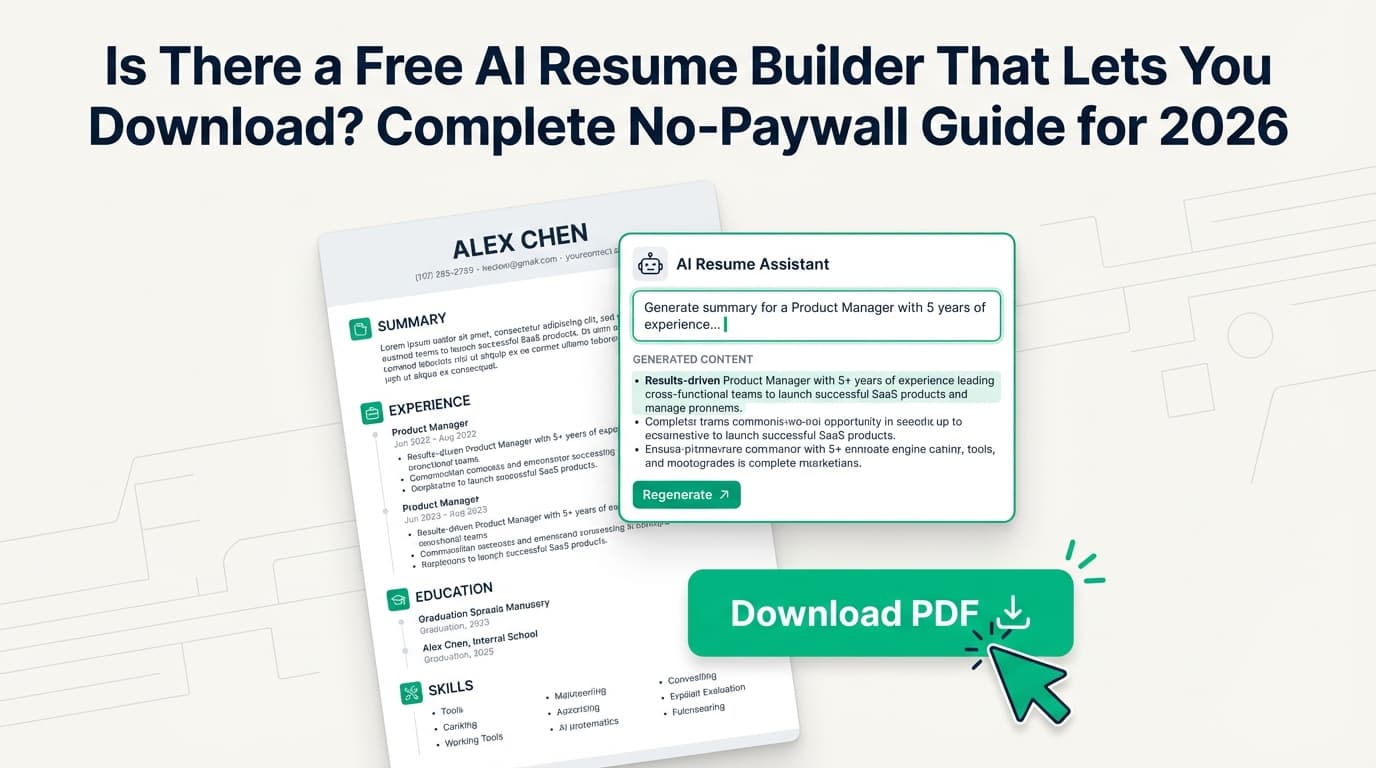
If you’ve ever spent an hour building a resume in a “free AI resume builder,” then clicked Download and got hit with a paywall, you already know the core problem:
Most resume builders are “free” right up until the moment you need the file.
That’s especially painful when you’re applying to dozens of roles and trying to move fast—because employers are moving fast too:
-
98.4% of Fortune 500 companies used a detectable ATS in 2024, according to Jobscan. (Confidence: Medium — strong single-source statistic, widely consistent with broader ATS adoption narratives.)
Source: https://www.jobscan.co/blog/fortune-500-use-applicant-tracking-systems/ -
Glassdoor has reported that each corporate job opening attracts ~250 resumes on average. (Confidence: Medium — reputable publisher; often cited elsewhere.)
Source: https://www.glassdoor.com/blog/50-hr-recruiting-stats-make-think/
When you’re competing at that scale, you need a resume workflow that’s:
- downloadable on demand,
- ATS-readable, and
- not a subscription trap.
In this guide, you’ll learn:
- How to spot a “free download” claim that isn’t actually free (before you waste time)
- A No-Paywall Checklist you can use in 2 minutes
- Step-by-step ways to build a resume for free using AI without letting the resume builder lock your export
- ATS-friendly formatting rules (with university career-center guidance)
- A tools list (free + open-source + paid options), including when a paid tool is worth it
What This Keyword Really Means (and Why People Keep Getting Burned)
When someone searches “is there a free ai resume builder that lets you download”, they’re usually asking:
- “Can I create a resume with AI help…”
- “…and export a real PDF/DOCX…”
- “…without entering a credit card…”
- “…and without a watermark or low-quality ‘preview’ file?”
The confusion comes from the fact that “free” is used in multiple ways.
“Free” can mean:
- Free to start (but pay to export)
- Free trial (requires a credit card and may auto-renew)
- Free export only in TXT (technically a download, but not useful)
- Free export with watermark
- Truly free export (PDF/DOCX without paywall)
This guide is about the last one: truly free downloads.
Quick Answer: Yes—But You Must Verify “Free Download” Claims
Yes, there are resume builders that let you download for free. The safest options tend to be:
- Document-first workflows (Google Docs / Microsoft Word) — you own the file, so nobody can paywall your export
- Open-source resume builders — the business model isn’t “lock the download button”
- A few online resume builders that publicly position themselves as no paywalls / no watermarks (still: always test)
Important: Tools change pricing and limits frequently. The only way to know is to run a fast test (you’ll get a checklist below).
Why This Matters in 2026 (ATS + Speed + Competition)
Even if you don’t love the “ATS optimization” topic, the system is what it is. A few data points explain why resume downloads + formatting matter so much:
1) ATS adoption is extremely high
-
98.4% of Fortune 500 used a detectable ATS in 2024 (Jobscan). (Confidence: Medium)
Source: https://www.jobscan.co/blog/fortune-500-use-applicant-tracking-systems/ -
SelectSoftwareReviews summarizes broader adoption with stats like ~70% of large companies use an ATS. (Confidence: Medium — industry roundup that compiles multiple studies.)
Source: https://www.selectsoftwarereviews.com/blog/applicant-tracking-system-statistics
2) Recruiters skim quickly
TheLadders’ eye-tracking research (widely cited) reports an average initial scan around 7.4 seconds in its updated findings. (Confidence: High — primary research is broadly referenced; access to the PDF can vary by network.)
Source (article): https://www.theladders.com/career-advice/you-only-get-6-seconds-of-fame-make-it-count
3) Each posting can attract hundreds of resumes
- ~250 resumes per corporate job opening (Glassdoor). (Confidence: Medium)
Source: https://www.glassdoor.com/blog/50-hr-recruiting-stats-make-think/
4) Resume “rules” are shifting (including length)
A widely reported figure says ~53% of recruiters expect two-page resumes, attributed to Criteria research and covered by Fortune and Yahoo Finance. (Confidence: Medium — credible publications; underlying report may not always be directly accessible.)
Sources:
- https://fortune.com/2024/09/24/two-page-resume-new-normal-ai-job-seekers/
- https://finance.yahoo.com/news/goodbye-1-page-r-sum-122858350.html
Bottom line: Your resume needs to download cleanly, parse cleanly, and communicate fast.
What Counts as a “Free AI Resume Builder That Lets You Download”?
Here’s a practical definition you can use to filter tools.
A tool “lets you download for free” if:
- You can export PDF or DOCX without paying
- No watermark (or removable branding)
- No forced trial / credit card required to export
- The downloaded file is actually usable (not a low-resolution image, not “TXT only” unless you want that)
A tool is “AI resume builder” enough if it:
- Generates bullet points, summaries, skills phrasing, or rewrites content using AI
Good news: You do not need a single tool to do both. You can use AI for writing and a separate tool for formatting/export.
The 2-Minute No-Paywall Test (Do This Before You Type Anything)
This single habit will save you hours.
Step-by-step:
- Open the tool.
- Start a new resume.
- Add 2–3 lines of dummy text (fake job title, one bullet).
- Click Download / Export.
- Confirm:
- It exports PDF (and/or DOCX)
- No payment wall appears
- No “start trial” modal blocks the export
- The downloaded file has no watermark
If you can’t confirm this in 2 minutes, treat the tool as not free-to-download for your needs.
The No-Paywall Checklist (Save This)
Use this checklist any time you’re evaluating a resume builder.
Download & pricing
- No credit card required to export
- PDF download is free
- DOCX download is free (nice-to-have)
- No “free trial” gate on export
- No “processing fee” or “one-time download fee”
Output quality
- No watermark / logo / “Made with ___”
- The PDF contains real selectable text (not a screenshot)
- The resume prints cleanly to one or two pages
ATS safety
- Single-column layout option
- Standard headings (Experience, Education, Skills)
- No icons/tables/text boxes required for layout
Ownership & portability
- You can keep an editable version (DOCX, Google Docs, or exportable data)
- You can reuse the resume without rebuilding from scratch
ATS-Friendly Formatting Rules (Backed by Career Centers)
If your resume is hard for software to parse, your keywords and experience may never be read correctly.
Career centers commonly recommend “simple formatting” for ATS compatibility. For example:
-
MIT advises avoiding graphics/icons/images and avoiding placing info into tables or text boxes. (Confidence: High — university career advising resource.)
Source: https://capd.mit.edu/resources/make-your-resume-ats-friendly/ -
UIC Career Services provides an ATS-focused PDF checklist, emphasizing single-column formatting and avoiding tables/multi-column layouts. (Confidence: High)
Source (PDF): https://careerservices.uic.edu/wp-content/uploads/sites/26/2017/08/Ensure-Your-Resume-Is-Read-ATS.pdf
Practical ATS-safe defaults (use these)
- Single column
- No tables, no icons, no charts, no headshot
- Standard headings: Summary, Experience, Education, Skills
- Simple bullet points
- Dates in a consistent format (e.g.,
Jan 2023 – Dec 2024) - Fonts: Calibri, Arial, Helvetica, Times New Roman (any readable font is fine)
Pro tip: If you love a designed template, keep a “pretty” version for networking emails and a “ATS-safe” version for application portals.
How to Get a Resume Download for Free (Even If Most Tools Paywall You)
This is the most useful part of the guide: you’ll pick a workflow that guarantees you can export.
Option 1 (Most reliable): Google Docs / Microsoft Word + AI writing help
This approach is boring—but it works.
Step-by-step
- Choose a clean Docs/Word resume template (single column).
- Use AI to draft or rewrite your bullets (examples below).
- Paste the content into Docs/Word.
- Export to PDF and keep a DOCX backup.
Why it works: The “download button” belongs to Google/Microsoft, not a resume-builder paywall.
Option 2: Open-source resume builders (often truly free to export)
Open-source tools typically don’t monetize exports.
Examples that position themselves as free/open-source and support PDF export include:
-
Reactive Resume (rxresu.me) — positions itself as “free and open-source,” and the documentation describes exporting/downloading as PDF. (Confidence: Medium — based on site + docs; still verify with the 2-minute test.)
Sources:- https://rxresu.me/
- https://docs.rxresu.me/ (see “Export Anywhere” language)
-
OpenResume (open-resume.com) — positions itself as “free open-source resume builder.” (Confidence: Medium — verify export behavior in practice.)
Source: https://www.open-resume.com/
Best for: job seekers who want a clean export and don’t want to risk a bait-and-switch paywall.
Option 3: A “free plan” resume builder that explicitly claims no paywall (still: verify)
Some online builders publicly claim “no paywalls, no watermarks.”
For example:
- FlowCV claims “Unlimited downloads. No watermarks. No hidden fees” on its homepage copy. (Confidence: Medium — based on their published claims; verify via export test.)
Source: https://flowcv.com/
This kind of tool can be convenient if you want a guided UI without losing export control.
How to Use AI to Write Your Resume (Without Letting AI Make Things Up)
“AI resume builder” is often just a writing assistant with a template UI. You can replicate the writing benefits while keeping control of formatting/export.
The safe AI approach
- You provide the facts.
- AI improves clarity, structure, impact, and keyword alignment.
- You verify every claim.
Bullet rewrite prompt (copy/paste)
Rewrite these resume bullets for a [target role].
Requirements: keep them truthful, add specificity, avoid buzzwords, use strong verbs, and keep each bullet 1–2 lines.
Include tools/skills only if they appear in my original notes.
Job description keywords: [paste keywords]
My raw bullets: [paste bullets]
“Achievement bullet” framework (what to aim for)
Use: Action + What you did + How (tools/methods) + Result + Context
Before:
- Responsible for reporting dashboards.
After:
- Built weekly KPI dashboards in SQL + Tableau to reduce manual reporting and improve pipeline visibility across sales and marketing.
If you don’t know the metric, don’t invent it. Use:
- “reduced manual work”
- “improved accuracy”
- “shortened turnaround time” …and add context.
How to Tailor Your Resume to a Job Description (Fast, Ethical, and Effective)
Tailoring doesn’t mean rewriting your life story. It means making sure the resume you already earned is understood in the language the employer is using.
Step 1: Extract the “must-have” keywords
From the job description, pull:
- tools/technologies (e.g., SQL, Python, GA4)
- role skills (e.g., stakeholder management, forecasting)
- domain terms (e.g., SaaS, HIPAA, SOC2)
Step 2: Place keywords where they naturally belong
- Skills section: list tools you truly use
- Experience bullets: show proof you used them
- Summary: match the target role and niche
Step 3: Don’t keyword-stuff
Keyword stuffing can backfire by making your resume harder to read in a 7-second skim (see TheLadders stat above).
Goal: relevance + proof, not “100% match rate.”
PDF vs DOCX: Which Format Is Better for ATS?
There’s no single answer because ATS parsing varies. But there is a safe strategy.
A reasonable, practical rule
- If the application asks for DOCX, upload DOCX.
- If it allows PDF and your PDF is text-based and simply formatted, PDF is usually fine.
- Keep both versions ready.
Indeed’s career advice generally recommends defaulting to Word or PDF if no instructions are given. (Confidence: High — major career guidance publisher.)
Sources:
- https://www.indeed.com/career-advice/resumes-cover-letters/resume-file-format
- https://ca.indeed.com/career-advice/resumes-cover-letters/resume-pdf-or-word
Do the “copy/paste test” (DIY parsing check)
- Open your exported PDF.
- Select all text → paste into a plain text editor.
- If the order is scrambled (columns/tables), fix the formatting.
If you can’t copy text cleanly, an ATS may struggle too.
Common Mistakes That Cause “Free Download” Problems (and How to Avoid Them)
Mistake 1: Building the entire resume before testing export
Fix: do the 2-minute test first.
Mistake 2: Accepting “TXT download” as a real solution
TXT can be useful as a backup, but it’s not a professional submission format for most roles.
Fix: require PDF/DOCX export.
Mistake 3: Downloading a watermarked resume (and sending it anyway)
A watermark can make you look careless—even if the content is good.
Fix: verify the downloaded file before you submit.
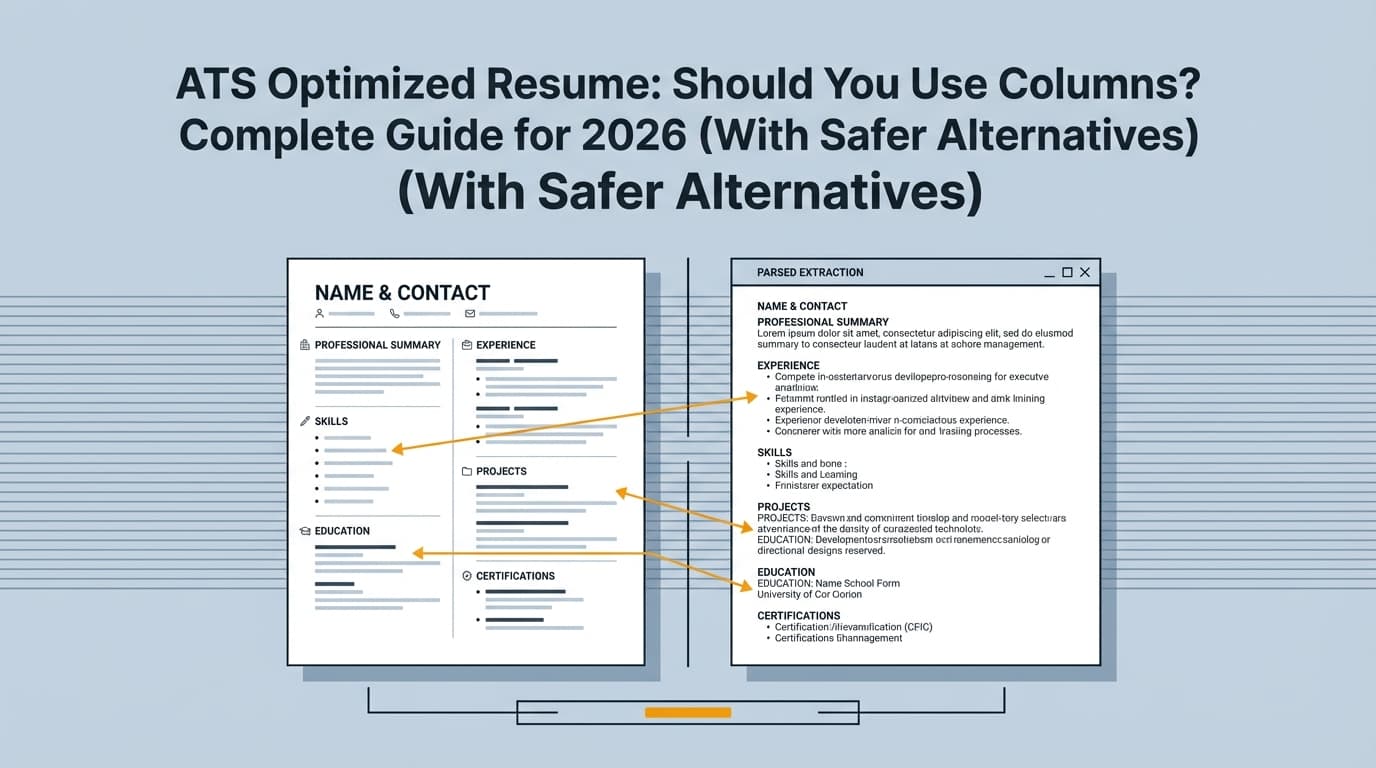
Mistake 4: Using ATS-hostile layouts (columns, tables, icons)
MIT and other career centers explicitly warn against tables/text boxes and graphics/icons for ATS parsing. (Confidence: High)
Source: https://capd.mit.edu/resources/make-your-resume-ats-friendly/
Fix: single column + standard headings.
Mistake 5: Letting AI invent achievements
Recruiters can smell fake metrics.
Fix: AI refines; you validate.
Tools That Help (Free + Open-Source + Paid)
You asked for “free AI resume builder that lets you download,” but you may also want:
- ATS feedback
- job-match keyword gap analysis
- version control
- faster tailoring
Here’s a balanced tools section, organized by what problem you’re solving.
A) Best for guaranteed free downloads: Docs/Word templates
Pros: You always control export.
Cons: Less guided UI.
- Google Docs resume templates
- Microsoft Word resume templates
B) Best for “free + export” with minimal paywall risk: open-source builders
Pros: Often genuinely free to export; transparent.
Cons: UI varies; may require a little setup/learning.
-
Reactive Resume (rxresu.me) — free/open-source positioning; docs discuss PDF export. (Confidence: Medium — verify export in the product.)
Sources: https://rxresu.me/ and https://docs.rxresu.me/ -
OpenResume (open-resume.com) — free/open-source positioning. (Confidence: Medium)
Source: https://www.open-resume.com/
C) Best for a guided UI with “no watermark/no paywall” claims (verify!)
Pros: More guided building experience.
Cons: Policies can change; always test export.
- FlowCV — claims unlimited downloads and no watermarks. (Confidence: Medium — based on homepage claims; confirm via export test.)
Source: https://flowcv.com/
D) When you want deeper ATS-focused improvement (paid): JobShinobi
If your problem is bigger than “download a resume” (e.g., you’re applying at volume and not getting interviews), it can be worth using a specialized tool for analysis and tailoring—not just formatting.
What JobShinobi can do (accurate, supported):
- Build resumes in LaTeX with PDF preview/compilation in the app and download your resume as PDF and .tex. (Confidence: High)
- Run AI resume analysis with detailed scoring/feedback. (Confidence: High)
- Do job description extraction and resume-to-job matching (keyword gaps + match insights). (Confidence: High)
- Track applications in a job tracker and export to Excel (.xlsx). (Confidence: High)
Pricing (accurate): JobShinobi Pro is $20/month or $199.99/year. (Confidence: High)
The pricing/marketing copy mentions a “7-day free trial,” but trial mechanics aren’t clearly verifiable from enforcement logic in code (it may be configured in Stripe). (Confidence: Medium)
Internal links:
- Resume area:
/dashboard/resume - Subscription:
/subscription
Important: JobShinobi is not positioned as a “free resume builder that lets you download.” Mentioning it here is for readers who want analysis + tailoring workflows and are open to paid tools.
A Simple Decision Tree: Which Workflow Should You Choose?
If your #1 requirement is “download free, no surprises”
Choose:
- Google Docs / Word (best)
- Open-source builder (good)
If you want AI writing, but don’t trust resume-builder exports
Choose:
- AI writing help → paste into Docs/Word → export
If you’re getting filtered and want ATS feedback + job matching
Choose:
- An ATS-focused analyzer and job-match workflow (often paid), and keep a clean export format
Best Practices Checklist (ATS-Friendly + Download-Friendly)
- Use a single-column layout
- Avoid tables/text boxes/icons/images (MIT guidance)
- Use standard headings (Experience, Education, Skills)
- Keep formatting consistent (dates, job titles, spacing)
- Put your strongest, most relevant experience on page 1
- Tailor keywords naturally (skills + proof in bullets)
- Keep both PDF and DOCX versions ready
- Run the copy/paste test on your exported PDF
- Never submit a watermarked resume
- Save a “master resume” and tailor copies—don’t rebuild every time
Key Takeaways
- Yes—there are free resume builders that let you download, but you must verify the export step early.
- The safest “always free to download” strategy is Docs/Word + AI writing assistance.
- For ATS safety, keep formatting simple—career centers consistently advise avoiding tables/text boxes and graphics/icons.
- If you need more than a template (analysis, keyword gaps, tailoring help), consider an ATS-focused tool—even if it’s paid—then keep your final export clean.
FAQ (People Also Ask)
Is there a completely free AI resume builder?
Sometimes—but many “AI resume builders” paywall the export step. A reliable workaround is using AI for writing and Google Docs/Word for formatting and export.
Is there a free resume builder and download without paying?
Yes. Your most dependable option is Docs/Word. Open-source resume builders can also provide free PDF export, but always confirm with a quick export test.
How can I make a resume and download it for free?
Use this sequence:
- Draft content (with or without AI)
- Format in Google Docs or Word (single column)
- Export as PDF/DOCX
- Run a copy/paste check to confirm text order looks right
Is a PDF resume ATS friendly?
Often, yes—if it’s text-based and simply formatted. If your PDF copy/pastes in a scrambled order, use DOCX or simplify your layout.
What’s the biggest sign a “free resume builder” isn’t truly free?
If clicking Download PDF/DOCX triggers a paywall, a trial signup, or a credit-card prompt, it’s not free-to-download for your purposes.
Should my resume be one page or two pages in 2026?
It depends on your experience and relevance. One-page resumes remain common, but some reporting suggests many recruiters now expect two pages. Keep it as short as possible while still proving you’re qualified. (If you’re early-career, one page is usually enough.)