Career switching is hard for one reason that doesn’t get said out loud enough:
Your resume is being judged on relevance before anyone has time to “give you a chance.” And when your job titles don’t match the new role, you’re starting at a disadvantage—even if you can do the work.
That’s why your resume has to win in two places:
- ATS parsing + keyword search (so your resume is readable and searchable inside hiring software), and
- Human scan speed (so a recruiter can instantly see why you make sense for the new role).
The ATS side matters because adoption is widespread. Tufts University’s career center states 98.4% of Fortune 500 companies use an ATS, and similar “~98–99%” figures show up across multiple recruiting-industry summaries. (Sources: Tufts, HiringThing, SelectSoftwareReviews) (High confidence — consistent across 3+ independent sources)
The human scan side matters because attention is limited. The Ladders’ eye-tracking research is commonly cited as showing recruiters spend about 7.4 seconds on an initial scan. (Sources: TheLadders, PDF hosted by BU: bu.edu PDF) (Medium confidence — real study, but scan time varies by role/market)
And career switching itself is increasingly common: USA Today reports an Indeed study finding 64% of workers who switched jobs from 2022 to 2024 also changed careers. (Source: USA Today) (Medium confidence — secondary reporting, but attributed to a large dataset)
In this guide, you’ll get:
- A complete ATS optimized resume for career switch example you can copy and edit (single-column, ATS-safe)
- A “keyword map” method that helps you tailor without keyword stuffing
- 3 additional mini-templates for common pivots (so you can steal the structure)
- A step-by-step rewrite system for turning “old job” bullets into “new role” bullets (without lying)
- A checklist + FAQ built around real search questions (PDF vs Word, hybrid vs functional, etc.)
- A tool section (including where JobShinobi can help) without hype or inaccurate feature claims
What is an ATS-optimized resume for a career switch?
An ATS-optimized career switch resume is a resume that’s designed to:
- Parse cleanly (ATS can reliably read the text in the right order)
- Match role keywords (so the resume is discoverable/searchable inside the ATS)
- Explain the pivot in the first 10–15 seconds (summary + skills + proof)
- Lower hiring risk by showing comparable outcomes and responsibilities—even if the titles differ
The key difference vs. a normal resume
A typical resume assumes your job titles already match the role you want.
A career switch resume has to create relevance fast by using:
- a targeted headline (optional but helpful),
- a sharp summary,
- an ATS-friendly skills section aligned to the job description,
- a “Relevant Experience / Projects” bridge section, and
- bullets rewritten in the target role’s language.
Why ATS optimization matters for career switchers in 2026
1) Most larger employers use ATS technology
As noted above, multiple sources cite ~98–99% of Fortune 500 companies using ATS tools (Tufts: 98.4%). (Sources: Tufts, HiringThing, SelectSoftwareReviews) (High confidence)
Some sources also cite 70% of large companies using ATS tools and 35% of SMBs (or similar ranges). (Source: HiringThing; also discussed in SelectSoftwareReviews) (Medium confidence — exact percentages vary by survey)
Practical takeaway: ATS-safe formatting and keyword alignment still matter—especially when your titles don’t “self-match” the role.
2) A career switch resume has an extra job: making your story coherent
When recruiters see a pivot, they’re quietly asking:
- Why this role?
- Can you do it?
- Will you leave quickly if it’s not what you expected?
Your resume needs to answer these without sounding defensive.
3) Formatting mistakes can scramble your content in ATS parsing
MIT’s career advising guidance recommends testing your resume and warns that elements like text boxes or tables can become unreadable and cause text order issues. (Source: MIT CAPD) (High confidence)
UPenn Career Services similarly advises avoiding headers and footers because they can make it difficult for ATS to parse information. (Source: UPenn Career Services) (Medium confidence — reputable university guidance, but ATS behavior varies)
4) The hiring tech market isn’t shrinking
Fortune Business Insights reports ATS market context and notes North America held 28.43% market share in 2024. (Source: Fortune Business Insights) (Medium confidence — useful directional context, not a job-seeker tactic)
The “ATS + Career Switch” resume strategy (in one sentence)
Make the top third of your resume look like the job description—then prove it in bullets with metrics, tools, and deliverables.
That’s the whole game.
How to write an ATS optimized resume for a career switch (step-by-step)
Step 1: Pick the right format (hybrid > functional for most switchers)
Best default: Hybrid / combination resume
Why it works:
- ATS can parse it (clear headings, dates still present)
- Recruiters trust it more than purely functional resumes
- You get room up top to sell relevance (summary + skills + projects)
When functional resumes help:
- Big employment gaps
- Extremely fragmented history
- You need to de-emphasize chronology and you have strong proof elsewhere (portfolio, certifications)
But functional-only resumes often frustrate recruiters because they can hide context. Many career change guides recommend hybrid formats for this reason (you’ll see this across major resume sites and career resources). (Examples from search results include format discussions at Jobscan and other career sites; see: Jobscan hybrid resume discussion in results) (Medium confidence — advice consensus, not a universal rule)
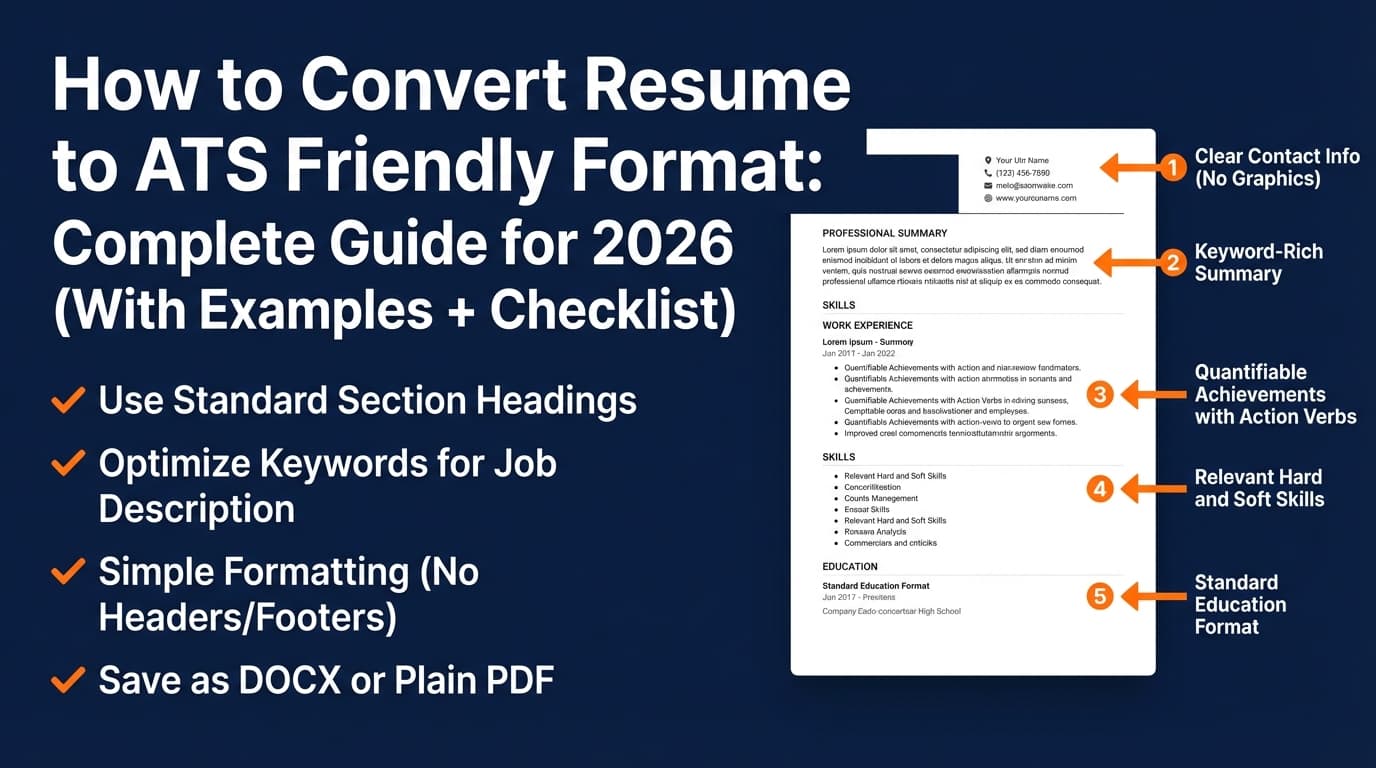
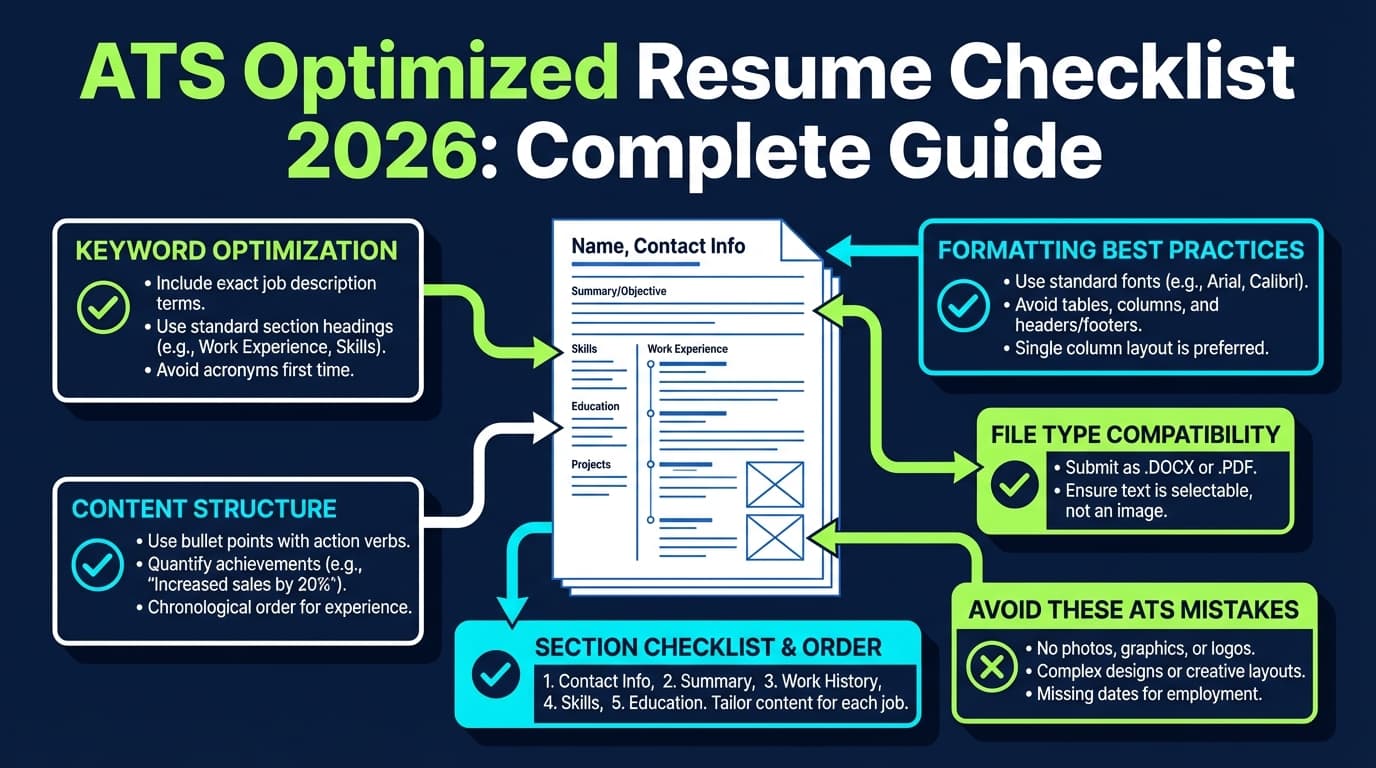
ATS-safe formatting rules (use these every time):
- Single column
- Standard headings (Summary, Skills, Experience, Education)
- No tables, text boxes, icons, or “skill bars”
- Consistent date format (e.g.,
MM/YYYY–MM/YYYY) - Avoid putting critical info only in headers/footers (UPenn explicitly warns against it)
Step 2: Build a keyword map (so you tailor without stuffing)
Career switchers usually fail in one of two ways:
- Not enough keywords (resume reads as unrelated)
- Too many keywords (reads as spammy or fake)
A keyword map prevents both.
Keyword map template (copy/paste)
Take one job posting for your target role and extract:
A) Tools / systems (nouns)
- Tools (e.g., Excel, SQL, Salesforce, Jira):
- Platforms (e.g., Workday, HubSpot, Tableau):
- Documentation / collaboration (e.g., Confluence, Notion):
- Industry systems (e.g., Epic, GA4):
B) Responsibilities (verbs + deliverables)
- Coordinate / manage / execute:
- Analyze / report / present:
- Improve / reduce / streamline:
- Deliverables (dashboards, SOPs, project plans, training materials, playbooks):
C) Proof signals
- Metrics (%, $, time saved):
- Volume (tickets/week, pipeline $, stakeholders #):
- Complexity (cross-functional, multi-site, regulated, tight SLA):
Now place these keywords in three places:
- Summary (3–6 keywords)
- Skills (8–16 keywords)
- Experience bullets (proof + keywords in context)
Coursera and staffing/career resources commonly advise weaving keywords naturally into relevant sections rather than stuffing. (Example source from search results: Coursera resume keywords) (Medium confidence — reputable guidance)
Step 3: Write a “pivot summary” that commits to the new role
Your summary needs to do four things fast:
- Name the target role (or job family)
- Highlight transferable strengths tied to the role
- Mention key tools/methods from the job description
- Add proof (scope, outcomes, metrics)
Pivot summary formula:
“Career-changing [previous function] transitioning into [target role], bringing [X years] experience in [transferable skill 1], [skill 2], and [skill 3]. Experienced with [tool 1], [tool 2], and [method]. Known for [measurable impact/outcome].”
Example (Operations → Data Analyst):
“Career-changing operations professional transitioning into data analytics, bringing 6+ years of experience in KPI reporting, process improvement, and stakeholder communication. Skilled in Excel (PivotTables), SQL fundamentals, and dashboarding. Known for reducing manual reporting time by 30% through standardized trackers and automated workflows.”
Step 4: Add a bridge section (Relevant Experience or Projects)
This is the career switch “cheat code” (the ethical kind).
Use one of these near the top:
- Relevant Experience (if you did role-like work inside another job)
- Projects (if you built portfolio work, certification projects, freelanced, volunteered)
Bridge section rules:
- Use target-role language
- Include tools
- Include outcomes
- Keep it real (you may be asked about it)
Step 5: Translate your bullets (the only rewrite method you need)
Use this translation formula:
Action + tool/method + deliverable + impact + keyword
Examples:
- “Built a weekly KPI dashboard in Excel to track SLA performance, reducing escalations by 18%.”
- “Coordinated cross-functional launch plan using Asana, delivering rollout on schedule across 5 stakeholders.”
This is how you “sound like the job” without claiming a title you never had.
Step 6: Decide PDF vs Word (and follow the employer’s instructions)
This question shows up constantly in searches for ATS optimization.
What you’ll see across many resume/ATS resources:
- DOCX is often the safest for ATS parsing
- PDF can be fine if it’s text-based (not an image scan) and the ATS supports it
- The best answer is usually: follow the application’s requested format
Jobscan explicitly discusses the tradeoffs in “Resume PDF vs Word.” (Source: Jobscan — resume PDF vs Word) (Medium confidence — useful practical guidance)
Resume Worded also addresses whether ATS can read PDFs and highlights that file type isn’t the only factor. (Source: Resume Worded — can ATS read PDF) (Medium confidence)
Practical rule:
- If the application system is picky or you’re unsure: use DOCX
- If emailing a recruiter directly and formatting matters: PDF is often preferred
- Always do a plain-text test (next step)
Step 7: Run two tests: parsing + keyword match
A) DIY “plain text” parsing test
MIT suggests testing your resume by saving it as plain text and checking readability. (Source: MIT CAPD) (High confidence)
Quick method:
- Export your resume to PDF and DOCX.
- Copy/paste into a plain text editor.
- Verify:
- Contact info isn’t missing
- Headings appear in order
- Bullets didn’t scramble
- Dates and employers are readable
B) Keyword match test
- Compare your resume to the job description:
- Are the top tools present?
- Are the core responsibilities represented?
- Are keywords used in context (not dumped in a list)?
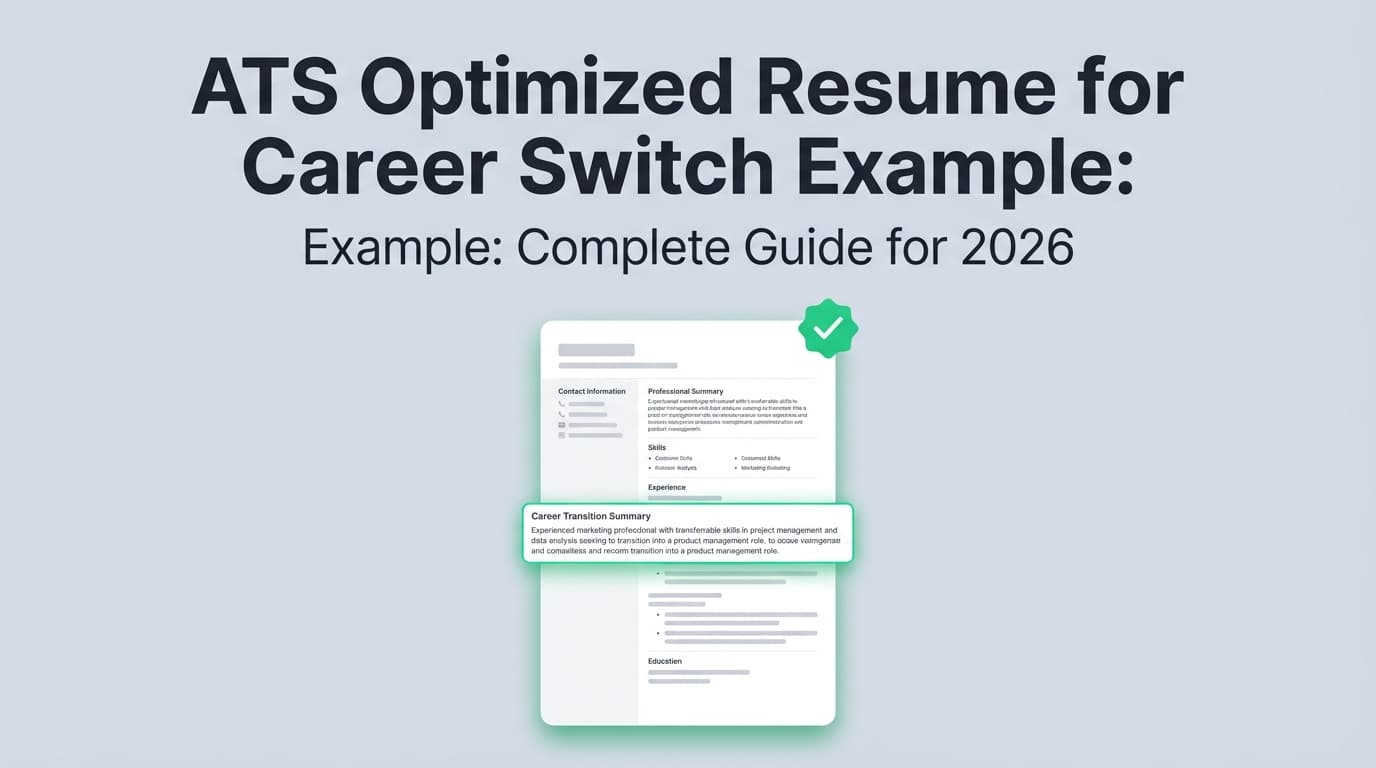
ATS Optimized Resume for Career Switch Example (copy + edit)
Below is a complete, ATS-friendly, single-column career switch example you can adapt.
Example Pivot: Teacher → Project Coordinator (Hybrid Resume)
JORDAN TAYLOR
City, ST • (555) 555-5555 • [email protected]
LinkedIn: linkedin.com/in/jordantaylor • Portfolio (optional): jordantaylor.com
TARGET TITLE
Project Coordinator | Program Coordinator | Operations Coordinator
PROFESSIONAL SUMMARY
Career-changing educator transitioning into project coordination, bringing 6+ years of experience managing timelines, stakeholders, and deliverables in high-volume environments. Skilled in project tracking, documentation, and process improvement using Excel and collaborative tools (e.g., Asana/Trello). Known for improving execution through clear communication, risk tracking, and measurable outcomes.
CORE SKILLS
Project Coordination • Stakeholder Management • Timeline & Milestone Tracking • Meeting Facilitation • Documentation (SOPs, checklists) • Process Improvement • Reporting & Dashboards • Cross-functional Communication • Risk & Issue Tracking • Excel (PivotTables, VLOOKUP) • [Asana/Jira/Trello] • [Agile fundamentals]
RELEVANT PROJECT EXPERIENCE
Program Rollout (Operations Improvement Project) | City, ST | 01/2025–05/2025
- Coordinated a 12-week rollout across 5 stakeholder groups by defining owners, milestones, and dependencies; delivered launch on schedule with no missed deadlines.
- Built a weekly status tracker in Excel to monitor tasks, risks, and blockers; improved on-time completion from 72% to 93%.
- Facilitated weekly check-ins, documented decisions/action items, and maintained a risk log to reduce rework and miscommunication.
PROFESSIONAL EXPERIENCE
High School Teacher | District Name | City, ST | 08/2019–Present
- Managed multiple concurrent deliverables (planning, assessments, events) across competing timelines; maintained schedule discipline and communicated weekly status updates to stakeholders.
- Created performance dashboards to track outcomes across key metrics, enabling targeted interventions that improved pass rates by [X%].
- Standardized documentation (templates, rubrics, checklists) to reduce preparation time by [X%] and improve quality consistency across the team.
- Coordinated logistics for events serving 200+ attendees, partnering with administrators and vendors to manage timelines, materials, and issue resolution.
Program Assistant (Part-time) | Nonprofit Name | City, ST | 06/2017–07/2019
- Coordinated scheduling, communications, and reporting for a community program serving 150+ participants/month.
- Maintained operational trackers and produced monthly summaries for leadership, reducing reporting time by [X hours/month].
- Supported event logistics, vendor coordination, and post-event follow-up.
EDUCATION
B.A. in Education, University Name | City, ST
CERTIFICATIONS
Google Project Management Certificate | Expected 03/2026
[CAPM coursework] (if applicable)
Why this example is ATS-optimized (and why it works for career switchers)
1) It uses a “Target Title” line to force relevance
You’re not claiming you already held the title—you’re clarifying what role you’re pursuing and helping both ATS keyword matching and recruiter framing.
2) The summary contains role language + tools
For career switchers, the summary is not filler. It’s the reason your resume doesn’t get dismissed in the first scan.
3) The “Relevant Project Experience” section acts as a bridge
This is what reduces the “but you’ve never done this” reaction.
4) Bullets use deliverables and outcomes
It’s not “I taught.” It’s “I coordinated, tracked, standardized, improved.”
3 more career-switch mini-examples (steal the structure)
These aren’t full resumes—just the “top third” plus one translated experience entry, because that’s what most people struggle with.
Mini-example #1: Retail Manager → Customer Success Manager (CSM)
TARGET TITLE
Customer Success Manager | Account Manager | Client Success
SUMMARY (example)
Career-changing retail leader transitioning into customer success, bringing 7+ years of experience managing high-volume customer relationships, resolving escalations, and coaching teams to improve retention and satisfaction. Skilled in CRM-style documentation, issue triage, and stakeholder communication; known for improving NPS/customer satisfaction and driving repeat business through proactive follow-up.
SKILLS (example)
Customer Lifecycle Management • Retention • Escalation Management • Stakeholder Communication • CRM (Salesforce/HubSpot—if true) • QBR Support • Onboarding • Process Improvement • KPI Reporting
TRANSLATED BULLET (example)
- Managed escalations and customer issue resolution across a high-volume environment, documenting root causes and implementing process improvements that reduced repeat issues by [X%].
Mini-example #2: Administrative Assistant → Operations Analyst
TARGET TITLE
Operations Analyst | Business Operations | Operations Coordinator
SUMMARY (example)
Operations-focused professional transitioning from administrative coordination into operations analysis, bringing 5+ years of experience building trackers, maintaining data accuracy, and improving reporting workflows for leadership teams. Advanced Excel user with experience creating dashboards and standardizing SOPs to reduce manual work and improve turnaround time.
SKILLS (example)
Excel (PivotTables, XLOOKUP/VLOOKUP) • KPI Tracking • Process Documentation • SOPs • Reporting • Data Quality • Stakeholder Support • Scheduling & Coordination
TRANSLATED BULLET (example)
- Built and maintained operational trackers in Excel to monitor SLAs, backlog, and exceptions; produced weekly reporting that reduced manual status updates by [X hours/week].
Mini-example #3: Military / Logistics → Project Manager (Entry PM / Coordinator)
TARGET TITLE
Project Coordinator | Junior Project Manager | Program Coordinator
SUMMARY (example)
Transitioning service member moving into project coordination, bringing experience planning and executing time-sensitive operations, managing resources, and coordinating cross-functional teams under strict constraints. Skilled in risk management, documentation, and stakeholder communication; known for delivering mission-critical outcomes on schedule.
SKILLS (example)
Planning & Execution • Logistics • Risk & Issue Management • Stakeholder Coordination • Documentation • Scheduling • Continuous Improvement • Team Leadership
TRANSLATED BULLET (example)
- Coordinated operational plans across multiple teams, managing schedules, resources, and risk mitigation to deliver outcomes under tight timelines and compliance requirements.
Keyword mapping (worked example)
Let’s say the job description for “Project Coordinator” repeats these terms:
Tools: Asana, Excel, Jira
Responsibilities: track milestones, coordinate stakeholders, status reporting, documentation
Proof signals: on-time delivery, cross-functional, risk tracking
Here’s how you place them:
| Resume Section | What to include | Example |
|---|---|---|
| Summary | 3–6 top keywords + proof | “Project tracking, milestone reporting, stakeholder coordination, Excel, Asana” |
| Skills | 8–16 keywords grouped | “Timeline tracking, risk logs, Excel dashboards, Asana” |
| Relevant Projects | deliverables + tools + outcomes | “Built Excel tracker; improved on-time completion to 93%” |
| Experience | proof bullets | “Coordinated stakeholders; documented decisions; reduced rework” |
This is how you hit ATS keywords without looking like you pasted the job posting.
ATS formatting rules that matter most (and why)
Avoid tables, text boxes, and “designed” layouts
MIT warns that some elements (like tables/text boxes) may be unreadable and can cause text to appear in the wrong order. (Source: MIT CAPD) (High confidence)
Be careful with headers and footers
UPenn Career Services explicitly cautions against using headers and footers because ATS may struggle to parse them. (Source: UPenn Career Services) (Medium confidence)
Use standard headings
ATS (and humans) look for predictable structures:
- Summary
- Skills
- Experience
- Education
Keep your contact info in the document body
Not “hidden” in a header.
Common mistakes to avoid (career switch + ATS)
Mistake 1: Making the resume “ATS-first” and forgetting humans
An ATS can parse your resume, but if the top third doesn’t explain your pivot clearly, recruiters still won’t bite.
Fix: Put your pivot story + keywords up top, then prove it.
Mistake 2: Using a purely functional resume to hide unrelated roles
This can backfire because it reduces trust.
Fix: Use hybrid format with a bridge section.
Mistake 3: Keyword stuffing or “white fonting”
“White fonting” (hiding keywords in white text) is widely discussed as risky/deceptive and can disrupt fair screening, create parsing artifacts, and damage credibility. (Source: Cangrade on white fonting) (Medium confidence — credible HR tech commentary; exact detection varies)
Fix: Put keywords in context inside real bullets.
Mistake 4: Not tailoring at all (especially when switching careers)
If you’re a career switcher, the “default” resume rarely matches enough role language.
Fix: Tailor summary + skills + 2–4 bullets per application.
Mistake 5: Sending the wrong file type
If the system requests DOCX and you upload PDF, you’re introducing risk for no gain.
Fix: Follow instructions; when unclear, DOCX is often the safe pick (and do the plain-text test).
12 best practices for an ATS-optimized career change resume
- Use a hybrid format (skills + chronology).
- Add a Target Title line to clarify intent and improve relevance scanning.
- Mirror job description language in Summary and Skills (honestly).
- Create a “Relevant Projects/Experience” bridge near the top.
- Translate bullets into deliverables + outcomes (not tasks).
- Include tools and systems the job requires (only if true).
- Quantify wherever possible (% improvement, time saved, volume).
- Use standard section headings (ATS-friendly + human-friendly).
- Avoid tables/text boxes (MIT flags these as risky).
- Avoid headers/footers for key info (UPenn warns against them).
- Run the plain-text parsing test before applying.
- Version your resume by job family (e.g., “Ops Analyst,” “PM Coordinator,” “CSM”) so tailoring is faster.
Tools that can help (without the sales pitch)
JobShinobi (resume builder + ATS-focused analysis + job matching)
If you want a workflow that supports repeatable tailoring for a career pivot, JobShinobi can help you do three practical things:
- Build resumes in a structured LaTeX workflow with in-app PDF preview (helpful for keeping formatting consistent and clean).
- Analyze your resume with AI for ATS-focused scoring and detailed feedback (including keyword and formatting signals).
- Match your resume to a job description (paste job text or a URL) to identify missing keywords and get tailoring suggestions.
It also supports a resume version history, which is useful when you’re keeping multiple pivot versions.
Pricing (accurate): JobShinobi Pro is $20/month or $199.99/year. The marketing site mentions a 7-day free trial, but trial mechanics aren’t clearly verified in code—treat it as “marketing-stated,” not guaranteed. (High confidence on price; medium on trial mechanics)
JobShinobi also includes an email-forwarding job application tracker, but email processing is Pro-gated (i.e., requires Pro membership).
Internal links you may use depending on where this post is published:
- Resume hub:
/dashboard/resume - Resume analysis:
/dashboard/resume/analyze - Job tracker:
/dashboard/job-tracker - Subscription:
/subscription
Other helpful resources/tools (general)
- ATS-friendly templates (single-column) from reputable resume sites (always validate parsing yourself)
- A plain text editor for the quick parsing test
- A spreadsheet keyword map (simple and effective)
Key takeaways (print this and tape it to your wall)
- ATS optimization for a career switch is mostly format + keyword placement + proof.
- A hybrid resume plus a bridge section (Projects/Relevant Experience) is the safest structure for most pivots.
- Tailor the top third for every application: Target Title, Summary, Skills.
- Avoid formatting that breaks parsing (MIT flags tables/text boxes; UPenn warns against headers/footers).
- Don’t chase “hacks” (keyword stuffing/white fonting). Use keywords inside real accomplishments.
FAQ: ATS optimized resume for career switch
How do I write a resume when switching careers?
Use a hybrid format and build relevance in layers:
- Target Title
- Pivot Summary
- Skills mapped to the job description
- Relevant Projects/Experience bridge
- Curated chronological experience with translated bullets
What does an ATS optimized resume look like?
Usually:
- single column
- standard headings
- no tables/text boxes/graphics
- clear dates and employers
- keywords used naturally in summary/skills/bullets
Is single column resume better for ATS?
Often, yes—single-column layouts reduce parsing risk. Many ATS resources and university career centers recommend simple layouts because they’re less likely to scramble content.
Should I use a functional resume for a career change?
Sometimes, but most career switchers do better with a hybrid resume because it:
- highlights skills up top
- keeps work history visible (trust)
Does ATS prefer PDF or DOCX?
It depends on the ATS and employer workflow. Many guides suggest DOCX is safer for parsing, while PDF preserves formatting better. When in doubt, follow the application instructions and run a plain-text test. (See: Jobscan — PDF vs Word) (Medium confidence)
Can ATS read PDF resumes?
Often yes—especially if the PDF contains selectable text (not an image scan). But it’s not guaranteed across systems, which is why testing and following instructions matters. (See: Resume Worded — can ATS read PDF) (Medium confidence)
How do I know if my resume is ATS-friendly?
Do two checks:
- Plain-text parsing test (copy/paste into a text editor and confirm order)
- Keyword alignment test against a specific job description
MIT explicitly recommends testing your resume for ATS readability. (Source: MIT CAPD) (High confidence)
How many keywords should I include?
Enough to cover:
- required tools
- core responsibilities
- role deliverables
But always use them in context. A resume that reads like a keyword list can hurt you with humans.
What is an example of a career objective for a career change?
Objectives are optional; summaries usually perform better. If you use one, keep it specific:
Objective example:
“Seeking an entry-level data analyst role where I can apply Excel-based reporting, SQL fundamentals, and process improvement experience to support KPI tracking and decision-making.”