Recruiters don’t read your resume like a novel—they scan it fast. In The Ladders’ eye-tracking study, the average initial resume screen was 7.4 seconds (2018).
Source: The Ladders Eye-Tracking Study PDF https://www.theladders.com/static/images/basicSite/pdfs/TheLadders-EyeTracking-StudyC2.pdf
If you’re changing careers, those seconds matter even more—because your previous job titles may not match the role you want. A generic resume (or a generic AI-generated one) can get filtered out by ATS or dismissed by a human before your transferable skills even register.
In this guide, you’ll learn:
- A step-by-step process to build a career-change resume using free AI (and free-ish tools) without sounding fake
- How to pick the right resume format (and why “functional resumes” often backfire)
- How to extract keywords from job descriptions and turn your experience into target-role proof
- ATS-safe formatting rules backed by university career offices
- Copy/paste AI prompts, plus examples you can model
- Optional tools (including a paid workflow) if you want resume scoring + job matching
What is a “career change resume”?
A career change resume is a resume designed to help you move into a new role or industry by emphasizing:
- Transferable skills (skills you can apply across roles/industries)
- Relevant accomplishments (results that map to your target job)
- Bridge evidence (projects, coursework, certifications, volunteering, portfolio)
- A clear story that answers: “Why you—and why now?”
It’s less about listing every job duty and more about translating your experience into the language of the role you want.
Why career-change resumes are harder (and more important) in 2026
1) ATS is widely used
Oracle states that as of 2019, 99% of Fortune 500 companies used an ATS.
Source: Oracle “What is an applicant tracking system?” https://www.oracle.com/human-capital-management/recruiting/what-is-applicant-tracking-system/
That doesn’t mean you need to “game” a robot. It means your resume must be:
- parsable (the ATS can read it)
- relevant (it contains role-aligned terms and outcomes)
2) Career changes are increasingly common
An Indeed analysis reported (via USA Today coverage) that 64% of workers who switched jobs from 2022 to 2024 also changed careers.
Source: USA Today (citing an Indeed study) https://www.usatoday.com/story/money/2025/06/10/most-job-switchers-change-careers-indeed-study/84108243007/
(Note: This is strong secondary reporting; treat the exact percentage as “according to Indeed/USA Today,” not a universal truth.)
3) Many workers expect to switch employers
PwC’s 2024 Global Workforce Hopes & Fears survey reports 28% say they are likely to switch employer in the next 12 months.
Source: PwC press release https://www.pwc.com/gx/en/news-room/press-releases/2024/global-hopes-and-fears-survey.html
4) The job market keeps shifting (new roles, new skills)
BLS projections indicate total employment is projected to grow from 170.0 million in 2024 to 175.2 million in 2034.
Source: BLS Monthly Labor Review (employment projections overview) https://www.bls.gov/opub/mlr/2026/article/industry-and-occupational-employment-projections-overview.htm
5) Formatting mistakes can erase you before content matters
Multiple university career offices warn that ATS can misread complex formatting:
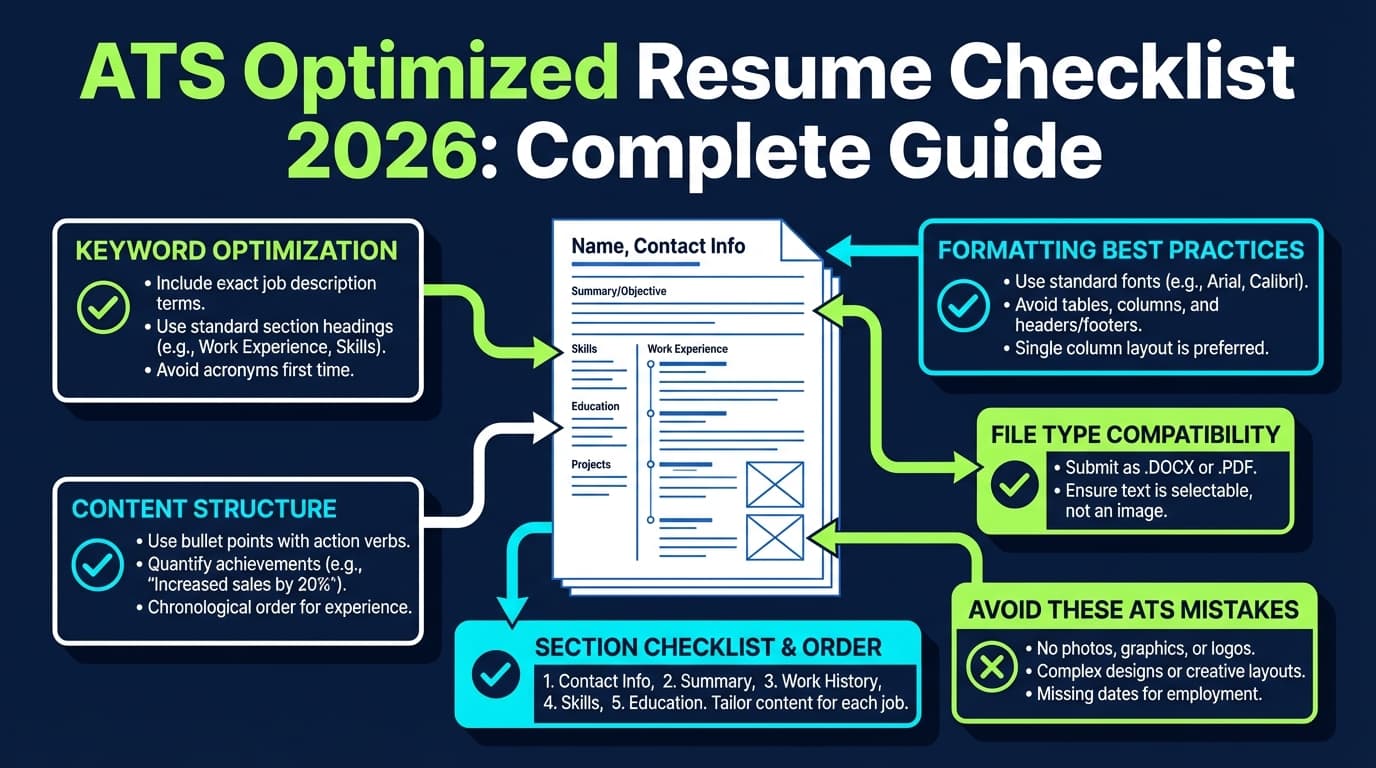
- MIT warns against images, text boxes, tables, or fancy graphics that may be distorted/ignored/erased.
Source: MIT Career Advising https://capd.mit.edu/resources/make-your-resume-ats-friendly/ - Columbia recommends simple formatting and to avoid tables and other elements that interfere with parsing.
Source: Columbia Career Education https://www.careereducation.columbia.edu/resources/optimizing-your-resume-applicant-tracking-systems - Notre Dame explicitly says: Do not insert tables, images, or text boxes; columns are not recommended; don’t use headers/footers.
Source: Notre Dame Undergraduate Career Services https://undergradcareers.nd.edu/preparation/professional-documents/resume/
Bottom line: A career-change resume is a “translation + proof” document. If it’s not readable and relevant quickly, it loses.
The “Free AI Resume Builder” reality check (so you don’t waste hours)
A lot of tools rank for “free AI resume builder,” but “free” often means:
- You can type your resume, but exporting/download is paywalled
- “Free templates” exist, but the ATS-friendly ones are premium
- AI writing is limited (or your best outputs are behind a subscription)
The safest truly free approach
If you want a genuinely free workflow, use:
- A clean resume template in Google Docs or Word
- A free AI chat tool for: keyword extraction, bullet rewrites, summary drafts
- Manual editing for truth, clarity, and ATS safety
This guide is built around that approach—then adds optional tools if you want scoring/matching.
How to use a free AI resume builder for career change (step by step)
Step 0: Pick one target (or you’ll create a resume that fits nothing)
Do this first. AI can’t fix a fuzzy target.
Write a one-sentence target statement:
“I’m targeting [role] in [industry/company type], using strengths in [3–5 skills] to deliver [outcome].”
Examples:
- “I’m targeting Customer Success Manager roles in B2B SaaS, using onboarding, training, and stakeholder management to improve retention.”
- “I’m targeting Business Analyst roles in healthcare, using reporting, process improvement, and cross-functional collaboration to reduce cycle time.”
If you want two targets: create two versions of your resume. Don’t force one resume to serve two different job families.
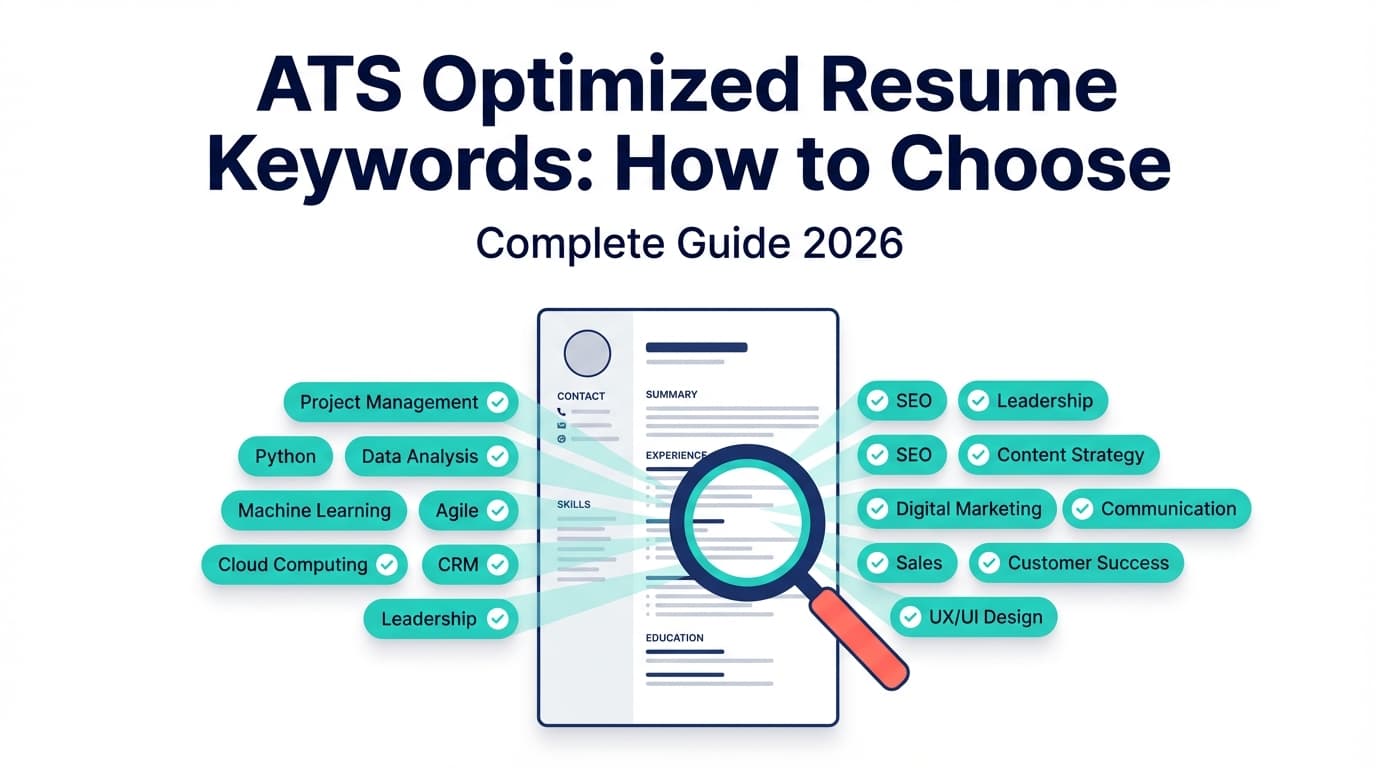
Step 1: Collect 3–7 job descriptions (this becomes your keyword bank)
Grab 3–7 postings for your target role (not just one). Paste them into a doc.
You’re looking for repeat patterns:
- Skills/tools (e.g., SQL, Jira, Salesforce, GA4)
- Core responsibilities (e.g., “stakeholder management,” “process improvement,” “requirements gathering”)
- Outcomes (e.g., retention, conversion, cycle time, cost reduction)
Why multiple job descriptions? One job posting can be weird. Patterns across several postings are what hiring teams consistently screen for.
Step 2: Choose the best resume format for a career change (usually hybrid)
There are three common formats:
- Chronological: most common; best if your titles match
- Functional: skills-first; can raise red flags and confuse ATS/recruiters
- Hybrid (combination): skills + proof up top, then chronological history
For most career changers, hybrid is the safest bet because it:
- Lets you lead with relevant skills and achievements
- Still provides a timeline (recruiters like context)
A hybrid resume structure many guides recommend (and that’s easy for ATS) looks like:
- Header (name + contact + LinkedIn/portfolio)
- Target headline
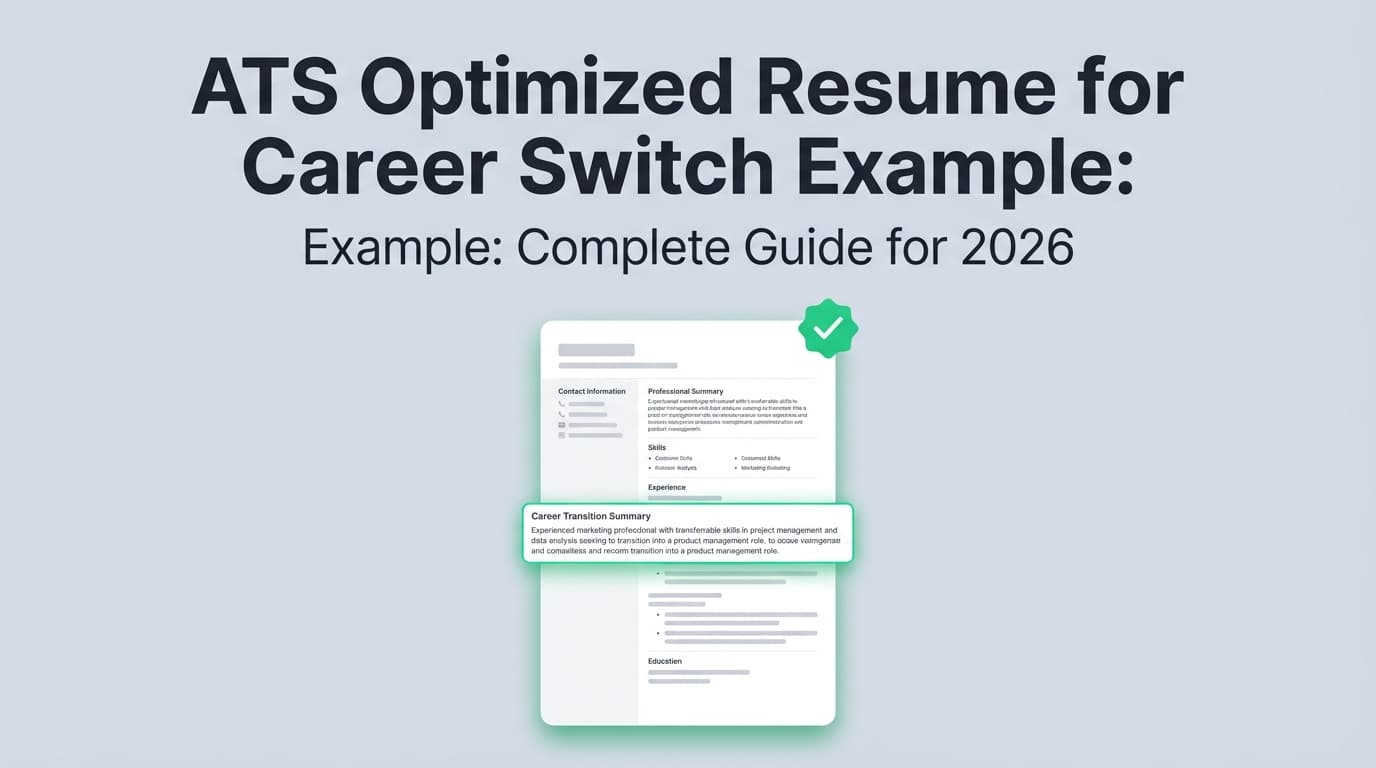
- Summary (3–4 lines)
- Skills (grouped)
- Selected Projects / Selected Achievements (optional but powerful)
- Experience (rewritten bullets)
- Education + certifications
Step 3: Create your “Transferable Skills Proof Map” (your career-change superpower)
This is the part AI can’t do for you—because it requires judgment and honesty.
Create a table like this:
| Target requirement | Your transferable proof | Metric/result |
|---|---|---|
| Stakeholder management | Led weekly alignment across Sales + Ops | Reduced escalations 30% |
| Process improvement | Rebuilt intake workflow | Cut cycle time 10d → 4d |
| Data/reporting | Built KPI dashboard | Improved visibility + decision speed |
This map becomes your resume backbone. Your bullets should be built from it.
If you’re not sure what counts as transferable: transferable skills are skills you can carry into a new role (communication, analysis, leadership, planning, problem solving). University career sites define them similarly (for example, UC Santa Barbara defines transferable skills as non-specific skills applicable across contexts).
Source: UCSB Career Services https://career.ucsb.edu/grad-students/non-academic-careers/identify-transferable-skills
Step 4: Use AI to extract keywords + responsibility themes from job descriptions
Open your AI chat tool and paste 1–3 job descriptions.
Copy/paste prompt: Keyword + theme extractor
Act as a recruiter hiring for this role.
- Extract the top 15 hard-skill keywords/tools.
- Extract the top 10 soft-skill keywords.
- Identify the top 5 responsibility themes.
- Provide synonyms/alternate phrasing for each theme.
Here is the job description: [paste]
Now you have a keyword list you can use ethically:
- Translate your wording to match employer language (truthfully)
- Reorder content so the most relevant terms appear earlier
- Identify gaps you can close with a project or short course
Step 5: Pick an ATS-safe template (or build one) before writing
This prevents you from writing great content into a layout the ATS can’t read.
ATS-safe formatting guidance (cross-validated):
- MIT cautions against tables/text boxes/graphics that may be misread.
https://capd.mit.edu/resources/make-your-resume-ats-friendly/ - Columbia recommends simple formatting and avoiding tables and complex elements.
https://www.careereducation.columbia.edu/resources/optimizing-your-resume-applicant-tracking-systems - Notre Dame explicitly discourages tables, text boxes, and columns; also discourages headers/footers.
https://undergradcareers.nd.edu/preparation/professional-documents/resume/
Recommended “safe default” template rules
- One column
- Standard headings: Summary, Skills, Experience, Education
- No icons, no graphics, no headshot
- No tables (even for skills)
- Skills as simple comma-separated lists or bullet lists
- Dates and titles consistently formatted
Step 6: Draft a career-change headline + summary that makes sense in 7 seconds
Your summary is not a biography. It’s a positioning statement.
Good career-change summary answers:
- Who you are (professionally)
- What you’re pivoting to
- Why you’re credible (proof)
Career-change summary formula (3 lines)
- Line 1: Identity + strength
- Line 2: Target role + focus
- Line 3: Proof (metrics/scope)
Example (Teacher → Instructional Designer)
Educator with 7+ years designing curriculum, leading training, and improving learner outcomes.
Transitioning into Instructional Design roles focused on adult learning and enablement.
Built 20+ learning modules, improved assessment scores by 18%, and partnered with stakeholders to deliver programs on deadlines.
Copy/paste prompt: career-change summary generator
Write 6 resume summary options for a career changer targeting [role].
Rules: ATS-friendly, no fluff, no buzzwords, 3 lines max, include 1 measurable result if possible.
My proof map + background: [paste proof map + 3–5 achievements]
Pro tip: If AI gives you hype (e.g., “dynamic results-driven”), ask it to rewrite in plain language.
Step 7: Build a skills section that’s grouped (and actually used in your bullets)
A career-change skills section should not be a random pile.
Group it by themes that map to the job descriptions:
Skills
- Analytics: SQL (basic), Excel (pivot tables), KPI reporting, dashboards
- Operations: process mapping, documentation, SOP creation, QA
- Collaboration: stakeholder management, cross-functional coordination, training
Then make sure your bullets contain evidence for those skills—otherwise it looks like keyword stuffing.
Step 8: Rewrite your experience bullets into target-role proof (this is where most career changers win or lose)
Most resumes list duties. Career-change resumes must show transferable impact.
Use a simple bullet pattern:
Action + Scope + Method + Result
- Action: what you did
- Scope: who/what it affected
- Method: how (tools/skills)
- Result: measurable outcome
Before/after examples (you can model these)
Before (generic):
- Responsible for managing schedules and daily operations.
After (target-role proof):
- Coordinated scheduling across a 12-person team and standardized handoffs, reducing missed coverage incidents by 25%.
Before (jargon-heavy):
- Owned internal comms and stakeholder updates.
After (clear + role-aligned):
- Created a weekly stakeholder update cadence across 5 departments, improving decision turnaround time and reducing last-minute escalations.
Before (task list):
- Helped with reporting and tracking performance.
After (measurable):
- Built and maintained a KPI tracker in Excel to monitor turnaround time and backlog; enabled weekly prioritization that reduced backlog by 20%.
Copy/paste prompt: bullet rewriting for a career change
Rewrite these bullets for a candidate transitioning into [target role].
Requirements: start with strong verbs, remove internal jargon, keep ATS-friendly, and include metrics where possible (don’t invent numbers—ask clarifying questions if needed).
Align with these keywords: [paste keywords].
Here are my original bullets: [paste]
Important: Never let AI invent tools, titles, or metrics. If you don’t have numbers, use honest scope:
- “supported X stakeholders”
- “served ~X customers weekly”
- “handled high-volume intake”
- “reduced rework by standardizing…”
Step 9: Add “bridge experience” if your titles don’t match (projects, volunteering, coursework)
If your work history doesn’t scream “fit,” you need a section that does.
Best options for bridge credibility
- Target-role project (personal or volunteer)
- Portfolio (writing, design, analysis, code)
- Relevant certification (only if employers recognize it)
- Freelance or internship-style work
Bridge section examples
- Selected Projects
- Relevant Projects
- Portfolio Highlights
- Training + Projects
Example (Operations → Data Analyst) Relevant Projects
- Sales dashboard (self-directed): Cleaned and analyzed sample sales data; built dashboard showing pipeline conversion and churn risk flags; documented methodology and assumptions.
Copy/paste prompt: bridge project generator
Propose 5 realistic portfolio projects for someone transitioning from [your background] to [target role].
For each project, include: goal, dataset/source (if applicable), tools, deliverable, and how to write it as a resume bullet.
Constraints: projects must be doable in 7–14 days.
Step 10: Make your resume ATS-friendly (formatting rules you can trust)
This is the “don’t get rejected for avoidable reasons” section.
ATS-friendly checklist (university-backed)
- One column
- No tables, no text boxes, no graphics (MIT, Columbia, Notre Dame)
- Avoid headers/footers for critical info (Notre Dame explicitly discourages headers/footers)
- Use standard headings
- Simple bullets
- Consistent date formatting
- Don’t hide keywords in white text (yes, people do this; it can backfire)
Sources:
- MIT https://capd.mit.edu/resources/make-your-resume-ats-friendly/
- Columbia https://www.careereducation.columbia.edu/resources/optimizing-your-resume-applicant-tracking-systems
- Notre Dame https://undergradcareers.nd.edu/preparation/professional-documents/resume/
Step 11: Choose the right file type (PDF vs DOCX) the smart way
There’s debate here, and it depends on the employer’s system.
Practical rule:
- If the application asks for DOCX, submit DOCX.
- If it allows PDF and you’re confident the PDF is text-based and cleanly exported, PDF is often fine.
For deeper discussion, Jobscan (a major ATS-oriented tool/site) has a PDF vs Word breakdown (note that some Jobscan pages may be access-restricted depending on location).
Source: Jobscan PDF vs Word page (may be restricted) https://www.jobscan.co/blog/resume-pdf-vs-word/
Step 12: Tailor efficiently (without rewriting your entire resume for every job)
Tailoring doesn’t mean starting from scratch.
Fast tailoring: change only these areas
- Headline (job title)
- Summary (swap 1–2 keywords)
- Skills (reorder groups/terms)
- Top 2–4 bullets (mirror top responsibilities)
This gives you 80% of the benefit without burning out.
Copy/paste prompt: quick tailoring
Tailor my resume for this job description using minimal edits.
Only update: headline, summary, skills ordering, and the top 4 bullets under my most recent role.
Do not add any skills/tools I don’t have.
Job description: [paste]
Resume: [paste]
“What should I include?” Career change resume sections (with examples)
1) Headline (target role + credibility hook)
Examples:
- Customer Success Manager | Onboarding + Training | Stakeholder Management
- Business Analyst | Process Improvement + Reporting | Cross-Functional Delivery
- Project Coordinator → Project Manager | Operations + Execution | Agile Fundamentals
2) Summary (3 lines, proof-forward)
Keep it scannable. You’re optimizing for those first seconds.
3) Skills (grouped, not stuffed)
Avoid listing 30 tools you barely touched. Use your keyword bank and your proof map.
4) Selected Projects (optional, but often a career changer’s best section)
If you have a portfolio, include it. If you don’t, create one small, relevant project.
5) Experience (rewrite bullets to match target role)
Don’t delete your experience—translate it.
6) Education + Certifications
If your education isn’t directly relevant, keep it brief. Put new certifications near the top of this section.
Common mistakes to avoid (that sabotage career changers)
Mistake 1: Leading with your old identity
If your summary screams “I’m a [previous role]” and never connects to the new role, recruiters will default to what’s familiar.
Fix: lead with your transferable strengths and the target role.
Mistake 2: A functional resume that hides context
Many recruiters want to see where/when you did things.
Fix: use a hybrid format instead.
Mistake 3: Using an ATS-hostile template
A beautiful two-column resume with icons can parse poorly.
Fix: one-column, simple formatting (MIT/Columbia/Notre Dame guidance).
Mistake 4: Keyword stuffing
If your skills section is a wall of keywords that aren’t supported in bullets, it looks fake.
Fix: only include keywords you can prove.
Mistake 5: Letting AI invent achievements
AI hallucinations can destroy trust.
Fix: make AI ask questions if metrics are missing; you provide truth.
A “Career Change Proof Pack” framework (steal this)
To make your pivot obvious, you want proof in three layers:
-
Transferable skills (work anywhere)
Examples: stakeholder management, documentation, analysis, training -
Role skills (day-to-day of target job)
Examples:- PM: planning, risk tracking, stakeholder updates
- Analyst: reporting, requirements, data cleaning
- CSM: onboarding, adoption, retention actions
-
Domain proof (shows you “get” the industry)
Examples:- SaaS: churn, ARR, activation
- Healthcare: compliance, workflows
- Marketing: funnel, CAC, conversion
Your resume should show all three—especially #2 and #3 if your titles don’t match.
Copy/paste AI prompts for career changers (a mini prompt library)
Prompt A: “Translate my experience into target-role bullets”
Translate my experience into resume bullets for a [target role].
Use the job description keywords below.
Keep bullets concise (1–2 lines), ATS-friendly, and evidence-based.
Ask me questions if a metric is missing—do not invent numbers.
Keywords: [paste]
My experience notes: [paste]
Prompt B: “Turn this project into a resume-ready experience entry”
Turn this project into a resume entry for [target role].
Include: project title, 3 bullets, tools/skills used, and outcomes.
Project details: [paste]
Prompt C: “Gap finder (skills + credibility)”
Compare my resume to these job descriptions and identify:
- missing hard skills, 2) missing domain language, 3) unclear achievements, 4) the top 5 fixes with the highest impact.
Do not recommend adding skills I don’t have.
Resume: [paste]
Job descriptions: [paste 2–3]
Prompt D: “Plain-English rewrite”
Rewrite this section in plain English for a recruiter skimming in 10 seconds.
Remove buzzwords, keep it confident, and make outcomes obvious.
Text: [paste]
Tools to help with a career-change resume (free + paid)
Free / truly low-cost workflow
- Google Docs / Microsoft Word for an ATS-safe layout
- A free AI chat tool to extract keywords and draft bullet rewrites (you supply truth + metrics)
- A simple “master resume” doc + a “tailored resume” copy per role
When you want more structure: scoring + job matching (optional)
If you want a tighter workflow—build, score, match to a job description, iterate—there are tools designed for that.
-
JobShinobi (paid subscription):
Useful if you want an ATS-focused workflow that combines:- LaTeX resume editing + PDF preview/compile inside the app
- AI resume analysis (score + detailed feedback)
- Job description extraction + resume-to-job matching (match analysis saved)
- Resume version history (useful when tailoring across roles)
- A job application tracker (and email-forwarding ingestion for tracking—this automation is Pro-gated)
Pricing (verified): JobShinobi Pro is $20/month or $199.99/year.
The pricing page/marketing mentions a 7-day free trial, but trial enforcement isn’t clearly verifiable from product logic—treat that as “mentioned,” not guaranteed.Links: /login, /subscription
Why mention a paid tool in a “free” guide? Because many “free AI resume builders” quietly paywall the most useful features. It’s better to be transparent about your options:
- Start free (Docs + AI prompts)
- Upgrade only if you want scoring, matching, and a dedicated workflow
Step-by-step example: how a career changer can rewrite one role
Let’s say you’re moving from Retail Operations to Project Coordinator.
Job description themes (example)
- Coordinate timelines
- Track tasks and risks
- Communicate updates to stakeholders
- Improve processes
Raw experience (messy notes)
- Managed daily store operations
- Coordinated schedules
- Trained new hires
- Reported sales numbers
Rewritten bullets (project-coordinator aligned)
- Coordinated daily operations for a high-volume location; managed schedules and staffing adjustments to maintain coverage and hit service targets.
- Created a weekly reporting cadence for sales and operational KPIs; surfaced issues early and partnered with leadership on corrective actions.
- Led onboarding and training for new hires; standardized training checklists to reduce ramp time and improve consistency.
Notice what changed: same work, but framed as coordination, reporting, process standardization—project coordination proof.
Common “People Also Ask” FAQ (for featured snippets)
Is there a completely free AI resume builder for career changes?
Some tools advertise “free,” but many restrict downloads or premium templates. The most reliable truly free setup is: Google Docs/Word + a free AI chat tool to generate keyword lists, rewrite bullets, and draft summaries—then you edit for accuracy and ATS formatting.
How do I write a resume for a career change step by step?
- Pick a target role
- Collect 3–7 job descriptions
- Extract keywords/themes
- Build a transferable proof map
- Use a hybrid resume format
- Write a 3-line summary for the pivot
- Rewrite bullets into outcomes
- Add bridge projects if needed
- Make formatting ATS-safe
- Tailor headline/summary/skills + top bullets per job
What is the best resume format for a career change?
For most career changers, a hybrid (combination) resume works best because it highlights relevant skills and achievements while keeping a clear work-history timeline.
Should I use a functional resume when changing careers?
Usually not. Functional resumes can hide context and raise questions. A hybrid resume typically gives you the skills-first benefit without losing the timeline recruiters expect.
What should I put in my summary if I’m switching careers?
Use a 3-line structure:
- Your professional identity + strength
- The target role
- Proof (metrics/scope) that shows you can do the work
How do I make my resume ATS-friendly?
Use a one-column format, standard headings, and avoid complex design elements (tables, text boxes, images). Multiple university career sites recommend simple formatting for ATS compatibility:
- MIT: https://capd.mit.edu/resources/make-your-resume-ats-friendly/
- Columbia: https://www.careereducation.columbia.edu/resources/optimizing-your-resume-applicant-tracking-systems
- Notre Dame: https://undergradcareers.nd.edu/preparation/professional-documents/resume/
How long do recruiters spend on a resume?
The Ladders’ eye-tracking study found an average initial resume screen of 7.4 seconds (2018).
Source: https://www.theladders.com/static/images/basicSite/pdfs/TheLadders-EyeTracking-StudyC2.pdf
Key takeaways
- “Free AI resume builder” often means “free to type, paid to export.” A truly free workflow is Docs/Word + free AI prompts.
- Career-change resumes win by translation + proof, not by listing duties.
- Use a hybrid format, lead with a 3-line pivot summary, and rewrite bullets into outcomes.
- Keep formatting simple and ATS-safe (MIT, Columbia, and Notre Dame all recommend avoiding complex formatting like tables/text boxes).
- If you want a dedicated workflow with scoring + job matching, consider purpose-built tools—but be honest about pricing and paywalls.