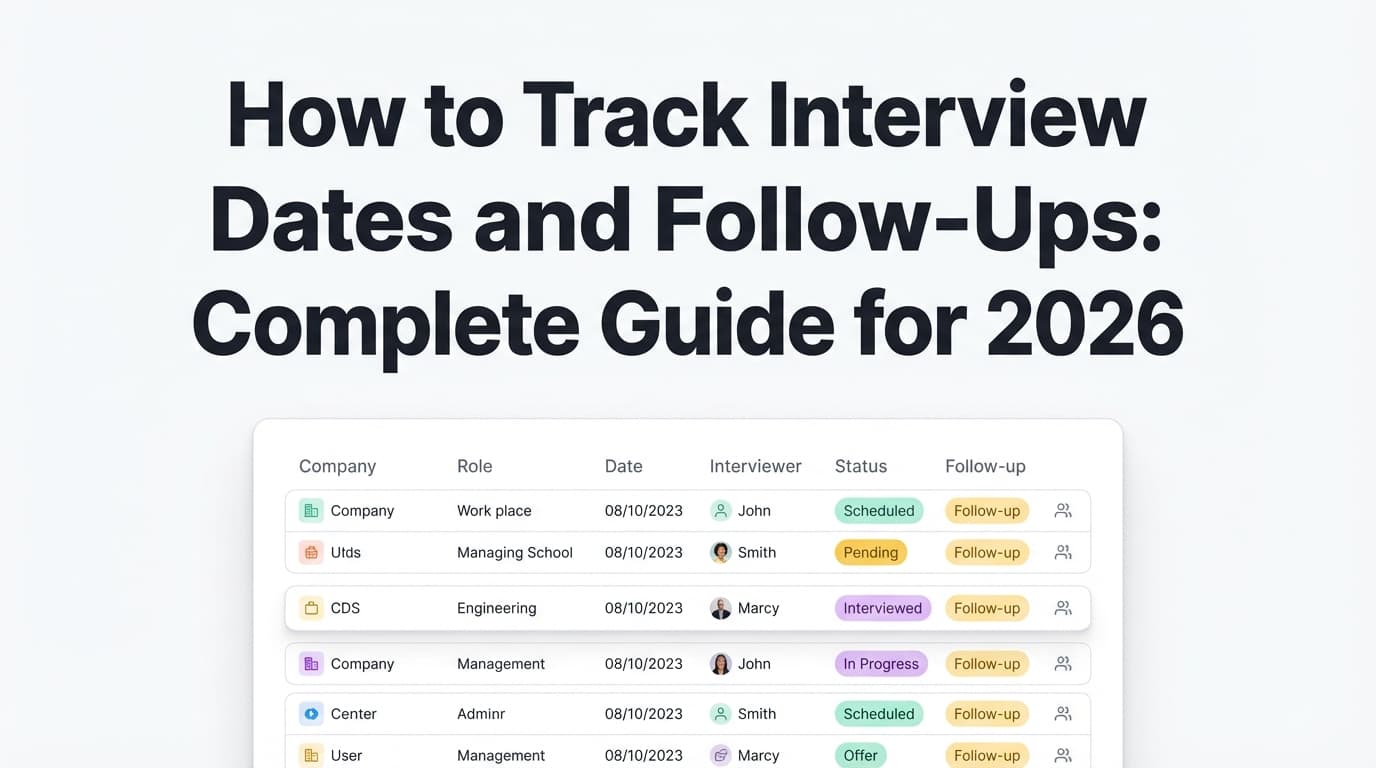
If you’re sending out applications and not getting interviews, it’s easy to assume one of two things:
- “My resume is terrible.”
- “The job market is broken.”
Sometimes both are partially true. But most job searches fail for a simpler reason:
You’re not measuring the steps between “Applied” and “Interview,” so you can’t see what to fix (or what’s improving).
And the backdrop matters:
- Only ~3% of applicants were invited to interview in 2024 (about 3 out of 100), according to CareerPlug’s recruiting benchmarks. (High confidence)
Source: https://www.careerplug.com/recruiting-metrics-and-kpis/ - Application volume surged—Ashby reports ~2.6–3× growth in job applications at the start of 2024 in their recruiting dataset. (Medium confidence: strong primary source, but context is specific to Ashby’s data/time window)
Source: https://www.ashbyhq.com/talent-trends-report/reports/2023-recruiter-productivity-trends-report - 98.4% of Fortune 500 companies use an ATS, per Tufts Career Center. (Medium confidence: credible university source; the stat is widely repeated but underlying methodology varies across publications)
Source: https://careers.tufts.edu/resources/everything-you-need-to-know-about-applicant-tracking-systems-ats/ - Recruiters move fast: The Ladders’ eye-tracking study found an average initial resume screen of 7.4 seconds (2018). (Medium confidence: primary PDF exists; widely cited)
Source: https://www.theladders.com/static/images/basicSite/pdfs/TheLadders-EyeTracking-StudyC2.pdf
So no—your “applications → interviews” numbers aren’t just vibes. They’re a system. And systems can be improved.
In this guide, you’ll learn:
- The job search metrics that actually matter (and what to ignore)
- The exact formulas for tracking applications to interviews conversion
- A clean funnel + spreadsheet layout you can copy today
- How to diagnose your bottleneck (targeting vs resume vs interview)
- How to run weekly experiments so your numbers improve (instead of staying stuck)
- Tools (including JobShinobi) that reduce manual tracking—without unrealistic claims
What are job search metrics (and what does “applications to interviews” mean)?
Job search metrics are measurable indicators that show how your job search is performing over time—similar to how sales teams track leads → calls → closed deals.
When people say “applications to interviews”, they usually mean one of these:
1) Application-to-interview rate (conversion %)
Definition: The percentage of applications that lead to an interview step.
Formula:
Application-to-interview rate = Interviews / Applications
Example:
If you applied to 80 roles and got 4 interviews:
4 / 80 = 0.05 = 5%
2) Applications-per-interview (ratio)
Definition: How many applications it takes (on average) to generate one interview.
Formula:
Applications per interview = Applications / Interviews
Example:
80 / 4 = 20 → you get 1 interview per 20 applications.
Both describe the same reality—one is a percent, the other is a “1 in X” number.
Why tracking job search metrics matters in 2026
1) It turns “I feel stuck” into a specific diagnosis
Are you:
- not getting responses at all? (visibility problem)
- getting responses but not interviews? (positioning problem)
- getting interviews but not offers? (interview performance problem)
Your metrics tell you which one it is.
2) It helps you spend effort where it has leverage
If your interview rate is low, sending 200 more applications isn’t always the best next move. Often, one of these produces a bigger lift:
- tighter targeting
- stronger resume alignment (keywords + proof)
- better sourcing (referrals, recruiter conversations)
- better follow-up timing
3) It creates motivation that’s based on data (not panic)
Progress doesn’t always look like offers. It often looks like:
- faster responses
- more recruiter screens
- better conversion by one source (e.g., referrals)
4) It protects your time
Tracking prevents you from:
- reapplying to the same company twice
- forgetting follow-ups
- losing recruiter contacts
- “spraying and praying” without feedback loops
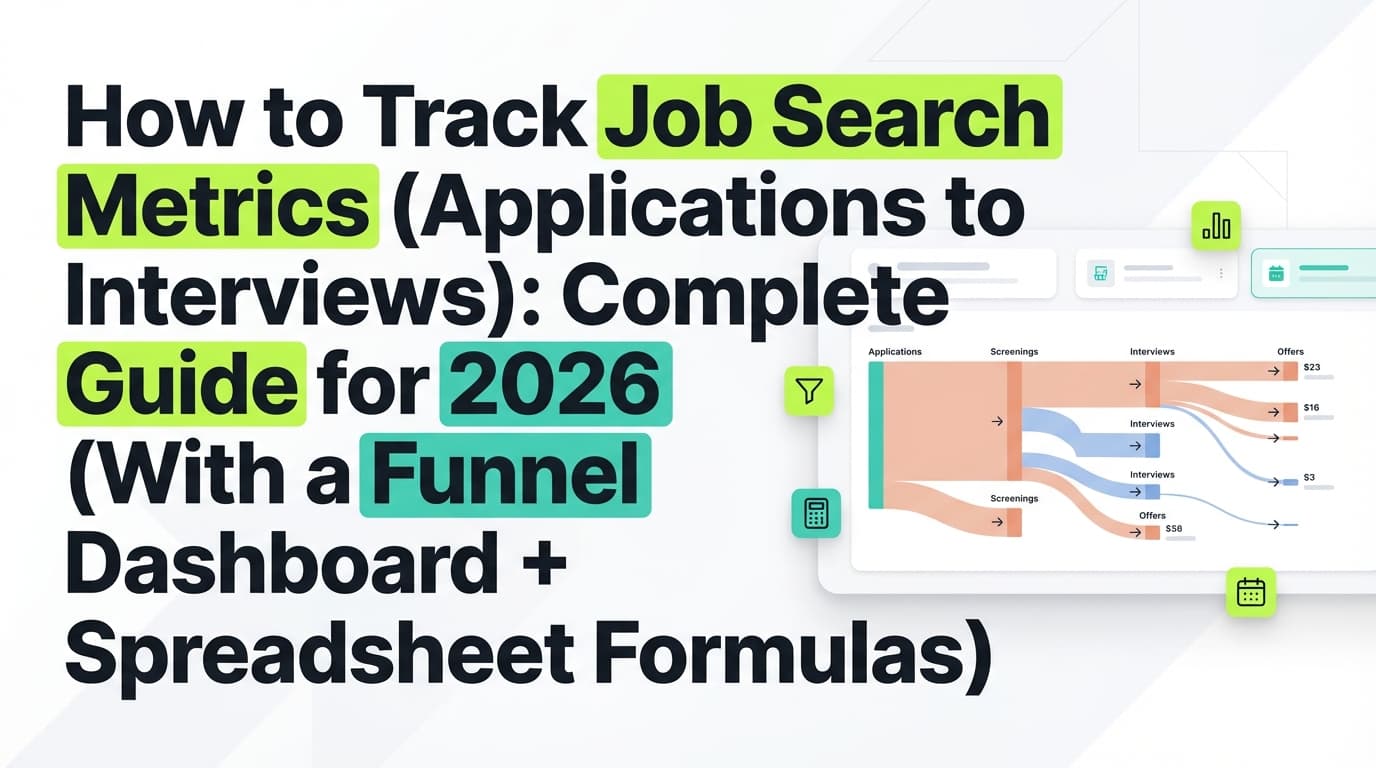
The job search funnel: the simplest model that works
Here’s a funnel that’s simple enough to maintain and powerful enough to diagnose issues.
Recommended stages:
- Saved (optional)
- Applied
- Response (any reply: rejection, recruiter message, assessment invite)
- Interview (define what counts—see below)
- Offer
- Accepted / Declined
- Closed / No response (after X days)
Define “interview” for your tracker
Pick one definition and stick to it:
-
Option A (common): Count recruiter screens as interviews
Pros: you get faster signal.
Cons: inflates “interviews” vs hiring manager interviews. -
Option B: Only count hiring manager interviews and beyond
Pros: stricter metric.
Cons: slower feedback loop.
If you want both, track them separately:
Recruiter screen (Y/N)Hiring manager interview (Y/N)
The only job search metrics you need (start with these 6)
If you try to track 25 metrics, you’ll stop tracking entirely. Start here.
Metric 1: Applications sent (weekly)
Why it matters: conversion rates are meaningless without volume.
Target: Whatever you can maintain without burnout. Consistency beats spikes.
Metric 2: Response rate
Definition: percent of applications that get any response.
Formula:
Response rate = Responses / Applications
Why it matters: it’s your “am I being seen?” metric.
Metric 3: Application-to-interview rate (your main KPI)
Formula:
Interview rate = Interviews / Applications
Metric 4: Applications per interview (the gut-check number)
Formula:
Apps per interview = Applications / Interviews
This is often easier to “feel” than a percent.
Metric 5: Interview-to-offer rate
Once interviews start coming in, this becomes your next bottleneck.
NACE reports an average interview-to-offer rate of 47.5% in a recruiting benchmark context. (Medium confidence: credible org, but context may not match every job seeker funnel)
Source: https://www.naceweb.org/talent-acquisition/trends-and-predictions/calculating-and-using-interview-to-offer-offer-to-acceptance-rates/
Formula:
Interview-to-offer rate = Offers / Interviews
Metric 6: Time-to-first-response (days)
Formula:
Time to response = First response date – Date applied
Indeed reports that:
- 44% hear back within a couple of weeks
- 37% hear back within one week
- 4% hear back within one day (Medium confidence: Indeed is primary; details depend on page/survey)
Source: https://www.indeed.com/career-advice/finding-a-job/how-long-should-you-wait-to-hear-back-about-a-job
Use your own average to decide when to follow up.
How to track job search metrics (applications to interviews): step-by-step
Step 1: Decide your tracking tool
You can do this in:
- Excel / Google Sheets
- Notion / Airtable
- a dedicated job tracker tool
Pick the one you’ll actually maintain.
Rule: If updating takes more than 5 minutes/day, your system is too complex.
Step 2: Set up your “Applications” table (copy this structure)
Minimum columns (recommended):
- Company
- Role title
- Source (LinkedIn, company site, referral, recruiter, etc.)
- Job URL
- Date applied
- Current status (Applied / Response / Interview / Offer / Rejected / Closed)
- First response date
- Interview date (or first interview date)
- Notes
- Contact (recruiter name + email/LinkedIn)
Optional columns that make analysis way better:
- Resume version (A/B/C)
- Tailored? (Y/N)
- Referral? (Y/N)
- Level (junior/mid/senior)
- Location constraint (remote/hybrid/on-site)
Why these matter: they let you segment your interview rate by what you can control.
Step 3: Create a “Metrics Dashboard” tab (with formulas)
A) Define your time window
Most people track weekly and monthly:
- Week: operational rhythm
- Month: trend and seasonality
B) Count your totals (examples)
In your dashboard you want totals like:
- Applications this week
- Responses this week
- Interviews this week
- Offers this week
How you count depends on your sheet, but conceptually:
- Applications: count rows where Date applied is within the time window
- Responses: count rows where First response date is within the time window (or status moved out of Applied)
- Interviews: count rows where Interview date is within the time window
- Offers: count rows where status = Offer
C) Core KPI formulas
Response rate = Responses / ApplicationsInterview rate = Interviews / ApplicationsApps per interview = Applications / InterviewsOffer rate (from interviews) = Offers / Interviews
Pro tip: Guard against divide-by-zero errors (when interviews = 0). In spreadsheets, wrap with an IF statement.
Step 4: Track segments, not just totals
Overall interview rate can hide what’s really happening.
Segment by:
Segment 1: Source
Track interview rate for:
- Company career site
- LinkedIn Easy Apply
- Recruiter outreach
- Referral
- Niche boards
Often, your “best” segment will surprise you.
Segment 2: Role family
Example:
- Data Analyst vs Analytics Engineer vs BI Analyst
If one role family produces 3× the interviews, you just found leverage.
Segment 3: Resume version
If “Resume B” converts better, you now have evidence about positioning.
Step 5: Add one “next action” to avoid dropped balls
Most tracking systems fail because they don’t drive action.
Add a column:
- Next action date
- Next action (follow up, prep, thank-you, etc.)
Then filter your sheet daily by “Next action date = today.”
The cleanest job application tracker spreadsheet template (with example rows)
Here’s a practical layout that works for high-volume job searching.
| Company | Role | Source | Date Applied | Status | First Response Date | Interview Date | Resume Version | Referral | Next Action Date | Notes |
|---|---|---|---|---|---|---|---|---|---|---|
| Acme | Data Analyst | Company Site | 2026-01-05 | Applied | B | No | 2026-01-12 | Follow up if no response | ||
| BetaCo | BI Analyst | Referral | 2026-01-07 | Interview | 2026-01-10 | 2026-01-12 | A | Yes | 2026-01-13 | Prep STAR stories |
| Delta | Analyst | 2026-01-08 | Rejected | 2026-01-09 | B | No | Auto rejection |
How to interpret your applications-to-interviews metrics (without spiraling)
First: benchmarks are context, not judgment
CareerPlug’s benchmark that ~3% of applicants are invited to interview is an employer-side benchmark. Your personal number may be higher or lower depending on industry, seniority, and sourcing. (High confidence on the benchmark; medium confidence on applying it to every job seeker funnel)
Source: https://www.careerplug.com/recruiting-metrics-and-kpis/
A practical interpretation framework
Use ranges as a diagnostic, not a moral score:
- < 2% interview rate: likely targeting/resume/ATS-readability issue (or extremely competitive niche)
- 2–5%: workable baseline; improvements often come from sourcing + tailoring + focus
- > 5%: strong; biggest gains may shift to interview performance or opportunity quality
If your rate is low, that doesn’t mean you’re doomed. It means the system is telling you where to focus.
Bottleneck diagnosis: what your metrics are telling you
Scenario A: Low response rate + low interview rate
Symptoms
- Lots of “Applied”
- Few responses
- Few screens/interviews
Most likely causes
- applying to roles you don’t match closely enough
- resume not aligned to job keywords
- resume formatting causing parsing issues (common in ATS-heavy flows)
- unclear positioning (title mismatch, weak bullets, no proof)
What to test next (for 2 weeks)
- Narrow your role titles (be more specific)
- Rework top-third of resume (headline + summary + top bullets)
- Mirror the job description’s required skills (without keyword stuffing)
- Remove ATS-risky formatting (columns/tables/icons can be problematic in many systems; see ATS resources like MIT Career Advising and other university career centers) (Medium confidence: guidance is consistent across career centers; ATS behavior varies by system)
Example resource (MIT): https://capd.mit.edu/resources/make-your-resume-ats-friendly/
Why this matters: recruiters make fast decisions. The Ladders’ report found 7.4 seconds on initial screen. (Medium confidence)
Source: https://www.theladders.com/static/images/basicSite/pdfs/TheLadders-EyeTracking-StudyC2.pdf
Scenario B: Responses exist, but interviews don’t
Symptoms
- recruiters reply
- you get rejections after initial contact
- screens don’t convert to interviews
Likely causes
- mismatch appears once they read deeper (requirements, seniority, domain)
- your “story” isn’t clear (what problem you solve, proof, scope)
- constraints surface late (location, salary expectations, visa)
What to test
- tighten your pitch: 30-second intro + 2 proof points
- build a “requirements match” cheat sheet per role (3–5 must-haves)
- adjust targeting to roles where you match the top requirements, not just “could do it”
Scenario C: Interviews happen, but offers don’t
Symptoms
- decent interview rate
- low offer rate
Likely causes
- interview storytelling and structure (weak STAR stories)
- not handling objections (gaps, transitions, scope)
- inconsistent practice
What to test
- create 8–12 STAR stories and rehearse them
- do post-interview retrospectives: what questions did you fumble and why?
- run mock interviews weekly
NACE’s 47.5% interview-to-offer benchmark is a useful reference point (recruiting context). (Medium confidence)
Source: https://www.naceweb.org/talent-acquisition/trends-and-predictions/calculating-and-using-interview-to-offer-offer-to-acceptance-rates/
The weekly job search review (the “secret sauce”)
Tracking isn’t the goal. Using the data to change your behavior is the goal.
Do this once per week (30 minutes):
1) Scoreboard
- Applications sent:
- Responses:
- Interviews:
- Offers:
Calculate:
- Response rate:
- Interview rate:
- Apps per interview:
2) Segment check (one chart or quick counts)
- Interview rate by source
- Interview rate by role family
- Interview rate by resume version
3) Identify your bottleneck (pick one)
- Visibility (responses low)
- Conversion (responses ok, interviews low)
- Closing (interviews ok, offers low)
4) Choose ONE experiment for next week
Examples:
- Apply only to roles posted within the last 7 days
- Apply only via company sites (or only via referrals)
- Send 10 targeted referral messages before applying
- Replace your resume summary and test Resume Version B
5) Define your “stop rule”
If an experiment doesn’t improve your numbers after 2 weeks, stop it and test something else.
Common mistakes that make job search metrics useless
Mistake 1: Only tracking “Applied” and “Rejected”
You need the middle steps (response, screen, interview) or you can’t diagnose.
Mistake 2: No dates
Without dates, you can’t measure time-to-response or follow-up timing.
Mistake 3: Changing definitions mid-search
If “interview” means different things week to week, your trendline becomes meaningless.
Mistake 4: Not tracking source
Source is often your biggest lever. Don’t skip it.
Mistake 5: Treating “no response” as neutral forever
Set a rule like:
- if no response in 30 days → mark “Closed/No response”
This keeps your dataset clean.
Tools to help with tracking job search metrics (applications → interviews)
Spreadsheets (Excel / Google Sheets)
Best for: control + formulas + segmentation
Downside: manual updates can be exhausting
Notion / Airtable
Best for: flexible CRM-style workflows
Downside: easy to overbuild and stop maintaining
Dedicated job trackers
Best for: structured pipeline UI, reminders, less setup
Downside: less customizable than a spreadsheet
JobShinobi (job tracker + analytics + optional email-forwarding automation)
If your biggest pain is keeping your tracker updated, JobShinobi is built around reducing manual entry and showing job search analytics.
What JobShinobi supports (accurate, evidence-based):
- A job application tracker where you can create/update/delete applications and use statuses like Applied, Interview, Rejected, Offer, Accepted. (High confidence)
- An analytics dashboard that computes metrics like response rate and interview conversion from your tracked applications. (High confidence)
- Export to Excel (.xlsx). (High confidence)
- Email forwarding to automatically log job application emails into your tracker—requires JobShinobi Pro. (High confidence)
Pricing (what you can safely say):
- JobShinobi Pro is $20/month or $199.99/year. (High confidence)
- The pricing copy mentions a “7-day free trial,” but trial mechanics are not clearly verifiable from product logic—so treat that as mentioned, not guaranteed. (High confidence on the mention; medium confidence on how it’s enforced)
Important limitations:
- Export is Excel, not a direct Google Sheets export. (High confidence)
- No calendar scheduling/integration is supported (you can track “Interview” status, but it’s not a scheduling tool). (High confidence)
Internal links (if you’re publishing within JobShinobi’s site structure):
- Job Tracker:
/dashboard/job-tracker - Analytics:
/dashboard/analytics
A simple 2-week plan to improve your applications-to-interviews rate
Week 1: Data integrity (no fancy tags)
Goal: 100% accurate logging
Track only:
- Date applied
- Status
- First response date
- Interview date
- Source
At the end of the week, calculate:
- response rate
- interview rate
- apps per interview
Week 2: One controlled experiment
Pick one variable:
- source
- role family
- resume version
- follow-up timing
Compare Week 2 to Week 1.
Your goal isn’t perfection—your goal is learning what moves your numbers.
FAQ (common “People Also Ask” style questions)
What is the ratio of job applications to interviews?
You can express it as:
- Applications per interview (e.g., 1 interview per 25 applications), or
- Application-to-interview rate (e.g., 4%).
CareerPlug reports an employer-side benchmark where the applicant-to-interview ratio in 2024 was ~3%. (High confidence for the benchmark; your personal results can differ)
Source: https://www.careerplug.com/recruiting-metrics-and-kpis/
What is a good application-to-interview rate?
It depends on role, seniority, and sourcing, but a practical diagnostic framework is:
- <2%: likely targeting/resume issues
- 2–5%: workable baseline
- >5%: strong; focus may shift to interview performance
Use your own trendline and segment by source to get the most meaningful answer.
How do I calculate my application-to-interview conversion rate?
Use this formula:
Interview rate = Interviews / Applications
Example: 5 interviews from 100 applications = 5%.
How long should I wait to hear back after applying?
It varies by industry and employer. Indeed reports:
- 44% hear back within a couple of weeks
- 37% within one week
- 4% within one day (Medium confidence: Indeed as primary; survey context varies)
Source: https://www.indeed.com/career-advice/finding-a-job/how-long-should-you-wait-to-hear-back-about-a-job
Use your own time-to-response average to decide follow-up timing.
Do most companies use ATS?
Many do—especially large employers. Tufts Career Center states 98.4% of Fortune 500 companies use an ATS. (Medium confidence)
Source: https://careers.tufts.edu/resources/everything-you-need-to-know-about-applicant-tracking-systems-ats/
How many seconds do recruiters spend on a resume?
The Ladders’ eye-tracking study reported an average initial screen of 7.4 seconds (2018). (Medium confidence)
Source: https://www.theladders.com/static/images/basicSite/pdfs/TheLadders-EyeTracking-StudyC2.pdf
What should I include in a job application tracker?
At minimum:
- company, role, source, date applied, status
- first response date, interview date(s)
- recruiter/contact info
- follow-up/next action date
Add resume version and “tailored?” if you want to run meaningful experiments.
Key takeaways
- Treat your job search like a funnel: Applied → Response → Interview → Offer
- Your core KPI is application-to-interview rate (and its inverse: applications per interview)
- Track dates (applied + first response + interview) or your metrics won’t drive action
- Segment by source, role family, and resume version to find what actually produces interviews
- Tools can help reduce manual tracking, but only rely on what they truly support