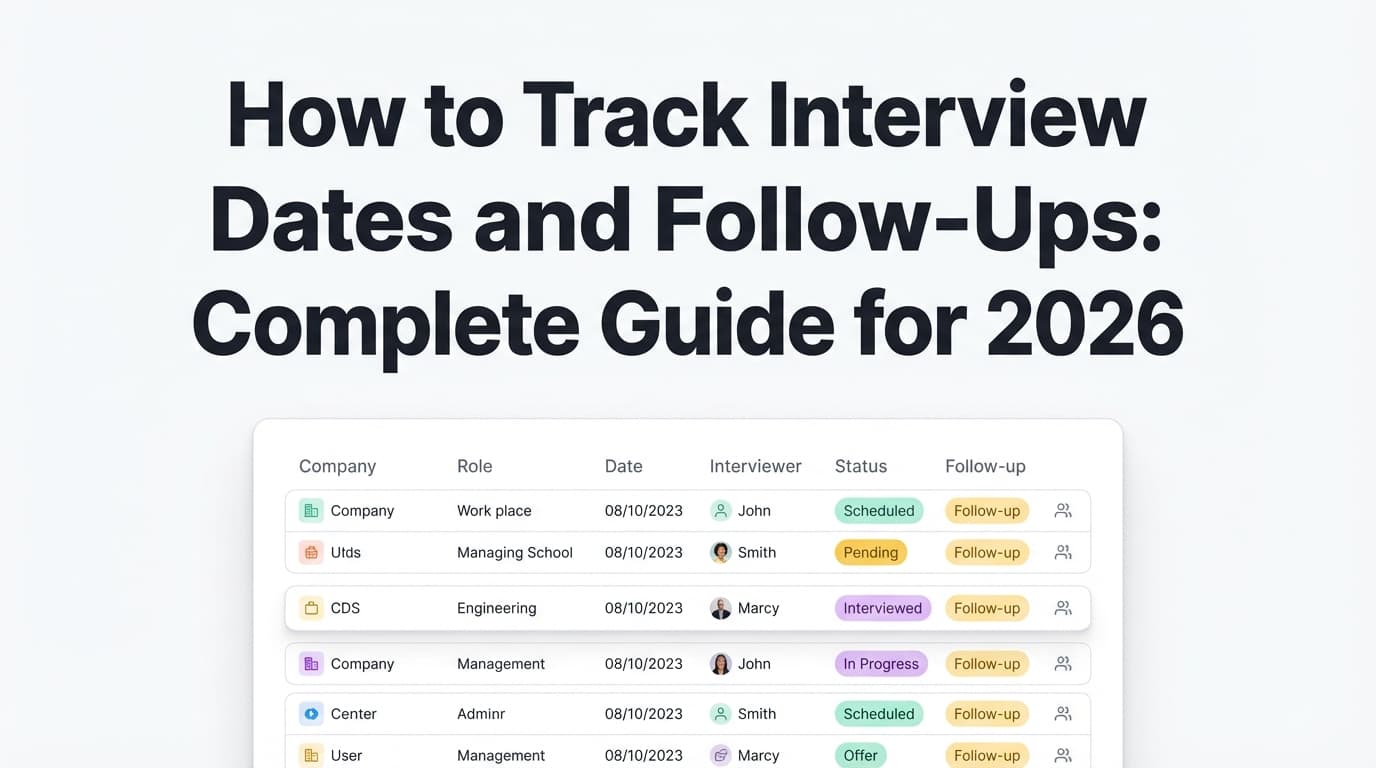
If you’re applying to a lot of roles, your job search can turn into a mess fast:
- interview times scattered across calendars
- follow-ups living in your head (“I think I should check in next week?”)
- email threads you can’t find when you need them
- duplicate applications because you forgot you already applied
- and the worst one: a great interview slipping through the cracks
That’s not a motivation problem—it’s a system problem.
It also matters because hiring takes time. Employ’s 2024 Recruiter Nation Report shows average time-to-fill decreased from 49 days (2023) to 46 days (2024)—still weeks of waiting, scheduling, rescheduling, and “we’re still deciding.”
Source (High confidence): https://pages.jobvite.com/rs/659-JST-226/images/2024-Employ-Recruiter-Nation-Report-Empowering-People-First-Recruiting.pdf
In this guide, you’ll learn:
- The exact tracker fields to use (spreadsheet or app)
- A follow-up timeline you can reuse (so you never “guess” again)
- Excel/Google Sheets formulas and conditional formatting rules to surface overdue follow-ups
- Copy-paste templates for thank-you notes, status checks, and “closing the loop”
- Tools that reduce manual tracking (without overpromising automation)
What does “tracking interview dates and follow-ups” actually mean?
A true interview tracking system answers these questions instantly:
- Where am I in the process? (Applied → Screen → Interview rounds → Offer)
- What happened last, and when? (Last contact date + what was said)
- What’s next? (Next interview date or next follow-up date)
- Who do I contact? (Recruiter vs coordinator vs hiring manager)
- What did they promise? (Timeline, next steps, deliverables)
- What should I do today? (A daily list of next actions)
Think of it as a lightweight CRM for your job search—because once you’re juggling multiple pipelines, your memory is not a reliable database.
Why interview tracking matters in 2026 (with data)
1) Interviews are scarce—protect every one you earn
CareerPlug reports employers invited about 3% of applicants to interview on average.
Sources (High confidence, CareerPlug-owned pages):
- https://www.careerplug.com/how-to-use-recruiting-metrics-to-hire-better/
- https://www.careerplug.com/recruiting-metrics-and-kpis/
Meaning: if you’re landing interviews at all, those are high-value opportunities. Your tracking system’s job is to prevent avoidable losses (missed follow-up, missed schedule confirmation, wrong timezone, forgotten prep).
2) Candidate experience is rough—silence is common
Greenhouse reports on “ghosting” trends and candidate frustrations. Their State of Job Hunting report notes 61% of job seekers have been ghosted after a job interview (and that it’s increasing).
Source (Medium confidence—Greenhouse is credible, but this is survey reporting and can vary by country/time): https://www.greenhouse.com/blog/greenhouse-2024-state-of-job-hunting-report
Greenhouse’s candidate survey PDF also contains country-specific ghosting data (e.g., US candidates ghosted after interview).
Source (High confidence): https://grnhse-marketing-site-assets.s3.amazonaws.com/production/greenhouse-candidate-survey-april-2024.pdf
Meaning: a structured follow-up system isn’t “pushy”—it’s how you keep a process from drifting into oblivion.
3) Feedback changes behavior (and the relationship)
Greenhouse reports 79% of candidates would reapply to a company if they received feedback after an interview (even if not selected).
Source (High confidence): https://www.greenhouse.com/blog/2024-greenhouse-candidate-experience-report
Meaning: follow-ups that are polite and specific can preserve relationships and sometimes reopen doors.
4) Slow scheduling makes candidates drop out
Cronofy’s Candidate Expectations Report states 42% of candidates reported leaving a recruitment process when it takes too long to schedule an interview.
Source (Medium confidence—credible vendor report, but vendor methodology may vary): https://www.cronofy.com/reports/candidate-expectations-report-2024
Meaning: you want your side of the process to be fast and organized—confirm quickly, provide availability, and track next steps.
5) A thank-you note isn’t optional etiquette in many fields
- Harvard Business Review recommends sending a thank-you email within 24 hours.
Source (High confidence): https://hbr.org/2022/11/how-to-write-a-thank-you-email-after-an-interview - Harvard Law School OPIA also advises thank-you notes within 24 hours.
Source (High confidence): https://hls.harvard.edu/bernard-koteen-office-of-public-interest-advising/opia-job-search-toolkit/interview-follow-up-thank-you-notes/
Meaning: you need a system that automatically surfaces “thank-you due” so you don’t forget after a long day of interviews.
The core idea: build a “single source of truth” + “next action engine”
You need:
- One place where every process lives (spreadsheet or tool)
- A method that turns that data into actions (next follow-up dates + daily review)
Most people do #1 and skip #2. That’s why tracking fails.
How to track interview dates and follow ups: step-by-step system
Step 1: Choose your tracker format (and commit)
Pick one “home base”:
- Spreadsheet (Excel / Google Sheets): maximum control, easiest to customize
- Notion / Airtable: nicer UI, views (board/calendar), but can become complex
- Job tracker app: best if you want less manual entry
Non-negotiable rule: if it’s not in your tracker, it doesn’t exist.
Step 2: Set up the right columns (copy/paste template)
Below is a complete set of fields. Use all of them if you’re applying to many jobs; otherwise, start with the “Minimum set” and expand later.
Minimum columns (works for almost everyone)
- Company
- Role / Job title
- Job link (or req ID)
- Location (Remote/Hybrid/Onsite + city/timezone)
- Source (LinkedIn, referral, company site, recruiter, etc.)
- Status (Applied / Interview / Rejected / Offer / Accepted)
- Date applied
- Interview date(s) (at least next upcoming interview)
- Primary contact (name + email + LinkedIn URL)
- Last contact date (most recent email/call either direction)
- Promised update date (if they gave one)
- Next follow-up date (your internal deadline)
- Next action (short verb: “Send thank-you,” “Follow up,” “Prep case,” etc.)
- Notes (2–6 bullets max)
Power-user columns (recommended for high-volume applicants)
- Resume version used (e.g., “Data Analyst v5 – Healthcare emphasis”)
- Cover letter version used (if applicable)
- Interview round number (0 screen / 1 / 2 / final)
- Interview type (phone, video, onsite, panel, case)
- Compensation range (if known)
- Hiring manager name
- Take-home assignment due date + submitted date
- “Signal” score (1–5): how strong the interview felt / strategic priority
- Red flags / risks (e.g., “role unclear,” “comp below target,” “ghosting pattern”)
Why track resume version? If you tailor (especially for ATS keywords), you want to know what you sent, what got callbacks, and what didn’t.
Step 3: Use status stages that reflect reality (not just emotions)
Keep statuses simple so they’re easy to filter:
- Applied
- Interview (or break into: Screen / Round 1 / Round 2 / Final)
- Rejected
- Offer
- Accepted
If you want more nuance, add a separate field called “Pipeline tag”:
- Waiting for response
- Scheduling
- Debrief / decision pending
- On hold
- Ghosted (internal only)
This prevents your main status list from becoming chaos.
Step 4: Install your default follow-up timeline (so you stop guessing)
These are practical defaults supported by reputable career guidance sources. Adjust for your industry if needed.
A) After applying (before any interview)
Handshake suggests waiting about one week after submitting an application before following up (general guideline).
Source (Medium confidence): https://joinhandshake.com/blog/students/how-to-follow-up-on-job-applications/
My practical rule:
- If you have a human contact (recruiter/referral/hiring manager): follow up 7–10 days after applying.
- If you applied through a portal and have no contact: don’t spam the portal. Focus on networking/referrals instead.
B) After an interview: thank-you note
Send within 24 hours.
Sources (High confidence):
- https://hbr.org/2022/11/how-to-write-a-thank-you-email-after-an-interview
- https://hls.harvard.edu/bernard-koteen-office-of-public-interest-advising/opia-job-search-toolkit/interview-follow-up-thank-you-notes/
C) After an interview: status follow-up
Harvard Business School Online recommends a general rule of waiting five to 10 business days before sending a gentle follow-up (if needed).
Source (Medium confidence): https://online.hbs.edu/blog/post/how-to-follow-up-after-an-interview
My practical rule (easy to track):
- If they gave a timeline: follow up 1–2 business days after that date passes.
- If they gave no timeline: follow up around 5–10 business days after the interview.
D) Second follow-up (if still no response)
If you already followed up once and got nothing:
- send one more follow-up about 5–7 business days later
- after that, “close the loop” and move on (while keeping the relationship polite)
Step 5: Turn your tracker into a daily “next actions” list
A tracker that doesn’t produce actions becomes a journal.
Create a view (or filter) called TODAY that shows any row where:
- Next follow-up date ≤ today
OR - Interview date is within next 7 days
OR - Next action is not blank and status includes Interview
Then check it once per day (10 minutes). That’s it.
Spreadsheet implementation (Excel / Google Sheets)
This is the part that separates “I have a spreadsheet” from “I have a system.”
A) Data validation dropdowns (so your tracker stays clean)
Create dropdowns for:
- Status: Applied, Interview, Rejected, Offer, Accepted
- Interview stage: Screen, Round 1, Round 2, Final
- Priority: A, B, C (or 1–5)
This makes filtering reliable and prevents typos (“Interveiw”).
B) Suggested spreadsheet layout
Tab 1: Applications (master list)
Every job = one row.
Tab 2: Today (filtered view)
Only rows where next follow-up due or interview upcoming.
Tab 3: Templates
Email templates + your “follow-up rules” so you don’t reinvent them.
Tab 4: Metrics (optional)
Counts by status, response rate, interviews/week, etc.
C) Formulas: calculate “Next follow-up date” automatically
You can fully automate this, or semi-automate it.
Option 1 (semi-automatic, easiest to maintain)
You manually set Next follow-up date each time, using your rules.
Best if you don’t want formula complexity.
Option 2 (automatic based on last event)
Example logic (customize to your columns):
- If Status = Applied → follow up 7 business days after Date Applied
- If Status = Interview and Thank-you not sent → thank-you due 1 day after interview
- If Status = Interview and promised update date exists → follow up 1 business day after promised date
- Else → follow up 7 business days after last contact
Google Sheets supports WORKDAY() for business days. Excel supports WORKDAY() too (with the Analysis ToolPak or built-in, depending on version).
Example (conceptual) formula:
=WORKDAY([Date Applied], 7)for application follow-up=WORKDAY([Promised Update Date], 1)for post-deadline follow-up
(You’ll need to adjust syntax based on your sheet structure.)
D) Conditional formatting: highlight overdue follow-ups
This is your “don’t miss anything” safety net.
Excel: highlight overdue follow-ups in red
Use a conditional formatting formula that checks:
- Next follow-up date is not blank
- Next follow-up date is earlier than today
- Status is not Rejected/Accepted
Microsoft’s overview of conditional formatting:
Source (High confidence): https://support.microsoft.com/en-us/office/use-conditional-formatting-to-highlight-information-in-excel-fed60dfa-1d3f-4e13-9ecb-f1951ff89d7f
Google Sheets: highlight follow-ups due today
Use a rule like:
- next follow-up date = today → yellow
- next follow-up date < today → red
Pro tip: also highlight “Interview within 48 hours” so you don’t get caught off guard.
Email organization (because the tracker is only half the system)
Most job seekers lose time because they can’t find the right email thread fast.
A) Create job-search labels/folders
The Muse recommends setting up your inbox and files to stay organized during your job search, including labels by interview type/stage.
Source (Medium confidence): https://www.themuse.com/advice/how-to-organize-track-job-search
Suggested Gmail labels:
- Job Search / Applied
- Job Search / Interview Scheduled
- Job Search / Follow-Up Needed
- Job Search / Offers
- Job Search / Rejected
Then add a column in your tracker called Email subject line or Thread link (if your email client supports it).
B) One thread per role
Always reply in the existing thread when possible. This preserves context and reduces recruiter friction.
How to log interview dates like a project manager (fast, not obsessive)
After every interview, log 3 things (takes 2 minutes):
- What they cared about (top 2 topics)
- What you promised (send work sample, clarify a point, etc.)
- What happens next (timeline + who owns next step)
This also makes your follow-ups sharper because you can reference specifics (“I enjoyed our discussion about X…”).
Copy/paste templates (thank-you notes + follow-ups for common scenarios)
1) Thank-you email (single interviewer, within 24 hours)
Subject: Thank you — [Role] interview
Hi [Name],
Thank you again for taking the time to speak with me on [day]. I enjoyed learning more about [team/project]—especially our discussion about [specific detail].
I’m excited about the role because [1–2 sentence reason tied to their needs]. If it’s helpful, I’m happy to share [work sample / quick clarification].
Thanks again,
[Your Name]
[Phone] | [LinkedIn] | [Portfolio]
2) Thank-you email (panel interview)
Subject: Thank you — [Role] panel interview
Hi [Name],
Thank you (and please extend my thanks to the team) for taking the time to speak with me today about the [Role] position. I appreciated hearing different perspectives on [topic], especially [specific moment].
I’m very interested in the role and believe my experience in [relevant skill] could help with [their stated need].
Best,
[Your Name]
3) Follow-up when their deadline passes (best “not desperate” tone)
Subject: Checking in — [Role] next steps
Hi [Name],
Hope you’re doing well. I’m checking in on next steps for the [Role] position. When we spoke on [date], I believe the team was aiming to share an update by [promised date].
Is there an updated timeline you can share? I remain very interested and am happy to provide anything else you need.
Best,
[Your Name]
4) Follow-up when they gave no timeline
Subject: Quick follow-up — [Role]
Hi [Name],
Hope your week is going well. I wanted to follow up on the [Role] interview from [date] and see if there are any updates on next steps.
Thanks again for your time—looking forward to hearing when you have a moment.
[Your Name]
5) Second follow-up (after one follow-up already)
Subject: Re: [Role] — quick follow-up
Hi [Name],
Just bumping this in case it got buried. Any update you can share on the [Role] process would be appreciated.
Thanks,
[Your Name]
6) “Close the loop” (when you want clarity without burning bridges)
Subject: Re: [Role] — closing the loop
Hi [Name],
I know things get busy. If the team has moved forward or paused hiring, no worries—I’d just appreciate confirmation either way so I can plan accordingly.
Thanks again for your time,
[Your Name]
7) Ask for feedback after rejection (short and realistic)
Subject: Thank you + quick question
Hi [Name],
Thanks for letting me know, and I appreciate the opportunity to interview. If you’re able to share one thing I could improve for future roles, I’d be grateful—completely understand if you can’t.
Thanks again,
[Your Name]
12 best practices to never miss an interview or follow-up
-
Always ask for timeline at the end of every interview.
“What are next steps and timing?” Put it in your tracker immediately. -
Track “last contact date,” not just “interview date.”
If the recruiter emailed you yesterday, your follow-up clock resets. -
Write follow-ups that reference specifics.
One detail from the conversation makes your email feel human (and proves you’re organized). -
Use business days, not calendar days.
Following up on a Saturday often doesn’t help. -
Have a default rule for “no timeline given.”
(HBS Online: 5–10 business days is a common guideline.) -
Create a “Today” view and check it daily.
10 minutes/day beats a 2-hour cleanup session every two weeks. -
Don’t let your tracker become a novel.
Notes should be bullets, not paragraphs. -
Store links, not files.
Link to the job posting, portfolio, and email thread. Don’t bury documents in random folders. -
Track resume versions (especially if you tailor for ATS keywords).
This helps you learn what converts into interviews over time. -
Add a “priority” score so you don’t treat every job equally.
Your energy is limited; your system should reflect that. -
Weekly review (Friday, 15 minutes).
- clear overdue follow-ups
- confirm upcoming interviews
- archive dead roles
- pick top priorities for next week
- Assume delays are normal, not personal.
Remember: average time-to-fill is still measured in weeks (Employ report).
Common mistakes to avoid (and quick fixes)
Mistake 1: Only tracking interview date/time (and nothing else)
Fix: add these three fields:
- last contact date
- promised update date
- next follow-up date
Those three prevent most dropped balls.
Mistake 2: Following up too vaguely (“just checking in…”)
Fix: include:
- role + interview date
- the timeline they gave (if any)
- one clear ask: “Is there an updated timeline?”
Mistake 3: Not tracking who you met
Fix: paste LinkedIn URLs and names into the row. Panels blur together fast.
Mistake 4: Not tracking timezones for remote interviews
Fix: store timezone in your Location column (e.g., “Remote — PT”). It prevents painful mistakes.
Mistake 5: Waiting until you “feel like” following up
Fix: follow your system. If it says follow up Tuesday, you follow up Tuesday—no mood required.
Tools to help you track interview dates and follow-ups (honest options)
1) Spreadsheets + templates (most flexible)
- Excel / Google Sheets (best for formulas + conditional formatting)
- Yale’s job/internship tracking spreadsheet sample is a helpful reference for what to track (contacts, follow-ups, deadlines).
Source (Medium confidence): https://careers.environment.yale.edu/resources/job-and-internship-tracking-spreadsheet-sample/
2) Notion (good if you like boards/calendars)
Notion templates can work well if you keep them simple: company, role, stage, next follow-up, next action.
3) Dedicated job tracker tools (less manual work)
-
JobShinobi (job application tracker + optional email-forwarding automation)
If you want a tracker that lives in an app (not a spreadsheet), JobShinobi includes a job application tracker where you can add/edit applications and manage statuses (Applied / Interview / Rejected / Offer / Accepted). It also supports exporting your job applications to an Excel (.xlsx) file.
Additionally, JobShinobi supports tracking job application updates by forwarding relevant emails to your unique JobShinobi forwarding address—useful if you’re tired of copying details from confirmation/rejection/interview emails into a spreadsheet. Email processing requires a Pro membership.
Pricing: JobShinobi Pro is $20/month or $199.99/year. The pricing page mentions a 7-day free trial, but the trial mechanism isn’t clearly verifiable from the app’s code—so treat the trial as “check at checkout,” not a guarantee.
Internal: see Job Tracker at/dashboard/job-trackerand Analytics at/dashboard/analytics. -
Other tools you may see: Teal, Simplify, Huntr, Jobscan tracker, etc.
Tip: before you switch, verify whether they truly do reminders, calendar integrations, or auto-import—many pages market features differently than the actual product experience.
Your unique angle (how to “beat” generic advice): run a 3-layer system
Most guides tell you “use a spreadsheet.” Here’s the system that actually holds up under volume:
- Tracker layer (spreadsheet/app): the record of truth
- Inbox layer (labels/threads): instant access to context
- Action layer (today view + conditional formatting): what to do next
If any layer is missing, you’ll eventually miss something.
Key takeaways
- The most important fields are: last contact date, promised update date, next follow-up date.
- Send thank-you notes within 24 hours (HBR + Harvard Law School OPIA). (High confidence)
- If there’s no timeline, a common guideline is to follow up in 5–10 business days (HBS Online). (Medium confidence)
- Use conditional formatting so overdue follow-ups become impossible to ignore.
- Tools can help reduce manual work, but verify what’s actually automated.
FAQ (high-intent questions job seekers actually ask)
How soon after an interview should you follow up?
- Thank-you email: within 24 hours (HBR; Harvard Law OPIA).
Sources: - Status follow-up: if they gave a timeline, follow up 1–2 business days after it passes. If no timeline, 5–10 business days is a common guideline (HBS Online: https://online.hbs.edu/blog/post/how-to-follow-up-after-an-interview).
Is 5 days too soon to follow up after an interview?
If they gave no timeline, 5 business days can be reasonable—especially for earlier rounds. If they gave a specific date (“we’ll update you Friday”), wait until Monday/Tuesday (1–2 business days after).
How do you follow up on an interview date (when scheduling is unclear)?
Reply in the scheduling thread and confirm:
- the date
- time
- timezone
- location/link
- who you’re meeting
Example:
“Confirming we’re still on for Tue 2pm PT via Zoom—please let me know if anything changed.”
How many times should you follow up after an interview?
A common professional pattern is:
- thank-you
- one status follow-up
- one final follow-up / close-the-loop
If there’s still no response after that, treat it as inactive and move on while staying polite.
What should I put in a job interview tracker spreadsheet?
At minimum:
- company, role, link
- status/stage
- interview dates
- primary contact
- last contact date
- promised update date
- next follow-up date
- next action
If you tailor your resume, add: resume version used.
How do I track follow-ups so I never forget?
Use two safeguards:
- a Next follow-up date column
- conditional formatting that highlights overdue dates (Excel support doc: https://support.microsoft.com/en-us/office/use-conditional-formatting-to-highlight-information-in-excel-fed60dfa-1d3f-4e13-9ecb-f1951ff89d7f)
Then check your “Today” view once per day.


