If you’ve been applying for weeks (or months) and hearing nothing back, it’s easy to think: “My resume must be getting rejected by ATS.” Sometimes that’s true. Often it’s keyword mismatch + parsing issues + unclear proof—all fixable.
Start with the big picture: 98.4% of Fortune 500 companies use an Applicant Tracking System (ATS), according to Tufts University Career Services. (High confidence; widely echoed across career guidance sites citing similar data.)
Source: https://careers.tufts.edu/resources/everything-you-need-to-know-about-applicant-tracking-systems-ats/
And once your resume reaches a human, you may only have seconds to earn a second look. The Ladders eye-tracking research is widely cited for an initial screen averaging ~7.4 seconds (High confidence; primary PDF + HR Dive coverage).
Sources:
- Ladders PDF: https://www.theladders.com/static/images/basicSite/pdfs/TheLadders-EyeTracking-StudyC2.pdf
- HR Dive summary: https://www.hrdive.com/news/eye-tracking-study-shows-recruiters-look-at-resumes-for-7-seconds/541582/
So when people search “free AI resume builder for ATS keywords explained”, they’re usually asking:
- “What are ATS keywords really?”
- “How do I find the keywords for a job and add them without sounding fake?”
- “Can I do this for free (without paywalls)?”
- “How do I stop obsessing over ATS score and actually get interviews?”
This guide gives you a free workflow (that doesn’t depend on one tool), plus a deeper explanation of ATS keywords, parsing, match rate, and the mistakes that quietly kill your chances.
In this guide, you’ll learn:
- What ATS keywords are (and what they aren’t)
- How ATS parsing works (and what breaks it)
- A step-by-step free workflow to extract keywords and tailor your resume
- ATS keyword examples and before/after rewrites (multiple roles)
- A “no-paywall” tool stack (and what “free” really means)
- Common ATS mistakes (tables, columns, headers/footers, keyword stuffing)
- Where JobShinobi fits—accurately (no made-up “free plan” claims)
What are ATS keywords?
ATS keywords are the words and phrases employers use in job postings—and that recruiters (and ATS search) use to find candidates. They’re usually:
- Job titles (e.g., “Data Analyst”, “Project Manager”, “Customer Success Manager”)
- Hard skills (e.g., “SQL”, “Python”, “Terraform”, “financial modeling”)
- Tools and platforms (e.g., “Salesforce”, “Tableau”, “Workday”, “GA4”)
- Methods/frameworks (e.g., “A/B testing”, “Agile”, “OKRs”, “SOC 2”)
- Certifications (e.g., “PMP”, “AWS Solutions Architect”)
- Industry/domain terms (e.g., “KPI reporting”, “churn”, “ETL”, “stakeholder management”)
ATS keywords are not “magic words”
Two truths that reduce anxiety:
- ATS doesn’t “reject” most resumes like a bouncer. It primarily parses, stores, and makes candidates searchable/sortable. A human still decides.
- Keywords are table stakes. Proof is what wins. Keywords help you show up; accomplishments make you selected.
A useful mental model:
- ATS keywords = discoverability
- Metrics + context = credibility
- Clarity + structure = speed (7.4 seconds)
What is resume parsing (and why it matters more than “ATS score”)?
Most ATS systems don’t read your PDF like a person. They parse it: they try to extract structured data fields such as:
- Name, phone, email
- Company names, titles, dates
- Skills
- Education
- Certifications
A straightforward definition from Bullhorn:
Resume parsing is the process by which a resume is automatically converted and imported into your ATS.
Source: https://www.bullhorn.com/blog/staffing-tech-resume-parsing/ (High confidence; vendor definition)
If parsing breaks, keywords don’t count correctly
If your “Skills” section is inside a table or your dates get scrambled, the ATS may:
- put your title in the wrong field
- miss skills because they’re in a column
- mis-order your experience
- drop contact details if they’re in headers/footers
That’s why a great-looking resume can “feel” invisible.
Why ATS keywords matter in 2026 (with real data)
ATS usage is mainstream, and recruiters rely on tooling.
SelectSoftwareReviews aggregates widely cited ATS statistics, including:
- 75% of recruiters use an ATS or another tech-driven recruiting tool
- 94% of recruiters agree their ATS has had a positive impact on hiring
Source: https://www.selectsoftwarereviews.com/blog/applicant-tracking-system-statistics (Medium–High confidence; aggregation varies by underlying studies, but directionality is consistent.)
And for candidates, the implications are practical:
- You need keyword alignment (so you show up in searches/filters)
- You need clean parsing (so your experience and skills are captured correctly)
- You need human-readable impact fast (because skim time is short)
“Free AI resume builder” usually doesn’t mean what you think
A lot of tools claim “free,” but that can mean:
- Free to type, pay to download/export
- Free templates, AI paywalled
- Free scans, but limited runs
- Free trial (card required; conditions vary)
So the safest approach is a workflow that stays free even if any one vendor changes their paywall.
That’s what we’ll build next.
How to tailor your resume for ATS keywords using a truly free workflow (step-by-step)
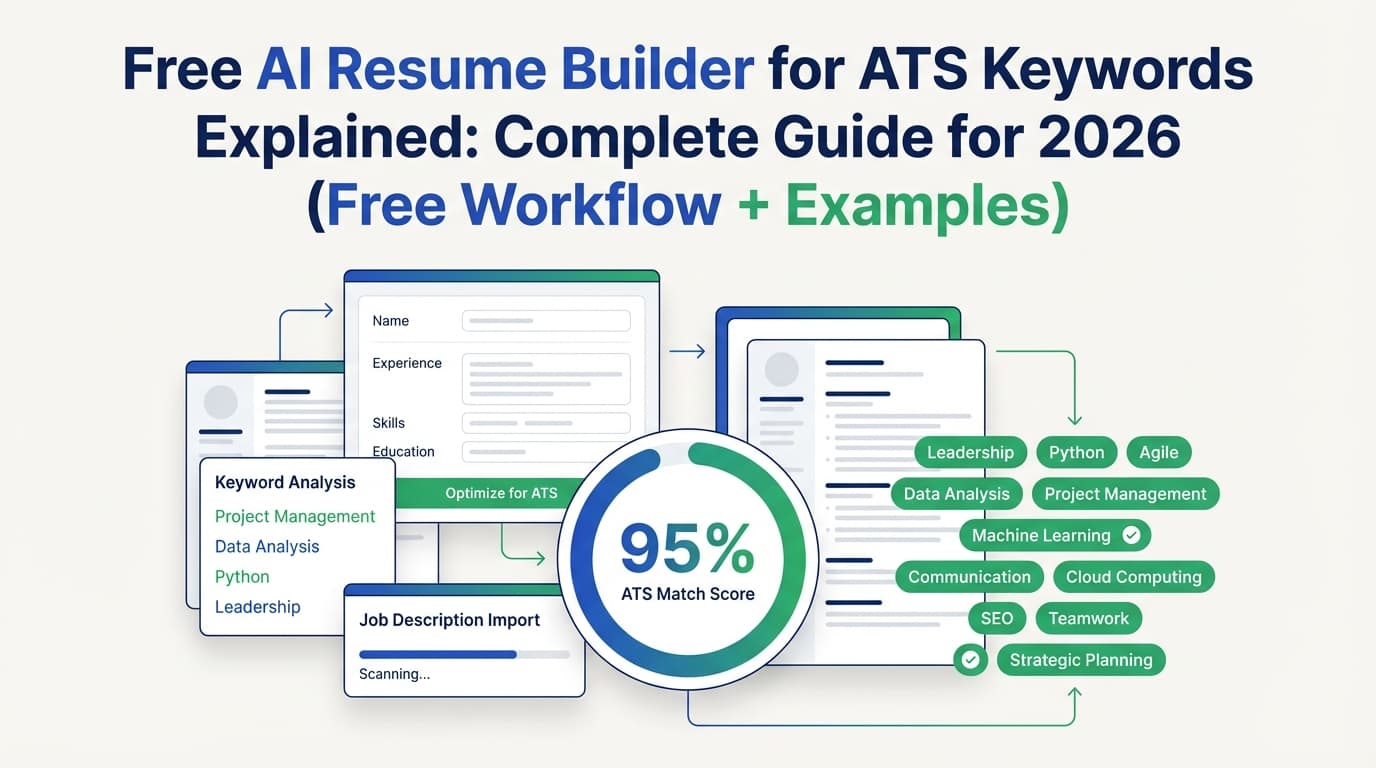
Here’s the no-paywall loop:
- Use an ATS-safe format
- Extract keywords from the job description (manual + AI)
- Build a keyword map (keyword → resume location → proof)
- Rewrite bullets to prove keywords (no stuffing)
- Run a parsing + match sanity check
- Save versions and repeat quickly
Step 1: Start with ATS-safe formatting (before keywords)
If parsing breaks, you can have perfect keywords and still lose.
ATS-safe formatting checklist (fast):
- Single column
- Standard section headings (Skills, Experience, Education, Projects)
- No tables, no text boxes, minimal graphics
- Contact info in the document body (not header/footer)
- Standard fonts and consistent date format
University guidance often reinforces this. A University of Illinois Chicago career services PDF explicitly recommends a single column format (no tables, multiple columns, or text boxes) for ATS optimization.
Source: https://careerservices.uic.edu/wp-content/uploads/sites/26/2017/08/Ensure-Your-Resume-Is-Read-ATS.pdf (High confidence; university career guidance)
Santa Clara University’s career center also notes: avoid tables because they may not be parsed correctly by ATS.
Source: https://www.scu.edu/careercenter/toolkit/job-scan-common-ats-resume-formatting-mistakes/ (High confidence)
Pro tip (the fastest at-home test):
Open your resume PDF → copy all text → paste into a plain text editor.
If dates, titles, or bullets paste out in a weird order, your ATS parse may also be messy.
Step 2: Extract ATS keywords from the job description (free methods)
Pick one specific job posting you’re targeting (not a generic role description). Keyword targeting only works when it matches that posting’s language.
Method A (manual, high accuracy): highlight + bucket
Copy the job posting into a doc and highlight:
- Required qualifications (tools, certs, years)
- Responsibilities (verbs + deliverables)
- Tools/stack
- Domain terms
- Soft skills phrased in the posting (e.g., “stakeholder management”)
Then bucket keywords into:
Bucket 1 — Hard skills & tools (highest priority)
SQL, Tableau, Salesforce, Python, AWS, GA4
Bucket 2 — Role responsibilities (phrases matter)
“build dashboards,” “pipeline forecasting,” “technical documentation”
Bucket 3 — Seniority signals
“lead,” “own,” “mentor,” “drive strategy,” “cross-functional”
Bucket 4 — Nice-to-haves
“dbt,” “Snowflake,” “Looker,” “Airflow”
Method B (free AI): extract keywords without hallucination
Free AI chat tools are helpful, but can invent skills you don’t have or that aren’t in the posting. Use a strict prompt:
Prompt (copy/paste):
You are a resume keyword extractor. I will paste a job description.
Return ONLY keywords and exact phrases that appear in the job description.
Output as JSON with keys: hard_skills, tools_platforms, certifications, responsibilities_phrases, soft_skills_phrases, job_titles.
Rules: Do not add anything that isn’t explicitly present. Do not paraphrase.
Then paste the job description.
Pro tip: Ask for acronyms + expansions present in the posting (e.g., “CRM (Customer Relationship Management)”) so you can mirror employer language.
Step 3: Build a keyword map (the step that prevents keyword stuffing)
Create a simple mapping table:
| Keyword / phrase (from job post) | Where it belongs | Proof you’ll show |
|---|---|---|
| SQL | Skills + Experience bullets | “Wrote SQL queries to…” |
| Tableau dashboards | Experience bullets | “Built Tableau dashboards used by…” |
| Stakeholder management | Experience bullets | “Partnered with X teams to…” |
| Forecasting | Project / Experience | “Built forecast model that…” |
If you can’t attach proof, don’t include the keyword.
This is how you stay honest and optimized.
Step 4: Rewrite bullets to include keywords naturally (and credibly)
Use this bullet formula:
Action verb + keyword + scope + metric + outcome
Bad (keyword dump):
- “SQL, Tableau, dashboards, stakeholder management.”
Good (keyword proven):
- “Built Tableau dashboards powered by SQL queries to track churn and expansion, improving weekly pipeline visibility for Sales and CS leadership.”
Better (adds metric):
- “Built Tableau dashboards powered by optimized SQL queries; reduced manual reporting by 6 hours/week and improved stakeholder alignment in weekly forecast reviews.”
Step 5: Run a “parsing + match” sanity check (free)
You do not need a paid scanner to do basic validation.
Check A: Parse sanity (copy/paste test)
- Copy text from your PDF and paste into plain text.
- Confirm:
- your company names and titles are readable
- dates stay near the correct roles
- Skills list is intact
Check B: “Top-third” visibility
Because recruiters skim fast (~7.4 seconds), the top third should include:
- Target role title (truthful)
- 8–15 high-signal hard skills/tools (for that role)
- 1–2 quantified wins relevant to the job
Sources: Ladders PDF + HR Dive summary (above).
Check C: Match rate as guidance, not a religion
Jobscan recommends aiming around 80% match rate, noting many see success around 75% (Medium confidence; Jobscan is a vendor but provides actionable guidance).
Source: https://www.jobscan.co/blog/what-jobscan-match-rate-should-i-aim-for/
WGU’s career resources (university guidance) similarly recommend aiming for ~75% and explicitly warn you don’t need 100%. (High confidence)
Source: https://careers.wgu.edu/resources/jobscan-information-for-faculty/
Practical takeaway:
- Below ~60%: you probably missed major required terms or the role isn’t a fit
- ~70–85%: usually a solid zone if the resume still reads naturally
- 95–100%: sometimes a sign you’re stuffing or copying phrases without proof
Step 6: Save versions so you can tailor faster (and safer)
Tailoring works best when you can do it quickly without losing your base resume.
Maintain:
- a base resume (clean, ATS-safe)
- a role-family version (e.g., “Data Analyst”, “PM”, “CSM”)
- a job-specific version for each application
If you’re using a resume tool that supports versioning, this is where it saves you time.
ATS keywords explained by category (so you know what to look for)
When you scan a job posting, you’re usually hunting for these keyword categories:
1) Title keywords
Examples:
- “Product Manager”
- “Customer Success Manager”
- “Business Analyst”
Where to place:
- Summary (first line)
- Headline (optional)
- Recent experience (when appropriate)
2) Tool/stack keywords (high impact)
Examples:
- Salesforce, HubSpot, Zendesk
- SQL, Python, Tableau
- Jira, Confluence
Where to place:
- Skills section (exact tool names)
- Experience bullets (prove usage)
- Projects (if relevant)
3) Skill keywords (hard skills)
Examples:
- forecasting, budgeting
- ETL, data modeling
- stakeholder management (often a “soft” skill but searchable)
Where to place:
- Skills + bullets
4) Responsibility phrases (phrases matter)
Examples:
- “build dashboards”
- “manage pipeline”
- “write technical documentation”
- “cross-functional collaboration”
Where to place:
- Experience bullets (mirror phrasing when truthful)
5) Industry/domain keywords
Examples:
- churn, ARR, NPS (SaaS)
- HIPAA (health)
- SOC 2 (security)
- AML/KYC (fintech)
Where to place:
- Summary (if you have domain experience)
- Experience bullets
Keyword examples + before/after rewrites (3 roles)
Below are realistic examples showing how to integrate keywords without “stuffing.”
Example 1: Data Analyst (SQL + dashboards)
Job posting keywords (sample):
- SQL
- Tableau
- dashboards
- KPI reporting
- A/B testing
- cross-functional stakeholders
Before (generic):
- “Created dashboards and reported KPIs to management.”
After (ATS + human readable):
- “Created Tableau dashboards for weekly KPI reporting using SQL extracts; partnered with cross-functional stakeholders to align metrics definitions and improve decision speed.”
After (stronger with proof):
- “Built Tableau dashboards for retention and funnel KPI reporting using optimized SQL queries; reduced reporting turnaround from 2 days to same-day and supported stakeholder decisions in weekly business reviews.”
Example 2: Project Manager (Agile + stakeholders)
Job posting keywords (sample):
- Agile
- stakeholder management
- roadmap
- risk management
- Jira
Before (generic):
- “Managed projects and coordinated with teams.”
After (keyword + proof):
- “Led Agile delivery for a 10-person cross-functional team; managed roadmap priorities and risk management in Jira, improving on-time delivery across two releases.”
After (adds outcomes):
- “Owned stakeholder management across Product, Engineering, and Support; maintained Agile sprint execution in Jira and resolved delivery risks early, reducing scope churn and avoiding missed deadlines.”
Example 3: Customer Success Manager (CRM + renewals)
Job posting keywords (sample):
- Customer Success
- renewals
- Salesforce (CRM)
- QBRs
- churn reduction
Before (generic):
- “Supported customers and improved satisfaction.”
After (keyword + proof):
- “Managed a $1.2M book of business in Customer Success, running quarterly QBRs and tracking renewals in Salesforce (CRM); improved retention by addressing onboarding gaps and support escalation patterns.”
The ATS formatting rules that matter most (and why)
Here are the formatting choices that most often break ATS parsing:
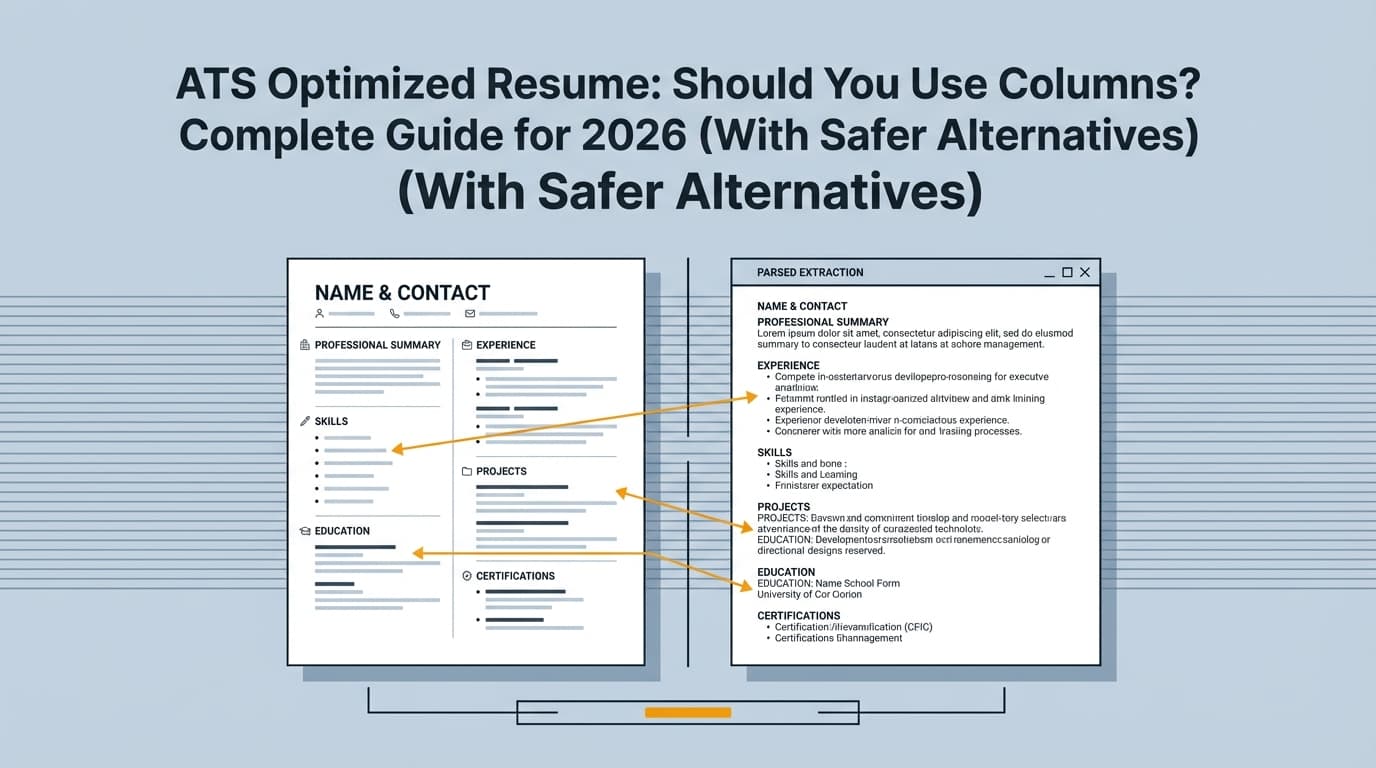
Avoid tables, columns, and text boxes
They can look neat visually but can scramble reading order. University career centers repeatedly advise against this for ATS compatibility.
Source example: UIC ATS PDF (single column, no tables/columns/text boxes)
https://careerservices.uic.edu/wp-content/uploads/sites/26/2017/08/Ensure-Your-Resume-Is-Read-ATS.pdf
Avoid headers/footers for key information
ATS may ignore or inconsistently parse header/footer content. Jobscan specifically warns headers/footers can cause issues.
Source: https://www.jobscan.co/blog/ats-formatting-mistakes/
Use standard section headings
“Work Experience” and “Education” are safer than creative headings that might not map cleanly.
Keep it readable for humans (7.4 seconds)
Remember: passing ATS is not the finish line. It’s the entry ticket.
Common mistakes to avoid (and how to fix them)
Mistake 1: Keyword stuffing (including “hidden keywords”)
Keyword stuffing isn’t just listing a lot of skills—it includes deceptive tactics like inserting extra keywords invisibly.
Jobscan describes hidden keywords as a form of resume keyword stuffing and calls it out as an “egregious” tactic.
Source: https://www.jobscan.co/blog/resume-keyword-stuffing/ (Medium confidence; ATS vendor advice)
There’s also a name for the “white text” trick: white-fonting. Cangrade explains how this attempts to trick ATS ranking and why it’s risky.
Source: https://www.cangrade.com/blog/talent-acquisition/white-fonting-what-it-is-why-its-risky-and-how-employers-should-respond/ (Medium confidence; vendor perspective, but useful explanation)
Fix: Only include keywords you can prove, and integrate them in context.
Mistake 2: Chasing 100% match rate
University guidance warns you don’t need 100% (WGU), and Jobscan’s own guidance highlights success in the 75–80% range.
Sources:
- https://careers.wgu.edu/resources/jobscan-information-for-faculty/
- https://www.jobscan.co/blog/what-jobscan-match-rate-should-i-aim-for/
Fix: Aim for coverage of the must-haves and preserve readability.
Mistake 3: Using a beautiful template that breaks parsing
Two-column Canva-style resumes often look great and parse badly.
Fix: Use a boring template on purpose. Single column. Clear headings.
Mistake 4: Letting AI write generic content
Recruiters can spot “AI-ish” phrasing fast (“results-driven professional with a proven track record…”). It wastes the skim window.
Fix: Force specificity: tools, deliverables, scope, metrics, outcomes.
Mistake 5: Only listing skills in Skills (no proof in Experience)
ATS may capture skills, but humans decide based on impact.
Fix: Put your top 8–12 tools/skills in bullets across recent roles.
A practical keyword checklist (copy/paste)
Use this checklist for each job application:
Job description keyword extraction
- Job title(s)
- Top 10 hard skills/tools
- Top 5 responsibility phrases (exact wording)
- Certifications/requirements
- Domain terms (industry-specific)
- Seniority/ownership signals
Resume keyword placement
- Summary includes role title + 3–5 most important tools/skills
- Skills section mirrors tool names exactly
- Experience bullets prove the top 6–10 keywords
- Projects section covers any missing must-have skill (if truthful)
Sanity checks (free)
- Copy/paste text from PDF reads in correct order
- Top third communicates your fit in <10 seconds
- No tables/columns/text boxes
- No header/footer dependency
Tools to help with ATS keywords (free + paid)
Truly free building blocks
- Google Docs / Word: ATS-safe formatting, easy editing, reliable export
- Free AI chat tools: keyword extraction and bullet rewrites (use strict prompts)
“Free until you hit a paywall” tools
Many resume builders/scanners offer free tiers, limited scans, or paywalled downloads. They can still be useful—just don’t build your entire process around a tool that could block exporting at the end.
Where JobShinobi fits (accurate, no inflated claims)
If you want a more integrated workflow than juggling docs + prompts + scanners, JobShinobi supports:
- LaTeX resume editing + PDF preview (build resumes in LaTeX and compile to PDF in the app)
- AI resume analysis with ATS-focused scoring and detailed feedback
- Job description extraction + resume-to-job matching (paste a job URL or job description text)
- AI resume editing agent (chat-based) for iterative improvements
- Resume version history to track and revert changes
Pricing (High confidence; from product constraints): JobShinobi Pro is $20/month or $199.99/year.
Note: marketing mentions a “7-day free trial,” but trial mechanics aren’t verified in code, so treat it as “check current checkout terms,” not a guarantee.
Internal links:
/login/subscription/dashboard/resume
Key takeaways
- ATS keywords are the searchable language of the job posting—especially tools, hard skills, and responsibility phrases.
- Parsing matters: if the ATS can’t read your resume cleanly, keywords won’t help.
- A free workflow exists: ATS-safe format → keyword extraction → keyword map → proof-based bullets → sanity checks.
- Match rate is a compass: guidance often lands around 75–80%, not 100%.
- Avoid keyword stuffing and “white text” tricks—optimize with context and proof instead.
FAQ (People Also Ask)
How to create an ATS-friendly resume using AI?
- Use an ATS-safe format (single column, standard headings).
- Extract exact keywords from the job description with a strict AI prompt (no paraphrasing, no additions).
- Build a keyword map (keyword → section → proof).
- Rewrite bullets using action + keyword + metric + outcome.
- Run a parse sanity check (copy/paste from PDF) and confirm top-third clarity.
How to find keywords for ATS?
The best source is the job posting itself. Pull:
- tools/tech stack
- hard skills
- certifications
- responsibility phrases
Then mirror the wording (truthfully) in Skills + Experience bullets.
How do I optimize my resume for ATS free?
Use a free workflow:
- Google Docs/Word for ATS-safe formatting
- free AI chat for keyword extraction + bullet rewrites
- copy/paste parse test
If you use an ATS scanner, treat it as a directional check—not the only truth.
Can keywords improve my ATS score?
Yes, relevant keywords can improve match metrics. But keywords work best when supported by proof (projects, outcomes, metrics). Keyword dumping can harm readability and credibility.
Does ATS reject AI resumes?
ATS generally parses text; it doesn’t “judge AI.” The real risk is generic content, missing required skills, or broken formatting that harms parsing. Focus on clean structure + job-relevant proof.
Is a 75 percent ATS score good?
Often, yes—as a heuristic. Jobscan recommends aiming around 80% and notes success around 75%, and WGU’s career guidance suggests aiming for ~75% without chasing 100%.
Sources:
- https://www.jobscan.co/blog/what-jobscan-match-rate-should-i-aim-for/
- https://careers.wgu.edu/resources/jobscan-information-for-faculty/
Should I use the white text (hidden keyword) resume hack?
No. It’s widely discussed as risky/deceptive. Jobscan explicitly lists hidden keywords as keyword stuffing, and sources like Cangrade describe “white-fonting” as an attempt to game ATS ranking with downsides.
Sources: