Recruiters don’t read your resume first—software often does. And even when a human does read it, they may skim fast. A well-known eye-tracking study found recruiters’ average initial screen was 7.4 seconds (Source: TheLadders eye-tracking study PDF; Confidence: High).
That means your section headings have to do two jobs:
- Help an ATS/resume parser correctly label your content (so your “Work Experience” doesn’t end up inside “Other”).
- Help a human find the right information instantly.
If you’ve ever uploaded a resume and watched an application portal scramble your jobs, dates, or skills—this guide is for you.
In this guide, you’ll learn:
- What “parseable” resume section headings are (and how ATS actually detects them)
- The safest ATS-optimized headings (plus acceptable variants) by section
- A “heading map” you can copy to make Workday/Greenhouse-style parsing cleaner
- Common heading mistakes that break parsing (and how to fix them)
- A simple testing workflow to confirm your headings parse correctly
What does “ATS optimized resume section headings that parse” mean?
ATS-optimized resume section headings that parse are standard, plain-language labels (like Work Experience, Education, Skills) that resume-parsing software can reliably recognize and use to categorize your content.
Most ATS parsing is essentially a structured extraction problem:
- The system reads your file (DOCX/PDF/etc.)
- Extracts text
- Detects boundaries (where a section starts/ends)
- Assigns each block to a category (Experience, Education, Skills, etc.)
When your headings are non-standard (e.g., “Where I’ve Been” instead of “Work Experience”), you increase the odds the parser mislabels or ignores the section.
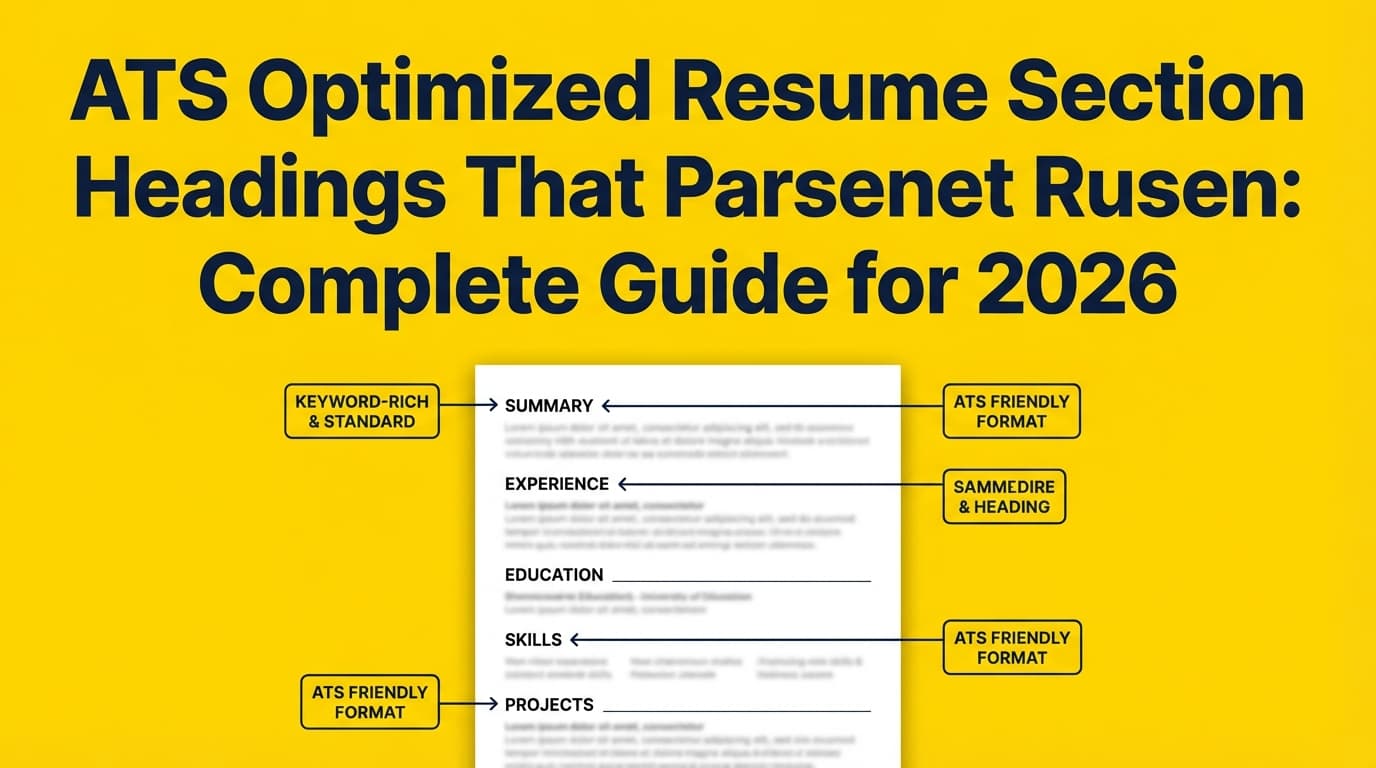
Example of a “parse-safe” heading set:
- Professional Summary
- Work Experience
- Education
- Skills
- Projects
- Certifications
Example of a risky heading set (more likely to mis-parse):
- My Journey
- Toolbox
- Academic Highlights
- Proof of Work
- Kudos
Why this matters in 2026 (not just for “beating the bots”)
1) ATS usage is extremely common
Jobscan reports 97.4% of Fortune 500 companies used a detectable ATS (Source: Jobscan Fortune 500 ATS usage report; Confidence: Medium because it’s credible but commonly cited as a single-source statistic).
Select Software Reviews summarizes broader adoption like this:
- 70% of large companies use an ATS
- 20% of small and mid-sized businesses use an ATS
- 75% of recruiters use an ATS or other tech-driven recruiting tools
(Source: Select Software Reviews ATS statistics; Confidence: Medium)
Takeaway: Even if you don’t “fear the ATS,” you will encounter parsing and structured application workflows often.
2) Some platforms explicitly recommend simple headings
Workday’s own content advises using simple section headings (“Experience,” “Education,” “Skills”) and limiting graphics/special characters (Source: Workday ATS page; Confidence: High).
That’s not marketing fluff—that’s the vendor telling you what helps their ecosystem parse and process resumes.
3) Parsing impacts more than ranking
Even when the ATS doesn’t auto-reject you, bad parsing can cause:
- Incorrect autofill in application forms (you waste time fixing it)
- Missing/garbled experience dates (looks like a red flag)
- Skills landing in the wrong place (hurts keyword search + recruiter scanning)
Roche’s resume parsing FAQ warns that information in headers and footers sometimes gets dropped by the ATS completely (Source: Roche resume parsing FAQ; Confidence: High).
How ATS detects section headings (the practical version)
Different systems vary, but most parsers rely on a mix of:
- Keyword dictionaries (known heading labels like “Education”)
- Typography cues (bold, all caps, larger font, spacing before/after)
- Position and proximity (a heading typically sits above content and is followed by consistent patterns)
- Patterns in the content (dates, job titles, university names)
This is why these principles are so reliable:
- Use standard heading words
- Make headings visually obvious
- Keep headings consistent across the resume
- Avoid putting headings inside tables/text boxes/headers/footers
The ATS Heading Rule: “Be boring on purpose”
If your goal is “headings that parse,” boring wins.
Workable explicitly recommends using typical names for section titles like “Education” and “Work Experience.” (Source: Workable resume parsing article; Confidence: High)
SmartRecruiters similarly advises: use basic names like “education” and “work experience” instead of creative alternatives like “Where I’ve been.” (Source: SmartRecruiters resume parsing glossary; Confidence: High)
The safest ATS-friendly resume section headings (with variants)
Below is a “safe heading library.” Use the preferred heading whenever possible; use variants when you need to match your situation.
1) Contact Information (don’t label it “Header”)
Preferred heading: (no heading needed)
Most resumes simply start with your name and contact info—no label required.
If you must label it:
- Contact Information
Avoid:
- Putting contact info in a Word header/footer (can be dropped; Source: Roche FAQ; Confidence: High)
- Icons-only contact rows (icons can be lost in text extraction)
Parse-safe format (example):
- First Last
- City, State | phone | email | LinkedIn URL | portfolio URL
2) Summary / Profile
Preferred heading:
- Professional Summary
Good variants:
- Summary
- Career Summary
- Profile
Risky variants:
- About Me (sometimes okay, but less standard)
- My Story
Tip: Keep it to 2–4 lines. This is for humans as much as software.
3) Work Experience (the most important heading to standardize)
Preferred heading:
- Work Experience
Good variants:
- Professional Experience
- Experience
- Employment History (common, but slightly older-school)
- Relevant Experience (best if you truly have “relevant” subset)
Avoid:
- Career History (can work, but less consistent across parsers)
- Where I’ve Worked
- My Journey
Why this matters: Parsing engines are heavily tuned to recognize Experience sections because they contain the most structured patterns (titles, companies, dates).
4) Education
Preferred heading:
- Education
Good variants:
- Education & Training
- Academic Background
Avoid:
- Academic Highlights (can misroute into “Other”)
- Coursework (use as a subheading under Education)
5) Skills (keep it literal)
Preferred heading:
- Skills
Good variants:
- Technical Skills (for technical roles)
- Core Skills
- Skills & Tools
Avoid:
- Toolbox
- My Stack (fun, but risky)
- Competencies (can be okay, but “Skills” is safer)
Important: Many ATS and recruiters search/filter by skill terms. Don’t hide them in paragraphs.
6) Projects (especially for tech, data, new grads)
Preferred heading:
- Projects
Good variants:
- Relevant Projects
- Academic Projects (students)
- Selected Projects
Avoid:
- Proof of Work (cool, but less parse-friendly)
Tip: If you use Projects, format each entry similarly to Experience (Project Name | Tech | Date | bullets).
7) Certifications / Licenses
Preferred heading:
- Certifications
Good variants:
- Certifications & Licenses
- Licenses & Certifications
- Professional Certifications
Avoid:
- Credentials (too vague)
- Badges
8) Publications / Research (academia, research roles)
Preferred headings:
- Publications
- Research Experience
Good variants:
- Selected Publications
- Research
Avoid:
- Thought Leadership (marketing-ish and vague)
9) Volunteer Experience
Preferred heading:
- Volunteer Experience
Good variants:
- Volunteer Work
- Community Involvement (can be okay, but “Volunteer Experience” is clearer)
10) Awards
Preferred heading:
- Awards
Good variants:
- Awards & Honors
- Honors
The “Heading Map” (copy/paste template that usually parses cleanly)
Use this order unless your field has a strong convention:
- Professional Summary
- Skills
- Work Experience
- Projects (optional but common)
- Education
- Certifications (optional)
- Volunteer Experience (optional)
- Awards (optional)
Why this order works:
- Humans see your positioning + keyword fit fast (Summary + Skills)
- ATS sees clean “Experience” and “Education” blocks
- Optional sections are clearly labeled and won’t cannibalize core sections
ATS heading formatting rules (what makes headings “detectable”)
A heading isn’t just the words—it’s also the visual structure that signals “this is a section label.”
Use one (and only one) of these heading styles across the whole resume
- ALL CAPS:
WORK EXPERIENCE - Bold Title Case:
Work Experience - Small caps (if your tool supports true small caps—not fake font tricks)
Recommended spacing
- 1 blank line before a new section heading (or increased paragraph spacing)
- 0.25–0.5 blank line after the heading (then content)
Keep headings “clean text”
Avoid:
- decorative lines made of unusual characters
- icons (e.g., a suitcase icon instead of “Work Experience”)
- text inside shapes
Don’t put headings in headers/footers
Some systems ignore those areas. Roche specifically warns header/footer info may be dropped (Source: Roche FAQ; Confidence: High).
The biggest heading mistakes that break parsing (and fixes)
Mistake 1: Creative section titles
Example: “My Journey” instead of “Work Experience”
Why it breaks: The parser’s heading dictionary may not map it to Experience.
Fix: Rename it to Work Experience or Professional Experience.
Mistake 2: Combining unrelated sections under one clever heading
Example: “Highlights” containing skills + awards + projects
Why it breaks: ATS can’t categorize properly; humans can’t skim.
Fix: Split into standard headings: Skills, Projects, Awards.
Mistake 3: Nesting headings inside a two-column layout or table
Why it breaks: Extraction may read columns out of order (left column top-to-bottom, then right column), scrambling your sections.
Fix: Use a single-column layout for your primary resume (especially the version you upload).
Mistake 4: Putting dates on the same line as headings (or making headings look like dates)
Some parsers weigh date patterns heavily; if your headings look like content, they can be misread.
Fix: Headings should be just headings—no dates, no locations, no “2021–2024”.
Mistake 5: Using unusual characters in headings
Example: ★ SKILLS ★ or SKILLS | TOOLBOX
Fix: Use plain text: Skills
“But I want my resume to stand out.” How to do that without breaking parsing
Standing out comes from content structure, not cute headings.
Instead of renaming Skills to “Toolbox,” try:
- Keep heading as Skills
- Stand out with a sub-structure:
- Skills: Python, SQL, Tableau, dbt, Snowflake
- Methods: A/B testing, causal inference, forecasting
- Domains: payments, fraud, retention
Instead of renaming Work Experience to “My Journey,” stand out with:
- Strong first bullet under each role (impact + metrics)
- Role-appropriate keywords in context (not stuffing)
Examples: ATS-friendly headings by job seeker type
If you’re a student / new grad
Recommended headings:
- Education
- Projects
- Skills
- Experience (include internships, part-time, leadership)
- Leadership Experience (optional; but “Leadership Experience” is still readable)
- Certifications (optional)
Pro tip: “Leadership Experience” can parse, but if you see it misrouted, rename it to “Experience” and specify leadership roles inside.
If you’re changing careers
Recommended headings:
- Professional Summary
- Skills
- Relevant Experience (only if truly relevant)
- Work Experience (everything else)
- Projects (highly recommended)
- Education
- Certifications
If you’re senior / leadership
Recommended headings:
- Professional Summary
- Core Competencies (or Skills)
- Professional Experience
- Education
- Certifications (optional)
- Board Service (optional; may parse better as “Leadership Experience” or “Volunteer Experience” depending on content)
Step-by-step: How to choose headings that parse (and keep recruiters happy)
Step 1: Start with the “safe heading library”
Use:
- Professional Summary
- Work Experience
- Education
- Skills
Then add only what you truly need:
- Projects, Certifications, Volunteer Experience, Awards, Publications
Pro tip: If you’re unsure whether a heading is safe, choose the more common word.
Step 2: Make headings consistent (same style everywhere)
Pick one style:
- ALL CAPS + bold
or - Title Case + bold
Don’t mix:
- “WORK EXPERIENCE” + “Education” + “skills”
Consistency improves both parsing signals and human readability.
Step 3: Use a simple hierarchy (section headings vs subheadings)
Section headings: Skills, Work Experience, Education
Subheadings (inside a section): Technical Skills, Tools, Selected Projects
Avoid making subheadings look like new sections. If “Tools” is bold and large like a section title, parsers may treat it as a new section.
Step 4: Test parsing (don’t guess)
Test A: The plain-text test (fast sanity check)
MIT suggests a basic test: convert your resume to plain text (or paste into a plain text editor) to see if content stays readable and in order (Source: MIT CAPD; Confidence: High).
What you’re looking for:
- Sections appear in the correct order
- No missing contact info
- Bullets don’t turn into weird symbols
- Dates stay attached to the right job
Test B: The “application portal autofill” test (real-world)
Upload to a Workday/Greenhouse/Lever application (or any portal you encounter) and see:
- Does Experience map correctly?
- Are employers/job titles/dates extracted into the right fields?
- Are Skills recognized?
Test C: Use an ATS/resume parsing checker
Use a resume scanner or parser tool to view extracted sections. (Just remember: scanners simulate parsing differently—use them as indicators, not gospel.)
Advanced: A “section boundary” checklist (why headings sometimes merge)
Even with perfect headings, sections can merge if boundaries aren’t clear.
Use this checklist to keep sections separated:
- ✅ Heading has whitespace above it
- ✅ Heading is on its own line
- ✅ Heading is followed by content immediately (no floating line art)
- ✅ Each section uses consistent entry formatting (especially Experience)
Entry formatting suggestion for Experience:
- Job Title — Company, Location
- Dates (Month Year – Month Year)
- 3–6 bullets
This consistency helps parsers learn the pattern within your document.
File format + headings: what helps parsing survive upload?
Many guides say DOCX is safest; PDFs can be fine if they contain selectable text and avoid complex layout.
Two important, evidence-based constraints you can rely on:
- Avoid image-only PDFs (scanned resumes). Those often require OCR and can fail.
- Keep file size reasonable. Greenhouse support states it can’t parse resumes larger than 2.5MB (Source: Greenhouse Support “Unsuccessful resume parse”; Confidence: High).
If your PDF is huge, it may be because of:
- embedded fonts
- high-res images
- design elements
Tools to help with headings that parse (honest recommendations)
Resume parsing & ATS guidance tools
- Workable (article + examples): Helpful explanation of resume parsing and guidance on standard section titles (Source: Workable; Confidence: High).
- SmartRecruiters (glossary): Clear best practices like using basic section names (Source: SmartRecruiters; Confidence: High).
- Jobscan (ATS education + stats): Good for ATS awareness and keyword alignment. (Some pages may be access-restricted depending on region/site settings; Confidence: Medium for specific page availability.)
- Greenhouse support docs: Useful for real parsing constraints like file size limits (Source: Greenhouse; Confidence: High).
Where JobShinobi fits (natural, accurate use case)
If you want a workflow that’s built around ATS readability, JobShinobi includes:
- LaTeX resume editing with PDF preview (compile LaTeX → PDF inside the app) (Confidence: High, per product constraints)
- AI resume analysis with ATS-focused scoring and feedback (Confidence: High)
- Job description extraction + resume-to-job matching to identify keyword gaps (Confidence: High)
- Resume version history so you can test different structures without losing your baseline (Confidence: High)
Pricing (accurate): JobShinobi Pro is $20/month or $199.99/year. The marketing copy mentions a 7-day free trial, but trial mechanics are not clearly verifiable in code—treat that as “mentioned,” not guaranteed (Confidence: Medium).
If you’re specifically struggling with section structure and headings, a practical workflow is:
- build your resume with clean, standard headings,
- run an ATS-focused analysis,
- adjust headings/formatting,
- re-test parsing,
- keep versions so you can revert quickly.
Quick reference: “Safe headings” table (preferred → variants → avoid)
| Section | Preferred heading | OK variants | Avoid (higher risk) |
|---|---|---|---|
| Summary | Professional Summary | Summary, Profile | About Me, My Story |
| Experience | Work Experience | Professional Experience, Experience, Employment History, Relevant Experience | My Journey, Where I’ve Been |
| Education | Education | Education & Training, Academic Background | Academic Highlights |
| Skills | Skills | Technical Skills, Core Skills, Skills & Tools | Toolbox, My Stack |
| Projects | Projects | Selected Projects, Relevant Projects | Proof of Work |
| Certifications | Certifications | Certifications & Licenses | Credentials, Badges |
| Volunteer | Volunteer Experience | Volunteer Work | Community (too vague alone) |
| Awards | Awards | Honors, Awards & Honors | Kudos |
Common myths (so you don’t waste time)
Myth: “ATS will reject you if you don’t have the perfect headings”
Reality: Many ATS don’t “reject” based on headings alone. But bad headings can cause bad parsing, which can reduce searchability, accuracy, and recruiter confidence.
Myth: “A creative resume always breaks ATS”
Reality: Some modern systems parse well—but you can’t control which ATS you face. If your priority is broad compatibility, choose the conservative route.
Myth: “Stuffing hidden keywords helps”
Reality: It’s widely criticized and can backfire with humans and systems. (Even if detection varies, it’s not a strategy you want to bet your job search on.)
Key takeaways
- Use standard, literal section headings (Work Experience, Education, Skills) because parsers often rely on known labels.
- Make headings consistent in typography and spacing so they’re detected as section boundaries.
- Don’t place critical content in headers/footers—some ATS may drop it (Roche; High confidence).
- Keep file size reasonable; Greenhouse can’t parse resumes over 2.5MB (Greenhouse; High confidence).
- Test parsing using plain text checks and real application portal uploads—don’t guess.
FAQ (People Also Ask–style)
Can ATS read headings?
Yes—ATS can read headings when they’re plain text and formatted clearly. The bigger risk is using headings that are non-standard, placed in headers/footers, or embedded in tables/text boxes. Workday explicitly recommends simple headings like “Experience,” “Education,” and “Skills” (Workday; High confidence).
What is resume parsing in ATS?
Resume parsing is the process of extracting your resume into structured fields (work experience, education, skills, etc.). Workable describes this as the ATS reading your resume and turning it into usable data for search and review (Workable; High confidence).
What are the best ATS-friendly resume section headings?
The safest set across most systems is:
- Professional Summary
- Work Experience
- Education
- Skills Optionally:
- Projects
- Certifications
- Volunteer Experience
- Awards
Why is my resume not parsing correctly?
Common causes include:
- Info placed in a header/footer (can be dropped—Roche; High confidence)
- Two-column layouts and tables scrambling reading order
- Non-standard headings (“Toolbox,” “My Journey”)
- File issues (e.g., Greenhouse parsing fails over 2.5MB—Greenhouse; High confidence)
How do I test if my resume is ATS-parsable?
Use a 3-step test:
- Plain-text test (MIT recommends converting/saving as plain text to sanity-check readability; High confidence).
- Upload to a real application portal and inspect autofill.
- Use a resume parsing checker to preview extracted sections.
Should I use “Professional Experience” or “Work Experience”?
Both are usually safe. If you want the most universally recognized option, choose Work Experience. If your industry norm is “Professional Experience,” that’s typically fine too—just don’t get creative.
Should I include a Projects section for ATS?
If projects are relevant to the role (tech/data/product/design), yes—Projects is a common, parseable heading. Keep the entries structured (name, tech, date, bullets) so parsers and humans can interpret them consistently.