If you’re searching “resume scanner vs Jobscan”, you’re likely trying to answer a simple question with high stakes: which tool will actually help you get past ATS filters and into interviews—without wasting hours tailoring every application?
This comparison is designed to be fair and decision-focused. You’ll see where Jobscan clearly wins, where JobShinobi is a better fit, and which one to pick based on how you apply.
Quick Verdict:
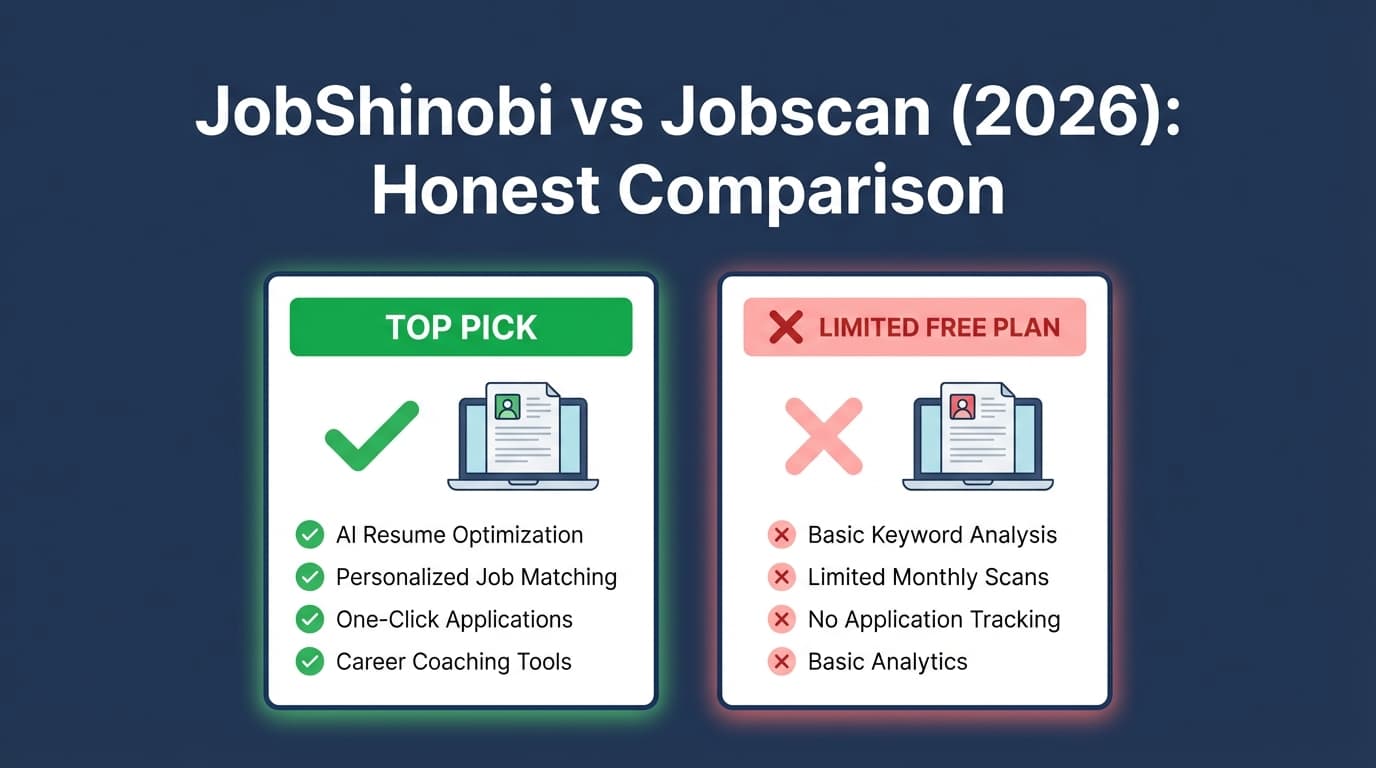
- Choose Jobscan if you want a well-known ATS resume scanner with extras like LinkedIn Optimization, Power Edit / One-Click Optimize, and a Chrome extension to save jobs into a tracker.
- Choose JobShinobi if you want a more “systemized” workflow: ATS scoring + job match analysis + resume versioning + automated job tracking via email forwarding, plus a LaTeX-based resume builder with live PDF preview.
Accuracy note: Many Jobscan URLs return HTTP 403 to automated page analysis tools. To keep details accurate and current, competitor information below was verified using Jobscan plan snippets from app.jobscan.co/plan, indexed Jobscan pages shown in search results (e.g., resume builder/templates, One-Click Optimize/Power Edit pages), and third-party sources like Trustpilot and the Chrome Web Store listing.
TL;DR Comparison
| Feature | JobShinobi | Jobscan |
|---|---|---|
| Resume scan vs job description (ATS-style match) | ✅ Yes (resume scoring + keyword/ATS feedback + job match analysis) | ✅ Yes (“resume scanner / ATS resume checker” positioning; Match Rate workflow) |
| Resume score guidance | ✅ Yes (multi-part scoring + strengths/weaknesses) | ✅ Yes (resume score on a 1–100 scale is publicly described) |
| Real-time resume tailoring editor | ✅ AI chat + LaTeX editor + PDF compile/preview | ✅ Power Edit (real-time editor) and One-Click Optimize (AI suggestions) are publicly described |
| LinkedIn optimization | ❌ Not a core feature | ✅ Yes (LinkedIn Optimization tool) |
| Job application tracker | ✅ Yes (tracker + analytics + Excel export) | ✅ Yes (Job Tracker; plus Chrome extension for saving jobs) |
| Auto-tracking from emails | ✅ Yes (email forwarding → auto-create/update applications) | ❌ Not advertised as an email-forwarding workflow |
| Resume templates | ✅ LaTeX templates | ✅ Free Word-compatible templates are advertised |
| Starting price | $20/mo | $49.95/mo (monthly plan shown in plan snippets) |
| Free plan | ⚠️ Limited (automation features gated to Pro) | ✅ Yes (5 free resume scans monthly + signup scans shown in plan/support snippets) |
| Best for | Candidates who want an end-to-end system (tailoring + tracking automation) | Candidates who want a mature scanner + LinkedIn optimizer + job-board capture |
JobShinobi Overview
JobShinobi is an AI-powered job search toolkit that combines three things in one product:
- ATS resume analysis + scoring (keyword/formatting/ATS feedback)
- Resume-to-job matching (extract job details and produce match suggestions)
- A job application tracker, including a unique differentiator: email-forwarding automation that logs applications and updates statuses from your confirmation emails.
JobShinobi is also notable for its LaTeX-first resume workflow: you edit a structured template and compile a clean PDF preview. This is attractive if you want consistent formatting and version control while tailoring.
Key Strengths
- Email-forwarding job tracking (automation): forward job-related emails to your unique address; JobShinobi parses them and logs/updates job applications automatically.
- LaTeX resume builder + live PDF preview: edit a structured template, compile in the cloud, and export PDF +
.tex. - Resume version history: save iterations and revert, which is helpful when tailoring for many roles.
Limitations (Honest)
- Automation is Pro-gated: email processing for auto-tracking is limited to Pro.
- LaTeX can be unfamiliar: if you prefer Word/Google Docs-style editing, there’s a learning curve.
Jobscan Overview
Jobscan is one of the best-known tools in the “resume scanner / ATS checker” category. Its core workflow is comparing your resume to a specific job description and generating a Match Rate plus targeted suggestions.
Based on indexed pages and plan snippets, Jobscan also includes a broader toolkit:
- LinkedIn Optimization
- Power Edit (real-time resume tailoring editor)
- One-Click Optimize (AI suggestions you can accept/reject)
- Job Tracker and a Chrome extension to save jobs from major job boards
- Resume templates that are downloadable and Word-compatible
Key Strengths
- Mature scanning + match workflow: Jobscan’s Match Rate/report-based approach is widely used and documented.
- Strong “extras” around scanning: LinkedIn optimization and real-time/one-click tailoring are compelling for speed.
- Chrome extension for job capture: Jobscan’s Chrome Web Store listing describes collecting and managing job applications across the web.
Limitations (From Reviews & Common Feedback Patterns)
- Cost: the monthly plan is shown as $49.95/month in plan snippets—high for many job seekers.
- Match-rate anxiety: community discussions (e.g., on Reddit) often show users over-fixating on hitting a “perfect” score.
- Billing/cancellation frustration exists for some users: Trustpilot includes complaints about unexpected charges after cancellation/trial (while many users also leave very positive feedback).
Feature-by-Feature Comparison
1) Resume Scanning & Match Feedback (Core “Resume Scanner” Need)
JobShinobi:
- Provides structured resume scoring (including ATS/keyword/formatting-style feedback) and supports resume-to-job matching.
- Strong when you want to tailor while keeping formatting stable and changes trackable.
Jobscan:
- Designed explicitly around Match Rate and keyword alignment against a job description.
- Jobscan also publicly discusses an ATS Tip feature that can provide tips tailored to the ATS a company uses (described on indexed Jobscan content/video pages).
Winner: Depends on your goal.
- If you want a well-known “scan → match rate → optimize” flow, Jobscan is the safer default.
- If you want a scan plus stronger “workflow + versioning + tracking automation,” JobShinobi can be a better overall system.
2) Resume Editing Experience (How You Implement Changes)
JobShinobi:
- LaTeX editor + cloud compile + PDF preview gives you strong control over structure.
- AI chat/agent workflow and version history supports iterative tailoring.
Jobscan:
- Power Edit is positioned as a real-time resume editor that improves your score as you work.
- One-Click Optimize is positioned as faster AI-powered suggestions with accept/reject controls.
- Jobscan also advertises downloadable output formats (their Power Edit video page snippet references exporting as DOCX/PDF).
Winner: Jobscan for speed; JobShinobi for structure and control.
- If you want the fastest “make it match” workflow, Jobscan’s Power Edit/One-Click Optimize approach is compelling.
- If you care about repeatable formatting and maintaining a clean template across many versions, JobShinobi’s LaTeX approach shines.
3) LinkedIn Optimization
JobShinobi:
- Not positioned as a LinkedIn optimizer today.
Jobscan:
- Has a LinkedIn Optimization tool (indexed and clearly promoted).
Winner: Jobscan
If LinkedIn is your primary source of inbound recruiter leads, this can matter a lot.
4) Job Tracking (and How Much Work It Takes)
JobShinobi:
- Job tracker with analytics (response rate, interview conversion, trends) and Excel export.
- Automatic tracking via email forwarding is a standout advantage: the tracker can update from real application emails.
Jobscan:
- Includes a Job Tracker (shown in plan snippets).
- Has a Chrome extension to save jobs from job boards like LinkedIn/Indeed/Glassdoor (described in indexed pages and Chrome Web Store listing).
Winner: JobShinobi for automation; Jobscan for browser-based capture.
- If most of your “tracking pain” comes from email chaos, JobShinobi wins.
- If your pain is capturing job posts while browsing, Jobscan’s extension is very useful.
Pricing Comparison (Verified via indexed plan snippets)
| Plan | JobShinobi | Jobscan |
|---|---|---|
| Free | Limited (some key automation features gated) | $0 plan exists; plan snippets show 5 free resume scans on signup and 5 free scans monthly |
| Monthly | $20.00/month | $49.95/month |
| Quarterly / discount billing | $199.99/year | $89.95 every 3 months (~$29.98/month equivalent) shown in plan snippets |
| Trial | Marketing references a 7-day free trial (confirm at checkout) | Plan snippets/promos reference a 2-week free trial (confirm at checkout) |
Value analysis:
- Jobscan is priced like a premium specialist tool—worth it if you’ll heavily use its scans, LinkedIn optimizer, and fast-edit features.
- JobShinobi is lower-cost and tends to deliver more value when you want a broader platform: tailoring + tracking + automation.
Who Should Choose JobShinobi?
Choose JobShinobi if you:
- Want a complete job-search workflow, not just a scanner.
- Apply in volume and want tracking to be automatic, not another spreadsheet chore (email-forwarding automation).
- Prefer structured formatting control (LaTeX templates + live PDF preview).
- Need version history for tailoring (and the ability to safely revert).
Who Should Choose Jobscan?
Choose Jobscan if you:
- Want a proven, well-known resume scanner / ATS checker workflow.
- Care about LinkedIn Optimization as part of the same platform.
- Want a faster, guided editing experience (Power Edit / One-Click Optimize style workflow).
- Want a Chrome extension to capture jobs while browsing and push them into a tracker.
Switching from Jobscan to JobShinobi (What to Expect)
- Resume migration: If you’ve been using Jobscan’s editor, plan on copying your finalized content into a JobShinobi template. JobShinobi is more template/structure-driven, so the initial “setup” can take a bit longer—but future tailoring is often cleaner and more repeatable.
- Tracking migration: JobShinobi supports exporting to Excel. If you have job data elsewhere, you can consolidate and then run JobShinobi as your tracker going forward.
- New workflow benefit: The key change is automation via email forwarding—once set up, tracking becomes something you maintain by default rather than manually updating.
FAQ
Is JobShinobi really better than Jobscan?
Not across the board. Jobscan wins on LinkedIn Optimization, recognizable “Match Rate” scanning, and a fast resume-editing workflow. JobShinobi tends to be better if you want a single system for scanning + tailoring + tracking—especially if email-based automation would save you time.
Is Jobscan free to use?
Jobscan advertises a free tier. Plan/support snippets show 5 free resume scans monthly (plus signup scans). Free tiers usually have limits, so verify inside your account before relying on it for a high-volume application sprint.
Which tool is cheaper?
JobShinobi is cheaper on the standard monthly plan ($20/mo) versus Jobscan’s monthly plan ($49.95/mo, per plan snippets). Jobscan’s quarterly billing (~$29.98/mo equivalent) is closer, but still higher than JobShinobi’s monthly price.
Do resume scanner scores guarantee interviews?
No. They can help you spot missing keywords, formatting issues, and alignment gaps—but scores can be gamed, and real hiring decisions involve recruiter judgment, portfolio quality, and interviews. Use scanners as guidance, not as a guarantee.
I’m overwhelmed—what’s the simplest choice?
If you want the simplest “scan and improve” tool with extra guidance, pick Jobscan. If you’re overwhelmed mainly by tracking and follow-ups, and you want the system to handle the operational work, pick JobShinobi.