If you’re wondering whether Jobscan’s resume scanner is worth it, you’re already thinking like a strategist: scanners can be helpful, but they’re not magic—and they can get expensive if you don’t need unlimited scans.
This page compares Jobscan (resume scanner + optimization tools) against JobShinobi (ATS resume builder + analyzer + matching plus automated job application tracking via email forwarding) so you can choose based on how you actually job search.
Quick Verdict:
- Choose Jobscan if you want a scanner-first tool with a strong free tier (limited scans) and you plan to do lots of resume-to-job iterations fast.
- Choose JobShinobi if you want a broader system: resume creation + ATS scoring + job matching + automatic job tracking (especially if spreadsheets and manual tracking are your bottleneck).
TL;DR Comparison
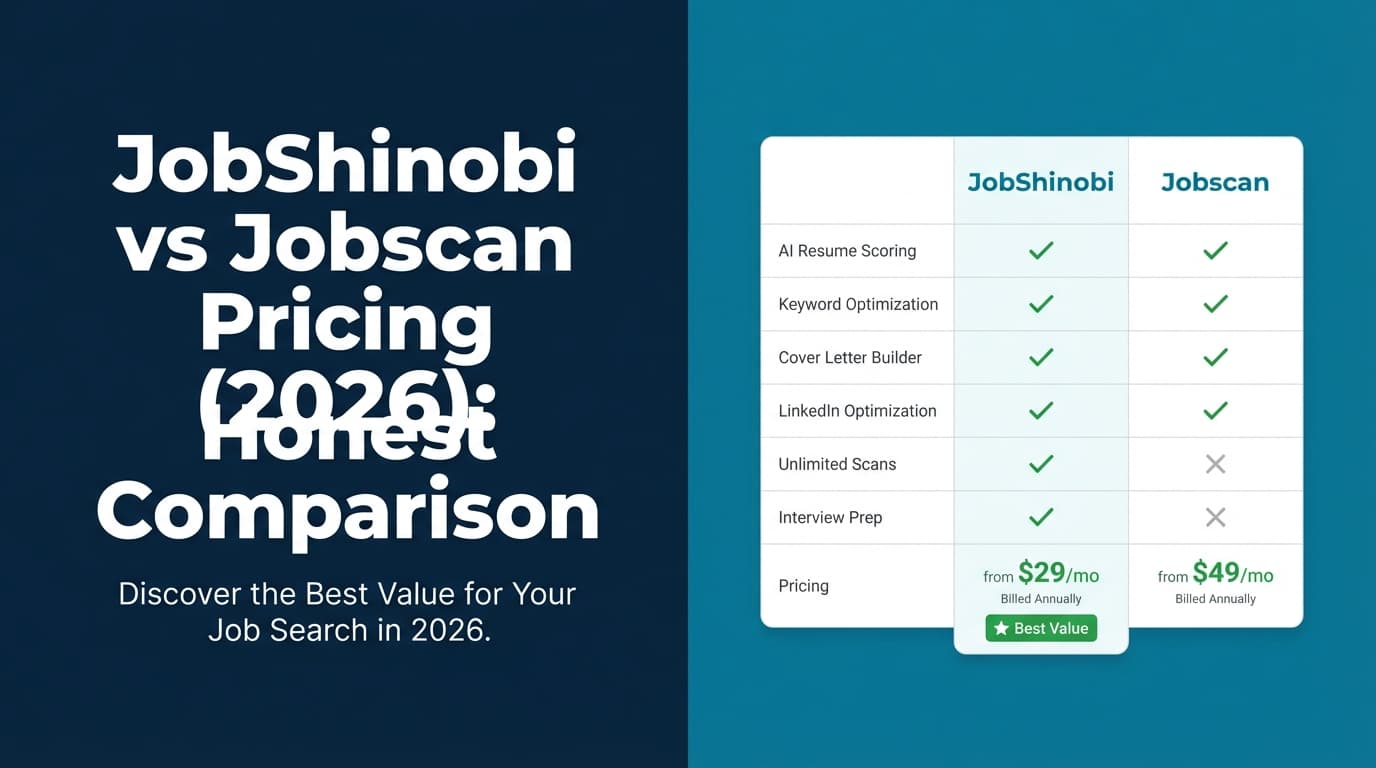
| Feature | JobShinobi | Jobscan |
|---|---|---|
| Resume vs job description matching | ✅ Yes (job matching + missing/present keyword analysis) | ✅ Yes (resume scanner + “Match Rate” concept) |
| ATS/formatting feedback | ✅ Yes (ATS analysis in resume scoring) | ✅ Yes (scanner provides ATS formatting + best-practice feedback) |
| AI-assisted tailoring | ✅ Yes (AI resume agent + analysis) | ✅ Yes (Premium includes AI tools such as One-Click Optimize per public plan snippets) |
| Resume builder | ✅ Yes (LaTeX templates + editor + PDF compile) | ✅ Yes (Jobscan markets a resume builder) |
| Resume version history | ✅ Yes (versioning + revert/undo workflow) | ⚠️ Not a headline feature in accessible verified sources |
| Job application tracking | ✅ Yes (email forwarding → auto logs apps; manual tracker + export) | ✅ Has a Job Tracker Chrome extension and job tracker pages exist (not the same as email-forward automation) |
| Application analytics (response/interview/offer) | ✅ Yes | ⚠️ Not a primary differentiator in verified sources |
| Free plan | ⚠️ Limited (key automation gated to Pro) | ✅ Yes (5 scans on signup + 5 scans/month per plan/support snippets) |
| Starting price | $20/month | $49.95/month (monthly plan snippet) |
| Best for | “All-in-one workflow” (optimize + track + iterate) | “Scanner-first” resume tailoring |
JobShinobi Overview
JobShinobi is built for job seekers who want to:
- Improve ATS performance with structured scoring and resume-to-job matching, and
- Run their job search like a system, not a spreadsheet.
Key capabilities (from product documentation):
- Email-forwarding → automatic job application tracking: forward application emails to a unique address and JobShinobi parses company/title/status and logs it in your tracker (Pro feature).
- Job tracker dashboard: add/edit/delete jobs, real-time updates, and export to Excel.
- Analytics dashboard: response rate, interview conversion, trends, and basic insights.
- LaTeX-first resume builder with templates + cloud compilation for live PDF preview.
- AI resume agent (chat-based) that can modify your resume and supports multiple model tiers.
- Resume version history so you can save, revert, and iterate without fear.
- Resume scoring + ATS analysis with caching so you can re-check changes efficiently.
- Job description extraction + resume-to-job matching (including missing/present keywords).
Key Strengths
- Automated job tracking via email forwarding (huge time-saver for high-volume applicants).
- Versioning + repeatable resume workflow (especially helpful when targeting multiple roles).
- Deep ATS analysis + match tooling built into the same place you edit the resume.
Limitations
- LaTeX learning curve: it’s powerful, but not the simplest workflow for everyone.
- Automation is Pro-only (the email-forward parsing workflow is gated).
Jobscan Overview (Verified)
Jobscan is a well-known resume scanner that compares your resume to a job description and provides match feedback (often referred to as a match rate), keyword guidance, and ATS-related suggestions.
What we could verify (despite some 403 blocks)
At the time of verification, several Jobscan marketing pages returned HTTP 403 to our page analysis tool (common with bot protection). We verified key information through:
- Jobscan’s app plan page snippets (
app.jobscan.co/plan) - Jobscan’s support/help center snippets
- Third-party review sources where accessible (Trustpilot + Sitejabber page analysis)
- Other public listings (e.g., Chrome Web Store results showing Jobscan’s Job Search Tracker extension)
Key Strengths
- Scanner-first workflow: fast feedback loop for tailoring to a specific posting.
- Strong free tier for casual users (limited number of scans monthly).
- Additional tooling is widely referenced in public sources, including:
- LinkedIn Optimization (dedicated page exists in search results)
- Cover letter generator (dedicated page exists in search results)
- Resume bullet point generator (dedicated page exists in search results)
- One-Click Optimize (referenced on Jobscan tutorial/search results and in plan snippets)
- Job tracker Chrome extension is publicly listed in the Chrome Web Store results.
Limitations (from reviews + common feedback)
- Match scores can be over-trusted: Reddit discussions often warn that ATS “scores” don’t perfectly predict outcomes across different ATS platforms and recruiter behavior.
- Billing/trial complaints exist: Both Trustpilot and Sitejabber include user complaints about unexpected charges or cancellation friction (not universal, but common enough to note).
- Can be pricey if you need unlimited scans.
Feature-by-Feature Comparison
1) Resume Scanner / Resume-to-Job Matching
JobShinobi:
- Resume scoring includes ATS analysis and keyword feedback.
- Job matching provides structured match insights (missing/present keywords) and a workflow to apply suggestions.
Jobscan:
- Built around the resume scanner and match feedback model (resume vs job description).
- Jobscan also publishes guidance on what match rate to aim for (search results show Jobscan recommends a target such as ~75–80%, depending on the specific page/snippet you see).
Winner: Tie, depending on workflow
- Jobscan wins if you want the most direct scanner experience.
- JobShinobi wins if you want matching + editing + versioning in one loop.
2) Editing & Resume Building
JobShinobi:
- LaTeX templates + editor + live PDF compilation preview.
- Exports: PDF and
.tex. - AI chat agent can help revise content while maintaining structure.
Jobscan:
- Jobscan markets a resume builder and AI optimization features (not fully analyzable due to 403, but consistently referenced in plan snippets and public pages).
Winner: Depends
- If you want maximum structure control and clean formatting, JobShinobi can be a strong fit.
- If you want simplicity and a more traditional web builder approach, Jobscan may feel easier.
3) LinkedIn + Cover Letters
JobShinobi:
- Primarily resume + ATS analysis + job matching + tracking.
Jobscan:
- Verified via public search results: LinkedIn optimization and cover letter generator pages exist and are part of Jobscan’s broader toolkit.
Winner: Jobscan (for people who want LinkedIn + cover letters included)
4) Job Tracking & Job Search Organization
JobShinobi:
- Automatic tracking via email forwarding (unique differentiator): forward confirmation emails → JobShinobi extracts and logs application details.
- Job tracker dashboard + Excel export.
- Analytics dashboard for response/interview trends.
Jobscan:
- Job tracker tooling exists (Chrome Web Store lists “Jobscan: Job Search Tracker” extension and Jobscan has job tracker-related pages in results).
- However, Jobscan is more known for scanning/optimization than an automation-first tracking pipeline.
Winner: JobShinobi (especially if tracking/follow-up is your bottleneck)
Pricing Comparison (Verified as of 2026-01-21)
Pricing changes—always confirm on the vendor’s website before purchasing.
Jobscan pricing (from public plan snippets + support snippets)
- Free: $0 (includes 5 scans on signup + 5 free scans monthly per
app.jobscan.co/plansnippet; support snippet indicates unused scans can roll over up to a max of 5 unused scans). - Monthly: $49.95/month (plan snippet).
- Quarterly: $89.95 every 3 months (effective ~$29.98/month) and is often shown with a two-week free trial in snippets.
JobShinobi pricing (from product documentation)
- Pro (Monthly): $20.00/month
- Pro (Yearly): $199.99/year
- Free tier exists, but core email-processing automation is Pro-gated.
| Plan | JobShinobi | Jobscan |
|---|---|---|
| Free | Limited | $0 (5 scans on signup + 5 monthly scans per snippet) |
| Monthly | $20/mo | $49.95/mo |
| Quarterly | — | $89.95 / 3 months (~$29.98/mo) |
| Yearly | $199.99/yr | Not consistently verifiable via accessible page analysis at time of writing |
Value takeaway:
- If you only need a few checks, Jobscan Free is genuinely useful.
- If you need unlimited scans, Jobscan can be worth it—but you should be intentional, because it’s a premium price.
- If you want a lower-cost paid tool with a broader workflow (including automation), JobShinobi is the more cost-efficient subscription.
Reviews: What Real Users Tend to Say
Jobscan positives (common themes)
- Helpful keyword feedback and practical tailoring guidance.
- Strong utility during active job search sprints.
Jobscan negatives (common themes, verified via review platforms)
- Trustpilot: shows strong overall rating signals (page analysis shows “Excellent” messaging and a high star rating), but includes complaints in the long tail about billing/cancellation and expectations.
- Sitejabber: mixed rating and visible negative reviews, including complaints about being charged after trial/cancellation and support experience.
- Reddit discussions often emphasize: scanners help with keyword alignment, but don’t treat the score as a guarantee.
Note: Review platforms can skew negative because upset users are more likely to post. The correct takeaway is pattern recognition: Jobscan is useful, but you should understand the billing terms and not over-index on the score.
Is Jobscan Resume Scanner Worth It? (Decision Framework)
Jobscan is worth it if you:
- Are doing high-volume, role-specific tailoring and will use scanning daily.
- Want a scanner-first experience plus LinkedIn/cover letter tooling.
- Prefer a mainstream, well-known workflow and you’re okay paying for convenience.
Jobscan is probably not worth it if you:
- Only run a few scans per month (free tier may cover you).
- Expect a match rate score to guarantee interviews.
- Actually struggle more with tracking, follow-ups, and process, not keywords.
Who Should Choose JobShinobi?
Choose JobShinobi if you:
- Want a system that covers resume optimization + job matching + tracking.
- Want to stop manually updating spreadsheets and instead forward emails to auto-log applications.
- Value resume version history and structured iteration across multiple target roles.
- Want a lower-cost paid plan vs Jobscan’s monthly pricing.
Who Should Choose Jobscan?
Choose Jobscan if you:
- Want the fastest path to resume vs job description match feedback.
- Like the idea of bundling LinkedIn optimization + cover letter generation into one platform.
- Prefer a tool with a large public presence and lots of tutorials/resources.
Switching from Jobscan to JobShinobi (Practical Notes)
- Resume migration: export your resume from Jobscan (if applicable), then rebuild/tune it in JobShinobi using a template and the AI agent.
- Tracking migration: you can start fresh in JobShinobi and let email-forwarding automation populate your tracker moving forward.
- Learning curve: moderate if you’ve never used LaTeX; easier if you stick to templates and use the AI agent for edits.
FAQ
Is Jobscan really better than JobShinobi?
Not universally. Jobscan is usually better for a pure scanning workflow and LinkedIn/cover letter add-ons. JobShinobi is better if you want a broader “job search operating system,” especially for tracking applications automatically.
Can I use Jobscan for free?
Yes. Jobscan’s plan/support snippets indicate a free plan with 5 scans on signup and 5 scans per month, with unused scans rolling over up to a maximum.
Which is cheaper?
If you pay monthly, JobShinobi ($20/mo) is cheaper than Jobscan ($49.95/mo) based on publicly visible plan snippets.
Do resume scanner scores guarantee ATS success?
No. They can help you align keywords and avoid formatting issues, but ATS systems and recruiter behavior vary widely. Treat scanners as guidance, not a guarantee.