Searching “free ai resume builder vs resume.com” usually means you want two things at once:
- A resume builder that’s genuinely free (or at least not a bait-and-switch)
- “AI” that actually improves your odds of getting interviews, not just fancy wording
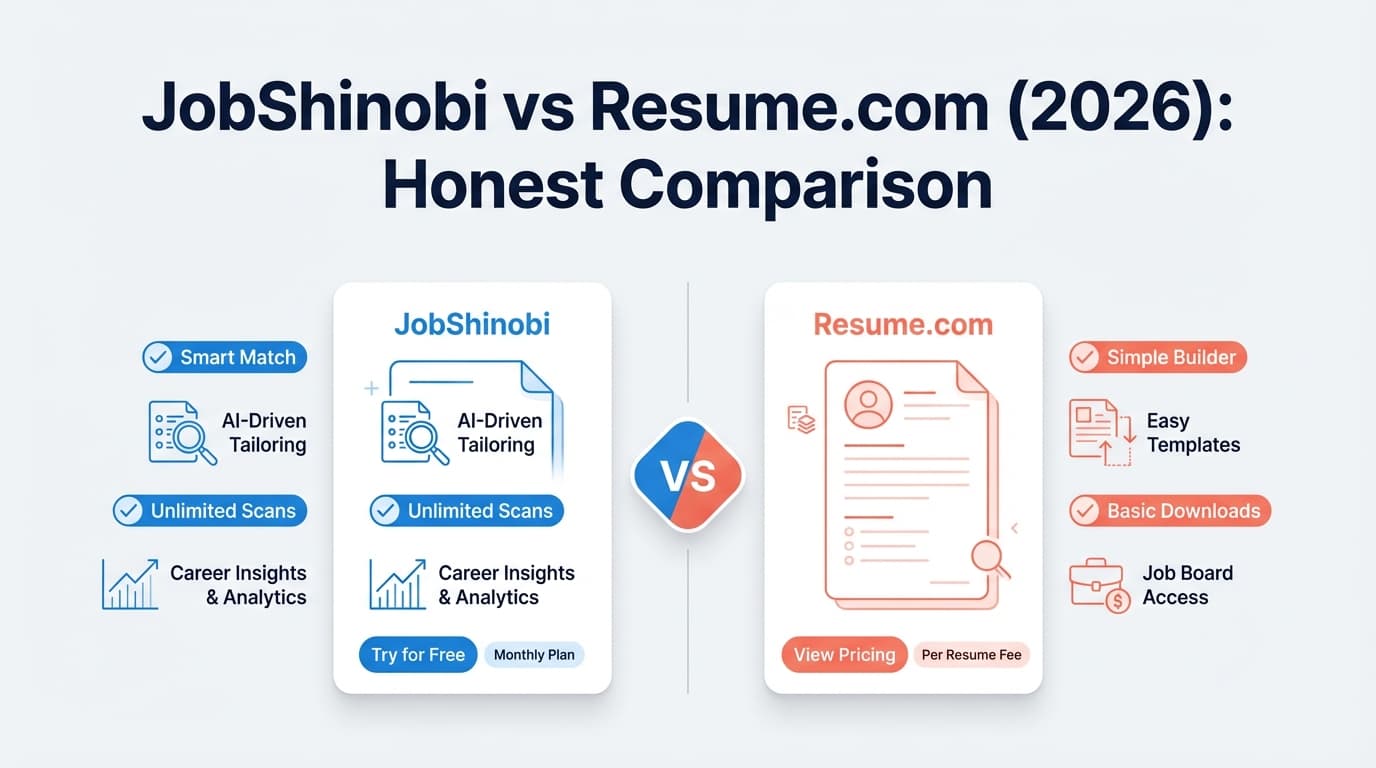
JobShinobi and Resume.com solve different parts of the job search.
Quick Verdict:
- Choose Resume.com if your priority is $0 cost, fast building, and lots of samples + cover letter support.
- Choose JobShinobi if you’re actively applying and want ATS-focused scoring + job-specific tailoring + (Pro) automated job tracking via email forwarding.
TL;DR Comparison
| Feature | JobShinobi | Resume.com |
|---|---|---|
| Core positioning | ATS-focused AI resume builder + analyzer + job tracker | “100% free” resume builder + samples + cover letters |
| Starting price | Free tier (limited) | Free (markets “100% free”) |
| Paid plan | $20/month or $199.99/year (Pro) | No paid plan prominently advertised on main marketing pages |
| AI help | ✅ AI resume agent + analysis + job matching | ✅ Markets “AI-powered writing assistance” |
| ATS scoring / resume grading | ✅ Yes (ATS/keyword/formatting scoring & feedback) | Not positioned as a scoring tool |
| Resume tailoring to a job post | ✅ Job description extraction + match score | Not positioned for match scoring |
| Job application tracker | ✅ Yes (tracker + analytics; automation on Pro) | ❌ Not a tracking/CRM tool |
| Email-forwarding auto-tracking | ✅ Yes (Pro) | ❌ No |
| Resume samples | Not a core marketing focus | ✅ Promotes 125+ resume samples |
| Cover letter builder | Not a core feature highlight | ✅ Cover letter builder + examples (200+ examples page) |
| Download formats | PDF + .tex |
Resume.com messaging mentions PDF + plain text; some “Indeed Resume Builder” messaging mentions PDF + DOCX (varies by experience) |
| Best for | Serious, high-volume applicants optimizing for ATS + tracking | Anyone who wants a free, straightforward builder + examples |
JobShinobi Overview
JobShinobi is an AI Resume Builder + ATS Resume Analyzer + Job Search Tracker designed for people who are applying to real roles and want to improve response rate.
Key parts of the product:
- LaTeX-first resume workflow: you edit structured content and generate clean PDFs via cloud compilation.
- AI resume analysis: a resume score breakdown (ATS, keywords, formatting, completeness) plus structured feedback.
- Job description → resume matching: paste a job URL or description, extract requirements, and get a match score + missing keywords.
- Job tracking & analytics: track applications and see response rate/interview conversion.
- Unique differentiator (Pro): email-forwarding job tracking: forward application emails to a unique address; JobShinobi extracts company/title/status and logs it automatically.
Key Strengths
- ATS scoring + keyword gap feedback (built-in, not an add-on)
- Workflow for tailoring (job extraction + match analysis + apply suggestions)
- Tracking & analytics (plus automation for people applying at volume)
Limitations (honest)
- Not a “100% free” tool. Some core automation (email parsing/auto-tracking) requires Pro.
- LaTeX isn’t for everyone. If you want a Word-like drag-and-drop editor, JobShinobi may feel more “power-user.”
Resume.com Overview (Verified)
Resume.com positions itself as a free resume builder that helps you create and download a resume quickly. Its homepage title and messaging emphasize “Free Resume Builder” and “100% free,” plus AI-powered writing assistance.
Resume.com also promotes:
- 125+ resume samples (Resume.com “Resume Samples” page)
- a cover letter builder (“Cover Letter Builder” page, marketed with AI assistance)
- cover letter examples (Resume.com “200+ Free Cover Letter Examples” page)
- mobile-friendly/app experience (Resume.com “Free Resume App” page)
Resume.com also has pages indicating tighter Indeed integration/rebranding (e.g., “Indeed account information” on Resume.com). Some Resume.com pages appear heavily app-rendered, so exact editor capabilities can vary by experience.
Key Strengths
- Free-first: Resume.com consistently markets itself as free to use and download.
- Examples & guidance: large library of resume samples and cover letter examples.
- Cover letter support: cover letter builder + examples are clearly part of the offering.
- Indeed ecosystem proximity: Resume.com messaging indicates connection to Indeed account experiences.
Limitations (from verified reviews + support signals)
- Mixed customer sentiment on review sites. At time of verification:
- Trustpilot shows 1.4/5 with ~50 reviews (Trustpilot page snippet/OG data).
- Sitejabber shows 2.3 stars with 20 reviews (Sitejabber snippet/meta).
- Billing confusion shows up in complaints, even though Resume.com markets itself as free.
Important nuance: Resume.com’s own help center has an article titled “I received a charge to my credit card” that references statement descriptors and points some users toward other brands’ support (e.g., Resume-Now) depending on what appears on their statement. That suggests a real-world issue: users may confuse different resume products/brands when disputing charges. Still, if “free” is your #1 requirement, it’s smart to screenshot what you’re agreeing to and check your statements.
Feature-by-Feature Comparison
1) Which is actually “free”?
Resume.com:
Resume.com’s marketing is clearly built around being free. It promotes free building and downloading, and it’s one of the most common recommendations when people ask for a free resume builder.
JobShinobi:
JobShinobi offers a free tier, but it’s not trying to be “free forever for everything.” The Pro plan unlocks the automation that makes it unique (especially email-forwarding auto-tracking).
Winner: Resume.com (if price is the deciding factor)
2) AI capabilities (writing vs optimizing)
Resume.com AI (writing assistance):
Resume.com markets AI-powered writing assistance for resumes and cover letters. This is typically most valuable when you want help drafting phrasing, summaries, and bullet points inside the builder.
JobShinobi AI (optimization + workflow):
JobShinobi’s AI is more “job-search operations” oriented:
- resume scoring with structured ATS feedback
- job description extraction
- resume-to-job match scoring and keyword gaps
- an AI agent workflow for iterative improvements
Winner: JobShinobi (for optimization and tailoring); Resume.com (for simple drafting while building)
3) ATS optimization & resume scoring
JobShinobi:
Strong advantage here. ATS scoring and structured feedback are central.
Resume.com:
Resume.com promotes templates and examples, but it’s not positioned as an ATS scoring/analyzer platform.
Winner: JobShinobi
4) Tailoring your resume to a specific job
JobShinobi:
Designed specifically for job-specific tailoring: extract requirements, calculate match, and show what to change.
Resume.com:
Better for creating a general resume quickly. If you tailor heavily, you’ll likely do it manually using templates/samples as guidance.
Winner: JobShinobi
5) Job tracking (what happens after you download the resume)
JobShinobi:
Includes a job tracker and analytics dashboard (response rate, interview conversion, etc.). On Pro, the email-forwarding workflow can automatically create/update applications from confirmation emails.
Resume.com:
Resume.com is a resume/cover letter builder, not a job-tracking system.
Winner: JobShinobi
6) Templates, samples, and “I just need something done today”
Resume.com:
This is where Resume.com often wins:
- large sample library (125+ resume samples)
- cover letter examples (200+)
- straightforward builder approach
JobShinobi:
More powerful if you’re iterating and optimizing, but it’s not primarily a “pick a template and be done in 10 minutes” tool.
Winner: Resume.com
Pricing Comparison (Verified)
| Plan | JobShinobi | Resume.com |
|---|---|---|
| Free | Free tier (limits apply) | Markets “100% free” |
| Monthly | $20/month (Pro) | $0 |
| Yearly | $199.99/year (Pro) | $0 |
Value analysis:
- If your budget is $0: Resume.com is the obvious pick.
- If you’re applying seriously (and especially if you’re tracking applications in spreadsheets): JobShinobi can be worth paying for because it replaces multiple tools—resume builder + ATS feedback + job tracking + (Pro) automation.
Download formats: PDF, DOCX, TXT (what we can verify)
Because parts of Resume.com appear heavily app-rendered, format availability can depend on which editor experience you’re in.
- Resume.com marketing/support snippets commonly mention PDF + plain text (TXT) downloads.
- Resume.com “Indeed Resume Builder” messaging (seen in search snippets) mentions PDF and DOCX formats.
Practical takeaway: If you must submit DOCX everywhere, verify inside your account/editor before committing your workflow to Resume.com. If you’re fine with PDF (most are), you’re likely covered.
JobShinobi exports a compiled PDF and also allows downloading the .tex source (useful for control and versioning, less useful if you need Word files).
Who Should Choose JobShinobi?
Choose JobShinobi if you:
- want ATS scoring and concrete improvement feedback
- tailor your resume to job descriptions and want a match score + missing keywords
- apply to many roles and need a job tracker + analytics
- want to reduce admin work by using email-forwarding auto-tracking (Pro)
- value version history so you can iterate without losing previous drafts
Who Should Choose Resume.com?
Choose Resume.com if you:
- want a resume builder that is free
- want lots of samples and examples to copy structure from (125+ resume samples; 200+ cover letter examples)
- want an integrated cover letter builder
- prefer a simple experience over a more technical/optimization-heavy tool
- like being closer to the Indeed ecosystem (account and branding integration)
Switching from Resume.com to JobShinobi (Migration)
If you start on Resume.com because it’s free, then later want ATS scoring and job tracking, moving to JobShinobi is doable.
- Migration method: export from Resume.com (often PDF/TXT; sometimes DOCX depending on experience), then copy/paste content into JobShinobi templates/editor.
- Formatting expectations: you’ll likely do a bit of cleanup because JobShinobi uses a structured LaTeX workflow.
- Learning curve: moderate—but worth it if you’re applying seriously and iterating often.
FAQ
Is Resume.com really free?
Resume.com markets itself as 100% free and prominently positions free building and downloading. However, reviews show some users reporting billing confusion. Resume.com also has a help-center article for users who see charges, suggesting that confusion across similarly named resume services can happen. If “free” is critical, verify what you’re agreeing to and monitor statements.
Is JobShinobi a free AI resume builder?
JobShinobi has a free tier, but it is not positioned as “free forever for everything.” Pro features (including the email-forwarding job tracking automation) require a paid subscription ($20/month or $199.99/year).
Which one is better for ATS optimization?
JobShinobi is built around ATS scoring, keyword analysis, and tailoring. Resume.com is better viewed as a free builder with templates/examples rather than an ATS analyzer.
Does Resume.com include cover letters?
Yes. Resume.com has a cover letter builder page (marketed with AI assistance) and a cover letter examples library.
Which should I use if I’m applying to lots of jobs?
If you’re applying at volume and want tracking + analytics (and possibly automation), JobShinobi is usually the better fit. If you mainly need a free resume/cover letter quickly, Resume.com is a strong starting point.