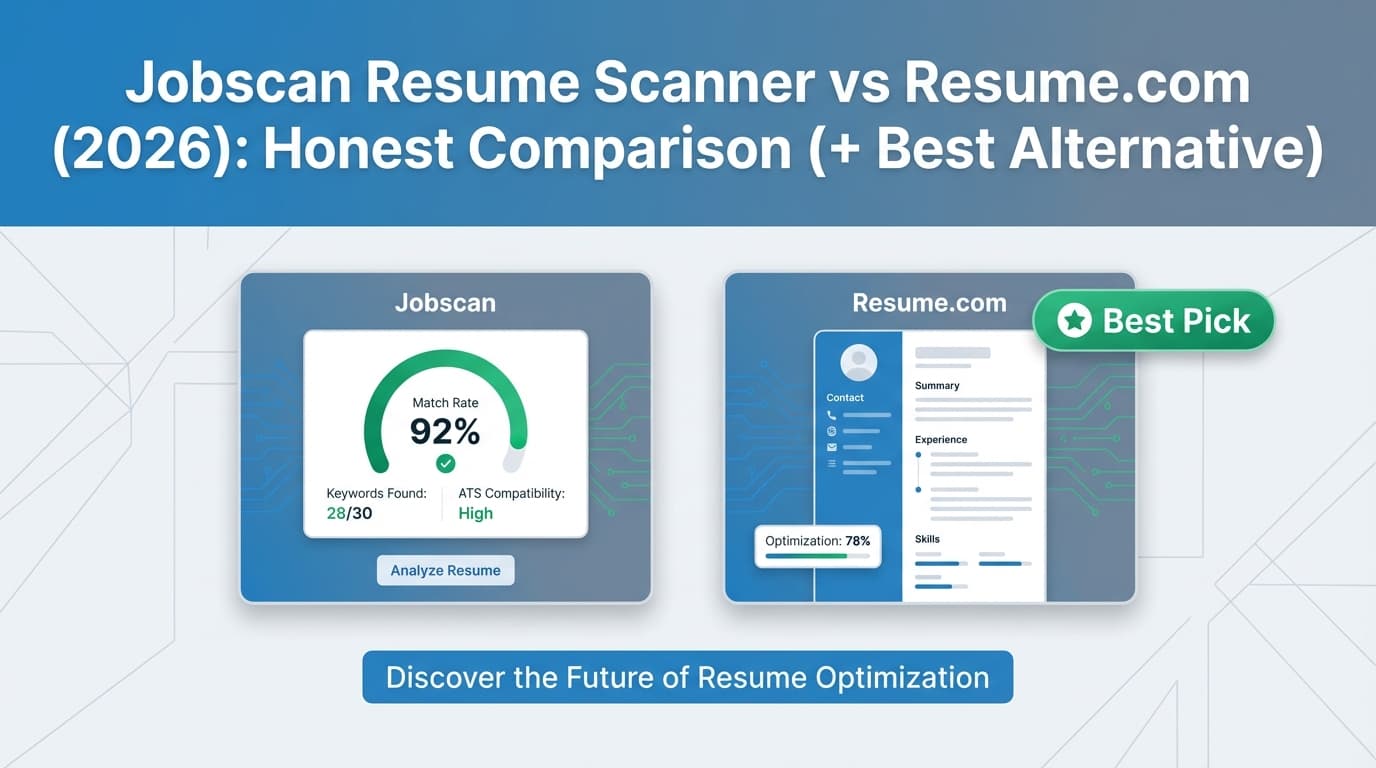
If you’re searching “Jobscan resume scanner vs Resume.com”, you’re likely trying to solve one (or both) of these problems:
- “Am I getting filtered by ATS because my resume doesn’t match the job description?”
- “I just need a professional resume/cover letter fast—preferably free.”
Jobscan and Resume.com are both popular, but they’re built for different moments in the job search. This guide compares what they do well, where they fall short, and when an alternative like JobShinobi makes more sense (especially if you’re applying at volume and need organization, not just a document).
Quick Verdict:
- Choose Resume.com if you want a free resume + cover letter builder with lots of examples and simple downloads.
- Choose Jobscan if you’re tailoring heavily for specific roles and want resume vs job description matching (but unlimited usage is paid).
- Consider JobShinobi if you want ATS analysis + job matching + built-in job application tracking via email forwarding in one workflow.
TL;DR Comparison
| Feature | Jobscan Resume Scanner | Resume.com | JobShinobi (Alternative) |
|---|---|---|---|
| Core purpose | Match your resume to a job description (ATS-style scan) | Build a resume/cover letter quickly (free-first) | Build + analyze + tailor resumes and track applications |
| ATS/job description match | ✅ Yes (core workflow) | ⚠️ Not the core focus (markets “ATS-friendly”) | ✅ Yes (resume scoring + job match) |
| Resume builder | ✅ Yes (Jobscan markets a resume builder) | ✅ Yes (“100% free resume builder”) | ✅ Yes (LaTeX templates + editor + PDF preview) |
| Cover letter tools | ✅ Available (AI cover letter features appear in plan listings) | ✅ Cover letter builder + examples | ⚠️ Resume-first (not a dedicated cover letter product) |
| Downloads | Depends on workflow/plan | PDF + TXT (per Resume.com help/article snippets) | PDF + .tex export |
| Free plan | Limited scans (Jobscan states 5 free scans/month) | ✅ Free (“never pay a dime” claim on homepage) | Limited (key automation is Pro-gated) |
| Starting price | $49.95/month (per Jobscan plan snippet) | $0 | $20/month |
| Best for | Serious tailoring per role | Students / entry-level / “need it now” | High-volume applicants who want ATS + tracking automation |
Resume.com Overview (Verified)
Resume.com positions itself as a free resume builder. On its homepage, it explicitly states the resume builder is “completely free” and that from account creation to downloading/printing, you’ll “never pay a dime.”
Resume.com also highlights:
- AI-powered writing assistance (as described in its homepage snippet)
- 100+ resume samples (homepage messaging)
- A dedicated Resume Samples section that advertises “125+” free example resumes and formats (Resume.com sample page title)
- A Cover Letter Builder page and a separate “200+ Free Cover Letter Examples” page (Resume.com cover letter examples title)
Resume.com has also been connected to Indeed historically (Indeed announced it acquired Resume.com in 2018), and Resume.com pages reference “samples by Indeed” in the resume samples page snippet.
Key Strengths
- Price & accessibility: The free positioning is the biggest advantage if you’re budget-conscious.
- Examples library: Strong sample content footprint (resume samples + cover letter examples).
- Simple output formats: Resume.com help content indicates you can download as PDF or TXT, and print from the dashboard (per support.resume.com snippet).
Limitations (Verified from review sources / common patterns)
- Mixed trust signals in reviews: Trustpilot shows Resume.com rated 1.4/5 with ~50 reviews at time of verification (Trustpilot page snippet/OG data). Some reviewers complain about unexpected charges or billing confusion—important to watch for if you ever see checkout prompts.
- Not a dedicated “scanner”: Resume.com may aim for ATS-friendly formatting, but it’s not primarily positioned as “compare resume to job description and score the match” the way Jobscan is.
Important: Resume sites are frequently confused with similarly named domains. Always confirm you’re on resume.com and reading reviews for the same domain.
Jobscan Resume Scanner Overview (Verified via plan snippets & public pages)
Jobscan is best known for a workflow that compares your resume against a target job description to identify keyword gaps and alignment issues.
From Jobscan’s plan page snippets visible in search results (app.jobscan.co/plan), Jobscan states:
- 5 free resume scans on signup
- 5 free resume scans monthly
- Paid plans that include Unlimited Resume Scans and additional AI tools
Jobscan’s pricing appears publicly as:
- $49.95/month (monthly plan snippet)
- $89.95 billed every 3 months (quarterly plan snippet), often paired with a 2-week free trial (“Try 2 Weeks Free” appears in plan snippets)
Jobscan plan snippets also list features such as:
- Unlimited One-Click AI Optimizations
- AI Cover Letter Generator
- AI Bullet Point Generator
- LinkedIn Optimizer
Key Strengths
- Best fit for serious tailoring: If you apply to competitive roles and customize per posting, Jobscan’s scan-first approach is the main draw.
- Broad optimization toolkit: Plan snippets show a bundle that extends beyond scanning (AI optimizations, LinkedIn optimization, cover letter and bullet generators).
Limitations
- Cost scales with usage: The free tier is limited; frequent applicants often outgrow 5 scans/month quickly.
- Can encourage over-optimization: Any scanner-driven process can tempt you to “chase the score” instead of writing a human-readable, impact-focused resume. (This is a general risk with scanners, not a claim about Jobscan specifically.)
Feature-by-Feature Comparison
Category 1: ATS Scanning & Job Description Matching
Jobscan:
Jobscan’s core value is comparing your resume to a job description and highlighting alignment gaps (keywords/skills/role language). If your main question is “why am I not getting interviews for this exact posting?”, Jobscan is designed for that.
Resume.com:
Resume.com emphasizes building an ATS-friendly resume, but it’s not primarily marketed as a job-description matching scanner.
Winner: Jobscan (for job-specific matching)
Category 2: Resume Builder & Ease of Use
Resume.com:
Resume.com’s biggest win is speed + simplicity. It’s positioned as “100% free,” and it supports straightforward downloads (PDF/TXT per help snippets). It also has strong sample content for people who want guidance.
Jobscan:
Jobscan includes resume-building features, but most people choose it for scanning and optimization rather than for a basic “just build me a resume” flow.
Winner: Resume.com (for ease-of-use + free-first building)
Category 3: Templates, Examples, and Guidance
Resume.com:
Resume.com is very strong here:
- “125+ resume samples” page title (Resume.com)
- “200+ free cover letter examples” page title (Resume.com)
- Homepage messaging about “100+ resume samples” and writing assistance
Jobscan:
Jobscan is more optimization-focused than example-library-focused.
Winner: Resume.com (for examples/content support)
Category 4: Cover Letters
Resume.com:
Resume.com has a dedicated cover letter builder page and a large cover letter examples hub.
Jobscan:
Jobscan plan snippets explicitly include an AI Cover Letter Generator, suggesting it’s part of the paid toolkit.
Winner: Tie, depending on what you want
- Choose Resume.com for free templates/examples and straightforward creation
- Choose Jobscan if you want cover letters tightly connected to the job-description optimization workflow
Category 5: Pricing & Value
Resume.com:
Resume.com’s advantage is simple: it markets itself as free.
Jobscan:
Jobscan’s value depends on how often you apply and how much tailoring you do. Pricing visible in plan snippets is $49.95/month (monthly) or $89.95/3 months (quarterly) and commonly includes a 2-week free trial.
Winner:
- Cheapest: Resume.com
- Best for high-intent tailoring (if you’ll use it heavily): Jobscan
Where JobShinobi Fits (If You Want More Than a Scanner or Builder)
If you’re comparing Jobscan and Resume.com, there’s a third “category” that often gets ignored:
The job search system problem: tracking applications, follow-ups, interviews, outcomes—and keeping tailored resume versions organized.
JobShinobi is built for that combined workflow:
- Resume scoring + ATS/keyword feedback (structured breakdowns)
- Job description extraction + resume-to-job match (match score + missing keywords)
- AI resume agent to help edit and iterate
- Full resume version history so you can tailor safely
- A job tracker + analytics dashboard
- And a differentiator: email-forwarding auto-tracking
You forward application emails to your unique JobShinobi address, and it can extract company/title/status and log it into your tracker automatically (Pro-gated feature).
When JobShinobi is a better fit than Jobscan or Resume.com
- You’re applying to lots of roles and your biggest pain is organization + follow-up, not only resume wording
- You want ATS feedback and an integrated place to track your pipeline
- You tailor often and need version control so you don’t lose your baseline resume
When JobShinobi is not the best fit
- You want the simplest possible “drag-and-drop and download” workflow (Resume.com is easier)
- You only apply occasionally and won’t benefit from tracking automation
Pricing Comparison (Verified as of 2026-01-21)
| Plan | Jobscan | Resume.com | JobShinobi |
|---|---|---|---|
| Free | 5 scans/month (per plan snippets) | $0 (Resume.com claims completely free) | Limited (automation requires Pro) |
| Paid starting | $49.95/month (per plan snippet) | N/A | $20/month |
| Quarterly/annual | $89.95 billed every 3 months (per plan snippet) | N/A | $199.99/year |
Value analysis (practical take):
- If cost is the #1 factor: Resume.com
- If interviews are the #1 factor and you tailor constantly: Jobscan can justify the cost
- If time + organization are killing you: JobShinobi can replace multiple tools (builder + ATS feedback + tracker)
Who Should Choose Resume.com?
Choose Resume.com if you:
- Need a free resume builder and want to download without committing to a subscription
- Want lots of resume samples and cover letter examples
- Prefer a simple, guided experience over a score-driven optimization workflow
Who Should Choose Jobscan?
Choose Jobscan if you:
- Apply to competitive roles and want resume vs job description matching as your main workflow
- Expect to do a lot of tailoring and are okay paying for unlimited scans and AI tools
- Want extra optimization tools (as listed in plan snippets), like LinkedIn optimization and bullet/cover letter generators
Switching & Migration Notes (Practical)
- From Resume.com → elsewhere: Usually straightforward: export your resume (PDF/TXT) and rebuild formatting in the new tool if needed.
- From Jobscan → elsewhere: You’ll likely keep Jobscan insights (keyword gaps, suggestions) but rebuild the final resume in the tool you use for versioning and formatting.
JobShinobi migration expectation:
Most users start by creating one solid “base resume” in JobShinobi, then make versions per target role (version history makes this safer). If you want the email-forwarding job tracker automation, that is a Pro feature.
FAQ
Is Resume.com really free?
Resume.com’s homepage states the builder is “completely free” and you’ll “never pay a dime.” Their help content also describes downloading/printing from the dashboard. That said, reviews are mixed, and some users report billing issues—so if you ever see a payment screen, read it carefully and confirm you’re on resume.com.
Is Jobscan worth it compared to using a free builder?
If you’re applying to roles where tailoring matters (and you’re not getting callbacks), Jobscan’s job-description matching workflow can be valuable. If you only need a resume occasionally, a free builder like Resume.com is usually enough.
Which one is better for ATS?
It depends what you mean by “ATS.”
- If you mean formatting and a clean document: Resume.com can be sufficient for many job seekers.
- If you mean matching a specific job description: Jobscan is the stronger fit.
Can I use Jobscan and Resume.com together?
Yes. A common workflow is: build a clean base resume in Resume.com, then use Jobscan to tailor it for high-priority applications.
What’s the best alternative if I need ATS help and job tracking?
JobShinobi is designed for that combined workflow: ATS analysis + resume-to-job matching + resume version history + a job tracker that can auto-log applications when you forward emails (Pro feature).