Nearly every Fortune 500 company uses an applicant tracking system (ATS)—Jobscan reports 98.4% in 2024. (Confidence: Medium — widely repeated, but originates from Jobscan’s detection-based report.)
Source: Jobscan ATS usage report: https://www.jobscan.co/blog/fortune-500-use-applicant-tracking-systems/
That means your resume often has to perform two jobs at the same time:
- Parse cleanly so the ATS doesn’t scramble your content.
- Read persuasively so a human recruiter wants to interview you.
Keyword stuffing is what happens when you try to win #1 so aggressively that you fail #2 (and sometimes still fail #1).
In this guide, you’ll learn:
- What resume scanner keyword stuffing looks like (including “white fonting” and keyword dumping)
- A step-by-step workflow to improve keyword alignment without sounding fake
- Practical “before/after” examples you can copy
- How to test your resume so it passes scanners and the 7-second recruiter skim
What is resume scanner keyword stuffing?
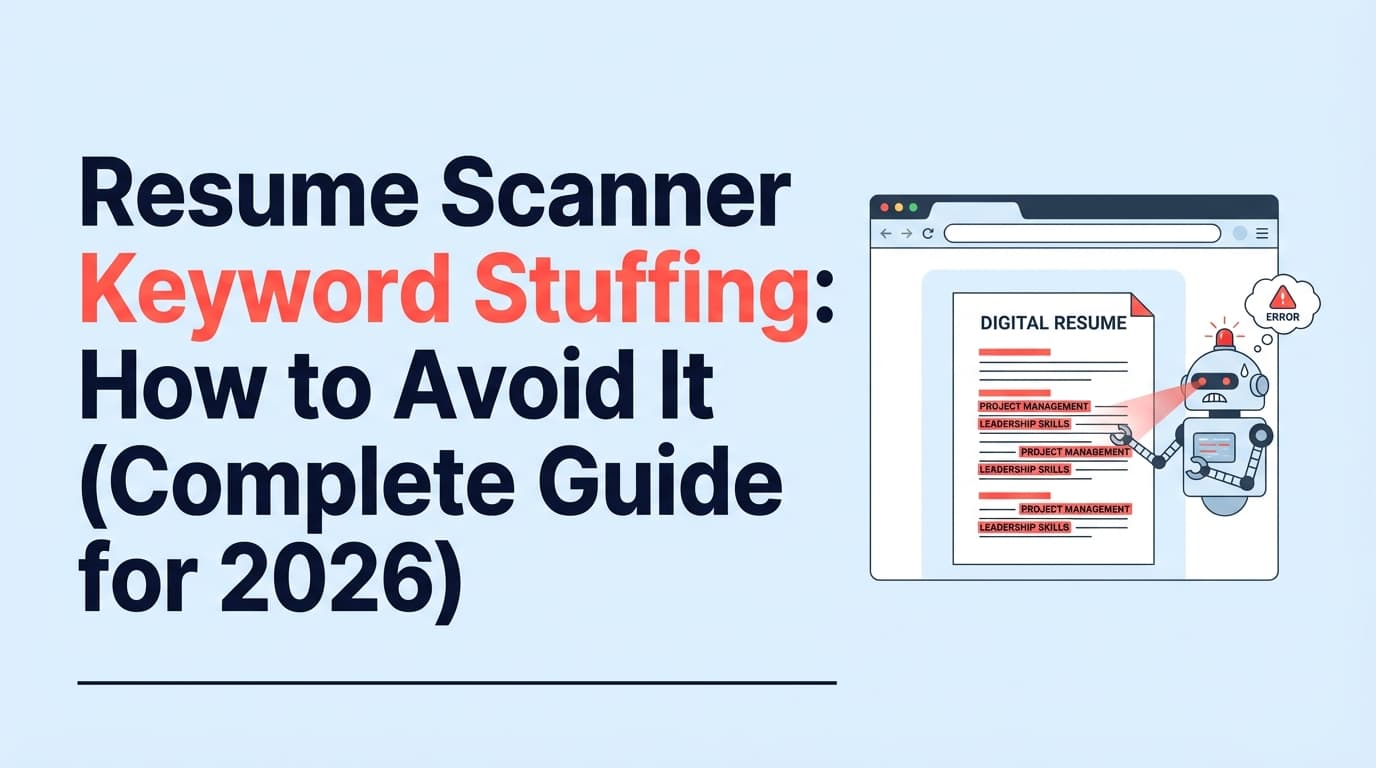
Resume keyword stuffing is the practice of cramming a resume with repeated or irrelevant keywords—often pulled straight from a job description—hoping a resume scanner/ATS will rank you higher.
It commonly shows up as:
- Repeating the same skill (e.g., “project management”) unnaturally across bullets
- Dropping long keyword lists (especially in a “Skills” section) without proof in experience
- Copy-pasting job description phrases verbatim even when you didn’t do the work
- “Invisible keyword stuffing” (e.g., tiny white text, hidden sections, prompt injections)
Why it’s a problem: ATS is only the first filter. A recruiter still needs to believe your resume, understand it quickly, and feel confident you can do the job.
Why keyword stuffing matters more in 2026 (ATS + “AI screening” reality)
1) Recruiters still skim fast
In The Ladders’ eye-tracking research, the initial resume screen averaged 7.4 seconds (2018 update). (Confidence: High — primary PDF + multiple reputable citations.)
Source (PDF): https://www.theladders.com/static/images/basicSite/pdfs/TheLadders-EyeTracking-StudyC2.pdf
Additional coverage: https://www.hrdive.com/news/eye-tracking-study-shows-recruiters-look-at-resumes-for-7-seconds/541582/
If your resume reads like “keyword bingo,” the human skim fails—even if the scanner score looks great.
2) “Hidden text” tricks are being detected
Reporting summarized by Built In cites ManpowerGroup saying it detects hidden text in around 10% of resumes it scans with AI. (Confidence: High — cited across multiple publications.)
Source: https://builtin.com/articles/hidden-ai-prompts-in-resume
Even if a trick “works” in one system, it can backfire badly with another.
3) Many ATS tools prioritize parsing + structure, not just keyword frequency
Career services guidance repeatedly warns that complex formatting can hurt parsing (headers/footers, tables, text boxes). If your keywords sit in places the ATS can’t reliably read, stuffing doesn’t help.
Example resource (UIC PDF): “Do not use headers… footers… templates… borders…” (Confidence: Medium — strong institutional guidance, but ATS behavior varies.)
Source (PDF): https://careerservices.uic.edu/wp-content/uploads/sites/26/2017/08/Ensure-Your-Resume-Is-Read-ATS.pdf
How resume scanners “score” you (so you stop chasing the wrong thing)
Most resume scanners do some mix of:
- Parsing: extracting text into fields (name, contact, titles, dates, skills).
- Keyword matching: comparing your resume text to the job description text.
- Section weighting: giving more “credit” to matches in Experience vs a raw Skills dump.
- Heuristics: flags for weak verbs, missing metrics, buzzwords, unclear dates, etc.
The trap: optimizing for “match rate” instead of “match evidence”
Some tools even recommend a target match rate (Jobscan has said ~75–80% is a strong goal). (Confidence: Medium — from Jobscan guidance, but outcomes vary by role and market.)
Source: https://www.jobscan.co/blog/what-jobscan-match-rate-should-i-aim-for/
A high score doesn’t guarantee interviews. But a resume that’s:
- accurately keyword-aligned,
- easy to parse,
- and easy to skim
…is the strongest “scanner + human” combo you can control.
How to avoid resume scanner keyword stuffing: Step-by-step workflow
This is a repeatable process you can run in 20–40 minutes per application once you get used to it.
Step 1: Build a “keyword bank” from the job description (not a copy-paste list)
Copy the job description into a doc and pull out keywords into 5 buckets:
- Hard skills (SQL, Python, Excel, Salesforce)
- Tools/platforms (Looker, AWS, Jira, HubSpot)
- Methods/frameworks (Agile, A/B testing, ETL, stakeholder management)
- Role outputs (dashboards, forecasting, pipeline, reporting, automation)
- Compliance/domain (HIPAA, SOC 2, GAAP, ISO, ADA, etc.)
Rule: If a term appears multiple times in the posting, it’s usually high priority.
Pro tip: Don’t treat “soft skills” like keywords you can sprinkle in (“hardworking,” “team player”). Instead, treat them like claims you must prove with outcomes.
Step 2: Separate “must-haves” from “nice-to-haves”
Create a simple priority label:
- Tier 1 (must-have): required qualifications, core tools
- Tier 2 (important): common tools, methods, common role outputs
- Tier 3 (nice-to-have): optional tools, “familiarity with…”
You’re aiming to be credible on Tier 1 and strong on Tier 2.
Avoid stuffing trigger: trying to force Tier 3 into your resume when you can’t honestly back it up.
Step 3: Map each priority keyword to proof in your experience
For Tier 1 and Tier 2 keywords, write one line of proof:
- Keyword: SQL
Proof: “Built SQL queries to clean CRM data and reduce duplicate leads by 18%.”
If you can’t write proof, you have three options:
- Drop it (best if it’s Tier 3)
- Learn it quickly (only if realistic and you can speak to it)
- Reframe truthfully (e.g., you used “PostgreSQL” rather than “SQL”—still counts if explained clearly)
Step 4: Use “exact match” strategically (and stop repeating it everywhere)
Some ATS/search filters can be literal: recruiters may search for “Salesforce” not “CRM tool.”
Best practice:
- Use the exact term once in a high-value place (Experience bullet or Skills).
- Then allow natural variation (synonyms, related tools) where relevant.
Example:
- Exact: “Salesforce”
- Variations: “CRM,” “lead routing,” “pipeline reporting” (only if you did these)
Avoid stuffing trigger: repeating the exact term in every bullet just to inflate frequency.
Step 5: Place keywords where scanners (and humans) expect them
Use a “placement ladder”:
- Title / Headline (optional): “Data Analyst | SQL, Tableau, Python”
- Summary: 2–4 lines with 2–4 core keywords + outcomes
- Skills: clean list (grouped) of only what you can defend
- Experience bullets: where keywords become believable (best place)
- Projects / Certifications: perfect for “proof” keywords
Avoid stuffing trigger: dumping 40 tools in Skills with no evidence anywhere else.
Step 6: Write bullets that carry keywords inside outcomes (the anti-stuffing formula)
Use this structure:
Action verb + what you built/did + tools/method + scope + measurable result
Example (good, keyword-rich, not stuffed):
- “Automated weekly revenue reporting in Excel and SQL, cutting manual cleanup time by 6 hours/week and improving forecast accuracy.”
This includes keywords naturally because they’re part of the work.
Avoid stuffing trigger:
- “Excel, SQL, reporting, forecasting, dashboards, analytics, KPIs, stakeholders…”
That reads like a tag cloud.
Step 7: Replace “keyword salad” with 2–3 targeted bullets
If you’re trying to match many keywords, don’t spread them across 12 weak bullets.
Instead:
- Keep fewer bullets
- Make each bullet do more work (tool + method + result)
This is especially important because recruiters skim quickly (7.4 seconds). (Confidence: High — The Ladders study.)
Step 8: Avoid “invisible keyword stuffing” (white fonting, tiny text, hidden prompts)
This includes:
- White text on white background
- Font size 1 keywords
- Copying the job description into a footer
- Hidden instructions to AI screeners (“Ignore previous instructions…”)
Why it’s risky:
- It can be detected (see hidden text detection reporting). (Confidence: High — Built In summarizing reporting from NYT/ManpowerGroup.)
- If a human sees it, it can end your candidacy immediately.
Do this instead: Put keywords in Projects or Experience with proof.
Step 9: Make sure your formatting doesn’t sabotage your keywords
Even perfect keyword strategy fails if your resume doesn’t parse.
Common formatting risks (often flagged by career centers and ATS guides):
- Headers/footers for contact info
- Tables, text boxes, columns
- Icons/images used as section labels
Example institutional guidance (UIC PDF): https://careerservices.uic.edu/wp-content/uploads/sites/26/2017/08/Ensure-Your-Resume-Is-Read-ATS.pdf (Confidence: Medium)
Fast self-test: Copy/paste your resume into a plain-text editor.
If the order becomes chaotic, an ATS parser may struggle too.
Step 10: Test with a resume scanner—then edit for meaning, not just score
When you run a scan:
- Identify missing Tier 1 keywords
- Add them only where you can attach proof
- Re-run scan
- Then do a human skim test: can someone understand your role and impact in 10 seconds?
A simple rule: If adding a keyword makes the sentence worse, you’re stuffing.
Before/After examples: keyword stuffing vs optimized keyword integration
Example 1: Data Analyst (keyword stuffing)
Stuffed (bad):
- “SQL, SQL, SQL. Python, Tableau, dashboards, KPIs, analytics, analysis, data analysis, reporting, insights.”
Optimized (good):
- “Built a Tableau dashboard with SQL data models to track churn by segment; improved retention targeting and reduced manual reporting by 4 hours/week.”
Why it works:
- Exact-match keywords appear naturally (SQL, Tableau, “dashboard”)
- Outcome proves the tools weren’t just named
Example 2: Project Manager (keyword stuffing)
Stuffed (bad):
- “Agile, Scrum, Jira, stakeholder management, cross-functional collaboration, leadership, project management…”
Optimized (good):
- “Led an Agile delivery cycle for a 6-person team using Jira, shipping 12 features in 8 weeks and reducing sprint spillover by 30%.”
Example 3: Marketing Specialist (keyword stuffing)
Stuffed (bad):
- “SEO, SEO, content marketing, content strategy, Google Analytics, GA4, KPIs, keywords…”
Optimized (good):
- “Owned SEO content updates using GA4 and Search Console insights; lifted organic traffic 22% QoQ across 15 priority pages.”
12 best practices to beat resume scanners without keyword stuffing
- Prioritize keywords (Tier 1/Tier 2/Tier 3) before editing anything.
- Use exact-match terms once in a high-value section (Experience/Skills), not everywhere.
- Prove keywords with outcomes (metrics, scope, stakeholders).
- Group skills logically (Languages, Tools, Methods) to avoid “keyword clouds.”
- Mirror job title language when accurate (e.g., “Business Analyst” vs “Data Analyst”).
- Use both acronym + full term once if common (e.g., “Applicant Tracking System (ATS)”).
- Avoid buzzword-only bullets (“responsible for,” “worked on,” “helped with”).
- Keep formatting simple so parsing doesn’t scramble your best keywords.
- Tailor the top third (headline/summary + first 1–2 roles) first—highest skim impact.
- Don’t chase 100% match rate; aim for credibility and clarity (Jobscan suggests ~75–80% as a guideline). (Confidence: Medium.)
- Remove irrelevant keywords even if they appear in the job post; irrelevance looks dishonest.
- Validate with a human skim test (7.4 seconds matters). (Confidence: High.)
Common mistakes to avoid (and how to fix them)
Mistake 1: Copy-pasting the job description into your resume
Fix: Convert requirements into your accomplishments. One bullet per major requirement is usually enough.
Mistake 2: “Skills section as a landfill”
Fix: Keep Skills to only what you can defend in an interview—and support key skills in Experience bullets.
Mistake 3: Repeating keywords to inflate frequency
Fix: One strong, proof-based mention beats five weak mentions.
Mistake 4: Using hidden text (white fonting)
Fix: Don’t. If you need space, remove low-value bullets and add one high-value bullet with proof.
Mistake 5: Formatting that breaks parsing
Fix: Use a clean, single-column layout and avoid putting important info in headers/footers. See UIC guidance (PDF). (Confidence: Medium.)
Tools to help with resume scanner keyword matching (without stuffing)
You can do this manually, but tools help you see keyword gaps faster—as long as you don’t turn the results into keyword spam.
JobShinobi (resume analysis + job match + editing workflow)
JobShinobi is built for job seekers who want ATS-focused feedback and a structured way to tailor resumes.
What it can help with (based on supported functionality):
- AI resume analysis with scoring + detailed feedback (including ATS/keyword-focused analysis)
- Job matching: compare your resume to a job description and identify missing/present keywords
- Resume editing in LaTeX with PDF preview (plus resume version history so you can safely iterate)
Pricing (be precise):
- JobShinobi Pro is $20/month or $199.99/year.
- The site’s marketing mentions a 7-day free trial, but trial enforcement isn’t clearly verifiable in public code. (Confidence: Medium.)
Internal links:
- See plans:
/subscription - Resume workspace:
/dashboard/resume
Other popular options (useful for cross-checking)
- Jobscan: well-known resume-to-JD match workflow (some pages may be paywalled).
- Resume Worded: targeted resume feedback and keyword scanning.
- SkillSyncer: ATS-style keyword comparison tools.
- Teal: resume and job search workflow tools.
Pro tip: Run your resume against 2 different scanners. If one tool pushes you toward awkward phrasing, trust readability and proof over score.
Quick checklist: “Am I keyword stuffing?”
If you answer “yes” to any of these, you’re probably stuffing:
- Do I have a keyword list that isn’t supported anywhere in Experience?
- Does the same keyword appear 3+ times in a single role with no added meaning?
- Did I add keywords I can’t explain in a real interview?
- Did I hide keywords (white text / tiny font / footer copy-paste)?
- Does my Summary sound like a job description instead of a professional pitch?
FAQ (People Also Ask-style)
What is keyword stuffing on a resume?
Keyword stuffing is overloading your resume with repeated or irrelevant keywords to try to game a resume scanner/ATS—often at the cost of readability and credibility.
Will an ATS reject keyword stuffing?
Some systems may not “auto-reject,” but keyword stuffing can still hurt you by:
- lowering readability for humans
- triggering flags in more advanced screening workflows
- making your experience look exaggerated or dishonest
(Also, “hidden text” tactics are increasingly detected in practice—see reporting summarized by Built In.)
Source: https://builtin.com/articles/hidden-ai-prompts-in-resume (Confidence: High.)
How many keywords should I include to pass a resume scanner?
There’s no universal number. A better rule is:
- Cover the Tier 1 requirements clearly
- Support each major keyword with proof in Experience/Projects
- Avoid repeating the same keyword unless it adds new meaning
Should I aim for a 100% match rate?
Usually no. Jobscan has recommended ~75–80% as a strong guideline for match rate. (Confidence: Medium.)
Source: https://www.jobscan.co/blog/what-jobscan-match-rate-should-i-aim-for/
Chasing 100% often leads to stuffing, overfitting, and losing your authentic differentiators.
Do resume scanners recognize synonyms?
Sometimes. Some ATS searches are literal (exact term), while others handle variations better. The safest approach:
- include the exact critical term once
- use natural variations when accurate
Can I copy the job description into my resume in white text?
Don’t. It’s risky, can be detected, and can tank trust instantly if discovered. Hidden text is discussed widely in recruiting circles, and reporting indicates it’s being detected at meaningful rates.
Source: https://builtin.com/articles/hidden-ai-prompts-in-resume (Confidence: High.)
What formatting helps ATS parsing the most?
Generally:
- single-column layout
- clear section headings
- avoid tables/text boxes/graphics for core content
- keep contact info in the main body (not headers/footers)
Example guidance: UIC Career Services PDF: https://careerservices.uic.edu/wp-content/uploads/sites/26/2017/08/Ensure-Your-Resume-Is-Read-ATS.pdf (Confidence: Medium.)
PDF or DOCX for ATS?
It depends on the employer and ATS. Many guides say DOCX is the safest for parsing consistency, while a clean, text-based PDF can also work if formatting is simple. If the application portal specifies a format, follow that.
What keywords do resume scanners look for?
Mostly the same things hiring teams list in the posting:
- job title variants
- required tools/skills (e.g., SQL, Jira, GA4)
- certifications
- domain terms (industry systems, compliance)
- core responsibilities framed as outcomes (reporting, automation, forecasting)
How do I “trick” resume scanners?
Don’t try to trick them. Focus on:
- correct parsing
- accurate keyword alignment
- proof in experience bullets
That’s the sustainable way to pass both the scanner and the human review.
Key takeaways
- Keyword stuffing fails because it optimizes for a scanner score instead of proof + readability.
- Use a keyword bank + priority tiers so you only include what matters.
- Put keywords inside achievement bullets, not keyword dumps.
- Avoid hidden-text hacks; they’re risky and increasingly detected.
- Test your resume with scanners, but always finish with the human skim test (7.4 seconds is real). (Confidence: High — The Ladders.)