Recruiters skim fast. In The Ladders’ eye‑tracking research, the average initial resume screen measured 7.4 seconds. (Confidence: High — primary PDF + third-party coverage)
Source: The Ladders Eye‑Tracking Study (2018) https://www.theladders.com/static/images/basicSite/pdfs/TheLadders-EyeTracking-StudyC2.pdf
Coverage: HR Dive summary https://www.hrdive.com/news/eye-tracking-study-shows-recruiters-look-at-resumes-for-7-seconds/541582/
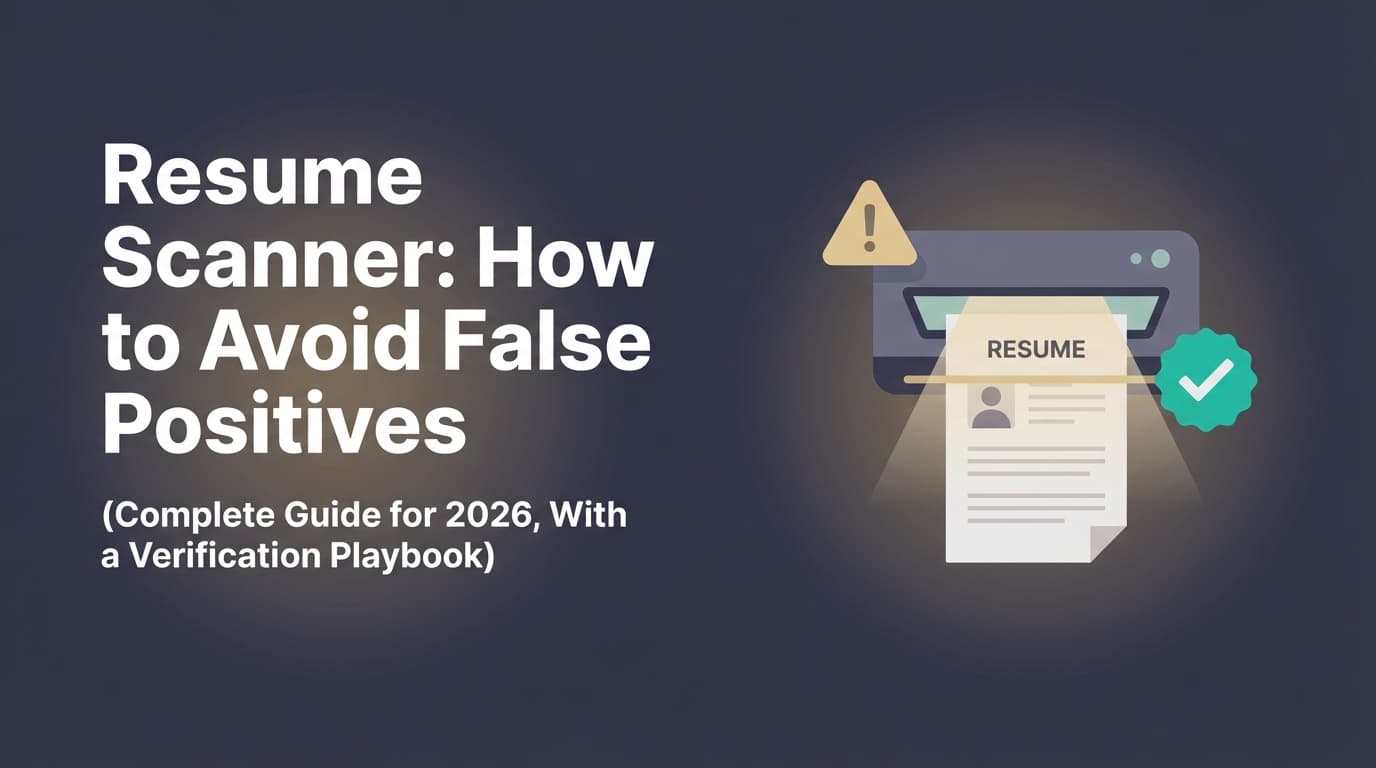
That matters because resume scanners (ATS checkers, keyword match tools, “AI-written” detectors, parsers) don’t read like humans—and sometimes they flag non-problems as problems. Those are false positives, and they’re costly: they push you into rewriting strong content, breaking formatting, or keyword-stuffing just to satisfy a tool that isn’t the employer’s actual system.
This guide is designed for high-volume applicants and ATS-optimization seekers who are tired of:
- Getting wildly different “scores” from different tools
- Seeing scanners flag “missing keywords” that are clearly present
- Being told a clean resume is “not ATS-friendly”
- Panicking and over-editing (and then getting fewer interviews)
In this guide, you’ll learn:
- What “false positives” mean in resume scanners (and why they happen)
- A step-by-step verification workflow to validate scanner results
- The highest-impact formatting and keyword tactics to reduce false positives
- A troubleshooting matrix with real examples (before/after)
- What not to do (white fonting, hidden text, keyword dumping)
- Tools that can help you iterate without losing your best version
What is a “false positive” in a resume scanner?
A false positive happens when a resume scanner flags something as an issue—even though it won’t actually hurt you in a real hiring workflow (ATS + recruiter review), or the tool is misreading your resume/job description.
Common resume scanner false positives include:
1) Keyword false positives
- “Missing keyword: stakeholder management” even though you wrote “partnered with stakeholders” or “managed cross-functional partners.”
- “Missing: SQL” even though you listed “PostgreSQL,” “BigQuery,” or “wrote complex queries.”
2) Parsing/formatting false positives
- “ATS can’t read columns/tables” even though your actual extracted text is clean.
- Your PDF parses fine in many systems, but one scanner’s parser is weaker and produces a scary warning.
3) “AI-written” false positives
- A detector says your resume is “100% AI-generated” because you use concise, standardized language—or because detectors are biased against non-native English writing.
Stanford HAI reports research where all seven detectors unanimously identified 18 of 91 TOEFL essays (19%) as AI-generated. (Confidence: High — Stanford HAI citing academic work)
Source: https://hai.stanford.edu/news/ai-detectors-biased-against-non-native-english-writers
4) “Score obsession” false positives
- A tool gives you a low match rate and you assume you’re getting auto-rejected—when your issue is actually role fit, application strategy, or lack of evidence (metrics, scope).
Key idea: Most scanners are simulations and proxies, not your employer’s exact ATS configuration.
Why avoiding false positives matters more in 2026
ATS and AI screening are not going away
-
Jobscan reports 98.4% of Fortune 500 companies used a detectable ATS in 2024. (Confidence: Medium–High — reputable vendor research, but vendor-supplied)
Source: https://www.jobscan.co/blog/fortune-500-use-applicant-tracking-systems/ -
The same Jobscan report states that in 2024, Workday had a 37.1% usage rate and SuccessFactors 13.4% among Fortune 500 ATS detections. (Confidence: Medium — vendor research; plausible, but still a vendor dataset)
Source: https://www.jobscan.co/blog/fortune-500-use-applicant-tracking-systems/ -
iHire’s State of Online Recruiting 2025 reports 32.1% of employers who use AI leverage it to screen applicants and resumes, up from 11.6% in 2024. (Confidence: Medium — vendor survey; clearly stated)
Source: https://www.ihire.com/resourcecenter/employer/pages/the-state-of-online-recruiting-2025
False positives waste time and make your resume worse
When you “fix” a false positive, you often:
- Remove high-value achievements because a tool calls them “too long” or “generic”
- Add awkward keywords that reduce clarity for a human skim
- Over-simplify formatting until the resume becomes less readable
- Create new red flags (keyword stuffing, unnatural phrasing, inconsistent section structure)
The biggest risk: you optimize for the tool, not the hiring decision
Your resume needs to work in two realities at once:
- Machine readability (parsing + search + ranking inside ATS)
- Human persuasion (7.4-second skim + deeper review)
False positives push you away from both.
The Resume Scanner False Positive Verification Workflow (use this every time)
This is your “don’t panic” playbook. The goal is simple: verify before you rewrite.
Step 1: Identify which type of scanner you’re using (parsing vs matching vs detection)
Resume tools often mix multiple analyses. Separate them:
A) Parsing / ATS-readability scanner
Checks if text is extractable and sections are recognized (contact, headings, dates).
What’s usually real: missing contact info, scrambled job titles/dates, sections out of order.
B) Keyword match / resume keyword scanner
Compares your resume to a job description and flags missing terms.
What’s often false: exact-match “missing keywords” that exist as synonyms or in context.
C) “AI-written” / writing detector
Flags text that resembles generative patterns.
What’s often false: false positives due to writing style, common phrasing, or bias (see Stanford HAI).
Rule: Fix parsing first. Then fix matching. Treat detection as low-confidence signal.
Step 2: Run the “Plain-Text Extraction Test” (fastest way to confirm real parsing issues)
This is the most practical anti–false positive step.
MIT Career Advising recommends testing ATS friendliness by saving your resume as plain text and checking what remains. (Confidence: High — reputable university career office)
Source: https://capd.mit.edu/resources/make-your-resume-ats-friendly/
Do this:
- Open your resume PDF.
- Copy all text and paste into a plain text editor (Notepad/TextEdit) or a blank Google Doc.
- Scan for:
- Missing name/email/phone
- Missing company names, job titles, or dates
- Bullets turning into weird symbols
- Content out of order (common with multi-column designs)
- Skills collapsing into unreadable strings
Interpretation:
- If your plain-text view is clean, many “formatting” warnings are likely scanner limitations (false positives).
- If plain-text view is broken, you have a real parsing problem worth fixing.
Step 3: Cross-check with a second method before making changes
Never change your resume based on one tool’s output.
Cross-check options:
- A second scanner (different vendor)
- Plain-text extraction test
- Convert PDF → DOCX and test again
- Ask a friend to skim for 10 seconds: “What role is this person? What are their top wins?”
Decision rule:
- Two independent checks agree = likely real issue (high priority).
- One tool flags it, others don’t = likely false positive (verify before action).
- Only an “AI detector” flags it = treat as low-confidence unless a human also says it reads robotic.
Step 4: Classify the warning as “hard,” “soft,” or “noise”
This prevents over-editing.
- Hard issue (must fix): parsing breaks your name, titles, dates, or sections
- Soft issue (fix if it helps): missing keyword where you truly have the experience (add context)
- Noise (ignore): style/score warnings that reduce clarity or force stuffing
Step 5: Make changes in a way that reduces future false positives (not one-off hacks)
Avoid “point solutions” that will cause new problems:
- Hidden text / white fonting
- Copy-pasting full job descriptions
- Keyword dumping into Summary
- Overfitting to one jobscan score
We’ll cover safer alternatives below.
The “False Positive Troubleshooting Matrix” (quick diagnosis)
| Scanner Warning | Likely Cause | How to Verify | Fix That Doesn’t Backfire |
|---|---|---|---|
| “ATS can’t read your resume” | Tool’s parser is weak (PDF/columns/icons) | Plain-text extraction test | Simplify layout for online apps; keep one-column ATS version |
| “Missing keyword: SQL” (but you used PostgreSQL/BigQuery) | Exact-string matching | Search your resume for synonyms | Add “SQL” in context once (“Wrote SQL in BigQuery…”) |
| “Too many keywords / keyword stuffing” | Repeated terms, unnatural lists | Read it aloud; check density | Move skills to a structured Skills section + prove in bullets |
| “Your resume looks AI-written” | Generic phrases + uniform sentence structure | Human read; check for specificity | Add metrics, scope, constraints, tools; vary sentence patterns |
| “Low match rate” | Real skill gap, wrong seniority, or missing evidence | Map job requirements to proof | Add 2–4 evidence bullets; don’t fake skills |
How to avoid resume scanner false positives: Step-by-step (with examples)
Step 1: Use ATS-recognized section headings (so scanners stop guessing)
Many false positives happen because your resume uses creative headings a parser doesn’t recognize.
Prefer standard headings:
- Summary (or Professional Summary)
- Skills (or Technical Skills)
- Experience (or Professional Experience / Work Experience)
- Education
- Certifications (optional)
- Projects (optional)
A university career resource from University at Buffalo advises using standard headings like Education, Experience, Skills, etc. (Confidence: High — university guidance)
Source: https://management.buffalo.edu/career-resource-center/students/preparation/tools/correspondence/resume/electronic.html
Avoid creative headings (unless you also include a standard equivalent):
- “My Impact”
- “What I Bring”
- “Toolbox”
- “Career Highlights”
Better compromise: Use the standard heading, then a subtitle line for branding.
Step 2: Build a “dual-readable” Skills section (canonical terms + human grouping)
Keyword scanners often throw false positives because skills appear only in bullets or are phrased unusually.
Use a structured Skills section:
- Languages: Python, SQL, TypeScript
- Data: dbt, Snowflake, BigQuery
- Analytics: Looker, Tableau, Excel (Power Query)
- Cloud/DevOps: AWS, Docker, GitHub Actions
- Methods: A/B testing, forecasting, stakeholder management
Prevent acronym false positives by listing both forms
Robert Half recommends including both acronym and long-form versions of keywords. (Confidence: Medium — reputable career site)
Source: https://www.roberthalf.com/us/en/insights/landing-job/get-your-resume-past-the-robots-5-tips-to-conquer-applicant-screening-systems
Examples:
- Applicant Tracking System (ATS)
- Search Engine Optimization (SEO)
- Customer Relationship Management (CRM)
Step 3: Put keywords in context (the safest way to raise match without stuffing)
Indeed warns that keyword stuffing can create problems in automated screening and lead to false positives on the employer side (surfacing candidates who match words but not substance). (Confidence: High — direct Indeed statement)
Source: https://www.indeed.com/hire/c/info/automated-resume-screening
Indeed’s job-seeker guidance also recommends including keywords organically. (Confidence: High — direct job seeker guidance)
Source: https://www.indeed.com/career-advice/resumes-cover-letters/resume-keyword-scanners
For you as a candidate, here’s the practical rule:
Aim for one clean mention of a required keyword in Skills (canonical) and one proof-based mention in Experience (context).
Example: Turning a false-positive “missing keyword” into a strong bullet
Scanner says: Missing “stakeholder management”
Weak fix (looks stuffed):
- “Stakeholder management, cross-functional collaboration, stakeholder alignment.”
Strong fix (context + proof):
- “Partnered with cross-functional stakeholders (Product, Sales, Support) to define roadmap KPIs; improved onboarding completion rate 18% over two quarters.”
Step 4: Fix the top parsing triggers that cause scary (and sometimes real) warnings
A) Multi-column layouts
Columns often reorder text in plain-text extraction, creating false positives (“ATS can’t read this”).
A UIC career services PDF checklist recommends single-column format (no tables, multiple columns, or text boxes). (Confidence: High — university PDF checklist)
Source: https://careerservices.uic.edu/wp-content/uploads/sites/26/2017/08/Ensure-Your-Resume-Is-Read-ATS.pdf
Best practice: Keep an ATS-first, single-column version for online applications.
B) Tables and text boxes
Even when some systems handle them, many parsers don’t reliably read content inside shapes/objects.
Jobscan explicitly warns about formatting mistakes like graphics, columns, and tables confusing ATS. (Confidence: Medium–High — reputable vendor advice)
Source: https://www.jobscan.co/blog/ats-formatting-mistakes/
C) Headers/footers for contact info
Some parsers focus on the body content and can miss headers/footers—leading to false positives like “missing email.”
Safe approach: Put your name/email/phone in the main body at the top.
D) Icons instead of words
A phone icon isn’t the same as “Phone:”. Use labeled text.
Step 5: Normalize dates and titles (a hidden source of false positives)
Many scanners mis-read:
- mixed date formats
- dates aligned in unusual ways
- titles and companies on the same line with special characters
Use consistent formats:
Jan 2023 – Present2021 – 2023
Stable layout:
Company — City, ST
Title | Jan 2023 – Present
Step 6: Convert “generic” language into “specific evidence” (reduces both keyword and AI-detector noise)
Some scanners flag phrases like:
- “Results-driven”
- “Proven track record”
- “Strategic thinker”
Those phrases aren’t always harmful, but they’re low-information and may trigger “generic language” heuristics.
Replace generic claims with specific evidence:
Before (generic):
- “Results-driven analyst with a proven track record.”
After (specific):
- “Data Analyst with 5+ years in product analytics (SQL, dbt, Looker). Built experimentation dashboards used by 40+ PMs; reduced analysis turnaround from 10 days to 3.”
Even if the numbers are different for you, this structure is the point: role + tools + audience + outcome + scale.
The safest way to respond to “missing keywords” (without lying)
1) Build a keyword map (truth-based)
Copy the job description into a doc and highlight:
- Tools/technologies (Workday, Salesforce, Python)
- Methods (forecasting, A/B testing, stakeholder management)
- Outputs (dashboards, financial models, migrations)
- Seniority signals (lead, mentor, own roadmap)
Then label each item:
- Have it (add proof)
- Adjacent (translate your experience honestly)
- Don’t have it (do not claim it)
This avoids the most damaging “false positive” scenario: you add keywords you can’t defend in an interview.
2) Use “synonym bridging” (one of the best anti–false positive tactics)
Many scanners are exact-match heavy. You can keep your natural phrasing while adding a single canonical keyword.
Examples:
- “Structured Query Language (SQL)” once, then use PostgreSQL/BigQuery naturally
- “Extract, Transform, Load (ETL)” once, then use “pipelines” naturally
- “Stakeholder management” once, then use “partnered with stakeholders” naturally
3) Turn requirements into evidence bullets (not keyword lists)
Evidence bullet formula:
- Action + object
- Tool/method
- Outcome + metric
- Scope (scale/time/stakeholders)
Templates:
- “Reduced [cost/time] by X% by implementing [tool/method] across [scope].”
- “Built [dashboard/model/pipeline] in [tool] used by X stakeholders; improved [metric] from A → B.”
- “Led [initiative] with [teams]; delivered [result] in X weeks.”
This also improves human skimmability—critical given 7.4-second initial reviews (The Ladders).
Avoiding the biggest scanner trap: “white fonting” and hidden text hacks
If you’ve seen TikTok advice to paste the job description into your resume and make it white (or 1pt) so ATS “reads it,” don’t do it.
CNBC covered the “white fonting” trend and quoted a recruiter calling it “bad advice.” (Confidence: Medium–High — mainstream reporting with named recruiter)
Source: https://www.cnbc.com/2023/09/26/tiktok-white-font-resume-trend-drives-recruiter-nuts-its-not-going-to-work.html
Why it backfires:
- Some systems can expose hidden text when parsing
- It can look deceptive to recruiters
- It may create parsing garbage that actually reduces your ranking
Better alternative: Use the keyword map + evidence bullet method above.
PDF vs DOCX: how to reduce file-format false positives
Different employers and systems handle formats differently. The safest approach is not to pick a universal winner—it’s to prevent format-based parsing surprises.
iHire states Word documents are often preferred for ATS parsing because they’re easier to parse than PDFs. (Confidence: Medium — credible career site, still generalized)
Source: https://www.ihire.com/resourcecenter/jobseeker/pages/is-it-better-to-send-a-resume-as-a-pdf-or-a-word-doc
Practical strategy (works with most applications):
- Keep your master resume in a format you control (DOCX or LaTeX or Google Docs).
- Export both PDF and DOCX versions.
- Use whichever the application recommends.
- Run the plain-text extraction test on the version you’re submitting.
If your scanner flags PDF parsing issues:
- Try submitting DOCX (if allowed)
- Or export a “text-based PDF” (avoid image-based PDFs)
“ATS rejected me because of formatting” — myth vs reality (and what to do anyway)
You’ll see strong claims like “75% of resumes are rejected by ATS.” Some sources challenge that as overused or not strongly supported as a blanket statement.
Davron argues the “75% rejected by ATS” idea is often cited without strong empirical backing and explains ATS is often more about organizing and searching than auto-rejecting. (Confidence: Medium — thoughtful analysis, but not a peer-reviewed study)
Source: https://www.davron.net/ats-systems-explained-75-percent-resumes-rejected/
What’s safe to say:
- Some employers use knockout questions and filters.
- Many recruiters search within ATS databases (keywords, titles, skills).
- If your resume parses poorly, you can become hard to find—even without “auto-rejection.”
What you should do regardless of the myth debate:
- Make your resume easy to parse and easy to skim.
- Avoid formatting that breaks text order or hides key info.
The “False Positive Immunity” Resume Structure (copy this)
If you’re getting constant false positives, simplify to a structure that most parsers recognize.
Recommended one-page structure
- Name + Contact (in body, labeled)
- Headline (role + niche)
- Summary (2–3 lines max, evidence-oriented)
- Skills (grouped)
- Experience (reverse chronological, 3–6 bullets each, evidence-heavy)
- Education
- Certifications / Projects (optional)
Example header (ATS-safe)
Alex Kim
Email: [email protected] | Phone: (555) 555‑5555 | City, ST | LinkedIn: linkedin.com/in/alexkim
Avoid icons. Avoid putting this only in the header/footer.
Practical examples: fixing false positives without making your resume worse
Example 1: “Missing keyword: SQL”
Your resume currently says:
- “Built reporting in BigQuery; created dashboards in Looker.”
Scanner flags: Missing “SQL”
Fix (add one truthful bridge):
- “Wrote SQL in BigQuery to build reporting tables; created Looker dashboards used by 15+ stakeholders.”
Now you’ve satisfied exact-match matching and added clarity.
Example 2: “ATS can’t read your resume” (multi-column)
Plain-text test shows:
- Dates are scattered
- Skills appear mid-sentence
- Company names are missing
Fix:
- Create a single-column “ATS” version.
- Move Skills out of sidebars into a Skills section.
- Remove text boxes.
Keep your designed version for networking if you want—but don’t submit it through online portals.
Example 3: “Too generic / AI-like writing”
Before:
- “Results-driven professional with strong communication skills.”
After:
- “Project Manager with 6 years in SaaS onboarding. Led cross-functional launches (Salesforce + Zendesk); reduced time-to-first-value from 21 days to 12.”
This is harder for detectors to misclassify because it contains specific systems and measurable outcomes.
Example 4: “Low match rate” but you’re qualified
This often happens when your resume has duties, not outcomes.
Before:
- “Responsible for dashboards and reporting.”
After:
- “Built weekly KPI dashboards (Looker + SQL) for VP-level reviews; reduced manual reporting time by 6 hours/week and improved forecast accuracy by 10%.”
12 best practices to reduce resume scanner false positives (without chasing a fake perfect score)
- Run the plain-text extraction test before you apply (MIT guidance).
- Use standard headings (Experience, Education, Skills).
- Keep a single-column ATS version for online applications (UIC checklist).
- Avoid tables/text boxes for critical information (UIC + Jobscan guidance).
- Place contact info in the body (not only header/footer).
- List acronyms + long-form (ATS, SEO, CRM) (Robert Half guidance).
- Use a grouped Skills section plus proof in bullets.
- Add 2–4 “keyword bridges” (canonical term once, then natural synonyms).
- Write evidence bullets (action + tool + metric + scope).
- Don’t use hidden text / white fonting (CNBC trend warning).
- Cross-check any major warning using a second method/tool.
- Version-control your resume so you can revert if “fixes” reduce results.
Common mistakes that create false positives
Mistake 1: Optimizing for one scanner’s match score
Different tools score differently; overfitting often harms readability and truthfulness.
Mistake 2: Treating every highlighted keyword as mandatory
Many job descriptions list nice-to-haves. Focus on:
- core responsibilities
- must-have tools
- seniority signals
Mistake 3: Dumping keywords into Summary
Summaries should persuade humans and anchor relevance, not look like a term cloud.
Mistake 4: Using icons, graphics, and fancy layout in portal submissions
Keep design for networking; keep ATS-safe for portals.
Mistake 5: Letting “AI detectors” dictate your resume style
Given documented bias concerns (Stanford HAI), optimize for specificity and proof, not detector appeasement.
Tools to help with resume scanner false positives (honest recommendations)
You don’t need more tools—you need a safer workflow. Here are tool categories and what they’re good for.
1) Parsing / ATS-readability tools
Use these to catch real extraction issues (missing headings, scrambled dates). Always validate with your own plain-text extraction test.
2) Keyword match tools (resume keyword scanners)
Use these to spot missing terms and phrasing gaps. Avoid stuffing; convert terms into evidence bullets.
3) A structured resume workflow that supports iteration (templates + versioning)
If false positives keep pushing you into endless edits, having a workflow that supports rapid iteration and rollback helps.
- JobShinobi: Lets you build a resume in LaTeX, compile to PDF in the app, and run AI resume analysis (ATS-focused scoring and detailed feedback). It also supports resume-to-job matching against a job description to identify present/missing keywords and tailoring suggestions.
Pricing (Confidence: High): JobShinobi Pro is $20/month or $199.99/year.
Trial mention (Confidence: Medium): The pricing UI mentions a “7-day free trial,” but trial mechanics are not clearly verified in code—treat it as “mentioned,” not guaranteed.
Relevant use case: When a scanner flags issues, you can iterate, test, and revert versions instead of rewriting blindly.
Internal link: /pricing
A 60-minute workflow to fix scanner output without spiraling
Minutes 0–10: Confirm parsing
- Export the file you’ll submit.
- Run the plain-text extraction test.
- Fix only the breaks that hide key info (name, titles, dates, sections).
Minutes 10–25: Build your keyword map
- Highlight must-have tools/methods.
- Label each: have / adjacent / don’t have.
- Identify 2–4 missing-but-true terms to bridge.
Minutes 25–45: Upgrade evidence bullets
- Rewrite your weakest bullets into evidence bullets.
- Add one canonical keyword where a synonym currently exists.
Minutes 45–55: Cross-check
- Re-run the scanner(s).
- If only one tool still complains but your text extraction is clean and readability is strong, stop.
Minutes 55–60: Save a version
- Keep both the “before” and “after” files.
- Name versions clearly:
Company_Role_2026-01_v3.pdf
Key Takeaways
- A resume scanner is a signal, not a verdict. False positives are common because tools are proxies for many ATS systems.
- The fastest way to avoid false positives is the plain-text extraction test (verify parsing issues yourself).
- Fix parsing first, then keyword matching, and treat “AI detection” warnings as low-confidence unless humans also agree.
- Raise match safely by adding keyword bridges and evidence bullets, not stuffing or hidden text.
- If you’re iterating heavily, use a workflow that supports versioning and structured edits so you don’t lose your best resume.
FAQ (People Also Ask–style)
How to trick resume scanners?
Don’t. Tricks like hidden/white text or pasting entire job descriptions can backfire and may look deceptive. A better approach is to:
- use standard headings,
- keep a clean single-column structure for portal submissions,
- mirror key job terms truthfully in Skills and Experience,
- and add proof (metrics/scope) so both ATS and humans understand your fit.
How to beat resume scanners?
“Beat” is the wrong frame. You want to be clearly parsable and clearly relevant. Use:
- a plain-text extraction test (verify parsing),
- a keyword map (identify true gaps),
- evidence bullets (prove requirements).
How accurate are resume scanners?
Accuracy varies by tool and file format. Keyword tools may over-rely on exact matches, which creates false positives when you use synonyms. Parsing tools may struggle with columns, tables, headers/footers, and icons. Always cross-check major warnings with plain-text extraction and (ideally) a second tool. (Confidence: High as a general principle; the specific accuracy rate depends on the vendor and is rarely disclosed.)
Why do different ATS scanners give different scores for the same resume?
Because they use different parsers, different keyword weighting, and different scoring formulas. “Match rate” is not standardized across tools. Use scores as a directional guide, then verify with human readability and parsing tests.
Can ATS read PDFs?
Often yes, but not always consistently—especially if the PDF is image-based, heavily designed, or uses multi-column layouts. If an application allows DOCX and your PDF parsing looks messy in plain text, submitting a DOCX can reduce risk.
My resume is getting flagged as AI-generated—what should I do?
Treat detectors cautiously. Add specificity that AI detectors and humans both respect:
- tools, systems, constraints, stakeholders
- metrics and timeframes
- varied sentence structure
Also note that detector bias is documented; Stanford HAI summarizes research showing non-native English writing can be misclassified.
Source: https://hai.stanford.edu/news/ai-detectors-biased-against-non-native-english-writers
What’s the simplest ATS-friendly formatting checklist?
- Single column
- Standard headings (Experience, Skills, Education)
- No text boxes/tables for critical content
- Contact info in the body
- Consistent dates
- Bullets that include outcomes and tools
Internal link (if you want a deeper formatting walkthrough): /blog/ats-friendly-resume-formatting