If you’re applying online in 2026, your resume usually has to “win” twice:
- Parsing: the system must correctly read your name, contact info, job titles, dates, skills, and education.
- Matching: your resume must look relevant to the job description (keywords + evidence), while still reading well for humans.
That first step is more important than most people realize. Jobscan reports 98.4% of Fortune 500 companies use an ATS (492 out of 500). (Confidence: HIGH; Source: Jobscan, “The State of the Job Search in 2025” — https://www.jobscan.co/state-of-the-job-search)
So instead of guessing (or chasing random “ATS scores”), use this resume scanner checklist 2026 to run a clean, repeatable QA process before you hit submit.
In this guide, you’ll learn:
- What resume scanners actually test (and why they disagree)
- A step-by-step ATS parsing checklist with quick DIY tests
- A practical keyword match checklist that avoids keyword stuffing
- Common “scanner fails” (columns, tables, headers/footers, odd bullets, icons)
- A workflow you can repeat for every application—fast
What Is a “Resume Scanner” in 2026?
“Resume scanner” is an umbrella term. In practice, you’re usually dealing with three different types of scanning:
1) ATS parsing (the “resume → database” step)
The ATS tries to convert your document into structured fields: name, email, phone, company names, job titles, dates, skills, education.
If parsing fails, you can be filtered out even if you’re qualified—because your resume becomes incomplete or jumbled in the ATS profile.
University career centers consistently recommend avoiding elements that can break parsing—like headers/footers, tables, and columns.
- MIT Career Advising warns that elements like text boxes or tables can be unreadable and can cause text to appear in the wrong order. (Confidence: MEDIUM; Source: MIT — https://capd.mit.edu/resources/make-your-resume-ats-friendly/)
- Columbia’s career resources explicitly list avoiding headers, footers, tables, templates, borders, symbols, shading, and columns (bullet points are fine). (Confidence: MEDIUM; Source: Columbia — https://www.careereducation.columbia.edu/resources/optimizing-your-resume-applicant-tracking-systems)
- UIC’s ATS PDF guide also advises against headers/footers, templates, borders/lines/symbols, shading, etc. (Confidence: MEDIUM; Source: UIC PDF — https://careerservices.uic.edu/wp-content/uploads/sites/26/2017/08/Ensure-Your-Resume-Is-Read-ATS.pdf)
2) Keyword matching (the “relevance” step)
Many “ATS scanners” are really job-description match tools. They compare your resume text to a posting and look for overlap in:
- tools and skills
- job titles / role keywords
- required experience
- domain-specific terms (compliance, frameworks, methodologies)
If matching fails, you’ll often see low scores even with good formatting.
3) Human + AI screening (the “fast skim” step)
Even with perfect parsing, you still need to be readable and credible.
Recruiters can make quick “fit/no-fit” decisions. The Ladders’ eye-tracking study reports 7.4 seconds average for an initial resume review. (Confidence: HIGH; Source: The Ladders PDF — https://www.theladders.com/static/images/basicSite/pdfs/TheLadders-EyeTracking-StudyC2.pdf)
And AI is increasingly used in hiring workflows. Resume Genius reports 48% of hiring managers use AI to screen resumes and applications. (Confidence: MEDIUM; Source: Resume Genius — https://resumegenius.com/blog/job-hunting/ai-impact-on-hiring)
Bottom line: a resume scanner checklist has to cover parsing + match + skim, not just a score.
Why This Checklist Matters in 2026 (With Data)
A few numbers explain why “pretty good” resumes still get ignored:
- 98.4% of Fortune 500 companies use an ATS (Jobscan). (Confidence: HIGH; https://www.jobscan.co/state-of-the-job-search)
- Each corporate opening attracts ~250 resumes, and only 4–6 candidates get called for an interview (commonly cited Glassdoor stat). (Confidence: MEDIUM; Source: Glassdoor — https://www.glassdoor.com/blog/50-hr-recruiting-stats-make-think/)
- Recruiters’ initial review averages ~7.4 seconds (The Ladders). (Confidence: HIGH; https://www.theladders.com/static/images/basicSite/pdfs/TheLadders-EyeTracking-StudyC2.pdf)
- 48% of hiring managers use AI to screen resumes/applications (Resume Genius). (Confidence: MEDIUM; https://resumegenius.com/blog/job-hunting/ai-impact-on-hiring)
- ATS usage extends beyond enterprise: SelectSoftwareReviews summarizes that 70% of large companies use an ATS (and lower rates for smaller firms). (Confidence: MEDIUM; Source: SSR — https://www.selectsoftwarereviews.com/blog/applicant-tracking-system-statistics)
What this means for you: you don’t need a “perfect” resume—you need one that:
- parses cleanly,
- proves fit using the job’s language, and
- reads well in a fast skim.
How to Use This Resume Scanner Checklist (Repeatable Workflow)
Use this workflow for every job you apply to:
- Run the Plain-Text Test (fast parsing sanity check)
- Fix formatting/parsing issues first (don’t optimize keywords on a broken file)
- Run a job-description match check (find keyword gaps)
- Add keywords with proof (bullets + projects, not just a “skills wall”)
- Rescan + do the 10-second skim test
- Save a “Job-Specific Version” so you can track what you submitted
Where a tool can help (optional, not required)
If you want an end-to-end workflow that combines building, scanning, and iterating, JobShinobi supports:
- Building resumes in LaTeX and compiling to PDF in-app
- Running AI resume analysis (ATS-focused score + detailed feedback)
- Doing resume-to-job matching from a job description or a job URL
If you’re also applying at volume, JobShinobi can track job applications (including via forwarded job application emails), but email-based processing is Pro-gated.
Pricing: JobShinobi Pro is $20/month or $199.99/year. The marketing mentions a “7-day free trial,” but trial mechanics are not verifiable from enforcement logic—so treat any trial as “check at checkout.”
Internal links: /dashboard/resume, /pricing
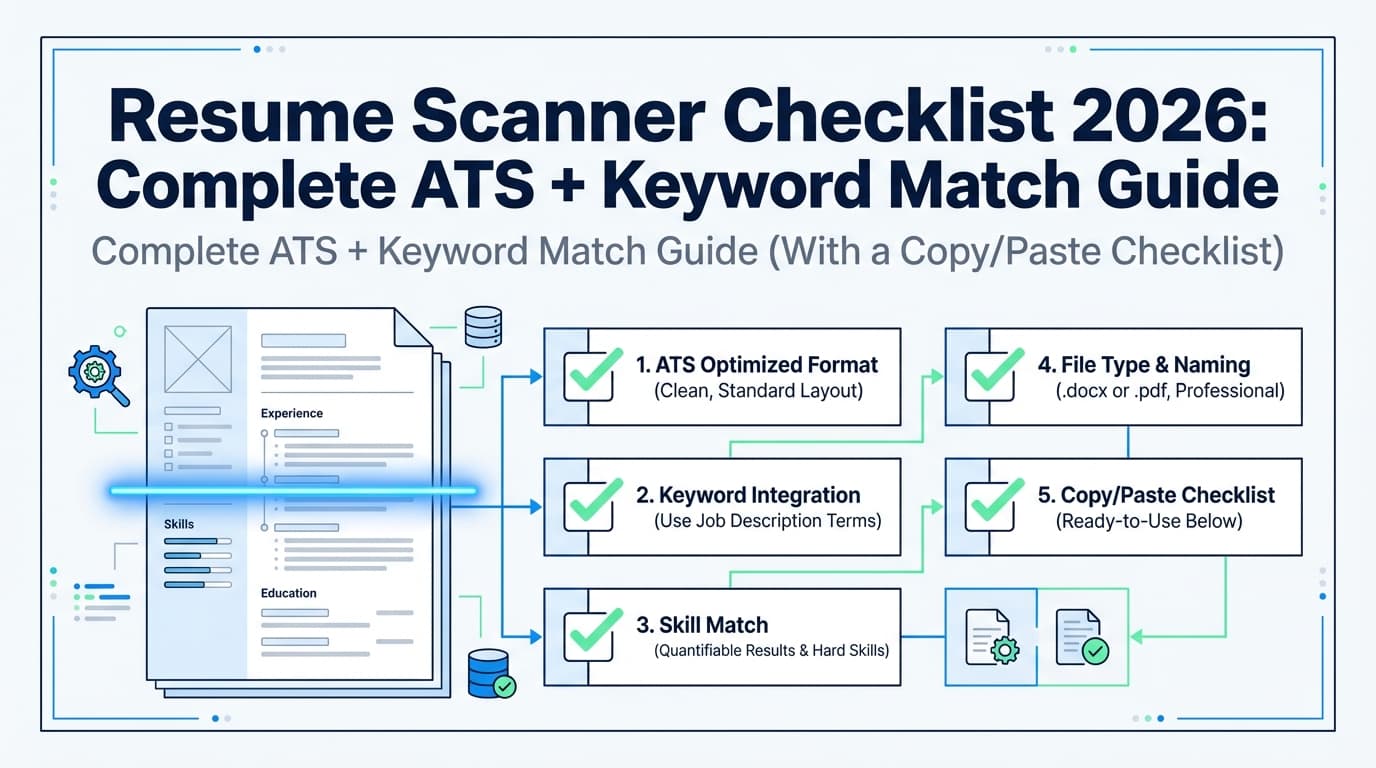
Resume Scanner Checklist 2026 (Copy/Paste)
Copy this into Notes and check it before every application.
A) ATS Parsing Checklist (Format + Structure)
File & export
- Submit the file type requested (PDF or DOCX)
- File is text-based (not an image scan)
- Filename is clean:
FirstLast_Role_Company.pdf - No password protection, no comments/track changes
Layout (high impact)
- Single-column layout is used (safest default)
- No tables, text boxes, or embedded shapes
- No headers/footers used for critical info (contact info should be in the body)
- Minimal decorative elements (lines, icons) that may break extraction
Career resources commonly advise avoiding headers/footers/tables/columns for ATS reliability. (Confidence: MEDIUM; Sources: Columbia + UIC + MIT — see citations above.)
Typography
- Standard font (Arial, Calibri, Helvetica, Times, etc.)
- Reasonable font size (readable on-screen)
- Standard bullets (• or -) — not icons/special symbols
- Consistent spacing and indentation
Section headings
- Use standard headings: Summary (optional), Experience, Education, Skills, Projects, Certifications
- Headings are plain text (not images)
- No “creative” headings like “Where I’ve Been” (ATS may not map them)
Dates, titles, and locations
- Dates are consistent:
MMM YYYY – MMM YYYY(orMM/YYYY – MM/YYYY) - Company and role are on clear lines (not “split” across columns)
- Locations are plain text (optional, but consistent)
Contact info
- Name is top line, plain text
- Email is typed (not just an icon)
- Phone is typed (not just an icon)
- LinkedIn/portfolio URLs are readable as text
B) Keyword Match Checklist (Job Description Alignment)
Targeting
- Your headline/summary reflects the target role truthfully
- The top half of page 1 contains your most relevant experience
Skills
- Must-have tools/skills from the posting are present (if you truly have them)
- You mirror role-specific phrases where accurate (e.g., “stakeholder management,” “A/B testing,” “SOC 2”)
- You include acronym + long-form when useful (e.g., “ATS (Applicant Tracking System)”)
Experience bullets
- Bullets show evidence: scope, tool, output, impact
- Keywords appear in context (not stuffed)
Indeed’s automated screening guidance emphasizes using keywords and putting them “in context,” not just listing them. (Confidence: MEDIUM; Source: Indeed — https://www.indeed.com/career-advice/resumes-cover-letters/automated-screening-resume)
Integrity checks
- No invisible text / white-text keyword stuffing
- No keyword “skills cloud” you can’t defend in an interview
- You didn’t copy the job description verbatim
C) Human + AI Screening Checklist (Skimmability + Credibility)
- A recruiter can understand your fit in 10 seconds
- Bullets are concise (ideally 1–2 lines most of the time)
- Metrics are easy to spot (%, $, time saved, volume, conversion, latency)
- Minimal fluff (“results-driven,” “go-getter,” etc.)
- No obvious AI artifacts (repetition, generic phrasing, vague claims)
How to Do a Resume Scanner Check: Step-by-Step
Step 1: Run the Plain-Text Test (Fastest ATS Parsing Check)
This is the simplest “DIY parser.”
Do this:
- Open your resume (PDF or Word).
- Select all → copy.
- Paste into a plain text editor (Notepad / TextEdit in plain-text mode) or a blank Google Doc.
- Look for:
- content out of order
- missing employer names/dates
- bullets turning into odd characters
- skills merging into gibberish
MIT explicitly suggests testing your resume by saving as plain text to see what survives. (Confidence: MEDIUM; Source: MIT — https://capd.mit.edu/resources/make-your-resume-ats-friendly/)
If it looks scrambled: fix formatting before you touch keywords.
Step 2: Fix the Top Parsing Failures (In Priority Order)
Fix #1: Remove columns, tables, and text boxes
Why: they’re frequent causes of “text in the wrong order,” missing dates, or merged fields.
ATS-safe replacement pattern:
Job Title — Company (Location)
MMM YYYY – MMM YYYY
- Achievement bullet
- Achievement bullet
Fix #2: Move contact info out of headers/footers
Columbia and UIC explicitly warn against headers/footers; many ATS parsers don’t reliably extract them.
(Confidence: MEDIUM; Sources: Columbia + UIC PDFs cited above.)
Fix #3: Use standard headings
Use: Experience, Education, Skills (and optionally Projects/Certifications).
Avoid: clever section names that may not map cleanly.
Fix #4: Replace icon bullets with standard bullets
If bullets turn into squares/garbage characters in plain text, switch to:
•or-
Step 3: Choose the Right File Type (PDF vs DOCX)
This is one of the most common “it should work but didn’t” issues.
Follow the employer’s instructions first. If they say “upload PDF,” do PDF.
If the employer gives no preference:
- DOCX can be more consistently parseable across systems (common industry advice), but many ATS handle text-based PDFs well.
- Avoid image-based PDFs (scanned resumes).
Indeed’s screening tips include picking a file format the ATS can read. (Confidence: MEDIUM; Source: Indeed — https://www.indeed.com/career-advice/resumes-cover-letters/automated-screening-resume)
Practical rule:
- If you’re using a clean, single-column, text-based PDF and it passes the plain-text test, you’re usually fine.
- If parsing is inconsistent, try DOCX.
Step 4: Run a Job Match Scan (But Treat the Score as a Clue)
Most scanners output a score: match rate / ATS score / compatibility score.
Why scores differ:
- Some tools weigh keyword overlap heavily.
- Some penalize formatting.
- Some measure “impact” words or quantify achievements.
- Some compare against a proprietary keyword database.
Use the report to find gaps; then verify manually:
- Is the missing keyword actually a requirement?
- Do you truly have it (or a close equivalent)?
- Where can you show proof (bullet/project/certification)?
Step 5: Add Keywords the Right Way (3 Levels)
Level 1: Add missing keywords to relevant bullets (best ROI)
Before (low signal):
- Worked on reporting for leadership.
After (keyword + proof):
- Delivered weekly stakeholder updates and executive reporting for a cross-functional program, reducing escalations by 30%.
Level 2: Mirror the job’s “noun phrases”
ATS matching often responds to exact phrases like:
- “marketing automation”
- “pipeline forecasting”
- “requirements gathering”
- “incident response”
- “unit testing”
- “data governance”
Mirror phrases only where accurate.
Level 3: Use acronym + long-form once
Example:
- “OKR (Objectives and Key Results)”
- “ETL (Extract, Transform, Load)”
- “ATS (Applicant Tracking System)”
Step 6: Rescan + Do the 10-Second Recruiter Skim Test
Because even if the ATS passes you, a human still decides.
The Ladders study suggests initial reviews can be very quick (7.4 seconds on average). (Confidence: HIGH; https://www.theladders.com/static/images/basicSite/pdfs/TheLadders-EyeTracking-StudyC2.pdf)
10-second skim test:
- Look only at:
- top third of page 1
- most recent job
- skills section
- Ask: “Do I immediately look like a fit for this job?”
If not:
- move the most relevant bullets higher
- cut weak bullets
- add proof-based keywords
The “Scanner-Proof” Resume Layout (2026 Safe Default)
Use this as your baseline structure:
- Name + Contact Info (plain text)
- Targeted Summary (optional; 2–3 lines, role-specific)
- Skills (grouped, not a keyword wall)
- Experience (reverse-chronological)
- Projects (optional; high value for career changers/early career)
- Education
- Certifications (optional)
This aligns with common ATS-friendly guidance emphasizing simple formatting and standard headings (MIT/Columbia/UIC). (Confidence: MEDIUM; see cited career resources.)
15 Resume Scanner Best Practices for 2026 (That Actually Help)
- Optimize parsing before keywords.
- Use one column unless you’re 100% sure it parses cleanly.
- Avoid tables/text boxes for core resume content.
- Don’t put contact info in headers/footers.
- Use standard headings (Experience/Education/Skills).
- Keep your skills section structured (grouped categories).
- Put keywords in context (Indeed’s advice).
- Prioritize must-have keywords (not every term).
- Show proof: numbers, scope, outcomes, stakeholders.
- Use consistent date formats.
- Remove icons and fancy bullets that break into symbols.
- Avoid image-based PDFs.
- Tailor the top third of page 1 to the job.
- Don’t chase 100% match if it harms readability or honesty.
- Save a version per job so you can learn what works.
Common Resume Scanner Mistakes (And Exact Fixes)
Mistake 1: Two-column resumes that read out of order
Symptom: skills or dates appear mid-sentence in plain-text paste.
Fix: convert to single-column; place skills in a simple list.
Mistake 2: Tables for job titles/dates
Symptom: ATS misses dates or merges company + title.
Fix: plain text lines; no table layout.
Mistake 3: Headers/footers for contact info
Symptom: ATS profile has no email/phone.
Fix: move contact info into the body at the top. (Columbia/UIC guidance supports avoiding headers/footers.) (Confidence: MEDIUM; sources above.)
Mistake 4: Keyword stuffing (“skills wall”)
Symptom: low credibility; hard to defend; can reduce human readability.
Fix: keep skills tight; prove them in bullets/projects.
Mistake 5: Over-trusting one scanner score
Job seekers regularly report different scores across tools because tools weigh criteria differently (keyword overlap vs formatting vs “impact”). Use scanners for diagnosis, not validation.
Fix: follow best practices + skim test; use multiple signals.
Examples: Scanner-Friendly Rewrites (Before/After)
Example 1: Turn a responsibility into proof + match
Before
- Responsible for dashboards and reports.
After
- Built SQL-backed Tableau dashboards for weekly executive reporting, reducing manual reporting time by 6 hours/week.
Why it performs better:
- clear tools (SQL, Tableau)
- clear output (dashboards)
- clear business use (executive reporting)
- measurable impact (time saved)
Example 2: Fix a skills section scanners and humans both hate
Before
- Skills: Python | Excel | SQL | Tableau | Jira | Agile | Communication | Leadership | …
After Skills
- Analytics: SQL, Excel, Tableau
- Automation: Python (pandas), basic ETL scripts
- Delivery: Jira, Agile/Scrum, stakeholder updates
Why it helps:
- grouped categories (skim-friendly)
- still keyword matchable
- fewer low-signal filler terms
Tools to Help With Resume Scanner Checks (Honest Use Cases)
Different tools are useful for different parts of the checklist:
-
Novorésumé ATS Resume Checker: comprehensive tool page + detailed FAQ structure. (Good for a second opinion.)
https://novoresume.com/tools/ats-resume-checker -
Resume Worded Resume Scanner: quick ATS scan framing + detailed feedback.
https://resumeworded.com/resume-scanner -
Cultivated Culture ResyMatch: long-form education + matching angle.
https://cultivatedculture.com/resume-scanner/ -
MIT / Columbia / UIC career resources: clear formatting rules that prevent parsing failures.
https://capd.mit.edu/resources/make-your-resume-ats-friendly/
https://www.careereducation.columbia.edu/resources/optimizing-your-resume-applicant-tracking-systems
https://careerservices.uic.edu/wp-content/uploads/sites/26/2017/08/Ensure-Your-Resume-Is-Read-ATS.pdf -
JobShinobi (workflow tool): helpful if you want one place to build + iterate:
- LaTeX resume builder + in-app PDF compile/preview
- AI resume analysis (ATS-focused scoring + feedback)
- Resume-to-job matching from a job description or URL
Pricing: $20/month or $199.99/year (Pro). Email-forwarding job tracking is Pro-gated.
(Internal links: /dashboard/resume, /pricing)
Key Takeaways
- A resume scanner usually tests parsing, keyword match, and skimmability—not one simple “pass/fail.”
- Fix parsing first (plain-text test), then improve keywords.
- Don’t chase a perfect score. Chase clean parsing + proven fit + fast readability.
- Use scanners to find gaps, then validate changes with common sense: “Can I prove this in an interview?”
- Keep a “master resume,” but save job-specific versions so you can iterate and learn.
FAQ (People Also Ask + Real Job Seeker Questions)
What is the best resume format for 2026?
A safe default is a single-column, reverse-chronological resume with standard headings (Experience, Education, Skills) and plain-text contact info in the document body. This aligns with ATS-friendly formatting guidance from multiple university career resources. (Confidence: MEDIUM; Sources: MIT, Columbia, UIC — cited above.)
Can ATS read a two-column resume?
Sometimes, but it’s less reliable. If your plain-text test shows content out of order, treat a two-column design as ATS-risky and switch to one column for online applications. (Confidence: HIGH; based on common parsing behavior and consistent formatting guidance.)
Can ATS read headers and footers?
Not always reliably, which is why multiple career resources advise against placing critical info (like contact details) in headers/footers. (Confidence: MEDIUM; Sources: Columbia + UIC — cited above.)
What file type is best for ATS: PDF or DOCX?
Follow the employer’s instructions first. If no preference is given, use the format that parses cleanly in your plain-text test. Indeed’s guidance includes choosing a file type the ATS can read. (Confidence: MEDIUM; Source: Indeed — https://www.indeed.com/career-advice/resumes-cover-letters/automated-screening-resume)
How accurate are resume scanners?
They’re helpful for finding formatting issues and keyword gaps, but “accuracy” varies because each tool weighs factors differently. Treat scanner scores as directional—not a guarantee of interviews. (Confidence: HIGH.)
How do I “trick” resume scanners?
Don’t. Focus on:
- simple formatting (parseable),
- job-aligned keywords (in context),
- measurable impact (credible to humans).
Tactics like invisible keywords can backfire and can create credibility issues later. (Confidence: HIGH.)
Do recruiters really look at resumes for only a few seconds?
Initial reviews can be very fast. The Ladders’ eye-tracking study reports 7.4 seconds average for the initial review. (Confidence: HIGH; Source: https://www.theladders.com/static/images/basicSite/pdfs/TheLadders-EyeTracking-StudyC2.pdf)
Are companies using AI to screen resumes in 2026?
Many are. Resume Genius reports 48% of hiring managers use AI to screen resumes and applications. Exact usage varies by company and role. (Confidence: MEDIUM; Source: https://resumegenius.com/blog/job-hunting/ai-impact-on-hiring)
How many resumes does a job posting get on average?
A commonly cited Glassdoor stat is ~250 resumes per corporate opening, with 4–6 candidates called for interviews. It varies by role and market, but it explains why small resume improvements can matter. (Confidence: MEDIUM; Source: https://www.glassdoor.com/blog/50-hr-recruiting-stats-make-think/)