Hiring is slow, noisy, and increasingly inconsistent—so “I’ll remember to follow up” isn’t a strategy anymore.
Greenhouse reported average time-to-hire of 46 days (Q3 2024) (source: Greenhouse “State of Job Hunting” infographic PDF: https://grnhse-marketing-site-assets.s3.amazonaws.com/production/Greenhouse_State_Of_Job_Hunting_Report_Infographic_2024.pdf). When timelines stretch that long, a job search becomes a pipeline—and pipelines need a CRM.
A job search CRM gives you one place to manage:
- Opportunities (jobs you’re targeting)
- Relationships (recruiters, hiring managers, referrals)
- Touchpoints (emails, calls, interviews)
- Next actions (follow-ups, prep tasks, deadlines)
- Outcomes (reject/offer/accept), so you can improve month over month
This guide is built for high-volume applicants and “ATS-optimization seekers”—people tailoring resumes, applying to dozens (or hundreds) of roles, and trying not to lose track of what’s happening.
In this guide, you’ll learn:
- What a job search CRM is (and how it differs from a job tracker)
- The best pipeline stages for 2026 job searches
- The exact fields to track (minimum viable + advanced)
- A follow-up cadence that prevents dropped balls (without spamming)
- Copy/paste templates for spreadsheet + Notion/Airtable-style setups
- How to use tools (including JobShinobi) without falling for feature hype
What is a Job Search CRM?
A job search CRM is a “Customer Relationship Management” system adapted for job seeking. It’s not just a list of applications—it’s a workflow that helps you manage relationships and follow-ups like a pipeline.
Job tracker vs. job search CRM (quick comparison)
| Feature | Job tracker | Job search CRM |
|---|---|---|
| Tracks applications (company, title, date) | Yes | Yes |
| Tracks contacts + relationship history | Usually no | Yes |
| Has “next action” + reminders | Sometimes | Always (or it fails) |
| Helps you learn what works (conversion rates) | Rarely | Yes |
| Built for networking and referrals | Rarely | Yes |
Rule of thumb:
If your “tracker” doesn’t reliably tell you what to do today and who to follow up with, it’s not a CRM yet.
Why a Job Search CRM Matters in 2026 (With Data)
1) Long hiring timelines punish disorganization
If average time-to-hire is 46 days (Greenhouse Q3 2024), you’ll have overlapping processes constantly. Without a CRM, you’ll forget:
- which resume version you used
- who you spoke to
- when to follow up
- what you promised to send
Source: Greenhouse “State of Job Hunting” infographic PDF:
https://grnhse-marketing-site-assets.s3.amazonaws.com/production/Greenhouse_State_Of_Job_Hunting_Report_Infographic_2024.pdf
2) “Ghost jobs” waste time—so you need better filtering
Greenhouse reported that 18%–22% of jobs posted on their platform in a given quarter are classified as “ghost jobs” (source: Greenhouse blog post: https://www.greenhouse.com/blog/greenhouse-2024-state-of-job-hunting-report).
A CRM helps you flag patterns (e.g., certain boards/companies repeatedly go nowhere) so you can redirect effort to higher-signal channels.
3) Ghosting is common (and rising)
Greenhouse also reported 61% of job seekers have been ghosted after a job interview (source: same Greenhouse blog post: https://www.greenhouse.com/blog/greenhouse-2024-state-of-job-hunting-report).
Your CRM can’t force employers to respond—but it can:
- ensure you follow up on time
- keep a record for future networking
- help you move on without losing momentum
4) Candidate expectations don’t match reality
The Employ Job Seeker Nation Report (2024) found 59% of candidates expect to get an interview after submitting their resume (source: Employ press release: https://www.employinc.com/news_item/new-report-on-job-seeker-perceptions-can-help-employers-develop-better-candidate-experiences-and-improve-hiring-processes-in-todays-current-labor-market/).
That expectation gap fuels stress and over-application. A CRM shifts you from “panic applying” to a controlled pipeline.
5) Communication breakdowns happen even after employers respond
CareerPlug’s 2024 Candidate Experience Report found 31% of job seekers said an employer responded to their application, but ghosted before scheduling an interview (source PDF: https://www.careerplug.com/wp-content/uploads/2024/01/2024-Candidate-Experience-Report-1.pdf).
This is exactly why “next action dates” matter.
6) Tailoring helps, but only if you can track what you tailored
Huntr’s Job Search Trends Report (Q2 2025), based on over 1.39 million applications, reports tailored resumes generate ~6 interview opportunities per 100 applications (source: https://huntr.co/research/job-search-trends-q2-2025).
If you tailor without tracking:
- which version you used
- which job description you tailored to
- what outcome you got
…you can’t learn or improve your conversion rate.
Bonus reality check: ATS myths are everywhere
The “75% of resumes are rejected by ATS” claim is widely repeated, but it’s also widely questioned. One example: Davron argues there’s no strong empirical evidence for a universal “75% ATS rejection” statistic and that it’s often repeated without solid sourcing (source: https://www.davron.net/ats-systems-explained-75-percent-resumes-rejected/).
Takeaway: Optimize for clarity + relevance + human readability—not superstition.
How to Build a Job Search CRM for Job Seekers (2026): Step-by-Step
Step 1: Pick your CRM “home base” (don’t overthink it)
Your best CRM is the one you’ll actually maintain.
Options:
- Spreadsheet (Excel/Sheets)
- Notion / Airtable (database + views)
- A dedicated job tracker tool
- A general CRM (HubSpot, etc.)
Decision rules:
- Applying to < 30 roles and minimal networking → Spreadsheet
- Applying to 30–200+ roles and networking weekly → Notion/Airtable or dedicated tracker
- You want automation (less manual logging) → Dedicated tracker (or a CRM with good email workflows)
Real-world proof that general CRMs can work: HubSpot has a guide on organizing a job hunt in HubSpot CRM (source: https://blog.hubspot.com/customers/job-search-in-hubspot-crm).
Step 2: Define your pipeline stages (stages should drive actions)
Most job seekers track “Applied / Interview / Rejected” and still feel lost—because those stages don’t tell you what to do next.
Recommended 2026 pipeline (opportunity stages)
- Lead (Saved) – interesting role, not applied yet
- Researching – gathering intel, finding internal contacts
- Ready to Apply – resume version chosen, packet ready
- Applied
- Follow-up Due
- Recruiter Screen
- Interview Loop
- Decision Pending
- Offer
- Closed – Rejected
- Closed – Withdrawn
- Closed – Accepted
If you want a simpler version, start with:
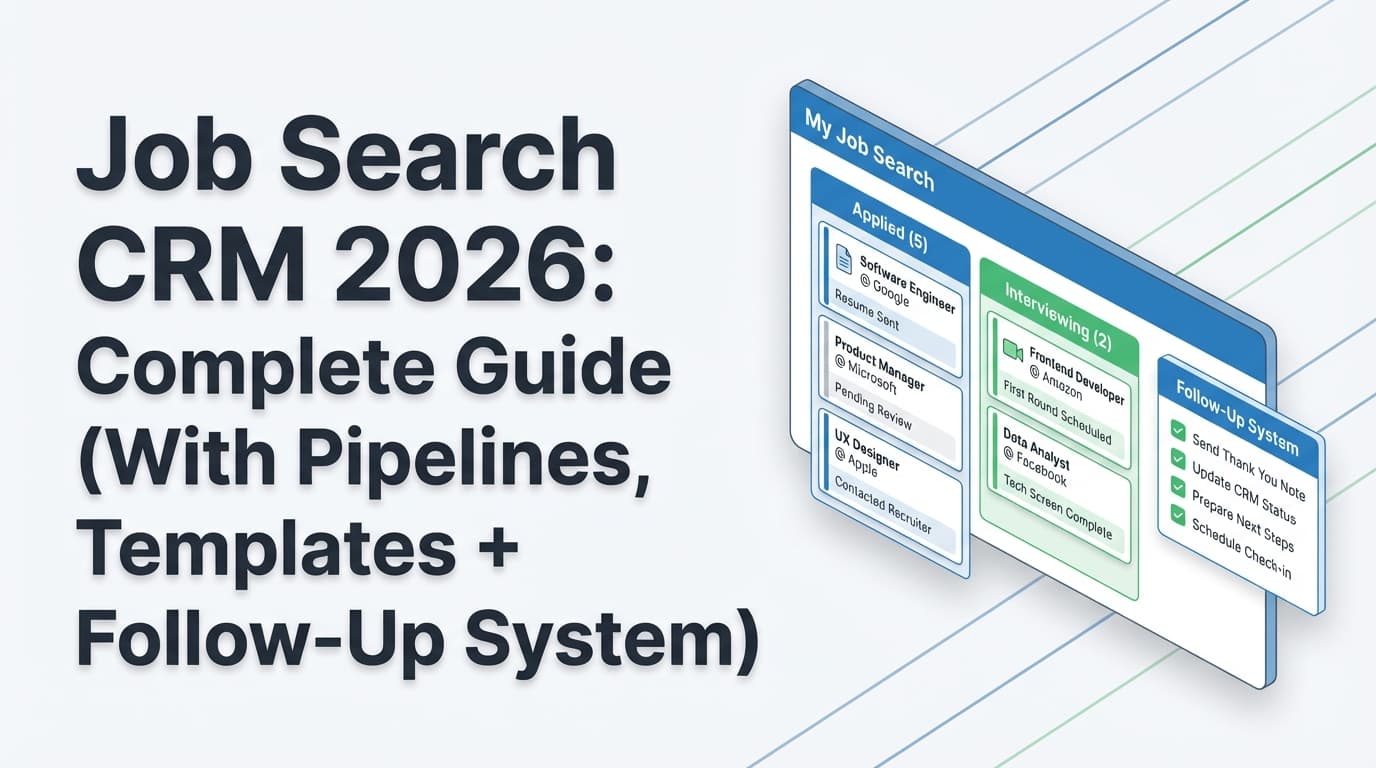
- Lead → Applied → Follow-up Due → Interview → Offer → Closed
Why “Follow-up Due” matters: it forces your CRM to generate a daily to-do list.
Step 3: Decide what to track (minimum viable fields)
A CRM fails when it becomes “data entry cosplay.” Track what changes decisions and prevents mistakes.
Minimum viable fields (opportunities)
- Company
- Role title
- Status (pipeline stage)
- Date saved
- Date applied
- Source (job board/referral/recruiter/company site)
- Job URL (or saved job description)
- Resume version used (critical)
- Contact (primary person)
- Next action
- Next action date
- Notes (short, factual)
That’s it. You can run a high-volume search with just those.
“Nice-to-have” fields (add later)
- Location / remote
- Compensation range
- Priority score (1–5)
- Role family (e.g., Data Analyst vs Analytics Engineer)
- Work authorization / sponsorship needed
- Referral status (none / asked / received)
- “Ghost job risk” flag
Step 4: Build your “Next Action” rules (what makes it a CRM)
A CRM should behave like a control panel: every open opportunity should have a next move.
Here’s a practical rule set you can copy:
Next action rules by stage
- Lead (Saved) → Next action: “Decide apply or discard” within 48 hours
- Researching → Next action: “Find 1–2 internal contacts + read team info” within 3 days
- Ready to Apply → Next action: “Tailor resume + apply” by a specific date
- Applied → Next action: “Follow up” in 5–7 business days (unless the employer gave a timeline)
- Recruiter Screen scheduled → Next action: “Prep + questions + salary range” 24–48 hours before
- Interview Loop → Next action: “Prep stories + role-specific case prep”
- Post-interview → Next action: “Thank you note within 24 hours” + “follow up after timeline”
Follow-up timing sources (use as guidance, not laws)
- Indeed suggests waiting at least five business days after an interview before following up (source: https://www.indeed.com/career-advice/interviewing/how-long-to-wait-after-interview).
- Some job-search guidance recommends first follow-up 5–7 business days after applying (example: Frontline Source Group blog: https://www.frontlinesourcegroup.com/blog-the-ultimate-job-application-tracker-4-steps-to-never-miss-a-follow-up.html).
Important: Your CRM should store the employer’s stated timeline if provided. The best follow-up schedule is the one that matches the context.
Step 5: Save job descriptions immediately (because listings disappear)
Job postings get edited, re-posted, or removed. If you tailor a resume but lose the original JD, you lose:
- your tailoring logic
- keywords you targeted
- proof of what you applied to
Fast ways to save JDs:
- Copy/paste into a “Job Description” field
- Save as PDF
- Save the URL + screenshot
- Store in a linked doc and paste link into your CRM
Step 6: Standardize resume version naming (so tailoring becomes measurable)
If tailored resumes perform better (Huntr’s data suggests they do), you need a simple naming system so your CRM can show which versions convert.
Example naming convention:
SWE_Base_v1SWE_Platforms_v2DA_ProductAnalytics_v3PM_Growth_v2
Then track Resume Version Used as a field.
This turns your job search into a learning system:
- “Which resume gets interviews for what role type?”
- “Which keywords or bullet themes appear in my winning versions?”
Step 7: Add a weekly review (this is where results improve)
A CRM isn’t valuable because it “stores data.” It’s valuable because it enables a weekly feedback loop.
Weekly review agenda (45–60 minutes):
- Pipeline counts
- Leads
- Applied
- Follow-up due
- Interviews
- Offers
- Conversion checkpoint
- Apply → Interview (resume/targeting quality)
- Interview → Offer (interview performance)
- Channel performance
- Which sources produced interviews (referrals vs boards vs recruiters)?
- Time audit
- Which activities created progress? Which were busywork?
- Cleanup
- Close dead roles
- Update next actions
- Fix duplicates and messy company names
Given long hiring timelines (e.g., 46 days average time-to-hire), the weekly review keeps you patient without being passive.
Templates You Can Copy: Spreadsheet + Notion/Airtable
Template A: Job Search CRM Spreadsheet (simple and surprisingly powerful)
Create a sheet called Opportunities with these columns:
| Column | Example |
|---|---|
| Company | Acme Corp |
| Role | Data Analyst |
| Stage | Applied |
| Priority (1–5) | 4 |
| Date Saved | 2026-01-03 |
| Date Applied | 2026-01-05 |
| Source | Company website |
| Job URL | https://… |
| Resume Version Used | DA_ProductAnalytics_v3 |
| Primary Contact | Jamie R. (Recruiter) |
| Last Touch Date | 2026-01-06 |
| Next Action | Follow up |
| Next Action Date | 2026-01-13 |
| Notes | Asked about SQL case study |
Create a second sheet called Contacts:
| Name | Company | Role | Last Contact | Next Follow-up | Notes |
|---|
Create a third sheet called Touchpoints (optional but powerful):
| Date | Company | Contact | Type | Summary | Outcome | Next step |
|---|
Pro tip: Filter Opportunities where Next Action Date <= today and start there every morning.
Template B: Notion / Airtable CRM (database + views)
Create a database Opportunities with:
- Stage (select)
- Company (text)
- Role (text)
- Source (select)
- Resume version used (text)
- Date applied (date)
- Next action date (date)
- Primary contact (relation to Contacts)
- Job description (long text)
- Notes (long text)
- Priority (number)
Create views:
- Today (Next action date = today or overdue)
- Pipeline board (group by Stage)
- Interviews (filter stage contains Interview)
- High priority (priority ≥ 4)
Airtable has a “Job Hunting” template positioned for tracking companies, openings, and interview answers (source: https://www.airtable.com/templates/job-hunting/expXOCN6dkEb2oDim).
The 2026 Follow-Up System (Without Being Annoying)
Follow-ups are where most job searches break—because they’re emotionally hard and operationally easy to forget.
A CRM makes follow-ups automatic by turning them into scheduled tasks.
Follow-up cadence (practical baseline)
Use as a default unless you have better context:
- After applying: follow up in 5–7 business days (if you have a contact)
- After recruiter screen: follow up in 5 business days if no timeline given
- After interviews: thank you within 24 hours, follow up after stated timeline (or 5 business days)
What to say (copy/paste templates)
1) Follow-up after applying (short + specific)
Subject: Following up — [Role] at [Company]
Hi [Name],
I applied for the [Role] on [Date] and wanted to follow up. I’m especially interested in [specific team/product detail] and think my experience with [relevant skill/impact] could be a strong fit.
If there’s anything I can clarify or share, I’m happy to help.
Best,
[Your Name]
2) Post-interview follow-up (when timeline passes)
Subject: Checking in — [Role] interview
Hi [Name],
Thanks again for the conversation on [Date]. I’m checking in on next steps for the [Role].
I’m still very interested—especially after learning more about [specific problem/team detail].
Best,
[Your Name]
3) Referral nudge (turn a relationship into pipeline progress)
Subject: Quick question about [Company] — [Team/Role]
Hi [Name],
I’m applying for [Role] at [Company] and noticed your background in [team/domain]. Would you be open to a quick 10-minute chat?
If it seems like a fit, I’d also appreciate any advice on the best way to get my application in front of the hiring team.
Thanks,
[Your Name]
Best Practices: Make Your CRM Actually Improve Results
1) Track “Resume version used” on every application
If you’re tailoring, this is non-negotiable. It’s how you learn what converts.
Tie-back to data: tailored resumes correlating with higher interview opportunities (Huntr’s report) only helps you if you can measure which tailored approach worked.
Source: https://huntr.co/research/job-search-trends-q2-2025
2) Separate opportunities from relationships (two-layer CRM)
Most job seekers track jobs but neglect relationships. But relationships compound.
Layer 1 (Opportunities): jobs, stages, outcomes
Layer 2 (Contacts): people, touchpoints, follow-ups
This is also the philosophy behind relationship-first job search guidance (example: Dex guide framing job search as relationship-first and reminder-driven: https://getdex.com/guides/organizing-your-job-search/).
3) Add a “ghost job risk” flag (because ghost jobs exist)
Given Greenhouse’s 18–22% ghost job classification in a quarter, build a lightweight flag that changes your behavior.
Ghost job risk signals (not proof, just signals):
- role reposted repeatedly for months
- unclear hiring manager / no team details
- inconsistent location/level details
- no employees publicly tied to the team
- recruiter can’t confirm timeline or headcount approval
What to do if flagged:
Still apply if it’s low effort, but don’t spend heavy tailoring time unless you can validate with an internal contact.
Source: Greenhouse blog: https://www.greenhouse.com/blog/greenhouse-2024-state-of-job-hunting-report
4) Keep notes “decision-ready,” not diary-style
Bad note: “Great call, nice person.”
Good note: “They need X (skill), prioritize Y (project), timeline Z, next step is case study.”
Your future self will thank you.
5) Don’t let your CRM become a procrastination machine
A CRM should reduce anxiety, not amplify it.
If you catch yourself “perfecting fields,” reset to:
- Stage
- Next action date
- Resume version used
- Primary contact
Everything else is optional.
Common Mistakes to Avoid (And Fixes)
Mistake 1: Tracking only applications, not conversations
Problem: you can’t network systematically, and referrals become random.
Fix: add a Contacts table + “Last touch” + “Next follow-up.”
Mistake 2: No “next action date”
Problem: your CRM becomes an archive.
Fix: every open opportunity must have a next action date—or it gets closed.
Mistake 3: Losing job descriptions
Problem: you can’t tailor consistently, and you can’t learn from outcomes.
Fix: save the JD immediately (paste/PDF/link).
Mistake 4: Duplicates and messy company naming
Problem: you stop trusting your data, so you stop using the CRM.
Fix: weekly cleanup—merge duplicates, standardize “Company” formatting.
Mistake 5: Chasing ATS myths instead of improving signal
Problem: you optimize for the wrong thing.
Fix: prioritize relevance + impact + readability. Keep ATS claims grounded—many viral stats are disputed (example critique: https://www.davron.net/ats-systems-explained-75-percent-resumes-rejected/).
Metrics to Track (So You Can Improve, Not Just Log)
Track these monthly:
- Application volume (# applied)
- Interview rate = interviews / applications
- If low: targeting, resume alignment, channel mix
- Offer rate = offers / interviews
- If low: interview practice, story clarity, role fit
- Referral interview share = referral interviews / total interviews
- If low: improve relationship layer
- Time-to-first-response (days)
- Helps you calibrate follow-ups and channel quality
Pro move: Create a “Role Family” field (e.g., SWE Backend, Data Analyst, PM Growth) so you can see which families convert.
Tools to Use for a Job Search CRM (Honest Pros/Cons)
Spreadsheet (Excel / Google Sheets)
Best for: quick start, full control.
Watch-outs: manual updates; weak reminders.
Notion
Best for: combining notes + databases + dashboards.
Watch-outs: easy to overbuild.
Airtable
Best for: database structure + multiple views + light automation.
Watch-outs: can become “admin heavy.”
HubSpot CRM (general CRM)
Best for: relationship-centric job searching; treating roles like deals.
Source example: HubSpot’s own “job hunt in HubSpot CRM” post: https://blog.hubspot.com/customers/job-search-in-hubspot-crm
Dedicated job tracker tools
Best for: job-search-specific workflows and speed.
Watch-outs: features vary; some claims in marketing don’t match real workflow.
Where JobShinobi Fits (Accurate, Evidence-Based)
If your main pain is “I can’t keep tracking everything manually,” JobShinobi is designed around two workflows:
- Job application tracking (with a tracker UI and export)
- Resume improvement + tailoring workflows (resume analysis + job matching)
What JobShinobi supports (relevant to a job search CRM)
- Job application tracker with create/edit/delete and status tracking
- Realtime updates in the tracker UI (so changes update without refresh)
- Export to Excel (.xlsx) (not Google Sheets export)
- Email-forwarding ingestion for job tracking (Pro required): You forward job-related emails to your unique JobShinobi address and it can create/update job applications from the email subject/body
- Important limitation: attachments parsing is not supported
- Resume builder in LaTeX with in-app PDF preview/compile (compile depends on an external compile service)
- AI resume analysis (scoring + feedback) and resume-to-job matching (keyword gap + match score) to support tailoring
Pricing (be precise)
JobShinobi Pro is $20/month or $199.99/year.
Marketing mentions a 7-day free trial, but trial enforcement isn’t clearly verifiable from the available implementation details—so it’s safest to say: the pricing page mentions a 7-day trial rather than promising it applies universally.
What not to assume
- Email tracking on a free plan: Not accurate—email processing is Pro-gated.
- Export to Google Sheets: Not supported (Excel export is supported).
- Calendar scheduling: Not supported as an integration.
Internal links you can use:
/login/subscription/dashboard/job-tracker/dashboard/resume
Advanced Playbook: Run Your Job Search Like a Pipeline (Without Burnout)
A CRM is only as good as the routine you wrap around it.
Daily routine (15–25 minutes)
- Open Today/Overdue
- Complete 3–5 follow-ups
- Update stages for any replies
- Add next action dates for anything now “open loop”
- Apply to 1–3 high-quality roles (only if your pipeline needs leads)
Weekly routine (45–60 minutes)
- Clean your data (duplicates, missing next actions)
- Measure conversion and channel performance
- Decide what to change next week:
- more referrals?
- narrower targeting?
- different resume variant per role family?
- Batch schedule follow-ups so you don’t “hold it in your head” all week
Monthly routine (60 minutes)
- Identify your top-performing role family and double down
- Review “ghost job risk” patterns and filter sources
- Refresh your base resume and 1–2 targeted variants
Example: A Complete CRM Workflow for One Role (End-to-End)
Scenario: You’re applying for “Analytics Engineer” roles.
-
Lead saved
- Add job URL + pasted JD
- Set stage = Researching
- Next action = identify 1 internal contact (48 hours)
-
Researching → Ready to Apply
- Find a warm connection or recruiter
- Choose resume variant:
AE_dbtSQL_v2 - Next action = apply by Thursday
-
Applied
- Log date applied
- Next action date = +5 business days
- Notes: “Role emphasizes dbt + stakeholder comms”
-
Follow-up due
- Send message to recruiter or internal contact
- Log touchpoint and set next action date
-
Recruiter screen
- Add questions + salary range notes
- Prep key stories
-
Interview loop
- Log each round (date, panel, focus area)
- Track outcomes and next actions
-
Decision
- Offer or rejection
- Add a one-sentence post-mortem: “What caused success/failure?”
Repeat this and your job search becomes a system—not a stress spiral.
Key Takeaways
- A job search CRM is a pipeline + relationships + next actions—not just a list of applications.
- In 2026, long timelines (e.g., 46-day average time-to-hire) and frequent ghosting make follow-ups and organization essential.
- Track the minimum that matters: stage, next action date, resume version used, primary contact.
- Add a weekly review so your job search improves over time.
- Tools can reduce admin work—but only if you verify what they actually do. If you want automation via email-based logging, JobShinobi’s Pro email-forwarding workflow is one option (with clear limitations like no attachment parsing).
FAQ
How do I keep track of my job search effectively?
Use a CRM that includes:
- pipeline stages
- contacts
- a “next action date” for every open role
- a daily “overdue” view and weekly review
If you do one thing: always assign a next action date.
What info should I log in an application tracker?
At minimum:
- company, role, stage/status
- date applied
- source
- job URL or saved description
- resume version used
- next action + next action date
- primary contact and short notes
Can I use Google Sheets as a job search CRM?
Yes. A spreadsheet becomes a CRM when it:
- includes next action dates
- tracks contacts and follow-ups
- supports filtering “what’s due today”
How long should I wait before following up after applying?
Common guidance is about 5–7 business days if you have a contact, unless the employer gave you a specific timeline. (Example guidance: https://www.frontlinesourcegroup.com/blog-the-ultimate-job-application-tracker-4-steps-to-never-miss-a-follow-up.html)
How long should I wait before following up after an interview?
If no timeline was given, waiting at least five business days is a common recommendation. (Source: Indeed: https://www.indeed.com/career-advice/interviewing/how-long-to-wait-after-interview)
What’s the difference between a job tracker and a job search CRM?
A job tracker logs applications.
A job search CRM logs applications plus contacts, touchpoints, follow-ups, and next actions—so it actively drives your search forward.