Recruiters move fast. An eye-tracking study (covered by HR Dive) found recruiters look at resumes for ~7.4 seconds on average before deciding whether to keep reading. (High confidence: HR Dive summary of The Ladders study: https://www.hrdive.com/news/eye-tracking-study-shows-recruiters-look-at-resumes-for-7-seconds/541582/)
That speed creates a predictable job-search problem: you can do a lot of work, but if you don’t have a system to track what you applied to, who you spoke to, and what to do next, you’ll miss follow-ups, lose job descriptions, and repeat mistakes—especially if you’re applying at volume.
In this guide, you’ll learn:
- The minimum job tracker you can build in 30–60 minutes (no fluff)
- Exactly what columns/fields to track (with a copy/paste template)
- A follow-up workflow (with timing backed by sources)
- How to track networking/referrals without creating a second messy spreadsheet
- Tools to reduce manual work—plus where JobShinobi fits (accurately)
What is job tracking?
Job tracking is the process of recording and managing each opportunity in your job search—applications, outreach, interviews, and outcomes—so you always know:
- What you did (and when)
- What you sent (resume/cover letter versions)
- What you’re waiting on
- What your next action should be
Think of it as your personal job search CRM.
What job tracking is NOT
- A “perfect” spreadsheet you build once and never update
- A giant database with 40+ columns you hate using
- A motivational journal
The job tracker that works is the one you can update in under 2 minutes per opportunity.
Why job tracking matters in 2026 (with data)
Here are a few research-backed realities that make tracking worth it:
-
Recruiters skim quickly (~7.4 seconds average).
(High confidence: HR Dive summary of The Ladders eye-tracking study: https://www.hrdive.com/news/eye-tracking-study-shows-recruiters-look-at-resumes-for-7-seconds/541582/) -
Many job seekers abandon applications when the process is too long/complex. SHRM reported on research indicating 60% abandon online applications mid-process due to length/complexity.
(High confidence: SHRM coverage: https://www.shrm.org/topics-tools/news/technology/study-job-seekers-abandon-online-job-applications) -
Interviews materially improve your odds of getting an offer—and tracking helps you create interviews. The BLS reports jobseekers with at least one interview had a substantially higher chance of receiving an offer than those with none.
(High confidence: BLS: https://www.bls.gov/opub/btn/volume-9/how-do-jobseekers-search-for-jobs.htm) -
A lot of career services offices literally teach tracking. MIT Career Advising provides a job/internship search tracker resource.
(High confidence: MIT CAPD resource page: https://capd.mit.edu/resources/sample-job-internship-search-tracker/) -
Follow-up timing has a typical window (and many people miss it). CNBC cited survey data where 36% said the best time to follow up is 1–2 weeks after applying.
(Medium confidence: older survey, but aligned with modern guidance: https://www.cnbc.com/2017/10/18/this-is-how-long-you-should-wait-to-follow-up-after-applying-for-a-job.html)
Bottom line: Tracking doesn’t “get you hired.” It prevents preventable mistakes and makes your effort compound.
How to start job tracking from scratch (step-by-step)
Step 1: Choose one “source of truth” (spreadsheet, board, or tool)
If you’re starting from scratch, pick the simplest thing you’ll actually use.
Option A: Spreadsheet (Google Sheets / Excel / Numbers)
Best for: most people starting out, especially high-volume applicants
- Fast filtering and sorting
- Easy to create “follow-up due” views
- Easy to copy/paste job links and notes
Option B: Kanban board (Trello / Notion)
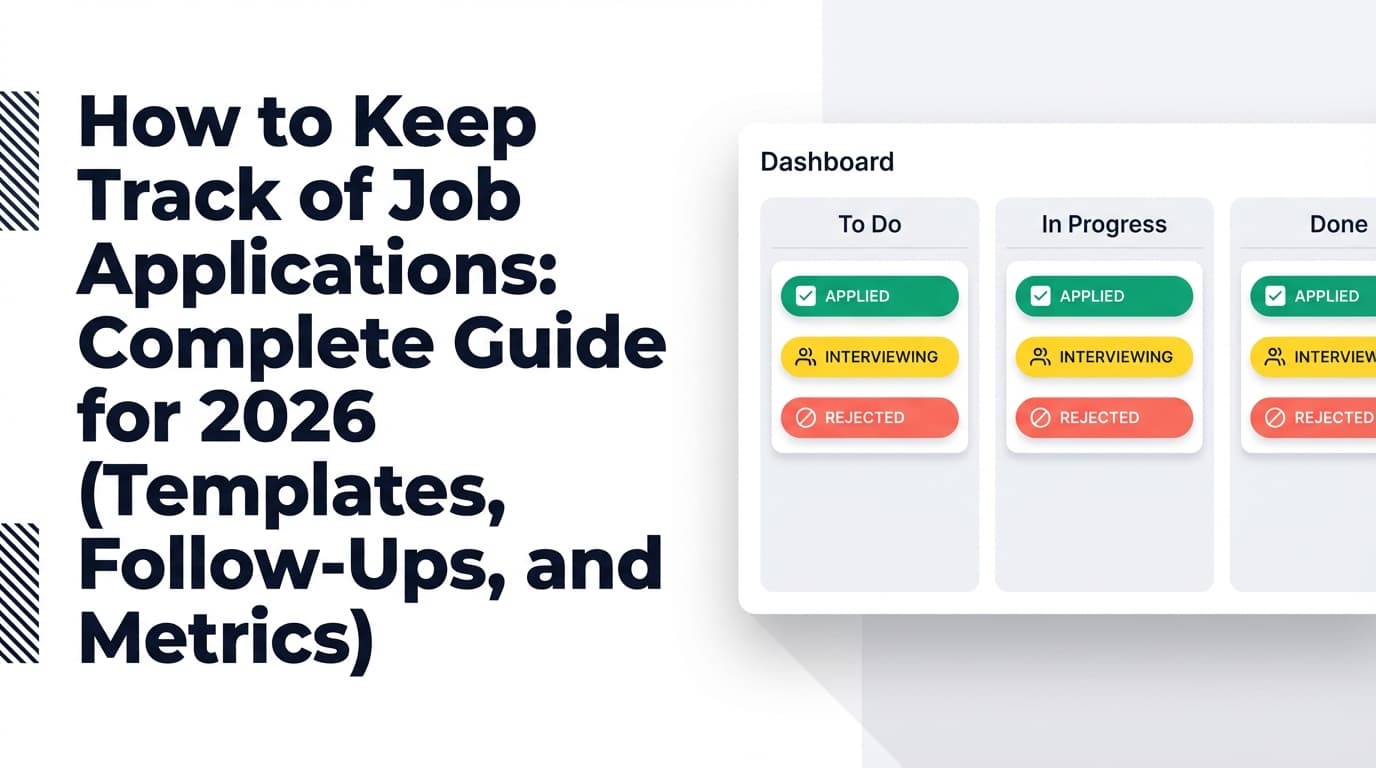
Best for: visual thinkers who want “pipeline stages”
- Drag-and-drop cards across stages
- Easy to see “stuck” opportunities
Examples:
- Trello has a “Job Hunt” template specifically for tracking application stages. (Medium confidence: product page exists; features vary by template: https://trello.com/templates/operations-hr/job-hunt-d3yVjzRE)
- Atlassian has a guide on using Trello for a job hunt workflow. (Medium confidence: https://www.atlassian.com/blog/trello/job-hunt-trello-template)
Option C: Dedicated job tracker tool
Best for: when your spreadsheet keeps going stale
Look for:
- quick editing
- status stages
- next-action/follow-up reminders (or at least a next-action date)
- export options
Step 2: Build a “minimum viable tracker” (MVF)
If you only track 10 fields, track these:
- Company
- Role title
- Job link (or link to saved JD file)
- Source (LinkedIn, referral, recruiter, company site, etc.)
- Date applied
- Status (dropdown)
- Next action
- Next action date
- Contact (name + LinkedIn/email)
- Notes (short)
This is consistent with how job tracking templates and guides recommend structuring columns (e.g., include company, role, application date, follow-ups, resume version, etc.).
(High confidence for the concept; explicit examples: Jobscan spreadsheet guidance snippet in SERPs and BeamJobs tracker template article: https://www.beamjobs.com/career-blog/job-application-tracker-google-sheets)
Step 3: Copy/paste tracker template (spreadsheet-ready)
Paste these headers into row 1:
| Company | Role | Job Link / JD | Source | Date Applied | Status | Next Action | Next Action Date | Contact | Resume Version | Notes |
|---|
Example row | Acme Corp | Data Analyst | link or saved JD | LinkedIn | 2026-01-10 | Applied | Follow up with recruiter | 2026-01-17 | Jordan Lee (LinkedIn URL) | DA_Analytics_v3 | Role emphasizes SQL + Looker; tailor project bullets |
Pro tip: Freeze the header row and add filters immediately.
Step 4: Standardize your statuses (keep them boring)
Use a simple set you can filter easily:
- Interested (saved, not applied)
- Applied
- Recruiter screen
- Interview
- Offer
- Rejected
- Withdrawn
- Accepted
If you prefer ultra-simple: Applied / Interview / Offer / Rejected / Accepted.
Step 5: Add two “high leverage” fields that prevent chaos later
These two fields solve most “I can’t remember what I sent” stress:
- Resume Version
- Job Link / Saved JD
Job seekers frequently ask how to keep track of different tailored resumes; the most consistent advice is versioning + logging which version you sent where. (Medium confidence: common guidance across resume advisors and communities; example: ResumeSpice mentions using a spreadsheet to track which resume you sent: https://resumespice.com/how-to-build-a-master-resume-and-tailor-it-for-multiple-job-roles/)
Step 6: Set up inbox + file organization (10 minutes)
A tracker breaks down when you lose assets (JDs, resumes, interview notes). Use a dead-simple structure.
Folder structure
Job Search/00_Tracker/01_Resumes/02_CoverLetters/03_JobDescriptions/04_InterviewPrep/
File naming conventions Career advice sources consistently recommend clear file names with your name + role/company to avoid mistakes. (Medium confidence: example guidance appears in Indeed and other career sites; one relevant starting point: https://www.indeed.com/career-advice/resumes-cover-letters/name-resume-and-cover-letter-files)
Example:
Resume_FirstLast_DataAnalyst_v3.pdfJD_Acme_DataAnalyst_2026-01-10.pdfCL_Acme_DataAnalyst_2026-01-10.docx
Save every job description Postings disappear. Save as PDF (print to PDF in your browser) and link it in your tracker. (High confidence as a practical best practice; method references widely available browser instructions, e.g., DigitalTrends: https://www.digitaltrends.com/computing/how-to-save-a-webpage-as-a-pdf/)
Step 7: Make follow-ups “automatic” using a Next Action Date
This is the one habit that makes job tracking actually work.
Every row should answer:
- What’s the next move?
- When will I do it?
If there’s no next action, put:
- “Wait” + a date when you’ll check again
- Or mark it “Rejected / Ghosted / Closed”
Follow-up timing: when to follow up (and why)
After applying (cold application)
Multiple reputable career resources cluster around 1–2 weeks.
- Indeed: often recommends waiting two weeks before following up. (High confidence: https://www.indeed.com/career-advice/finding-a-job/follow-up-on-job-application)
- Jobscan: recommends one to two weeks after applying. (High confidence: https://www.jobscan.co/blog/how-to-follow-up-on-a-job-application/)
- CNBC: survey showed 36% said best time is 1–2 weeks. (Medium confidence: https://www.cnbc.com/2017/10/18/this-is-how-long-you-should-wait-to-follow-up-after-applying-for-a-job.html)
Practical rule
- Cold application: follow up in 7–14 days
- Referral or recruiter conversation: follow up in 3–5 business days
After an interview
If the interviewer gave a timeline, follow it. If they didn’t, many guides suggest a check-in around ~5 business days (varies by industry and role). (Medium confidence: sources vary; see examples like consulting/recruiting advice sites and general career guidance in SERPs.)
Tracker move: set “Next Action Date” during your thank-you email block, not “later.”
Email templates you can reuse (keep them short)
Follow-up after applying
Subject: Following up on the [Role] application
Hi [Name],
I applied for the [Role] position on [Date] and wanted to follow up to see if there’s any additional information I can provide.
I’m excited about the role because [1 sentence matching your experience to their needs]. If it’s helpful, I can also share a brief work sample related to [X].
Thanks,
[Your Name]
[LinkedIn] | [Phone]
Follow-up after interview (status check)
Subject: Next steps for [Role] interview
Hi [Name],
Thanks again for your time on [Day]. I enjoyed learning more about [team/project].
I wanted to check whether there’s an updated timeline for next steps. I’m still very interested and happy to provide anything else you need.
Best,
[Your Name]
Best practices that make your tracker “sticky” (so you keep using it)
1) Track the pipeline, not just applications
Add “Interested” and track outreach/referrals. This is where leverage comes from.
2) Use conditional formatting to highlight follow-ups due
For spreadsheets, use conditional formatting to flag rows where:
Next Action Dateis today or earlierStatusis not Rejected/Accepted
Many tracker templates explicitly recommend conditional formatting for follow-ups. (Medium confidence: common in templates/guides; example: Resumly and other spreadsheet-template articles discuss it: https://www.resumly.ai/blog/job-application-trackers)
3) Log resume versions (otherwise you can’t learn)
If your response rate is low, you need to know what you sent and iterate.
4) Add “Source” so you can double down on what works
Sources typically include:
- Company site
- Recruiter
- Referral
- Alumni/network
- Job board
5) Do a weekly review (15 minutes)
Put this on your calendar. Your job tracker is only as good as your review loop.
Weekly checklist:
- Filter “Follow-ups due” → send follow-ups
- Filter “Interview” → prep and confirm next steps
- Filter “Interested” → apply to top 5–10
- Mark stale items as “Ghosted/Closed” consistently
Common mistakes to avoid (and how to fix them)
Mistake 1: Building a tracker that’s too complex
If it takes 8 minutes to update a row, you’ll stop.
Fix: Start with MVF columns. Add only what you reference weekly.
Mistake 2: Not saving job descriptions
Postings disappear, and interview prep becomes guesswork.
Fix: Save JD to PDF immediately and link it.
Mistake 3: No follow-up system
You think you’ll remember. You won’t.
Fix: Every row gets a Next Action Date.
Mistake 4: Not tracking networking/referrals
Then you can’t nurture warm leads.
Fix: Track contacts and outreach as part of your pipeline (same sheet).
Mistake 5: Treating “ghosting” as personal
Ghosting is common. The point is to manage it like a process.
Fix: Create a consistent rule (example): after 4–6 weeks with no response, mark as “Ghosted” but keep the record for learning. (Low-to-medium confidence: rules vary; see discussions and guidance such as Ask a Manager noting timelines can vary widely: https://www.askamanager.org/2017/12/how-long-should-you-wait-to-move-on-when-you-havent-heard-back-from-an-employer-2.html)
Tools to help with job tracking (from DIY to automated)
Spreadsheets (Google Sheets / Excel)
Best for: starting today, minimal setup
- Use filters + conditional formatting
- Add dropdown statuses
- Track resume versions + follow-up dates
Notion (templates)
Best for: people who like databases and flexible views
Notion has a category of job application tracking templates. (Medium confidence: template marketplace listings vary: https://www.notion.com/templates/category/job-application-tracking)
Trello (board template)
Best for: visual pipeline tracking
Trello’s “Job Hunt” template is designed for stage-based tracking. (Medium confidence: https://trello.com/templates/operations-hr/job-hunt-d3yVjzRE)
JobShinobi (job tracker + email-forwarding automation + resume tooling)
If manual logging is your biggest blocker, JobShinobi is designed to reduce that overhead in two main ways:
- Job application tracker dashboard
- Add/edit/delete job applications
- Track statuses (Applied/Interview/Rejected/Offer/Accepted)
- Export your data to Excel (.xlsx)
- Email-forwarding job tracking (Pro feature)
- You can forward job-related emails (confirmations, rejections, interview-type updates) to your unique JobShinobi forwarding address
- JobShinobi parses the email body/subject and logs/updates your tracker automatically
- Important: email processing is restricted to JobShinobi Pro (it is gated server-side)
Pricing (verified):
- JobShinobi Pro is $20/month or $199.99/year.
- The pricing page mentions a 7-day free trial, but trial mechanics aren’t clearly verifiable in app code—treat it as unconfirmed until you see it at checkout.
Internal links (adjust if your site uses different routes):
What to measure (simple job-search metrics you can compute)
Don’t obsess over “applications sent.” Track what helps you improve:
- Response rate = responses ÷ applications
- Interview conversion = interviews ÷ responses
- Offer rate = offers ÷ interviews
These metrics help you diagnose the bottleneck:
- Low response rate → targeting/resume/ATS alignment issue
- Low interview conversion → interview performance/storytelling issue
- Low offer rate → late-stage interviewing/closing/fit issue
(High confidence: these are standard funnel metrics; specific benchmark values vary heavily by industry and should not be treated as universal.)
FAQ
What should I include in my job tracker?
At minimum: company, role, job link/JD, date applied, status, next action + next action date, contact, and notes. Add resume version if you tailor your resume.
Is a spreadsheet enough to track job applications?
Yes—if you keep it simple and review it weekly. Most failures come from inconsistent updates, not from the tool itself.
How long should I wait to follow up after applying?
Common guidance is 1–2 weeks for cold applications, and 3–5 business days for referral-based or recruiter-led processes.
Sources: Indeed (often ~2 weeks): https://www.indeed.com/career-advice/finding-a-job/follow-up-on-job-application
Jobscan (1–2 weeks): https://www.jobscan.co/blog/how-to-follow-up-on-a-job-application/
What’s the best way to track networking during a job search?
Treat networking like a pipeline:
- Contact name
- Last touch date
- Next touch date
- Notes (context + promised follow-up)
You can do this in the same sheet or a second “Contacts” tab.
How do I keep track of multiple resume versions?
Use a version naming convention (v1, v2, role focus) and log the exact resume filename/version in your job tracker for each application.
Should I save job postings?
Yes—postings often change or disappear. Save as PDF and link it in your tracker.
How-to references: https://www.digitaltrends.com/computing/how-to-save-a-webpage-as-a-pdf/
Key takeaways
- Start with a minimum viable tracker you can update in under 2 minutes.
- Make Next Action Date non-optional—this is what prevents missed follow-ups.
- Save job descriptions and track resume versions so you can learn and improve.
- Review your tracker weekly for 15 minutes (consistency beats complexity).
- If manual updates are what derail you, consider automation: JobShinobi’s Pro plan can auto-log job application emails via forwarding, and you can export your tracker to Excel.