You’re not imagining it: job searching feels more automated, more crowded, and more exhausting than ever.
- Recruiters skim fast. Ladders’ eye-tracking research (2018 update) is widely cited for showing recruiters spend about 7.4 seconds on an initial resume scan. (Source: HR Dive coverage of Ladders’ study: https://www.hrdive.com/news/eye-tracking-study-shows-recruiters-look-at-resumes-for-7-seconds/541582/ and Ladders’ write-up: https://www.theladders.com/career-advice/you-only-get-6-seconds-of-fame-make-it-count) Confidence: High
- ATS is common in large companies. Jobscan reports 98.4% of Fortune 500 companies used a detectable ATS in 2024. (Source: https://www.jobscan.co/blog/fortune-500-use-applicant-tracking-systems/) Confidence: Medium–High (Jobscan’s methodology is “detectable ATS,” but it’s still a strong directional indicator.)
- A lot of job seekers use ChatGPT. ResumeBuilder.com reported (survey-based) that 51% of respondents used ChatGPT to write their resumes and 72% used it for cover letters. (Source: https://www.resumebuilder.com/3-in-4-job-seekers-who-used-chatgpt-to-write-their-resume-got-an-interview/) Confidence: Medium (self-reported survey)
- But generic AI resumes may get rejected. Resume Now reports (survey-based) that 62% of employers say AI-generated resumes without customization are more likely to be rejected. (Source: https://www.resume-now.com/job-resources/careers/ai-applicant-report) Confidence: Medium (survey-based; still a useful warning)
So the question “is ChatGPT a free resume builder?” is really shorthand for:
“Can I use ChatGPT to create a resume that survives ATS + a recruiter’s 7-second scan—without paying for a resume builder?”
This guide answers that honestly—and gives you a step-by-step process you can follow today.
In this guide, you’ll learn:
- What “free” actually means with ChatGPT (and what limits you’ll run into)
- Whether ChatGPT counts as a “resume builder” (and what it can’t do well)
- A practical, ATS-friendly workflow: from raw experience → tailored resume
- Copy/paste prompts for summaries, bullets, keyword alignment, and truth-checking
- Common mistakes (including “AI voice” and made-up metrics)
- Tools that help—plus where JobShinobi fits (with accurate pricing and supported features)
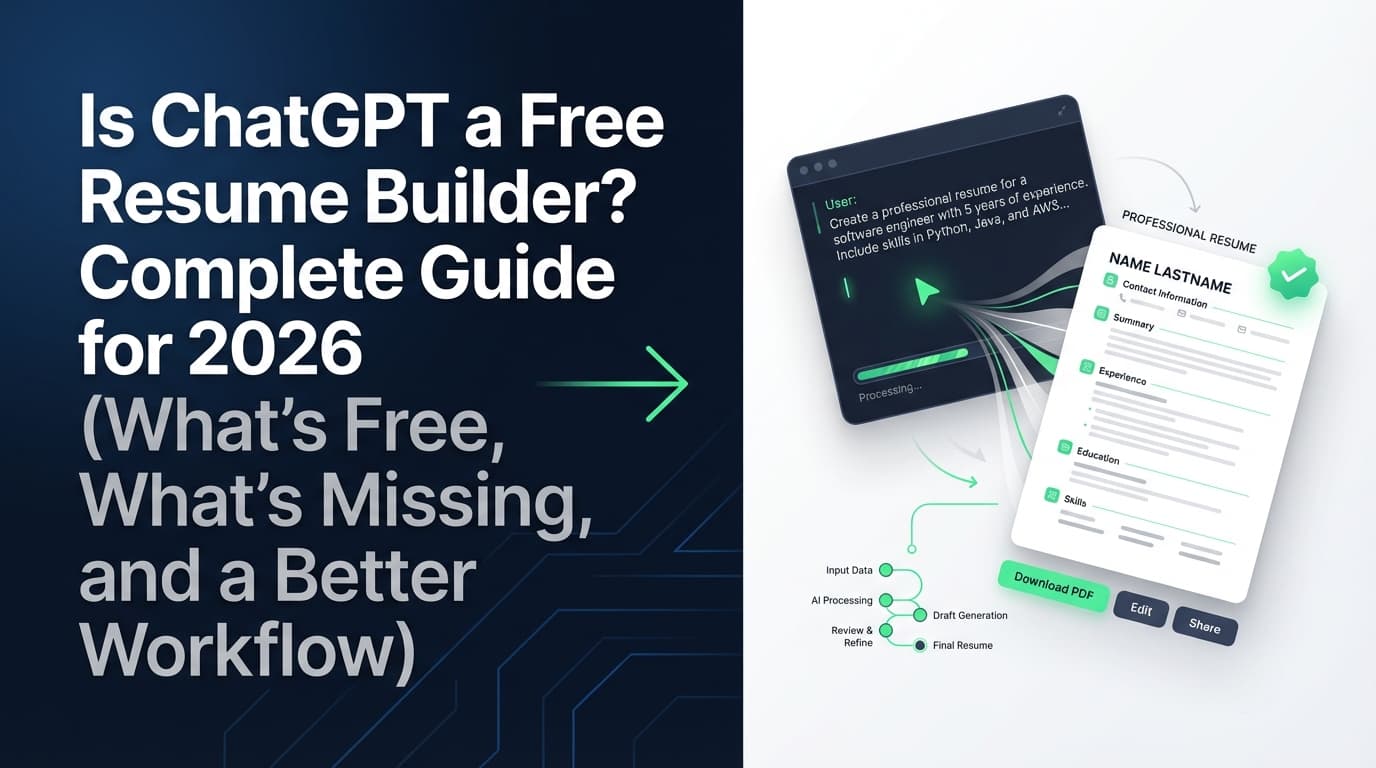
Quick answer: Is ChatGPT a free resume builder?
ChatGPT has a free plan, but ChatGPT is not a complete resume builder by itself.
- OpenAI/ChatGPT publicly list a Free plan. (Source: https://chatgpt.com/pricing/ and ChatGPT Free plan page https://chatgpt.com/plans/free/) Confidence: High
- OpenAI also documents that Free tier usage is limited and you may hit rate limits. (Source: OpenAI Help Center “ChatGPT Free Tier FAQ” https://help.openai.com/en/articles/9275245-chatgpt-free-tier-faq) Confidence: High
What that means in practice:
- You can use ChatGPT for free to draft resume content.
- You’ll still need a template + formatting + exporting workflow (Google Docs, Word, LaTeX, or a dedicated resume tool).
- If you’re tailoring at high volume, you may hit usage limits or spend a lot of time managing versions.
What counts as a “resume builder” (and why ChatGPT doesn’t fully qualify)
A typical resume builder isn’t just text generation. It usually includes:
- Templates (layout, typography, spacing, section order)
- Formatting guardrails (so your resume stays readable and ATS-parsable)
- Export (PDF/DOCX/TXT with consistent structure)
- Versioning (different resumes per job family)
- Tailoring workflow (keyword alignment to a job description)
- Quality checks (ATS formatting issues, missing sections, weak bullets)
ChatGPT is excellent at #5 (tailoring ideas) and can help with #6 (feedback), but it’s weak at #1–#4 unless you add external tools.
So the honest framing is:
- ChatGPT = writing assistant
- Resume builder = writing + formatting + exporting + version control + targeting + checks
“Free” isn’t only price: the hidden costs of using ChatGPT as your resume builder
Even if you pay $0, there are real tradeoffs:
1) Time cost (formatting + reformatting)
ChatGPT can generate bullets fast—but you still have to format them, keep spacing consistent, and prevent the layout from breaking when you tailor.
2) Accuracy cost (hallucinations)
If ChatGPT invents metrics, tools, or responsibilities, you can:
- get screened out for inconsistencies,
- fail background/reference checks,
- or get cornered in interviews.
3) Consistency cost (multiple versions)
If you tailor 30 applications, you’ll want to know:
- which resume version went to which job,
- what changed,
- and what worked.
Without a system, people end up with “Resume_FINAL_v7_REALLYFINAL.docx” chaos.
4) Access/limit cost (free tier rate limits)
OpenAI confirms Free tier accounts can hit rate limits; the details can change over time. (Source: https://help.openai.com/en/articles/9275245-chatgpt-free-tier-faq) Confidence: High
Reality check: ATS myths vs what you should actually optimize
You’ve probably seen the claim:
“75% of resumes are rejected by ATS before a human sees them.”
That number is everywhere—but it’s disputed.
- HR Gazette argues the “75% rejected by ATS” stat is frequently repeated without solid evidence. (Source: https://hr-gazette.com/debunking-the-ats-rejection-myth/) Confidence: Medium
- Davron similarly critiques the statistic and notes ATS often isn’t a simple “auto-reject robot.” (Source: https://www.davron.net/ats-systems-explained-75-percent-resumes-rejected/) Confidence: Medium
What you should take away:
- ATS often parses, stores, and helps recruiters search/filter.
- Some screening is automated; some is recruiter workflow.
- You still need a resume that:
- parses cleanly,
- contains relevant keywords naturally,
- and is instantly scannable for a human.
So… can you make a resume with ChatGPT for free?
Yes—you can draft resume content for free using ChatGPT’s Free plan, then assemble it into a resume using free tools (like Google Docs).
But for most job seekers, the better question is:
“Can I build a resume that’s ATS-friendly and tailored at scale for free?”
That’s where you need a workflow.
How to use ChatGPT as a (free) resume builder: step-by-step workflow
This is designed for high-volume applicants who want ATS-friendly output without sounding generic.
Step 1: Choose your target role (or ChatGPT will guess)
Pick one target:
- Role title: (e.g., Data Analyst)
- Seniority: (e.g., 2–5 years)
- Domain: (e.g., FinTech, Healthcare, B2B SaaS)
If you don’t define this, ChatGPT will produce vague, generic bullets trying to fit everything.
Prompt:
I’m applying for roles as a [target role] at the [level] level in [industry/domain].
I want a resume optimized for ATS and recruiter readability.
Confirm the core competencies for this target role (hard skills + typical outcomes) before we write bullets.
Step 2: Build your “truth packet” (so ChatGPT can’t hallucinate)
Create a simple document with:
- Company, title, dates (exact)
- 3–8 accomplishments per role
- Tools/tech used (exact)
- Projects + links (if applicable)
- Metrics (time saved, revenue impact, SLA, volume, accuracy, cost reduction)
If you don’t have metrics, list proxies:
- number of stakeholders supported,
- volume handled,
- frequency (weekly/monthly),
- baselines vs after.
Anti-hallucination rules (use these every time)
Prompt (copy/paste):
You are helping me write resume content.
Rules:
- Do not invent facts, metrics, employers, titles, dates, tools, or outcomes.
- If a metric is missing, use a placeholder like [metric] and ask me what it should be.
- Keep bullets concise and specific.
Confirm you understand, then ask me for my truth packet.
Why this matters: hallucinated details are one of the most common failure modes when people try to “one-shot” a resume with ChatGPT.
Step 3: Generate strong bullets (achievement-first, not duties)
A high-performing bullet usually contains:
- Action + Scope + Method/Tool + Outcome
Before/after example
Duty bullet (weak):
- Responsible for reporting.
Achievement bullet (strong):
- Built weekly KPI dashboards in SQL + Tableau for 12 stakeholders, reducing manual reporting by 4 hours/week.
Bullet-writing prompt (works for most roles)
Prompt:
Rewrite my bullets using this structure: Action + Scope + Tools + Result.
Constraints:
- 1–2 lines per bullet
- Start with a strong verb
- Include numbers where true (or [placeholders])
- Avoid vague words like “helped,” “assisted,” “worked on”
Here are my raw bullets:
[paste]
Add a “proof clause” when possible
If you have space, add “proof” language:
- “used by X teams”
- “for Y users”
- “across Z regions”
- “in a regulated environment”
It’s not fluff—it’s credibility.
Step 4: Write a summary that doesn’t scream “AI”
Many AI-generated summaries share the same fingerprints:
- “results-driven professional”
- “dynamic team player”
- “proven track record”
Recruiters have seen it.
Summary prompt (high signal, low fluff)
Prompt:
Write a 3-line professional summary for a [target role] resume.
Must include:
- domain focus
- 5–8 specific skills/tools (not buzzwords)
- 1 measurable impact line (use [placeholder] if needed)
Avoid these phrases: results-driven, dynamic, team player, self-starter, detail-oriented.
Here’s my truth packet: [paste]
Step 5: Tailor to each job description (without keyword stuffing)
This is where ChatGPT can legitimately save you hours—if you do it in two passes:
Pass A — Extract what the job actually wants
Prompt:
Analyze this job description and extract:
- must-have hard skills
- must-have responsibilities/outcomes
- tools/stack keywords
- domain keywords
- top 12 resume keywords (exact phrasing)
Then ask me 5 clarifying questions about gaps.
Job description: [paste]
Pass B — Map your experience to those requirements (honestly)
Prompt:
Create a mapping table: Requirement | Evidence from my experience | Suggested wording.
Rules: if I don’t have evidence, mark it GAP and suggest a non-lying workaround (project, training, adjacent experience).
My resume content: [paste]
Job description requirements: [paste extracted list]
Pass C — Produce a tailored version with guardrails
Prompt:
Create a tailored version of my resume for this role.
Constraints:
- Do not change employers, titles, or dates
- Only rewrite bullets and reorder bullets
- Add keywords only where they truthfully apply
- No more than 2 keyword additions per bullet
Output:
- updated bullets
- keywords added
- anything that needs my confirmation
Why this works: It prevents the most common “ChatGPT tailoring” failure—stuffing every keyword everywhere until it reads fake.
Step 6: Format for ATS readability (the part ChatGPT can’t do for you)
If you want to reduce parsing issues, keep formatting simple.
Formatting guidance from credible sources
- Princeton’s career development guidance recommends avoiding headers, footers, tables, and columns, noting ATS can’t accurately read/parse information in those areas. (Source: Princeton Resume Guide PDF https://careerdevelopment.princeton.edu/sites/g/files/toruqf1041/files/documents/Resume_Guide.pdf) Confidence: Medium–High
- Jobscan specifically warns ATS can read tables/columns not reliably. (Source: https://www.jobscan.co/blog/resume-tables-columns-ats/) Confidence: Medium
Practical ATS-safe layout checklist
- One column
- Standard section headings (Experience, Education, Skills, Projects)
- No text boxes
- Minimal design elements
- Consistent date formatting
- Avoid icons as bullets (use simple round bullets)
Quick self-test: Copy/paste your resume into plain text. If sections scramble, an ATS may parse it weirdly.
Step 7: Run a “7-second scan” + parse test
Because recruiters scan quickly, your resume should pass two tests:
The 7-second scan (human)
Based on the Ladders eye-tracking insight (~7.4 seconds), make sure a recruiter can instantly see:
- target role / headline
- recent relevant experience
- top skills/tools
- measurable outcomes
(Sources: HR Dive https://www.hrdive.com/news/eye-tracking-study-shows-recruiters-look-at-resumes-for-7-seconds/541582/ and Ladders article https://www.theladders.com/career-advice/you-only-get-6-seconds-of-fame-make-it-count) Confidence: High
The parse test (ATS-ish)
- Paste into Notepad/plain text
- Check:
- headings are readable
- dates stick with the right role
- bullets don’t float away from the role they belong to
Step 8: Do a hallucination audit (non-negotiable)
If you tailor with AI, you need a final “truth lock.”
Prompt:
Extract every factual claim from my resume (metrics, tools, achievements, dates, certifications).
Output a checklist with TRUE/FALSE column so I can verify each claim.
Resume: [paste]
This is how you avoid accidental lying.
Does ChatGPT let you download a resume PDF for free?
ChatGPT itself isn’t a reliable resume-export tool. You can paste content into a doc editor and export to PDF.
You may also see “Resume” GPTs in ChatGPT’s GPT store. Free users can have limited access to GPTs as capacity permits. (Source: OpenAI Help Center “Using GPTs FAQ (Free Version)” appears in search results; OpenAI Help Center collection: https://help.openai.com/ — search “Using GPTs FAQ (Free Version)”) Confidence: Medium (availability and limits vary; the existence of limited access is documented, but exact access depends on time/region/capacity)
Best practice: treat ChatGPT as the content engine, and use a dedicated editor (Docs/Word/LaTeX) for formatting + PDF export.
Common mistakes people make when using ChatGPT as a resume builder (and how to fix them)
Mistake 1: “Write me a resume” prompts (too vague)
Problem: generic output; high hallucination risk.
Fix: use a truth packet + constraints.
Mistake 2: Keyword stuffing
Problem: looks fake; can hurt recruiter trust and readability.
Fix: cap keyword insertions and tie skills to evidence in bullets.
Mistake 3: Bad formatting (tables/columns)
Problem: parsing issues.
Fix: one-column layouts; avoid headers/footers/tables/columns (Princeton guidance).
(Source: https://careerdevelopment.princeton.edu/sites/g/files/toruqf1041/files/documents/Resume_Guide.pdf) Confidence: Medium–High
Mistake 4: “AI voice”
Problem: same buzzwords everyone uses.
Fix: specificity: tools, scope, outcomes, constraints.
Mistake 5: Losing track of versions
Problem: you don’t know what worked; you accidentally submit the wrong version.
Fix: version naming or a tool with version history.
Best practices: how to use ChatGPT and still look like a real human candidate
-
Write bullets first, summary last.
A summary without evidence becomes fluff. -
Prefer specificity over adjectives.
“Reduced reconciliation time 30%” beats “detail-oriented.” -
Use “keyword pinning.”
Select top ~10–12 keywords per job and place them naturally. -
Keep a master resume + tailored variants.
You’ll move faster and reduce errors. -
Always run the hallucination audit.
Every time you tailor.
Tools to help (including JobShinobi, accurately described)
You generally need two buckets:
- Writing/tailoring
- Formatting/versioning/analysis/job tracking
Writing/tailoring (can be free)
- ChatGPT (Free plan available): drafting, rewriting, tailoring prompts.
(Sources: https://chatgpt.com/pricing/ and OpenAI Free Tier FAQ https://help.openai.com/en/articles/9275245-chatgpt-free-tier-faq) Confidence: High - Google Docs / Word: formatting + export.
Resume + job-search workflow (when you want a system)
JobShinobi (what it actually does)
JobShinobi is an AI resume + job tracking product designed for ATS-focused job seekers. Supported, evidence-backed capabilities include:
- LaTeX resume builder with templates, editing, and PDF preview/compile inside the app
- AI resume analysis with scoring and detailed feedback
- Job description extraction and resume-to-job matching (keyword gap / match insights)
- Resume version history
- Job application tracker with Excel (.xlsx) export
- Email-forwarding job tracking (parses job-related emails into your tracker) — requires Pro membership
Pricing (accurate): JobShinobi Pro is $20/month or $199.99/year. Confidence: High
Marketing mentions a “7-day free trial,” but trial mechanics are not clearly verifiable from billing logic alone—so treat it as “mentioned,” not guaranteed. Confidence: Medium
Internal link:
- Manage subscription: /subscription
Key takeaways
- Yes, ChatGPT can be free to use, and you can draft resume content at $0 cost.
- No, ChatGPT is not a full resume builder unless you add a template + formatting + export workflow.
- To win in 2026, optimize for ATS parsing + a recruiter’s fast scan (Ladders’ ~7.4 seconds insight).
- The safest AI workflow is: truth packet → constrained prompts → tailored keywords → simple formatting → hallucination audit.
- If you want an integrated system for resume building + analysis + matching + job tracking, JobShinobi can help—but it’s a paid Pro subscription ($20/mo or $199.99/yr), and email-forward automation is Pro-gated.
FAQ (People Also Ask)
Is ChatGPT resume builder free to use?
ChatGPT offers a Free plan, per its pricing pages, and OpenAI documents free-tier usage and limits. (Sources: https://chatgpt.com/pricing/ and https://help.openai.com/en/articles/9275245-chatgpt-free-tier-faq) Confidence: High
But ChatGPT alone isn’t a complete resume builder—so you’ll still need a tool (Docs/Word) to format and export your resume.
Is there a 100% free resume builder?
Some options exist, but many “free” resume builders restrict exporting or add watermarks. A reliable “$0” workflow is:
- ChatGPT Free plan (writing) + Google Docs (formatting/export) + a clean one-column template.
What are the downsides of using ChatGPT for resumes?
The biggest downsides are:
- generic “AI voice”
- inaccurate or invented claims if you don’t constrain prompts
- formatting/export isn’t built-in
- version control gets messy when tailoring at scale
Fix: use constraints + a truth packet + hallucination audit + simple ATS-safe formatting.
How much does a ChatGPT resume cost?
It can be $0 if you use the Free plan and free formatting tools. If you subscribe to a paid ChatGPT plan, costs depend on the plan listed on https://chatgpt.com/pricing/. Confidence: High
Can ChatGPT check if a resume is ATS-friendly?
It can provide guidance (simple headings, keyword alignment, avoid tables/columns), but it can’t perfectly simulate every ATS. A good approach is:
- follow ATS-safe formatting guidelines (e.g., Princeton guidance),
- run a plain-text parse test,
- and use a dedicated resume analysis/matching tool if you’re applying heavily.
Is it ethical to use ChatGPT for your resume?
Using AI as an editor/assistant is generally treated like using a writing tool—as long as the content is truthful and represents your real experience. The ethical line is crossed when you fabricate achievements, credentials, or outcomes (even accidentally).