Most resumes get “scanned,” not read. In a well-known eye-tracking study, recruiters spent 7.4 seconds on the initial screen of a resume. (High confidence: primary-source PDF from The Ladders.)
Source: https://www.theladders.com/static/images/basicSite/pdfs/TheLadders-EyeTracking-StudyC2.pdf
The same study is also widely summarized as showing recruiters spend almost 80% of their resume review time on a small set of data points. (High confidence: corroborated by a hosted copy of the same PDF.)
Source (hosted copy): https://www.bu.edu/com/files/2018/10/TheLadders-EyeTracking-StudyC2.pdf
That’s why bullet points matter so much: they’re the fastest way for a recruiter (and an ATS search) to understand what you did, how you did it, and what changed because of it.
And yes—AI can help you write great bullets for free… if you use it like a drafting assistant (not an autopilot).
In this guide, you’ll learn:
- A free, repeatable system to generate high-impact resume bullets using AI chat tools
- Copy/paste prompts that force specificity, metrics, and ATS keywords (without keyword stuffing)
- Before/after bullet examples for common roles (tech, ops, sales, marketing, customer success)
- A “truth filter” so you don’t accidentally exaggerate or add fake numbers
- A lightweight method to tailor bullets to each job in 15–25 minutes
- Optional tools to speed up analysis and tailoring (including when it’s worth paying)
What “how to write resume bullets with AI for free” actually means (and what it doesn’t)
When people search this phrase, they usually mean one of these:
- Use a free AI chat assistant (ChatGPT free tier, Gemini, Copilot, etc.) to draft bullet points.
- Use a free bullet generator (often “free to try” or limited usage).
- Use a trial of a paid resume tool, generate content quickly, export, then cancel.
This guide focuses on #1 because it’s the most universally accessible and the least likely to trap your resume behind an export paywall.
What it doesn’t mean:
- “Let AI invent achievements.”
- “Paste the job description into your resume and call it tailoring.”
- “Chase a perfect ATS score by stuffing keywords.”
Why your resume bullets matter more than ever in 2026
ATS usage is widespread (especially at big companies)
Jobscan reports 98.8% of Fortune 500 companies used a detectable ATS (2019). (Medium confidence: Jobscan is a credible industry source, but it’s their research.)
Source: https://www.jobscan.co/blog/fortune-500-use-applicant-tracking-systems/
What this means for you: your bullets must be:
- Parsable (simple formatting)
- Searchable (relevant terms recruiters actually filter by)
- Skimmable (clear outcomes fast)
AI-assisted applications are common—generic AI writing is the problem
Two useful data points about how employers perceive AI-generated resumes:
- iHire reports 40.7% of candidates have used AI in their job search. (Medium confidence: single survey source.)
Source: https://www.ihire.com/resourcecenter/employer/pages/40-7-of-candidates-have-used-ai-in-their-job-search-but-adoption-varies-by-generation - Resume Now reports 62% of employers reject AI-generated resumes without personalization/customization. (Medium confidence: brand survey; still directly relevant.)
Source: https://www.resume-now.com/job-resources/careers/ai-applicant-report
Bottom line: AI use isn’t automatically disqualifying. But generic, uncustomized AI bullets are.
The only resume bullet formula you need (plus 3 alternatives AI understands well)
Good bullets answer a recruiter’s silent questions:
- What did you do?
- How did you do it?
- What tools/skills were involved?
- What changed because of it (results)?
- How big was it (scope)?
The “default” bullet shape (simple and effective)
Action verb + what you did + how/with what + outcome (metric) + scope/timeframe
Example:
- Reduced customer onboarding time by 22% by automating intake in HubSpot and standardizing handoff checklists across 3 regions.
Framework 1: APR (Action + Project/Problem + Result)
University of Arizona Career Readiness teaches APR: Action + Project/Problem + Result. (High confidence: authoritative career resource.)
Source: https://career.arizona.edu/resources/write-impressive-bullet-points-using-apr-format/
Framework 2: PAR (Problem + Action + Result) / “Action + Problem + Result”
Many career centers teach versions of PAR/PAR-style bullets. Augustana College presents PAR-style guidance and action-first bullet thinking. (Medium confidence: credible career center source; terminology varies by school.)
Source: https://careers.augustana.edu/resources/the-par-method/
Framework 3: STAR (Situation/Task/Action/Result) compressed
STAR is often taught for interviews, but you can compress it into a bullet by keeping context short and emphasizing action + result.
Framework 4: Google’s XYZ formula (Accomplished X as measured by Y by doing Z)
This is frequently referenced in resume advice (popularized via articles discussing Google recruiter guidance). (Medium confidence: secondary reporting; use as a writing aid.)
Source: https://www.inc.com/bill-murphy-jr/google-recruiters-say-these-5-resume-tips-including-x-y-z-formula-will-improve-your-odds-of-getting-hired-at-google.html
Pro tip: AI outputs improve dramatically when you tell it which framework to use.
How to Write Resume Bullets With AI for Free: Step-by-Step
Step 1 — Build a “bullet inventory” (the inputs AI needs to not hallucinate)
Before prompting AI, collect facts. AI is powerful at rewriting; it’s unreliable at guessing.
Copy/paste this template per role:
Role:
- Title, company, dates:
- Team/context (optional):
- Tools/tech/platforms used:
- Core responsibilities (3–6):
- Top projects (2–4):
- Stakeholders/cross-functional partners:
- Constraints (tight deadline, limited budget, incomplete data, etc.):
Metrics you can share (pick any):
- Revenue: $ influenced / pipeline / ARR
- Cost: savings / budget managed
- Time: hours saved / cycle time / turnaround time
- Volume: tickets/week, leads/month, users, accounts, datasets
- Quality: error rate, defects, CSAT/NPS, SLA
- Growth: conversion rate, retention, engagement
If you have no outcomes yet, quantify inputs:
- “Processed ~45 invoices/week”
- “Reviewed ~30 customer tickets/day”
- “Built weekly dashboard for 6 stakeholders”
Your goal: give AI enough truth that the output can’t become fiction.
Step 2 — Choose the target job and extract keywords (without rewriting yet)
Tailoring starts with understanding the job description.
Paste the job description into your AI tool and use this prompt:
Prompt: Job description keyword extraction (ATS-friendly)
Extract the following from this job description:
- Top 10 hard skills/tools (exact terms)
- Top 10 responsibilities (short phrases)
- Top 15 keywords/phrases to mirror (exact wording)
- Any “must-have” requirements vs “nice-to-have”
Job description: [PASTE JD]
Save the output. You’ll use it later to align language in your bullets.
Step 3 — Generate a first draft of bullets (APR format)
Now draft bullets from your inventory.
Prompt: Generate 8 bullets per role using APR (copy/paste)
You are a resume writer. Write 8 resume bullet points for this role using the APR format (Action + Project/Problem + Result).
Rules:
- Start each bullet with a strong action verb
- Keep each bullet 1–2 lines (aim for 12–24 words)
- Use metrics where possible; if missing, write the best “scope metric” (volume/frequency/stakeholders)
- Use plain language (avoid buzzwords like “synergy,” “results-driven,” “dynamic”)
- Do not invent tools, titles, or outcomes not listed
- No first-person pronouns (“I,” “my”)
Role details (use only this info):
- Job title:
- Industry:
- Responsibilities:
- Projects:
- Tools/skills:
- Metrics/outcomes:
- Stakeholders/collaboration:
Output: bullet points only.
What you’re looking for: not perfection—just a workable draft you can sharpen.
Step 4 — Add credibility: force AI to ask questions instead of guessing
A huge reason AI bullets fail: made-up numbers.
Prompt: “Ask before assuming”
Review these bullets and identify where results/metrics are vague or missing. For each vague bullet, ask 1 specific clarifying question that would allow a realistic metric. Do not propose numbers—ask questions.
Bullets: [PASTE BULLETS]
Answer the questions (even with approximations) and re-run Step 3.
Step 5 — Convert “task bullets” into “impact bullets”
Most first drafts look like responsibilities. Fix that.
Prompt: Upgrade tasks → outcomes (XYZ format)
Rewrite these bullets using the XYZ format where possible: “Accomplished X as measured by Y by doing Z.” Keep them truthful and concise. If Y is unknown, use a scope metric (volume/frequency/stakeholders) instead of making up a number.
Bullets: [PASTE]
You should now have bullets that sound like achievements.
Step 6 — Tailor bullets to the job description (without keyword stuffing)
Now align language with the JD keyword list you extracted earlier.
Prompt: Tailor bullets to the JD (bullet-by-bullet)
You are optimizing my resume bullets for ATS and recruiter readability.
Using the job description keywords below, suggest edits to my bullets that:
- Integrate the most relevant keywords naturally (no keyword stuffing)
- Preserve truth (no new tools/outcomes)
- Prioritize the top 2–3 bullets for this role
- Keep each bullet under ~25 words if possible
Job keywords: [PASTE KEYWORDS FROM STEP 2]
My bullets: [PASTE BULLETS]
Output format:
- “High-priority keyword gaps”
- “Rewritten bullets (top 3)”
- “Optional edits (remaining bullets)”
Why “no keyword stuffing” matters
Keyword stuffing is widely discouraged because it reduces credibility and can look unnatural. Jobscan specifically discusses resume keyword stuffing and why it’s risky. (Medium confidence: credible resume/ATS education source.)
Source: https://www.jobscan.co/blog/resume-keyword-stuffing/
Rule: include keywords where they genuinely match your experience—especially in tools, methods, and outcomes.
Step 7 — Run an ATS-readability check (simple formatting rules)
Great bullets can still fail if the resume won’t parse.
MIT CAPD provides ATS-friendly guidance (e.g., be careful with images, text boxes, tables/graphics, and complex formatting). (High confidence: authoritative career center source.)
Source: https://capd.mit.edu/resources/make-your-resume-ats-friendly/
Use this quick ATS-safe checklist:
- Single-column layout (safest)
- No text boxes or tables in Experience
- Standard headings: Experience, Skills, Education
- Standard fonts, consistent date formats
- Avoid headers/footers for critical info (some ATS struggle)
Step 8 — Make the bullets sound human (remove “AI voice”)
This is where you stop sounding like everyone else.
Prompt: De-fluff + humanize
Rewrite these bullets to sound more human and specific. Requirements:
- Remove buzzwords and vague claims
- Keep the same facts (don’t add new info)
- Use concrete nouns (tools, deliverables, stakeholders)
- Keep action verbs strong and varied
- Keep ATS-friendly phrasing
Bullets: [PASTE]
Your manual “AI voice” edit (2 minutes)
Delete or replace these common AI phrases:
- “leveraged”
- “utilized”
- “results-driven”
- “optimized” (unless you say what changed)
- “various”
- “assisted with”
- “responsible for”
Replace with verbs that show ownership:
- built, shipped, reduced, increased, automated, led, negotiated, audited, designed, implemented, standardized, refactored, launched
Step 9 — Choose the right number of bullets per job (so it’s scannable)
You’ll see different guidance across sources, but a practical standard for most roles:
- 3–5 bullets for older/less relevant roles
- 4–6 bullets for your most recent and most relevant role
If a bullet doesn’t add new proof, cut it.
Step 10 — Lock in a “master bullet bank” (so tailoring is fast)
Instead of rewriting your entire resume for every application, build a bullet bank.
For each role, create:
- 10–15 bullets total
- Tag them (mentally or in a doc):
- (leadership)
- (automation)
- (SQL)
- (stakeholder management)
- (cost reduction)
- (conversion/marketing)
- (customer support)
- (project management)
Then for each job application, you pick:
- 3 most relevant bullets for the top role
- 1–2 keyword-aligned bullets for the next role
- Update the Skills section to mirror the JD
Copy/Paste Prompt Library (Free AI Resume Bullets)
Use these when you’re stuck, short on metrics, or tailoring quickly.
1) Bullet generator that refuses to invent numbers
Write 6 resume bullets using APR (Action + Project/Problem + Result). If a metric is missing, write “(METRIC NEEDED)” and ask me one question to get the metric. Do not guess numbers.
2) “Quantify without lying” prompt
Suggest 12 ways I could quantify this work without inventing outcomes (inputs, throughput, time, quality, risk, stakeholder count). Then rewrite 3 bullets using only realistic quantification options.
3) “Make it recruiter-skimmable in 7 seconds”
Rewrite bullets so the first 6–8 words contain: action verb + what I did + tool/scope (if relevant). Keep each bullet under 25 words.
4) “Turn a messy paragraph into bullets”
Convert this paragraph into 5 resume bullets. Each bullet must include a verb + a deliverable + either a metric or a scope detail. Paragraph: [PASTE]
5) “No repeated verbs”
Rewrite bullets so no bullet starts with the same verb. Avoid: managed, led, assisted, helped, worked. Keep meaning and facts.
6) “Tailor without copying the JD”
Here is my bullet and the job requirement. Rewrite the bullet to align with the requirement using 1–2 shared keywords, but keep it clearly about my experience (don’t copy phrasing). Requirement: [PASTE] Bullet: [PASTE]
7) “Senior-level impact”
Rewrite these bullets to emphasize scope and leadership:
- who/what I influenced
- cross-functional impact
- measurable outcomes Keep claims factual; do not inflate titles or responsibilities.
8) “Entry-level / internship bullets”
Rewrite these bullets for an internship/new grad resume:
- Keep them concrete
- Emphasize projects, learning, and outputs
- Include tools and deliverables
- Avoid over-claiming ownership
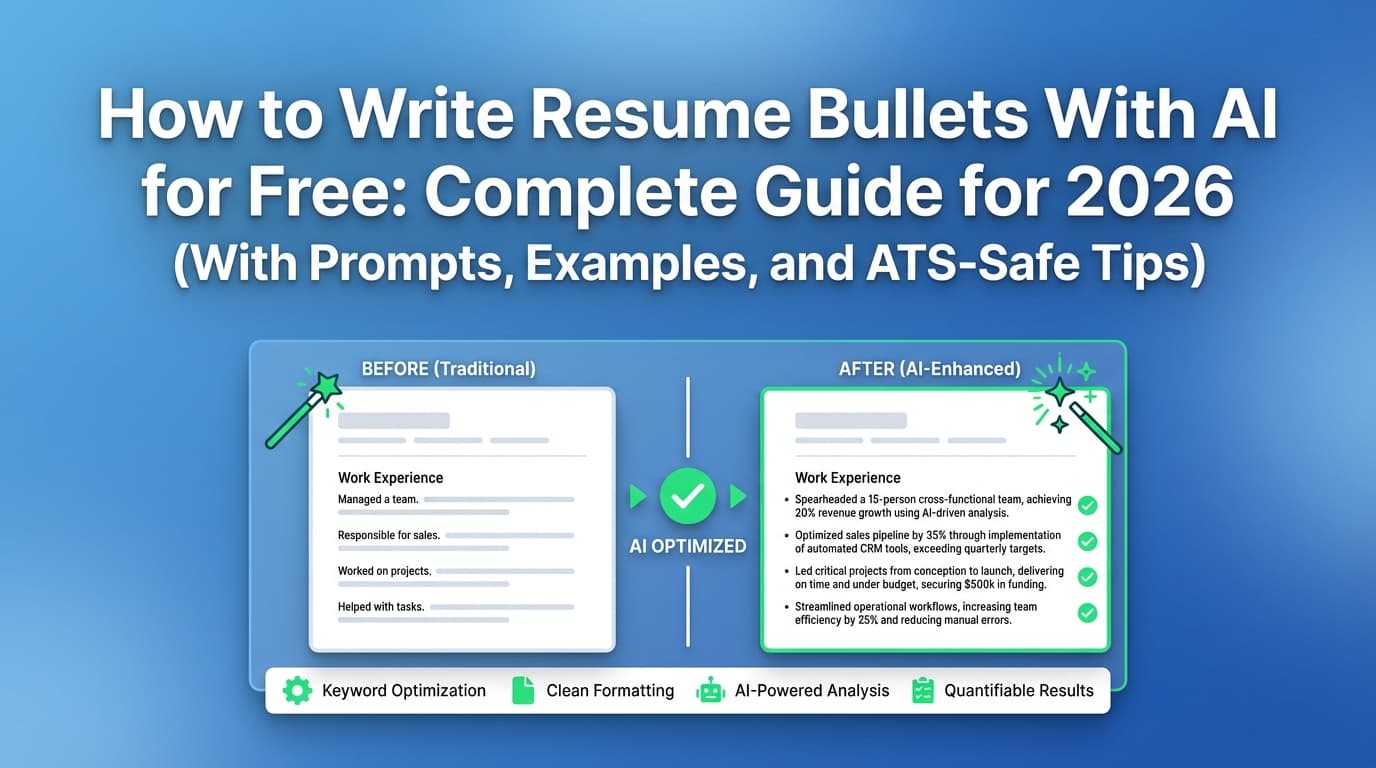
Before/After Resume Bullet Examples (AI-assisted, human-edited)
Below are examples you can model. Use them as patterns—not copy/paste templates.
Example Set A — Software Engineer
Weak (task-focused)
- Worked on improving performance of the application.
- Helped with bug fixes and feature updates.
Strong (impact-focused)
- Reduced API p95 latency by 32% by profiling slow endpoints, adding query indexes, and caching high-traffic responses.
- Shipped 5+ customer-facing features in a quarterly release cycle, partnering with Product and Design to clarify acceptance criteria and edge cases.
- Cut production incidents by 18% by adding monitoring alerts and improving runbooks for on-call handoffs.
Why this works: clear actions + specific levers + measured result.
Example Set B — Data Analyst
Weak
- Created dashboards and reports for stakeholders.
Strong
- Built weekly KPI dashboards in SQL + Tableau for 6 stakeholders, reducing manual reporting by ~4 hours/week.
- Identified funnel drop-offs by cohort and presented recommendations that informed 2 A/B tests over 8 weeks.
- Standardized metric definitions across teams (activation, retention), reducing conflicting reporting and aligning weekly business reviews.
If you don’t own outcomes (like conversion lift): focus on what you delivered (analysis, test design, decision support).
Example Set C — Customer Support / Customer Success
Weak
- Responsible for responding to customer inquiries.
Strong
- Resolved ~35 tickets/day across billing and technical issues while maintaining 95%+ SLA compliance during peak volume.
- Reduced repeat contacts by 18% by creating macros and updating the internal knowledge base for common setup issues.
- Escalated product bugs with reproducible steps and logs, improving engineering turnaround time for high-severity issues.
Example Set D — Marketing (Growth / Content)
Weak
- Managed social media and created content.
Strong
- Published 12 SEO articles/month and refreshed legacy pages, increasing organic traffic by 28% in one quarter (GA4).
- Built a content brief system (keyword intent, SERP analysis, internal links), reducing editor revisions and cutting time-to-publish by 20%.
- Partnered with Product to align launch messaging across landing pages, email, and in-app copy, improving click-through rate by 15% on the launch email.
Example Set E — Sales / Account Executive
Weak
- Managed client relationships and met quotas.
Strong
- Closed $420K in new ARR across mid-market accounts by running discovery, mapping stakeholders, and tailoring proposals to compliance requirements.
- Increased pipeline coverage from 2.1× to 3.4× by improving outbound targeting and tightening qualification criteria with SDR partners.
- Reduced sales cycle time by 12% by standardizing objection-handling notes and follow-up sequences.
Example Set F — Operations / Project Manager
Weak
- Coordinated projects and stakeholders.
Strong
- Led a cross-functional rollout (Ops, Finance, IT) across 3 teams, delivering launch 2 weeks early and standardizing handoffs with a shared RACI.
- Created a weekly risk review cadence and milestone tracker, reducing overdue deliverables from 14 to 5 within one quarter.
- Streamlined vendor onboarding by documenting requirements and building a checklist, cutting approval time from 10 days to 6 days.
Best Practices (What top guides agree on—and how to apply it with AI)
These are “boring” best practices that win interviews because they’re readable, credible, and searchable.
1) Use action-first bullets and quantify impact
Yale’s Office of Career Strategy emphasizes accomplishment statements that describe and quantify achievements. (High confidence: authoritative resource.)
Source: https://ocs.yale.edu/resources/writing-impactful-resume-bullets/
Practical application with AI: always tell AI:
- “Start with an action verb”
- “Include a metric or scope detail”
- “No buzzwords”
2) Keep bullets concise (1–2 lines)
You’ll find this advice across many resume guides and practitioner discussions. A safe operational rule is to keep bullets tight enough to scan quickly.
Practical application with AI: enforce a word limit:
- “Keep each bullet under 25 words”
- “Maximum 2 lines”
3) Put the “proof” near the front
Because skimming is real, the first half of the bullet should carry the meaning.
Bad:
- “Responsible for creating dashboards that helped…”
Better:
- “Built weekly KPI dashboards in SQL + Tableau for 6 stakeholders…”
4) Use the employer’s language (but keep your meaning)
ATS and recruiters search for:
- specific tools (Salesforce, Python, Tableau, Jira)
- functions (forecasting, cohort analysis, pipeline management)
- domain terms (SOC 2, HIPAA, GAAP, ETL, OKRs)
Practical application with AI: ask for “keyword integration with context.”
5) Avoid keyword stuffing and hidden keywords
Jobscan has a dedicated explanation of resume keyword stuffing. (Medium confidence: credible ATS education source.)
Source: https://www.jobscan.co/blog/resume-keyword-stuffing/
What to do instead:
- Add the keyword where it’s real:
- Tools line: “SQL (PostgreSQL), Tableau”
- Bullet: “Built dashboards in Tableau”
- Don’t list 30 tools you touched once.
Common Mistakes When Using AI for Resume Bullets (and fixes)
Mistake 1: AI invents metrics or impact
Why it’s dangerous: you will be asked about it in interviews.
Fix: use “ask-before-assuming” prompts and add your own estimates responsibly:
- “~” or “approximately”
- “per week/month”
- “for X stakeholders/users”
Mistake 2: Everything sounds like a polished but empty summary
Symptoms:
- too many adjectives
- no nouns (deliverables/tools)
- no scope (who/what scale)
- no result
Fix: require “deliverable + tool + metric/scope” in every bullet.
Mistake 3: Copying the job description into your bullets
Fix: mirror only the keywords, then anchor them in your evidence:
- “Implemented stakeholder communication plan” → what plan? for who? what result?
Mistake 4: Overusing the same verbs (Managed, Led, Worked)
Fix: tell AI “no repeated verbs,” then replace manually with role-specific verbs:
- Analyst: analyzed, audited, modeled, built, validated, forecasted
- Engineer: shipped, refactored, instrumented, debugged, optimized, automated
- PM/Ops: coordinated, launched, standardized, negotiated, unblocked, delivered
Mistake 5: Bullets describe tools, not outcomes
Bad:
- “Used SQL and Tableau to create dashboards.”
Better:
- “Built SQL + Tableau dashboards for 6 stakeholders, reducing manual reporting by 4 hours/week.”
Mistake 6: Too many bullets (or too many weak ones)
If you have 10 bullets for each job, recruiters won’t read them.
Fix: keep only the bullets that show:
- measurable impact
- role-relevant tools
- scope/ownership
Tools to Help You Write Resume Bullets With AI (Free-first, honest notes)
You can do everything in this guide with free-tier AI chat tools. But depending on your workflow, extra tools can help.
Free / “free to try” bullet generators (read the fine print)
Examples of pages that offer bullet generation or bullet analysis:
- Kickresume’s AI bullet generator (labeled “Free to Try”). (High confidence: page labeling varies; check current access.)
https://www.kickresume.com/en/ai-resume-bullet-point-generator/ - Cultivated Culture’s ResyBullet / bullet analyzer. (Medium confidence: may require account creation; availability changes.)
https://cultivatedculture.com/resume-bullet-analyzer/
Career-center bullet writing PDFs (high-signal, no fluff)
- University of Arizona APR format: https://career.arizona.edu/resources/write-impressive-bullet-points-using-apr-format/
- Yale impactful bullets: https://ocs.yale.edu/resources/writing-impactful-resume-bullets/
- UTSA bullet point writing PDF: https://careercenter.utsa.edu/resources/_documents/writing-resume-bullet-points.pdf
When a dedicated resume workflow can help (optional)
If you’re doing high-volume applications and want structured feedback and job-to-resume alignment, consider tools that offer:
- resume analysis/scoring and detailed feedback
- job description extraction
- resume-to-job matching
- versioning (so you don’t lose “good” bullets)
JobShinobi (paid)
JobShinobi includes:
- AI resume analysis (scores + feedback)
- Job description extraction (URL or text) and resume-to-job matching
- An AI resume editing agent inside a LaTeX resume editor with PDF preview and version history
Pricing: JobShinobi Pro is $20/month or $199.99/year.
The site’s marketing mentions a “7-day free trial,” but trial mechanics are not clearly verifiable from implementation details—treat it as “mentioned,” not guaranteed. (Medium confidence.)
Internal links:
- Resume area: /dashboard/resume
- Subscription: /subscription
A 20-Minute “Tailor My Bullets” Workflow (for each job application)
If you’re applying a lot, use this repeatable process:
Minute 0–3: Extract JD keywords (Step 2 prompt)
Get the:
- tools
- responsibilities
- key phrases
Minute 3–10: Pick 3 bullets to tailor
Choose bullets with:
- the most relevant projects
- the closest tool match
- the strongest measurable outcomes
Minute 10–15: Rewrite those bullets (tailor prompt)
Integrate 3–6 JD keywords naturally.
Minute 15–20: Skills section alignment
Update Skills so it matches the JD language:
- If JD says “PostgreSQL,” don’t only write “SQL”
- If JD says “stakeholder management,” include it if true
Stop there. Tailoring beyond 20 minutes often turns into over-editing.
Quality Control: The “Truth + Clarity” Resume Bullet Checklist
Run this on your final bullets:
Truth check (non-negotiable)
- Can you explain this bullet in 30 seconds in an interview?
- Can you name the tool/process you used?
- Is the metric real, estimated responsibly, or clearly scoped?
Clarity check (recruiter scan)
- Does the first half of the bullet communicate value?
- Is the sentence free of filler words?
- Is it one idea per bullet?
ATS keyword check
- Do you include the role’s core tools/terms?
- Are keywords placed in context (not as a random list)?
Variety check
- Are verbs repeated too often?
- Are you showing different kinds of value (speed, quality, cost, growth, reliability)?
Key Takeaways
- You can write strong resume bullets with AI for free using a structured workflow and the right prompts.
- Use a bullet framework (APR/PAR/XYZ) so AI outputs outcomes—not just responsibilities.
- Don’t let AI invent achievements; force it to ask clarifying questions.
- Tailor selectively: rewrite the top 2–3 bullets per role and align Skills to the job description.
- Keep formatting ATS-friendly (simple, single-column is safest) and prioritize skimmability.
- If you’re applying at scale, structured tools can help—just be cautious with paywalls and feature claims.
FAQ (People Also Ask)
Can I get AI to write my resume bullet points for free?
Yes. Use a free-tier AI chat assistant to draft bullets from your real experience. The key is providing structured inputs and enforcing rules like “no invented metrics” and “APR format.” (High confidence.)
Can I use ChatGPT to write resume bullets?
Yes. ChatGPT (and similar tools) is excellent for rewriting and structuring bullets. It’s weaker at guessing metrics and context—so you must supply those. (High confidence.)
What is the best prompt to generate resume bullet points?
A strong prompt:
- specifies a framework (APR/PAR/XYZ)
- demands metrics or scope
- limits length to 1–2 lines
- forbids invention
Use the APR generator prompt in Step 3 as your default. (High confidence.)
How do I make AI resume bullets not sound like AI?
Remove:
- buzzwords (“results-driven,” “synergy”)
- vague verbs (“assisted,” “helped”)
- empty claims (“optimized” without stating what changed)
Add:
- concrete nouns (tools, deliverables)
- scope (stakeholders, volume, timeframe)
- measurable outcomes where possible
(High confidence.)
How many bullet points should I include per job?
A practical guideline:
- 4–6 bullets for your most recent/relevant role
- 2–4 bullets for older roles
The goal is scannability and proof, not completeness. (Medium confidence: varies by role/seniority.)
Should resume bullets be in first person?
Typically, resumes use an implied first-person voice without “I” (e.g., “Led…” not “I led…”). Many resume guides recommend omitting pronouns to keep bullets concise. (High confidence.)
Should I tailor every bullet to every job?
No. Tailor the top bullets (especially the first 2–3 under your most relevant role) and align your Skills section. Over-tailoring often creates keyword-heavy, unnatural bullets. (High confidence.)
Does an ATS reject resumes for formatting?
ATS behavior varies, but complex formatting can cause parsing errors (scrambled sections, missing text). That can reduce your chances even if a human ultimately decides. Follow ATS-friendly formatting guidance like MIT’s recommendations. (High confidence.)
Source: https://capd.mit.edu/resources/make-your-resume-ats-friendly/
Is keyword stuffing bad for ATS?
It’s widely discouraged because it can look unnatural and reduce credibility. Use keywords where they fit your real experience, in context. (Medium confidence; guidance varies by ATS.)
Source: https://www.jobscan.co/blog/resume-keyword-stuffing/