Recruiters don’t read your resume top-to-bottom on the first pass—they skim. The Ladders’ well-known eye-tracking research found the average initial screen was 7.4 seconds (The Ladders eye-tracking PDF; see also coverage in HR Dive and the press release via PR Newswire).
That’s exactly why your resume summary matters: it’s often the first “real” content a human reads, and it strongly influences whether they keep scanning.
AI can help you write a resume summary faster—but only if you use it as a drafting and editing partner, not a one-click “make me impressive” machine. This guide gives you a repeatable, honest process to create a summary that’s:
- tailored to a specific role (and even a specific job posting)
- easy for ATS to parse (no formatting traps)
- measurable (uses outcomes, scope, and proof)
- human-sounding (not generic AI filler)
- aligned with the rest of your resume (no contradictions)
In this guide, you’ll learn:
- What a resume summary is (and when to skip it)
- A step-by-step AI workflow to generate and refine a strong summary
- Prompt templates that reliably produce non-generic output
- ATS-safe formatting and keyword strategy (without stuffing)
- Before/after examples for multiple job types
- A quality checklist to avoid the most common AI resume mistakes
What is a resume summary (and what is it not)?
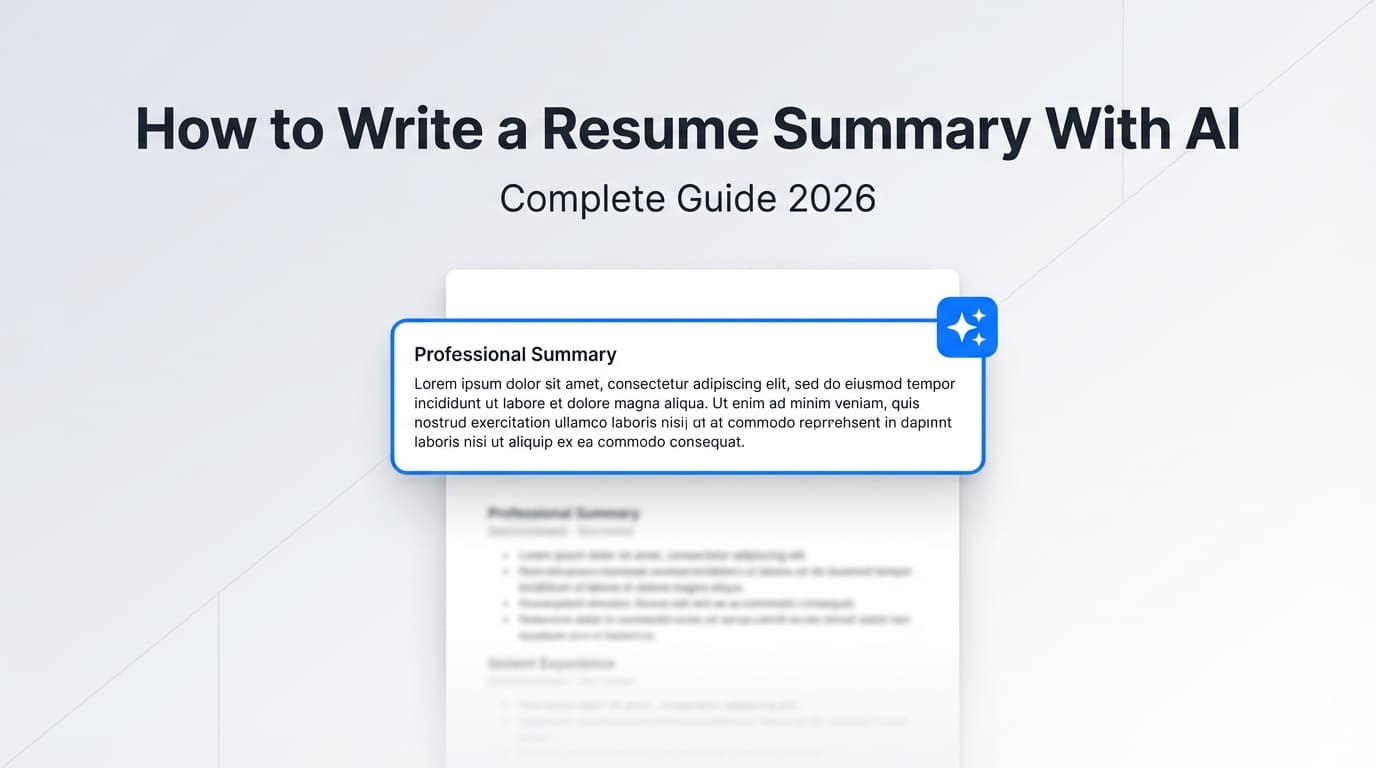
A resume summary (also called a “professional summary” or “resume profile”) is a short section near the top of your resume that explains:
- who you are professionally (role + direction)
- what you’re strongest at (skills, domains, tools)
- proof you can do the work (impact, outcomes, scope)
- what you’re targeting next (the role)
Many career sites recommend keeping it short. Indeed, for example, describes a resume summary as a two- to three-sentence professional introduction at the top of your resume (Indeed).
Resume summary vs. resume objective (quick clarity)
- Summary: what you bring (experience + results)
- Objective: what you want (your goal)
A summary tends to be stronger if you have any meaningful experience or measurable wins. (Indeed’s comparison: resume summary vs objective.)
Why writing your summary “with AI” matters in 2026
Two trends are colliding:
- Hiring workflows increasingly use automation/AI.
- Applicants increasingly submit AI-generated content.
A few widely cited data points show the direction:
- Resume Genius reports 48% of hiring managers use AI to screen resumes and applications (Resume Genius). Confidence: Medium (survey-based; directional, not universal).
- ResumeBuilder.com reports 51% of companies currently use AI in their hiring process (ResumeBuilder.com). Confidence: Medium (survey-based).
- Jobscan reports 98.4% of Fortune 500 companies used a detectable ATS in 2024 (Jobscan ATS usage report). Confidence: Medium (Jobscan detection methodology; still consistent with broad ATS adoption).
Reality check: ATS myths are everywhere
You’ve probably heard “ATS automatically rejects 75% of resumes.” That stat is often repeated without strong context and can be misleading. Some hiring-tech sources explicitly push back on oversimplified ATS claims (HiringThing myth-busting).
Practical takeaway: Don’t write your summary to “game the bots.” Write it so it:
- parses cleanly
- matches the role language naturally
- proves fit fast to humans
How to write a resume summary with AI: Step-by-step workflow (that avoids generic fluff)
Step 1: Gather inputs (so AI doesn’t “fill in the blanks”)
AI summaries get bad when the model is forced to guess. Before you prompt anything, collect:
Role target
- target job title (exact wording from posting)
- seniority (junior/mid/senior/lead)
- industry context (fintech, healthcare, B2B SaaS, etc.)
Proof
- 2–3 measurable wins (%, $, time saved, scale)
- 2–3 core skill clusters (e.g., “SQL + dashboards” or “stakeholder mgmt + delivery”)
- 1–2 differentiators (rare combination, niche domain, certification)
Job description language
- paste the job description (or the responsibilities + requirements)
- highlight repeated phrases/keywords
If you skip this step, AI tends to output vague claims like “results-driven professional” that can’t be defended.
Step 2: Extract the job’s “keyword spine” (without stuffing)
Goal: identify the most repeated and important concepts in the posting.
AI prompt:
Paste the job description below. Extract:
- the top 10 hard-skill keywords
- the top 6 domain keywords (industry/process)
- the top 6 “outcome” keywords (growth, efficiency, reliability, etc.)
- a shortlist: must-include / nice-to-include / avoid
Output as bullet lists only.
Then pick 2–4 keywords you can honestly support and use them in your summary.
Step 3: Choose a structure (AI performs better with a template)
Pick one:
Template A (most candidates): role + proof + strengths + target
- Role + years + domain
- Proof (1 metric)
- Strengths (2–3 skill clusters)
- Target role + value
Template B (career changer): bridge + transferable wins + target
- “Previously X, now targeting Y”
- Transferable wins with metrics
- Skills that translate
- Value proposition
Template C (early career): skills + projects + readiness
- Field + focus
- Tools/skills
- Project/internship proof
- Target role
Step 4: Generate 3 drafts (don’t settle for the first one)
Prompt:
Write 3 resume summary drafts for the role below.
Constraints:
- 2–3 sentences max
- include 1 metric or scope indicator
- include 2–4 job keywords only if accurate
- no clichés (“results-driven,” “team player,” “dynamic,” etc.)
- no first-person pronouns
Inputs:- Target role: …
- Background highlights: …
- Metrics: …
- Keywords: …
Pick the draft that is most specific and closest to your voice.
Step 5: Run a “specificity audit” to remove AI filler
This is the step most people skip—and why summaries sound fake.
Prompt:
Audit this resume summary for vagueness.
- Highlight phrases that could describe 50%+ candidates.
- Replace each with something more specific using my inputs.
- If specificity requires missing data, mark “[NEEDS INFO]” instead of guessing.
Summary: …
Inputs: …
Then you do the human work: insert the real numbers, tools, scope, and outcomes.
Step 6: ATS-safety check (format and placement)
Even a great summary can fail if it’s not parsed cleanly.
Multiple career resources advise avoiding putting key text in headers/footers or using overly complex formatting. For example:
- A University of Illinois Chicago career PDF advises simple formatting and says do not use headers/footers (among other elements) for ATS readability (UIC PDF). Confidence: Medium (ATS varies, but it’s a common, conservative guideline).
- A separate university ATS guide explicitly notes including contact info in the body, not the header or footer (ONU ATS resume guide PDF). Confidence: Medium.
Best practice:
- Use a normal heading: Summary or Professional Summary
- Keep it in the main body (not inside a text box)
- Avoid tables/columns in the top section (Jobscan warns ATS can struggle with tables/columns: Jobscan). Confidence: Medium
Step 7: Consistency check (the “do I believe myself?” test)
AI often inflates:
- years of experience
- seniority (“led” vs “supported”)
- expertise (“expert” vs “working knowledge”)
Do this:
- Verify every claim matches your timeline and bullets
- Ensure the summary is supported by experience section proof
The “good” resume summary formula (copy/paste)
Use this as a starting point:
[Target role] with [X years] in [domain/industry]. Delivered [metric] by [how/skill cluster], with strengths in [skill cluster 1] and [skill cluster 2]. Seeking to [impact] as a [target title] at [company type/domain].
Then tighten.
Prompt library (battle-tested prompts for better summaries)
Prompt 1: “No guessing” guardrail
Write a resume summary using ONLY the facts I provide.
If a detail is missing, write “[NEEDS INFO]” instead of guessing.
Facts: …
Prompt 2: “Three angles”
Create 3 distinct summary options:
- metrics-first
- domain-first
- skills-stack-first
Constraints: 2–3 sentences, no clichés, no first person.
Prompt 3: “Keyword integration” (safe version)
Integrate up to 4 keywords from the job description ONLY where accurate and natural.
If unsupported by my experience, do not add it.
Output 2 revised options + list of keywords used.
Prompt 4: “Human voice rewrite”
Rewrite to sound confident and specific, but not corporate.
Remove buzzwords. Prefer concrete nouns and verbs.
Keep it under 45 words.
Examples: AI-assisted resume summaries (good → better → best)
Example: Software Engineer (Backend)
Better:
Backend Software Engineer (5 years) building Python APIs and data pipelines for B2B products. Improved request latency by 28% and supported services processing 1M+ events/day. Strong in SQL, AWS, and observability.
Example: Data Analyst
Better:
Data Analyst (4 years) delivering KPI dashboards and cohort analysis for product and marketing teams. Built SQL + BI reporting used by 20+ stakeholders and reduced reporting turnaround from days to hours. Strong in experimentation analysis and data storytelling.
Example: Project Manager
Better:
Project Manager (6 years) leading cross-functional delivery for SaaS initiatives. Managed roadmaps across 10–15 concurrent projects and improved on-time delivery by 18% through scope control, risk tracking, and stakeholder alignment.
Example: Career changer (Customer Success → Product)
Better:
Customer Success Manager transitioning into Product, with 7 years driving adoption and retention. Led feedback loops that increased retention 6 points and influenced roadmap priorities across onboarding and reporting. Strengths include stakeholder alignment and KPI-focused execution.
Common mistakes to avoid (especially when using AI)
Mistake 1: Keyword stuffing
Overloading the summary with keywords makes it unreadable and can misrepresent your experience. Jobscan defines keyword stuffing as overloading a resume with keywords to manipulate ATS—often at the cost of truth and readability (Jobscan). Confidence: Medium
Fix: Use 2–4 truly relevant keywords in the summary; place the rest naturally in bullets.
Mistake 2: “Cliché openers”
Avoid “Results-driven…” and “Dynamic professional…”—they waste precious space.
Fix: Start with role + specialization.
Mistake 3: Claims you can’t defend
AI will write impressive-sounding leadership statements. If it’s not true, it’s risky.
Fix: Add guardrails (“no guessing”) and tie every claim to a bullet below.
Mistake 4: ATS-unfriendly placement/format
Avoid text boxes, tables, and putting important content in headers/footers. University ATS guides frequently recommend simple formatting (UIC PDF; ONU PDF).
Do employers dislike AI-written resumes?
Some employers report negative reactions when applications look fully AI-generated or generic.
For example, TopResume reports 19.6% of recruiters would reject a candidate with an AI-generated resume or cover letter (and includes additional detection-related findings) (TopResume). Confidence: Medium (survey; context and methodology matter).
Practical takeaway: It’s less about “AI use” and more about:
- generic phrasing
- inconsistencies
- inflated claims
- lack of customization
Tools to help with AI resume summaries (honest, accurate)
JobShinobi (when you want feedback loops, not just text generation)
If you want a workflow that connects writing → analysis → tailoring, JobShinobi is designed for resume creation and iteration:
Supported, evidence-based capabilities:
- Build resumes in LaTeX and compile to PDF inside the app
- AI resume analysis with scoring and detailed feedback (including ATS-focused fields)
- Job description extraction (URL or text) and resume-to-job matching with keyword gap insights
- AI resume editing agent and version history for iterative improvement
Pricing (accurate):
- JobShinobi Pro is $20/month or $199.99/year.
- Marketing mentions a 7-day free trial, but trial enforcement is not clearly verified in the available implementation—treat it as “mentioned,” not guaranteed.
Other common options
- Microsoft Word / Copilot (drafting inside Word): https://word.cloud.microsoft/create/en/blog/write-resume-ai/
- Jobscan (ATS formatting and keyword alignment guidance): https://www.jobscan.co/blog/ats-formatting-mistakes/
- General AI assistants (ChatGPT/Gemini/Claude): flexible, but require stronger prompts and truth-checking
Key takeaways
- AI writes better summaries when you provide structured inputs (role, metrics, keywords).
- Generate multiple drafts, then run a specificity audit to remove vague filler.
- Keep the summary short (often 2–3 sentences per Indeed: Indeed).
- Avoid ATS traps: keep key content in the body, avoid headers/footers and complex formatting (UIC PDF; ONU PDF).
- Use tools that help you iterate with feedback—not just generate text.
FAQ
Can AI write my resume summary?
Yes—AI can draft it quickly, but you should supply the role, your real metrics, and job keywords, then edit for accuracy and specificity.
Can ChatGPT summarize my resume?
Yes, especially if you paste your strongest bullets and measurable outcomes, and apply a “no guessing” constraint to prevent invented details.
Do employers know if I used AI for my resume?
There’s no universal standard for detecting AI use, but hiring teams often notice generic language, inconsistencies, or inflated claims. Aim for specificity and truth.
How long should a resume summary be?
Often two to three sentences, per Indeed (Indeed).
How do I make sure my summary is ATS-friendly?
Keep it in the main body with simple text and standard headings. Avoid complex layouts like tables/columns and avoid putting important info in headers/footers (see ATS formatting guidance in UIC PDF and ONU PDF).