If you’ve ever opened an application portal and seen “In Progress” for weeks, you already know the core problem: most job searches fail operationally before they fail on qualifications. People miss follow-ups, lose recruiter emails, forget which resume version they used, and can’t answer basic questions like “Which roles are actually moving?”
And the stakes are real. More than 98% of Fortune 500 companies use an applicant tracking system (ATS), meaning your applications are almost always flowing through a system—whether you can see it or not. (Source: Workday, “What is an Applicant Tracking System?”: https://www.workday.com/en-us/topics/hr/applicant-tracking-system.html)
In this guide, you’ll learn:
- A simple, repeatable way to track ATS submissions (even when portals are vague)
- A clean set of interview stages you can use across any company (Workday, Greenhouse, Taleo, etc.)
- A “single source of truth” template (spreadsheet + rules) that scales past 100+ applications
- Follow-up cadences that keep you visible without annoying recruiters
- How tools like JobShinobi can reduce manual tracking by logging job-application emails into a tracker (Pro feature)
What does “tracking ATS submissions and interview stages” mean (for job seekers)?
When job seekers say “track ATS submissions,” they usually mean two things:
-
Tracking your side of the submission
You need proof you applied, what you applied with, and what you should do next (follow-up, network, etc.). -
Tracking the employer’s pipeline stage
ATS portals show statuses like “Under Review,” “In Process,” “Interview,” or “Not Selected.” Those statuses are often vague, inconsistent, and not standardized across companies—but you can still track them effectively if you use a consistent framework.
Tracking interview stages means you can answer, at any time:
- What stage you’re in (screen, recruiter call, hiring manager, technical loop, final, etc.)
- What’s next and when
- Who you spoke with
- What you learned and what to improve
The goal isn’t to create “perfect data.” The goal is to run your job search like a lightweight pipeline—so you get more interviews per week, and you stop losing momentum.
Why tracking matters in 2026 (with data)
1) The ATS is everywhere (so you need a system)
As noted above, Workday states that more than 98% of Fortune 500 companies use an ATS. (Source: https://www.workday.com/en-us/topics/hr/applicant-tracking-system.html)
That doesn’t mean the ATS is “rejecting you automatically” every time—but it does mean your application is moving through structured stages, often with high volume and limited human attention.
2) Your “application → interview” conversion rate is usually low
CareerPlug’s benchmark reporting shows that in 2024, employers invited an average of about 3% of applicants to interview. (Source: CareerPlug, Recruiting Metrics Report PDF search result; one accessible report link: https://www.careerplug.com/wp-content/uploads/2024/04/2024-Recruiting-Metrics-Report-1.pdf)
Even if your personal funnel is better than average, you still need volume and process. Tracking helps you improve the funnel instead of guessing.
3) Recruiters scan fast (so small mistakes compound at scale)
The Ladders’ eye-tracking study is widely cited for finding recruiters spend about 6 seconds on an initial resume scan. (Source PDF: https://www.theladders.com/static/images/basicSite/pdfs/TheLadders-EyeTracking-StudyC2.pdf)
If you’re applying widely, you need a system that makes it easy to:
- tailor efficiently,
- store the version you used,
- and learn from what actually converts.
4) Candidates have tight patience windows (speed matters)
Cronofy’s Candidate Expectations Report (2024) found candidates have concrete expectations for speed—for example, it reports 21% expect to wait 2–6 days between applying and scheduling an interview (before giving up on the process). (Source: https://www.cronofy.com/reports/candidate-expectations-report-2024)
You can’t control employer timelines, but you can control your follow-up timing, your scheduling responsiveness, and your prioritization of roles that move quickly.
5) Waiting is normal—but you should track it anyway
Indeed notes “average response time after an interview is 24 business days,” varying by industry. (Source: https://www.indeed.com/career-advice/interviewing/average-response-time-after-interview)
That’s exactly why tracking matters: you need a system that tells you when to wait, when to follow up, and when to move on.
Confidence note on benchmarks: Recruiting stats vary by industry, seniority, and labor market. Treat them as directional baselines—not promises. (Confidence: Medium; benchmarks are source-backed but context-dependent.)
The core challenge: ATS portals aren’t designed for candidates
An ATS is primarily built for employer workflows, not candidate clarity. Candidate-facing portals often:
- use generic statuses (“In Progress”),
- delay updates,
- change wording across roles,
- or never update at all.
So the tracking mindset shift is:
Track what you can verify (emails, dates, contacts), and map vague statuses into a consistent pipeline you control.
The “single source of truth” system (recommended)
You need one system that contains:
- every role you applied to,
- the most recent stage,
- and the next action date.
Everything else (email, calendar, notes apps) can support it—but shouldn’t replace it.
Choose ONE system:
- Spreadsheet (Excel / Google Sheets)
- Notion / Airtable
- A job tracker tool (best if it reduces manual updates)
In this guide, I’ll show you a system that works in any of those.
Your master pipeline (stages that work across almost every ATS)
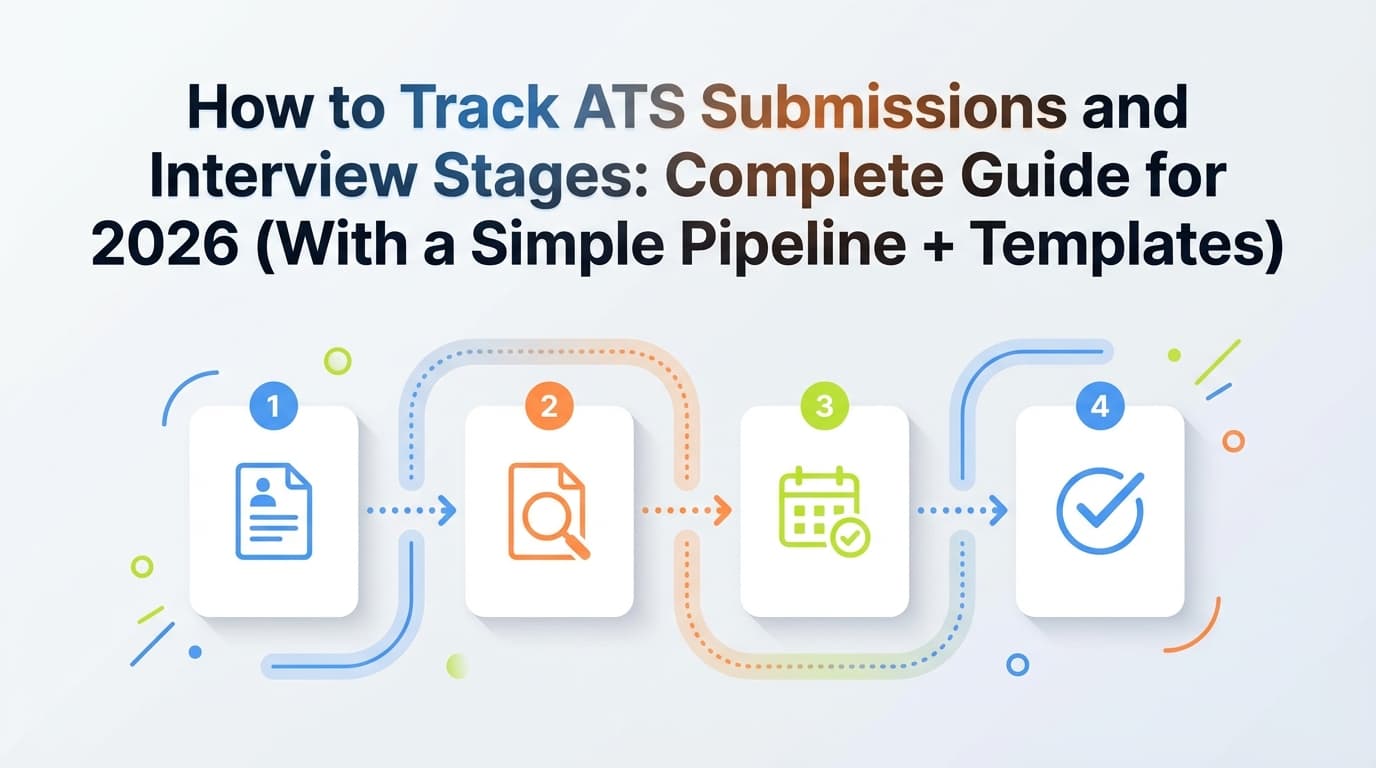
Here’s a practical pipeline that maps cleanly to how hiring actually works, regardless of whether the portal says Workday/Greenhouse/Taleo.
Stage Group A: Submitted (you’ve done your part)
- Wishlist (role is interesting, not applied)
- Ready to Apply (resume version prepared, referral/network step planned)
- Applied (ATS Submitted) (you submitted—must have date + proof)
Stage Group B: Screening (they’re deciding if you move forward)
- Under Review / Screening (may be manual or automated; portal may show “In Progress”)
- Recruiter Screen Scheduled
- Recruiter Screen Complete (awaiting next step)
Stage Group C: Interview Loop (the “real process”)
- Hiring Manager Interview Scheduled
- Hiring Manager Complete
- Technical / Panel / Case Scheduled
- Technical / Panel / Case Complete
- Final Interview Scheduled
- Final Complete
Stage Group D: Decision
- Offer (verbal or written—track separately if you want)
- Rejected
- Withdrawn / Closed (you withdrew, role canceled, no response after cutoff date)
Why this beats most trackers: it separates “scheduled” vs “complete,” which is the difference between a pipeline you can manage and one that surprises you.
How to track ATS submissions and interview stages: Step-by-step (the full workflow)
Step 1: Set up your tracker (fields that actually matter)
At minimum, track these columns:
Core identifiers
- Company
- Role title
- Location (or Remote)
- Link to job posting (or archived link)
- Job ID / requisition ID (crucial for large companies)
Submission details
- Date applied
- Where you applied (company site, LinkedIn, referral link, recruiter email)
- Resume version used (e.g., “Data Analyst v3 – FinTech”)
- Cover letter? (Y/N) + link
Pipeline
- Current stage (from the pipeline above)
- Portal status (raw text: “In Progress,” “Under Review,” etc.)
- Next action date (the single most important column)
- Last touch date (email/DM/call)
People
- Recruiter name + email
- Hiring manager (if known)
- Referrer / internal contact
Interview tracking
- Interview round count (e.g., 0, 1, 2, 3)
- Interview dates + type (phone/video/onsite)
- Notes (bullets; link to longer notes doc)
Outcome
- Rejected date
- Offer date
- Compensation range (if shared)
- Decision (accept/decline)
Pro tip: Add a “Priority” column (A/B/C). Your tracker is not just a log—it’s a decision engine.
Step 2: Create a consistent status mapping (so portals stop confusing you)
Portals often show statuses like:
- “Application Submitted”
- “Under Review”
- “In Progress”
- “Under Consideration”
- “Interview”
- “Not Selected”
These terms are inconsistent across systems and employers. Your job is to map them into your pipeline.
Suggested mapping rule (simple and robust)
- If you have only the submission confirmation → stage = Applied (ATS Submitted)
- If the portal changes to something review-ish (“Under Review,” “In Progress”) → stage = Under Review / Screening
- If you have a calendar invite or email scheduling an interview → stage = Recruiter Screen Scheduled (or relevant round)
- If the interview happened → stage = [Round] Complete
- If you receive a rejection email → stage = Rejected
- If nothing happens after your cutoff date → stage = Closed (No Response) (optional), or keep it in “Applied” but mark “stale”
This keeps your pipeline driven by verifiable events, not ambiguous portal text.
Step 3: Decide your follow-up cadence (so “Next action date” isn’t guesswork)
A tracking system fails when “Next action date” is blank.
Here’s a practical cadence you can use as default, then adjust per industry/seniority.
After applying (no response yet)
- Follow up in ~5–7 business days if you have a contact (recruiter, referrer).
This aligns with common career guidance; for example, The Muse cites 5–7 business days as a standard follow-up window. (Source: https://www.themuse.com/advice/heres-how-long-you-should-wait-to-follow-up-at-every-point-in-the-job-search)
If you don’t have a contact, don’t spam the generic ATS inbox. Instead:
- find a team member or recruiter on LinkedIn,
- ask your network for an intro,
- or move on while keeping it “Under Review.”
After recruiter screen
- If they gave a timeline: follow up 1–2 business days after that timeline passes
- If no timeline: follow up 5 business days after the screen
After panel/final
- Send thank-you within 24 hours (separate from status follow-up).
- Follow up 5 business days later if no update (Indeed also commonly recommends waiting at least five business days). (Source: https://www.indeed.com/career-advice/interviewing/how-long-to-wait-after-interview)
Pro tip: Never schedule a follow-up “sometime next week.” Put a date in the tracker.
Step 4: Track interviews like a project (not a vibe)
When people say “I tracked my interviews,” they often mean “I remembered some of it.”
Instead, track:
- Round type (recruiter / hiring manager / technical / case / onsite / final)
- Format (phone/video/in-person)
- Who interviewed you
- Skills assessed
- Questions asked
- Your answers that felt weak
- Follow-up items (e.g., “send portfolio,” “clarify salary,” “provide references”)
Why? Because the same question patterns repeat across roles. Your notes become a playbook.
Step 5: Build your “ATS submission proof” (so you never wonder if you applied)
You want at least one of these:
- confirmation email,
- screenshot/PDF confirmation page,
- portal dashboard entry with timestamp,
- or sent email thread.
In high-volume searches, missing proof creates duplicate applications, missed deadlines, and confusion when recruiters ask “when did you apply?”
Step 6: Track resume versions per application (this is where most people lose the plot)
If you don’t track which resume you used, you can’t learn.
Minimum:
- Resume version name (e.g., “SWE Backend v5 – Payments”)
- Link to file
- Job keywords included (optional, but powerful)
Where JobShinobi fits naturally: JobShinobi includes an AI resume analysis and job matching workflow (resume vs job description) and a LaTeX resume editor with PDF preview. That’s useful when you’re creating multiple targeted versions—because you can keep versions organized and iterate quickly. (Product info confidence: High; based on provided product constraints/product analysis.)
Step 7: Use “staleness rules” (so your tracker stays emotionally honest)
One of the hardest parts of job searching is staring at 60 applications that all say “In Progress.”
So define a rule like:
- If no response 14–21 days after applying, mark as Stale
- If no response 30+ days after applying, mark as Closed (No Response) (optional)
This isn’t negativity. It’s operational clarity—so you stop over-investing in dead roles.
A ready-to-copy spreadsheet template (columns + example)
You can copy this into Excel or Sheets.
| Company | Role | Job ID | Date Applied | Source | Current Stage | Portal Status (Raw) | Last Touch | Next Action Date | Priority | Recruiter | Resume Version | Interview Round | Notes Link |
|---|---|---|---|---|---|---|---|---|---|---|---|---|---|
| Acme Corp | Data Analyst | #48291 | 2026-01-05 | Company ATS | Under Review / Screening | “In Progress” | 2026-01-05 | 2026-01-13 | A | Jamie R. | DA v3 – FinTech | 0 | /notes/acme-da |
| Beta Inc | SWE II | 11902 | 2026-01-07 | Referral | Recruiter Screen Scheduled | “Interview” | 2026-01-10 | 2026-01-10 | A | Priya S. | SWE v5 – Backend | 1 | /notes/beta-swe |
Rules that make this template work:
- Every row must have Current Stage + Next Action Date.
- “Portal Status (Raw)” is optional—but helpful for context.
- Priority is required (A/B/C). You can’t treat every application equally.
Common ATS portal statuses—and what they usually mean (without over-interpreting)
Statuses vary by employer configuration, but here are patterns that show up often.
“Under Review” / “In Progress”
Often means your application exists in the system and hasn’t been closed. It may or may not mean a human reviewed it.
- Example discussion appears widely across candidate Q&A, but interpretation is unreliable. (Confidence: Medium.)
- For Workday-specific interpretations, some Workday status guides describe “In Progress” as received and under review. (Example source: Surety Systems article: https://www.suretysystems.com/insights/understanding-workday-job-application-status-meanings/ — Confidence: Medium, third-party.)
Tracking rule: Treat as Under Review / Screening. Set a follow-up date.
“Under Consideration”
Sometimes indicates you passed an initial screen; sometimes it’s just a synonym for “active.”
Some employers publish their own definitions (e.g., Northrop Grumman explains “Under consideration” as under detailed review). (Source: https://www.northropgrumman.com/careers/what-to-know-about-our-application-process — Confidence: Medium, company-specific.)
Tracking rule: Keep it Under Review / Screening unless you receive an interview invite.
“Interview”
Could mean:
- an interview is scheduled,
- you’re eligible for interview,
- or you’re in an interview stage in the ATS internally.
Tracking rule: Only move to “Scheduled” when you have a scheduling email or calendar invite.
Taleo / Oracle workflow language
Oracle documentation describes candidate selection workflows as steps + statuses inside steps. (Source: Oracle Help Center: https://docs.oracle.com/en/cloud/saas/taleo-enterprise/otrcg/c-candidateselectionworkflowstatus.html — Confidence: High for the concept, not for any specific employer’s labels.)
Tracking rule: Use your pipeline labels as your “translation layer.”
Greenhouse candidate experience
Greenhouse publishes candidate-facing content about what happens after you apply, though exact statuses still depend on employer configuration. (Source: Greenhouse blog: https://my.greenhouse.com/blogs/what-really-happens-after-you-apply-for-a-job — Confidence: Medium.)
Tracking rule: Again—anchor on events you can verify.
Best practices (the habits that make tracking actually pay off)
1) Track the “next action,” not just the “current status”
A tracker without next actions is a museum.
Every entry should answer: What am I doing next—and when?
2) Separate networking steps from ATS steps
You might be “Applied” in the ATS but actively networking with the team.
Add a column like:
- “Networking status” (None / Reached out / Intro requested / Referral submitted / Coffee chat done)
This helps you see which applications are truly being pushed forward.
3) Use a consistent interview stage vocabulary across all companies
This makes your analytics meaningful:
- Recruiter screen
- Hiring manager
- Technical
- Panel/case
- Final
Even if a company calls it something else, you keep your tracker stable.
4) Store job descriptions (they disappear)
Job postings get edited or removed. Save a PDF or copy the text into a doc.
You’ll need it for:
- interview prep,
- negotiation (“the posting said…”),
- and tailoring future applications.
5) Track response patterns and iterate weekly
Once per week, review:
- Applications sent
- Screens booked
- Interviews completed
- Offers / rejections
- Bottlenecks (e.g., “I apply a lot but don’t get screens”)
If your conversion is low, the solution is rarely “apply even more” without changing inputs.
Benchmark context: Jobvite publishes recruiting funnel benchmarks (employer-side) including an application-to-interview ratio of 8.4% and ~24.3 applications per job, among others. (Source: https://www.jobvite.com/blog/recruiting-funnel/ — Confidence: Medium; useful directional benchmark, varies widely.)
Common mistakes to avoid (and how to fix them)
Mistake 1: Tracking only in your email inbox
Email is not a tracker. It’s a message stream.
Fix: Your tracker should store the current stage + next action. Email should be referenced, not relied on.
Mistake 2: Creating too many stages
If you have 25 stages, you’ll stop updating.
Fix: Use the recommended pipeline and keep “notes” separate from “stages.”
Mistake 3: Treating portal statuses as truth
Portals lag. Recruiters forget to update. Systems get out of sync.
Fix: Use portal status as a “signal,” not a “decision.” Anchor on emails, calls, invites.
Mistake 4: Not tracking who you talked to
You lose leverage and continuity if you can’t recall who said what.
Fix: Add “Recruiter / Contact” fields, plus a short log of touches.
Mistake 5: Not tracking which resume you used
You can’t improve what you can’t compare.
Fix: Add “resume version used” and link to the file.
A lightweight system for tracking follow-ups (email scripts + timing)
Follow-up after applying (template)
Subject: Quick follow-up — [Role Title], Job ID [####]
Hi [Name],
I applied for the [Role Title] role (Job ID [####]) on [date] and wanted to follow up to confirm you received my application.
I’m especially interested because [1 sentence tie to role]. If helpful, I’m happy to share a couple relevant work samples or answer any questions.
Thank you,
[Your name]
[LinkedIn] | [Portfolio]
When to send: typically 5–7 business days after applying if you have a real contact (recruiter/referrer). (Guidance aligns with sources like The Muse: https://www.themuse.com/advice/heres-how-long-you-should-wait-to-follow-up-at-every-point-in-the-job-search — Confidence: Medium.)
Follow-up after interview (template)
Subject: Checking in — [Role Title] interview
Hi [Name],
Thanks again for your time on [date]. I’m still very interested in the role, and I wanted to check if there’s an updated timeline for next steps.
Happy to provide anything else you need.
Best,
[Your name]
When to send: often 5 business days after the interview if they didn’t give a timeline (Indeed guidance: https://www.indeed.com/career-advice/interviewing/how-long-to-wait-after-interview — Confidence: Medium.)
Tools to help with tracking ATS submissions and interview stages (honest options)
Option 1: Spreadsheet / Notion (manual but flexible)
Best if you:
- want full control,
- don’t mind manual updates,
- and are disciplined.
Downside: manual entry becomes a time tax in high-volume searches.
Option 2: Job search CRMs (more structured, sometimes automated)
Tools like Teal and Huntr position themselves as job search CRMs with tracking and organization. (Example SERP sources: https://www.tealhq.com/tool/job-search-crm and https://huntr.co/product/job-tracker — Confidence: Medium; product capabilities vary by plan.)
Option 3: JobShinobi (reduces manual tracking via forwarded emails + includes resume workflows)
JobShinobi is built around two problems that often show up together:
- Tracking job applications, and
- Improving resumes for ATS + tailoring.
Relevant capabilities (accurate, evidence-based):
- Job application tracker where you can log applications with statuses like Applied / Interview / Rejected / Offer / Accepted. (Confidence: High)
- Email-forwarding workflow (Pro): you can forward job-related emails (like application confirmations or interview invites) to your unique JobShinobi forwarding address, and it can parse the email and create/update a job application record. (Confidence: High)
- Realtime updates to the tracker (so if an email updates a status, the UI can reflect it). (Confidence: High)
- Export to Excel (.xlsx) from the tracker. (Confidence: High)
- AI resume analysis (ATS-focused scoring + feedback) and resume-to-job matching for tailoring. (Confidence: High)
Pricing (accurate):
- JobShinobi Pro is $20/month or $199.99/year. (Confidence: High)
- The marketing site mentions a “7-day free trial,” but trial mechanics are not clearly verifiable from the provided code evidence—so treat that as “mentioned,” not guaranteed. (Confidence: Medium)
Important limitation: JobShinobi does not provide calendar scheduling integrations (it may display “interview scheduled” text, but no calendar integration is evidenced). (Confidence: High)
How to use JobShinobi specifically for tracking (without over-claiming)
If your main pain is “I’m losing track of emails and stages,” a practical workflow is:
-
Use the job tracker as your single source of truth
Keep each application as one row/record. -
Forward confirmation and interview emails (Pro feature)
When you receive “Thanks for applying” or “Please schedule” messages, forward them to your unique JobShinobi forwarding address so they can be parsed and logged.- This is especially helpful when you apply at volume and confirmations flood your inbox.
-
Use statuses consistently
Even if the email is ambiguous, you can keep the record updated to your best “pipeline stage.” -
Export to Excel when needed
If you want to do custom analysis (pivot tables, charts), export to.xlsx.
This is a good middle ground between “spreadsheet-only” and full job board integrations (which many tools don’t truly have).
Key takeaways
- Treat ATS portals as signals, not truth. Track verifiable events (emails, invites, calls).
- Use a consistent pipeline that separates Scheduled vs Complete.
- Your tracker must include Next action date—or it will fail.
- Track resume versions per application so you can learn what converts.
- Benchmarks remind you why process matters: some sources report ~3% applicant-to-interview rates (CareerPlug) and recruiters may spend only seconds scanning resumes (The Ladders study).
- If manual entry is draining you, tools like JobShinobi can reduce the workload by logging forwarded job-related emails into a tracker (Pro).
FAQ (People Also Ask-style)
What are the 5 stages of the interview process?
A common five-stage breakdown is:
- Recruiter screen
- Hiring manager interview
- Technical/case/panel interviews
- Final interview
- Decision (offer or rejection)
Companies may add steps (assessments, take-homes), but this structure works for tracking.
How do you track the results of hiring rounds (as a candidate)?
Track each round with:
- date,
- interviewer(s),
- skills assessed,
- key questions,
- what you’d improve next time,
- and your next action date (follow-up).
The “results” are not just pass/fail—they’re learning data you reuse.
What does “Under Review” mean in an ATS?
Usually it means your application is active and being reviewed (or queued for review). It does not reliably mean a human has reviewed it yet. Treat it as a screening-stage label and set a follow-up date.
What does “In Progress” mean on a job application portal?
“In Progress” is often a generic “active” status. In some systems (like Workday configurations), it can mean the application was received and is under review, but definitions vary by employer. Track it as “Under Review / Screening” unless you receive an interview invite.
How long should I wait before following up after applying?
If you have a real contact (recruiter/referrer), a common guideline is about 5–7 business days after applying. If you don’t have a contact, it’s often more effective to network for an intro than to email a generic ATS inbox.
How long does it take to hear back after an interview?
It varies widely. Indeed reports an average response time of 24 business days after an interview, depending on industry. (Source: https://www.indeed.com/career-advice/interviewing/average-response-time-after-interview)
What’s the best way to track job applications: spreadsheet, Notion, or an app?
- Spreadsheet: best for simplicity and control
- Notion/Airtable: best for customization + richer notes
- App/tool: best if it reduces manual work (e.g., by centralizing updates or logging emails)
The best choice is the one you’ll actually keep updated—daily.
Can I access the company’s ATS to see where I stand?
Generally, no. Candidates can usually only see limited portal statuses, and those may be delayed or generic. Your best “real status” signals are recruiter emails, interview scheduling, and direct communication.