If spreadsheets worked for everyone, we wouldn’t still be drowning in tabs, half-updated rows, and “Where did I apply again?” moments.
And it’s not just job seekers—recruiting teams still lean on spreadsheets too. In Employ’s Recruiter Nation Report 2024, 84% of organizations reported using analytics, yet 87% still rely on spreadsheets to track key data and outcomes. [High confidence — primary source PDF]
Source: Employ / Recruiter Nation Report 2024 (PDF) — https://pages.jobvite.com/rs/659-JST-226/images/2024-Employ-Recruiter-Nation-Report-Empowering-People-First-Recruiting.pdf
So if you’re thinking, “I need a better system than a spreadsheet,” you’re not behind. You’re normal.
In this guide, you’ll learn:
- A simple “no-spreadsheet” tracking system you can set up in under 30 minutes
- 4 spreadsheet alternatives (inbox-based, kanban, personal CRM, and dedicated trackers)
- What to track (and what’s noise)
- Follow-up timing rules you can actually stick to
- How to automate tracking using email (including a realistic way to reduce manual logging)
What does “tracking job applications without a spreadsheet” mean?
Tracking without a spreadsheet means you still capture the same essentials—what you applied to, when, where you are in the process, and what you’ll do next—but you store it in a system that’s easier to maintain than rows and columns.
In practice, “no spreadsheet” tracking usually looks like one of these:
- Inbox-first tracking (labels/filters + a “Next Action” workflow)
- Kanban pipeline tracking (Trello-style boards, Notion board view, etc.)
- Personal CRM tracking (Airtable/Notion database with contacts + interactions)
- Dedicated job tracker apps (built for this exact problem)
The best system is the one you’ll actually keep updated—especially when you’re applying a lot.
Why job application tracking matters in 2026 (with real data)
1) Competition is high—your follow-up and organization can be a differentiator
A widely cited stat (originally attributed to Glassdoor and repeated by major publications) is that a corporate job opening attracts ~250 resumes, 4–6 candidates get interviews, and 1 gets the job. [Medium confidence — strong secondary source; attribution to Glassdoor via Inc.]
Source: Inc. — https://www.inc.com/peter-economy/19-interesting-hiring-statistics-you-should-know.html
Whether your target roles get 80 applicants or 800, the takeaway is the same: you need a repeatable system—not a memory test.
2) Interviews materially change your odds
The U.S. Bureau of Labor Statistics reported that jobseekers with at least one interview had about a 37% chance of receiving a job offer, versus much lower odds for those with none. [High confidence — primary government source]
Source: BLS — https://www.bls.gov/opub/btn/volume-9/how-do-jobseekers-search-for-jobs.htm
Tracking helps you spot patterns like:
- “I’m applying, but not getting interviews” (resume/targeting problem)
- “I’m interviewing, but not closing” (interview prep/problem framing)
- “I’m getting ghosted after final rounds” (timeline + follow-up strategy problem)
3) Funnels are real (even when it feels random)
CareerPlug’s recruiting benchmarks show just how narrow funnels can be. They report ~180 applicants per hire (2024). [High confidence — CareerPlug page + report]
Sources:
- CareerPlug benchmarks page — https://www.careerplug.com/recruiting-metrics-and-kpis/
- CareerPlug 2024 Recruiting Metrics Report (PDF) — https://www.careerplug.com/wp-content/uploads/2024/04/2024-Recruiting-Metrics-Report-1.pdf
You don’t need to obsess over “apps per offer.” But you do want enough tracking to answer:
- What’s my application → interview rate?
- What’s my interview → offer rate?
- Which sources (referrals, company site, LinkedIn, recruiters) produce interviews?
4) Timing matters—and tracking prevents “missed window” mistakes
For example, Robert Half recommends sending a thank-you email within 24 hours after an interview. [High confidence — reputable career authority]
Source: Robert Half — https://www.roberthalf.com/us/en/insights/landing-job/how-to-write-thank-you-emails-after-interviews
Without a system, it’s easy to miss the basics that compound over time.
5) Even “fast” job searches benefit from structure
Zety reports that for 58% of candidates hired since 2018, the job search process lasted less than 2 months. [Medium confidence — survey/compiled stat source]
Source: Zety — https://zety.com/blog/job-search-statistics
If your search is short, tracking keeps it clean. If your search is long, tracking keeps you sane.
The core problem with spreadsheets (and what your new system must do)
Spreadsheets fail job seekers for one reason: they require manual upkeep at the exact moment you have the least energy (after applying to five roles, getting rejected twice, and prepping for interviews).
So your new tracking system should meet these requirements:
Non-negotiables (must-haves)
- Fast capture: log a job in under 60 seconds
- Visible status: you can see your pipeline at a glance
- Next action: every active application has a “what’s next” and “when”
- Searchable: you can find the job post, hiring manager, or last email quickly
Nice-to-haves (only after it’s working)
- Analytics dashboards
- Reminders
- Templates for outreach/follow-ups
- Automation (email parsing, browser extensions, etc.)
How to track job applications without a spreadsheet: Step-by-step
This is the “master plan” you can use with any tool (Notion, Trello, Airtable, a job tracker app, or even your inbox).
Step 1: Define your pipeline stages (keep it simple)
Use 5–7 stages max. Here’s a solid default:
- Saved
- Applied
- Recruiter Screen
- Interviewing
- Offer
- Rejected
- Closed / Ghosted (optional)
Pro tip: If you’re overwhelmed, remove “Saved.” Track only what you actually applied to.
Step 2: Decide what info you’ll track (minimum effective fields)
If you track nothing else, track these 8 fields:
- Company
- Role title
- Location / Remote
- Job link (or screenshot/PDF if links disappear)
- Date applied
- Current status
- Contact (recruiter/hiring manager) + where you met them
- Next action + due date (follow-up, prep, thank-you, etc.)
Pro tip: “Next action” is the difference between a tracker and a graveyard.
Step 3: Create a default follow-up schedule (so you don’t overthink)
Pick rules that match the reality of hiring timelines—but still keep you proactive.
A practical schedule many candidates use (and aligns with common guidance from career sites like Indeed/Handshake/others):
- After applying: follow up ~1–2 weeks later if appropriate (or sooner if you have a referral)
- After interviews: send thank-you within 24 hours (Robert Half)
Source: https://www.roberthalf.com/us/en/insights/landing-job/how-to-write-thank-you-emails-after-interviews - After promised decision date: follow up 5–7 business days after the date they gave you (or 1 week if no date)
Pro tip: Add a “Follow-up #” counter (1, 2, 3). Stop after 2–3 unless you have a warm relationship.
Step 4: Choose your “home base” (pick ONE)
Pick exactly one “source of truth”:
- Inbox (labels + starred + tasks)
- Kanban board
- Notion/Airtable database
- Dedicated job tracker app
You can still keep supporting notes elsewhere, but one place must hold the definitive status + next action.
Step 5: Make capture effortless (templates > willpower)
Create a one-click or copy/paste “new job card” template with:
- ✅ Company + Role
- ✅ Link
- ✅ Date applied
- ✅ Status
- ✅ Next action
If your system doesn’t support templates, keep a pinned note called “New Application Template” and paste it into the job record.
4 spreadsheet alternatives (with setup instructions)
Option A: Track job applications using your inbox (Gmail/Outlook)
This is the lightest-weight system—and surprisingly effective if you set up automation.
How to set it up in Gmail
- Create labels:
Jobs/AppliedJobs/InterviewJobs/OfferJobs/RejectedJobs/Action Needed
- Create filters that auto-label common job emails. Gmail supports filters that can apply labels, archive, star, etc. [High confidence]
Source: Gmail Help — https://support.google.com/mail/answer/6579?hl=en - Star (or mark important) emails that require action.
- Use one pinned doc/note with:
- Active applications list (just company + role + next action)
- Links to the email threads
How to set it up in Outlook
Use Outlook rules to auto-move or categorize emails into folders. [High confidence]
Source: Microsoft Support — https://support.microsoft.com/en-us/office/manage-email-messages-by-using-rules-in-outlook-c24f5dea-9465-4df4-ad17-a50704d66c59
Pros
- Fastest setup
- Uses a tool you already live in
- Great for communication-heavy searches
Cons
- Harder to see your pipeline at a glance
- Analytics are limited
- Needs discipline with “Next Action”
Best for: low-volume searches, networking-heavy searches, or anyone who wants “good enough” without a new app.
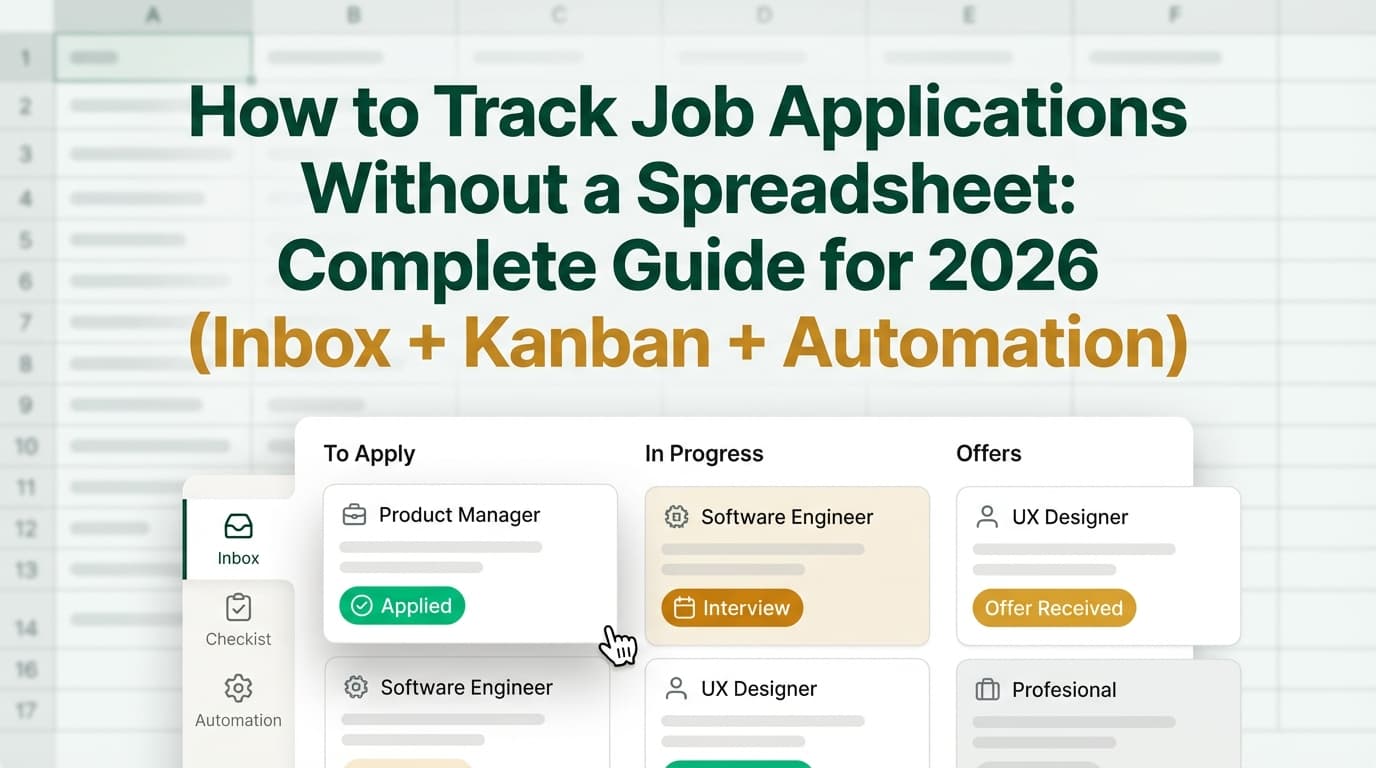
Option B: Track job applications with a Kanban board (Trello-style)
If you want to see your pipeline, kanban wins.
Recommended columns
- Saved
- Applied
- Interviewing
- Offer
- Rejected / Closed
Trello even provides a “Job Hunt” template board you can copy. [High confidence]
Source: Trello template — https://trello.com/templates/operations-hr/job-hunt-d3yVjzRE
Atlassian also has guidance on using Trello for job hunts. [High confidence]
Source: https://www.atlassian.com/blog/trello/job-hunt-trello-template
Card checklist template (copy/paste)
- Save job link / screenshot
- Tailor resume
- Submit application
- Send referral note / recruiter message
- Follow up (date: ___)
- Prep notes (STAR stories + role-specific examples)
Pros
- Ultra visual
- Drag-and-drop status updates
- Easy to keep “Next Action” obvious
Cons
- Not great for contact relationship history
- Easy to overbuild
Best for: medium/high-volume applying and people who think in pipelines.
Option C: Track job applications in Notion (database + views)
Notion is popular because you can start simple and scale up.
Suggested database properties
- Company (text)
- Role (text)
- Status (select)
- Date applied (date)
- Next action date (date)
- Contact (text or relation)
- Job URL (url)
- Notes (text)
Views to create
- Board view by Status (kanban)
- Calendar view by Next action date
- Table view for filtering/searching
Notion has job application tracking templates you can copy. [High confidence]
Source: Notion templates category — https://www.notion.com/templates/category/job-application-tracking
Pros
- Flexible (board + table + calendar)
- Easy to attach notes + interview prep
- Can become a full job-search “hub”
Cons
- Can become complicated fast
- Requires intentional setup to avoid clutter
Best for: candidates who want one workspace for tracker + prep + scripts.
Option D: Track job applications with a personal CRM (Airtable-style)
If your job search relies heavily on networking, referrals, and repeated outreach, treat it like sales.
Airtable provides job-search-related templates in Airtable Universe. [High confidence]
Source example: https://www.airtable.com/universe/expsmYQEH1nCel5FU/the-ultimate-remote-job-application-tracking-tool
Tables to create (simple CRM)
- Opportunities (Jobs)
- People (Recruiters, Hiring Managers, Referrers)
- Interactions (Calls, emails, coffee chats)
Pros
- Best for relationship-driven searches
- Strong filtering, sorting, and structured data
- Great for “who do I need to follow up with?”
Cons
- More setup than a kanban board
- Easy to procrastinate by “optimizing” the system
Best for: senior candidates, career changers, and anyone doing heavy networking.
The “email automation” approach (how to reduce manual logging)
Manual logging is where most systems fail. The closer you can get to automatic capture, the more consistent your tracking becomes.
Two levels of automation
Level 1: Email rules + labels (free, built-in)
Use Gmail filters or Outlook rules to:
- Auto-label confirmations
- Auto-label rejections
- Auto-flag “action needed” keywords like “schedule,” “interview,” “availability,” “assessment”
This doesn’t create a tracker, but it reduces inbox chaos.
Level 2: Email → tracker ingestion (dedicated tools)
Some job trackers can ingest applications automatically via browser extensions or email workflows.
Where JobShinobi fits naturally (without forcing it):
JobShinobi includes an email-forwarding workflow where you forward job-related emails (like confirmations, rejections, interview scheduling messages) to your unique JobShinobi forwarding address, and it logs/updates your job applications in the tracker. [High confidence — product implementation]
Important accuracy notes:
- Email-based job tracking requires a Pro membership (it’s gated). [High confidence]
- JobShinobi Pro is $20/month or $199.99/year. [High confidence]
- The pricing page/marketing mentions a “7-day free trial,” but trial mechanics are not clearly verifiable in code, so don’t assume it applies until you see it at checkout. [Medium confidence]
If you like the idea of “my inbox becomes my tracker,” this approach is the cleanest way to do it—because your status changes typically arrive by email anyway.
A complete “no-spreadsheet” tracking system you can copy (templates)
Template 1: Minimal tracker (for overwhelmed job seekers)
Use any tool (Notion, Trello, a notes app, or a dedicated tracker).
Track only:
- Company + Role
- Date applied
- Status
- Next action date
- Link to the email thread or job post
Weekly review (15 minutes):
- Move anything stale to “Closed/Ghosted”
- Set next actions for anything still active
- Identify your best 5 roles and double down (outreach + tailoring)
Template 2: High-volume pipeline (for 50–300 applications)
Add:
- Source (LinkedIn, referral, recruiter, company site)
- Resume version used (v1, v2, v3)
- Interview rounds (R1/R2/R3)
- Outcome reason (if known)
Why this matters: You’ll be able to spot patterns like:
- “Referrals are 3× more likely to produce interviews for me”
- “Role X gets interviews; Role Y doesn’t”
- “Company site apps outperform Easy Apply apps”
Template 3: Relationship-first CRM (for networking-heavy searches)
Add:
- Person + role
- Last contact date
- Warmth (cold/warm/hot)
- Next touch date
- Notes about personal details and context
Best practices (the stuff that actually moves the needle)
-
Always capture the job posting somewhere
- Job links disappear.
- Save the URL + a PDF/screenshot or paste key requirements into notes.
-
Use “Next action” as your primary sorting field
- If you only track one “date,” track next action date, not “date applied.”
-
Standardize naming
- Use:
Company — Role — Location - Makes search and scanning faster.
- Use:
-
Stop tracking “Saved” if it creates guilt
- Many people hoard “Saved” roles and never apply.
- If that’s you, only track what you applied to.
-
Review weekly, not constantly
- Daily tracking can become anxious doom-scrolling.
- Weekly review + quick updates after major events (apply/interview/rejection) is enough.
-
Don’t optimize for a perfect dashboard—optimize for consistency
- The best tracker is boring and maintained.
Common mistakes to avoid (and what to do instead)
Mistake 1: Tracking too much
If you track 25 fields, you’ll update none of them.
Fix: Start with the 8 minimum fields and add only when you feel pain.
Mistake 2: No “next action,” so everything stalls
A list of applications isn’t a system.
Fix: Every active application must have one next action:
- follow up
- prep
- referral outreach
- recruiter DM
- final round thank-you
- salary research
Mistake 3: Duplicates (same company, same role, multiple versions)
This gets messy fast—especially if you apply through different portals.
Fix: Use one record per role. Add links to all related threads/portals in that same record.
Mistake 4: Treating ghosting as a mystery
Ghosting is common. Your job is to decide when something is “closed” so it stops draining energy.
Fix: Add a “stale after” rule:
- If no response 21–30 days after applying, move to Closed/Ghosted (unless you have a warm lead).
Tools to help you track job applications without spreadsheets
Here are honest options, depending on what you value.
Dedicated job tracking (built for job search)
- JobShinobi: Job application tracker + analytics, and an email-forwarding workflow that can log/update applications based on forwarded job-related emails.
- Email processing is Pro-only; JobShinobi Pro is $20/month or $199.99/year.
- Pricing mentions a 7-day free trial (confirm at checkout).
- Huntr: Dedicated job tracker/CRM-style tool with job search organization features. (See product page structure: https://huntr.co/product/job-tracker)
- Simplify: Job application tracker positioning emphasizes automatic tracking (see: https://simplify.jobs/job-application-tracker)
General-purpose tools (flexible)
- Trello: Best for a simple kanban pipeline (template: https://trello.com/templates/operations-hr/job-hunt-d3yVjzRE)
- Notion: Best all-in-one workspace + database views (templates: https://www.notion.com/templates/category/job-application-tracking)
- Airtable: Best for a relationship-first job search CRM (template example: https://www.airtable.com/universe/expsmYQEH1nCel5FU/the-ultimate-remote-job-application-tracking-tool)
Email organization (baseline automation)
- Gmail filters/labels: https://support.google.com/mail/answer/6579?hl=en
- Outlook rules: https://support.microsoft.com/en-us/office/manage-email-messages-by-using-rules-in-outlook-c24f5dea-9465-4df4-ad17-a50704d66c59
Key takeaways
- You don’t need a spreadsheet—you need a pipeline + next action.
- Choose one “home base” (inbox, kanban, CRM, or a dedicated tracker) and commit.
- Tracking matters because funnels are tight: ~250 resumes per corporate opening is commonly cited, and BLS data shows interviews materially increase offer odds.
- Automate capture where possible (email rules at minimum; email-to-tracker ingestion if you want less manual work).
- Keep it simple enough that you’ll still update it on a bad day.
FAQ
Is there a way to autofill job applications?
Yes—some job search tools offer browser extensions that help autofill fields, and many job boards store profile information. However, autofill and tracking are different problems: autofill helps you submit faster; tracking helps you follow up, stay organized, and learn from your funnel.
How do I create an application tracker without Excel?
Pick a system:
- Kanban board (Trello/Notion board) if you want visual stages
- Database (Notion/Airtable) if you want search + contacts + filtering
- Inbox-based if you want minimal setup Then track the essentials: company, role, date applied, status, next action, and link(s).
Does Google have an application tracker?
Google doesn’t provide a dedicated “job application tracker,” but Gmail labels/filters can act like one by organizing job emails automatically.
Source: https://support.google.com/mail/answer/6579?hl=en
How long should I wait after applying to follow up?
Common guidance is to wait about 1–2 weeks after applying (unless you have a referral or an urgent timeline). After interviews, send a thank-you note within 24 hours.
Source (thank-you timing): https://www.roberthalf.com/us/en/insights/landing-job/how-to-write-thank-you-emails-after-interviews
What’s the best app to track job applications?
The best app is the one that matches your workflow:
- If you want visual pipeline: Trello / Notion board
- If you want networking + contacts: Airtable-style CRM
- If you want automation + job search analytics: a dedicated tracker (e.g., JobShinobi, Huntr, Simplify)
What should I track for each job application?
Minimum effective tracking:
- Company, role, job link, date applied, status, contact, next action date, notes.
Anything beyond that is optional until you feel a real need.