If your resume reads like it was generated in “corporate autopilot,” you’re not imagining the risk. One survey reported that 62% of hiring managers say AI-generated resumes without personalization are likely to be rejected. Source: Resume Now’s “AI Applicant Report” (resume-now.com).
And it’s not just about “getting past bots.” Eventually, a real person has to want to interview you—and recruiters skim fast. The Ladders’ eye-tracking study found recruiters spent an average of 7.4 seconds on an initial resume scan. Source: The Ladders Eye-Tracking Study PDF (theladder.com PDF).
So the goal isn’t “hide that you used AI.” The goal is: use AI like an editor, not a ghostwriter—so your resume sounds specific, credible, and unmistakably you.
In this guide, you’ll learn:
- A repeatable workflow to “humanize” AI-written bullets (without deleting important keywords)
- Before/after examples you can copy and adapt
- A checklist to remove robotic tone, fluff, and buzzwords
- How to tailor your resume to a job description without keyword stuffing
- Tools that help you iterate faster (including an ATS-focused analyzer)
What does it mean when an AI resume “doesn’t sound human”?
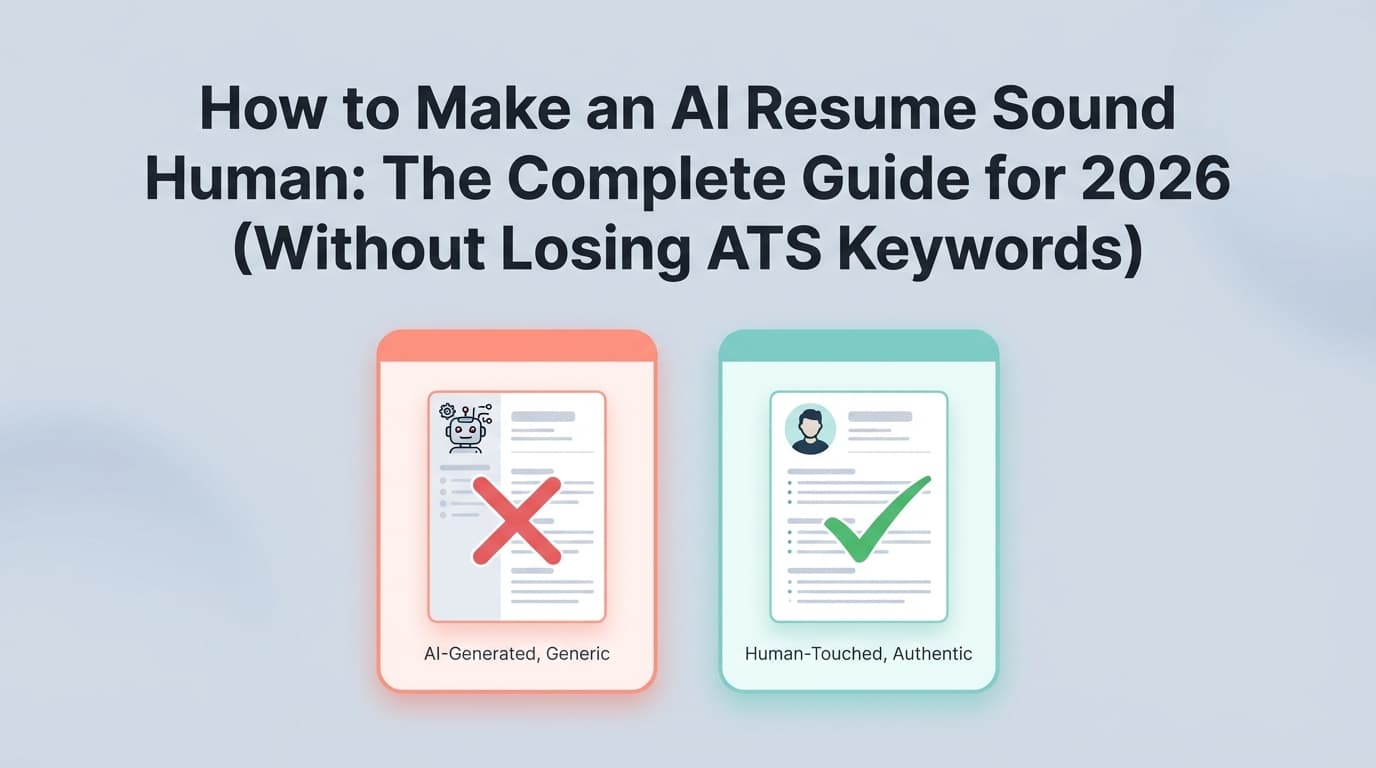
An AI resume “doesn’t sound human” when it reads like it could belong to anyone.
Common signs:
- Generic claims with no proof (“results-driven professional,” “proven track record,” “strategic thinker”)
- Perfectly polished but empty (no scope, no tools, no outcomes, no constraints)
- Repetitive sentence patterns (every bullet starts with “Spearheaded,” “Leveraged,” “Utilized”)
- Buzzword piles (“synergy,” “stakeholder management,” “cross-functional,” “innovative,” all in one line)
- Unverifiable numbers (AI invents metrics, or you can’t explain them in an interview)
- Keyword spam (reads like you pasted the job description into your bullets)
A human-sounding resume is the opposite:
- It uses specific nouns (tools, systems, deliverables)
- It includes credible context (scope, constraints, stakeholders)
- It shows clear cause → effect (what you did, why it mattered)
- It matches the job keywords naturally, in the right places
Why this matters in 2026 (ATS + AI + recruiter reality)
A few trends are colliding:
-
ATS is everywhere (especially in big companies).
Jobscan reports 98.4% of Fortune 500 companies use an ATS (2024 figure referenced in their ATS usage reporting). Source: Jobscan (jobscan.co). -
Job posts are overloaded.
Glassdoor has long-cited that each corporate job opening attracts ~250 resumes on average, with only a handful getting interviews. Source: Glassdoor blog (glassdoor.com). -
Candidates are using AI a lot—so “AI voice” is becoming a red flag.
Bottom line: You need a resume that is ATS-readable and recruiter-readable. Humanizing your resume is how you stop blending in.
How to make an AI resume sound human: Step-by-step
Step 1: Start with a “proof pile” (so AI has real material)
Most people do this backward: they ask AI to “write my resume,” then try to fix the fluff.
Instead, build a quick proof pile for each role:
- 3–6 projects you personally contributed to
- Tools/tech you used (exact names)
- Scope: users, revenue, volume, regions, teams, timelines
- Outcomes: what improved (speed, quality, cost, risk, satisfaction)
- Constraints: legacy system, tight deadline, messy data, limited budget
- Your role: what you owned vs supported
Pro tip: If you can’t explain a bullet in 20 seconds out loud, it’s not ready.
Step 2: Give AI a “voice contract” (tone + rules + banned words)
AI defaults to generic professional filler unless you restrict it.
Use a short style spec like:
- Write at an 11th-grade reading level.
- No buzzwords like: results-driven, synergy, dynamic, thought leader, spearheaded, leveraged, utilized.
- Use specific nouns (tools, systems, reports, stakeholders).
- Prefer active voice. Past tense for past roles; present tense for current roles.
- Each bullet must include at least one of: scope, constraint, metric, deliverable, or tool.
- Never invent numbers—use placeholders like “[X%]” if unknown.
Then feed AI a bullet and ask for 3 rewrites in different tones:
- plain and direct
- slightly more energetic
- more technical
Pick the one that sounds like you.
Step 3: Convert “responsibilities” into human achievements (Action → Result)
Robotic resumes often list job descriptions.
Use a simple structure:
Action + What + How + Outcome (metric) + Why it mattered
Example template:
- “Improved [thing] by [doing what] using [tool/method], resulting in [metric] and enabling [business impact].”
If you don’t have metrics, use:
- volume (“handled 30–50 tickets/week”)
- frequency (“weekly reporting”)
- scale (“20+ stakeholders”)
- time (“within 2-week sprint cycles”)
- quality (“reduced defects,” “cut rework”)
For inspiration on quantifying impact, see guidance like Indeed’s quantification tips (indeed.com).
Step 4: Replace vague adjectives with specific evidence
These words create “AI voice” because they’re unprovable:
- passionate, hardworking, motivated, detail-oriented, results-driven
Instead, show evidence:
- Detail-oriented → “caught data mismatches in weekly pipeline report; built validation checks in SQL”
- Leadership → “led daily standups for 6-person squad; wrote rollout plan; coordinated UAT”
If you must keep a soft-skill keyword (because the job asks for it), pair it with proof:
- “Collaborated with Sales Ops and RevOps to redesign lead routing rules…”
Step 5: De-buzzword your resume (without deleting the meaning)
A fast way to humanize is to remove phrases recruiters have seen 10,000 times.
Common buzzwords lists (useful for spotting them) include:
- Novorésumé’s “Resume buzzwords to avoid” (novoresume.com)
- Resume Worded’s buzzwords and clichés guidance (resumeworded.com)
Technique: “Claim → Proof” rewrite
- “Results-driven marketing professional”
→ “B2B marketer focused on lifecycle email and paid search; improved trial-to-paid conversion by X%.”
Step 6: Add “human texture” (scope + constraints + tradeoffs)
This is the secret ingredient AI often misses: what made the work hard or specific.
Add one short phrase that signals reality:
- “under a 3-week deadline”
- “across 4 regions”
- “migrating off a legacy CRM”
- “with incomplete requirements”
- “in a regulated environment”
Even without a metric, these details feel human because they’re concrete.
Step 7: Vary sentence structure (so it stops sounding templated)
If every bullet is the same shape, it reads machine-written.
Try mixing:
- Outcome-first bullets: “Cut monthly reporting time from 6 hours to 45 minutes by…”
- Tool-first bullets (sparingly): “Built Power BI dashboards to…”
- Stakeholder-first bullets: “Partnered with Finance to…”
Also avoid stacking identical verbs:
- Spearheaded / Led / Drove / Oversaw (over and over)
Step 8: Make it ATS-friendly and readable (format still matters)
Even a perfectly human resume can fail if the system can’t parse it.
Many career centers advise avoiding:
- tables, text boxes, icons, images, heavy graphics
Example: MIT Career Advising’s ATS-friendly guidance recommends avoiding graphics and tables/text boxes for compatibility. Source: MIT CAPD (capd.mit.edu).
Jobscan also discusses how tables/columns can confuse ATS parsing. Source: Jobscan (jobscan.co).
Practical rules
- Use standard headings: Experience, Skills, Education, Projects
- Keep dates and titles consistent
- Use a single-column layout for maximum compatibility
- Put keywords in Skills and in context in Experience
Step 9: Tailor to the job description (without keyword stuffing)
Tailoring is where many AI resumes become obvious—because they “mirror” the posting too closely.
Do this instead:
- Copy the job description into a doc.
- Highlight repeated terms (skills, tools, outcomes).
- Pick 8–12 keywords that you genuinely match.
- Add them in:
- Skills section (exact names)
- 2–4 bullets where they naturally belong
- Your summary (1–2 only)
Avoid: copying full phrases verbatim (“cross-functional stakeholder management across agile pods…”) unless that is truly how your org talked.
Step 10: Run a “human audit” (5-minute quality control)
Use these tests:
The Read-Aloud Test (30 seconds):
If it sounds awkward spoken, it will feel awkward read.
The Proof Test:
Circle every number, tool, and claim. Can you explain each in an interview?
The Skim Test (7 seconds):
Can someone understand your role, level, and impact in one quick scan? (This aligns with the “seconds” reality from The Ladders study.)
The Red-Flag Test:
Delete these if unsupported:
- “expert,” “mastery,” “world-class,” “unmatched,” “proven success” (unless you prove it)
Before-and-after examples: Making AI bullets sound human
Example 1 (operations / analyst)
Before (AI-ish):
- “Leveraged data-driven insights to optimize operational workflows and improve efficiency.”
After (human):
- “Mapped the order-fulfillment workflow end-to-end, then rebuilt weekly KPI reporting in Excel/SQL—cutting manual updates from ~3 hours to ~45 minutes and reducing repeat errors.”
Why it works:
- Specific nouns (order-fulfillment, KPI reporting, Excel/SQL)
- Time savings + error reduction
- Sounds like real work someone can explain
Example 2 (software engineer)
Before (AI-ish):
- “Spearheaded development of scalable microservices to enhance application performance.”
After (human):
- “Built and shipped 3 Node.js microservices (auth, billing, notifications) behind an API gateway; reduced p95 latency by ~30% after profiling slow DB queries and adding targeted indexes.”
Why it works:
- Names components
- Shows what changed (profiling, indexes)
- Uses one metric with a plausible “how”
Example 3 (marketing)
Before (AI-ish):
- “Executed comprehensive marketing strategies to drive growth and engagement.”
After (human):
- “Ran lifecycle email experiments (onboarding + winback) in HubSpot; improved activation rate by X% by rewriting the first 3 emails and tightening segmentation by persona.”
Why it works:
- Channel + tool (lifecycle email, HubSpot)
- What changed (first 3 emails, segmentation)
- If you don’t know the metric yet, “X%” is honest
Common mistakes to avoid (these scream “AI resume”)
Mistake 1: Letting AI invent metrics or responsibilities
If you can’t defend a number or claim in an interview, remove it.
Fix: Use placeholders (X%, ~, range) until verified—or focus on scope and deliverables.
Mistake 2: Keyword stuffing (or copying job-post language too closely)
This can read manipulative and “same-y.”
Fix: Use keywords where they’re true and contextual:
- “Used Python to automate…” beats “Python, automation, scripting, data…”
Mistake 3: Buzzword stacking
Lists like “results-driven, strategic, dynamic leader…” feel like templates.
Fix: Swap claims for proof (Claim → Proof method).
Mistake 4: Formatting that breaks parsing
Two-column layouts, icons, and text boxes can cause ATS issues (see MIT CAPD + Jobscan sources above).
Fix: Use a clean, single-column structure with standard headings.
Mistake 5: Chasing “AI detection” instead of clarity
Some people try to “beat detectors” by making text weird.
That usually backfires: it hurts readability and can raise more suspicion.
Fix: Optimize for:
- truth
- clarity
- specificity
- job relevance
Tools to help you humanize an AI resume (without starting over)
Use tools for editing and validation, not blind generation.
-
JobShinobi: Helps you build and edit a LaTeX resume, compile it to a PDF, and analyze your resume with ATS-focused scoring and feedback. You can also compare your resume against a job description to see match insights and keyword gaps.
Pricing: JobShinobi Pro is $20/month or $199.99/year (the pricing page mentions a 7-day free trial, but trial mechanics are not clearly verifiable from the app code—treat it as “mentioned,” not guaranteed).
Relevant if you want to iterate quickly while keeping formatting consistent. -
Jobscan: Popular ATS-style scanning and keyword comparison tool (useful for keyword gaps and formatting warnings).
Tip: treat “scores” as directional, not absolute truth. -
Grammarly / Scribbr “humanizer” tools: Useful for smoothing repetitive phrasing.
Tip: don’t accept every suggestion—protect your industry terms and your voice.
A “Human-Sounding Resume” checklist (copy/paste)
Tone & voice
- No “results-driven / dynamic / synergy / leveraged / spearheaded / utilized” filler
- Sentence structure varies across bullets
- Reads naturally out loud
Specificity
- Each role includes tools/systems you actually used
- Bullets include scope, constraints, deliverables, or metrics (at least one per bullet)
- No unsupported claims or invented numbers
Impact
- Most bullets show outcomes (time saved, quality improved, revenue protected, risk reduced)
- Strong verbs + concrete nouns (not adjectives)
Tailoring
- 8–12 job-relevant keywords included naturally
- Keywords appear in Skills and Experience (contextual proof)
ATS safety
- Standard headings, single-column layout, no tables/text boxes/icons/images
- Consistent dates and titles; clean typography
FAQ (People Also Ask)
How do I make my resume not sound AI-generated?
Focus on specificity and proof:
- Replace vague claims with concrete examples (tools, scope, outcomes).
- Remove buzzwords and repetitive “template verbs.”
- Add one line of real-world context (constraints, stakeholders, timeline) per role.
Do employers check if resumes are AI-generated?
Some recruiters say they can often sense templated AI language (because it’s generic or repetitive), but “AI detection” is inconsistent and can produce false positives. The safer strategy is not “hiding AI,” but making your resume personalized, accurate, and evidence-based.
Can resume scanners detect AI-written text?
ATS systems are primarily designed to parse and organize resume content and filter by keywords/fields—not to reliably “detect AI writing.” Some platforms may add additional checks, but detection is not the core purpose of most ATS tools. Regardless, a resume that’s clear and specific performs better for both machines and humans.
Is it ethical to use AI for your resume?
Generally, using AI as an editor (clarity, structure, grammar, tailoring help) is considered acceptable by many career services resources—as long as you don’t fabricate experience and you review everything for accuracy. If you want structured guidance, university career centers publish ethical AI tips (e.g., UC Davis Career Center guidance on using AI in career materials: careercenter.ucdavis.edu).
How do I tailor my resume with AI without sounding fake?
Use AI for:
- extracting top keywords
- generating rewrite options
- tightening phrasing
But keep you in control by providing a proof pile, enforcing a voice contract, and adding real constraints/scope. Tailor with 8–12 keywords, not a full copy of the job post.
Key takeaways
- The fastest way to humanize an AI resume is to feed AI real proof, then force it to write with specific nouns + measurable outcomes.
- Don’t chase “undetectable AI.” Chase clarity, credibility, and relevance.
- A resume that passes ATS and wins interviews is both machine-readable (clean formatting, right keywords) and human-readable (specific, contextual, non-generic).