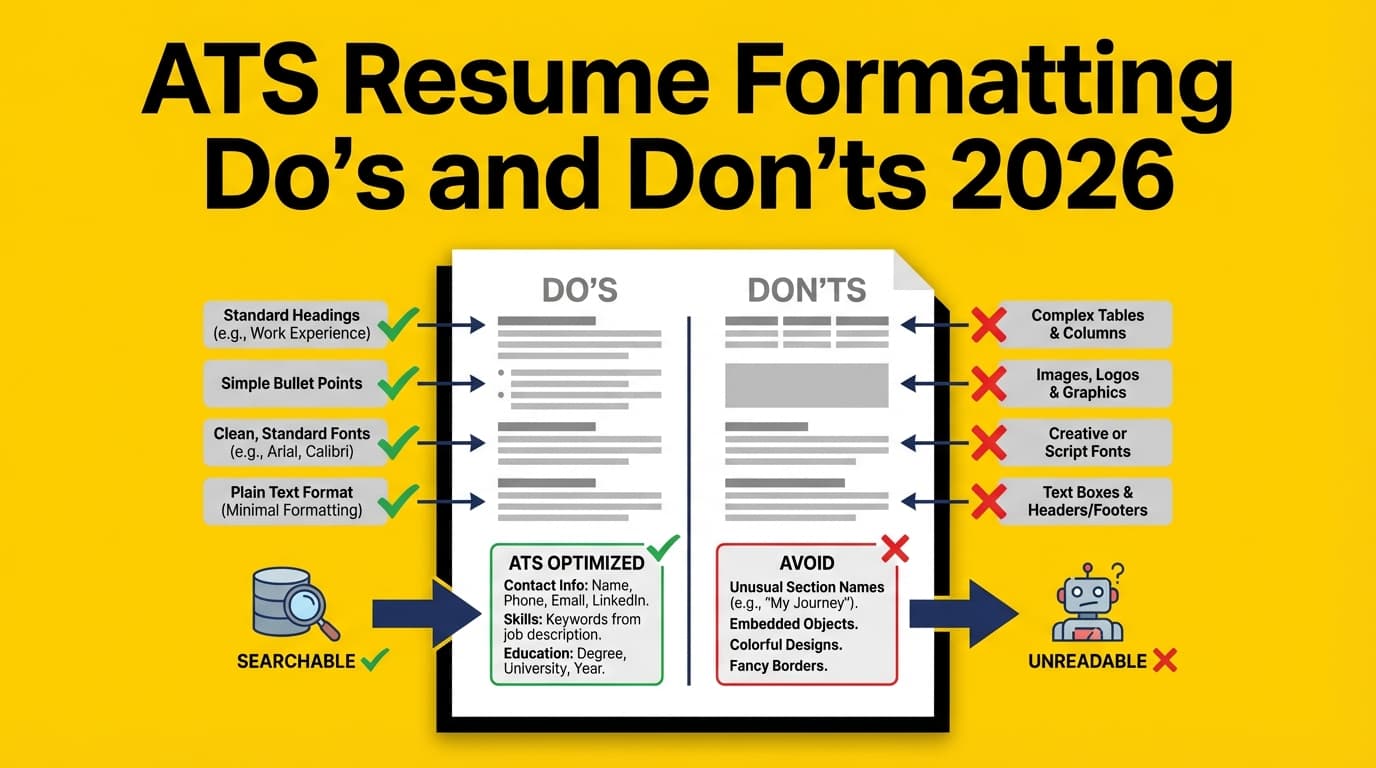
Avoid: placing that block inside the Word header/footer area.
Why: UVA Career Center explicitly warns ATS may not read header/footer content.
Source: https://career.virginia.edu/Students/Prepare/Resumes/NavigatingATS
Practical tip: If you want your name on page 2, add it as body text at the top of page 2—not a header.
Step 3: Use standard headings the ATS expects
ATS and parsers typically classify content by recognizing headings. Don’t make it harder.
Do use headings like:
- Professional Summary (optional)
- Skills
- Work Experience / Professional Experience
- Education
- Projects
- Certifications
A .edu example: UIC’s ATS PDF guidance advises using simple formatting and avoiding certain template features that can interfere with parsing. (Source: https://careerservices.uic.edu/wp-content/uploads/sites/26/2017/08/Ensure-Your-Resume-Is-Read-ATS.pdf)
Don’t use clever headings like:
- “What I’ve Done”
- “My Journey”
- “Where I Shine”
Step 4: Format experience in a predictable pattern
Pick one of these patterns and stick with it:
Option A (very parseable)