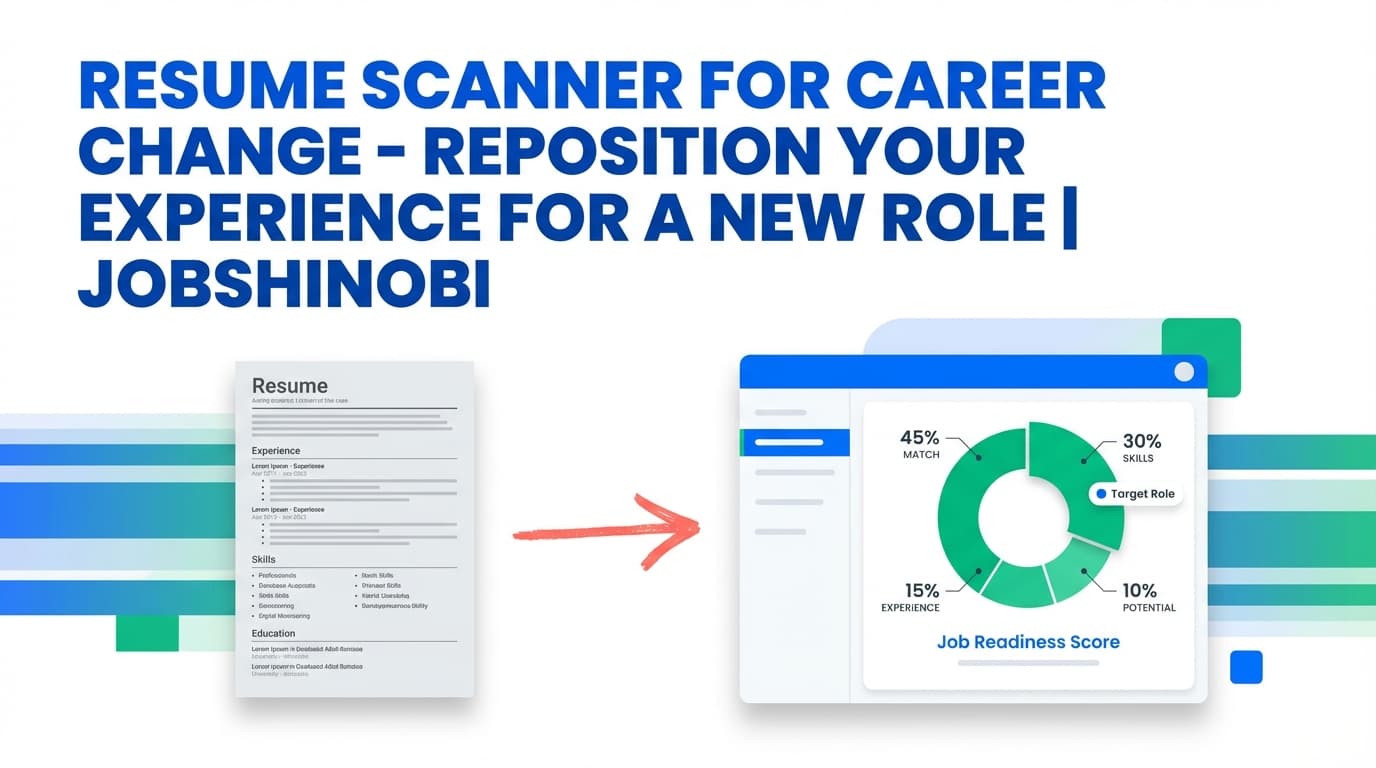
Career changes fail on paper for predictable reasons: your experience is real, but the language, structure, and keywords don’t map cleanly to the new role—so ATS systems and recruiters can’t connect the dots fast enough.
JobShinobi is a resume scanner for career change built to solve that “translation” problem with a workflow you can actually repeat:
- Scan your resume with AI resume analysis (Comprehensive or Enhanced mode)
- Match it to a specific job posting (paste a job description or use a job URL)
- See a job match score, plus present vs. missing keywords and recommendations
- Apply suggestions inside a LaTeX-based resume editor (PDF preview + export)
- Use an AI resume editor (streaming chat) to revise sections while keeping formatting consistent
- Track applications in a job tracker, export to Excel, and review outcomes in analytics
If you’re switching industries or functions, JobShinobi helps you move from “I hope this looks relevant” to “I can prove relevance for this role.”
Get started: Sign in with Google
Why JobShinobi for “Resume Scanner for Career Change” Searches?
Most resume scanners focus on one narrow outcome: “add keywords.” Career changes require a bigger loop:
- Understand the gap (why your resume reads “old role” instead of “new role”)
- Tailor to proof (match to a specific job and identify missing keywords)
- Implement changes safely (without formatting breaking on every edit)
- Keep versions (because you’ll test different positioning angles)
- Measure results (response rate and interview conversion—not just a score)
JobShinobi supports this full loop with features that work together:
- Resume Analysis (AI): stores structured results and can return cached results if the resume hasn’t changed
- Job Description Extraction: accept a job URL or pasted text and extract structured job details
- Resume-to-Job Matching: match score, missing/present keywords, recommendations
- AI Resume Editor (Streaming): chat-based edits to your LaTeX resume with compilation checking
- LaTeX Resume Builder + Templates: keep formatting stable while you restructure content
- Resume Version History: keep iterations you can revert to
- Job Tracker + Analytics: track applications, export to Excel, and monitor response/interview trends
- Email Forwarding for Tracking (Pro): forward job emails to log/update applications automatically (with fuzzy matching)
Designed for career changers (not just “ATS score chasers”)
When switching careers, “keyword match” alone isn’t enough. You also need:
- Role alignment: the resume must read like you belong in the target function
- Transferable impact: bullets must translate outcomes into target-role language
- Section strategy: summary/skills/projects may need restructuring for relevance
- Iteration discipline: you’ll likely keep 2–5 variants while you learn what’s working
JobShinobi is built for that reality.
What JobShinobi Scans (and Why It Matters in a Career Change)
A career change resume gets judged quickly. A good scan should answer:
1) “Does this resume look like the target role?”
Your job titles may not match the new field. Your scanner needs to help you reshape:
- summary positioning (what you are now + what you’re moving toward)
- skills prioritization (what’s relevant first)
- bullet phrasing (translate responsibilities into target outcomes)
JobShinobi’s resume analysis and job matching are built to identify gaps and give concrete improvement direction.
2) “Are the right keywords present—and used naturally?”
Career changers often overcorrect by stuffing keywords or adding tools they can’t defend. JobShinobi helps by showing:
- missing keywords (from the job’s extracted keywords)
- present keywords (already in your resume)
- recommendations for improvement
Then you can implement changes carefully in the editor.
3) “Can I iterate without destroying formatting?”
Copy/paste editing across multiple tools is how formatting breaks. JobShinobi uses a LaTeX-based resume workflow with PDF preview and exports (PDF + .tex), so you can restructure confidently while keeping layout consistent.
4) “Can I track what changed and what worked?”
JobShinobi includes versioning and tracking so you can connect changes to outcomes (not just a one-time scan).
How JobShinobi’s Resume Scanner for Career Change Works
Step 1: Sign in and create a resume from a template
Start inside the Resume area and create a resume using a LaTeX template. This is especially useful for career changes because you’ll often:
- rewrite the summary
- reorder skills
- add projects or “relevant experience”
- tighten bullet structure
Next step: Open Resume Templates
Step 2: Open the editor (PDF preview + export)
JobShinobi’s resume editor supports:
- editing LaTeX source
- compiling to a PDF preview (cloud compilation)
- downloading PDF
- downloading .tex
This matters for career change iterations because you’ll be adjusting structure and language repeatedly.
Next step: Open the Resume Editor
Step 3: Run an AI resume analysis (your baseline scan)
From the analysis flow, JobShinobi will analyze your resume and return structured results. It supports:
- Comprehensive analysis
- Enhanced analysis mode (deeper analysis)
If you re-run analysis without changing the resume, JobShinobi can return a cached analysis result (so you’re not waiting unnecessarily).
This baseline scan gives you a starting point before you tailor to any specific job.
Step 4: Paste a job description or job URL (job extraction)
Career change resumes should be optimized against a real target, not generic advice.
JobShinobi lets you provide:
- a job posting URL (LinkedIn, Indeed, company career pages, etc.)
- or the job description text
It then extracts job details (company, position, description, keywords) so the match analysis is grounded in a real posting.
Step 5: Generate a job match report (score + missing/present keywords)
Once job details are extracted, JobShinobi matches your resume to that job and returns:
- Job Match Score (percentage)
- Matching Keywords (present keywords)
- Missing Keywords
- Recommendations to improve alignment
This is the most important piece for career changers: it turns “I think this is relevant” into a clear list of what’s missing.
Step 6: Apply suggestions in the editor (AI chat + manual edits)
JobShinobi provides an “Apply Suggestions” workflow that routes you back into the editor, where you can implement changes.
You can revise using:
- manual LaTeX editing
- the AI resume editor (streaming chat) to update sections and refine bullets
The AI editing workflow includes compilation checks, which helps reduce formatting/LaTeX breakage while iterating.
Step 7: Keep versions so you can test different positioning angles
Career changers often need multiple variants, for example:
- “Operations → Product Ops”
- “Teacher → Instructional Designer”
- “Support → Customer Success”
- “Analyst → Data Analyst” vs “Analyst → Data Engineer”
JobShinobi’s version history supports this iteration style so you can keep what’s working, revert, and compare.
Step 8: Track applications and measure outcomes (the real feedback loop)
A career change is a funnel problem. You need to see if improvements are increasing interviews.
JobShinobi includes:
- Job Tracker (with realtime updates)
- status tracking (Applied / Interview / Offer / Rejected / Other)
- Excel (.xlsx) export
- Analytics (response rate, offer rate, interview conversion, monthly trends)
Next steps:
Key Features for a Career Change Resume Scanner (JobShinobi-Specific)
| Feature | What it does in JobShinobi | Why it matters for career changers |
|---|---|---|
| AI Resume Analysis | Scans your resume and returns structured scores, strengths/weaknesses, keyword and ATS-focused feedback | Identifies what’s holding you back before you tailor |
| Comprehensive + Enhanced modes | Choose a deeper analysis mode when you need more detail | Career changes often need deeper alignment checks, not just surface edits |
| Cached analysis (when unchanged) | Returns prior analysis if your resume hasn’t been updated | Faster iteration when you’re experimenting |
| Job Description Extraction (URL or text) | Extracts job details and keywords from a URL or pasted description | Grounds your career change in a real target posting |
| Resume-to-Job Matching | Produces match score, missing/present keywords, recommendations | Shows exactly what’s missing for the target role |
| AI Resume Editor (streaming) | Chat-based edits to your LaTeX resume, with compilation checks | Implement changes faster without breaking format |
| LaTeX Resume Builder + Templates | Create resumes based on LaTeX templates and compile to PDF preview | Keeps structure consistent during heavy rewriting |
PDF + .tex export |
Download finished PDF or LaTeX source | Easy delivery and portability |
| Resume Version History | Keeps iterations and supports revert/undo-style workflows | Essential for testing multiple career-change angles |
| Job Tracker (realtime) | Track applications and status changes | Stay organized during high-volume testing |
| Excel export (.xlsx) | Export your job tracker data | Analyze your own funnel or share with a coach |
| Email forwarding (Pro) | Forward job emails to a unique address; AI parses and logs/updates applications | Reduces manual tracking overhead during a pivot |
Career Change Scanning: What to Optimize (Practical Checklist)
Use this checklist alongside JobShinobi’s scan and match output.
A) Summary: reposition without exaggerating
Your summary should:
- state the role direction clearly
- highlight transferable strengths with evidence (outcomes, scope, metrics)
- use job-relevant keywords naturally
What to scan for:
- generic wording (“hard-working,” “team player”)
- missing role language from the target posting
- claims you can’t defend in an interview
How JobShinobi helps:
- job match identifies missing target-role phrasing
- AI editor can rewrite your summary in a tighter, target-aligned style
B) Skills: move relevant skills to the top
Career change resumes need deliberate prioritization.
What to scan for:
- skills that don’t match the target job’s core requirements
- missing high-frequency keywords (tools, methods, responsibilities)
- poor grouping (a random list is harder to scan)
How JobShinobi helps:
- extracted job keywords show what the role emphasizes
- matching shows what you already have vs what’s missing
C) Experience bullets: translate impact into the new role’s language
This is where career change resumes usually break: bullets describe tasks in old-role language, not target-role outcomes.
What to scan for:
- bullets with no measurable outcome
- weak verbs (“helped,” “assisted,” “worked on”)
- outcomes that aren’t framed in target-role terms
How JobShinobi helps:
- resume analysis evaluates content quality and highlights weaknesses
- AI editor can rewrite bullets to be more outcomes-driven while staying truthful
D) Projects / relevant work: create “proof of fit”
If your past titles don’t match the new role, projects can bridge the gap.
What to scan for:
- projects that don’t map to job requirements
- missing keywords that would make the project legible to the target function
- vague descriptions (no scope, no result)
How JobShinobi helps:
- matching shows which keywords are missing
- AI editor can help you rewrite project bullets in a clearer, target-aligned format
E) Structure and readability: keep it easy for parsing and humans
Even a great career change story can fail if the resume is hard to parse.
What to scan for:
- inconsistent section headers
- unclear dates/locations
- overly dense paragraphs
How JobShinobi helps:
- LaTeX templates provide a consistent structure
- PDF preview helps you see the final output as a recruiter would
A Repeatable Workflow for Career Changers (Scan → Match → Edit → Measure)
Career changes improve faster when you treat resume work like a feedback loop.
1) Choose one target role + one target posting
Don’t try to scan for five different career paths at once. Pick one role direction, one job posting.
2) Run a baseline resume scan
Get your first analysis so you understand your starting point.
3) Extract job details and run matching
Paste the job description or URL and get:
- match score
- missing/present keywords
- recommendations
4) Implement changes in the editor
Use AI chat to rewrite the summary, bullets, and skills ordering. Then compile and preview.
5) Save a version for that role direction
Keep versions organized by target role so you can compare later.
6) Apply to a controlled batch (10–20 applications)
Use the same resume version for a batch so your “experiment” isn’t noisy.
7) Track outcomes and review analytics
Watch response rate and interview conversion trends. Iterate based on results, not guesswork.
Resume Scanner for Career Change vs. “Manual Tailoring” (Google Docs + Spreadsheet)
Manual approach (common but fragile)
- edit resumes in one tool
- track jobs in another
- copy/paste from scanner reports
- lose track of which version went where
- formatting breaks over time
JobShinobi approach (integrated loop)
- match your resume to a job description
- edit in the same workflow (LaTeX editor + AI chat)
- keep version history
- track applications and outcomes
- export to Excel when you need it
If you’re changing careers, the advantage is not just convenience—it’s consistency. You can run the same process again and again until you find the positioning that gets interviews.
Common Career Change Scenarios (and How to Use the Scanner for Each)
Scenario 1: Same industry, new function (e.g., Sales → Customer Success)
Scan focus:
- role-specific keywords (onboarding, retention, renewals, QBRs, stakeholder management)
- bullets that show lifecycle ownership and measurable outcomes
JobShinobi workflow:
- extract job keywords → match → rewrite bullets in AI editor → re-run analysis → save a version
Scenario 2: Same function, new industry (e.g., Project Manager → SaaS PM)
Scan focus:
- industry language and tool/process keywords from postings
- reframing outcomes into the industry’s expected metrics and vocabulary
JobShinobi workflow:
- run match against 2–3 postings in the new industry to see recurring keywords
- adjust skills and summary to reflect the new domain
- keep versions per industry (e.g., “PM-SaaS” vs “PM-Healthcare”)
Scenario 3: Career change with limited direct experience (e.g., Teacher → Instructional Design)
Scan focus:
- transferable skills translated into target-role terms
- a projects section that proves relevance
- keyword alignment without claiming experience you don’t have
JobShinobi workflow:
- use match to identify missing keywords
- use AI editor to rewrite bullets with clearer outcomes and target-language phrasing
- compile and preview to ensure readability
Pricing
JobShinobi offers paid subscriptions via Stripe:
- Monthly: $20.00
- Yearly: $199.99
Some automation features (such as email-based processing for job tracking) require Pro membership.
Next step: Sign in to get started
Frequently Asked Questions
What is a “resume scanner for career change,” and how is it different from a normal resume scan?
A career change scan needs to do more than generic formatting advice. It should help you prove relevance for a specific target role—usually by comparing your resume to a job description and showing missing keywords and alignment gaps. JobShinobi supports this with job description extraction (URL or text), resume-to-job matching (score + missing/present keywords), and an editor to apply changes.
Can JobShinobi match my resume to a job posting?
Yes. You can paste a job description or provide a job posting URL, extract job details, and run resume-to-job matching. The result includes a match score, missing keywords, present keywords, and recommendations.
Does JobShinobi let me apply the suggestions directly?
Yes. After matching, you can use the “Apply Suggestions” flow to jump back into the resume editor and implement changes (manually or via the AI chat editor).
Do I need to upload a PDF to use this resume scanner?
JobShinobi’s resume workflow is based on creating and editing resumes in the app (stored as LaTeX). It does not rely on image/PDF OCR scanning. If you already have a resume in another format, you can copy your content into a JobShinobi template and then use analysis and matching from there.
Is an ATS score of 70% “good” for a career change?
Scores are only useful if they lead to interviews. For career changers, the more reliable approach is: match to a real job description, address missing keywords you can truthfully support, and improve clarity and outcomes in your bullets. Then track response rate and interview conversion in your application analytics. JobShinobi supports that full loop.
Can JobShinobi track my applications too?
Yes. JobShinobi includes a job tracker (with realtime updates), status tracking, and Excel (.xlsx) export. It also includes an analytics dashboard so you can monitor response and interview conversion trends.
Can JobShinobi automatically apply to jobs for me?
No. JobShinobi does not auto-apply or integrate directly with job boards for applying. It’s built for resume creation, analysis, job matching, and job search tracking.
Can JobShinobi automatically log applications from emails?
Yes—via email forwarding—for Pro members. You get a unique forwarding email address and can forward job-related emails (confirmations, interview invites, etc.). JobShinobi parses the email and creates/updates job application records using fuzzy matching.
Get Started with JobShinobi Today
Career changes get easier when you stop guessing and start iterating with a system:
- Build your resume from a template
- Run analysis
- Match to a target job posting
- Apply edits with AI + editor
- Save versions
- Track outcomes in analytics
Start now: Sign in and run your first career-change resume scan


