If you searched “free resume builder ai with job description match”, you’re trying to do something very specific:
- Compare your resume to a posting
- See what keywords you’re missing
- Improve ATS fit without spending hours rewriting
JobShinobi supports job description extraction + resume-to-job matching + AI-assisted resume editing—but it is not a free tool. JobShinobi is a paid subscription product (Monthly $20.00 / Yearly $199.99). If you’re open to a paid option, JobShinobi is built for the exact workflow: job post → match analysis → apply changes → export.
Get started: Sign in →
Why Choose JobShinobi for job description matching (instead of a generic “free resume builder”)?
Many tools market “match scores,” but they often stop at a report. JobShinobi connects the analysis to a real editing workflow so you can act quickly and keep your formatting consistent.
Built-in job matching from URL or pasted text
In JobShinobi, you can paste either:
- A job posting URL, or
- The full job description text
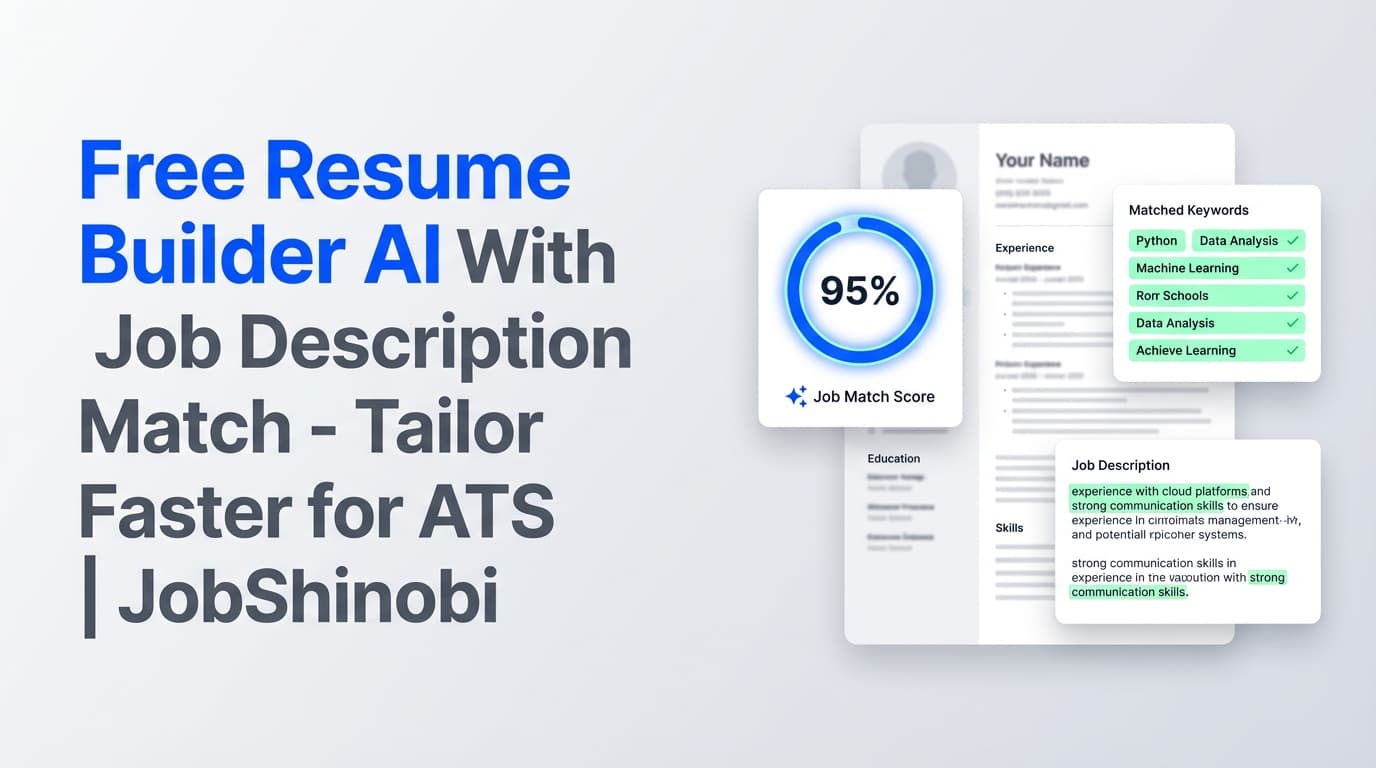
JobShinobi uses AI to extract job details (company, position, description, requirements, and keywords) and then runs a resume match to produce:
- A match_score (percentage)
- present_keywords (already in your resume)
- missing_keywords (keywords from the job that don’t appear in your resume)
- recommendations (actionable suggestions)
This isn’t vague advice—those fields are part of the matching output and stored to your job analysis record.
Tailor + edit inside a LaTeX resume builder (with PDF export)
JobShinobi is a LaTeX-based resume builder. You can:
- Start from a template in the template library
- Edit your resume as LaTeX
- Compile and preview as PDF
- Download as PDF or .tex
This matters for job matching because you’ll likely create multiple tailored versions—LaTeX helps keep structure stable as you iterate.
AI resume editor that can update your resume and check compilation
JobShinobi includes a streaming AI resume editor designed around an editing workflow (e.g., fetching the current resume, applying edits, and running a LaTeX compilation check). That means you can ask for targeted changes (bullets, sections, phrasing) while the system helps prevent formatting-breaking edits.
Version history so you can tailor aggressively without fear
When you’re tailoring quickly, you need to be able to undo changes. JobShinobi stores resume versions (from manual saves and AI chat-driven saves), making it practical to:
- Create a “base” resume
- Tailor a copy per job
- Revert when an experiment doesn’t work
How JobShinobi’s job description match works (step-by-step)
Step 1: Create or open your resume
- Go to the resume dashboard
- Start from a template or open an existing resume
- Your resume is stored as LaTeX (
latex_source) and compiled into a PDF preview
Step 2: Extract job details (URL or text)
From Resume Analysis → Job Matching, paste:
- Job Posting URL (LinkedIn, Indeed, company pages, etc.), or
- Job description text
Click Extract Job Details. You’ll see a preview that can include:
- company
- position
- description
- keywords
Step 3: Run the resume-to-job match
JobShinobi matches your resume against the extracted job data and generates:
- Job Match Score (%)
- Matching Keywords (present)
- Missing Keywords
- Recommendations
Step 4: Apply suggestions in the editor
Click Apply Suggestions to jump directly to the resume editor and implement changes. You can:
- Edit manually in LaTeX, or
- Use the AI editor to help rewrite content (while keeping formatting stable)
Step 5: Compile, preview, and export
After edits:
- Compile to update the PDF preview
- Download your resume as PDF (and optionally .tex)
Key Features for “resume builder + job description match”
| Feature | What It Does | Why It Matters |
|---|---|---|
| Job Description Extraction (URL/Text) | Uses AI to extract structured job details from a URL or pasted text | You don’t have to manually pick keywords/requirements |
| Resume-to-Job Matching | Produces match score, missing keywords, present keywords, and recommendations | Fast, focused tailoring instead of guesswork |
| LaTeX Resume Builder + Templates | Create and manage resumes using LaTeX templates | Consistent structure while you tailor multiple versions |
| PDF Preview via LaTeX Compilation | Compile LaTeX into a PDF preview | Lets you verify formatting before you apply |
| AI Resume Editor (Streaming) | Chat-driven resume edits with a compilation check step | Make changes faster without breaking LaTeX |
| Resume Analysis (Comprehensive / Enhanced Mode) | Scores and feedback; can return cached results if unchanged | Improves ATS readiness beyond keyword matching |
| Resume Version History | Saves versions to help revert/undo | Tailor aggressively without losing your “good” version |
| Job Tracker + Excel Export | Track applications; export to .xlsx | Keeps your workflow organized across many applications |
Free resume match tools vs. JobShinobi: what’s different?
If you truly need free, the SERP is full of “free resume scanner” tools. The tradeoff is usually one of these:
- Limited depth (thin pages / limited feedback)
- Heavy gating after the first scan
- A report without an integrated edit-and-export workflow
JobShinobi is positioned for people who want a repeatable system:
- Extract job requirements
- See match gaps (missing keywords vs present keywords)
- Edit in the same place
- Export a clean resume
- Track the application
JobShinobi vs. “manual tailoring” (copy/paste + ChatGPT + Google Docs)
Manual tailoring works, but it’s slow and messy at scale.
The manual approach breaks down when you’re applying often
Common problems:
- You lose track of which version you sent where
- Formatting drifts across versions
- You can’t clearly see keyword gaps (present vs missing)
- It’s hard to revert when you over-edit
JobShinobi makes tailoring structured
With JobShinobi you can:
- Keep a resume in a stable LaTeX format
- Generate a match score + keyword gap list from a job post
- Apply recommendations and keep versions
- Export the finished PDF and move on quickly
Bonus: Track the job you tailored for (job tracker + email-forward workflow)
Job matching is only half the battle—most job seekers also need a system to track applications.
Job tracker (with realtime updates + Excel export)
JobShinobi includes a job application tracker where you can:
- Add/edit/delete applications
- Track status changes
- Receive realtime updates (Supabase Realtime)
- Export your tracker to Excel (.xlsx)
Email forwarding + parsing (Pro member requirement)
JobShinobi supports an email-forwarding workflow where job-related emails can be processed and associated with applications. This processing is restricted to Pro members.
Pricing
JobShinobi is not a free resume builder.
Paid subscriptions via Stripe payment links:
- Monthly: $20.00
- Yearly: $199.99
Start here: Sign in →
Note:
/subscriptionexists, but its checkout link is a placeholder and may not route to a working payment flow.
Frequently Asked Questions
Is JobShinobi a free resume builder AI with job description match?
No. JobShinobi is a paid subscription product. It includes job description extraction, resume-to-job match scoring, and an AI-assisted LaTeX resume editor.
Can I paste a job URL to match my resume?
Yes. JobShinobi supports job description input via URL or pasted text, then extracts job details and generates a match analysis.
What do I get from the job match analysis?
You get a match score and a breakdown including:
- present keywords
- missing keywords
- recommendations for improvement
Can JobShinobi export my resume to PDF?
Yes. JobShinobi compiles LaTeX and supports PDF export, plus .tex export.
Does JobShinobi parse my existing PDF resume automatically?
There’s no supported image/PDF OCR parsing feature. JobShinobi is centered around creating and editing resumes as LaTeX.
Does JobShinobi auto-apply to jobs for me?
No. JobShinobi does not provide auto-apply job board integrations.
Can I track my applications too?
Yes. JobShinobi includes a job tracker dashboard and Excel export. There’s also an email-forwarding workflow for automated updates that requires Pro membership.
Get Started with JobShinobi Today
If you’re tired of guessing which keywords matter—or rewriting your resume from scratch for every posting—JobShinobi gives you a structured workflow:
- Extract job requirements (URL/text)
- See match score + missing keywords
- Apply changes in a LaTeX resume editor
- Export a clean PDF
- Track the application