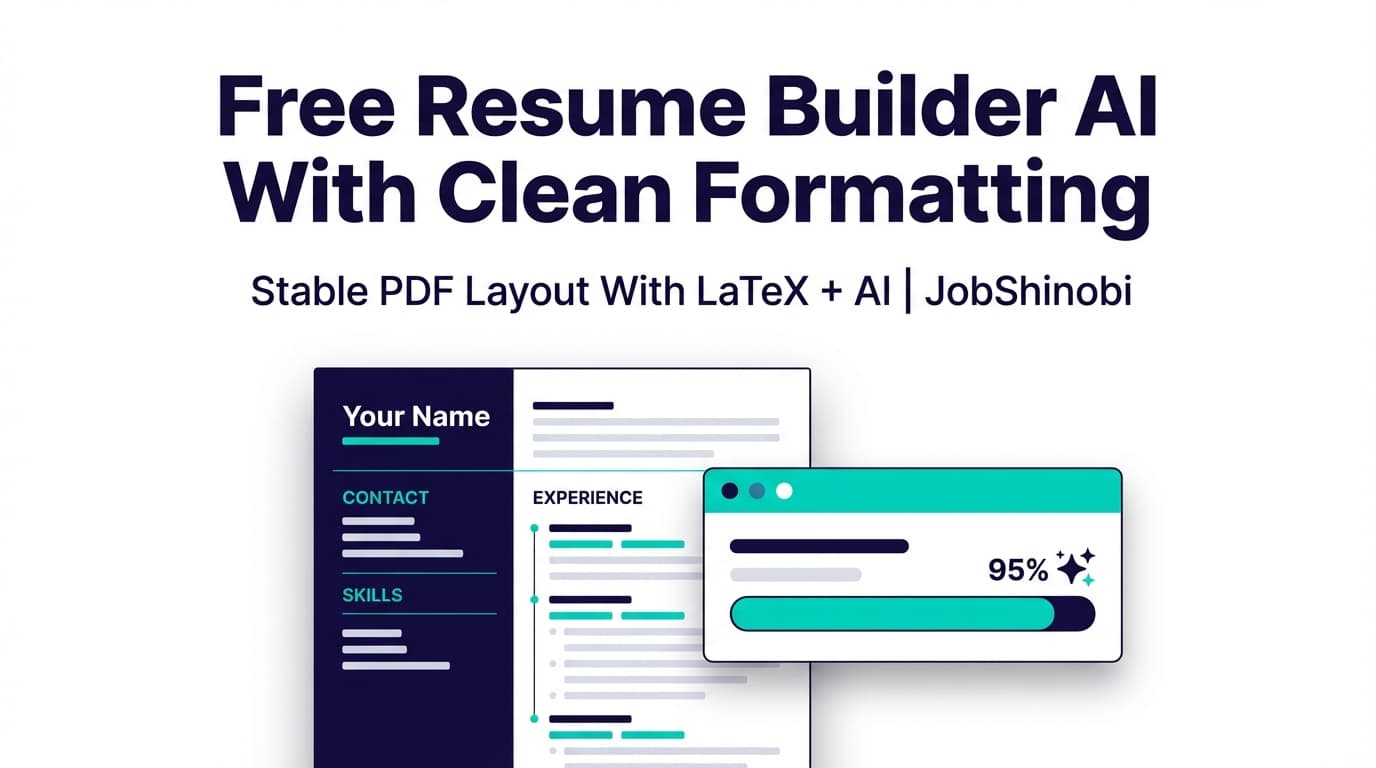
If you’re searching for a free resume builder AI with clean formatting, you’re probably trying to solve a very specific pain:
- Your resume looks fine while editing…
- Then the download/export breaks spacing, headings, alignment, or bullet wrapping…
- Or your “pretty” layout turns into a parsing mess when you apply online.
JobShinobi is built for people who care about clean, stable formatting. Instead of fragile drag-and-drop layouts, JobShinobi uses a LaTeX-based resume builder with live PDF preview, AI resume analysis, and a streaming AI editor that can help you rewrite and refine content without wrecking structure.
Important: JobShinobi is not a free tool. It’s a paid subscription (Monthly $20.00 or Yearly $199.99) via Stripe payment links. This page targets the keyword because “free” is common search intent—but the promise here is clean formatting + AI workflows, not “free forever.”
Start here: Log in → open /dashboard/resume
What “Clean Formatting” Means (and Why Most Resume Builders Fail)
When job seekers say “clean formatting,” they usually mean:
- A resume that prints cleanly as a PDF
- Consistent spacing between sections
- Predictable bullet formatting and indentation
- No random line breaks after adding one more bullet
- A layout that stays readable after dozens of edits and tailored versions
Many online resume builders optimize for quick creation, not format stability. Over time, even small changes can cause:
- Headings to shift
- Bullets to overflow
- Margins to change
- Sections to become uneven
- Exports to look different than the editor view
JobShinobi’s approach: LaTeX-first, PDF-previewed, versioned
JobShinobi stores your resume as LaTeX source (latex_source), compiles it into a PDF preview, and lets you download:
- PDF (the compiled output)
- .tex (the LaTeX source)
That combination is how you keep formatting clean across iterations.
Why Choose JobShinobi for Clean-Formatting AI Resumes?
JobShinobi combines formatting control (LaTeX + compilation) with AI features built specifically around resumes.
1) LaTeX resume templates designed for consistency
You can start from a template in JobShinobi’s template library and create resumes that keep a consistent structure as you edit.
Why it matters: you’re not fighting a layout engine every time you change content.
2) Live PDF preview through LaTeX compilation
JobShinobi compiles your LaTeX to a PDF preview so you can confirm the output before downloading.
Why it matters: clean formatting is verified in the final deliverable (PDF), not just in an editor canvas.
3) AI resume analysis (with structured scoring + caching)
JobShinobi includes an AI resume analysis endpoint with:
- Comprehensive analysis
- An
enhancedModeoption - Cached results when the resume hasn’t changed (so you don’t waste time rerunning the same scan)
Why it matters: you get repeatable feedback loops: analyze → edit → re-check.
4) Streaming AI resume editor that works on your LaTeX
JobShinobi includes a streaming AI chat editor that can work within editing workflows (e.g., fetching the current resume, editing a section, updating the resume, and compiling checks).
Why it matters: you can improve content without “format drift” from copy/paste into a new template.
5) Version history so tailoring doesn’t become risky
Edits (manual and AI-assisted) can create versions. If a tailored version goes sideways, you can revert.
Why it matters: you can tailor aggressively without losing a strong baseline resume.
How JobShinobi Works (Real Product Workflow)
Step 1: Log in with Google
JobShinobi uses Google OAuth via Supabase authentication.
Do this: Log in
Step 2: Pick a resume template (LaTeX-based)
Go to the resume dashboard, choose a template, and start a new resume.
Go here: /dashboard/resume
Step 3: Edit your resume (Code mode or AI mode)
Inside the editor, you can:
- Edit the LaTeX directly
- Use the AI chat editor to request content improvements (rewrite bullets, tighten summaries, improve clarity)
Step 4: Compile and preview the PDF
Run compilation to generate a PDF preview and confirm your resume looks clean.
This is where you catch the common formatting issues before applying:
- awkward wrapping
- uneven spacing
- inconsistent headings
- overflow beyond one page (if you’re targeting one page)
Step 5: Save versions as you iterate
When you save, JobShinobi can create a new resume version so you can undo/revert later.
Step 6: Analyze for ATS + keyword signals (optional, recommended)
Run AI analysis to get structured feedback and scores (overall and category-level), plus keyword findings.
Step 7: Match your resume to a job description (optional)
Paste a job description (or a job URL) and generate a match analysis:
- match score
- missing keywords vs present keywords
- tailoring suggestions
Step 8: Download PDF (and the .tex source)
When your formatting is clean and content is tailored, export:
- PDF for applications
- .tex if you want full portability of the source
Key Features for “Clean Formatting” Resume Building
| Feature | What It Does | Why It Matters for Clean Formatting |
|---|---|---|
| LaTeX resume builder | Stores resumes as LaTeX source (latex_source) |
Stable structure that doesn’t randomly shift |
| Template library | Lets you start from a template (with categories) | Consistency from day one; less layout work |
| Cloud compilation + PDF preview | Compiles LaTeX into a PDF preview | You verify the actual output, not a simulation |
| Download PDF | Exports compiled resume as PDF | PDF keeps layout consistent across devices |
| Download .tex | Exports the LaTeX source | Portability + long-term control |
| AI resume analysis (cached) | Generates structured scores + feedback; can return cached results if unchanged | Faster iterations and repeatable checks |
| Streaming AI resume editor | Chat-based editing workflow that can apply edits to LaTeX | Content improvements without formatting chaos |
| Version history | Stores versions from manual/AI changes | Safe tailoring and easy rollback |
| Job description extraction + matching | Extracts job details and compares your resume | Clear keyword gaps to fix |
| Job tracker + Excel export (.xlsx) | Track job applications and export to Excel | Organized search without spreadsheets |
| Email forwarding → auto updates (Pro-gated) | Forward job emails; AI extracts company/title/status and updates the tracker | Less manual data entry for high-volume applications |
JobShinobi vs. “Free Resume Builder AI” Tools (Honest Comparison)
Many tools that rank for “free AI resume builder” focus on a quick start. That’s useful—but it often comes with tradeoffs:
Common issues with “free” resume builders
- Export paywalls: editing may be free, but PDF download requires payment
- Template lock-in: changing templates can reflow your entire resume
- Formatting drift: spacing and alignment degrade as you revise
- Opaque “ATS score” promises: scores without clear, actionable breakdowns
Where JobShinobi is different
JobShinobi is built around format stability and iteration:
- LaTeX-first formatting: fewer layout surprises after edits
- Compile + preview workflow: confirm clean PDF output
- Analysis + matching: structured feedback and job-specific keyword gaps
- Versioning: tailor without fear of losing a strong baseline
Reality check: if you truly need a zero-cost tool, JobShinobi may not be the right fit today. If you need clean formatting you can trust, JobShinobi is designed for that.
“Clean Formatting” Checklist (What ATS-Friendly Usually Looks Like)
JobShinobi doesn’t claim to replicate any single employer’s ATS perfectly—but clean, consistent formatting is still a strong baseline. Here’s what job seekers typically aim for:
Layout fundamentals
- One clear hierarchy: Name → headline/contact → sections → bullets
- Consistent spacing (section padding doesn’t change from page to page)
- Avoid visual clutter that makes scanning harder
Content fundamentals
- Strong action verbs and specific outcomes
- Metrics where possible (scope, impact, scale)
- Keywords used naturally (not stuffed)
Why LaTeX helps
LaTeX is built to typeset structured documents reliably. In practice, that means:
- consistent spacing rules
- predictable list formatting (bullets)
- stable typography
- fewer “mystery shifts” after edits
JobShinobi’s compilation preview turns this into an application workflow: edit → compile → verify.
Clean Formatting + AI: The Two Work Together (If Your Tool Is Built Right)
AI can help with:
- rewriting bullets to be clearer and more impactful
- tightening a summary
- improving skills phrasing
- aligning language to a job description
But AI often makes formatting worse when you constantly copy/paste content into a template-driven editor.
JobShinobi’s advantage is the combination:
- AI edits happen in the same LaTeX document that you compile and preview
- Your formatting remains anchored to a stable template structure
- Versioning protects you from “bad edits” or risky overhauls
Bonus: More Than a Resume Builder (If You’re Applying at Volume)
If you’re applying seriously, clean formatting is necessary—but not sufficient. JobShinobi also includes job-search workflows built for high-volume applicants:
Job tracker with realtime updates
Track applications inside a dashboard and see updates in realtime via Supabase Realtime subscriptions.
Export your job tracker to Excel (.xlsx)
Download your job applications as an Excel file when you want offline tracking or sharing.
Email forwarding to auto-update applications (Pro membership required)
Forward job-related emails to a unique forwarding address. JobShinobi can parse key details (company, job title, status, etc.) and update your tracker using fuzzy matching—helpful when you’re applying to many roles.
Pricing
JobShinobi offers paid subscriptions via Stripe payment links:
- Monthly: $20.00
- Yearly: $199.99
See pricing on the homepage section: /#pricing
Notes on accuracy: Do not expect a guaranteed trial or “free tier.” Trial claims are not verified in the implementation. Billing uses Stripe payment links, and user membership is updated via Stripe webhooks.
Frequently Asked Questions
Is JobShinobi actually a free resume builder AI with clean formatting?
No. JobShinobi is a paid subscription (Monthly $20.00 or Yearly $199.99). This page targets the keyword because many job seekers search for “free” while really trying to avoid formatting breakage and export paywalls.
What formats can I download from JobShinobi?
You can download:
- PDF (compiled output)
- .tex (LaTeX source)
JobShinobi does not claim DOCX export.
How does JobShinobi keep formatting clean?
JobShinobi uses:
- a LaTeX source of truth
- PDF compilation + preview so you can verify final output
- templates designed for consistent structure
Can JobShinobi rewrite my resume with AI?
JobShinobi includes a streaming AI resume editor (chat-based) that can help you edit content inside your LaTeX resume workflow.
Does JobShinobi include an ATS resume checker?
JobShinobi provides AI resume analysis with structured scoring and feedback (including ATS-related feedback fields), and it can return cached results when your resume hasn’t changed.
Can I tailor my resume to a specific job description?
Yes. JobShinobi supports job description extraction (URL or text) and resume-to-job matching so you can see missing keywords and tailoring suggestions.
Does JobShinobi auto-apply to jobs or integrate with LinkedIn/Indeed?
No. Automated job applications and job board integrations are not supported.
Can I track job applications in JobShinobi?
Yes. JobShinobi includes a job tracker dashboard and supports Excel (.xlsx) export.
Does email forwarding work for job tracking?
Yes, but it’s Pro-gated. Forward emails to your unique forwarding address, and JobShinobi can parse them and create/update job applications.
Get Started With Clean Formatting Today
If your biggest frustration is “my resume never stays clean after edits,” the fastest way to fix it is a workflow built around stable formatting + previewed output:
- Choose a LaTeX template
- Edit with AI or manually
- Compile and preview the PDF
- Analyze and match to a job description
- Download PDF (and keep the .tex source)
Log in: /login
Create your resume: /dashboard/resume
Track applications: /dashboard/job-tracker
Manage billing/settings: /dashboard/settings