If you searched “free resume builder ai unlimited downloads”, you’re likely trying to avoid the classic trap:
- the builder feels free…
- you spend 30–60 minutes writing…
- then exporting the resume is locked behind a checkout.
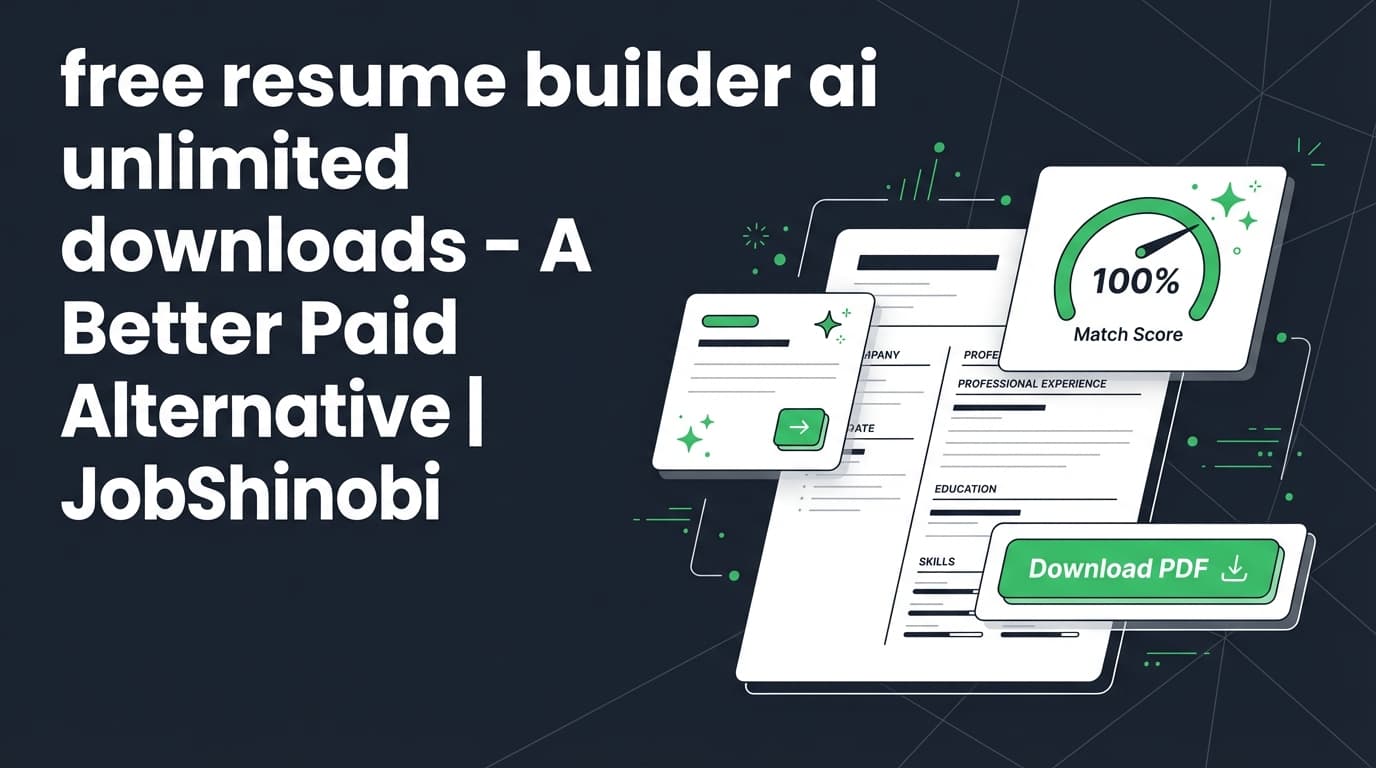
JobShinobi is not a free resume builder. It’s a paid AI-powered resume and job-search toolkit built for people who want more control, clean formatting, and repeatable tailoring—without fighting a drag-and-drop editor or losing structure when you customize.
With JobShinobi you can:
- Build resumes in a LaTeX-based resume editor
- Use a streaming AI Resume Agent (chat) to improve bullets and sections
- Run Resume Analysis (scores + keyword feedback, with caching when your resume hasn’t changed)
- Match your resume to a job using job description extraction + resume-to-job matching
- Export from the editor as PDF and .tex (LaTeX source)
CTA: Sign in with Google
Why Choose JobShinobi for the “Free + Unlimited Downloads” Use Case?
People don’t really want “free.” They want outcomes:
- A resume that doesn’t break (formatting stays consistent)
- Tailored versions fast (without rewriting everything)
- Exports that don’t surprise you at the last step
JobShinobi is designed for that workflow—even though it’s paid—because it focuses on structure + iteration:
- LaTeX-first editing (resume stored as
latex_source) - Cloud compilation + PDF preview so you can validate the final output before exporting
- Version history so you can keep multiple tailored versions (and revert quickly)
- AI analysis + job matching so tailoring isn’t guesswork
If your top priority is “$0 and unlimited PDF downloads,” you may prefer a truly free tool.
If your priority is “a resume workflow that’s faster and more reliable at scale,” JobShinobi is built for that.
Benefit 1: Keep formatting consistent with a LaTeX resume builder (not a fragile layout editor)
Many “free AI resume builders” use template editors that can get messy when you:
- add or remove bullet points
- change spacing or section order
- export and see something different than the preview
JobShinobi uses a LaTeX resume editor and compiles your resume into a PDF preview. That means your resume is a structured source document, and the output is predictable.
What this enables:
- cleaner iteration across many applications
- easier maintenance for multiple resume versions (e.g., “Backend,” “Platform,” “Data,” “PM”)
Benefit 2: Tailor faster with AI editing + job match insights (not generic “AI writing”)
JobShinobi supports two distinct AI workflows:
- AI Resume Agent (streaming chat editor) to make changes to your LaTeX resume
- Resume Analysis + Job Matching to identify keyword gaps and improvement areas
This matters because “AI writing” alone is not enough—you need feedback loops:
- What’s missing?
- What’s overused?
- What should be reorganized or emphasized for a specific role?
JobShinobi gives you those loops via analysis + match outputs, then you apply the changes in the editor (manually or via AI chat).
Benefit 3: Export PDF + .tex from the editor (and keep ownership of your source)
JobShinobi supports exporting:
- PDF (for job portals)
- .tex (your LaTeX source)
If you’ve ever been locked into a proprietary editor, being able to download the source is a real advantage: your resume isn’t trapped in one platform.
How JobShinobi’s Resume Builder Works (Real Workflow)
Step 1: Sign in and open the Resume Builder
Start here: Login
Then go to: /dashboard/resume
You can:
- Start from a template (“Start from Template” tab)
- Open an existing resume (“My Resumes” tab)
Step 2: Start from a template (template library + categories)
JobShinobi loads templates from a template catalog (with categories). You select a template and open it in the editor.
In the Resume hub you can also:
- Duplicate resumes
- Delete resumes (with a warning that associated versions/conversations/messages are also removed)
Step 3: Edit in two modes: AI or Code
Inside the editor you can switch between:
- AI mode: a streaming chat interface that can help rewrite bullets, improve clarity, and propose changes
- Code mode: direct LaTeX editing
The AI editor supports model selection (three tiers):
- Shinobi Swift (fast edits)
- Shinobi Turbo (balanced)
- Shinobi Pro (most powerful)
Step 4: Compile LaTeX to a PDF preview (before exporting)
JobShinobi compiles LaTeX to produce a PDF preview (and shows compilation errors when they occur). This is crucial for high-volume applicants: you avoid exporting a broken file and discovering it at upload time.
Step 5: Save versions as you iterate (version history)
JobShinobi saves resume versions so you can:
- keep a baseline resume
- create tailored versions for specific roles
- revert to earlier versions when needed
This is a strong fit for “tailor for every job” workflows.
Step 6: Run Resume Analysis (standard or enhanced mode)
JobShinobi’s Resume Analysis returns structured results that can include:
- Overall score + component scores (content, keyword, formatting, completeness, ATS)
- Strengths, weaknesses, missing sections
- Keyword analysis (present/missing/overused + related metrics)
- ATS issues and detailed analysis objects
Practical advantage: if your resume hasn’t changed, the analysis endpoint can return cached results so you’re not waiting repeatedly.
Step 7: Match your resume to a job description (URL or pasted text)
JobShinobi supports:
- Job description extraction from a job URL or raw text
- Resume-to-job matching that generates:
- match score
- present vs missing keywords
- recommendations and tailoring suggestions
Then you apply those suggestions back in the editor.
Key Features for “free resume builder ai unlimited downloads” Search Intent
| Feature | What It Does | Why It Matters |
|---|---|---|
| LaTeX Resume Builder | Stores your resume as LaTeX (latex_source) |
Structured resumes that are easier to maintain across versions |
| PDF Preview via Compilation | Compiles LaTeX and shows a PDF preview | Validate output before exporting and applying |
| Export to PDF + Export to .tex | Download a PDF and the LaTeX source from the editor | Portability + long-term control of your resume |
| AI Resume Agent (Streaming Chat) | Chat-based editing workflow with tool calls (get current resume, edit, compile check) | Faster rewrites and iterative editing |
| Resume Version History | Saves versions from manual saves and AI edits | Keep tailored variants; revert quickly |
| Resume Analysis (with caching) | Structured scoring + ATS/keyword feedback, cached when unchanged | Faster improvement cycles and repeatable QA |
| Enhanced Analysis Mode | Optional deeper analysis output | More detailed guidance when needed |
| Job Extraction (URL or text) | Extract structured job details | Cleaner inputs for matching/tailoring |
| Resume-to-Job Matching | Match score + missing/present keyword insights | Tailor with evidence, not guesses |
| Job Tracker Dashboard | Track job applications in a table UI | Stay organized during high-volume applying |
| Realtime Updates | Tracker updates via realtime DB events | Your tracker stays current across sessions |
| Export Job Tracker to Excel | Export applications to .xlsx |
Backup and reporting without manual spreadsheets |
| Email-forwarded updates (Pro-gated) | Forward application emails to update tracking records | Reduce manual entry (requires Pro membership for processing) |
The Real Problem With “Free AI Resume Builder + Unlimited Downloads” Claims
This keyword exists because job seekers keep running into friction. Common scenarios:
- “Free to build” but export is paid
- “Unlimited downloads” but only in limited formats (or with watermarks)
- The resume looks fine in the editor but exports weirdly
- You can’t easily create multiple tailored versions without the template breaking
JobShinobi doesn’t try to win on “free.” It wins on repeatable, controlled resume iteration:
- source-controlled style workflow (LaTeX + versions)
- AI assistance that edits your actual resume content
- analysis + matching to guide what to change
JobShinobi vs. Truly Free Resume Builders (What to Choose)
Choose a truly free builder if you need:
- $0 cost
- quick one-off resume
- minimal tailoring
This can work, especially early in your job search.
Choose JobShinobi if you need:
- multiple tailored resumes without formatting chaos
- AI feedback loops (analysis + keyword gaps + job match)
- the ability to export both PDF and .tex
- version history to manage variants (instead of “save as… final_v7_final2.pdf”)
If you’re applying broadly and tailoring matters, your real bottleneck is usually:
- maintaining consistency across versions
- knowing what to change for each job
- keeping output clean every time you export
That’s the workflow JobShinobi is built for.
Bonus: Track Your Applications (and Export to Excel)
If your resume is improving but your process is disorganized, JobShinobi also includes:
- a job tracker dashboard to manage applications
- realtime updates so the tracker refreshes as data changes
- Excel export (.xlsx) for your full application list
Links:
Optional automation: email-forwarding to auto-update your tracker (Pro membership required)
For Pro members, JobShinobi supports a workflow where you forward job-related emails to a unique address. The system attempts to extract details like company, job title, status, and updates your tracker (using fuzzy matching to avoid duplicates).
This is especially helpful if you apply at scale and don’t want to manually maintain a spreadsheet.
Pricing
JobShinobi offers paid subscriptions via Stripe:
- Monthly: $20.00
- Yearly: $199.99
You can manage billing through the Stripe customer portal (accessible from settings).
Start: Sign in
Frequently Asked Questions
Is JobShinobi a free resume builder AI with unlimited downloads?
No. JobShinobi is paid (Monthly $20, Yearly $199.99).
If your goal is “completely free with unlimited downloads,” you’ll want a truly free tool. JobShinobi is built for people who prioritize control, tailoring, analysis, and export reliability.
Can I download my resume as PDF in JobShinobi?
Yes. The resume editor supports PDF download after compiling your LaTeX resume.
Can I download the source file too?
Yes. The editor supports downloading the .tex file (LaTeX source).
Does JobShinobi include AI resume scoring / ATS-style feedback?
Yes. JobShinobi includes a Resume Analysis feature that returns structured scoring and feedback, including keyword insights and ATS-related issues. It can also return cached results if your resume hasn’t changed since the last analysis.
Can I tailor my resume to a specific job description?
Yes. JobShinobi supports:
- extracting job details from a URL or pasted job description
- running resume-to-job matching to identify missing/present keywords and generate recommendations
Does JobShinobi automatically apply to jobs for me?
No. There is no supported “auto-apply” feature or job board integration (LinkedIn/Indeed auto-apply is not implemented).
Can JobShinobi track my job applications?
Yes. JobShinobi includes a Job Tracker with realtime updates and Excel export.
Will JobShinobi sync my job tracker to Google Sheets?
No. There’s no supported Google Sheets integration. JobShinobi exports to Excel (.xlsx).
Get Started with JobShinobi Today
If you searched “free resume builder ai unlimited downloads”, you’re probably optimizing for speed, exports, and avoiding last-minute paywalls.
JobShinobi is a paid alternative for job seekers who want:
- a LaTeX resume builder with predictable formatting
- a streaming AI Resume Agent to edit content faster
- Resume Analysis (including enhanced mode) with caching
- job description extraction + resume-to-job matching
- exports as PDF and .tex
- optional job tracking (and Pro-gated email-forwarding automation)
Next step: Sign in with Google and open the Resume Builder: /dashboard/resume