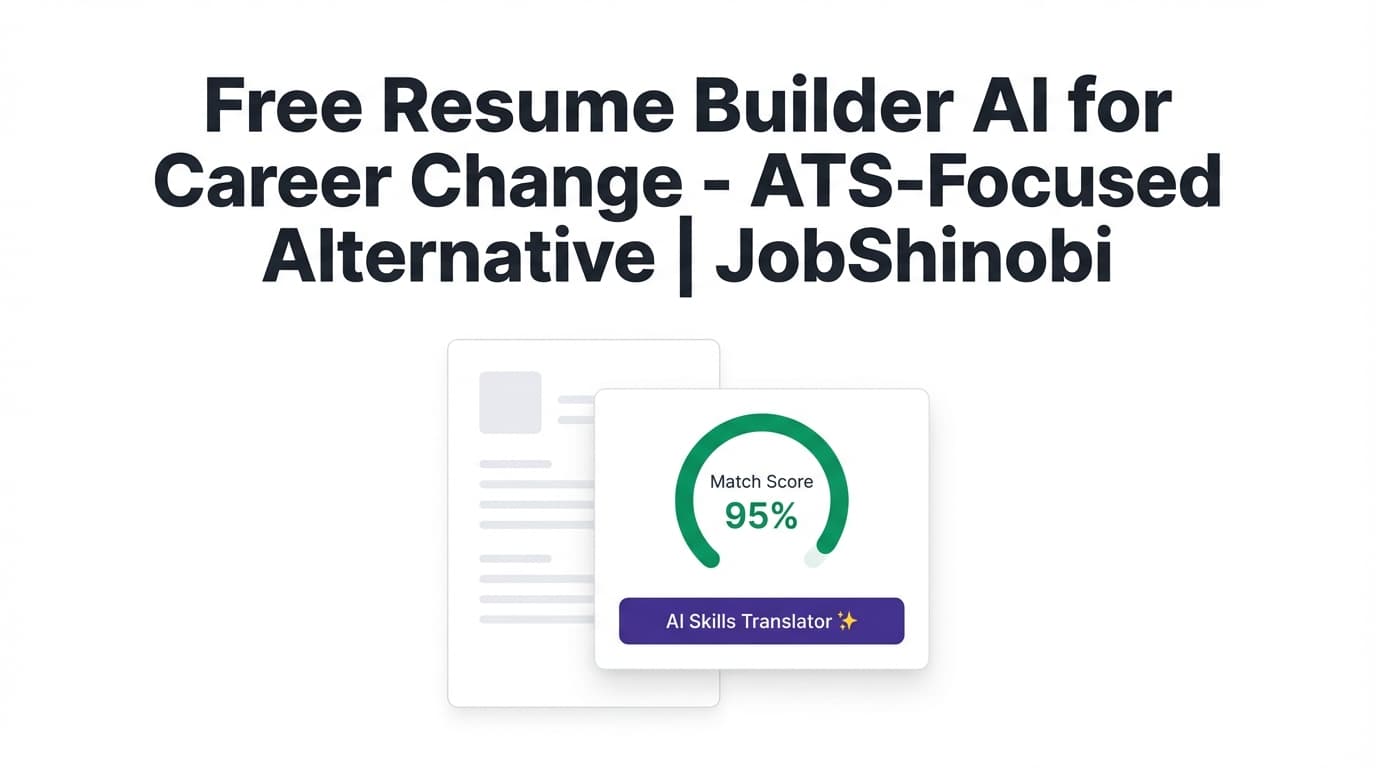
If you’re searching for a free resume builder AI for a career change, you’re likely trying to do two hard things at once:
- Translate your past experience into a new role (transferable skills, reframed achievements, projects, coursework, certifications).
- Get past ATS screening without keyword stuffing or “pretty” templates that don’t parse cleanly.
JobShinobi is a paid resume-building and optimization platform built for that exact moment: it combines a LaTeX-based resume builder (consistent formatting, strong structure) with AI resume analysis, a job description match score, and an AI resume editor (streaming chat) that can rewrite sections and refine bullets while keeping your resume in a clean, ATS-friendly structure.
Transparency: JobShinobi is not a free tool. This page is designed to match “free” search intent by giving you a better, practical alternative—and a clear way to decide if paid optimization is worth it for your career pivot.
Primary CTA: Sign in and start your career-change resume
Why Choose JobShinobi for a Career-Change Resume (Even If You Started With “Free” in Mind)?
Most “free” resume builders fall into one of these traps:
- You can build, but download/export is paywalled
- Templates look good but break ATS parsing (columns, graphics, text boxes)
- “AI” is generic and doesn’t help you bridge your experience to a new target role
- You can’t tailor quickly across multiple job postings
JobShinobi focuses on what matters for career changers:
- LaTeX-based resume building with templates (start from a structure designed to stay stable as you edit)
- AI resume analysis with ATS/keyword feedback (including detailed feedback and keyword findings)
- Job description matching (match score + missing/present keywords + recommendations)
- AI resume editor (streaming) that can revise your summary, skills, and bullets without wrecking formatting
- Resume version history (so you can iterate on multiple pivot angles and revert quickly)
- Job tracking tools to manage a higher-volume career-change search (including Excel export)
Benefit 1: Career-change clarity without “starting over”
A career change isn’t about pretending you have a different past—it’s about reframing outcomes in the language of your new target role.
JobShinobi helps you do that with:
- AI chat-based editing that can update specific sections (summary, skills, experience) while keeping the resume structured in LaTeX
- Role-aware analysis via a
targetRoleparameter in resume analysis, so feedback can be anchored to the direction you’re moving toward
Benefit 2: ATS-focused structure you can safely tailor again and again
Career changers often apply broadly at first, then narrow down once they see what converts. That means you need:
- A stable resume structure
- A fast tailoring loop per job description
- A way to compare versions
JobShinobi supports that loop with:
- PDF preview from LaTeX compilation (so you can see the final output, not guess)
- Resume analysis caching when your resume hasn’t changed (so repeated analysis is faster when appropriate)
- Version history + undo/redo + revert tied to edits and AI chat activity
How JobShinobi Works for a Career Change (Real Product Workflow)
Step 1: Start from a LaTeX template (structure first)
Open the Resume Builder and choose a template category that matches your goal (e.g., clean modern layout).
- JobShinobi loads templates from a template library and creates a new resume from the selected template.
- You’ll be editing the LaTeX source, which helps keep formatting consistent.
Tip for career changers: Choose a layout that makes it easy to:
- Lead with a targeted summary
- Show a transferable skills section
- Add projects/certifications that “prove the pivot”
- Keep experience bullets focused on outcomes, not job titles
Step 2: Add your content (then prioritize “bridge” sections)
In a pivot, your “bridge” sections matter most:
- Summary (target role + value proposition)
- Skills (job-relevant keywords + tools)
- Projects (especially if experience is adjacent)
- Experience (reframed bullets that map to the target job)
JobShinobi lets you edit manually, or use AI chat to rewrite and refine sections.
Step 3: Use the AI Resume Editor (streaming) to rewrite for the pivot
Inside the resume editor, switch to AI mode and prompt it with career-change context, for example:
- “Rewrite my summary for a Project Manager role based on my operations background. Keep it concise and ATS-friendly.”
- “Rewrite these bullets to highlight stakeholder management, metrics, and process improvements.”
- “Create a ‘Relevant Projects’ section from these project notes and align it to the job keywords.”
Because JobShinobi edits the LaTeX resume, the goal is: improve content while preserving structure.
Step 4: Run Resume Analysis (comprehensive or enhanced mode)
JobShinobi can analyze your resume and return:
- Overall score + component scores (content/keyword/formatting/completeness/ATS)
- Strengths and weaknesses
- Keyword analysis (present/missing/overused + density/context signals)
- ATS issues
You can also re-run analysis for a job-specific pass by including a job description, so the feedback becomes more targeted to the role you’re switching into.
Step 5: Match your resume to a job description (match score + gaps)
Paste a job description (or job data) and run match analysis to get:
- Match score
- Missing keywords and present keywords
- Recommendations on what to change
This is especially useful in a career change because it exposes the common gaps:
- tools/tech you haven’t named yet
- role-specific phrasing (“roadmap”, “stakeholders”, “pipeline”, “SOPs”, “OKRs”)
- missing “proof” sections (projects, certifications, portfolio)
Step 6: Export and apply—then track applications in one place
Once your resume is ready, you can:
- Download PDF
- Download
.tex - Track job applications in JobShinobi’s Job Tracker
- Export your application tracker to Excel (.xlsx)
Key Features for a Career-Change Resume (What JobShinobi Actually Supports)
| Feature | What It Does | Why It Matters for Career Changers |
|---|---|---|
| LaTeX Resume Builder + Templates | Start from a LaTeX template, create and manage resumes, store latex_source |
Keeps structure stable while you iterate through multiple pivot angles |
| LaTeX Editor + PDF Preview | Compile LaTeX to a PDF preview via a compilation service | Lets you confirm formatting after each tailoring round |
| AI Resume Editor (Streaming Chat) | Chat-based editor that can update resume sections and stream responses | Faster rewriting of summaries, skills, and bullets without breaking layout |
| Resume Analysis (AI) | ATS/keyword-focused scoring with strengths/weaknesses and structured insights | Career changers need clear “what to fix next,” not vague advice |
| Enhanced Analysis Mode | Optional deeper analysis objects (when enabled) | Helps you move from generic to job-aligned improvements |
| Job Description Match | Match score + missing/present keywords + recommendations | Pinpoints keyword gaps and role-language gaps for the pivot |
| Resume Version History | Versions saved for manual and chat-driven changes; revert available | Compare multiple versions (e.g., “Ops → PM” vs “Ops → BizOps”) safely |
| Job Tracker (Realtime) | Track job applications and status updates in a dashboard | Career changes often require higher volume; tracking reduces missed follow-ups |
| Excel Export (.xlsx) | Export job applications to an Excel file | Useful for sharing with mentors/coaches or keeping backups |
The Career-Change Resume Strategy (Built Around What ATS + Hiring Teams Expect)
A career change resume usually fails for one of these reasons:
- It reads like your old job, with a new job title at the top
- It’s missing role keywords (ATS doesn’t “infer” your intent)
- It lacks proof (projects, certifications, measurable outcomes)
- It tries to hide your past with a functional format that recruiters dislike
Here’s the practical structure that tends to work better:
1) Use a “hybrid / combination” approach (skills + experience)
Rather than purely functional, aim for:
- Targeted summary
- Skills (grouped by relevance)
- Projects / certifications (if needed)
- Experience with reframed bullets
How JobShinobi helps: you can prompt the AI editor to create a skills summary, reorganize sections, and rewrite bullets—then compile to PDF to verify formatting.
2) Lead with a “bridge summary” (target role + transferable proof)
A career-change summary should do three things quickly:
- Say what you’re targeting
- Prove you’ve done adjacent work
- Show outcomes/metrics
Example prompt you can use in JobShinobi AI chat:
“Write a 3–4 line summary for a career change into Data Analyst. I have 6 years in operations, heavy Excel reporting, basic SQL, and I built KPI dashboards. Keep it ATS-friendly and specific.”
3) Convert responsibilities into role-relevant outcomes
Career changers often list tasks. Hiring teams want outcomes.
Rewrite like this:
- Before: “Managed customer accounts and handled escalations.”
- After: “Resolved high-priority escalations across 40+ accounts, improving retention and reducing repeat incidents by standardizing issue triage.”
How JobShinobi helps: you can ask the AI editor to:
- quantify impact
- add role-language (without inventing experience)
- tighten bullets to recruiter scanning style
4) Tailor keywords without stuffing
Keyword stuffing hurts readability and can backfire. Instead:
- pull keywords from the job description
- place them where they belong (skills + bullets + projects)
- keep the resume consistent and credible
How JobShinobi helps: job match analysis outputs missing/present keywords and recommendations so you can add terms naturally.
JobShinobi vs. “Free” AI Resume Builders for Career Change
You searched “free” for a reason: you want the outcome without paying for fluff. Here’s a reality-based comparison.
JobShinobi vs. generic free resume builders
Where free tools often win
- quick start
- simple UI
- “good enough” for non-competitive roles
Where they often fall short for career changers
- generic AI text that doesn’t “bridge” your experience
- limited tailoring workflows
- formatting issues when you iterate
- export or key features hidden behind paywalls
Where JobShinobi is different
- Resume is built in LaTeX with a stable structure
- You can run ATS/keyword-focused resume analysis
- You can run job description match scoring and see missing keywords
- You get version history to manage multiple pivot narratives safely
JobShinobi vs. doing it manually in Google Docs
Manual can work—but it’s slow:
- copying job keywords by hand
- rewriting bullets repeatedly
- tracking versions in filenames (“Resume_v7_FINAL2”)
JobShinobi is built around a repeatable loop:
- template → 2) edit → 3) analyze → 4) match → 5) revise → 6) export → 7) track applications
Using JobShinobi for Career Change: Practical “Do This Next” Playbooks
Playbook A: “I’m switching fields and I’m not getting interviews”
- Build your resume from a template
- Run Resume Analysis (start with comprehensive mode)
- Fix:
- missing sections (especially projects/certs if you’re pivoting)
- keyword gaps
- ATS issues
- Re-run analysis and compare versions
Playbook B: “I have 2–3 target roles—help me decide”
- Create one base resume
- Duplicate it into separate versions (e.g., “Ops → PM”, “Ops → RevOps”, “Ops → Analyst”)
- For each version:
- rewrite summary + skills for that role
- run analysis with
targetRole - match against 2–3 real job descriptions
- Choose the direction that produces:
- better match scores
- clearer role alignment
- easier proof-building
Playbook C: “I’m applying to many roles and losing track”
Use the built-in Job Tracker:
- log applications (manual entry supported)
- watch updates in realtime in the tracker UI
- export to Excel when needed
If you’re on a paid plan, JobShinobi also supports an email-forwarding workflow to help process job-related emails into application updates.
Pricing
JobShinobi is a paid subscription product via Stripe.
- Monthly: $20.00
- Yearly: $199.99
Direct checkout links:
- Monthly: https://buy.stripe.com/7sYeV61P10GS310eTy0VO02
- Yearly: https://buy.stripe.com/6oU9AM0KXexIdFE5iY0VO03
If you’re comparing against “free resume builder AI for career change” options, consider this: a career pivot often involves dozens of tailored applications—small improvements in targeting, ATS parsing, and clarity can reduce wasted applications.
Frequently Asked Questions
Is JobShinobi actually a free resume builder AI for career change?
No. JobShinobi is a paid tool (Monthly $20, Yearly $199.99). This page targets the “free” query because many job seekers start there—then realize career-change resumes need stronger targeting, keyword alignment, and versioned iteration.
Can JobShinobi help me tailor my resume to a specific job posting?
Yes. JobShinobi supports job description matching that returns a match score, missing/present keywords, and recommendations. You can then apply changes in the LaTeX editor (manually or via AI chat).
Does JobShinobi analyze my resume for ATS issues?
Yes. JobShinobi includes AI resume analysis that produces ATS-related feedback (including ATS score components and identified issues), plus keyword findings and improvement recommendations.
Will the AI editor mess up my resume formatting?
JobShinobi’s workflow is built around a LaTeX resume source and a compile-to-PDF preview step. You can also rely on version history to revert if you don’t like a change.
What resume format is best for a career change?
In most cases, a hybrid / combination structure works well: a targeted summary + skills + (optional) projects/certifications + experience with reframed outcomes. Pure functional resumes can raise skepticism because recruiters can’t quickly see your timeline and impact.
Can I keep multiple versions for different career directions?
Yes. JobShinobi supports resume version history, and you can create multiple resumes (e.g., one per target role) and iterate without losing your prior drafts.
Does JobShinobi include job application tracking?
Yes. There’s a Job Tracker inside the dashboard, including realtime updates and Excel (.xlsx) export.
Get Started with JobShinobi Today
If you’re making a career change, you don’t need prettier templates—you need a repeatable system to:
- build a stable ATS-friendly resume
- tailor it to real job descriptions quickly
- measure improvement (analysis + match score)
- keep versions organized
- track applications
Start here: Sign in and build your career-change resume
Or go straight to the resume builder after login: Open Resume Builder