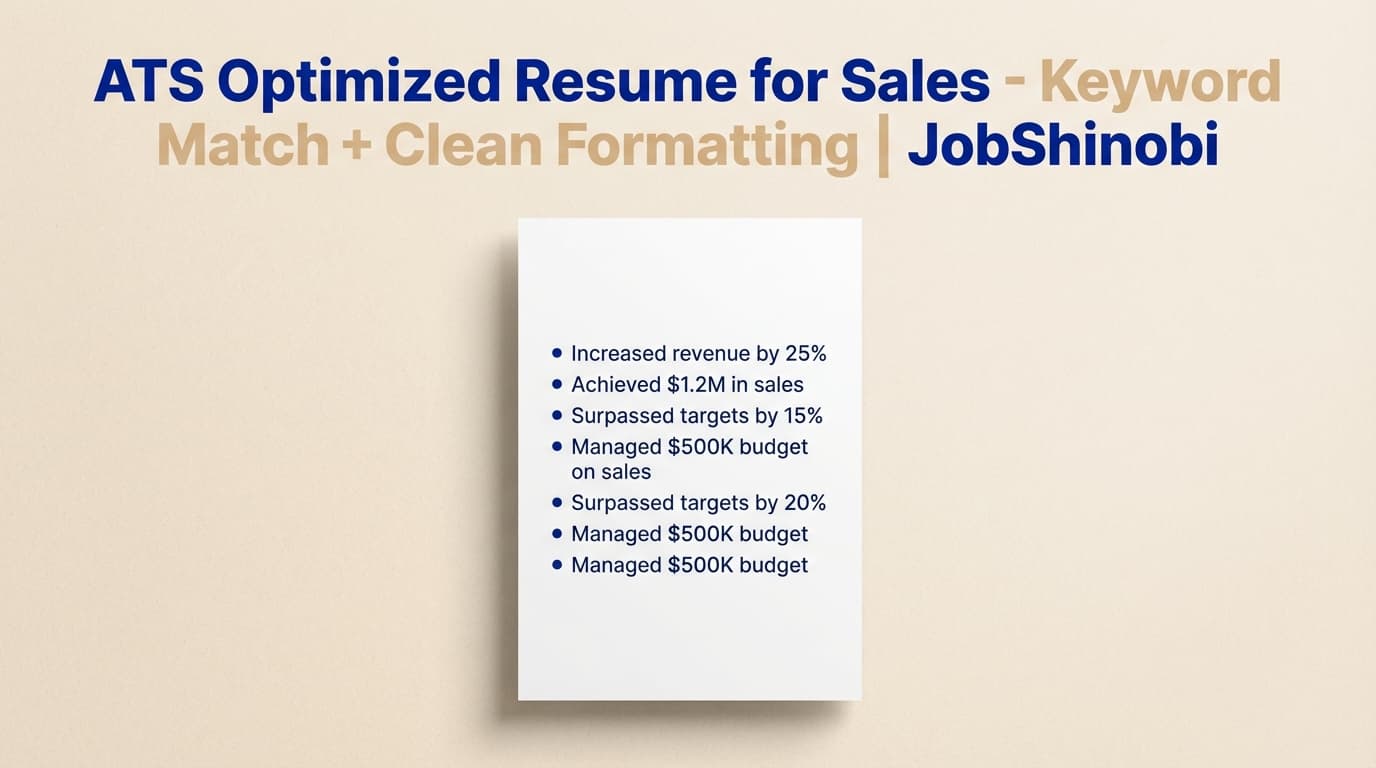
JobShinobi helps you build an ATS optimized resume for sales using a LaTeX-based resume builder, AI resume analysis (including ATS + keyword feedback), and resume-to-job matching that identifies missing keywords and present keywords from a job description. You edit your resume as LaTeX, preview a compiled PDF, iterate with an AI resume editor (streaming), and keep progress with built-in resume version history.
If you’re applying to SDR/BDR, Account Executive, Sales Manager, Account Manager, Customer Success, or RevOps roles, JobShinobi is built for the reality of modern screening: clean parsing + job-specific language + measurable outcomes.
Primary CTA: Sign in to start your sales resume
Secondary CTA: Want to manage applications like a pipeline? Jump to Job Tracker
Why Choose JobShinobi for an ATS Optimized Resume for Sales?
Most “sales resume” pages online give you one of two things:
- Generic templates (nice-looking, but not tailored to the job you’re applying for)
- Generic keyword lists (helpful, but easy to misuse and rarely mapped to your actual experience)
JobShinobi is built around a workflow that’s closer to how top sales performers operate: pick a strong base, validate against the target, iterate fast, and track outcomes.
What JobShinobi does (in plain terms)
- You create a resume from a template library (stored templates with categories)
- You edit the resume in a LaTeX editor and preview a compiled PDF
- You run AI resume analysis for ATS, formatting, completeness, and keyword feedback
- You paste a job description (or job URL) and run resume-to-job matching
- You use the AI resume editor (streaming) to apply targeted edits to your LaTeX resume
- You keep every iteration with resume version history
- You track your job applications in a job tracker and export to Excel (.xlsx)
Why this matters for sales candidates
Sales hiring teams tend to screen for three signals quickly:
- Proof you can produce outcomes (quota %, pipeline $, bookings/ARR, win rates, cycle time)
- Proof you can run the motion they need (outbound/inbound, full-cycle, enterprise, renewals, expansion)
- Proof you speak their language (CRM/tools, sales frameworks, segment, ICP, buyer personas)
Your resume needs to be structured and keyword-aligned enough to pass automated parsing and strong enough to convince a human in 10–20 seconds.
Benefit 1: Job-specific keyword matching (missing vs present keywords)
JobShinobi includes job description extraction (URL or pasted text) plus resume-to-job matching. For sales roles, this is the difference between:
- “I’m a strong salesperson” (generic)
- “I drove $1.2M pipeline in Salesforce + Outreach with outbound prospecting across mid-market finance personas” (specific, job-aligned)
You’ll get:
- A match score (from the tailored analysis)
- Missing keywords (based on job keywords vs your resume content)
- Present keywords
- Recommendations / suggestions
This is designed for repeated use as you apply to different role types (SDR vs AE vs AM vs Sales Manager), different segments (SMB/MM/ENT), and different industries.
Benefit 2: LaTeX-based structure + compiled PDF preview
JobShinobi uses a LaTeX-first resume workflow. You edit structured LaTeX and preview the output by compiling to a PDF.
Why that matters:
- Sales resumes often get ruined by formatting drift when you’re tailoring fast (spacing shifts, alignment breaks, inconsistent headings).
- A structured, source-controlled resume format helps you keep sections consistent while you change content.
JobShinobi supports:
- Cloud compilation + PDF preview
- Download PDF
- Download .tex source
Benefit 3: Faster tailoring with an AI resume editor (streaming) + compilation checks
JobShinobi includes a streaming AI resume editor that works directly with your resume LaTeX. The editing workflow supports:
- Fetching your latest resume version
- Editing specific sections
- Updating the resume
- Running a LaTeX compilation check
This is especially useful for sales applicants because tailoring usually requires rewriting:
- A summary to match segment + motion
- 2–4 bullets to emphasize the right KPIs
- A skills/tools section to match the posting (truthfully)
Benefit 4: Resume version history so you can tailor without fear
Tailoring is risky when you don’t have version control. JobShinobi stores resume versions (manual saves and AI-assisted versions) so you can:
- Keep a stable “base resume”
- Create variants for SDR, AE, AM, Sales Manager, CSM, RevOps
- Revert when an experiment doesn’t work
How JobShinobi’s Sales Resume Workflow Works
Step 1: Start with a template (and create a clean base)
Go to the resume builder hub: /dashboard/resume
Pick a template and open it in the editor.
Goal for sales: a clean layout with standard sections and readable bullets. Use a structure you can repeat across many applications.
CTA: Open Resume Builder
Step 2: Edit your resume in the LaTeX editor + preview PDF
In the editor, you can:
- Edit LaTeX manually
- Use AI chat (streaming) to modify sections
- Compile and preview PDF
- Download PDF and .tex
This makes it easy to tailor content while keeping the final output consistent.
Step 3: Run AI resume analysis (ATS + keyword feedback)
From your resume analysis flow, JobShinobi can generate structured feedback including:
- Overall score
- Content score
- Keyword score
- Formatting score
- Completeness score
- ATS score
- Strengths / weaknesses
- Missing sections
- Keyword analysis (present, missing, overused)
- ATS issues
- Optional enhanced analysis mode (when enabled)
It can also return cached results when your resume hasn’t changed—useful when you’re iterating strategically.
Step 4: Match your resume to a specific sales job description (URL or text)
Paste:
- a job URL, or
- the full job description text
JobShinobi extracts job details and runs resume-to-job matching. You’ll see what’s missing and what’s already aligned.
Step 5: Apply suggestions and tailor (AI or manual), then re-run analysis
Once you have missing keywords and recommendations:
- Update your summary
- Update the skills/tools section
- Update top bullets for your most recent 1–2 roles
- Re-run analysis
This “analyze → tailor → re-check” loop is what most high-performing applicants do—JobShinobi is built to support it in one tool.
Key Features for an ATS Optimized Resume for Sales
| Feature | What It Does | Why It Matters for Sales |
|---|---|---|
| Template Library (LaTeX) | Start from stored resume templates with categories | Get a repeatable, clean structure quickly |
| LaTeX Resume Editor | Edit your resume source with precision | Avoid layout drift while tailoring |
| PDF Compilation + Preview | Compile LaTeX and preview the resulting PDF | Verify the final output before applying |
| Download PDF / Download .tex | Export your application-ready resume | Keep control over your document |
| AI Resume Analysis (ATS + keywords) | Generates ATS issues + keyword feedback + scores | Find what’s hurting pass-through and readability |
| Enhanced Analysis Mode | Deeper analysis when enabled | Useful for competitive sales roles |
| Job Description Extraction | Extract structured job details from URL or pasted text | Turn postings into actionable signals fast |
| Resume-to-Job Matching | Match score + missing/present keywords + suggestions | Tailor to this role, not “sales in general” |
| AI Resume Editor (Streaming) | Chat-based edits to your LaTeX resume with compilation checks | Faster tailoring without breaking LaTeX |
| Resume Version History | Saves versions over time | Keep SDR/AE/Manager variants organized |
| Job Tracker + Realtime Updates | Track your job applications in the dashboard | Manage your job search like a pipeline |
| Export to Excel (.xlsx) | Export your job tracker data | Simple reporting and follow-up planning |
What “ATS Optimized” Actually Means for Sales Resumes (Practical Definition)
“ATS optimized” gets overused. For sales resumes, treat it as two constraints:
-
The resume must parse into the right sections reliably
ATS systems often attempt to categorize your resume into sections like:- Experience
- Skills
- Education
-
The resume must contain role-relevant keywords in context
Keyword presence matters, but keyword context matters more. A recruiter wants proof the keyword reflects something you did (not a copied list).
The sales resume optimization triangle
A strong ATS optimized resume for sales sits at the intersection of:
- Readable structure
- Role-aligned language
- Evidence (metrics + scope + outcomes)
JobShinobi’s analysis + job match workflow is designed to help you improve all three.
Sales Resume Formatting Rules That Help ATS (and Humans)
These are widely repeated ATS best practices across resume guidance pages and are especially important if you’re applying at scale.
Use standard section headings
ATS often relies on recognizable headings. Favor:
- Professional Experience or Work Experience
- Skills
- Education
Avoid clever headings that hide meaning (e.g., “Where I’ve Been,” “My Journey”) unless you know the employer’s ATS handles it.
Keep bullets scannable (sales hiring is speed-based)
Sales recruiters scan for:
- segment + motion + outcomes
- tools
- deal size / ACV
- quota attainment
If your top bullets don’t show those quickly, you lose signal—even if you have great experience.
Make sure metrics are easy to find
Sales candidates often bury metrics. Make them unavoidable:
- “118% quota attainment”
- “$1.2M pipeline generated”
- “$450K ARR closed”
- “35% win rate”
- “Sales cycle reduced from 72 to 55 days”
JobShinobi’s AI editor is useful for turning “responsible for…” bullets into metrics-first achievements.
The Sales Resume Keyword System: Stop Guessing, Start Mapping
Sales job descriptions often include dozens of keywords—but not all are equal. The goal is to include the high-signal keywords that match your experience and the employer’s motion.
Keyword categories that matter most in sales
Use this model when you run job matching and see missing keywords.
-
Role type + motion
- outbound, inbound, full-cycle, closing
- renewals, expansion, upsell, cross-sell
- territory management, account planning
-
Segment
- SMB, mid-market, enterprise
- commercial, strategic accounts
-
Core activities
- prospecting, discovery, demos
- qualification, negotiation, closing
- forecasting, pipeline management
-
Tools
- CRM: Salesforce, HubSpot
- engagement: Outreach, Salesloft
- conversation intelligence: Gong / Chorus
- pipeline/forecast: Clari (if relevant)
- data/reporting: Excel (often relevant)
-
Outcomes
- quota attainment, pipeline generated, ARR/bookings
- win rate, conversion rates, ACV
- retention, NRR, churn reduction (CS/AM roles)
How to use keywords without keyword stuffing
A simple rule: a keyword should appear where it’s proven.
- Put tools in Skills and show them in Experience bullets.
- Put frameworks only if you actually used them (and ideally show how).
- Put segment terms (enterprise/mid-market) where your scope is described.
JobShinobi’s matching highlights missing keywords; your job is to add only what’s true and support it with proof in bullets.
Role-Specific: What an ATS Optimized Sales Resume Should Emphasize
Below are sales-track variations you can implement in JobShinobi as separate resume versions.
SDR / BDR (Outbound-focused) resume priorities
ATS + recruiter signals to surface early:
- Outbound prospecting volume and results (calls/emails/meetings)
- SQLs / meetings booked
- Pipeline generated for AEs
- ICP targeting and messaging
- Tools: Salesforce/HubSpot + Outreach/Salesloft + LinkedIn Sales Navigator (if used)
High-signal bullets (patterns):
- “Booked X meetings/month via outbound prospecting to [persona] using [tool]; achieved Y% meeting-to-SQL conversion.”
- “Generated $X pipeline over Y months by qualifying leads and routing to AEs; tracked activity and outcomes in Salesforce.”
- “Improved reply rate from A% → B% by iterating talk tracks and email sequences.”
Where JobShinobi helps:
- Use job matching to mirror the job’s language (e.g., “cold calling,” “multi-channel outbound,” “sequence optimization”).
- Use the AI editor to quantify bullets and tighten structure.
Account Executive (Closing) resume priorities
Signals to make obvious:
- Segment (SMB/MM/ENT) and buyer personas
- Deal size / ACV and sales cycle length
- Quota attainment and trend over time
- Pipeline management + forecasting
- Full-cycle responsibilities and cross-functional collaboration (SEs, CS, product)
High-signal bullets (patterns):
- “Closed $X ARR across Y accounts (avg ACV $Z) by owning full-cycle motion from discovery to close.”
- “Maintained X% forecast accuracy across Y-quarter period using [CRM/forecast tool].”
- “Increased win rate A% → B% by improving qualification and stakeholder mapping.”
Where JobShinobi helps:
- Job matching identifies whether the role values “enterprise,” “complex sales cycles,” “multi-threading,” “executive alignment,” etc.
- Resume analysis flags ATS/keyword gaps and other weaknesses before you apply.
Sales Manager resume priorities
Signals to surface early:
- Team size, quota responsibility, ramping, coaching
- Forecasting and pipeline inspection
- Process improvements (sales playbooks, enablement)
- Cross-functional leadership
High-signal bullets (patterns):
- “Led a team of X AEs/SDRs; improved team quota attainment from A% → B% over Y quarters.”
- “Implemented pipeline inspection + forecasting cadence; increased forecast accuracy to X%.”
- “Reduced ramp time by Y weeks through onboarding and coaching program.”
Where JobShinobi helps:
- Match to postings that emphasize leadership, coaching, forecasting, territory planning.
- Create a manager-specific resume version and keep it separate from your individual-contributor AE resume.
Account Manager / Customer Success (Renewals + Expansion) priorities
Signals to surface early:
- Book of business size and segment
- Retention outcomes (renewal %, churn reduction)
- Expansion outcomes (upsell/cross-sell, NRR)
- Relationship management + adoption initiatives
High-signal bullets (patterns):
- “Managed a book of business of $X ARR; achieved Y% renewal rate and drove $Z expansion.”
- “Improved adoption by launching enablement program; reduced churn A% → B%.”
- “Partnered with Sales/CS leadership to identify expansion opportunities and close upsells.”
Where JobShinobi helps:
- Job matching highlights whether the role is “renewals-focused” vs “expansion-focused,” and which metrics matter.
- AI editing can tighten language around outcomes and scope.
Sales Operations / RevOps priorities
Signals to surface early:
- CRM administration and reporting
- Forecasting and pipeline analytics
- Process improvement and tooling
- Cross-functional collaboration with Sales/Marketing/Finance
High-signal bullets (patterns):
- “Built dashboards and reporting for pipeline + forecast; enabled leadership to track conversion rates and performance.”
- “Optimized CRM workflows to improve data quality and reporting reliability.”
- “Created standardized pipeline stages and definitions; improved forecast consistency across teams.”
Where JobShinobi helps:
- Tailor to ops-heavy postings where “Salesforce,” “pipeline reporting,” “forecasting,” “process optimization,” and “stakeholder management” are prominent.
The Sales Resume “Proof Stack”: Metrics You Should Include (If True)
Sales resumes win when they show proof. Here’s a practical list of metrics recruiters commonly respect.
Revenue and pipeline metrics
- ARR / MRR / bookings
- Pipeline generated (sourced)
- ACV / deal size ranges
- Win rate
- Sales cycle length
Activity-to-outcome metrics (especially SDR/BDR)
- Calls/emails per day/week (only if it supports outcomes)
- Meetings booked / SQLs per month
- Meeting-to-SQL conversion
- SQL-to-opportunity conversion
- Pipeline created for AEs
Retention / expansion metrics (CS/AM)
- Renewal rate
- Churn rate reduction
- Net Revenue Retention (NRR)
- Expansion revenue
- Adoption / engagement metrics (if relevant)
Leadership metrics (Sales Manager)
- Team quota attainment
- Ramp time reduction
- Forecast accuracy
- Performance improvements post-coaching
JobShinobi AI editor tip: Ask it to convert “responsible for” bullets into “action + scope + metric + outcome” bullets, then verify accuracy yourself before saving.
How to Tailor a Sales Resume (JobShinobi Playbook)
This is the repeatable method you can use for each application.
1) Save a base resume version
Create one strong “core” sales resume that reflects your true experience.
Why: you need a stable foundation so you don’t rewrite everything for every job.
2) Extract the job description (URL or text)
Use the job description extraction to turn a posting into structured information.
3) Run resume-to-job matching and note the “must-have” gaps
When you see missing keywords, sort them into:
- Must-have (tools, segment, core responsibilities)
- Nice-to-have (secondary tools, optional frameworks)
- Ignore (keywords unrelated to your experience or irrelevant fluff)
4) Make high-leverage edits (don’t rewrite the whole resume)
For most sales roles, the highest-leverage edits are:
- Summary (2–4 lines)
- Skills/tools (targeted list, no fluff)
- Top 2 roles’ first 2–3 bullets (make them match the job’s priorities)
5) Re-run analysis and lock the version
Once it’s aligned, save it as a version you can reference later:
- “AE - Enterprise - Security”
- “SDR - Outbound - SaaS”
- “CSM - Renewals + Expansion”
Sales Resume Summary Templates (ATS-Friendly, Role-Specific)
Use these as starting points and tailor with JobShinobi job matching.
SDR / BDR summary template
Outbound SDR with [X] years generating pipeline for B2B [industry] teams. Booked [Y] meetings/month and sourced [$Z] pipeline using [tools]. Strong in prospecting, qualification, and messaging aligned to [ICP/persona].
Account Executive summary template
Account Executive with [X] years closing B2B [industry] deals in [segment]. Averaged [Y]% quota attainment and closed [$Z] in [ARR/bookings] across [deal size/ACV]. Experienced in full-cycle sales, forecasting, and stakeholder management using [tools].
Sales Manager summary template
Sales Manager leading teams of [X] reps across [segment]. Improved quota attainment from [A]% to [B]% through coaching, forecasting cadence, and pipeline inspection. Focused on repeatable process, ramp, and performance outcomes.
CSM / AM summary template
Customer Success / Account Manager with [X] years managing [segment] accounts. Owned renewals and expansion across [$X ARR] book; delivered [Y]% renewal rate and [$Z] expansion revenue. Strong in stakeholder management, adoption, and retention programs.
Sales Resume Skills Section: What to Include (and What to Avoid)
What to include
A strong sales skills section is:
- Short (10–20 items max)
- Specific to the posting
- Backed by experience bullets
Example structure:
- CRM: Salesforce, HubSpot
- Sales Engagement: Outreach, Salesloft
- Prospecting: LinkedIn Sales Navigator, ZoomInfo (if true)
- Core Sales: Prospecting, Discovery, Qualification, Negotiation, Closing
- Pipeline: Forecasting, Pipeline Management, Territory Planning
What to avoid
- Long lists of buzzwords with no evidence
- Repeating the same keyword excessively (keyword stuffing)
- Listing tools you haven’t used
JobShinobi’s matching can help you identify which tools/terms matter most for that specific posting, but the resume still needs to be truthful and supported.
Sales Experience Bullets: High-Converting Patterns (Copy + Adapt)
Below are bullet “formulas” that tend to work for sales resumes and read well in ATS-parsed text.
Quota attainment patterns
- “Achieved X% quota attainment across Y quarters by focusing on [ICP/segment] and improving [process].”
- “Ranked top X% of team; consistently exceeded targets for [metric].”
Pipeline generation patterns (SDR/BDR + AE)
- “Generated $X pipeline in Y months through outbound prospecting to [persona] using [tool].”
- “Sourced X SQLs/month with Y% conversion rate via multi-channel outreach.”
Closing / revenue patterns (AE)
- “Closed $X ARR across Y deals (avg ACV $Z) by leading full-cycle motion from discovery through negotiation.”
- “Increased win rate from A% → B% by improving qualification and stakeholder mapping.”
Forecasting / pipeline management patterns
- “Maintained pipeline hygiene and forecast accuracy; improved forecast accuracy to X% through inspection cadence.”
- “Built and executed territory plans to prioritize high-fit accounts and drive pipeline coverage.”
Retention / expansion patterns (CS/AM)
- “Owned renewals across $X ARR book; achieved Y% renewal rate and $Z expansion revenue.”
- “Reduced churn by A% through adoption initiatives and risk mitigation.”
ATS Optimized Resume for Sales vs. Common Alternatives
JobShinobi vs static sales resume templates
Static templates give structure, but not job-specific alignment.
JobShinobi adds:
- Job description extraction + resume-to-job matching
- AI resume analysis (ATS + keywords + completeness)
- AI editing + version history to iterate across roles
JobShinobi vs generic keyword lists
Keyword lists can help you brainstorm, but they don’t tell you:
- Which keywords are actually in this job posting
- Which are missing from your resume
- Where to place them for credibility
JobShinobi adds:
- Missing vs present keyword visibility via job matching
- A workflow to apply suggestions and re-check
JobShinobi vs rewriting your resume from scratch each time
That approach is slow and inconsistent.
JobShinobi adds:
- Resume version history to keep role-specific variants organized
- A tailored workflow: analyze → edit → compile → apply
JobShinobi vs “apply-to-jobs automation”
Some tools claim automated applying or job board integrations.
JobShinobi does not auto-apply to jobs and does not integrate directly with job boards for automated applications. It focuses on building and tailoring your resume, plus tracking your applications.
Bonus: Manage Your Job Search Like a Sales Pipeline (Job Tracker + Analytics)
An ATS optimized resume helps you get through screening—but you also need process.
JobShinobi includes:
- A Job Tracker dashboard to track applications and statuses
- Realtime updates (so the tracker stays current)
- Export to Excel (.xlsx)
- An Analytics dashboard that computes response rate, offer rate, interview conversion, and trends from your tracked applications
CTA: Open Job Tracker
CTA: View Analytics
Email-forwarding automation (Pro-gated)
JobShinobi also supports email-based job tracking: you can forward job-related emails to your JobShinobi forwarding address, and the system attempts to parse and log application details automatically. Email parsing for application updates is restricted to Pro members.
Pricing
JobShinobi offers paid subscriptions via Stripe:
- Monthly: $20.00
- Yearly: $199.99
Start here: Sign in
If you’re prompted for a subscription: /subscription
Frequently Asked Questions
What is an ATS optimized resume for sales?
An ATS optimized resume for sales is a resume that:
- uses clean, recognizable structure (so ATS can categorize sections like Experience/Skills/Education), and
- includes role-relevant sales keywords in context (tools, motion, segment, KPIs), supported by measurable outcomes.
JobShinobi supports this with LaTeX-based resume creation, AI resume analysis (ATS + keyword feedback), and job description matching to identify missing vs present keywords.
How do I tailor my sales resume to each job description quickly?
Use a repeatable loop:
- Keep a strong base resume
- Paste the job description (or URL)
- Run match analysis (missing/present keywords)
- Update summary, skills/tools, and top bullets
- Re-run analysis and save a version
JobShinobi is built for this loop with job extraction, resume-to-job matching, AI editing, and resume version history.
Can JobShinobi compare my resume to a sales job posting URL?
Yes. JobShinobi supports job description extraction from a URL (or pasted text), then runs resume-to-job matching and returns match data and recommendations.
Does JobShinobi provide ATS and keyword feedback?
Yes. JobShinobi’s resume analysis includes ATS-related feedback and keyword analysis (including missing/present/overused keywords), plus category scores.
Can I download my resume as a PDF?
Yes. JobShinobi compiles your LaTeX resume and provides a PDF preview, and you can download the PDF.
Can I download the LaTeX (.tex) file too?
Yes. The editor supports downloading your .tex source.
Does JobShinobi automatically apply to jobs for me?
No. JobShinobi does not auto-apply to jobs and does not integrate with job boards for automated applications.
Can JobShinobi track my job applications?
Yes. JobShinobi includes a job tracker dashboard to track applications and statuses, plus an Excel (.xlsx) export.
Can JobShinobi sync with Google Sheets?
No. JobShinobi supports exporting to Excel (.xlsx). Direct Google Sheets sync is not supported.
Is there a free plan or free trial?
JobShinobi offers paid Monthly ($20) and Yearly ($199.99) plans. (A free trial is not verified in the implementation.)
Get Started with JobShinobi Today
Build an ATS optimized resume for sales with a workflow designed for real applications:
- Start from a LaTeX template
- Preview a compiled PDF before you submit
- Analyze for ATS + keyword fit
- Match your resume to a specific job description (URL or text)
- Tailor faster with AI editing + version history
- Track your applications like a pipeline
Start now: Sign in
Build your resume: /dashboard/resume


