JobShinobi is an AI resume builder with resume score built for job seekers who are tired of guessing why they’re not getting interviews.
You can:
- Build a resume from a LaTeX template (clean structure + consistent formatting)
- Edit with a live PDF preview (compile your LaTeX and see the result)
- Click Analyze Resume to get a resume score (/100) plus detailed feedback (ATS issues, keyword analysis, missing sections, strengths/weaknesses)
- Paste a job description (URL or text) to get a match score and clear keyword gaps—then apply improvements back in the editor
If your goal is “make my resume stronger and more relevant for this role,” JobShinobi is designed around that exact loop.
CTA: Get your resume score now → Sign in
Why Choose JobShinobi for an AI Resume Builder with Resume Score?
A score is only useful if it comes with (1) a breakdown you can trust and (2) a workflow to fix what the score is telling you. JobShinobi is built to score, explain, and help you improve—without making you jump between separate tools.
Resume score + breakdown (not just a number)
JobShinobi generates an overall resume score out of 100, plus multiple scoring categories, including:
- Content score
- Keyword score
- Formatting score
- Completeness score
- ATS score
Alongside the score, you get structured feedback such as:
- Strengths
- Weaknesses / areas to improve
- Missing sections
- ATS compatibility issues
- Keyword analysis (present/missing/overused), plus supporting keyword metrics
So instead of “your resume is a 68,” you get “your resume is a 68 because these issues are dragging it down—and here’s what to change first.”
LaTeX resume builder + PDF preview (structure you can actually control)
JobShinobi is LaTeX-first. Your resume is stored as LaTeX source and compiled into a PDF preview.
That matters because job seekers often lose hours fighting formatting drift (spacing changes, bullets jump, section headings break) in traditional editors. With JobShinobi you can:
- Start from a template
- Edit in a dedicated resume editor
- Compile and preview the PDF as you iterate
And when you’re ready to submit:
- Export PDF
- Export .tex (LaTeX source)
Job description matching (URL or text) + match score
A generic resume score helps you improve “overall quality,” but you also need job-specific alignment.
JobShinobi supports a job matching workflow where you:
- Paste a job description URL or text
- Extract structured job details
- Generate a job match analysis with:
- Match score
- Present keywords
- Missing keywords
- Recommendations you can apply back to your resume
Streaming AI resume editor (for faster iteration)
JobShinobi includes an AI “Agent” editing mode that can help you revise resume content and iterate quickly. It supports multiple AI model tiers:
- Shinobi Swift
- Shinobi Turbo
- Shinobi Pro
This helps when you want to go from “feedback” → “updated bullet points” without rewriting everything by hand.
Cached analysis (so you can re-check without redoing work)
JobShinobi can return a cached analysis when your resume hasn’t changed since the last run—useful when you’re revisiting feedback or comparing changes.
How JobShinobi’s Resume Score Works (What You Get After You Click “Analyze Resume”)
JobShinobi’s analysis is designed to answer two questions:
- How strong is this resume right now?
- What should I do next to improve it?
The headline: your resume score (/100)
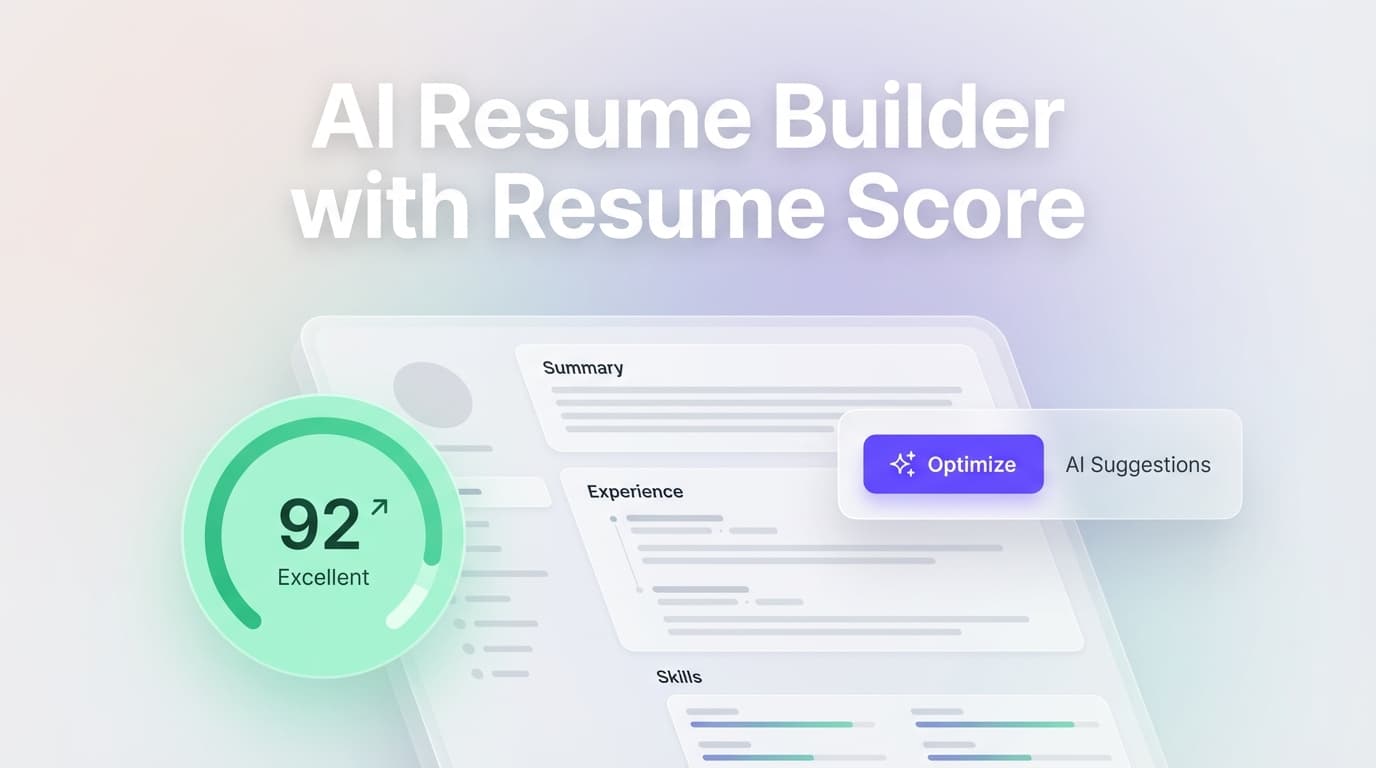
You get an overall score out of 100, shown in the editor via a Resume Score widget. This is your quick “read” on current strength.
Category scores (so you know what to fix first)
JobShinobi breaks your score into categories that map to real improvement actions:
- Content: clarity, specificity, impact, and strength of writing (e.g., action verbs + outcomes)
- Keywords: coverage of role-relevant skills and terms
- Formatting: readability and structure signals (focused on resume quality, not “design flair”)
- Completeness: missing or underdeveloped sections
- ATS: issues that may hurt automated screening or parsing
Detailed feedback (the part that actually saves time)
The analysis returns structured feedback including:
- Strengths (what to keep)
- Weaknesses (what’s lowering your score)
- Missing sections (what you likely need to add)
- ATS compatibility issues (specific problems that may block screening)
- Keyword analysis
- Present keywords
- Missing keywords
- Overused keywords
- Supporting metrics such as keyword density and related signals
Enhanced analysis mode (when you want deeper diagnostics)
JobShinobi supports an “enhanced” analysis mode that can return additional structured insights (for example, deeper keyword and action planning outputs). This is useful when you’re not just polishing—you’re trying to upgrade your resume strategically.
How JobShinobi’s AI Resume Builder with Resume Score Works
Step 1: Choose a resume template (LaTeX-based)
Start from a resume template in JobShinobi’s template library. Templates are organized with categories, and resumes are stored with a LaTeX source.
Result: you’re not starting from a blank page—you’re starting from a structured, ATS-friendly foundation you can customize.
Step 2: Edit your resume in the Resume Studio (Agent or Editor mode)
JobShinobi gives you two ways to work:
- Editor mode: direct LaTeX editing
- Agent mode: AI-assisted editing for faster rewrites and iteration
Result: you can either stay hands-on or use AI to speed up revisions.
Step 3: Compile and preview your PDF
Compile your LaTeX to generate a PDF preview. If the compile fails, you’ll see an error indicator and can retry after fixing the issue.
Result: you can validate formatting and structure before exporting.
Step 4: Get your resume score (/100) + report
Click Analyze Resume to generate your score and feedback report.
Result: you see exactly what’s dragging your score down—keywords, ATS issues, missing sections, and more.
Step 5 (Optional): Paste a job description (URL or text) for a match score
Use the job description input to analyze alignment to a specific role.
- Job input supports URL or raw text
- Job match returns match score, present keywords, missing keywords, and recommendations
Result: you tailor with clarity—without keyword stuffing or guesswork.
Step 6: Apply improvements and re-score
Update your resume based on the report, then re-run analysis. Because scores can be cached when unchanged, you avoid unnecessary reruns.
Result: a simple loop: Build → Score → Fix → Re-score.
CTA: Start the loop now → Open JobShinobi
Key Features for an AI Resume Builder with Resume Score
| Feature | What It Does | Why It Matters |
|---|---|---|
| Resume score (/100) | Overall score with component scoring | A fast “read” on resume readiness |
| ATS score + ATS issues list | Flags compatibility issues that can hurt screening | Helps you fix problems before applying |
| Keyword analysis | Present, missing, and overused keywords | Tailor without guessing or stuffing |
| Job match score | Compares resume to a job description | Aligns to the role you actually want |
| Job description extraction | Accepts job URL or job text and extracts details | Faster job-specific analysis setup |
| LaTeX resume templates | Start from structured templates | Clean structure + consistent layout |
| PDF preview via compilation | Compile LaTeX and preview your PDF | Catch formatting issues early |
| Export PDF + export .tex | Download application-ready outputs | Keep control of your files |
| AI editing (Agent mode) | Chat-style editing to iterate faster | Reduces rewrite time |
| Resume versioning workflow | Changes are stored as versions | Easier iteration and rollback |
What to Do When Your Resume Score Is “Stuck” (Practical Fixes Based on What JobShinobi Checks)
If your score isn’t improving, it usually means you’re making changes that don’t move the needle. Here’s how to improve strategically—based on the types of feedback JobShinobi returns.
If your ATS score is low
Focus on the ATS compatibility issues list.
Typical improvements include:
- Fixing section structure so headings read clearly
- Reducing elements that can confuse parsing
- Ensuring the resume reads cleanly as plain text (even if the PDF looks great)
Then re-run analysis and confirm the ATS issues list is shrinking.
If your keyword score is low
Use keyword analysis to avoid random edits. The fastest path is:
- Add missing keywords that are truly relevant to your experience
- Put them where they belong (skills section, project bullets, tooling lists, role summaries)
- Avoid adding keywords you can’t support with real evidence in your history
Then use job matching to confirm “missing keywords” is decreasing for that specific role.
If your content score is low
Improve bullet quality:
- Use strong action verbs
- Add outcomes and measurable impact where possible
- Replace vague responsibilities with results-driven bullets
Then re-score and look for weaknesses related to impact and clarity to reduce.
If your completeness score is low
JobShinobi highlights missing sections. For most professional resumes, completeness often improves with:
- A clear summary (when it adds value)
- Skills/tools coverage (aligned with the role)
- Projects (especially for technical roles or career switchers)
Add only what strengthens your candidacy—don’t pad.
AI Resume Builder with Resume Score vs. Common Alternatives
JobShinobi vs. “AI resume builders” that only generate text
Many tools help you write, but don’t tell you whether the resume is ATS-ready, keyword-aligned, or complete.
JobShinobi difference: You get a score + breakdown + ATS issues + keyword gaps, then you can fix your resume in the same workspace.
JobShinobi vs. a standalone resume score checker
Standalone scorers create friction: export → upload → interpret feedback → go back to edit → re-upload.
JobShinobi difference: The builder and scorer are integrated, and you can re-score as you iterate.
JobShinobi vs. manually tailoring every resume without a match score
Manual tailoring works—but it’s slow and inconsistent.
JobShinobi difference: Paste a job description (URL or text) and get a match score plus missing vs. present keywords to tailor with direction.
JobShinobi vs. editing in Word/Docs and hoping nothing breaks
Traditional editors can lead to formatting drift and inconsistent structure.
JobShinobi difference: LaTeX-first resume creation + PDF compilation preview keeps structure consistent while you improve content.
Pricing
JobShinobi offers paid subscriptions via Stripe payment links:
- Monthly: $20.00
- Yearly: $199.99
See current options on the pricing page.
Frequently Asked Questions
What is an “AI resume builder with resume score,” exactly?
It’s a resume builder that doesn’t stop at templates or AI writing. JobShinobi lets you build a resume (LaTeX templates + editor + PDF preview) and then score it (overall /100 plus ATS and keyword feedback) so you can improve with a clear plan.
Does JobShinobi give a resume score out of 100?
Yes. JobShinobi generates an overall score out of 100 and shows it in the editor. It also returns component scores (including content, keywords, formatting, completeness, and ATS) plus a detailed report.
Can I tailor my resume to a job description and get a match score?
Yes. You can paste a job description as a URL or text, then run matching to get a match score, missing keywords, present keywords, and recommendations.
Does JobShinobi identify ATS issues?
Yes. The analysis includes an ATS score and an ATS compatibility issues list—issues that may prevent your resume from passing automated screening systems.
Can I download my resume as a PDF?
Yes. JobShinobi compiles your LaTeX into a PDF preview and supports exporting the PDF.
Can I download the LaTeX (.tex) source file too?
Yes. JobShinobi supports exporting the .tex file.
Is JobShinobi a PDF or image resume scanner?
No. JobShinobi’s scoring is based on the LaTeX resume content in your account. It is not an OCR/image-based scanning tool.
What is a “good” resume score?
A score is most useful as a directional tool: improve the weaknesses, reduce ATS issues, and close keyword gaps for the roles you’re targeting. Use the job match feature to avoid chasing a generic number and instead optimize for the specific job description.
Can employers detect that I used an AI resume builder?
Employers typically evaluate the resume content and clarity. The safest approach is to use AI to improve clarity and impact while keeping everything truthful and aligned with your real experience.
Does JobShinobi include job application tracking too?
Yes. JobShinobi includes a job application tracker in the dashboard, with realtime updates and export to Excel (.xlsx). (Resume building + scoring is the focus of this page, but tracking is available in the product.)
Get Started with JobShinobi Today
If you searched for an AI resume builder with resume score, you likely want two things:
- A resume that holds up to ATS screening
- A clear, repeatable way to improve it
JobShinobi is built for that workflow.
Next step: Sign in → open Resume Studio → click Analyze Resume → improve → re-score