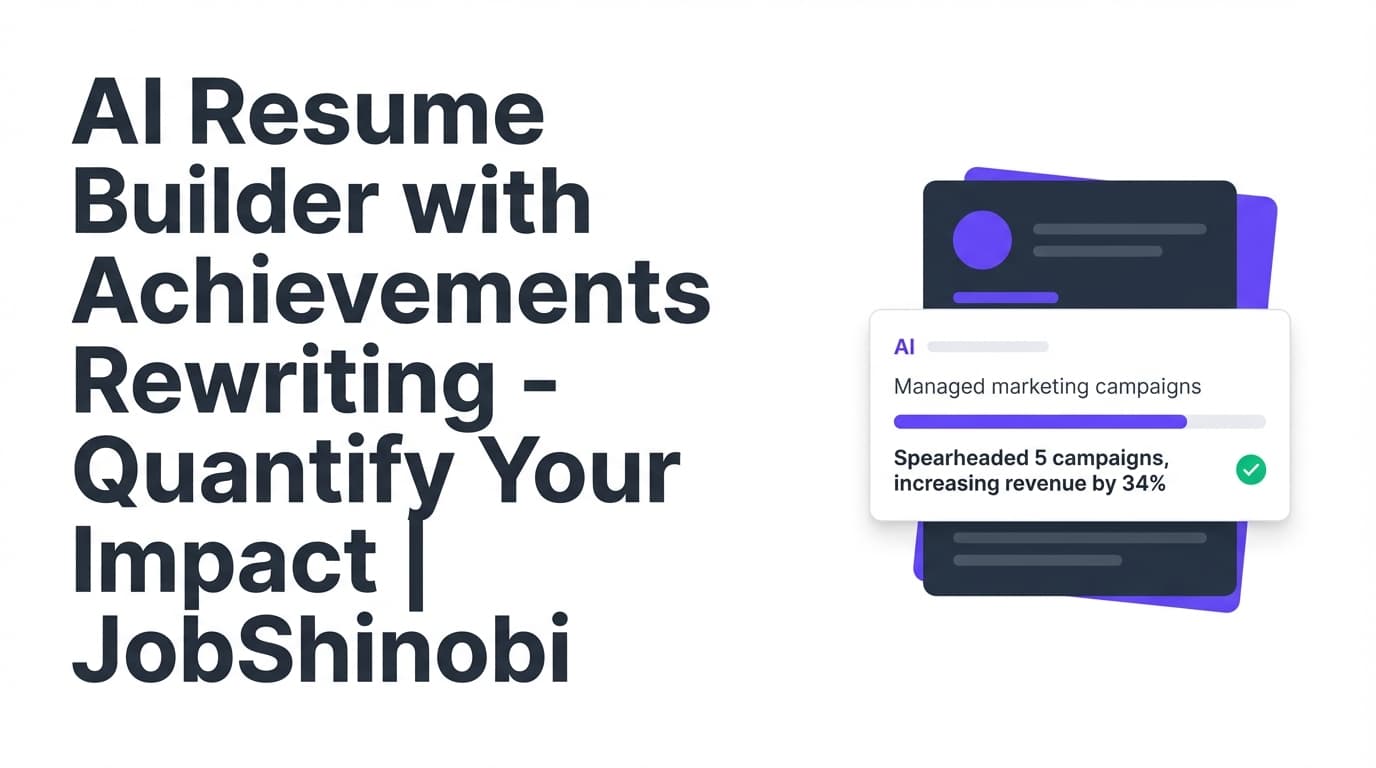
JobShinobi is an AI resume builder with achievements rewriting for job seekers who want their work experience to read like real impact—not a task list. You can build your resume from LaTeX templates, run Resume Analysis (with optional enhancedMode), and use a streaming AI Resume Agent to rewrite weak bullets into clearer, more results-focused achievements—while keeping your resume structured and compilable.
Use it when:
- Your bullets sound generic (“responsible for…”, “helped with…”, “worked on…”)
- You want stronger action verbs, clearer outcomes, and better keyword alignment
- You need ATS-aware feedback and a clean export (PDF + .tex)
Primary CTA: Sign in with Google
Why Choose JobShinobi for Achievements Rewriting (Not Just “Resume Writing”)?
Many tools can generate bullet points. Fewer tools help you diagnose what’s weak, prioritize what to fix, and then rewrite in context without breaking formatting.
JobShinobi combines three things in one workflow:
- A LaTeX-first resume builder (templates → editor → PDF preview)
- Structured, saved AI resume analysis (including bullet quality signals)
- A streaming AI resume editor (Agent) that can update your resume content and validate it with a compilation check
That combination is what makes “achievements rewriting” practical: you’re not guessing what to improve—you’re using analysis to target the bullets that will move the needle.
Achievement Rewrite Benefit #1: Bullet Analysis that points to what’s weak (and how to fix it)
JobShinobi’s Resume Analysis includes bullet_analysis, designed to highlight problems that commonly make achievements feel flat:
- Too few bullets with measurable outcomes (metrics)
- Weak or repetitive action verbs
- Bullets that describe responsibilities without results
- Inconsistent clarity or impact across roles
What you can get in bullet analysis (as structured fields in your analysis results):
total_bulletsbullets_with_metricsbullets_with_action_verbsaverage_bullet_scoreaction_verb_varietyweak_bullets(with issues + animproved_version)strong_bullets(examples to learn from)
This is “achievements rewriting” with guidance—not random rewrites.
Achievement Rewrite Benefit #2: Enhanced mode for deeper “impact” guidance
If you enable enhancedMode in analysis, JobShinobi can return deeper, structured feedback that supports achievement-level rewriting, including:
- impact_analysis: identifies metrics/impact signals and suggests where impact is missing
- semantic_keywords: surfaces keyword coverage beyond exact matches (useful for tailoring)
- action_queue: a prioritized list of improvements (quick wins, high impact, estimated effort/time)
Instead of rewriting everything, you can focus on the bullets and sections that matter most.
Achievement Rewrite Benefit #3: Rewrite inside a LaTeX resume workflow (and verify it compiles)
JobShinobi is built around LaTeX resume content and includes a compilation + preview workflow:
- Edit your resume in the LaTeX editor
- Use the AI Resume Agent to propose or apply edits
- Run a compilation check and preview the output
- Export a PDF (and download the .tex source)
This is especially useful if you care about consistent structure and clean, predictable formatting.
How JobShinobi’s Achievements Rewriting Works
Step 1: Start with a resume template (LaTeX-based)
Go to your Resume dashboard and start from a template. Templates are fetched from a template library and loaded into the editor as LaTeX content.
Open: /dashboard/resume
Step 2: Add your current bullets (even if they’re “rough”)
Paste your existing bullets as-is. Don’t rewrite first. Your “raw” bullets are exactly what analysis and the AI Agent are good at improving.
Examples of “rough” bullets that are perfect inputs:
- “Worked on improving reports”
- “Helped manage projects”
- “Responsible for customer support”
- “Created dashboards”
Step 3: Run Resume Analysis to find weak bullets and ATS issues
From your resume, run analysis to generate structured scoring and feedback. This includes category scores (overall/content/keyword/formatting/completeness/ATS) and deeper breakdowns like bullet analysis and ATS analysis.
You can re-run analysis as you iterate. If the resume hasn’t changed since your last scan, JobShinobi can return a cached analysis (so you’re not waiting for the same result repeatedly).
Open analysis experiences: /dashboard/resume/analyze
Step 4: Rewrite achievements with the streaming AI Resume Agent (in-context editing)
JobShinobi includes a streaming AI Resume Agent that can help you edit the resume content directly, with an editing workflow designed for resume changes.
You can ask for achievement rewrites like:
- “Rewrite these bullets to be more achievement-focused and concise.”
- “Strengthen action verbs and clarify the result.”
- “Add measurable impact placeholders (use X%, $Y, N users) and tell me what to measure—don’t invent numbers.”
- “Make these bullets more relevant to a [target role] without changing what I actually did.”
The AI chat experience supports:
- streaming responses
- model selection (different “Shinobi” model tiers)
- versioned changes and the ability to revert to prior versions
Step 5: Tailor achievements to a specific job (match score + missing keywords)
When you want achievements rewriting for a specific posting, use the job matching workflow:
- Paste a job description (or provide a job URL for extraction)
- Generate a match score
- See present keywords and missing keywords
- Review recommendations
- Click Apply Suggestions to move into editing mode and implement changes
This is how you go from “better bullets” to “better bullets for this job.”
Step 6: Compile, preview, and export
After rewriting, compile your resume and preview the PDF output. Then export:
- Download PDF
- Download .tex
Key Features for “AI Resume Builder with Achievements Rewriting”
| Feature | What It Does | Why It Matters for Achievements Rewriting |
|---|---|---|
| LaTeX Resume Builder + Templates | Create and manage resumes stored as LaTeX source | Keeps formatting consistent while you rewrite content aggressively |
| Resume Analysis (Comprehensive) | Scores + structured feedback across content, keywords, formatting, completeness, ATS | Gives you a “map” of what to fix before rewriting everything |
Enhanced Analysis Mode (enhancedMode) |
Adds semantic keywords, impact analysis, career progression insights, action queue | Helps you identify missing impact signals and prioritize rewrites |
Bullet Analysis (bullet_analysis) |
Flags weak bullets and returns issues + improved versions | Direct, actionable achievement rewriting guidance |
| Streaming AI Resume Agent | Chat-based resume editing with tool-driven workflows | Rewrite achievements in context instead of copy/pasting into a separate tool |
| LaTeX Compilation Check + PDF Preview | Verifies your resume compiles and previews the output | Confirms your rewritten bullets didn’t break layout |
| Job Match Score + Keyword Gaps | Resume-to-job matching with present/missing keywords + recommendations | Helps you rewrite achievements using the employer’s language (without keyword stuffing) |
| Resume Version History | Stores resume versions across manual edits and AI sessions | Lets you try bold rewrites and revert if needed |
| Job Tracker + Excel Export | Track applications and export to .xlsx |
Useful when you’re applying at volume and iterating resumes per role |
What “Achievements Rewriting” Looks Like (Practical Before/After Patterns)
JobShinobi works best when you rewrite bullets into a clear outcome structure.
Pattern A: Responsibility → Outcome
Before: “Responsible for onboarding new clients.”
After (achievement-focused): “Onboarded new clients by standardizing kickoff workflows and documentation, reducing time-to-first-value (X days) and improving retention (Y%).”
(Tip: use placeholders until you confirm the real metrics.)
Pattern B: Activity → Business impact
Before: “Created dashboards for stakeholders.”
After: “Built stakeholder dashboards to track key KPIs, improving reporting visibility and cutting manual analysis time by X%.”
Pattern C: Vague verbs → Specific verbs + scope
Before: “Helped with system migrations.”
After: “Supported system migrations by coordinating cutover tasks and validating data integrity, reducing post-migration issues by X%.”
JobShinobi’s analysis helps you find which bullets most need this upgrade (weak bullets + missing metrics signals), and the AI Agent helps you draft improved versions quickly.
How JobShinobi Helps You Quantify Achievements (Without Making Things Up)
Quantifying impact is one of the hardest parts of resume writing—especially when you don’t have immediate access to exact numbers.
JobShinobi supports a safer approach:
-
Detect where impact is missing
Analysis can show how many bullets include metrics and surface opportunities viaimpact_analysis(enhanced mode). -
Draft “metric placeholders” instead of invented facts
Ask the AI Agent to propose improvements using placeholders like:- “reduced time by X%”
- “supported N users”
- “improved throughput by X”
- “cut cost by $Y”
-
Replace placeholders with real numbers
Once you confirm the metric, you can update the bullet (manually or with AI assistance).
This workflow keeps your resume credible while still pushing bullets toward outcomes.
How JobShinobi’s Job Match Improves Achievements Rewriting
Achievement bullets shouldn’t just sound impressive—they should sound relevant.
JobShinobi’s job matching workflow helps you:
- Compare your resume against a job posting
- See which keywords are already covered
- Identify missing terms you can legitimately add (tools, methods, outcomes, responsibilities you actually did)
- Get recommendations you can implement
Then use Apply Suggestions to jump back into your editor and rewrite bullets accordingly.
A practical way to use this:
- Pick 1–2 missing keywords per role that reflect real experience
- Incorporate them into the bullet where they naturally belong (tech stack, method, outcome)
- Avoid dumping keywords into Skills if they’re not supported by Experience/Projects
How the AI Resume Agent Supports Achievements Rewriting (What It Can Do)
JobShinobi’s AI Resume Agent is designed around resume editing workflows and includes tool-driven actions like:
- fetching the current resume state before edits
- editing a specific section (targeted find/replace)
- updating the entire resume (for major restructuring)
- compiling LaTeX to catch errors early
Fast “Achievement Rewrite” prompts you can use in JobShinobi
Try these prompts in the AI chat:
- Rewrite weak bullets
“Rewrite my Experience bullets to be achievement-focused: strong action verbs, clear outcomes, concise. Don’t invent metrics—use placeholders.”
- Make impact clearer
“Improve these bullets by clarifying the scope (team size, scale, stakeholders) and the result (time saved, errors reduced, revenue influenced). Use placeholders where needed.”
- Tailor to a target role
“Tailor my achievements for a [Target Role]. Emphasize the most relevant projects and keywords. Keep it honest and ATS-friendly.”
- Reduce fluff
“Remove filler words, tighten phrasing, and keep each bullet under ~2 lines while preserving meaning.”
AI Resume Builder with Achievements Rewriting vs. Other Approaches
AI Resume Builder with Achievements Rewriting vs. Generic AI rewriters
Generic AI rewriters can generate text, but they often force you into a copy/paste workflow and don’t give structured feedback like bullet analysis or ATS-oriented diagnostics.
JobShinobi approach:
- Analyze first (identify weak bullets and gaps)
- Rewrite in context (AI Agent edits your actual resume)
- Validate formatting (compile + preview)
- Re-check improvement (re-analyze)
AI Resume Builder with Achievements Rewriting vs. Template-only resume builders
Templates help layout; they don’t tell you which bullets are weak or missing impact.
JobShinobi adds:
- bullet-level guidance (weak bullets + improved versions)
- optional impact-focused analysis (enhanced mode)
- job matching (present/missing keywords + recommendations)
AI Resume Builder with Achievements Rewriting vs. “Chase the ATS score” tools
ATS-style scoring can be helpful, but the real win is using the insights to improve content and relevance without overfitting.
JobShinobi supports balance by giving:
- keyword insights (including overuse)
- ATS analysis signals
- bullet analysis and an action queue that prioritizes meaningful changes
Pricing
JobShinobi offers paid subscriptions via Stripe:
- Monthly: $20.00
Payment link: https://buy.stripe.com/7sYeV61P10GS310eTy0VO02 - Yearly: $199.99
Payment link: https://buy.stripe.com/6oU9AM0KXexIdFE5iY0VO03
Frequently Asked Questions
What is an “AI resume builder with achievements rewriting”?
It’s a resume builder that helps you transform responsibility-based bullets into achievement-focused bullets—typically by improving action verbs, clarity, impact, and relevance to a job.
In JobShinobi, achievements rewriting is supported by:
- Resume Analysis (including
bullet_analysiswith weak bullets + improved versions) - Optional enhancedMode (including
impact_analysisand a prioritizedaction_queue) - A streaming AI Resume Agent for editing your resume content directly
Can AI rewrite my resume achievements for a specific job?
Yes—JobShinobi supports job matching. You can paste a job description (or use a job URL for extraction) to generate:
- a match score
- present vs missing keywords
- recommendations
Then you can rewrite achievements to better align with the posting while keeping your experience truthful.
Will JobShinobi invent metrics in my achievements?
You control what goes into your resume. A recommended workflow is to ask the AI Agent to use placeholders (X%, $Y, N users) and suggest what to measure rather than inventing numbers. JobShinobi analysis also helps you identify where metrics would strengthen bullets.
Do employers know if a resume was AI-generated?
Employers typically evaluate the resume content for clarity, credibility, and relevance. A practical way to use AI safely is to:
- keep claims truthful and verifiable
- avoid overly generic phrasing
- tailor achievements to the role
- ensure formatting and structure remain professional
JobShinobi’s analysis + versioned editing makes it easier to iterate toward clear, credible bullets.
Is JobShinobi an ATS resume checker or a resume builder?
It’s both:
- Resume builder: LaTeX templates, editor, PDF preview, PDF + .tex export
- ATS-oriented analysis: ATS-related scoring signals, keyword analysis, and structured feedback (including bullet analysis)
Can I export my resume as a Word document?
JobShinobi supports exporting your resume as PDF and downloading the .tex source.
Get Started with JobShinobi Today
If your resume bullets don’t clearly communicate outcomes, you don’t need a blank-page writer—you need a workflow that helps you find weak bullets, rewrite them into achievements, tailor to the job, and export cleanly.
- Sign in with Google
- Open your resume: /dashboard/resume
- Run analysis + rewrite achievements with the AI Agent
- Tailor with job match insights: /dashboard/resume/analyze
- Compile, preview, export PDF