If you’re searching for an ai resume builder latex template, you usually want three things at once:
- A LaTeX resume template that stays clean and readable
- A way to edit without breaking formatting (and without guessing what the PDF will look like)
- AI help that goes beyond generic bullet writing—so you can tailor your resume to a specific job
JobShinobi is a LaTeX-based resume builder that brings those pieces into one workflow:
- Choose a template from a resume template library
- Edit the actual LaTeX source (not a locked layout)
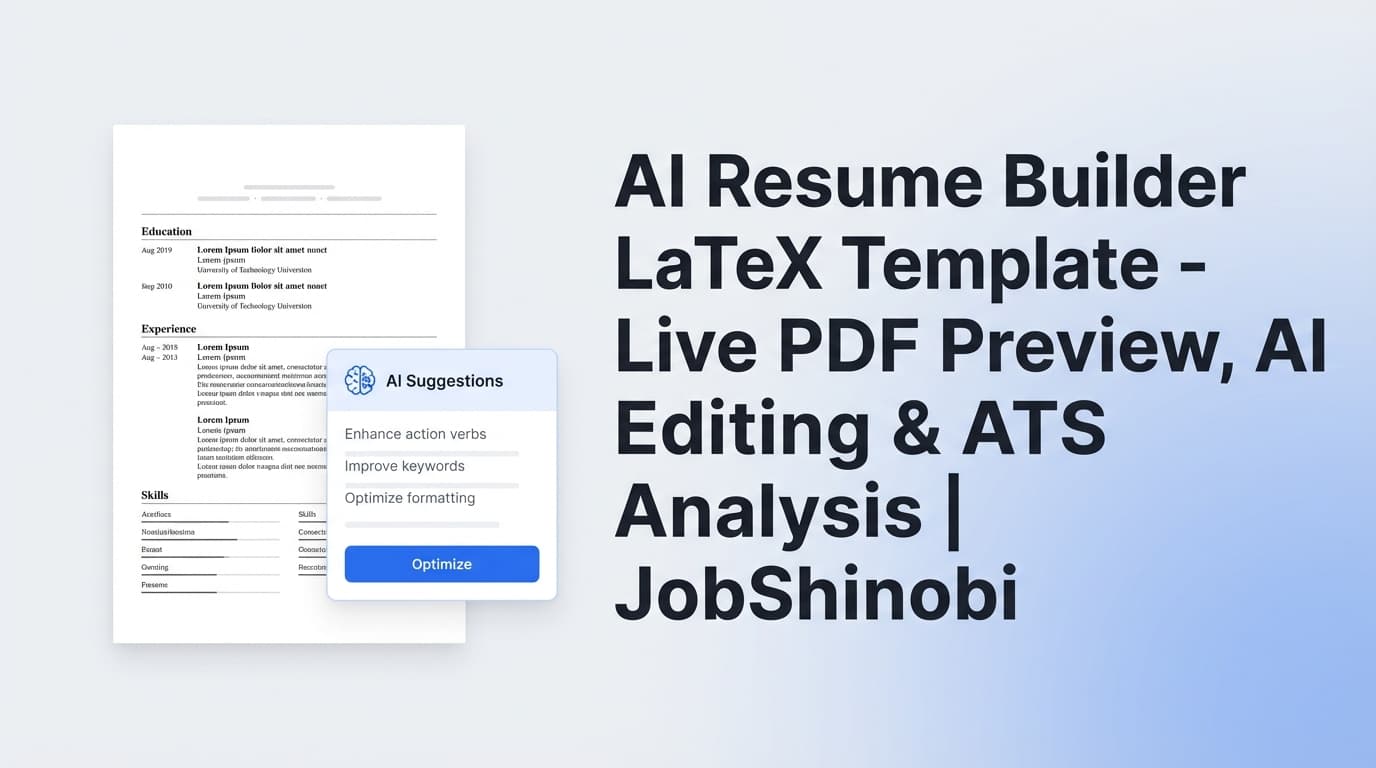
- Compile and preview a PDF while you work
- Use the AI Resume Agent (streaming) to rewrite sections and iterate
- Run resume analysis (with comprehensive or enhanced mode) and see ATS/keyword-oriented feedback
- Paste a job description or job URL for resume-to-job matching and keyword gap insights
Sign in to start with a LaTeX template →
Why choose JobShinobi for an ai resume builder latex template workflow?
Many “AI resume builders” are form-fill tools that output a design you can’t control. Many LaTeX template sites are galleries that give you layouts but no workflow: no structured analysis, no job matching, and no AI editing loop that respects the resume you’re actually shipping.
JobShinobi is different because it’s built around a LaTeX-first, iterate-and-verify workflow:
- Your resume is stored as LaTeX source (
latex_source) - You can compile to a PDF preview on demand
- Your edits can be captured in resume version history (including versions tied to AI chat messages)
- You can run resume analysis and keep results stored (with caching when nothing has changed)
- You can compare against a job description to get a match score + missing/present keywords
LaTeX templates are step one—iteration is what gets interviews
A LaTeX resume template can help you avoid messy formatting, but it won’t automatically:
- align your bullet points to the job description
- surface missing keywords
- tell you which sections feel weak vs strong
- help you rewrite content while keeping everything compilable
JobShinobi is built to do those things on top of your LaTeX template.
The AI editor is designed to work with your LaTeX resume (not fight it)
JobShinobi includes an AI Resume Agent with streaming responses and resume-specific editing tools (e.g., fetching the current resume, editing sections, updating LaTeX, compiling to check errors).
You can also choose from the in-app AI tiers:
- Shinobi Swift (fast edits)
- Shinobi Turbo (balanced speed/quality)
- Shinobi Pro (for complex transformations)
This lets you move quickly during high-volume application sprints while still keeping control of the actual LaTeX.
Live PDF preview reduces “template anxiety”
The biggest hidden cost of LaTeX resumes isn’t writing—it’s debugging layout issues, spacing, and awkward line breaks right before you apply.
JobShinobi compiles your LaTeX and returns a PDF preview, so you can verify what you’re sending.
What “ATS-friendly LaTeX template” really means (and how JobShinobi helps)
When job seekers say “ATS-friendly,” they typically mean:
- the resume parses in a predictable order
- headings and roles/dates aren’t jumbled
- key skills show up as text (not icons/images)
- the structure stays consistent when you tailor content for each job
A LaTeX template can support that—but the results depend on how the template is written and how you use it.
JobShinobi supports an ATS-conscious workflow by letting you:
- keep your resume content in a structured, editable LaTeX source
- run resume analysis that includes ATS/keyword-related feedback fields
- run job matching to detect missing vs present keywords
- iterate with AI without losing your structure
- compile to PDF so your final output stays consistent
How JobShinobi’s LaTeX resume builder works
Step 1: Sign in
JobShinobi uses Google sign-in.
Step 2: Choose a LaTeX resume template
Open the resume dashboard to browse templates from the template library.
- Resume hub: /dashboard/resume
Templates are fetched from the resume_templates catalog (with fields like category, preview_image_url, and an is_premium flag). You can select a template and start editing immediately.
Step 3: Open the editor and edit the LaTeX source
When you choose a template, JobShinobi opens the editor with that LaTeX loaded. Your resume content remains editable as LaTeX—ideal if you want real control over spacing, sections, and typography.
Typical edits include:
- changing section order (Experience vs Projects first)
- rewriting bullet points
- tightening your summary
- swapping skills into clearer groupings (Languages / Frameworks / Tools)
- standardizing dates and titles across roles
Step 4: Compile and preview a PDF
Click compile to generate a PDF preview from your LaTeX. JobShinobi uses a compilation service and returns a PDF as a data URL, so you can preview exactly what recruiters will see.
Step 5: Use the AI Resume Agent to improve and tailor
Switch into AI mode and ask for targeted changes such as:
- “Rewrite my Experience bullets to emphasize impact and metrics”
- “Tailor this resume for a backend engineer role”
- “Make my summary more specific and less generic”
- “Reduce repetition and tighten wording across bullets”
Because your resume is stored as LaTeX and versioned, you can iterate confidently.
Step 6: Analyze and match to a job description
From your resume workflow, you can:
- run Resume Analysis (comprehensive analysis or enhanced mode)
- paste a job description or job URL to generate structured job details and run resume-to-job matching
- review missing and present keywords, match score, and suggestions
- apply changes back in the editor (manually or with AI assistance)
Key Features for an ai resume builder latex template use case
| Feature | What It Does | Why It Matters |
|---|---|---|
| LaTeX template library | Browse templates with categories and previews | Start from a structured layout without formatting from scratch |
LaTeX source storage (latex_source) |
Your resume is saved as editable LaTeX | You keep full control over structure and content |
| LaTeX editor (code + AI modes) | Edit manually or use AI chat to iterate | Fast changes without losing precision |
| PDF preview via LaTeX compilation | Compiles and previews your resume as a PDF | Confidently verify layout before applying |
Download PDF and .tex |
Export the PDF and the LaTeX source | Apply anywhere; keep your resume portable |
| Resume version history | Stores versions from manual saves and AI chat edits | Revert, compare, and iterate safely |
| Resume analysis (comprehensive + enhanced) | Generates structured scores + feedback and saves results | Turn vague advice into a repeatable improvement checklist |
| Cached analysis when unchanged | Returns prior analysis if resume hasn’t changed | Faster workflow when you’re making small edits |
| Job description extraction + matching | Extracts job requirements/keywords and computes match insights | Tailor for each role and reduce keyword guesswork |
| Job tracker + analytics (optional) | Track applications, export to Excel, view job-search metrics | Keep your resume experiments tied to outcomes |
How JobShinobi’s AI + LaTeX workflow helps you tailor faster (without messy formatting)
Tailoring is where most job seekers break their resume—especially when the resume is a delicate template.
With JobShinobi, tailoring becomes a loop:
- Start from a stable LaTeX template
- Use AI to propose improvements to specific sections
- Compile and preview the PDF so formatting stays clean
- Analyze and match to the job description for keyword gaps
- Save versions so you can maintain role-specific variants
Practical examples of “good” AI requests (that keep your resume usable)
Here are prompts that tend to produce improvements without turning your resume into generic fluff:
- Targeted rewrites: “Rewrite only my most recent role bullets. Keep them 1–2 lines each.”
- Keyword integration: “Add keywords from this job description naturally—avoid keyword stuffing.”
- Impact and metrics: “Where possible, add measurable outcomes, but don’t invent numbers.”
- Role alignment: “Make this resume read like a [Target Role] candidate.”
- Clarity: “Remove buzzwords, keep concise action verbs, and reduce repeated phrasing.”
AI resume builder latex template vs. common alternatives
Alternative 1: Template galleries (Overleaf, etc.)
Template galleries are great for discovering layouts and starting points. But they typically don’t include:
- stored, structured resume analysis
- resume-to-job match scoring and keyword gap lists
- an integrated AI editing workflow tied to your resume versions
- a purpose-built “tailor and verify” loop
If you already love a template gallery, JobShinobi is best viewed as the layer that helps you iterate + tailor + analyze while staying in LaTeX.
Alternative 2: Form-based resume builders
Form-based builders can be convenient, but they often:
- lock you into a layout
- make it harder to control fine formatting
- encourage generic content because the tool optimizes for speed, not specificity
JobShinobi keeps your resume as LaTeX source, which gives you deeper control and supports a more technical “resume as code” workflow.
Alternative 3: Copy/paste prompting into general-purpose chat tools
General-purpose AI tools can help you rewrite bullets, but they don’t manage:
- your LaTeX source of truth
- your version history tied to edits
- your compile-and-preview workflow
- your stored analysis results
JobShinobi is built to reduce that copy/paste churn and keep the resume workflow in one place.
What you can do inside JobShinobi (full workflow overview)
Even though this page targets “ai resume builder latex template,” many job seekers want the larger system around the resume—so the resume work connects to real outcomes.
Build multiple role-specific resumes
Create separate saved resumes for different targets:
- “Backend Engineer — FinTech”
- “Full-Stack — Startups”
- “Data Analyst — Healthcare”
Each can start from a template, evolve via AI edits, and keep its own analysis and job-match history.
Keep a clean “master resume,” then tailor down
A common high-success workflow:
- maintain one master LaTeX resume with more detail
- duplicate it for each role target
- tailor the duplicate and track which version performs better (interviews, callbacks)
JobShinobi supports multiple resumes and version history, which makes this approach manageable.
Match your resume to a job description (and avoid guessing keywords)
JobShinobi can:
- accept a job URL or pasted job description
- extract structured job details (like requirements and keywords)
- compute match insights and identify missing vs present keywords
Then you can apply the changes back into the LaTeX editor (manually or with AI help).
Track job applications (optional)
JobShinobi also includes a job tracker and analytics dashboard:
- job application tracking in a dashboard UI
- realtime updates via Supabase Realtime
- Excel export (
.xlsx) - analytics like response rate and interview conversion
If you want resume iteration tied to job-search execution, this is a useful add-on—but the resume builder stands on its own as a LaTeX + AI workflow.
- Job tracker: /dashboard/job-tracker
- Analytics: /dashboard/analytics
Pricing
JobShinobi offers paid subscriptions via Stripe:
- Monthly: $20.00
- Yearly: $199.99
If you’re comparing tools, a simple way to evaluate value is:
- If you apply to roles occasionally, you might only need a month while you rebuild and tailor a few strong resume versions.
- If you’re actively applying and tailoring weekly, yearly can be the smoother option.
Frequently Asked Questions
Is JobShinobi an ai resume builder latex template tool or just a template gallery?
JobShinobi is a LaTeX resume builder with a template library, a LaTeX editor, PDF compilation/preview, and AI features (streaming AI resume editing, resume analysis, and resume-to-job matching). It’s designed for building from a template and then iterating intelligently.
Can I see a PDF preview while editing the LaTeX?
Yes. JobShinobi compiles your LaTeX and provides a PDF preview, so you can verify layout and formatting as you edit.
Can I download both the PDF and the .tex source?
Yes. The editor supports downloading your resume as a PDF and downloading the .tex LaTeX source.
Does JobShinobi analyze my LaTeX resume for ATS and keywords?
JobShinobi includes a resume analysis endpoint that generates structured scoring and feedback (including ATS/keyword-related fields). Analysis results are saved, and if your resume hasn’t changed since the last run, the app can return cached analysis.
Is there a job description match feature?
Yes. You can paste a job description or job URL, extract structured job details, and run resume-to-job matching with a match score and keyword gap insights (missing vs present keywords).
Can the AI editor make changes without breaking my LaTeX?
The AI workflow is designed around updating LaTeX safely, including compilation checks in the editing loop. You still stay in control: you can review changes, compile, and revert using version history if needed.
Can JobShinobi convert an existing PDF resume into LaTeX automatically?
No verified PDF/OCR resume ingestion or “PDF-to-LaTeX conversion” feature is implemented. JobShinobi’s workflow is LaTeX-first: start from a template (or paste content into the LaTeX resume) and iterate from there.
Does JobShinobi include a job tracker too?
Yes. There’s a job tracker with realtime updates and Excel export, plus an analytics dashboard. If you want, you can use it alongside the resume builder to connect resume iterations to application outcomes.
Get Started with JobShinobi Today
If you want an ai resume builder latex template workflow that’s built for serious iteration—not just “fill in a form and hope”—JobShinobi gives you:
- LaTeX templates
- LaTeX editing (manual + AI)
- Live PDF preview through compilation
- Resume analysis + job matching
- Version history so you can iterate without fear