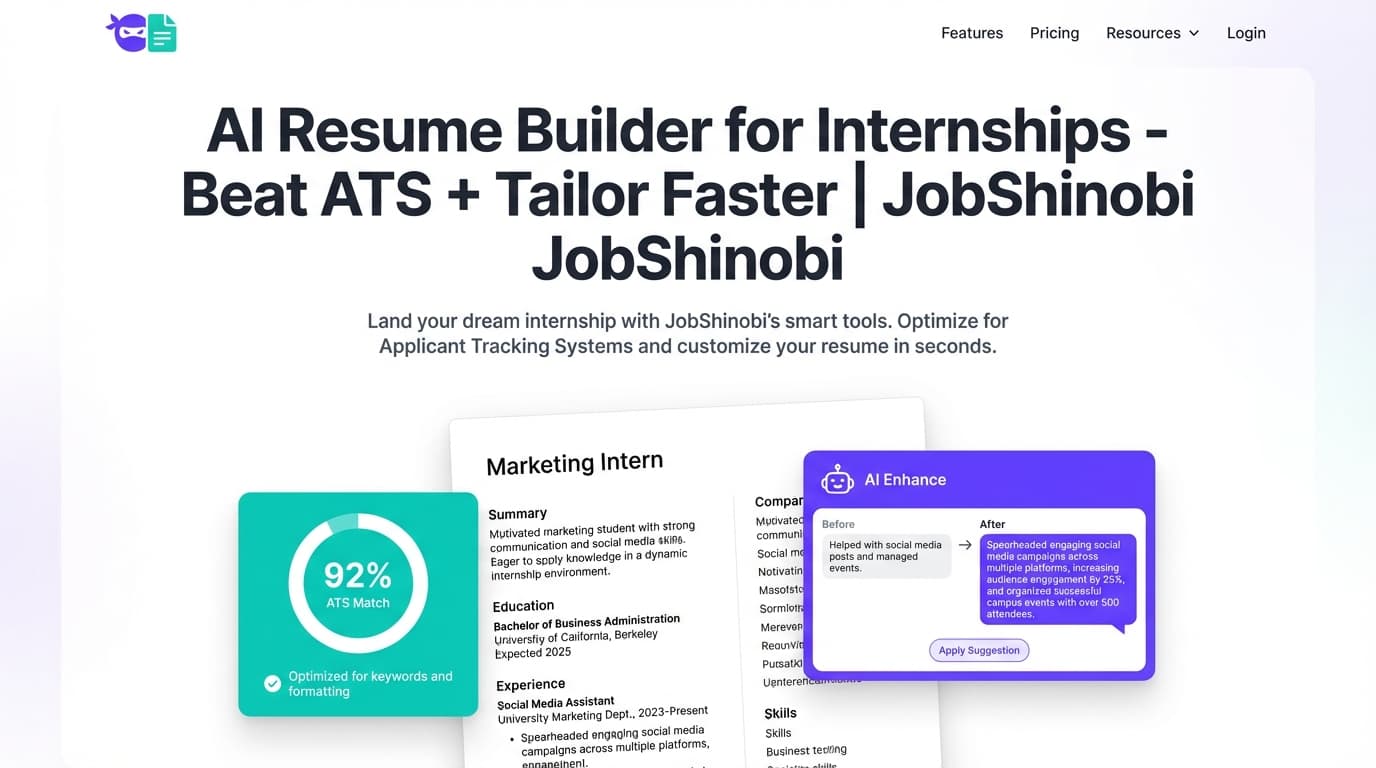
Internship hiring moves fast—and your resume is usually filtered before a human sees it. JobShinobi is an AI resume builder for internships built around a LaTeX-first workflow (structured, consistent formatting), with AI resume scoring, job description matching, and a streaming AI resume editor that can rewrite sections while keeping your resume compile-ready.
If you’re applying to 20, 50, or 200 internships, JobShinobi also gives you a job tracker with realtime updates and Excel export—plus a Pro-only email-forwarding workflow that can automatically log application updates from your inbox.
CTA: Start by signing in and creating your first internship resume: /login
Why Choose JobShinobi for Internship Resumes?
Most “AI resume builders” are designed for experienced candidates with lots of work history. Internship candidates are different:
- Your best proof is often projects, coursework, clubs, hackathons, and part-time work
- You need to match keywords without sounding generic or inflated
- You can’t afford formatting mistakes that break parsing
JobShinobi is built to help you do three things well:
- Create a clean, structured LaTeX resume using a templates library (stored and managed inside the app)
- Analyze your resume with AI (overall score + category scores + keyword insights + ATS issues)
- Match your resume to a specific internship posting (match score + missing/present keywords + recommendations), then apply changes in the editor
And unlike tools that stop at resume optimization, JobShinobi also helps you run the internship search process: track applications, statuses, and outcomes in a dashboard—with analytics and export.
Benefit 1: Internship-ready resumes that stay structured (LaTeX + PDF preview)
Internship resumes get rejected for avoidable reasons: inconsistent spacing, broken headings, or layouts that don’t parse cleanly. JobShinobi is LaTeX-based, so your resume is defined by structured source—not by fragile drag-and-drop formatting.
Inside the editor you can:
- Start from a template from the templates library
- Edit the LaTeX directly
- Compile to a PDF preview via cloud compilation
- Download your resume as PDF and .tex
That workflow is designed to keep formatting stable while you iterate quickly across internship applications.
Benefit 2: AI resume scoring + ATS feedback you can actually act on
JobShinobi includes an AI resume analysis endpoint that produces:
- Overall score plus score breakdowns (content, keyword, formatting, completeness, ATS)
- Strengths / weaknesses
- Keyword analysis (present / missing / overused keywords, keyword density, and related metrics)
- ATS issues and deeper analysis objects (section scores, bullet analysis, ATS analysis, length analysis, benchmarking, role alignment)
- Optional enhanced analysis mode for deeper output (e.g., semantic keywords and an action queue)
It also supports cached results when your resume hasn’t changed, so you’re not waiting on repeat scans while iterating.
Benefit 3: Match your resume to each internship job description (keyword gap + recommendations)
Internship postings are keyword-heavy. Even when you’re qualified, your resume can miss the language recruiters and ATS systems look for.
JobShinobi includes a resume-to-job matching workflow where you can:
- Paste a job description (or provide job data)
- Generate a match score
- See missing keywords and present keywords
- Get recommendations
- Click Apply Suggestions to jump back into the resume editor and implement changes
This is designed for internship candidates who need to tailor fast—without rewriting from scratch every time.
How JobShinobi’s Internship Resume Workflow Works
Step 1: Sign in and open the Resume hub
Go to /login and sign in with Google. Then open the Resume section: /dashboard/resume.
From there you can:
- Browse the templates library (with categories)
- Create a new resume from a template
- Manage multiple saved resumes (duplicate, delete, open)
Internship pro tip: Keep one “base resume,” then duplicate it for each internship category (e.g., SWE intern, data intern, marketing intern) so you can tailor without losing your original.
Step 2: Edit in the LaTeX editor (with compile + preview)
In the editor, you can work in:
- Code mode (manual LaTeX editing)
- AI mode (chat-based editing that can modify your resume’s LaTeX)
As you edit, you can compile the LaTeX and preview the PDF. If you want, you can download:
- The compiled PDF
- The .tex source
This is ideal when you want a consistent look across internship applications without fighting layout issues.
Step 3: Run AI Resume Analysis (get a score + ATS/keyword insights)
Click Analyze Resume to generate:
- A visible score (/100) with a letter grade
- Detailed insights you can use to improve content, keywords, and ATS readiness
If you’re tailoring to a specific internship posting, include the job description in your analysis flow so the keyword insights are grounded in the role you’re applying for.
Step 4: Match your resume to a specific internship posting
Use the job match flow to generate:
- A Job Match Score
- Matching vs missing keywords
- Recommendations to improve alignment
Then click Apply Suggestions to return to the editor and implement changes quickly.
Step 5: Use the AI editor to rewrite sections (without breaking LaTeX)
JobShinobi’s streaming AI resume editor is designed to edit your actual LaTeX resume, not just produce generic text.
You can ask it to:
- Rewrite an Experience bullet to be clearer and more outcome-focused
- Strengthen a Projects section for a specific internship role
- Tighten a Summary / Objective section
- Reduce fluff while keeping keywords
- Improve consistency across bullet formatting
Behind the scenes, the AI workflow supports tool-like editing steps (e.g., updating sections and verifying compile output).
Step 6: Track your internship applications (and export to Excel)
Once you’re applying, use the job tracker: /dashboard/job-tracker.
You can:
- Add/edit/delete applications
- Track status (Applied, Interview, Offer, Rejected, Other)
- See realtime updates (Supabase Realtime)
- Export to Excel (.xlsx)
If you want higher leverage, Pro users can also forward application emails for automatic updates (explained below).
Key Features for “AI Resume Builder for Internships”
| Feature | What It Does | Why It Matters for Internships |
|---|---|---|
| LaTeX Resume Builder + Templates | Create resumes from a template library and manage saved resumes | Keeps formatting consistent while you iterate across many applications |
| Cloud LaTeX Compilation + PDF Preview | Compile and preview your resume as a PDF in the editor | Helps you catch layout issues immediately (before you submit) |
| PDF + .tex Downloads | Download your resume as PDF or LaTeX source | Easy to submit PDFs and keep a clean source-of-truth |
| AI Resume Analysis (Comprehensive + Enhanced modes) | Generates scores, ATS issues, keyword insights, and structured feedback | Internship candidates get fast direction on what to fix first |
| Cached Analysis When Unchanged | Returns cached results if your resume hasn’t been updated since last analysis | Faster iteration while you refine bullets and keywords |
| Job Description Matching | Produces match score, missing/present keywords, recommendations | Helps you tailor quickly for each internship posting |
| Streaming AI Resume Editor | Chat-based editing that updates LaTeX and can verify compilation | Rewrite bullets without breaking structure or formatting |
| Resume Version History | Stores resume versions and supports reverting/undo-style workflows | Safely experiment with stronger wording and role-specific tailoring |
| Job Tracker Dashboard + Realtime Updates | Track applications with live updating table UI | Keeps your internship pipeline organized without a spreadsheet |
| Excel Export (.xlsx) | Export tracked applications to an Excel file | Useful for reporting, sharing, or backup |
| Pro Email Forwarding Automation | Forward internship-related emails to a unique address to create/update applications | Saves time logging confirmations, interview invites, and updates |
Internship-Specific Guidance (What to Optimize for ATS + Humans)
JobShinobi gives you tools—but internship outcomes also depend on what you choose to highlight. Here are the resume elements that matter most for internships, and how to use JobShinobi to strengthen them.
1) Projects are often your “experience” (make them ATS-readable)
If you don’t have much formal work experience, your Projects section is your proof. ATS systems still parse Projects well if you use standard section headings and clear structure.
In JobShinobi:
- Use the editor to keep Projects consistently formatted
- Use the AI editor to rewrite bullets to lead with action + outcome
- Run analysis to spot weak bullet patterns and missing keywords
What to include in project bullets (internship-friendly):
- Tech stack / tools used (keywords matter)
- Scope (what you built)
- Outcome (what improved)
- Collaboration (team size, role, handoff)
2) Match the internship posting keywords—but keep it honest
Internship postings often list tools you’ve used in class or projects. The goal isn’t keyword stuffing—it’s making sure your resume reflects what you actually know using the language employers use.
In JobShinobi:
- Use job match to see missing/present keywords
- Use AI editing to incorporate keywords into bullets naturally
- Re-run analysis and compare improvements (scores + keyword lists)
3) Keep the resume length appropriate for your situation
A one-page resume is common for internships, but it’s not a law. What matters is signal density: the first page should carry the strongest evidence.
Use JobShinobi’s analysis + editing workflow to:
- Remove repeated, low-impact bullets
- Tighten phrasing while keeping important keywords
- Emphasize the most relevant projects and coursework
4) Use clear sections recruiters expect
Internship resumes benefit from standard headings because they’re easy for both recruiters and parsers to understand.
Typical sections:
- Education
- Skills
- Projects
- Experience (part-time, volunteering, leadership)
- Awards / Certifications (if relevant)
JobShinobi’s LaTeX template workflow encourages that structure and makes it easy to keep headings consistent.
How JobShinobi Compares (Internship Resume Use Case)
JobShinobi vs. a generic AI resume builder
Many resume builders focus on visual layout, template styling, or quick “generate a resume” flows. That can be helpful—but internship candidates often need deeper iteration: rewrite bullets, tailor keywords, track applications, and learn what’s working.
JobShinobi focuses on:
- A structured LaTeX resume workflow (template → edit → compile → export)
- AI resume analysis with scored feedback and keyword insights
- Job description matching with a match score and recommendations
- Version history to support rapid iteration and safe experimentation
JobShinobi vs. a standalone ATS scanner
Standalone scanners can tell you what’s wrong—but they don’t always give you a clean workflow to fix it, maintain formatting, and create multiple tailored versions.
With JobShinobi, you can:
- Diagnose issues (analysis + job match)
- Implement changes (AI editor or code editing)
- Verify formatting (compile + preview)
- Preserve and compare versions (version history)
- Track outcomes across your internship search (job tracker + analytics)
JobShinobi vs. spreadsheets for internship tracking
Spreadsheets can work—but they don’t update themselves, and they don’t connect to your resume optimization workflow.
JobShinobi includes:
- A job tracker UI
- Realtime updates
- Excel export
- (Pro) email-forwarding automation that can create/update applications from forwarded emails
The “All-in-One Internship Pipeline”: Resume + Matching + Tracking
Internship candidates often use 3–5 tools at once:
- One for resume building
- One for ATS scanning
- One for tailoring
- One spreadsheet for tracking
- Notes in random places
JobShinobi is designed to reduce that fragmentation:
- Build a resume (template + LaTeX editor + PDF preview)
- Improve it (AI analysis + score)
- Tailor it (job match + recommendations + AI editor)
- Track applications (job tracker + analytics)
- Keep your work safe (versions + revert)
Pro Feature Spotlight: Email Forwarding → Automatic Application Updates
If you’re applying to a lot of internships, manual tracking becomes a bottleneck.
With JobShinobi Pro:
- You get a unique forwarding email address (visible in Settings)
- You can forward job-related emails (confirmations, interview invites, rejections)
- JobShinobi uses AI email parsing to extract fields like:
- company
- job title
- status (Applied / Interview / Offer / Rejected / Other)
- optional location, salary, job URL, and additional info
- It uses fuzzy matching (company/title similarity) to update an existing application when appropriate, instead of duplicating entries
This workflow is designed to keep your internship tracker accurate even when your inbox gets busy.
Manage settings here: /dashboard/settings
Pricing
JobShinobi offers paid subscriptions via Stripe payment links:
- Monthly: $20.00
- Yearly: $199.99
If you’re primarily using JobShinobi for internship season, monthly is a straightforward option. If you’re applying across multiple semesters or preparing for full-time recruiting, yearly can make sense.
Note: the app supports Stripe billing and membership activation via webhooks. Some internal pages may not be fully wired to plan links, but the plans above reflect the active Stripe payment links used by the product.
Frequently Asked Questions
Do employers know if a resume was AI-generated?
Employers typically evaluate the content and credibility of your resume—clarity, relevance, outcomes, and consistency. The safest approach is to use AI to improve your writing and alignment, then ensure everything is truthful and specific.
JobShinobi is designed to help you:
- Rewrite bullets with clearer outcomes
- Match your resume to internship job descriptions
- Keep formatting consistent through LaTeX + PDF preview
Is it safe to use an AI resume builder for internships?
“Safe” depends on what you mean: privacy, quality, and honesty.
From a quality standpoint, the biggest risk is submitting generic content. JobShinobi’s workflow is built around tailoring:
- Job description matching (missing/present keywords)
- Resume scoring feedback you can act on
- Version history so you can iterate without losing your original
Always verify final content and keep claims accurate.
Is a 2-page resume OK for an internship?
Many internship candidates use a one-page resume, but two pages can be acceptable if the second page adds meaningful, relevant signal (not filler). Focus on clarity and relevance first.
JobShinobi can help by:
- Identifying weak or repetitive sections through analysis
- Rewriting bullets to be more concise
- Keeping structure consistent in LaTeX so your content is easy to scan
Can ChatGPT write my internship resume?
A general-purpose chatbot can generate text, but it won’t automatically give you:
- A structured resume you can compile and export cleanly
- A scoring workflow with keyword/ATS insights
- A job match score against a posting
- Version history while you iterate
JobShinobi combines resume building (LaTeX templates + editor) with AI analysis, job matching, and a streaming AI editor that updates your resume content.
Can JobShinobi tailor my resume to a specific internship posting?
Yes. JobShinobi supports resume-to-job matching to produce a match score, identify missing/present keywords, and generate recommendations. You can then click back into the editor and apply changes.
Does JobShinobi track internship applications?
Yes. JobShinobi includes a job tracker dashboard where you can manage applications and statuses, with realtime updates and Excel export.
Pro members can also use email forwarding automation to create/update applications from forwarded job-related emails.
Get Started with JobShinobi Today
Internship recruiting rewards speed and precision. Use JobShinobi to build a structured resume, tailor it to each posting, and track every application in one place.
- Create your internship resume: /login
- Manage resumes and templates: /dashboard/resume
- Track applications: /dashboard/job-tracker
- See performance analytics: /dashboard/analytics